
RIP Metric, Hope Count and Hop Count Calculation
www.netprotocolxpert.in
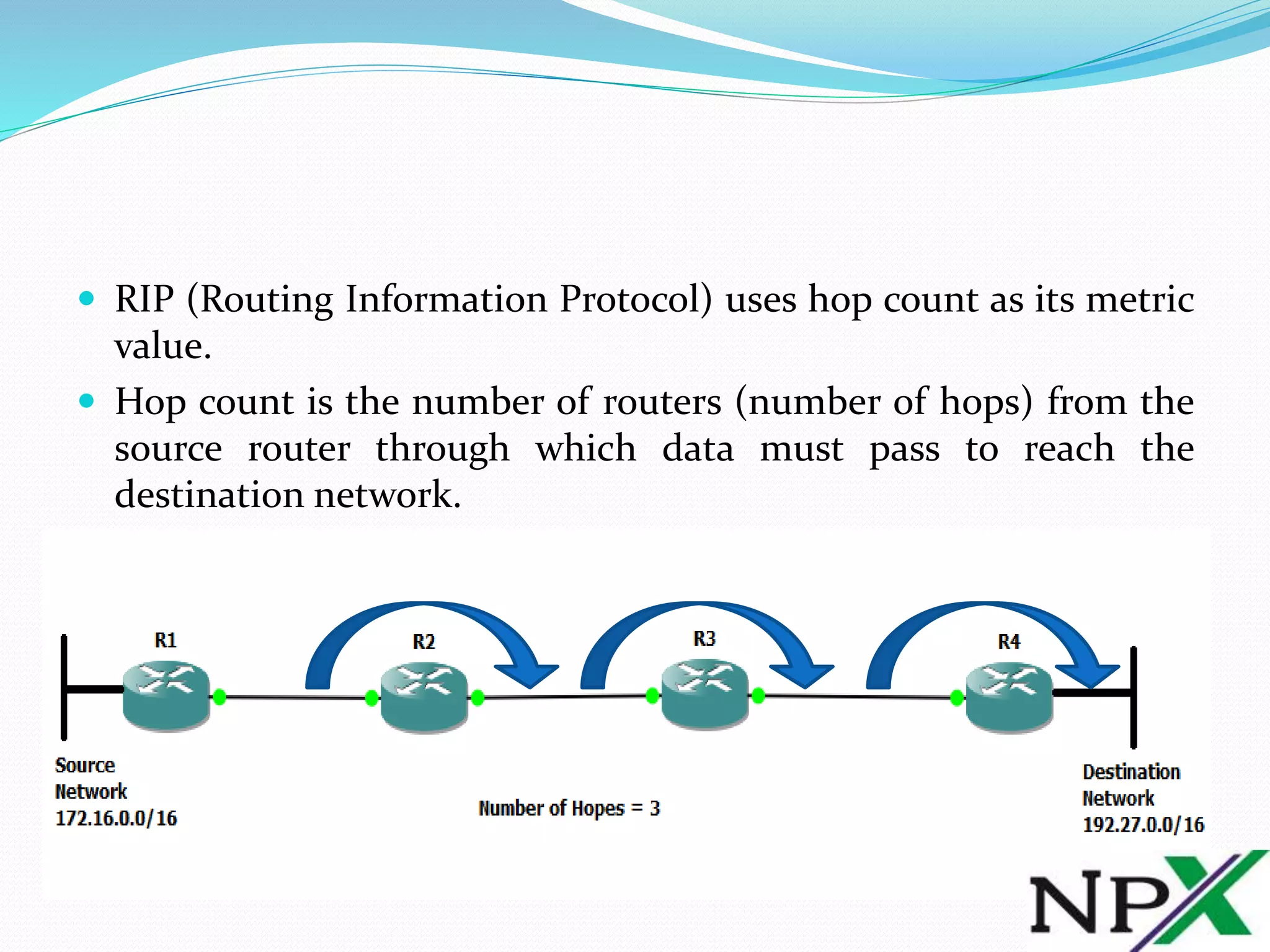
 RIP (Routing Information Protocol) uses hop count as its metric
value.
 Hop count is the number of routers (number of hops) from the
source router through which data must pass to reach the
destination network.
 In above lab topology, R1 is the Source Network router and R4 is
the Destination Network router.
 From Source Network Router, an IP datagram must hop three
routers to reach the Destination Network, which are R2, R3, and
R4.
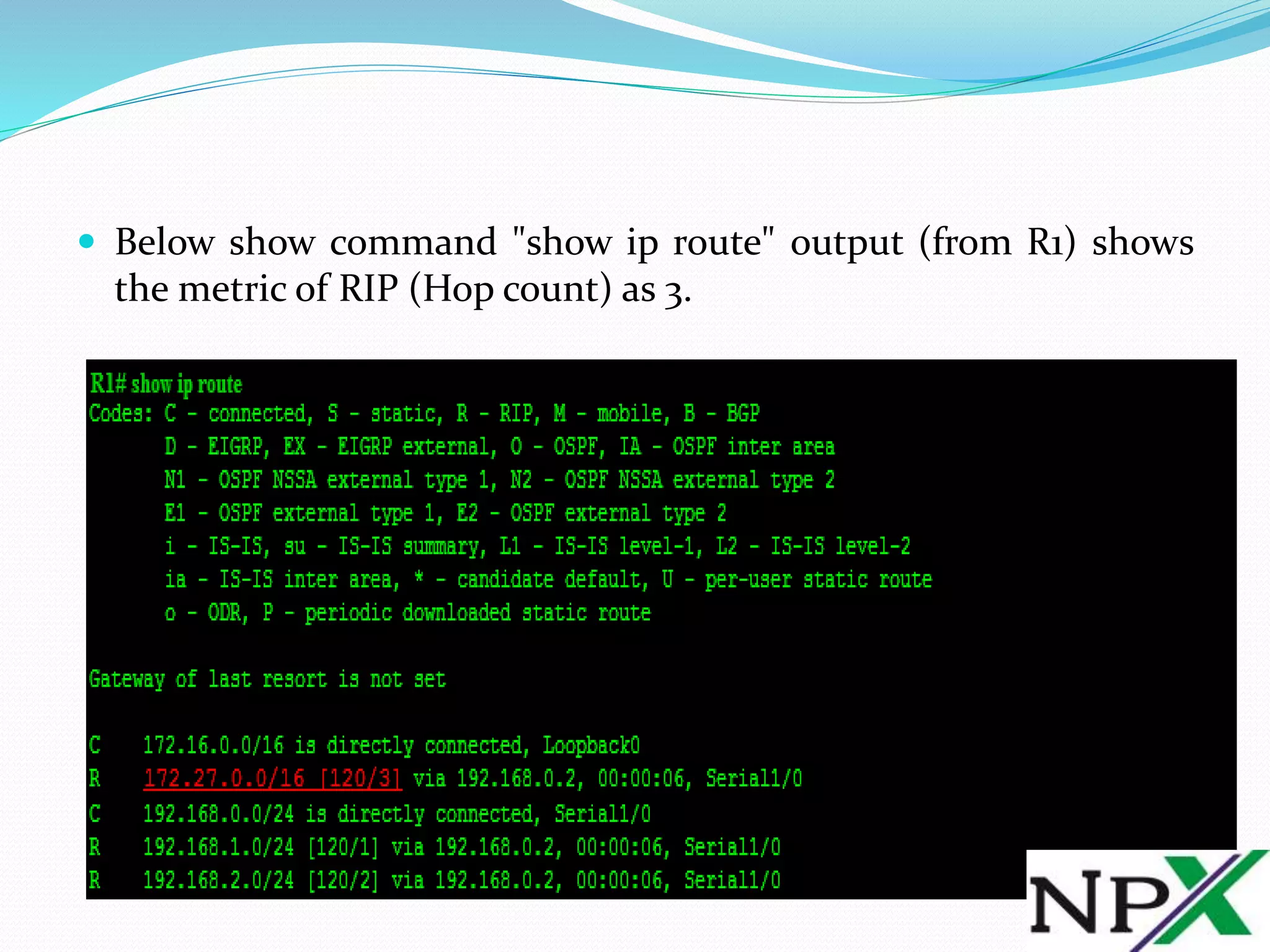
 Below show command "show ip route" output (from R1) shows
the metric of RIP (Hop count) as 3.
 From above output, [120/3] shows 120 is the
default Administrative Distance of RIP (Routing Information
Protocol) and 3 is the metric (Hop Count) of RIP (Routing
Information Protocol) for above topology.
 RIP (Routing Information Protocol) selects the best path to a
Destination Network based only on the number of hops to the
destination network. If you have multiple paths with different
bandwidth to the destination network, then RIP’s best path
calculation may become wrong.

RIP Metric Hope Count and Hop Count Calculation

  • 1.
    RIP Metric, HopeCount and Hop Count Calculation www.netprotocolxpert.in
  • 2.
     RIP (RoutingInformation Protocol) uses hop count as its metric value.  Hop count is the number of routers (number of hops) from the source router through which data must pass to reach the destination network.
  • 3.
     In abovelab topology, R1 is the Source Network router and R4 is the Destination Network router.  From Source Network Router, an IP datagram must hop three routers to reach the Destination Network, which are R2, R3, and R4.
  • 4.
     Below showcommand "show ip route" output (from R1) shows the metric of RIP (Hop count) as 3.
  • 5.
     From aboveoutput, [120/3] shows 120 is the default Administrative Distance of RIP (Routing Information Protocol) and 3 is the metric (Hop Count) of RIP (Routing Information Protocol) for above topology.  RIP (Routing Information Protocol) selects the best path to a Destination Network based only on the number of hops to the destination network. If you have multiple paths with different bandwidth to the destination network, then RIP’s best path calculation may become wrong.