Basic Cisco ASA 5506-x Configuration (Firepower)
www.NetProtocolXpert.com 1
Network Requirements
 In a typical business environment, the network is comprised of three segments – Internet, user
and optionally a DMZ network. The DMZ network is used to host publicly accessible servers such
web server, Email server and so on. The Cisco ASA acts as a Firewall, as well as an Internet
 LAN users and Web Servers all have Internet access.
 LAN users have full access to the Web Server network segment (DMZ1) but DMZ1 does not have
any access to the LAN (in case DMZ is compromised).
 Anyone on the Internet can access the Web Server via a publicly NAT IP address over HTTP.
 All other traffic is denied unless explicitly allowed.
www.NetProtocolXpert.com 2
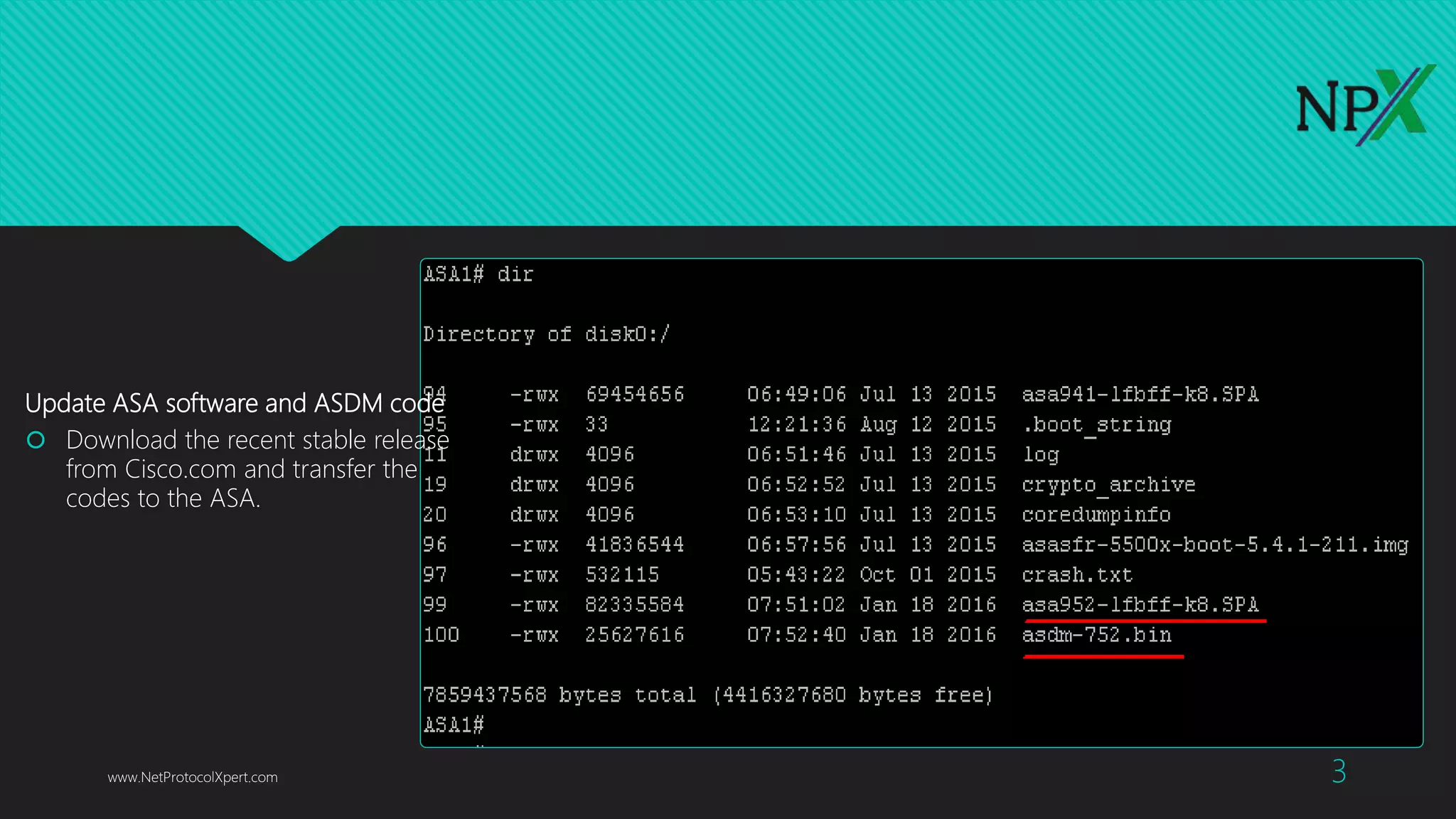
Update ASA software and ASDM code
 Download the recent stable release
from Cisco.com and transfer the
codes to the ASA.
www.NetProtocolXpert.com 3
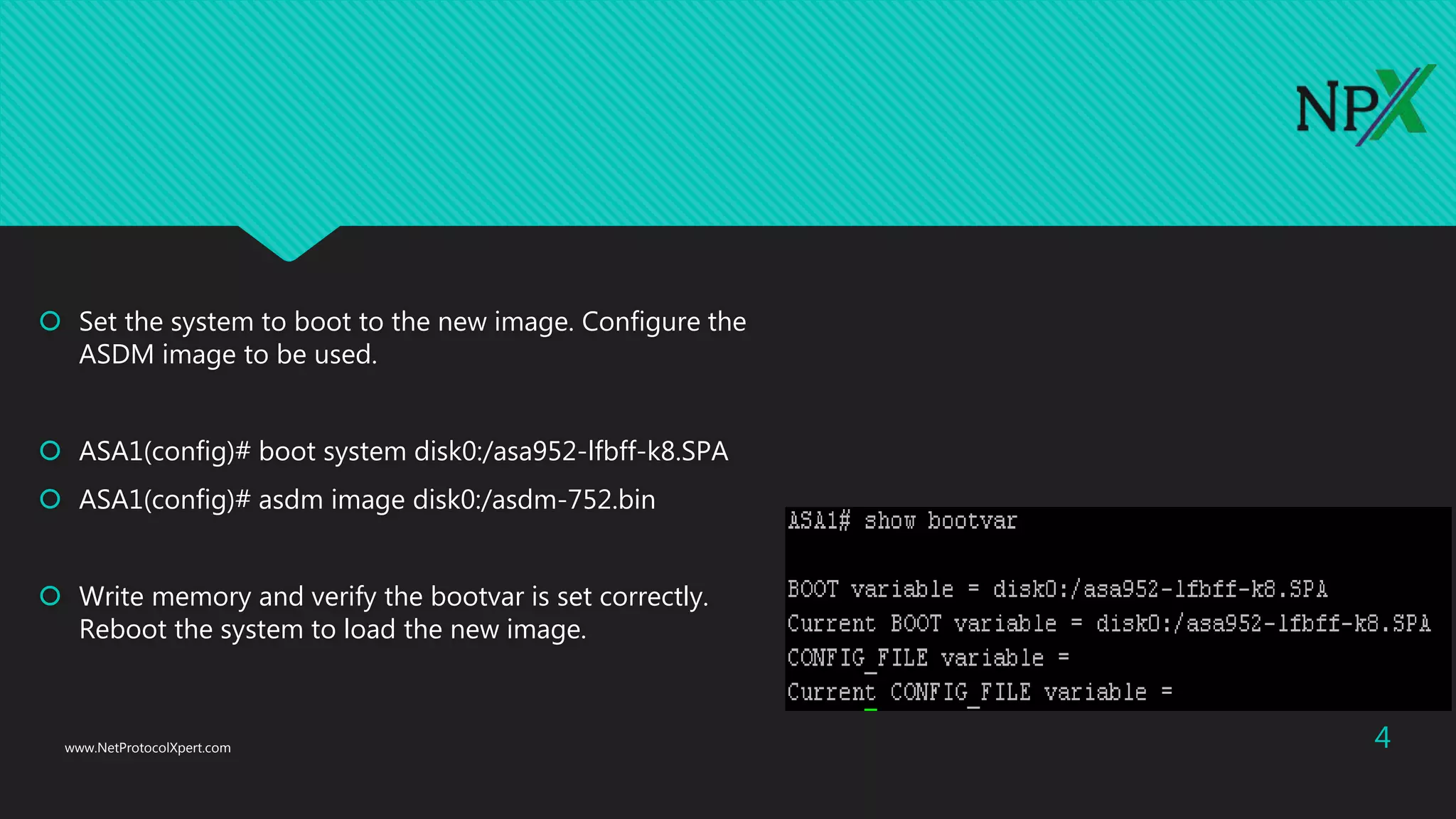
 Set the system to boot to the new image. Configure the
ASDM image to be used.
 ASA1(config)# boot system disk0:/asa952-lfbff-k8.SPA
 ASA1(config)# asdm image disk0:/asdm-752.bin
 Write memory and verify the bootvar is set correctly.
Reboot the system to load the new image.
www.NetProtocolXpert.com 4
Security levels on Cisco ASA Firewall
 Before jumping into the configuration, I’d like to briefly touch on how Cisco ASAs work in a multi-level
security design. The concept is not Cisco specific. It applies to any other business grade firewalls.
 By default, traffic passing from a lower to higher security level is denied. This can be overridden by an
applied to that lower security interface. Also the ASA, by default, will allow traffic from higher to lower
security interfaces. This behaviour can also be overridden with an ACL. The security levels are defined by
numeric numbers between 0 and 100. 0 is often placed on the untrusted network such as Internet. And
is the most secured network. In our example we assign security levels as following: LAN = 100, DMZ1 = 50
and outside = 0.
www.NetProtocolXpert.com 5
 LAN is considered the most secured network. It not only hosts internal user workstations as well as mission
critical production servers. LAN users can reach other networks. However, no inbound access is allowed from
any other networks unless explicitly allowed.
 DMZ1 hosts public facing web servers. Any one on the Internet can reach the servers on TCP port 80 for
HTTP.
 The design idea here is that we don’t allow any possibilities of compromising the LAN. All “inbound” access
to the LAN is denied unless the connection is initiated from the inside hosts. Servers in DMZ1 serve Internet
web traffic and internal user traffic from the LAN.
www.NetProtocolXpert.com 6
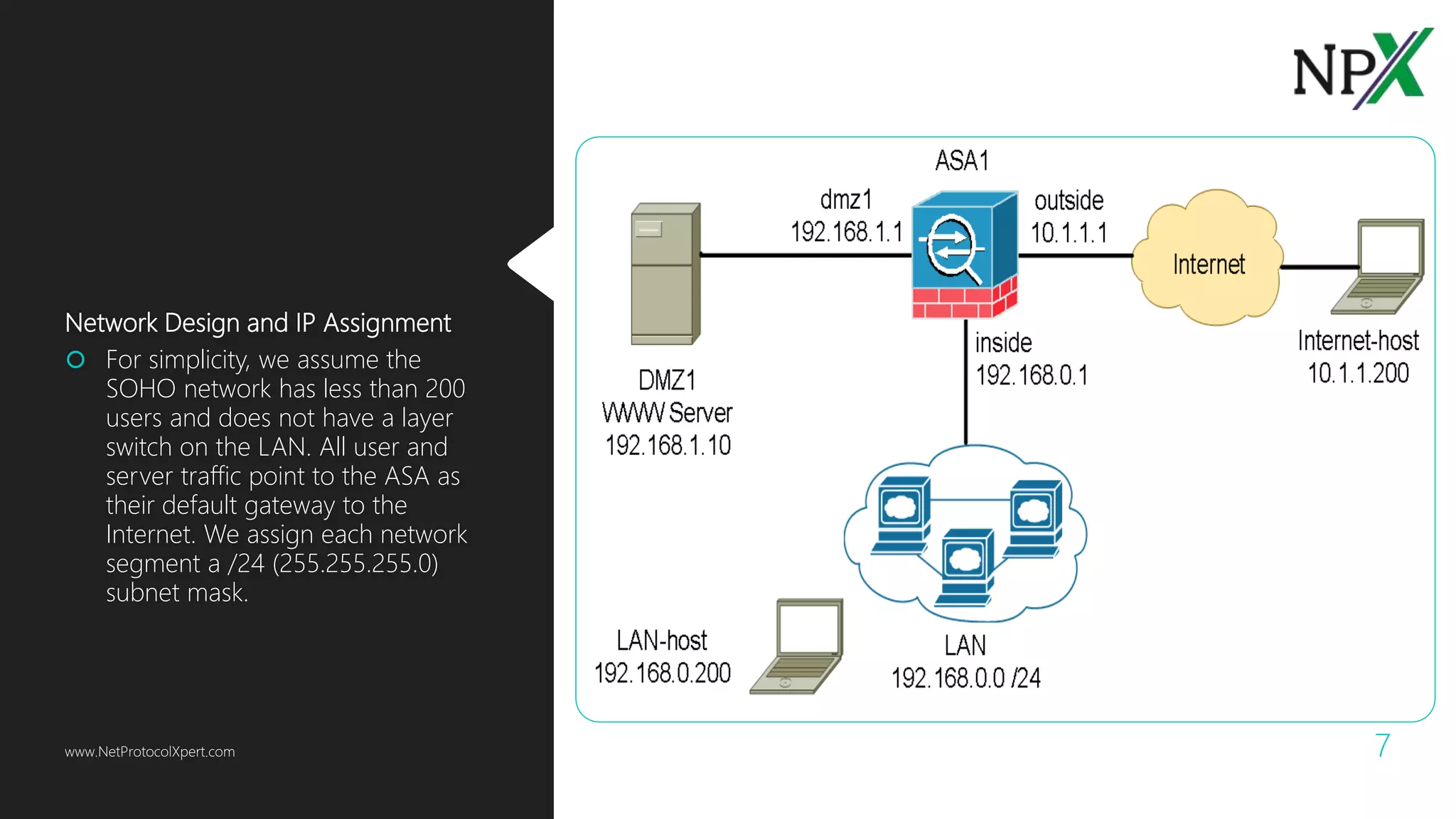
Network Design and IP Assignment
 For simplicity, we assume the
SOHO network has less than 200
users and does not have a layer
switch on the LAN. All user and
server traffic point to the ASA as
their default gateway to the
Internet. We assign each network
segment a /24 (255.255.255.0)
subnet mask.
www.NetProtocolXpert.com 7
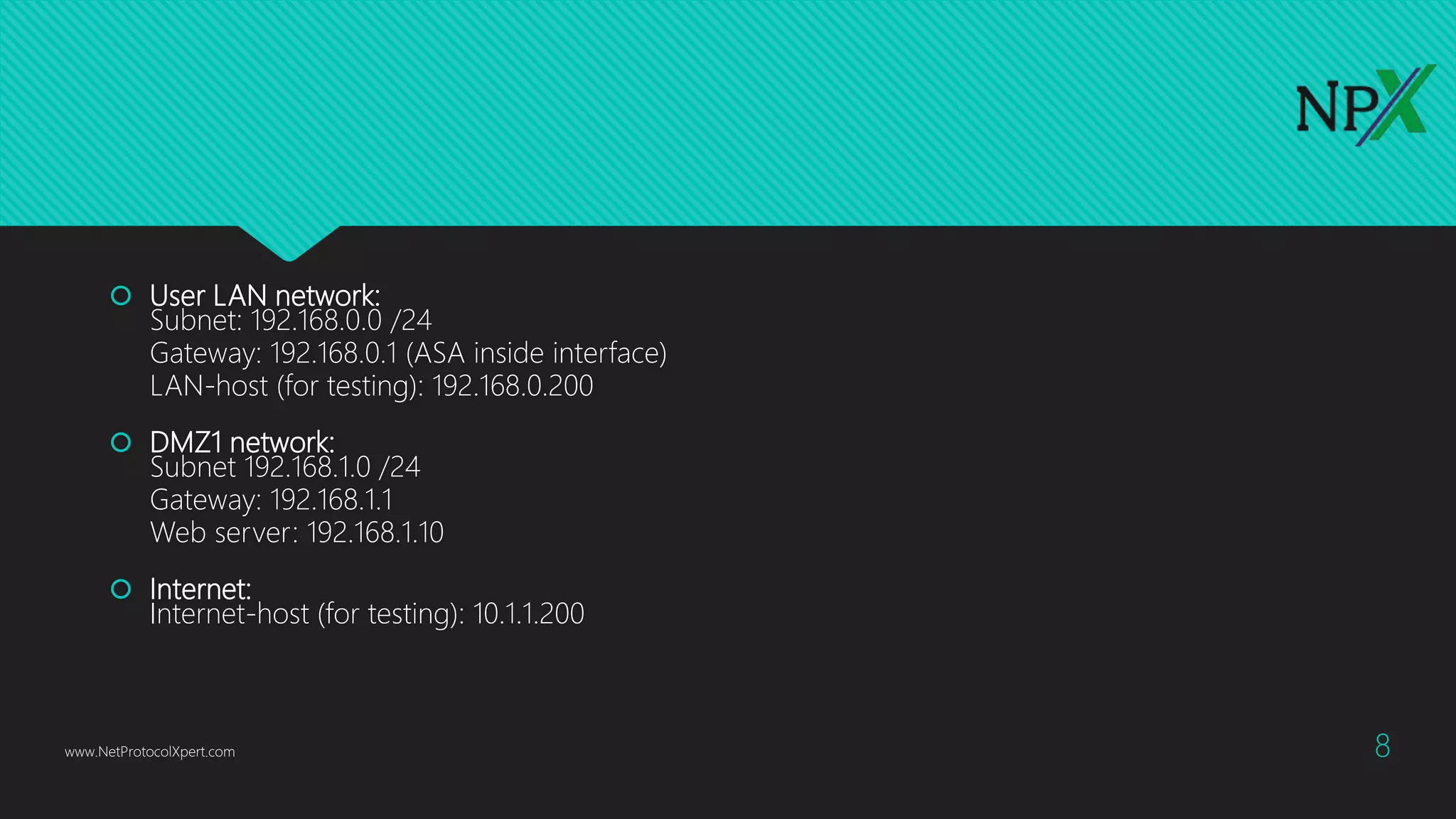
 User LAN network:
Subnet: 192.168.0.0 /24
Gateway: 192.168.0.1 (ASA inside interface)
LAN-host (for testing): 192.168.0.200
 DMZ1 network:
Subnet 192.168.1.0 /24
Gateway: 192.168.1.1
Web server: 192.168.1.10
 Internet:
Internet-host (for testing): 10.1.1.200
www.NetProtocolXpert.com 8
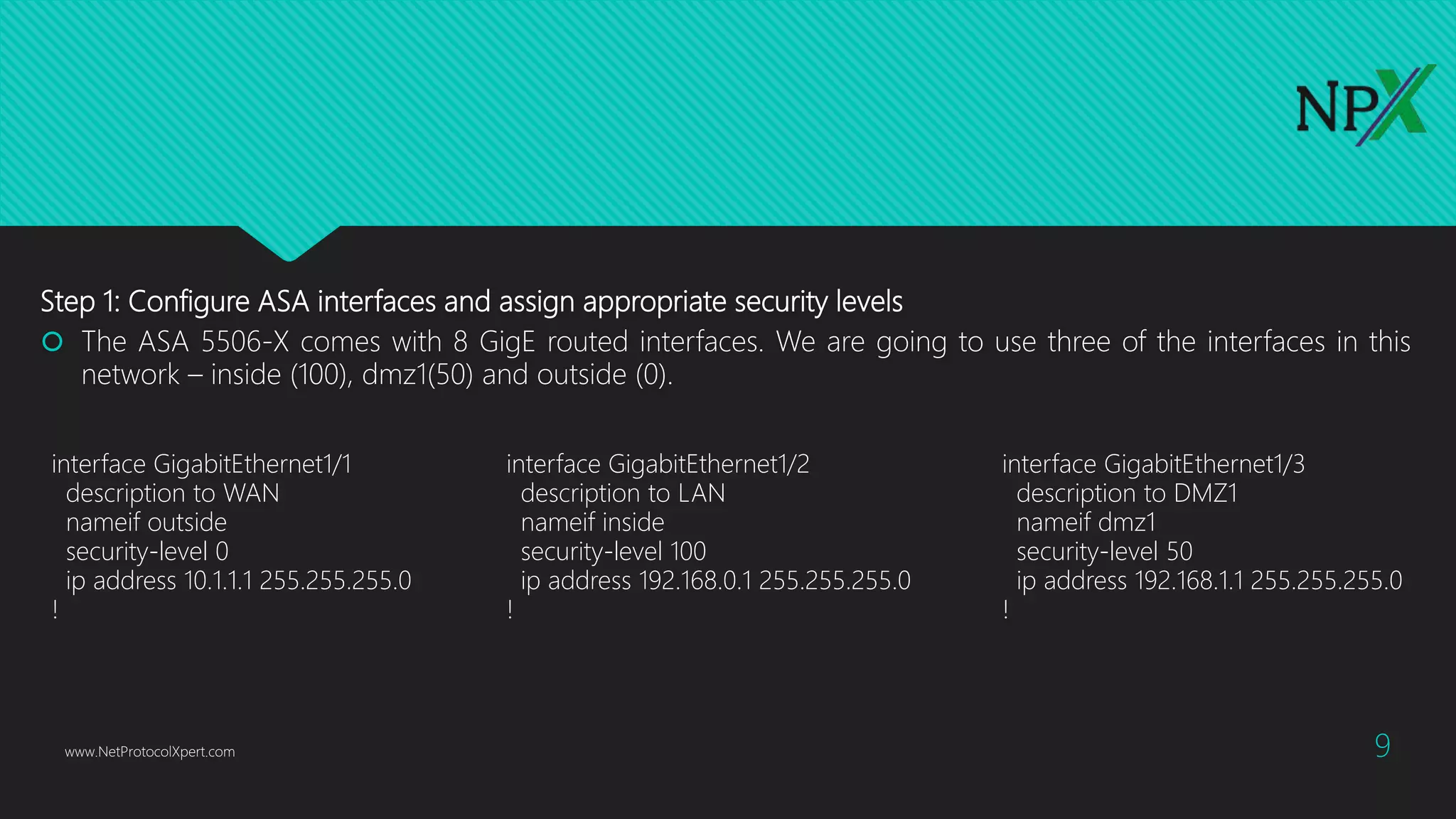
Step 1: Configure ASA interfaces and assign appropriate security levels
 The ASA 5506-X comes with 8 GigE routed interfaces. We are going to use three of the interfaces in this
network – inside (100), dmz1(50) and outside (0).
www.NetProtocolXpert.com 9
interface GigabitEthernet1/1
description to WAN
nameif outside
security-level 0
ip address 10.1.1.1 255.255.255.0
!
interface GigabitEthernet1/2
description to LAN
nameif inside
security-level 100
ip address 192.168.0.1 255.255.255.0
!
interface GigabitEthernet1/3
description to DMZ1
nameif dmz1
security-level 50
ip address 192.168.1.1 255.255.255.0
!
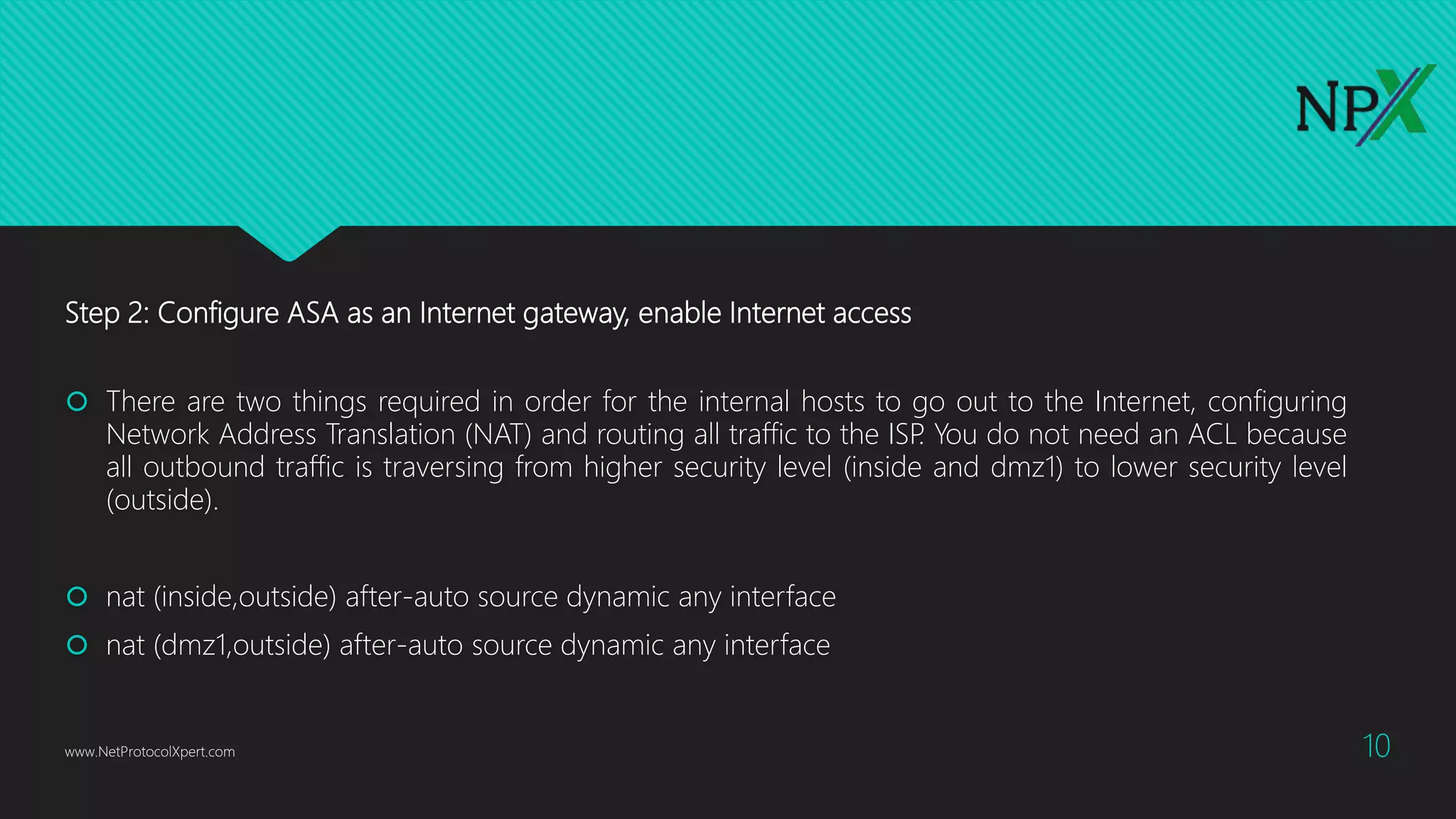
Step 2: Configure ASA as an Internet gateway, enable Internet access
 There are two things required in order for the internal hosts to go out to the Internet, configuring
Network Address Translation (NAT) and routing all traffic to the ISP. You do not need an ACL because
all outbound traffic is traversing from higher security level (inside and dmz1) to lower security level
(outside).
 nat (inside,outside) after-auto source dynamic any interface
 nat (dmz1,outside) after-auto source dynamic any interface
www.NetProtocolXpert.com 10
 The configuration in previous slide states that any traffic coming from inside and dmz1 network,
translate the source IP to the outside interface’s IP for outbound Internet traffic. The “after-auto”
keyword simply set this NAT the least preferred rule to be evaluated after Manual NAT and Auto NAT
are evaluated. The reason we want to give it the least preference is to avoid possible conflict with other
NAT rules.
 Next is configuring a default gateway and route all traffic to the upstream ISP. 10.1.1.2 is the gateway
the ISP provided.
 route outside 0.0.0.0 0.0.0.0 10.1.1.2
www.NetProtocolXpert.com 11
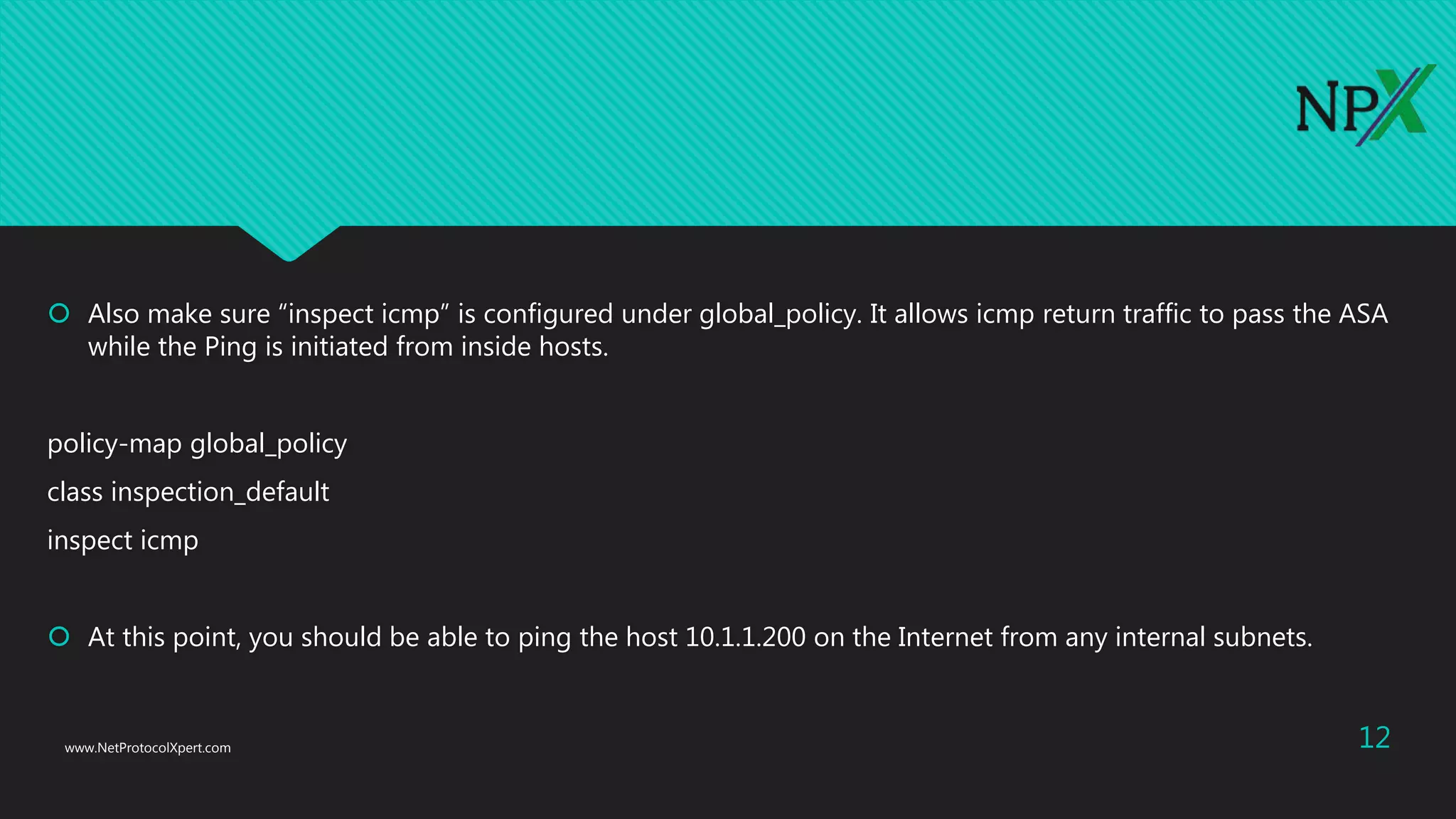
 Also make sure “inspect icmp” is configured under global_policy. It allows icmp return traffic to pass the ASA
while the Ping is initiated from inside hosts.
policy-map global_policy
class inspection_default
inspect icmp
 At this point, you should be able to ping the host 10.1.1.200 on the Internet from any internal subnets.
www.NetProtocolXpert.com 12
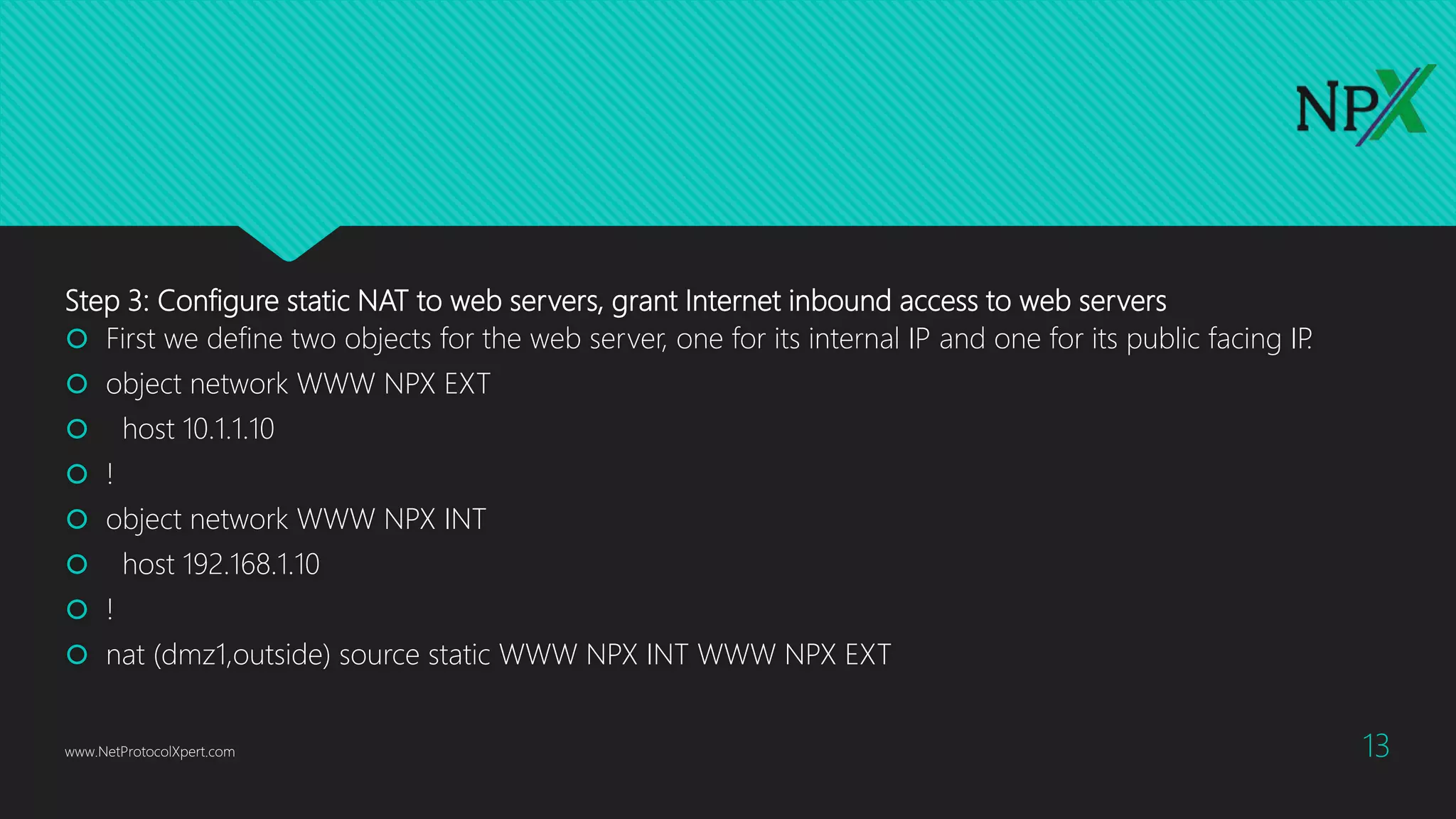
Step 3: Configure static NAT to web servers, grant Internet inbound access to web servers
 First we define two objects for the web server, one for its internal IP and one for its public facing IP.
 object network WWW NPX EXT
 host 10.1.1.10
 !
 object network WWW NPX INT
 host 192.168.1.10
 !
 nat (dmz1,outside) source static WWW NPX INT WWW NPX EXT
www.NetProtocolXpert.com 13
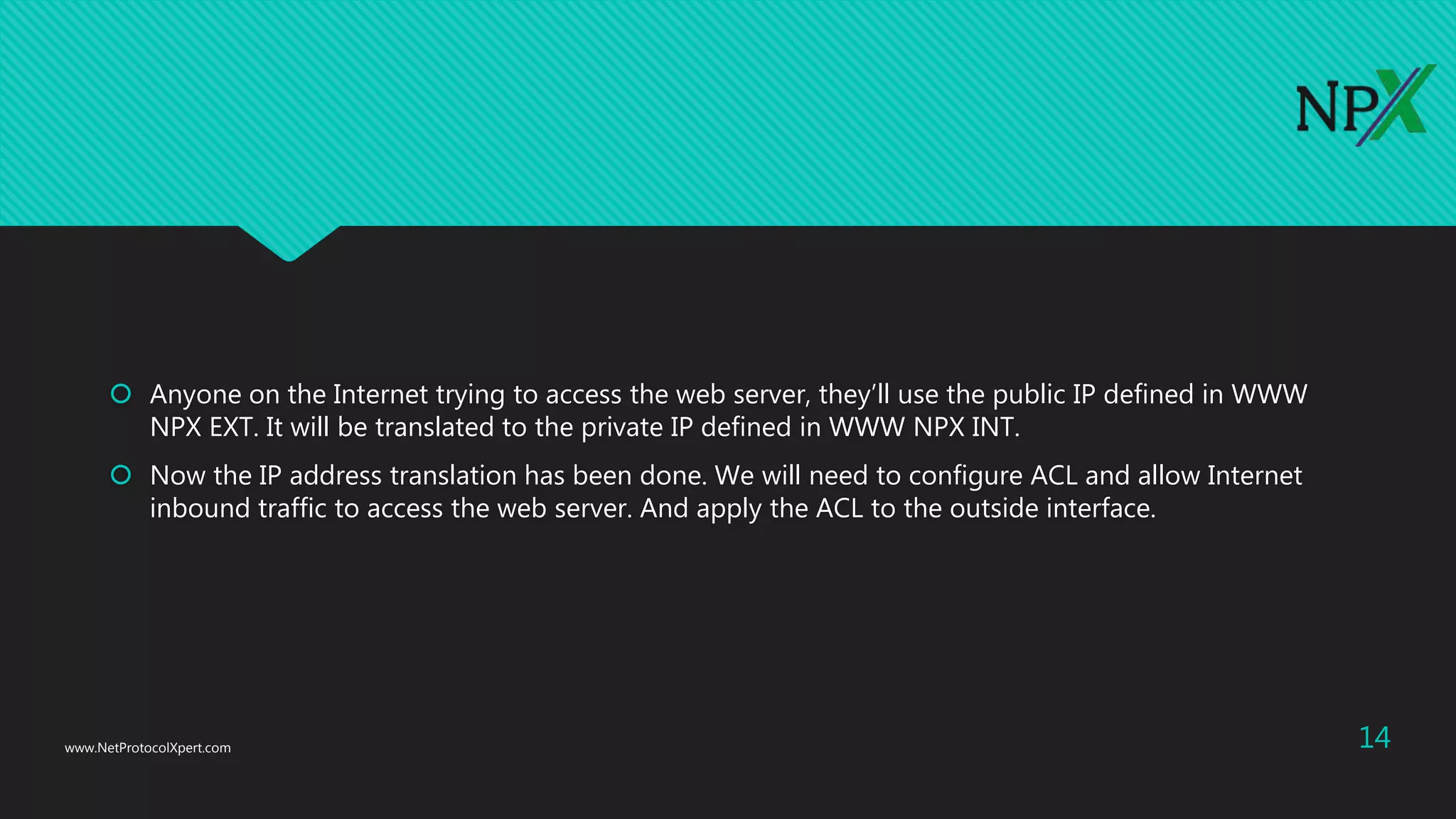
 Anyone on the Internet trying to access the web server, they’ll use the public IP defined in WWW
NPX EXT. It will be translated to the private IP defined in WWW NPX INT.
 Now the IP address translation has been done. We will need to configure ACL and allow Internet
inbound traffic to access the web server. And apply the ACL to the outside interface.
www.NetProtocolXpert.com 14
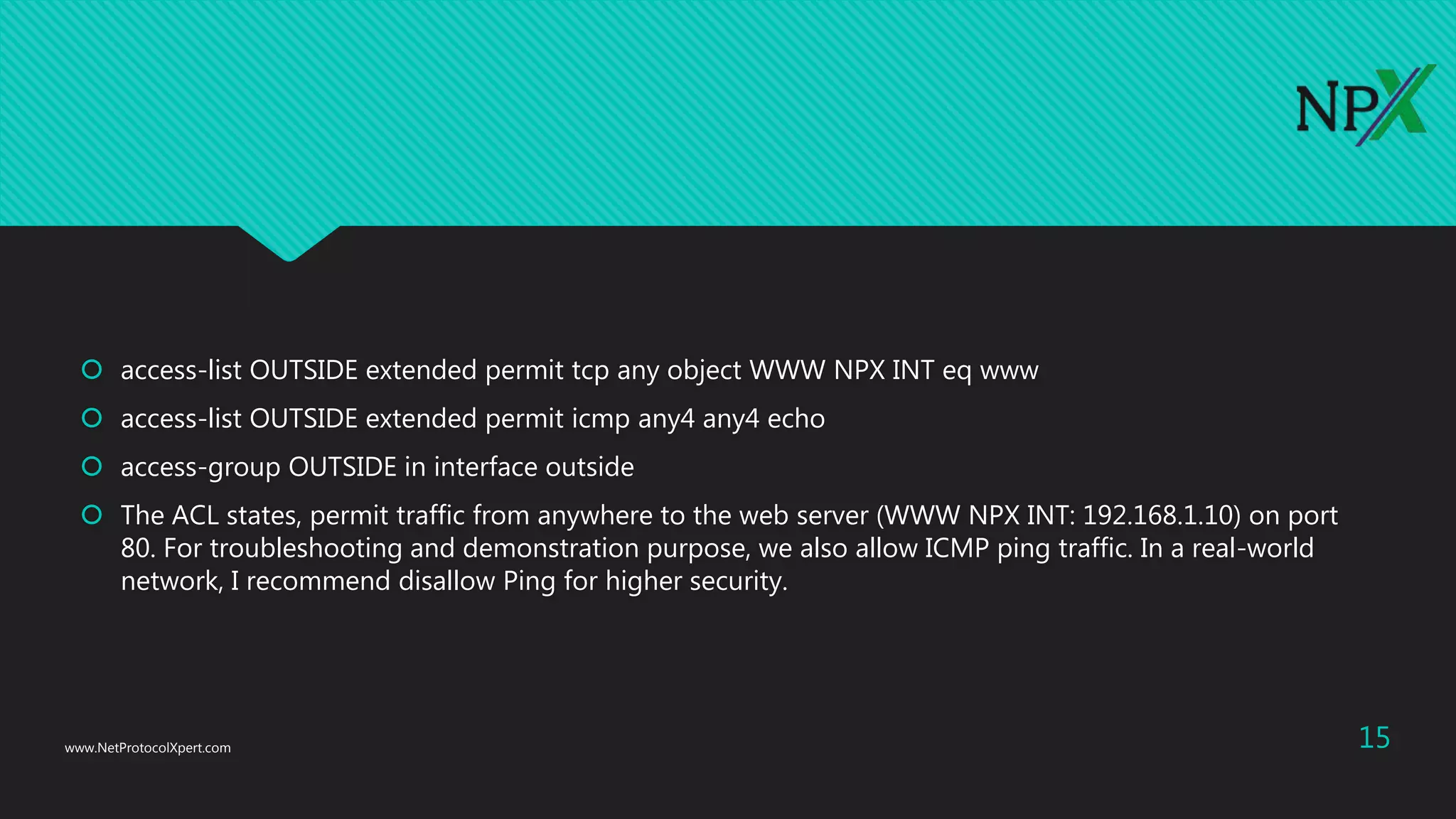
 access-list OUTSIDE extended permit tcp any object WWW NPX INT eq www
 access-list OUTSIDE extended permit icmp any4 any4 echo
 access-group OUTSIDE in interface outside
 The ACL states, permit traffic from anywhere to the web server (WWW NPX INT: 192.168.1.10) on port
80. For troubleshooting and demonstration purpose, we also allow ICMP ping traffic. In a real-world
network, I recommend disallow Ping for higher security.
www.NetProtocolXpert.com 15
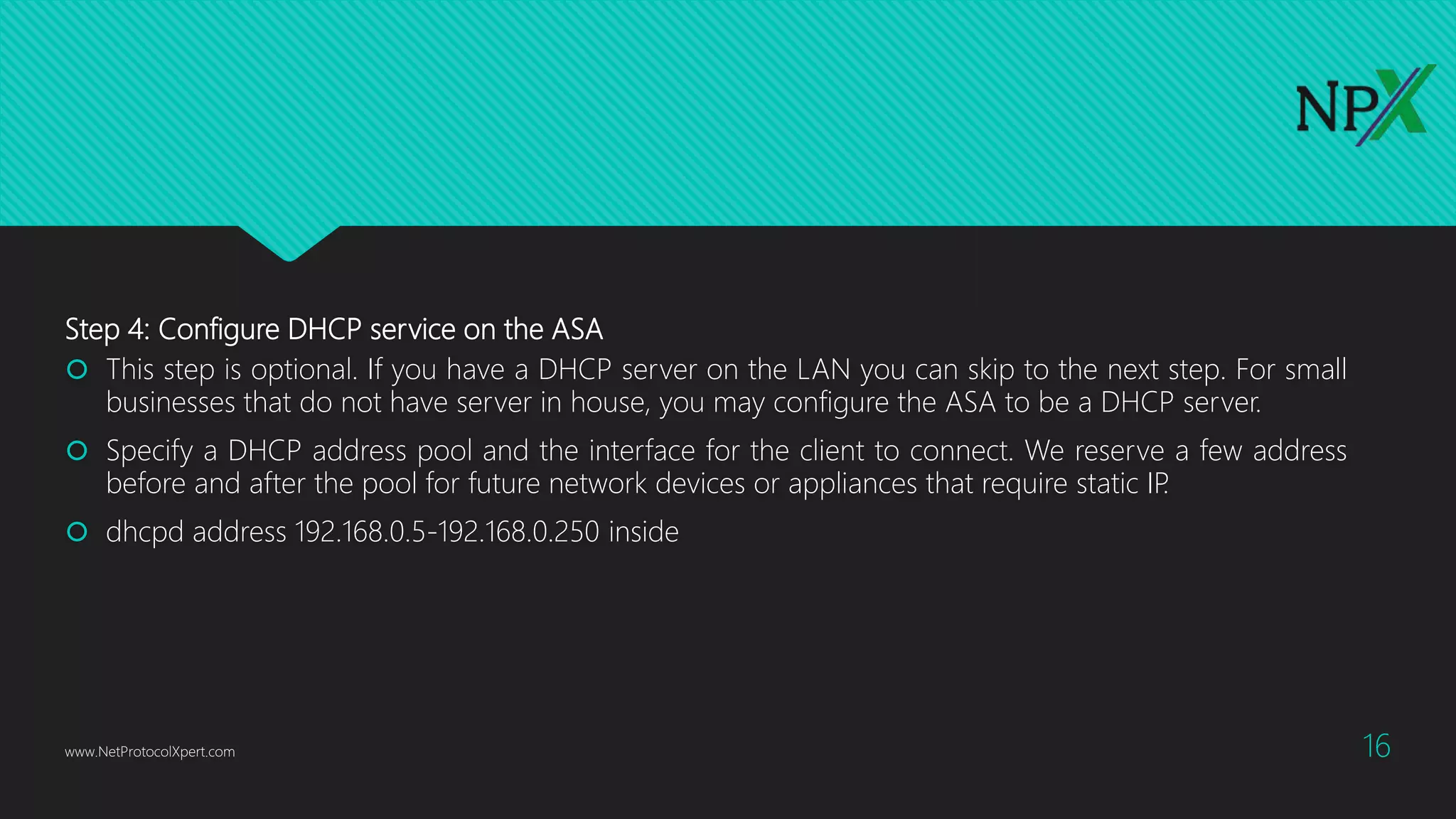
Step 4: Configure DHCP service on the ASA
 This step is optional. If you have a DHCP server on the LAN you can skip to the next step. For small
businesses that do not have server in house, you may configure the ASA to be a DHCP server.
 Specify a DHCP address pool and the interface for the client to connect. We reserve a few address
before and after the pool for future network devices or appliances that require static IP.
 dhcpd address 192.168.0.5-192.168.0.250 inside
www.NetProtocolXpert.com 16
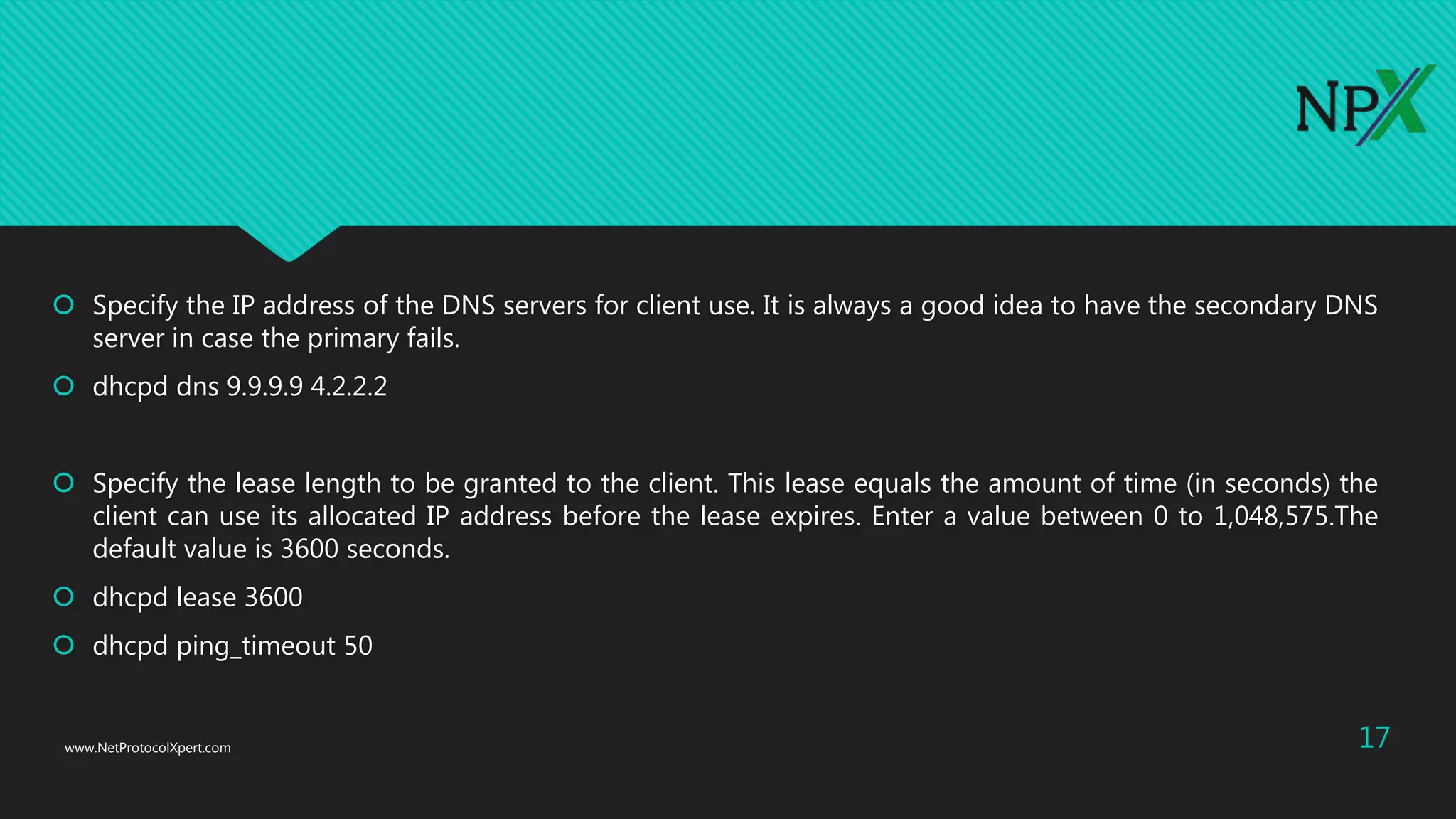
 Specify the IP address of the DNS servers for client use. It is always a good idea to have the secondary DNS
server in case the primary fails.
 dhcpd dns 9.9.9.9 4.2.2.2
 Specify the lease length to be granted to the client. This lease equals the amount of time (in seconds) the
client can use its allocated IP address before the lease expires. Enter a value between 0 to 1,048,575.The
default value is 3600 seconds.
 dhcpd lease 3600
 dhcpd ping_timeout 50
www.NetProtocolXpert.com 17
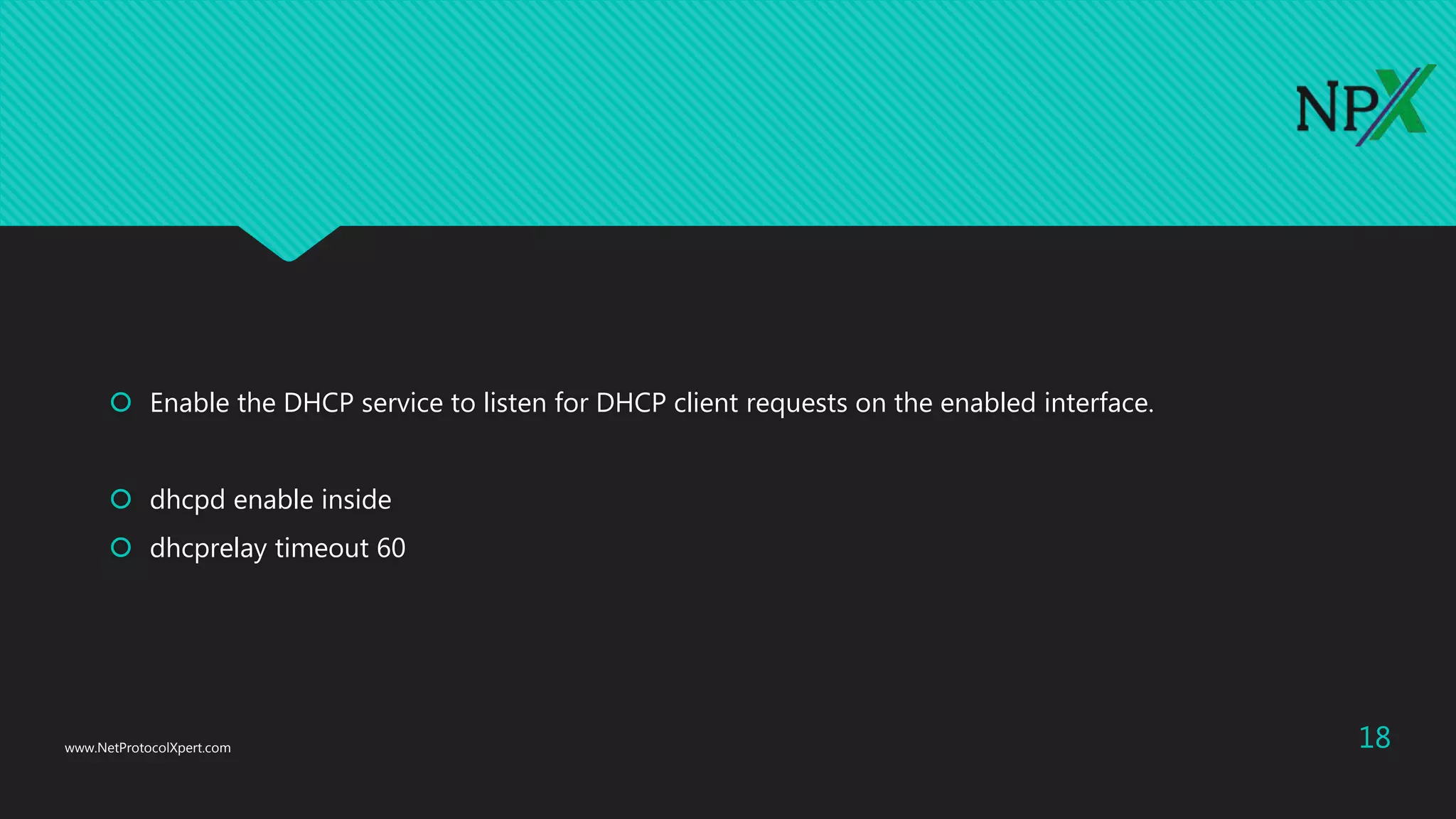
 Enable the DHCP service to listen for DHCP client requests on the enabled interface.
 dhcpd enable inside
 dhcprelay timeout 60
www.NetProtocolXpert.com 18
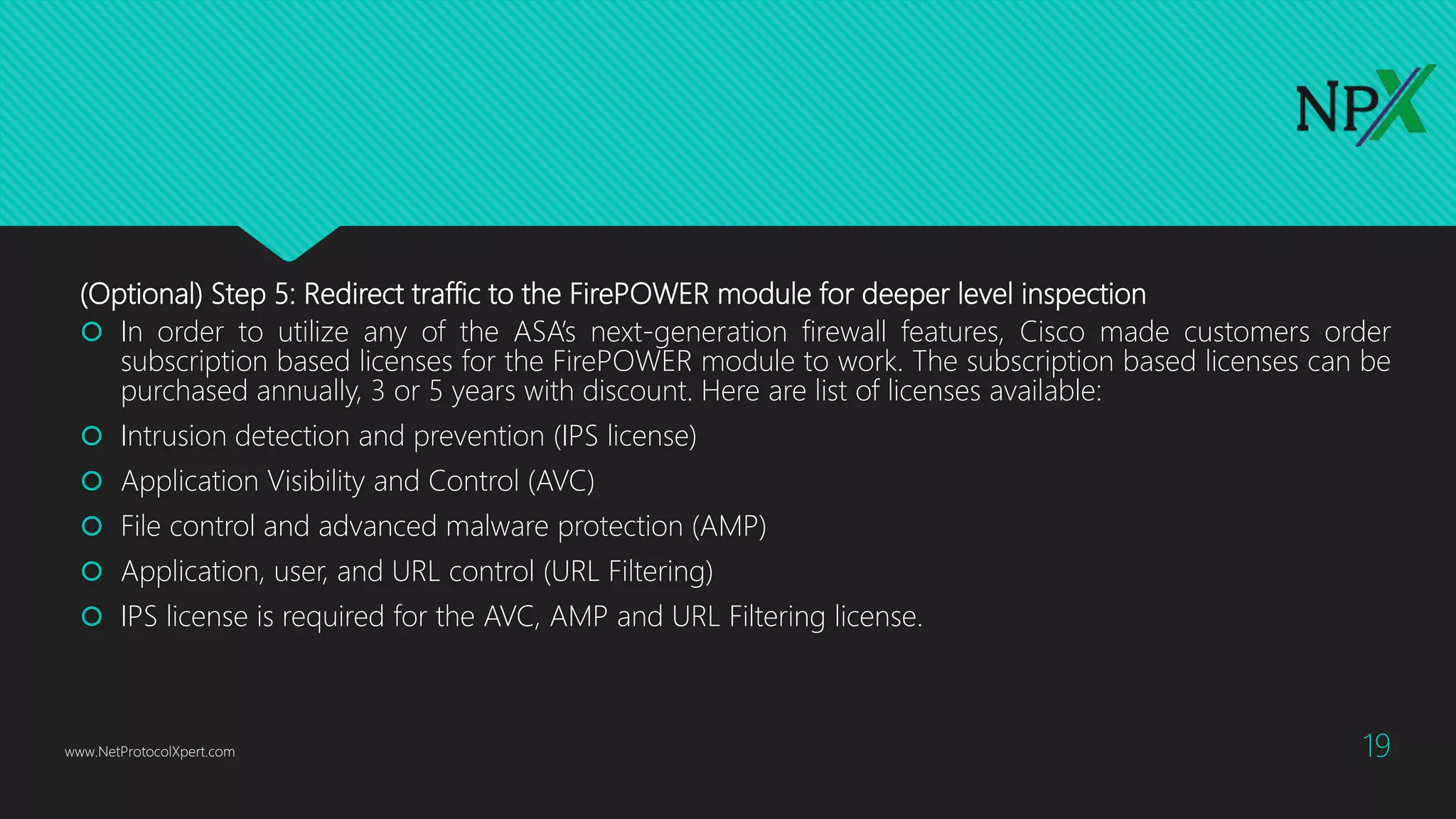
(Optional) Step 5: Redirect traffic to the FirePOWER module for deeper level inspection
 In order to utilize any of the ASA’s next-generation firewall features, Cisco made customers order
subscription based licenses for the FirePOWER module to work. The subscription based licenses can be
purchased annually, 3 or 5 years with discount. Here are list of licenses available:
 Intrusion detection and prevention (IPS license)
 Application Visibility and Control (AVC)
 File control and advanced malware protection (AMP)
 Application, user, and URL control (URL Filtering)
 IPS license is required for the AVC, AMP and URL Filtering license.
www.NetProtocolXpert.com 19
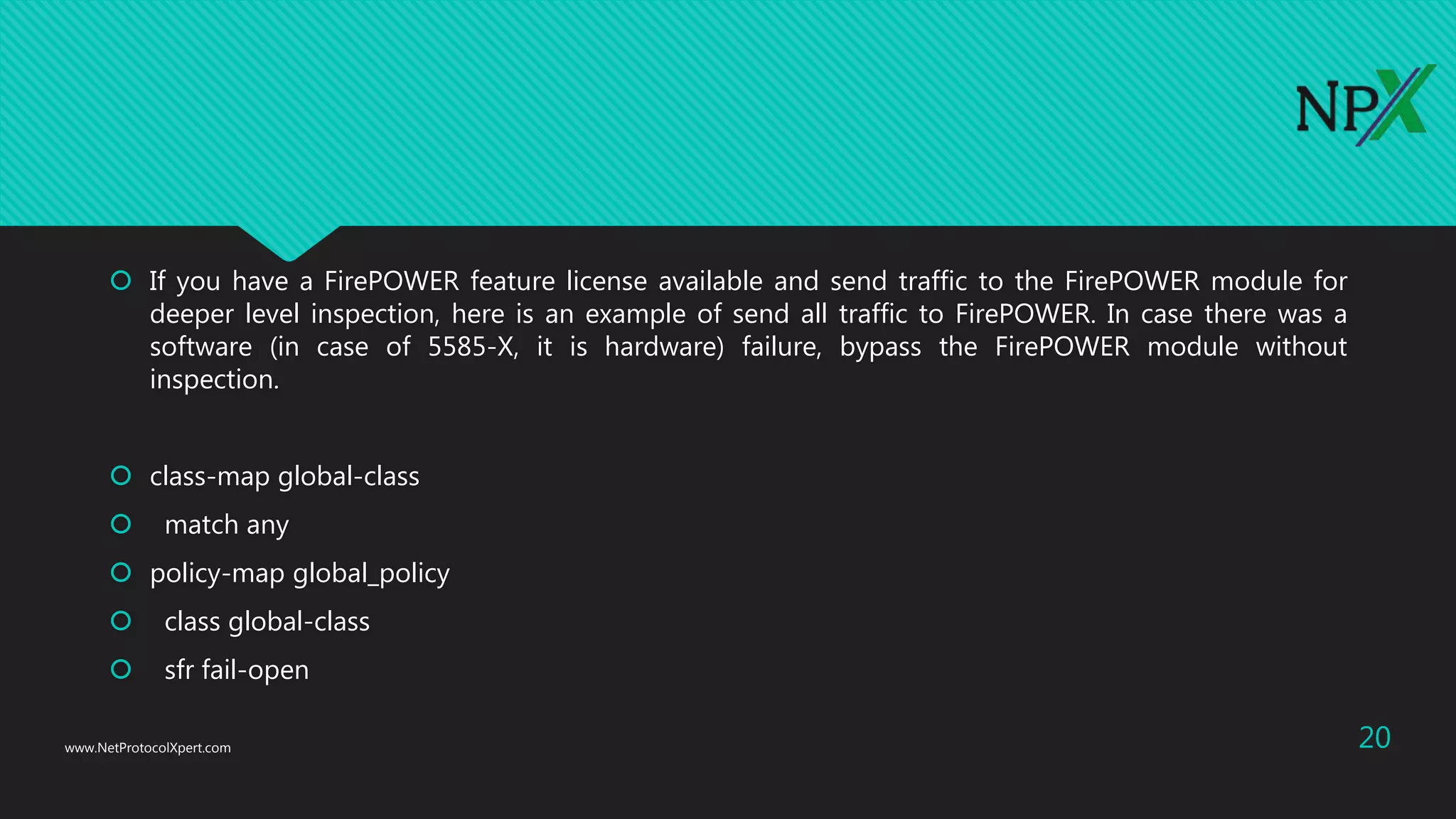
 If you have a FirePOWER feature license available and send traffic to the FirePOWER module for
deeper level inspection, here is an example of send all traffic to FirePOWER. In case there was a
software (in case of 5585-X, it is hardware) failure, bypass the FirePOWER module without
inspection.
 class-map global-class
 match any
 policy-map global_policy
 class global-class
 sfr fail-open
www.NetProtocolXpert.com 20
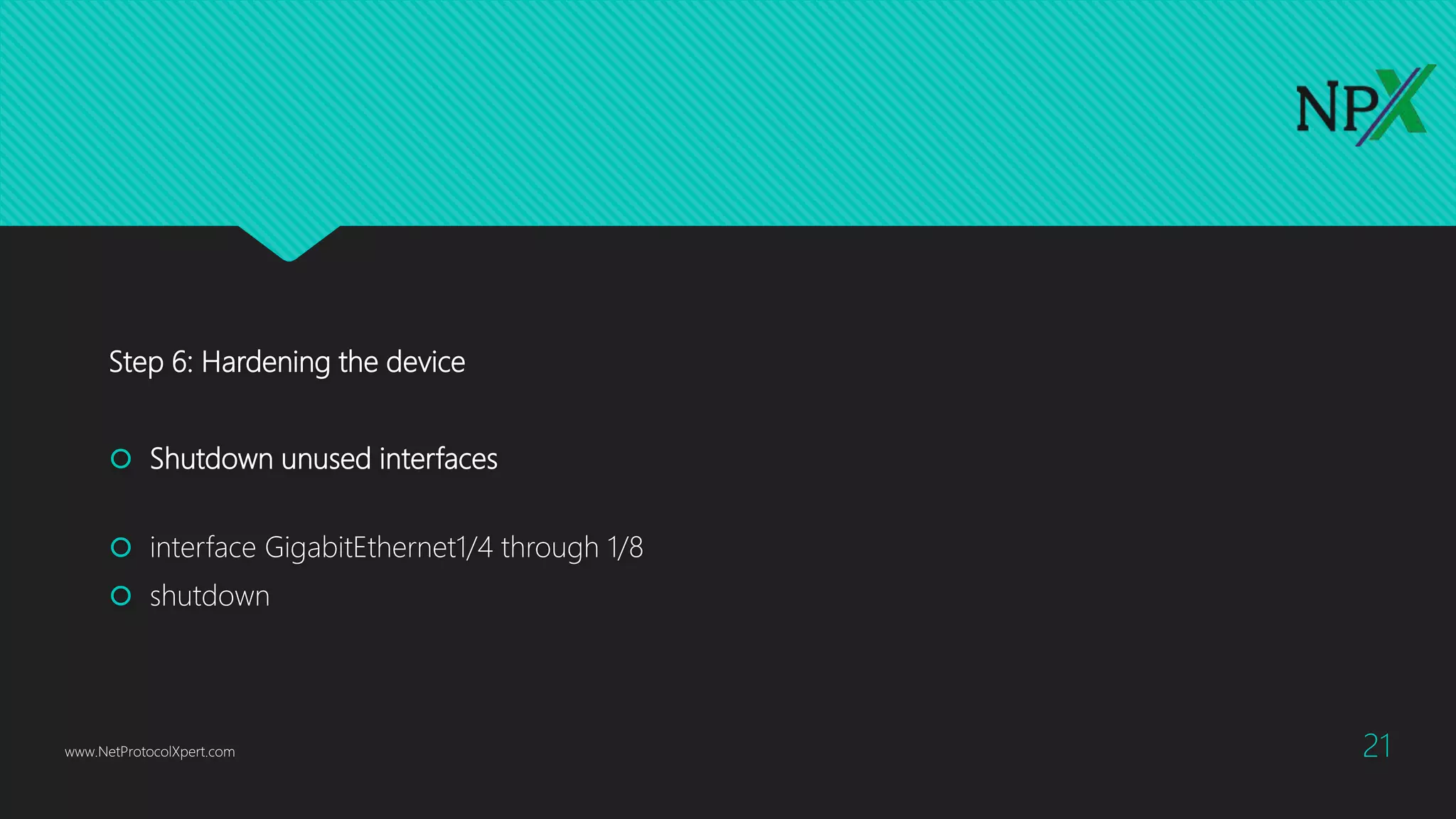
Step 6: Hardening the device
 Shutdown unused interfaces
 interface GigabitEthernet1/4 through 1/8
 shutdown
www.NetProtocolXpert.com 21
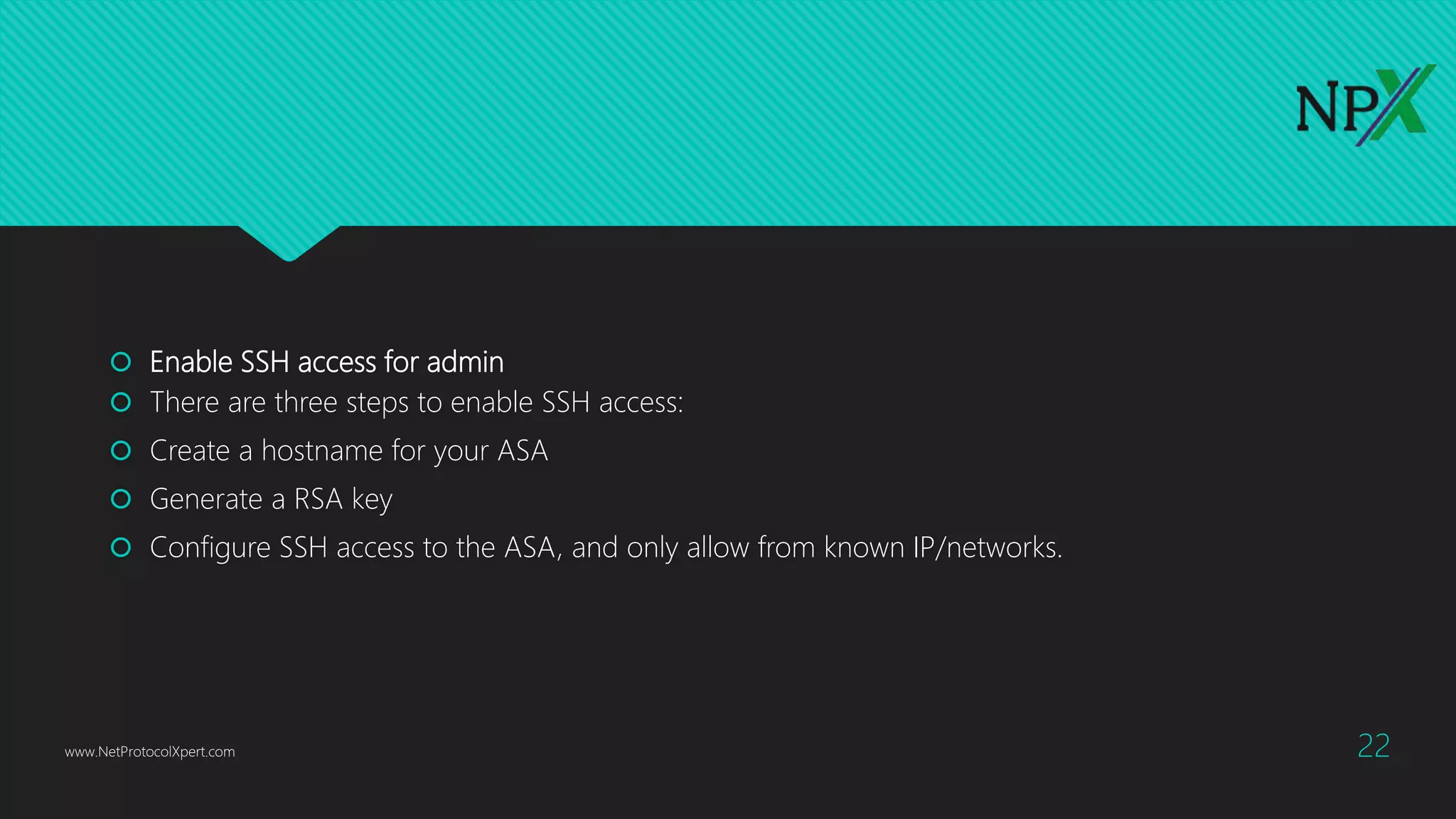
 Enable SSH access for admin
 There are three steps to enable SSH access:
 Create a hostname for your ASA
 Generate a RSA key
 Configure SSH access to the ASA, and only allow from known IP/networks.
www.NetProtocolXpert.com 22
Configuration example:
 ASA1(config)# hostname ASA1
 ASA1(config)# crypto key generate rsa modulus 1024
 WARNING: You have a RSA keypair already defined named <Default-RSA-Key>.
 Do you really want to replace them? [yes/no]: yes
 Keypair generation process begin. Please wait...
www.NetProtocolXpert.com 23
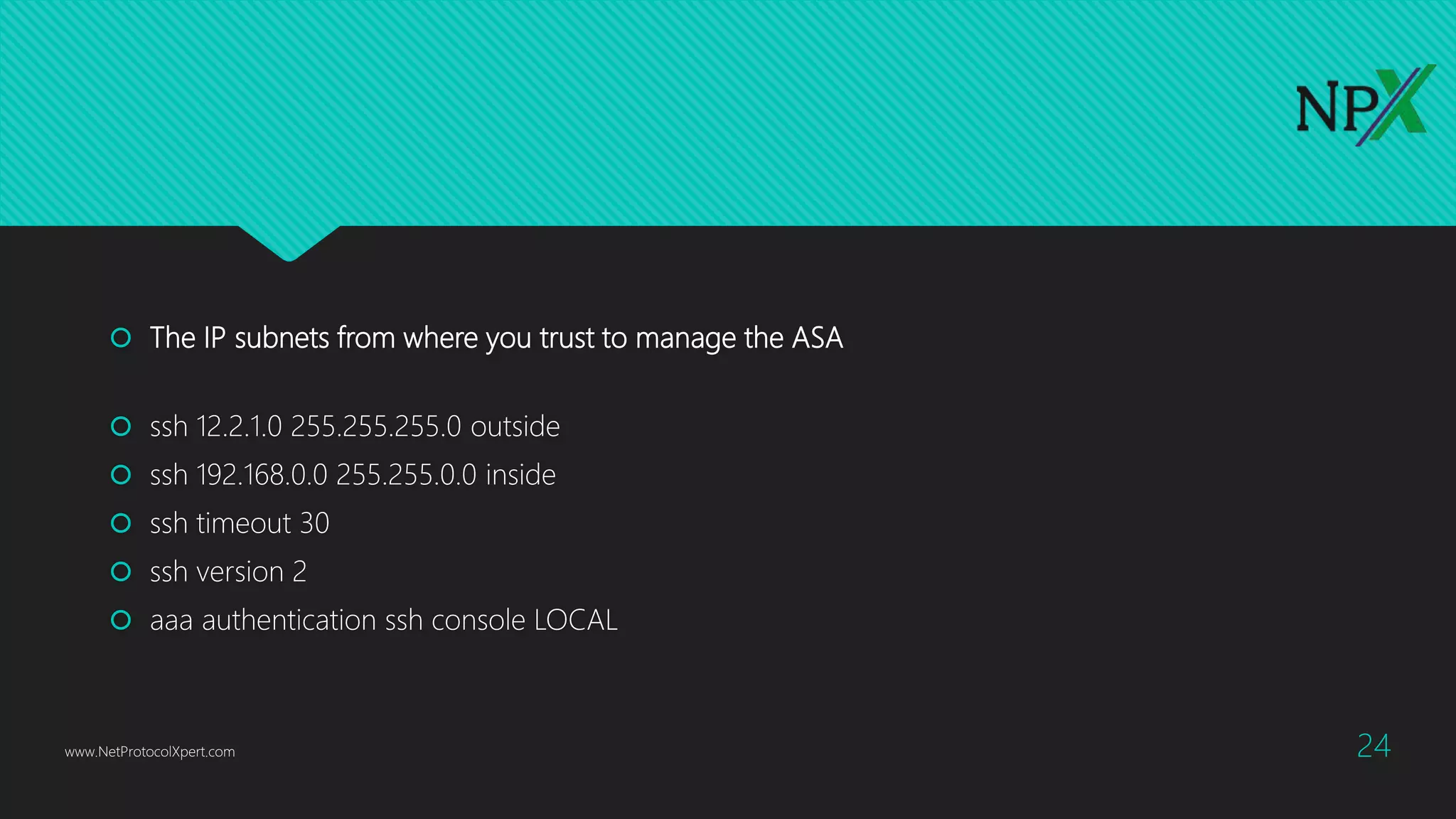
 The IP subnets from where you trust to manage the ASA
 ssh 12.2.1.0 255.255.255.0 outside
 ssh 192.168.0.0 255.255.0.0 inside
 ssh timeout 30
 ssh version 2
 aaa authentication ssh console LOCAL
www.NetProtocolXpert.com 24
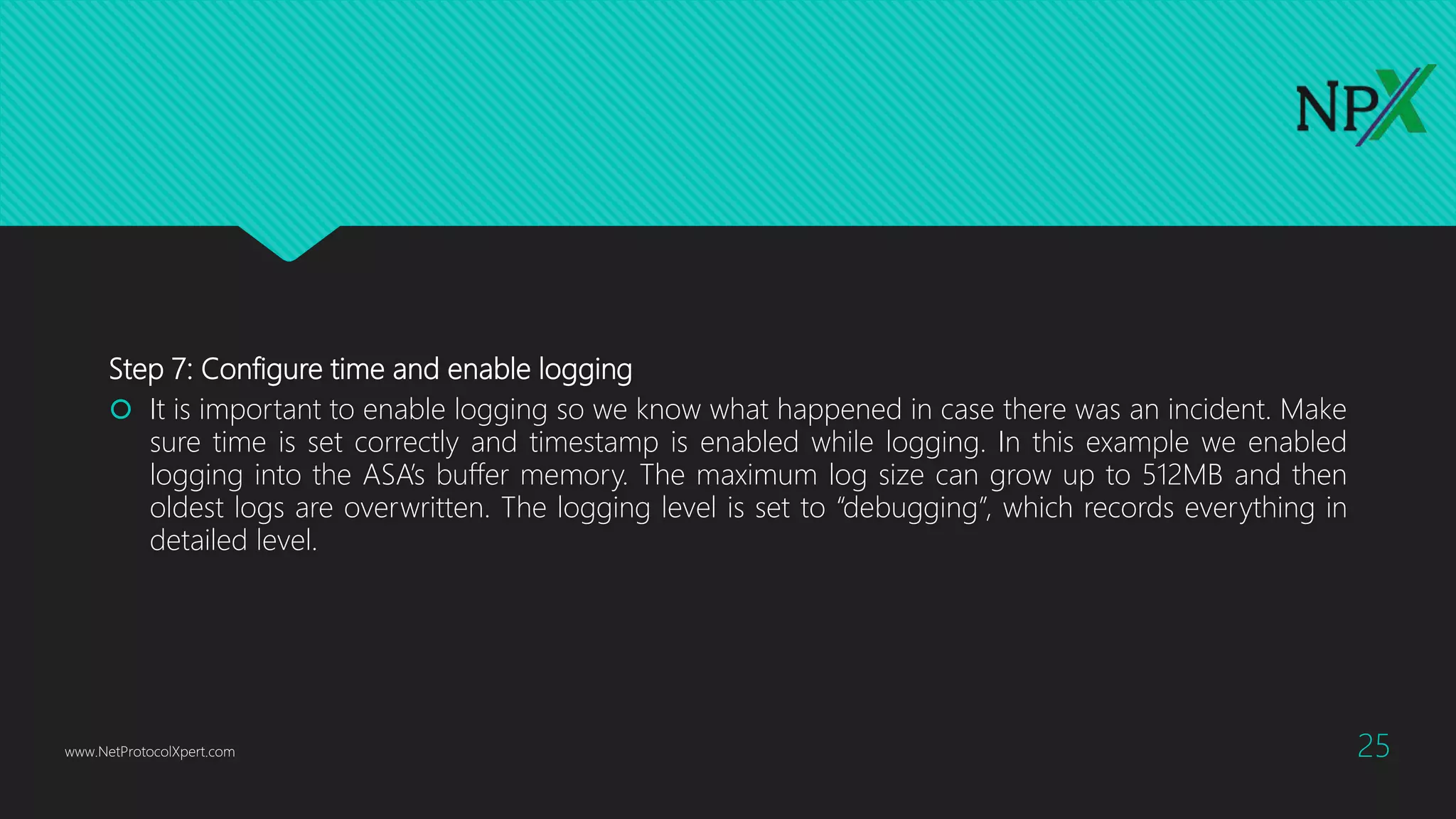
Step 7: Configure time and enable logging
 It is important to enable logging so we know what happened in case there was an incident. Make
sure time is set correctly and timestamp is enabled while logging. In this example we enabled
logging into the ASA’s buffer memory. The maximum log size can grow up to 512MB and then
oldest logs are overwritten. The logging level is set to “debugging”, which records everything in
detailed level.
www.NetProtocolXpert.com 25
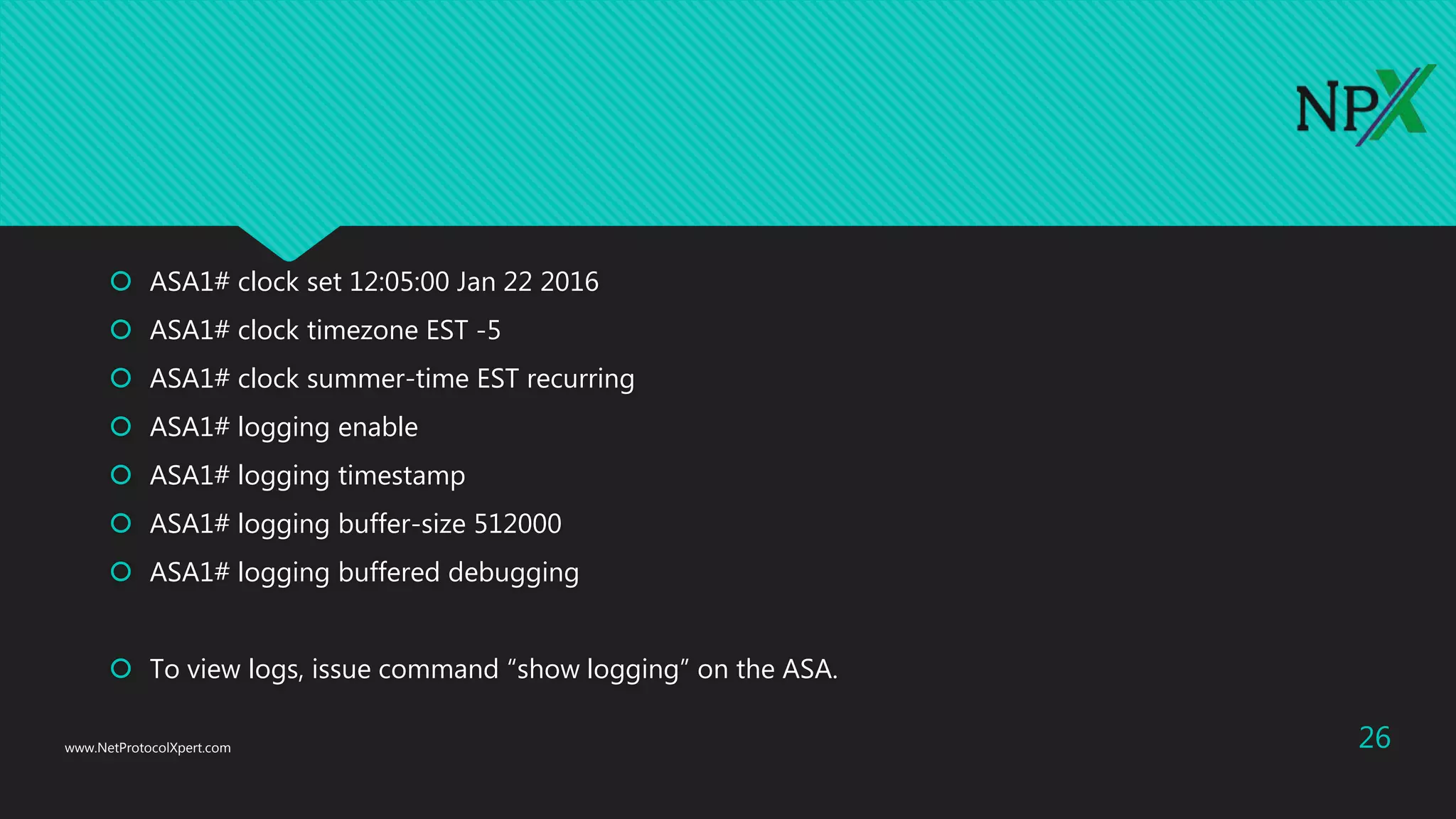
 ASA1# clock set 12:05:00 Jan 22 2016
 ASA1# clock timezone EST -5
 ASA1# clock summer-time EST recurring
 ASA1# logging enable
 ASA1# logging timestamp
 ASA1# logging buffer-size 512000
 ASA1# logging buffered debugging
 To view logs, issue command “show logging” on the ASA.
www.NetProtocolXpert.com 26

Basic Cisco ASA 5506-x Configuration (Firepower)

  • 1.
    Basic Cisco ASA5506-x Configuration (Firepower) www.NetProtocolXpert.com 1
  • 2.
    Network Requirements  Ina typical business environment, the network is comprised of three segments – Internet, user and optionally a DMZ network. The DMZ network is used to host publicly accessible servers such web server, Email server and so on. The Cisco ASA acts as a Firewall, as well as an Internet  LAN users and Web Servers all have Internet access.  LAN users have full access to the Web Server network segment (DMZ1) but DMZ1 does not have any access to the LAN (in case DMZ is compromised).  Anyone on the Internet can access the Web Server via a publicly NAT IP address over HTTP.  All other traffic is denied unless explicitly allowed. www.NetProtocolXpert.com 2
  • 3.
    Update ASA softwareand ASDM code  Download the recent stable release from Cisco.com and transfer the codes to the ASA. www.NetProtocolXpert.com 3
  • 4.
     Set thesystem to boot to the new image. Configure the ASDM image to be used.  ASA1(config)# boot system disk0:/asa952-lfbff-k8.SPA  ASA1(config)# asdm image disk0:/asdm-752.bin  Write memory and verify the bootvar is set correctly. Reboot the system to load the new image. www.NetProtocolXpert.com 4
  • 5.
    Security levels onCisco ASA Firewall  Before jumping into the configuration, I’d like to briefly touch on how Cisco ASAs work in a multi-level security design. The concept is not Cisco specific. It applies to any other business grade firewalls.  By default, traffic passing from a lower to higher security level is denied. This can be overridden by an applied to that lower security interface. Also the ASA, by default, will allow traffic from higher to lower security interfaces. This behaviour can also be overridden with an ACL. The security levels are defined by numeric numbers between 0 and 100. 0 is often placed on the untrusted network such as Internet. And is the most secured network. In our example we assign security levels as following: LAN = 100, DMZ1 = 50 and outside = 0. www.NetProtocolXpert.com 5
  • 6.
     LAN isconsidered the most secured network. It not only hosts internal user workstations as well as mission critical production servers. LAN users can reach other networks. However, no inbound access is allowed from any other networks unless explicitly allowed.  DMZ1 hosts public facing web servers. Any one on the Internet can reach the servers on TCP port 80 for HTTP.  The design idea here is that we don’t allow any possibilities of compromising the LAN. All “inbound” access to the LAN is denied unless the connection is initiated from the inside hosts. Servers in DMZ1 serve Internet web traffic and internal user traffic from the LAN. www.NetProtocolXpert.com 6
  • 7.
    Network Design andIP Assignment  For simplicity, we assume the SOHO network has less than 200 users and does not have a layer switch on the LAN. All user and server traffic point to the ASA as their default gateway to the Internet. We assign each network segment a /24 (255.255.255.0) subnet mask. www.NetProtocolXpert.com 7
  • 8.
     User LANnetwork: Subnet: 192.168.0.0 /24 Gateway: 192.168.0.1 (ASA inside interface) LAN-host (for testing): 192.168.0.200  DMZ1 network: Subnet 192.168.1.0 /24 Gateway: 192.168.1.1 Web server: 192.168.1.10  Internet: Internet-host (for testing): 10.1.1.200 www.NetProtocolXpert.com 8
  • 9.
    Step 1: ConfigureASA interfaces and assign appropriate security levels  The ASA 5506-X comes with 8 GigE routed interfaces. We are going to use three of the interfaces in this network – inside (100), dmz1(50) and outside (0). www.NetProtocolXpert.com 9 interface GigabitEthernet1/1 description to WAN nameif outside security-level 0 ip address 10.1.1.1 255.255.255.0 ! interface GigabitEthernet1/2 description to LAN nameif inside security-level 100 ip address 192.168.0.1 255.255.255.0 ! interface GigabitEthernet1/3 description to DMZ1 nameif dmz1 security-level 50 ip address 192.168.1.1 255.255.255.0 !
  • 10.
    Step 2: ConfigureASA as an Internet gateway, enable Internet access  There are two things required in order for the internal hosts to go out to the Internet, configuring Network Address Translation (NAT) and routing all traffic to the ISP. You do not need an ACL because all outbound traffic is traversing from higher security level (inside and dmz1) to lower security level (outside).  nat (inside,outside) after-auto source dynamic any interface  nat (dmz1,outside) after-auto source dynamic any interface www.NetProtocolXpert.com 10
  • 11.
     The configurationin previous slide states that any traffic coming from inside and dmz1 network, translate the source IP to the outside interface’s IP for outbound Internet traffic. The “after-auto” keyword simply set this NAT the least preferred rule to be evaluated after Manual NAT and Auto NAT are evaluated. The reason we want to give it the least preference is to avoid possible conflict with other NAT rules.  Next is configuring a default gateway and route all traffic to the upstream ISP. 10.1.1.2 is the gateway the ISP provided.  route outside 0.0.0.0 0.0.0.0 10.1.1.2 www.NetProtocolXpert.com 11
  • 12.
     Also makesure “inspect icmp” is configured under global_policy. It allows icmp return traffic to pass the ASA while the Ping is initiated from inside hosts. policy-map global_policy class inspection_default inspect icmp  At this point, you should be able to ping the host 10.1.1.200 on the Internet from any internal subnets. www.NetProtocolXpert.com 12
  • 13.
    Step 3: Configurestatic NAT to web servers, grant Internet inbound access to web servers  First we define two objects for the web server, one for its internal IP and one for its public facing IP.  object network WWW NPX EXT  host 10.1.1.10  !  object network WWW NPX INT  host 192.168.1.10  !  nat (dmz1,outside) source static WWW NPX INT WWW NPX EXT www.NetProtocolXpert.com 13
  • 14.
     Anyone onthe Internet trying to access the web server, they’ll use the public IP defined in WWW NPX EXT. It will be translated to the private IP defined in WWW NPX INT.  Now the IP address translation has been done. We will need to configure ACL and allow Internet inbound traffic to access the web server. And apply the ACL to the outside interface. www.NetProtocolXpert.com 14
  • 15.
     access-list OUTSIDEextended permit tcp any object WWW NPX INT eq www  access-list OUTSIDE extended permit icmp any4 any4 echo  access-group OUTSIDE in interface outside  The ACL states, permit traffic from anywhere to the web server (WWW NPX INT: 192.168.1.10) on port 80. For troubleshooting and demonstration purpose, we also allow ICMP ping traffic. In a real-world network, I recommend disallow Ping for higher security. www.NetProtocolXpert.com 15
  • 16.
    Step 4: ConfigureDHCP service on the ASA  This step is optional. If you have a DHCP server on the LAN you can skip to the next step. For small businesses that do not have server in house, you may configure the ASA to be a DHCP server.  Specify a DHCP address pool and the interface for the client to connect. We reserve a few address before and after the pool for future network devices or appliances that require static IP.  dhcpd address 192.168.0.5-192.168.0.250 inside www.NetProtocolXpert.com 16
  • 17.
     Specify theIP address of the DNS servers for client use. It is always a good idea to have the secondary DNS server in case the primary fails.  dhcpd dns 9.9.9.9 4.2.2.2  Specify the lease length to be granted to the client. This lease equals the amount of time (in seconds) the client can use its allocated IP address before the lease expires. Enter a value between 0 to 1,048,575.The default value is 3600 seconds.  dhcpd lease 3600  dhcpd ping_timeout 50 www.NetProtocolXpert.com 17
  • 18.
     Enable theDHCP service to listen for DHCP client requests on the enabled interface.  dhcpd enable inside  dhcprelay timeout 60 www.NetProtocolXpert.com 18
  • 19.
    (Optional) Step 5:Redirect traffic to the FirePOWER module for deeper level inspection  In order to utilize any of the ASA’s next-generation firewall features, Cisco made customers order subscription based licenses for the FirePOWER module to work. The subscription based licenses can be purchased annually, 3 or 5 years with discount. Here are list of licenses available:  Intrusion detection and prevention (IPS license)  Application Visibility and Control (AVC)  File control and advanced malware protection (AMP)  Application, user, and URL control (URL Filtering)  IPS license is required for the AVC, AMP and URL Filtering license. www.NetProtocolXpert.com 19
  • 20.
     If youhave a FirePOWER feature license available and send traffic to the FirePOWER module for deeper level inspection, here is an example of send all traffic to FirePOWER. In case there was a software (in case of 5585-X, it is hardware) failure, bypass the FirePOWER module without inspection.  class-map global-class  match any  policy-map global_policy  class global-class  sfr fail-open www.NetProtocolXpert.com 20
  • 21.
    Step 6: Hardeningthe device  Shutdown unused interfaces  interface GigabitEthernet1/4 through 1/8  shutdown www.NetProtocolXpert.com 21
  • 22.
     Enable SSHaccess for admin  There are three steps to enable SSH access:  Create a hostname for your ASA  Generate a RSA key  Configure SSH access to the ASA, and only allow from known IP/networks. www.NetProtocolXpert.com 22
  • 23.
    Configuration example:  ASA1(config)#hostname ASA1  ASA1(config)# crypto key generate rsa modulus 1024  WARNING: You have a RSA keypair already defined named <Default-RSA-Key>.  Do you really want to replace them? [yes/no]: yes  Keypair generation process begin. Please wait... www.NetProtocolXpert.com 23
  • 24.
     The IPsubnets from where you trust to manage the ASA  ssh 12.2.1.0 255.255.255.0 outside  ssh 192.168.0.0 255.255.0.0 inside  ssh timeout 30  ssh version 2  aaa authentication ssh console LOCAL www.NetProtocolXpert.com 24
  • 25.
    Step 7: Configuretime and enable logging  It is important to enable logging so we know what happened in case there was an incident. Make sure time is set correctly and timestamp is enabled while logging. In this example we enabled logging into the ASA’s buffer memory. The maximum log size can grow up to 512MB and then oldest logs are overwritten. The logging level is set to “debugging”, which records everything in detailed level. www.NetProtocolXpert.com 25
  • 26.
     ASA1# clockset 12:05:00 Jan 22 2016  ASA1# clock timezone EST -5  ASA1# clock summer-time EST recurring  ASA1# logging enable  ASA1# logging timestamp  ASA1# logging buffer-size 512000  ASA1# logging buffered debugging  To view logs, issue command “show logging” on the ASA. www.NetProtocolXpert.com 26