






Bill Albert, Director of Design & Usability
                  Center at Bentley University presents a
                  complimentary webinar on Remote Testing
                  Methods and Tools.


With special guests:


                                                                      Webinar:
                                             Remote Testing Methods & Tools
                                                           December 13th, 2011
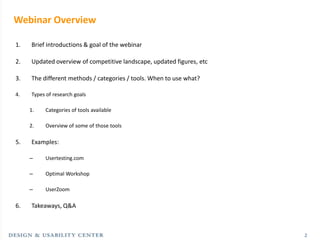
Webinar Overview

1.   Brief introductions & goal of the webinar

2.   Updated overview of competitive landscape, updated figures, etc

3.   The different methods / categories / tools. When to use what?

4.   Types of research goals

     1.   Categories of tools available

     2.   Overview of some of those tools

5.   Examples:

     –    Usertesting.com

     –    Optimal Workshop

     –    UserZoom

6.   Takeaways, Q&A


                                                                       2
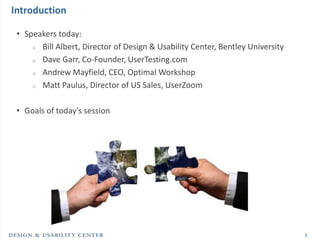
Introduction

 • Speakers today:
     o Bill Albert, Director of Design & Usability Center, Bentley University

     o Dave Garr, Co-Founder, UserTesting.com

     o Andrew Mayfield, CEO, Optimal Workshop

     o Matt Paulus, Director of US Sales, UserZoom


 • Goals of today’s session


                                                                                3
Remote Testing Methods and Tools


               Bill Albert
               December 13, 2011


                       walbert@bentley.edu
                       781.891.2500 | www.bentley.edu/usability
Agenda

• Introduction to remote usability testing

• Quantitative-based tools

• Qualitative-based tools


                                             5
About me
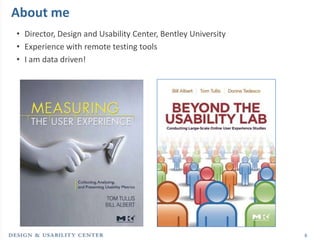
• Director, Design and Usability Center, Bentley University
• Experience with remote testing tools
• I am data driven!


                                                              6
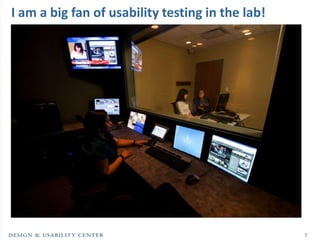
I am a big fan of usability testing in the lab!


                                                  7
Introduction to remote usability testing
Defining Remote Testing Tools
What do we mean by “remote testing tools”?
• A remote testing tool is any technology that allows a researcher to collect
  data from users about their experience in using an interface, without
  direct, face-to-face contact.


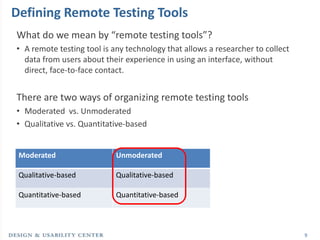
There are two ways of organizing remote testing tools
• Moderated vs. Unmoderated
• Qualitative vs. Quantitative-based


 Moderated                  Unmoderated

 Qualitative-based          Qualitative-based

 Quantitative-based         Quantitative-based


                                                                                9
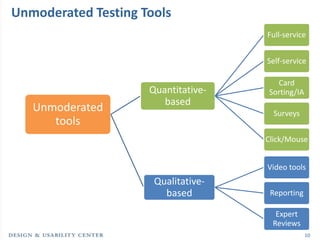
Unmoderated Testing Tools
                                     Full-service


                                     Self-service

                                       Card
                     Quantitative-   Sorting/IA
                        based
   Unmoderated                         Surveys
      tools
                                     Click/Mouse


                                     Video tools
                      Qualitative-
                        based         Reporting

                                       Expert
                                      Reviews
                                                  10
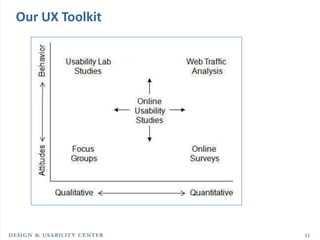
Our UX Toolkit


                 11
Why Should You Care?
• Saves time
   o   Lab study takes 2-4 weeks from start to finish, unmoderated typically takes
       hours to a few days*

• Saves money
   o   Participants compensation typically a lot less ($10 vs. $100)
   o   Tools are becoming very inexpensive

• Reliable metrics
   o   Only (reasonable) way to collect UX data from large sample sizes

• Geography is not a limitation
   o   Collect feedback from customers all over the world

• Greater Customer insight
   o   Richest dataset about the customer experience


                                                                                     12
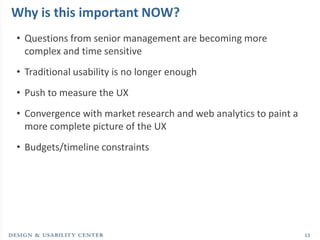
Why is this important NOW?
• Questions from senior management are becoming more
  complex and time sensitive
• Traditional usability is no longer enough
• Push to measure the UX
• Convergence with market research and web analytics to paint a
  more complete picture of the UX
• Budgets/timeline constraints


                                                                  13
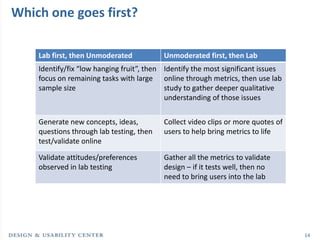
Which one goes first?

    Lab first, then Unmoderated           Unmoderated first, then Lab
    Identify/fix “low hanging fruit”, then Identify the most significant issues
    focus on remaining tasks with large online through metrics, then use lab
    sample size                            study to gather deeper qualitative
                                           understanding of those issues


    Generate new concepts, ideas,         Collect video clips or more quotes of
    questions through lab testing, then   users to help bring metrics to life
    test/validate online

    Validate attitudes/preferences        Gather all the metrics to validate
    observed in lab testing               design – if it tests well, then no
                                          need to bring users into the lab


                                                                                  14
Quantitative-based tools
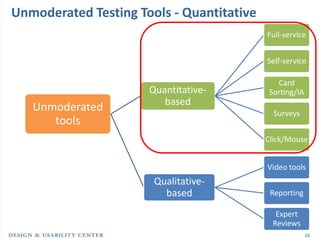
Unmoderated Testing Tools - Quantitative
                                           Full-service


                                           Self-service

                                             Card
                      Quantitative-        Sorting/IA
                         based
   Unmoderated                               Surveys
      tools
                                           Click/Mouse


                                           Video tools
                       Qualitative-
                         based              Reporting

                                             Expert
                                            Reviews
                                                        16
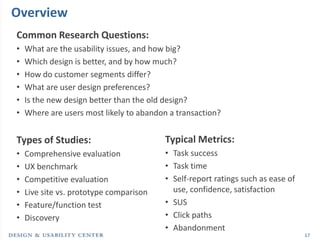
Overview
Common Research Questions:
•   What are the usability issues, and how big?
•   Which design is better, and by how much?
•   How do customer segments differ?
•   What are user design preferences?
•   Is the new design better than the old design?
•   Where are users most likely to abandon a transaction?


Types of Studies:                        Typical Metrics:
•   Comprehensive evaluation             • Task success
•   UX benchmark                         • Task time
•   Competitive evaluation               • Self-report ratings such as ease of
•   Live site vs. prototype comparison     use, confidence, satisfaction
•   Feature/function test                • SUS
•   Discovery                            • Click paths
                                         • Abandonment
                                                                                 17
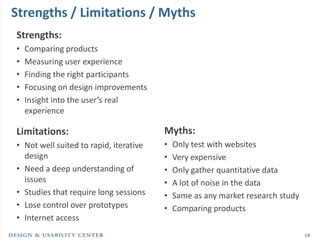
Strengths / Limitations / Myths
Strengths:
•   Comparing products
•   Measuring user experience
•   Finding the right participants
•   Focusing on design improvements
•   Insight into the user’s real
    experience

Limitations:                            Myths:
• Not well suited to rapid, iterative   •   Only test with websites
  design                                •   Very expensive
• Need a deep understanding of          •   Only gather quantitative data
  issues                                •   A lot of noise in the data
• Studies that require long sessions    •   Same as any market research study
• Lose control over prototypes          •   Comparing products
• Internet access
                                                                                18
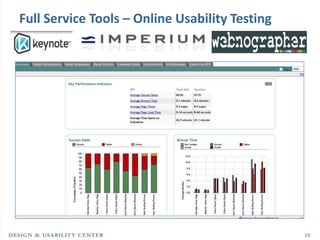
Full Service Tools – Online Usability Testing


                                                19
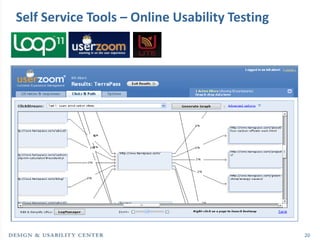
Self Service Tools – Online Usability Testing


                                                20
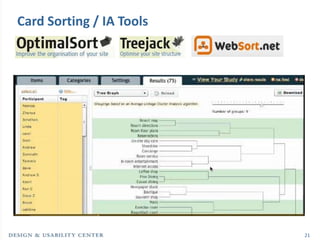
Card Sorting / IA Tools


                          21
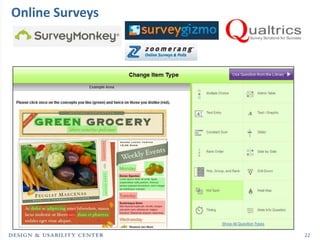
Online Surveys


                 22
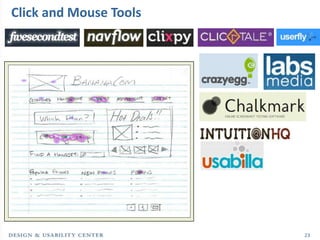
Click and Mouse Tools


                        23
Qualitative-based tools
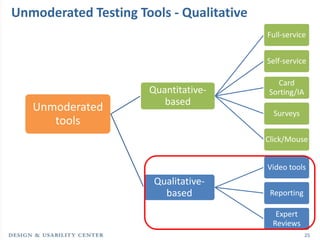
Unmoderated Testing Tools - Qualitative
                                          Full-service


                                          Self-service

                                            Card
                      Quantitative-       Sorting/IA
                         based
   Unmoderated                              Surveys
      tools
                                          Click/Mouse


                                          Video tools
                       Qualitative-
                         based             Reporting

                                            Expert
                                           Reviews
                                                       25
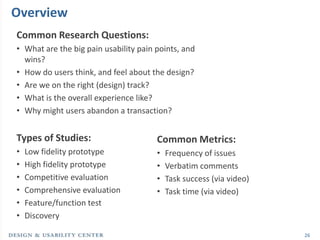
Overview
Common Research Questions:
• What are the big pain usability pain points, and
  wins?
• How do users think, and feel about the design?
• Are we on the right (design) track?
• What is the overall experience like?
• Why might users abandon a transaction?


Types of Studies:                      Common Metrics:
•   Low fidelity prototype             •   Frequency of issues
•   High fidelity prototype            •   Verbatim comments
•   Competitive evaluation             •   Task success (via video)
•   Comprehensive evaluation           •   Task time (via video)
•   Feature/function test
•   Discovery

                                                                      26
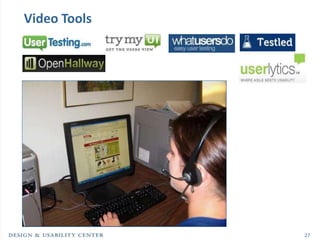
Video Tools


              27
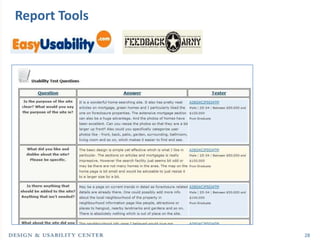
Report Tools


               28
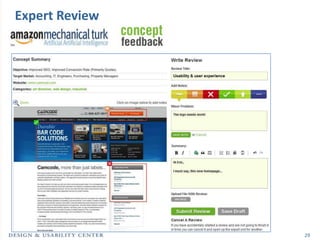
Expert Review


                29
Additional Resources
Online:
www.measuringUX.com
www.measuringusability.com
http://usability.bentley.edu
http://www.usefulusability.com/24-usability-testing-tools/
http://remoteresear.ch/tools/


Follow me:
@UXMetrics
@BentleyDUC


LinkedIn Group:
Bentley Design and
Usability Center


                                                             30
Dave Garr
  Co-Founder
UserTesting.com
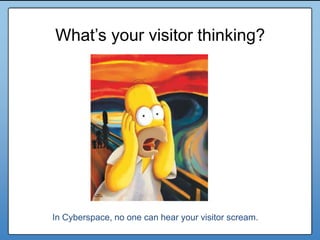
What’s your visitor thinking?


In Cyberspace, no one can hear your visitor scream.
Solution?


            33
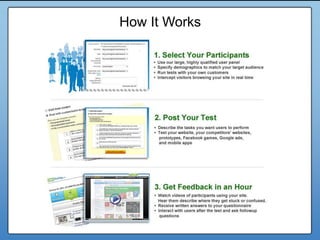
How It Works
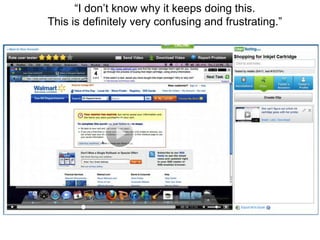
“I don’t know why it keeps doing this.
This is definitely very confusing and frustrating.”
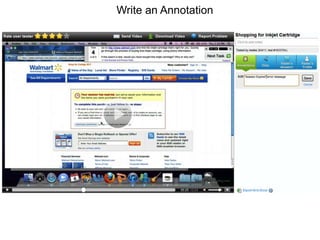
Write an Annotation
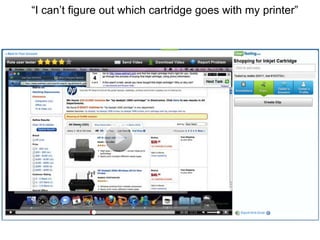
“I can’t figure out which cartridge goes with my printer”
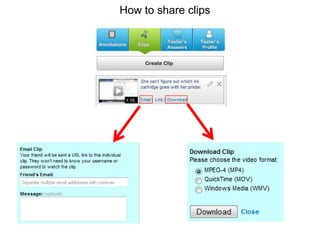
How to share clips
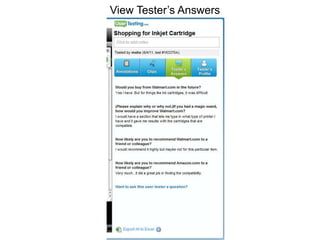
View Tester’s Answers
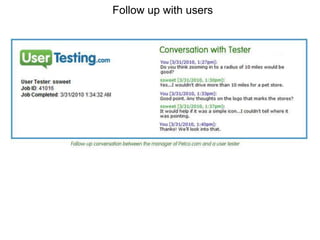
Follow up with users
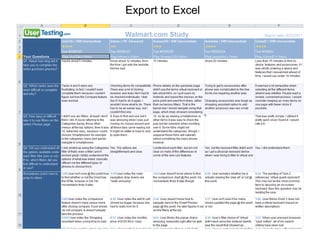
Export to Excel
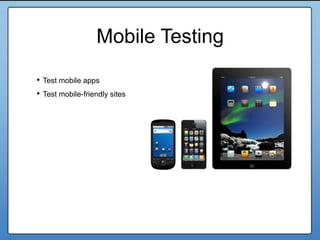
Mobile Testing

• Test mobile apps
• Test mobile-friendly sites


                                   42
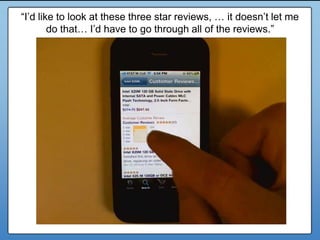
“I’d like to look at these three star reviews, … it doesn’t let me
        do that… I’d have to go through all of the reviews.”
     What do you want to test?


                                                                 43
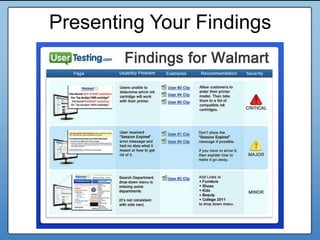
Presenting Your Findings


                           44
Andrew Mayfield
      CEO
Optimal Workshop
Quantitative analysis
    to assess the
 effectiveness of an
     Information
   Architecture is

hard work.
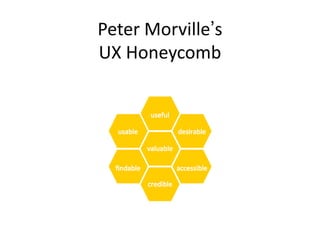
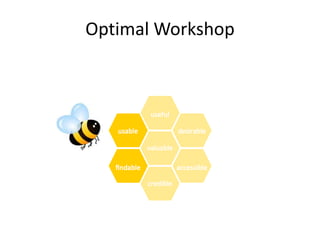
Peter Morville’s
UX Honeycomb
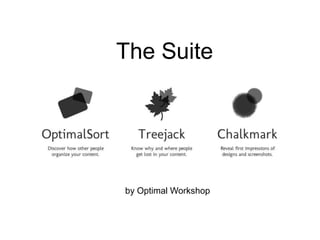
Optimal Workshop
The Suite


by Optimal Workshop
Qualitative
     vs
 Quantitative


   See latest blog post on this topic
www.optimalworkshop.com/blog
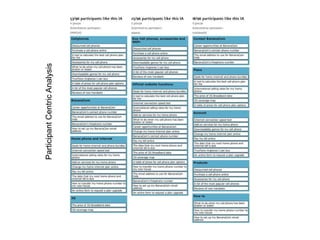
Participant Centric Analysis
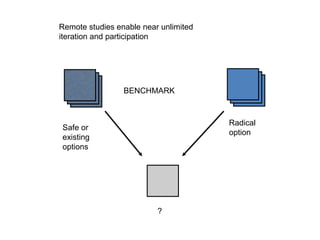
Remote studies enable near unlimited
iteration and participation


                 BENCHMARK


                                       Radical
Safe or
                                       option
existing
options


                          ?
Matt Paulus
Director of US Sales
     UserZoom
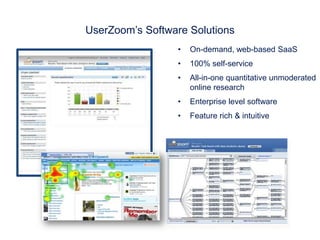
UserZoom’s Software Solutions
                 •   On-demand, web-based SaaS
                 •   100% self-service
                 •   All-in-one quantitative unmoderated
                     online research
                 •   Enterprise level software
                 •   Feature rich & intuitive
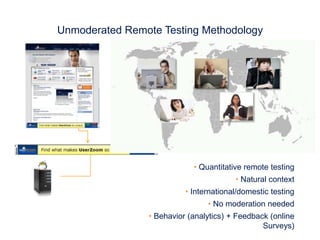
Unmoderated Remote Testing Methodology


                            • Quantitative remote testing
                                        • Natural context
                          • International/domestic testing
                                • No moderation needed
                • Behavior (analytics) + Feedback (online
                                                Surveys)
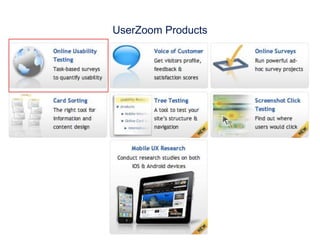
UserZoom Products
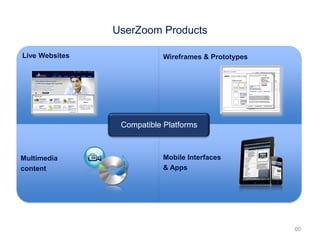
UserZoom Products

Live Websites               Wireframes & Prototypes


                 Compatible Platforms


Multimedia                  Mobile Interfaces
content                     & Apps


                                                      60
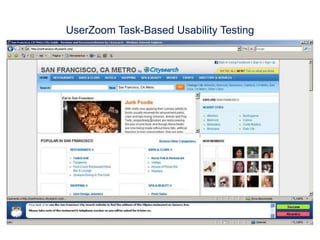
UserZoom Task-Based Usability Testing
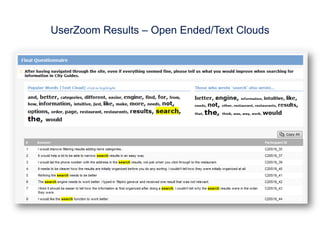
UserZoom Results – Open Ended/Text Clouds
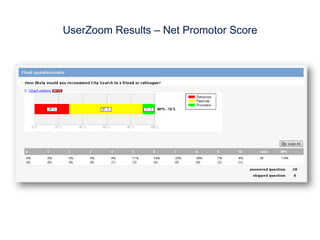
UserZoom Results – Net Promotor Score
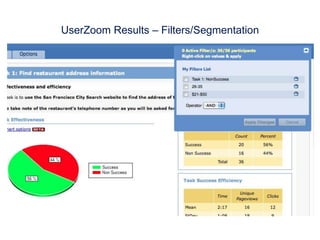
UserZoom Results – Filters/Segmentation
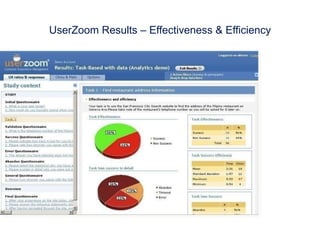
UserZoom Results – Effectiveness & Efficiency
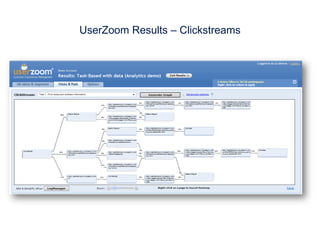
UserZoom Results – Clickstreams
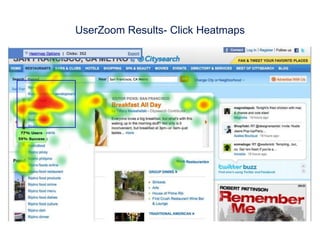
UserZoom Results- Click Heatmaps
Key Takeaways
• Remote testing tools are becoming more advanced every day, and are a
  critical part of the UX toolkit

• Find the right type of tool based on your research question

• Demo a select number of remote testing tools to find the one that will
  deliver the results you need, within budget and timeframe


                                                                           68
Quick Poll!


              69
Thank You!


      Bill Albert        Dave Garr       Andrew Mayfield   Matt Paulus
  Director of Design     Co-Founder           CEO          Director of US
  & Usability Center   UserTesting.com       Optimal           Sales
  Bentley University                        Workshop        UserZoom


                        Floor open to Q&A

Remote Testing Methods & Tools Webinar

  • 1.
    Bill Albert, Directorof Design & Usability Center at Bentley University presents a complimentary webinar on Remote Testing Methods and Tools. With special guests: Webinar: Remote Testing Methods & Tools December 13th, 2011
  • 2.
    Webinar Overview 1. Brief introductions & goal of the webinar 2. Updated overview of competitive landscape, updated figures, etc 3. The different methods / categories / tools. When to use what? 4. Types of research goals 1. Categories of tools available 2. Overview of some of those tools 5. Examples: – Usertesting.com – Optimal Workshop – UserZoom 6. Takeaways, Q&A 2
  • 3.
    Introduction • Speakerstoday: o Bill Albert, Director of Design & Usability Center, Bentley University o Dave Garr, Co-Founder, UserTesting.com o Andrew Mayfield, CEO, Optimal Workshop o Matt Paulus, Director of US Sales, UserZoom • Goals of today’s session 3
  • 4.
    Remote Testing Methodsand Tools Bill Albert December 13, 2011 walbert@bentley.edu 781.891.2500 | www.bentley.edu/usability
  • 5.
    Agenda • Introduction toremote usability testing • Quantitative-based tools • Qualitative-based tools 5
  • 6.
    About me • Director,Design and Usability Center, Bentley University • Experience with remote testing tools • I am data driven! 6
  • 7.
    I am abig fan of usability testing in the lab! 7
  • 8.
    Introduction to remoteusability testing
  • 9.
    Defining Remote TestingTools What do we mean by “remote testing tools”? • A remote testing tool is any technology that allows a researcher to collect data from users about their experience in using an interface, without direct, face-to-face contact. There are two ways of organizing remote testing tools • Moderated vs. Unmoderated • Qualitative vs. Quantitative-based Moderated Unmoderated Qualitative-based Qualitative-based Quantitative-based Quantitative-based 9
  • 10.
    Unmoderated Testing Tools Full-service Self-service Card Quantitative- Sorting/IA based Unmoderated Surveys tools Click/Mouse Video tools Qualitative- based Reporting Expert Reviews 10
  • 11.
  • 12.
    Why Should YouCare? • Saves time o Lab study takes 2-4 weeks from start to finish, unmoderated typically takes hours to a few days* • Saves money o Participants compensation typically a lot less ($10 vs. $100) o Tools are becoming very inexpensive • Reliable metrics o Only (reasonable) way to collect UX data from large sample sizes • Geography is not a limitation o Collect feedback from customers all over the world • Greater Customer insight o Richest dataset about the customer experience 12
  • 13.
    Why is thisimportant NOW? • Questions from senior management are becoming more complex and time sensitive • Traditional usability is no longer enough • Push to measure the UX • Convergence with market research and web analytics to paint a more complete picture of the UX • Budgets/timeline constraints 13
  • 14.
    Which one goesfirst? Lab first, then Unmoderated Unmoderated first, then Lab Identify/fix “low hanging fruit”, then Identify the most significant issues focus on remaining tasks with large online through metrics, then use lab sample size study to gather deeper qualitative understanding of those issues Generate new concepts, ideas, Collect video clips or more quotes of questions through lab testing, then users to help bring metrics to life test/validate online Validate attitudes/preferences Gather all the metrics to validate observed in lab testing design – if it tests well, then no need to bring users into the lab 14
  • 15.
  • 16.
    Unmoderated Testing Tools- Quantitative Full-service Self-service Card Quantitative- Sorting/IA based Unmoderated Surveys tools Click/Mouse Video tools Qualitative- based Reporting Expert Reviews 16
  • 17.
    Overview Common Research Questions: • What are the usability issues, and how big? • Which design is better, and by how much? • How do customer segments differ? • What are user design preferences? • Is the new design better than the old design? • Where are users most likely to abandon a transaction? Types of Studies: Typical Metrics: • Comprehensive evaluation • Task success • UX benchmark • Task time • Competitive evaluation • Self-report ratings such as ease of • Live site vs. prototype comparison use, confidence, satisfaction • Feature/function test • SUS • Discovery • Click paths • Abandonment 17
  • 18.
    Strengths / Limitations/ Myths Strengths: • Comparing products • Measuring user experience • Finding the right participants • Focusing on design improvements • Insight into the user’s real experience Limitations: Myths: • Not well suited to rapid, iterative • Only test with websites design • Very expensive • Need a deep understanding of • Only gather quantitative data issues • A lot of noise in the data • Studies that require long sessions • Same as any market research study • Lose control over prototypes • Comparing products • Internet access 18
  • 19.
    Full Service Tools– Online Usability Testing 19
  • 20.
    Self Service Tools– Online Usability Testing 20
  • 21.
    Card Sorting /IA Tools 21
  • 22.
  • 23.
  • 24.
  • 25.
    Unmoderated Testing Tools- Qualitative Full-service Self-service Card Quantitative- Sorting/IA based Unmoderated Surveys tools Click/Mouse Video tools Qualitative- based Reporting Expert Reviews 25
  • 26.
    Overview Common Research Questions: •What are the big pain usability pain points, and wins? • How do users think, and feel about the design? • Are we on the right (design) track? • What is the overall experience like? • Why might users abandon a transaction? Types of Studies: Common Metrics: • Low fidelity prototype • Frequency of issues • High fidelity prototype • Verbatim comments • Competitive evaluation • Task success (via video) • Comprehensive evaluation • Task time (via video) • Feature/function test • Discovery 26
  • 27.
  • 28.
  • 29.
  • 30.
  • 31.
    Dave Garr Co-Founder UserTesting.com
  • 32.
    What’s your visitorthinking? In Cyberspace, no one can hear your visitor scream.
  • 33.
  • 34.
  • 35.
    “I don’t knowwhy it keeps doing this. This is definitely very confusing and frustrating.”
  • 36.
  • 37.
    “I can’t figureout which cartridge goes with my printer”
  • 38.
  • 39.
  • 40.
  • 41.
  • 42.
    Mobile Testing • Testmobile apps • Test mobile-friendly sites 42
  • 43.
    “I’d like tolook at these three star reviews, … it doesn’t let me do that… I’d have to go through all of the reviews.” What do you want to test? 43
  • 44.
  • 45.
    Andrew Mayfield CEO Optimal Workshop
  • 46.
    Quantitative analysis to assess the effectiveness of an Information Architecture is hard work.
  • 47.
  • 48.
  • 49.
  • 50.
    Qualitative vs Quantitative See latest blog post on this topic www.optimalworkshop.com/blog
  • 53.
  • 55.
    Remote studies enablenear unlimited iteration and participation BENCHMARK Radical Safe or option existing options ?
  • 56.
    Matt Paulus Director ofUS Sales UserZoom
  • 57.
    UserZoom’s Software Solutions • On-demand, web-based SaaS • 100% self-service • All-in-one quantitative unmoderated online research • Enterprise level software • Feature rich & intuitive
  • 58.
    Unmoderated Remote TestingMethodology • Quantitative remote testing • Natural context • International/domestic testing • No moderation needed • Behavior (analytics) + Feedback (online Surveys)
  • 59.
  • 60.
    UserZoom Products Live Websites Wireframes & Prototypes Compatible Platforms Multimedia Mobile Interfaces content & Apps 60
  • 61.
  • 62.
    UserZoom Results –Open Ended/Text Clouds
  • 63.
    UserZoom Results –Net Promotor Score
  • 64.
    UserZoom Results –Filters/Segmentation
  • 65.
    UserZoom Results –Effectiveness & Efficiency
  • 66.
  • 67.
  • 68.
    Key Takeaways • Remotetesting tools are becoming more advanced every day, and are a critical part of the UX toolkit • Find the right type of tool based on your research question • Demo a select number of remote testing tools to find the one that will deliver the results you need, within budget and timeframe 68
  • 69.
  • 70.
    Thank You! Bill Albert Dave Garr Andrew Mayfield Matt Paulus Director of Design Co-Founder CEO Director of US & Usability Center UserTesting.com Optimal Sales Bentley University Workshop UserZoom Floor open to Q&A

Editor's Notes

  • #5 Introduce myself and DUC Feel free to ask questions Motivation – sort through powerful tools, trying to find the right ones for the right job
  • #12 Where it fits in Highly adaptive based on the needs This gives it POWER – it creates the missing link
  • #13 Saves time – Very fast, thousands on panels, Money – essence of quick and dirty. Techniques for dealing with noise, unrealistic to be in the lab that long. Combines both qual/quant and attitudes and behavior.
  • #20 All the flexibility you need to set up a study and analyzing the dataSignificant support in designing study and analysis. Pricing is all project based – typically very expensive – good choice for a large benchmark study
  • #21  - These tools are self-service, with some amount of supportCan do largely the same as RV and Keynote, and becoming more powerful by the day Nice visualizations now Loop 11 is very basic, and UZ is much more flexible fraction of the cost = several hundred to a few thousand.
  • #22 - Sort into groups
  • #36 You get a video (typically about 15 minutes)This is a test of Walmart.com and her task is to find an ink cartridge for her printerShe doesn’t know what’s going on, and she doesn’t know how to fix it.
  • #37 She spends more than four minutes and can’t figure out which cartridge works with her (very popular) HP deskjet 1000 printer.
  • #38 She spends more than four minutes and can’t figure out which cartridge works with her (very popular) HP deskjet 1000 printer.
  • #39 Download a clip and just drag it into Powerpoiont.
  • #40 Download a clip and just drag it into Powerpoiont.
  • #41 Download a clip and just drag it into Powerpoiont.
  • #42 Download a clip and just drag it into Powerpoint.