





Product Testing and
  Data-informed UX
Introductions
Who the heck are you?
Jim Lane

VP, UX AddThis
Organizer, NoVA UX Meetup

jim@addthis.com
@jimlanenova
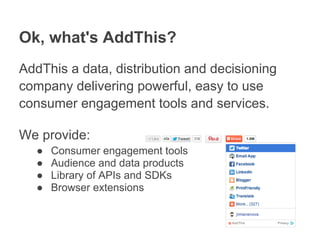
Ok, what's AddThis?
AddThis a data, distribution and decisioning
company delivering powerful, easy to use
consumer engagement tools and services.

We provide:
  ●   Consumer engagement tools
  ●   Audience and data products
  ●   Library of APIs and SDKs
  ●   Browser extensions
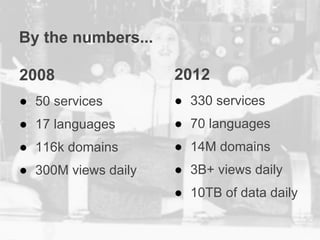
By the numbers...

2008                 2012
● 50 services        ● 330 services
● 17 languages       ● 70 languages
● 116k domains       ● 14M domains
● 300M views daily   ● 3B+ views daily
                     ● 10TB of data daily
2009 Presidential Inauguration = 1.5M people

       3B views = 2000 inaugurations

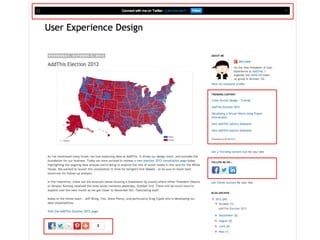
          The little things matter...
Product testing and data-informed UX
Three key takeaways
Research + data + testing = informed design

Being informed is easier than you think.

No excuses!
A caveat...
Data is important, but there are other
considerations as well...

   ● brand identity
   ● business objectives
   ● context (ex: mobile)


Let's get started with...
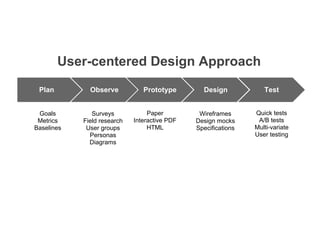
User-centered Design Approach
 Plan         Observe           Prototype        Design            Test


 Goals         Surveys            Paper         Wireframes      Quick tests
 Metrics    Field research   Interactive PDF   Design mocks      A/B tests
Baselines    User groups          HTML         Specifications   Multi-variate
              Personas                                          User testing
              Diagrams
Planning
Defining things up front
Start by understanding who your audience is:
   ● Who are they?
   ● What are they trying to do? What are their pain
     points?
   ● What problems are they trying to solve?
   ● Who are primary vs secondary personas?


At AddThis, we have a lot of different kinds of users, so
utilizing multiple personas helps us structure different kinds
of design problems for different groups of people.
Google Analytics
Understand the existing state
   ●   Basic site metrics
   ●   Navigation analysis
   ●   Demographics
   ●   What are the metrics that really matter?
   ●   Baseline before experimenting


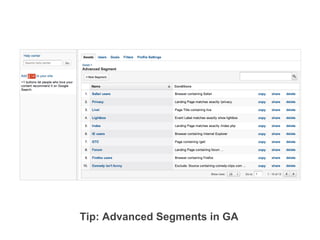
Advanced segments can be used to apply historical
analysis and side-by-side comparison to visits that share a
particular characteristic, such as users of a particular OS.
Tip: Advanced Segments in GA
Observing
Enlist your users!
Lots of ways to engage your audience
   ●   Social media channels (Twitter, Facebook)
   ●   Email feedback tools
   ●   Support SaaS (Assistly)
   ●   Stakeholder interviews (Skype interviews)
   ●   Start a user group (Google Hangouts)
   ●   Surveys (SurveyMonkey)

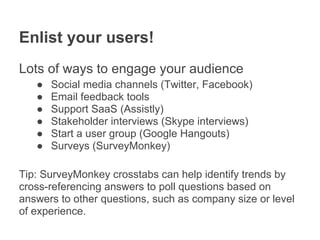
Tip: SurveyMonkey crosstabs can help identify trends by
cross-referencing answers to poll questions based on
answers to other questions, such as company size or level
of experience.
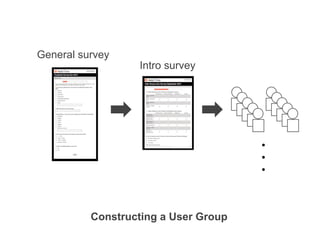
General survey
                  Intro survey


                                      ●
                                      ●
                                      ●


          Constructing a User Group
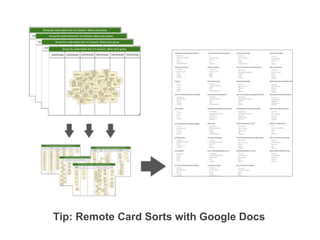
Tip: Remote Card Sorts with Google Docs
Prototyping & Design
Fast and iterative
Minimum viable design fosters speed and
iterative usability enhancement
  ● White boards
  ● Paper
  ● Omnigraffle
    ○ diagram -> wireframe -> design mock -> assets
  ● Balsamiq, other fast prototype-to-design-to-code
    solutions
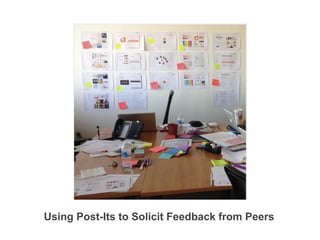
Using Post-Its to Solicit Feedback from Peers
Testing
Testing
Start with understanding the hypothesis
you're trying to evaluate. Be sure you're
solving the right problem!

Plan for testing as part of the design and
development process.

Statistical significance and confidence
intervals matter.
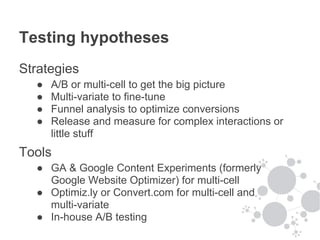
Testing hypotheses
Strategies
  ●   A/B or multi-cell to get the big picture
  ●   Multi-variate to fine-tune
  ●   Funnel analysis to optimize conversions
  ●   Release and measure for complex interactions or
      little stuff
Tools
  ● GA & Google Content Experiments (formerly
    Google Website Optimizer) for multi-cell
  ● Optimiz.ly or Convert.com for multi-cell and
    multi-variate
  ● In-house A/B testing
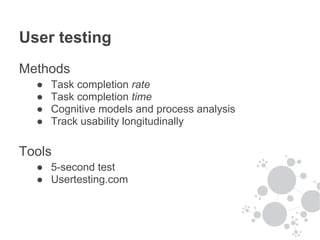
User testing
Methods
  ●   Task completion rate
  ●   Task completion time
  ●   Cognitive models and process analysis
  ●   Track usability longitudinally

Tools
  ● 5-second test
  ● Usertesting.com
Don't forget about monitoring
● Google Analytics
● Product & brand scorecards (longitudinal)
● Internal reporting and alerting
Let's recap
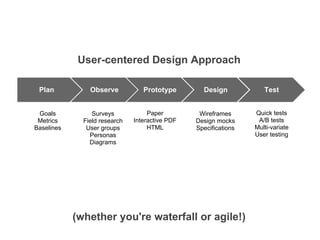
User-centered Design Approach

 Plan           Observe           Prototype        Design            Test


 Goals           Surveys            Paper         Wireframes      Quick tests
 Metrics      Field research   Interactive PDF   Design mocks      A/B tests
Baselines      User groups          HTML         Specifications   Multi-variate
                Personas                                          User testing
                Diagrams


            (whether you're waterfall or agile!)
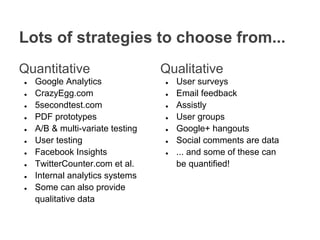
Lots of strategies to choose from...
Quantitative                      Qualitative
●   Google Analytics              ●   User surveys
●   CrazyEgg.com                  ●   Email feedback
●   5secondtest.com               ●   Assistly
●   PDF prototypes                ●   User groups
●   A/B & multi-variate testing   ●   Google+ hangouts
●   User testing                  ●   Social comments are data
●   Facebook Insights             ●   ... and some of these can
●   TwitterCounter.com et al.         be quantified!
●   Internal analytics systems
●   Some can also provide
    qualitative data
Three key takeaways
Research + data + testing = informed design

Being informed is easier than you think.

No excuses!
Resources
●   Quantifying the User Experience (Sauro/Lewis)
●   Advanced Web Metrics with Google Analytics (Clifton)
●   Web Analytics An Hour a Day (Kaushik)
●   HeadFirst Statistics (Griffiths)
●   Landing Page Optimization (Ash)
Thank you!
Jim Lane

VP, UX AddThis
Organizer, NoVA UX Meetup

jim@addthis.com
@jimlanenova

NoVA UX Meetup: Product Testing and Data-informed Design

  • 1.
    Product Testing and Data-informed UX
  • 2.
  • 3.
    Who the heckare you? Jim Lane VP, UX AddThis Organizer, NoVA UX Meetup jim@addthis.com @jimlanenova
  • 4.
    Ok, what's AddThis? AddThisa data, distribution and decisioning company delivering powerful, easy to use consumer engagement tools and services. We provide: ● Consumer engagement tools ● Audience and data products ● Library of APIs and SDKs ● Browser extensions
  • 6.
    By the numbers... 2008 2012 ● 50 services ● 330 services ● 17 languages ● 70 languages ● 116k domains ● 14M domains ● 300M views daily ● 3B+ views daily ● 10TB of data daily
  • 7.
    2009 Presidential Inauguration= 1.5M people 3B views = 2000 inaugurations The little things matter...
  • 8.
    Product testing anddata-informed UX
  • 9.
    Three key takeaways Research+ data + testing = informed design Being informed is easier than you think. No excuses!
  • 10.
    A caveat... Data isimportant, but there are other considerations as well... ● brand identity ● business objectives ● context (ex: mobile) Let's get started with...
  • 11.
    User-centered Design Approach Plan Observe Prototype Design Test Goals Surveys Paper Wireframes Quick tests Metrics Field research Interactive PDF Design mocks A/B tests Baselines User groups HTML Specifications Multi-variate Personas User testing Diagrams
  • 12.
  • 13.
    Defining things upfront Start by understanding who your audience is: ● Who are they? ● What are they trying to do? What are their pain points? ● What problems are they trying to solve? ● Who are primary vs secondary personas? At AddThis, we have a lot of different kinds of users, so utilizing multiple personas helps us structure different kinds of design problems for different groups of people.
  • 14.
    Google Analytics Understand theexisting state ● Basic site metrics ● Navigation analysis ● Demographics ● What are the metrics that really matter? ● Baseline before experimenting Advanced segments can be used to apply historical analysis and side-by-side comparison to visits that share a particular characteristic, such as users of a particular OS.
  • 15.
  • 16.
  • 17.
    Enlist your users! Lotsof ways to engage your audience ● Social media channels (Twitter, Facebook) ● Email feedback tools ● Support SaaS (Assistly) ● Stakeholder interviews (Skype interviews) ● Start a user group (Google Hangouts) ● Surveys (SurveyMonkey) Tip: SurveyMonkey crosstabs can help identify trends by cross-referencing answers to poll questions based on answers to other questions, such as company size or level of experience.
  • 18.
    General survey Intro survey ● ● ● Constructing a User Group
  • 19.
    Tip: Remote CardSorts with Google Docs
  • 20.
  • 21.
    Fast and iterative Minimumviable design fosters speed and iterative usability enhancement ● White boards ● Paper ● Omnigraffle ○ diagram -> wireframe -> design mock -> assets ● Balsamiq, other fast prototype-to-design-to-code solutions
  • 22.
    Using Post-Its toSolicit Feedback from Peers
  • 23.
  • 24.
    Testing Start with understandingthe hypothesis you're trying to evaluate. Be sure you're solving the right problem! Plan for testing as part of the design and development process. Statistical significance and confidence intervals matter.
  • 25.
    Testing hypotheses Strategies ● A/B or multi-cell to get the big picture ● Multi-variate to fine-tune ● Funnel analysis to optimize conversions ● Release and measure for complex interactions or little stuff Tools ● GA & Google Content Experiments (formerly Google Website Optimizer) for multi-cell ● Optimiz.ly or Convert.com for multi-cell and multi-variate ● In-house A/B testing
  • 26.
    User testing Methods ● Task completion rate ● Task completion time ● Cognitive models and process analysis ● Track usability longitudinally Tools ● 5-second test ● Usertesting.com
  • 27.
    Don't forget aboutmonitoring ● Google Analytics ● Product & brand scorecards (longitudinal) ● Internal reporting and alerting
  • 28.
  • 29.
    User-centered Design Approach Plan Observe Prototype Design Test Goals Surveys Paper Wireframes Quick tests Metrics Field research Interactive PDF Design mocks A/B tests Baselines User groups HTML Specifications Multi-variate Personas User testing Diagrams (whether you're waterfall or agile!)
  • 30.
    Lots of strategiesto choose from... Quantitative Qualitative ● Google Analytics ● User surveys ● CrazyEgg.com ● Email feedback ● 5secondtest.com ● Assistly ● PDF prototypes ● User groups ● A/B & multi-variate testing ● Google+ hangouts ● User testing ● Social comments are data ● Facebook Insights ● ... and some of these can ● TwitterCounter.com et al. be quantified! ● Internal analytics systems ● Some can also provide qualitative data
  • 31.
    Three key takeaways Research+ data + testing = informed design Being informed is easier than you think. No excuses!
  • 32.
    Resources ● Quantifying the User Experience (Sauro/Lewis) ● Advanced Web Metrics with Google Analytics (Clifton) ● Web Analytics An Hour a Day (Kaushik) ● HeadFirst Statistics (Griffiths) ● Landing Page Optimization (Ash)
  • 33.
    Thank you! Jim Lane VP,UX AddThis Organizer, NoVA UX Meetup jim@addthis.com @jimlanenova