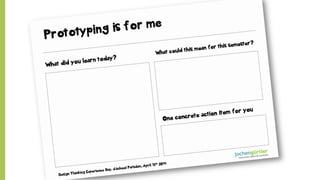
Prototyping & Testing.
Jochen Guertler, Design Thinking Experience Day
d.school Potsam – April 15th 2014
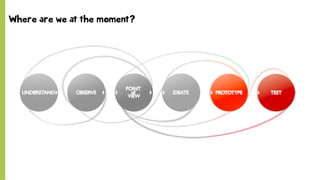
Where are we at the moment?
© SAP 2012 | 4
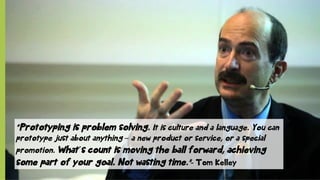
“Prototyping is problem solving. It is culture and a language. You can
prototype just about anything – a new product or service, or a special
promotion. What´s count is moving the ball forward, achieving
some part of your goal. Not wasting time.”- Tom Kelley
© SAP 2012 | 5
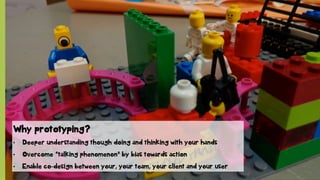
Why prototyping?
•  Deeper understanding though doing and thinking with your hands
•  Overcome “talking phenomenon” by bias towards action
•  Enable co-design between your, your team, your client and your user
© SAP 2012 | 6
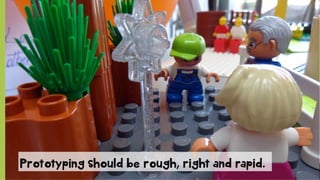
Prototyping should be rough, right and rapid.
© SAP 2012 | 7
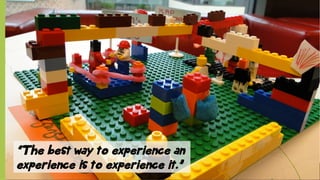
“The best way to experience an
experience is to experience it.”
© SAP 2012 | 8
System critical functions.
Find them and define ways to test them.
© SAP 2012 | 9
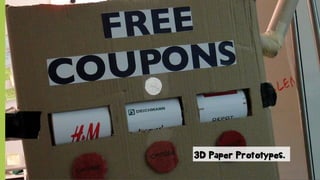
3D Paper Prototypes.
© SAP 2012 | 10
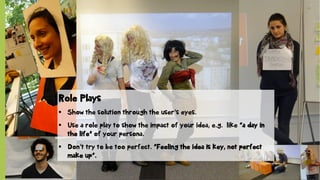
Role Plays
§  Show the solution through the user‘s eyes.
§  Use a role play to show the impact of your idea, e.g. like “a day in
the life” of your persona.
§  Don‘t try to be too perfect. “Feeling the idea is key, not perfect
make up“.
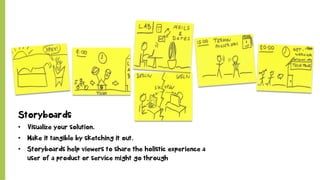
Storyboards
•  Visualize your solution.
•  Make it tangible by sketching it out.
•  Storyboards help viewers to share the holistic experience a
user of a product or service might go through
© SAP 2012 | 12
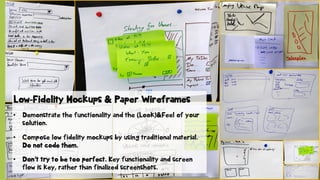
Low-Fidelity Mockups & Paper Wireframes
•  Demonstrate the functionality and the (Look)&Feel of your
solution.
•  Compose low fidelity mockups by using traditional material.
Do not code them.
•  Don‘t try to be too perfect. Key functionality and screen
flow is key, rather than finalized screenshots.
© SAP 2012 | 13
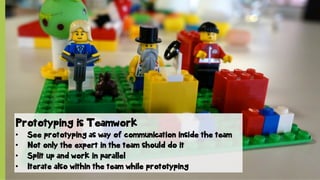
Prototyping is Teamwork
•  See prototyping as way of communication inside the team
•  Not only the expert in the team should do it
•  Split up and work in parallel
•  Iterate also within the team while prototyping
© SAP 2012 | 14
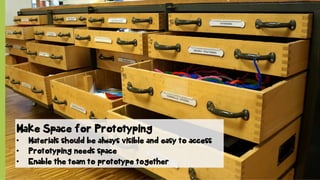
Make Space for Prototyping
•  Materials should be always visible and easy to access
•  Prototyping needs space
•  Enable the team to prototype together
© SAP 2012 | 15
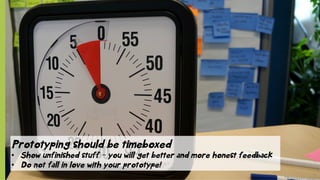
Prototyping should be timeboxed
•  Show unfinished stuff – you will get better and more honest feedback
•  Do not fall in love with your prototype!
© SAP 2012 | 16
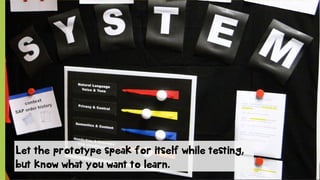
Let the prototype speak for itself while testing,
but know what you want to learn.
© SAP 2012 | 17
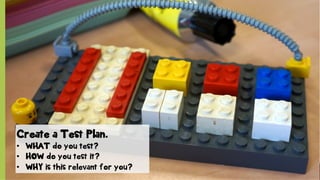
Create a Test Plan.
•  WHAT do you test?
•  HOW do you test it?
•  WHY is this relevant for you?
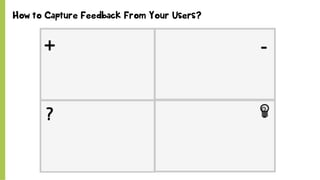
Address the right question …and create the right solutionHow to Capture Feedback From Your Users?
© SAP 2012 | 19
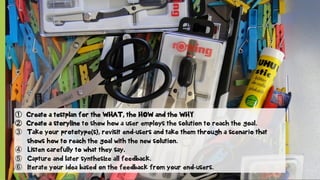
①  Create a testplan for the WHAT, the HOW and the WHY
②  Create a storyline to show how a user employs the solution to reach the goal.
③  Take your prototype(s), revisit end-users and take them through a scenario that
shows how to reach the goal with the new solution.
④  Listen carefully to what they say.
⑤  Capture and later synthesize all feedback.
⑥  Iterate your idea based on the feedback from your end-users.
© SAP 2012 | 20
“Failure is simply the opportunity to begin again, this
time more intelligently.” – Henry Ford.
Prototyping & Testing - Design Thinking Experience Day

Prototyping & Testing - Design Thinking Experience Day

  • 1.
    Prototyping & Testing. JochenGuertler, Design Thinking Experience Day d.school Potsam – April 15th 2014
  • 2.
    Where are weat the moment?
  • 4.
    © SAP 2012| 4 “Prototyping is problem solving. It is culture and a language. You can prototype just about anything – a new product or service, or a special promotion. What´s count is moving the ball forward, achieving some part of your goal. Not wasting time.”- Tom Kelley
  • 5.
    © SAP 2012| 5 Why prototyping? •  Deeper understanding though doing and thinking with your hands •  Overcome “talking phenomenon” by bias towards action •  Enable co-design between your, your team, your client and your user
  • 6.
    © SAP 2012| 6 Prototyping should be rough, right and rapid.
  • 7.
    © SAP 2012| 7 “The best way to experience an experience is to experience it.”
  • 8.
    © SAP 2012| 8 System critical functions. Find them and define ways to test them.
  • 9.
    © SAP 2012| 9 3D Paper Prototypes.
  • 10.
    © SAP 2012| 10 Role Plays §  Show the solution through the user‘s eyes. §  Use a role play to show the impact of your idea, e.g. like “a day in the life” of your persona. §  Don‘t try to be too perfect. “Feeling the idea is key, not perfect make up“.
  • 11.
    Storyboards •  Visualize yoursolution. •  Make it tangible by sketching it out. •  Storyboards help viewers to share the holistic experience a user of a product or service might go through
  • 12.
    © SAP 2012| 12 Low-Fidelity Mockups & Paper Wireframes •  Demonstrate the functionality and the (Look)&Feel of your solution. •  Compose low fidelity mockups by using traditional material. Do not code them. •  Don‘t try to be too perfect. Key functionality and screen flow is key, rather than finalized screenshots.
  • 13.
    © SAP 2012| 13 Prototyping is Teamwork •  See prototyping as way of communication inside the team •  Not only the expert in the team should do it •  Split up and work in parallel •  Iterate also within the team while prototyping
  • 14.
    © SAP 2012| 14 Make Space for Prototyping •  Materials should be always visible and easy to access •  Prototyping needs space •  Enable the team to prototype together
  • 15.
    © SAP 2012| 15 Prototyping should be timeboxed •  Show unfinished stuff – you will get better and more honest feedback •  Do not fall in love with your prototype!
  • 16.
    © SAP 2012| 16 Let the prototype speak for itself while testing, but know what you want to learn.
  • 17.
    © SAP 2012| 17 Create a Test Plan. •  WHAT do you test? •  HOW do you test it? •  WHY is this relevant for you?
  • 18.
    Address the rightquestion …and create the right solutionHow to Capture Feedback From Your Users?
  • 19.
    © SAP 2012| 19 ①  Create a testplan for the WHAT, the HOW and the WHY ②  Create a storyline to show how a user employs the solution to reach the goal. ③  Take your prototype(s), revisit end-users and take them through a scenario that shows how to reach the goal with the new solution. ④  Listen carefully to what they say. ⑤  Capture and later synthesize all feedback. ⑥  Iterate your idea based on the feedback from your end-users.
  • 20.
    © SAP 2012| 20 “Failure is simply the opportunity to begin again, this time more intelligently.” – Henry Ford.