Android Security &
Penetration Testing
Beginners guide to Penetration Testing Mobile Application (Android)
Using DIVA
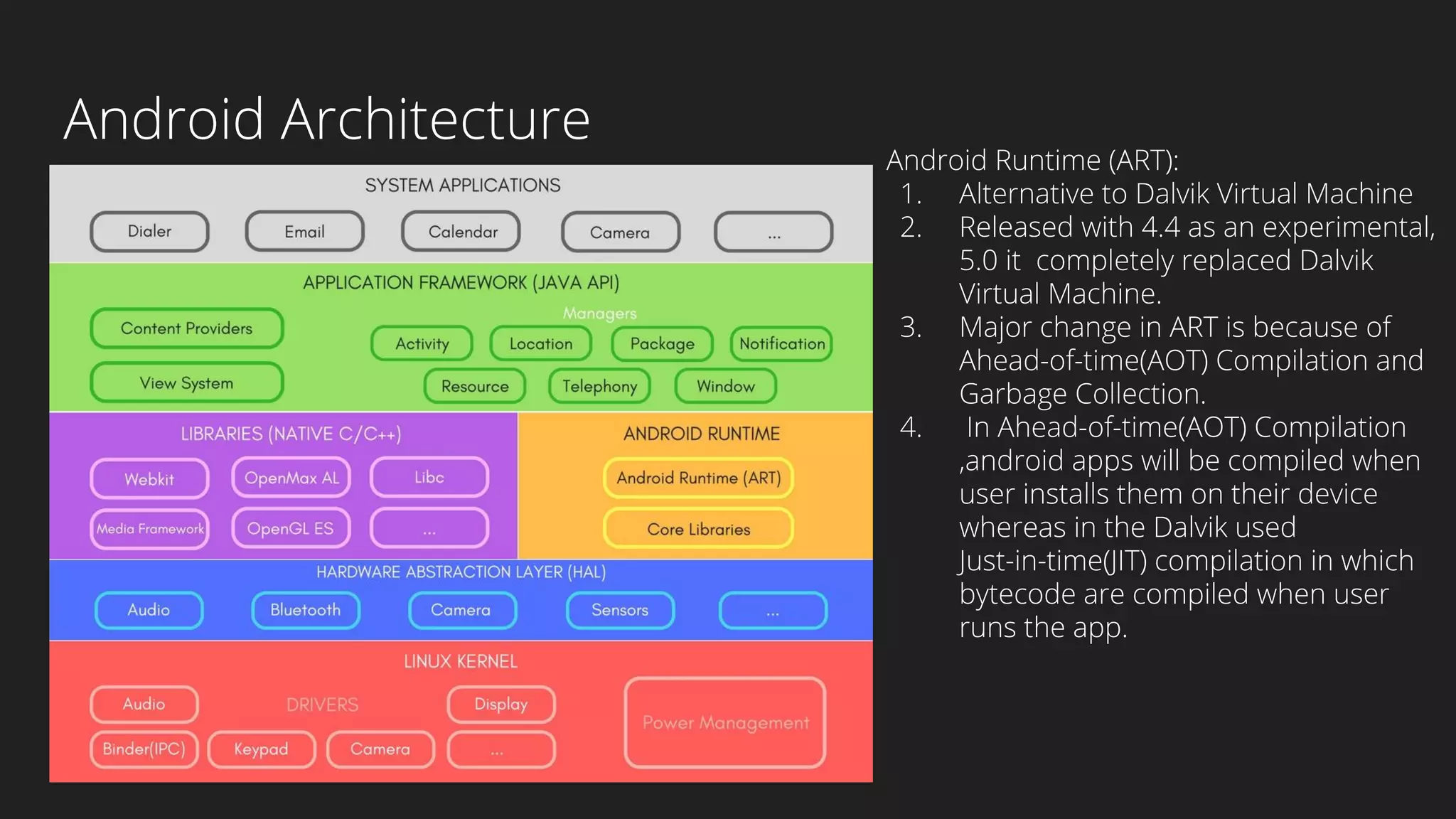
Android Architecture
Android Runtime (ART):
1. Alternative to Dalvik Virtual Machine
2. Released with 4.4 as an experimental,
5.0 it completely replaced Dalvik
Virtual Machine.
3. Major change in ART is because of
Ahead-of-time(AOT) Compilation and
Garbage Collection.
4. In Ahead-of-time(AOT) Compilation
,android apps will be compiled when
user installs them on their device
whereas in the Dalvik used
Just-in-time(JIT) compilation in which
bytecode are compiled when user
runs the app.
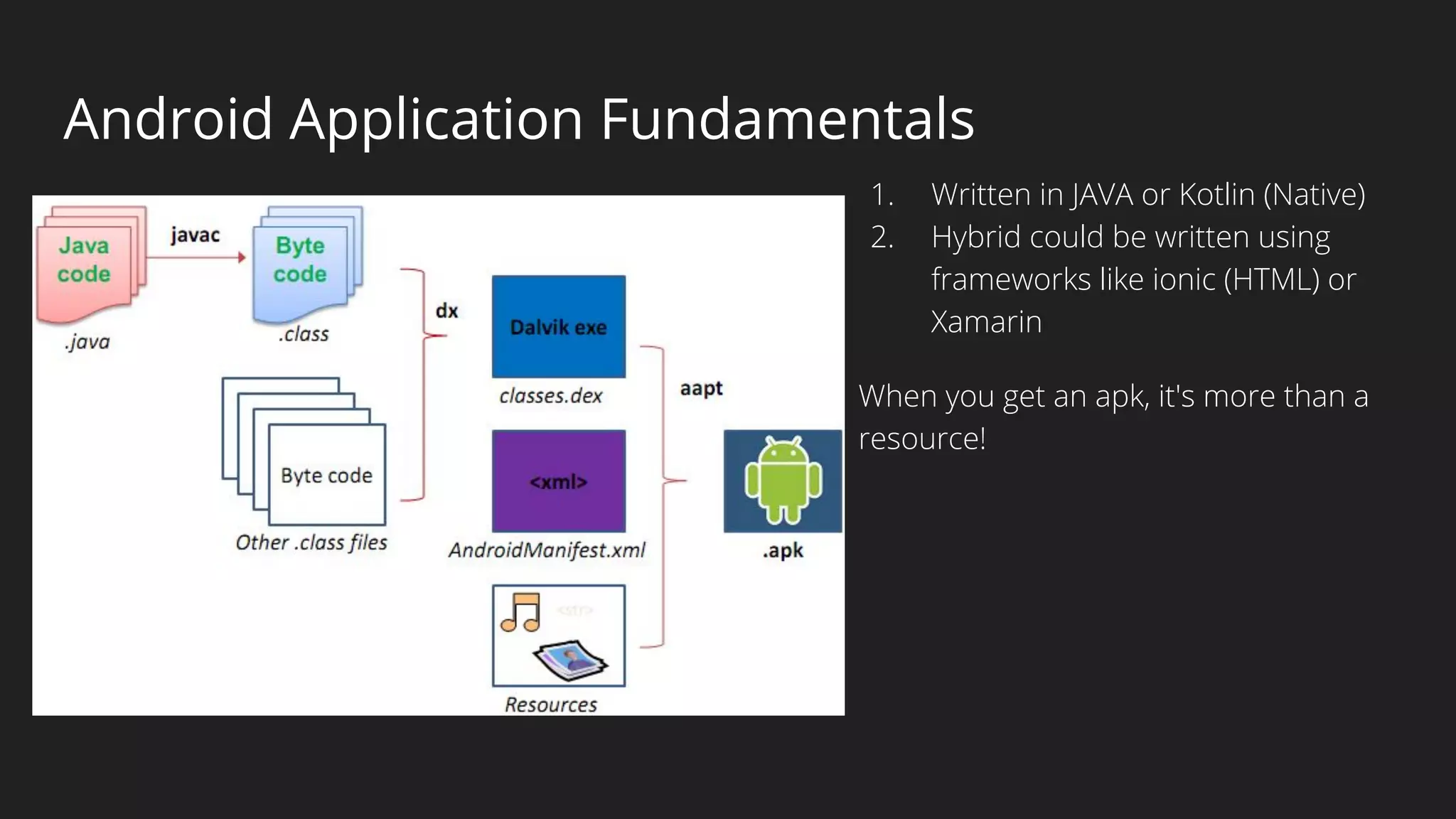
Android Application Fundamentals
1. Written in JAVA or Kotlin (Native)
2. Hybrid could be written using
frameworks like ionic (HTML) or
Xamarin
When you get an apk, it's more than a
resource!
What’s inside the apk?
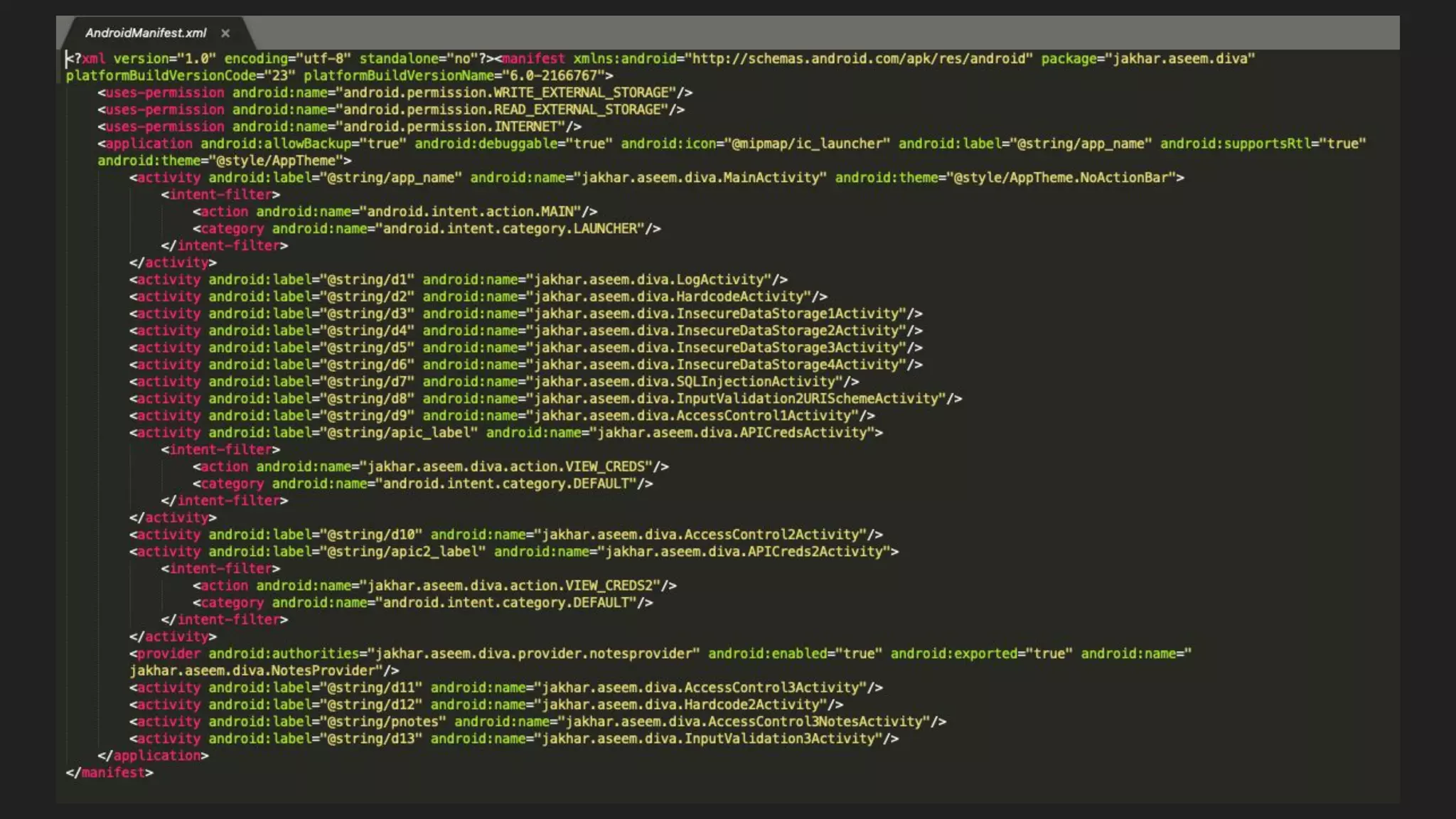
AndroidManifest.xml : Contains all the top level components like Activities, Services, Broadcast Receivers etc.
Contains permissions as well. All the dangerous permissions has to be in Manifest file!
Keep your eye on:
1. Debug Mode : Defines whether the application can be debugged or not! If the application can be
debugged then it can provide plenty of information to an attacker. Android applications not in the
production state can have it set to true otherwise it must be false.
2. BackUp Flag: Defines whether application data can be backed up and restored by a user who has enabled
usb debugging. Applications that handle and store sensitive information such as card details, passwords
etc. should have this setting set to false to prevent such risks.
3. External Storage
Applications that have the permission to copy data to external storage should be reviewed to ensure that
no sensitive information is stored.
4. Permissions!!! Keep an eye on permissions to check if application is asking for dangerous permissions that
do NOT require!
What’s more inside the apk?
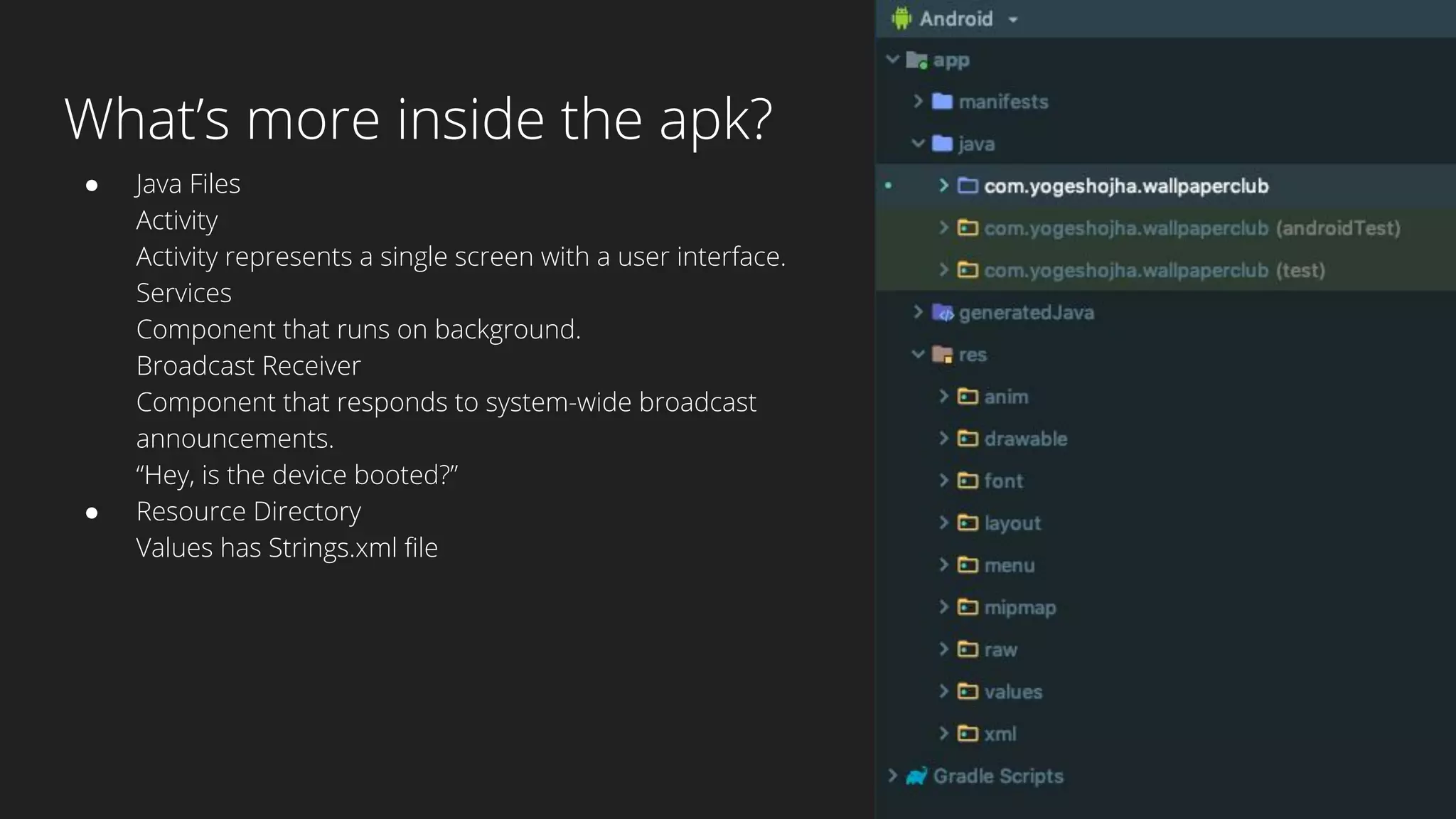
● Java Files
Activity
Activity represents a single screen with a user interface.
Services
Component that runs on background.
Broadcast Receiver
Component that responds to system-wide broadcast
announcements.
“Hey, is the device booted?”
● Resource Directory
Values has Strings.xml file
Android Sandbox
Each Android app lives in its own security sandbox!
The Android operating system is a multi-user Linux system in which each app is a different user.
The Android system assigns each app a unique Linux UID known only to system and not the app!
The system sets permissions for all the files in an app so that only the UID assigned to that app can access them.
Each process has its own virtual machine (VM), so an app’s code runs in isolation from other apps.
By default, every app runs in its own Linux process. Android starts the process when any of the app’s
components need to be executed, then shuts down the process when it’s no longer needed or when the system
must recover memory for other apps.
The Android system implements the principle of least privilege, that is each app by default has access only to the
components that it requires to do its work and no more.
This creates a very secure environment in which an app cannot access parts of the system for which it is not
having permission. As every Android app runs in its own sandbox environment and cannot affect other apps by
default but two apps can have same Linux User ID and can also share the same Dalvik VM if they are signed with
the same Certificates.
What’s in the Arsenal?
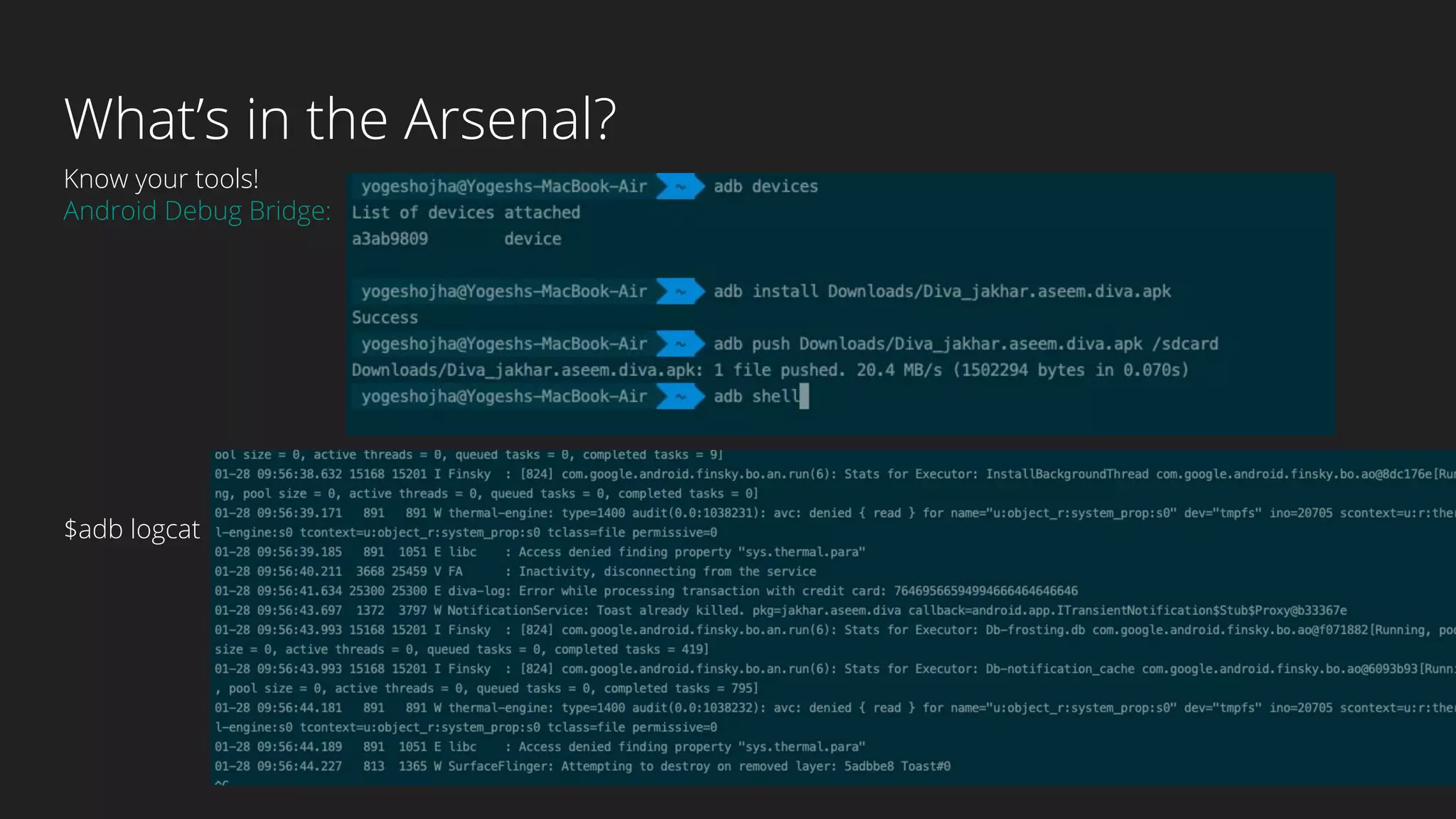
Know your tools!
Android Debug Bridge:
$adb logcat
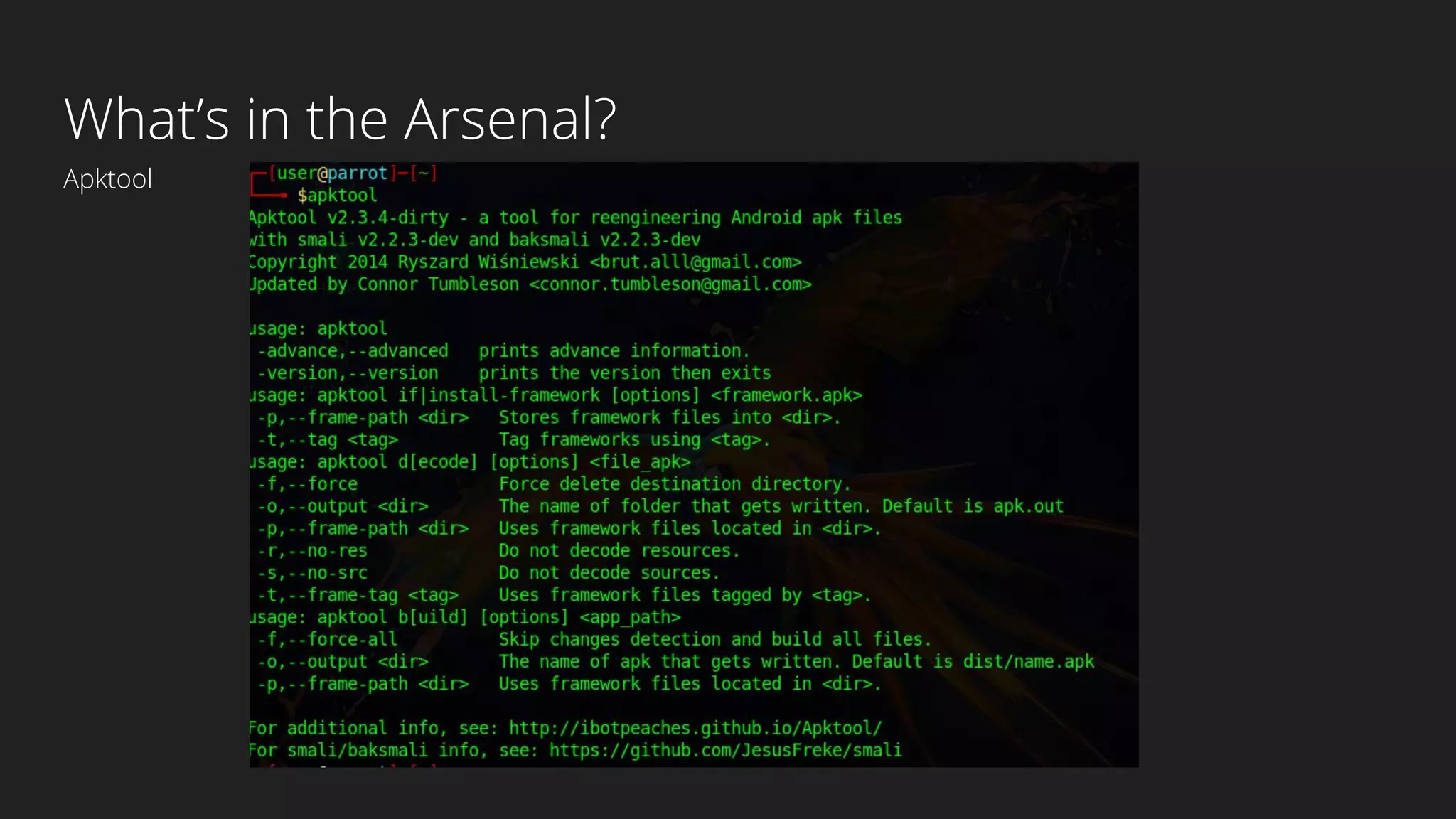
What’s in the Arsenal?
Apktool
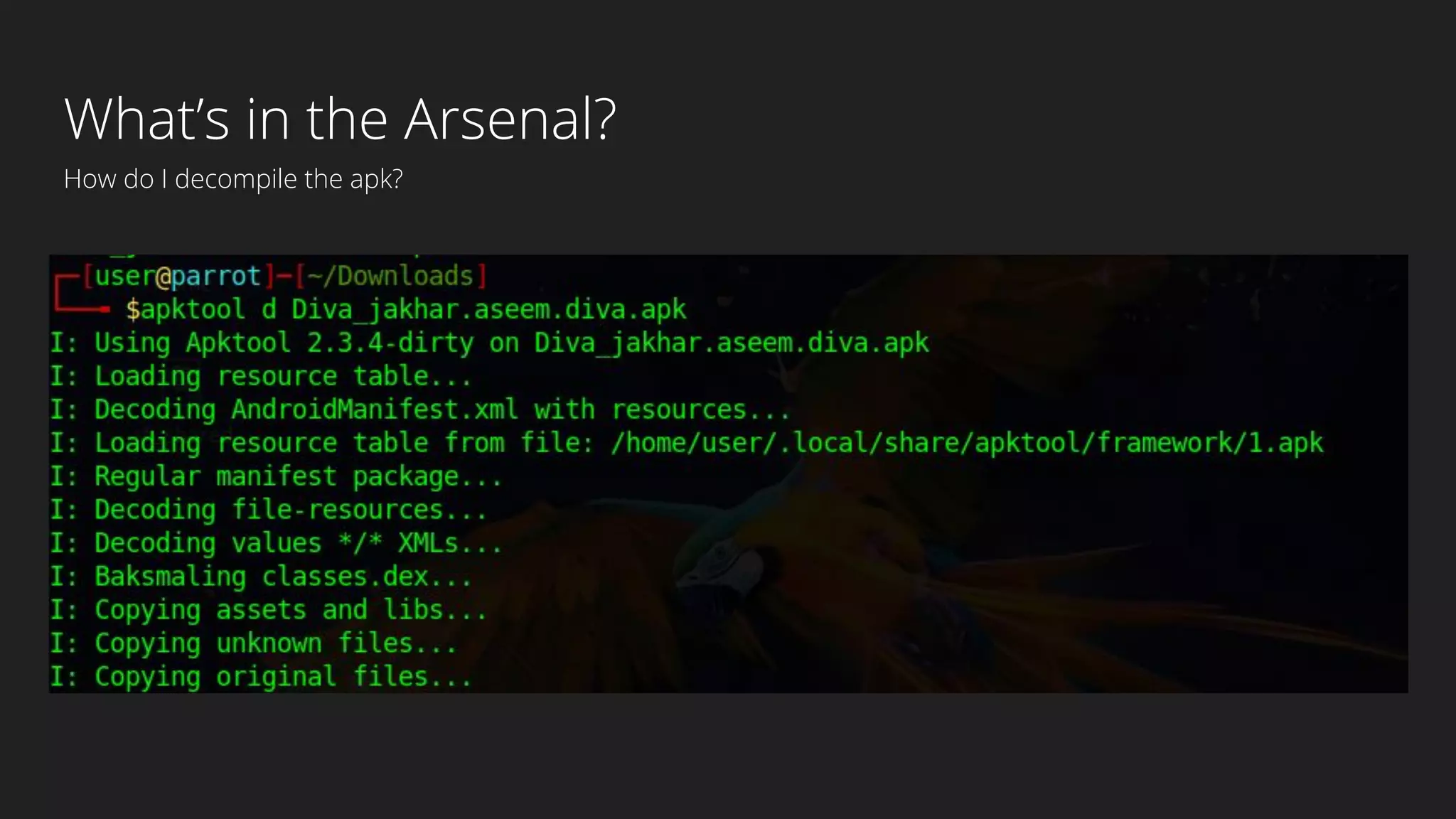
What’s in the Arsenal?
How do I decompile the apk?
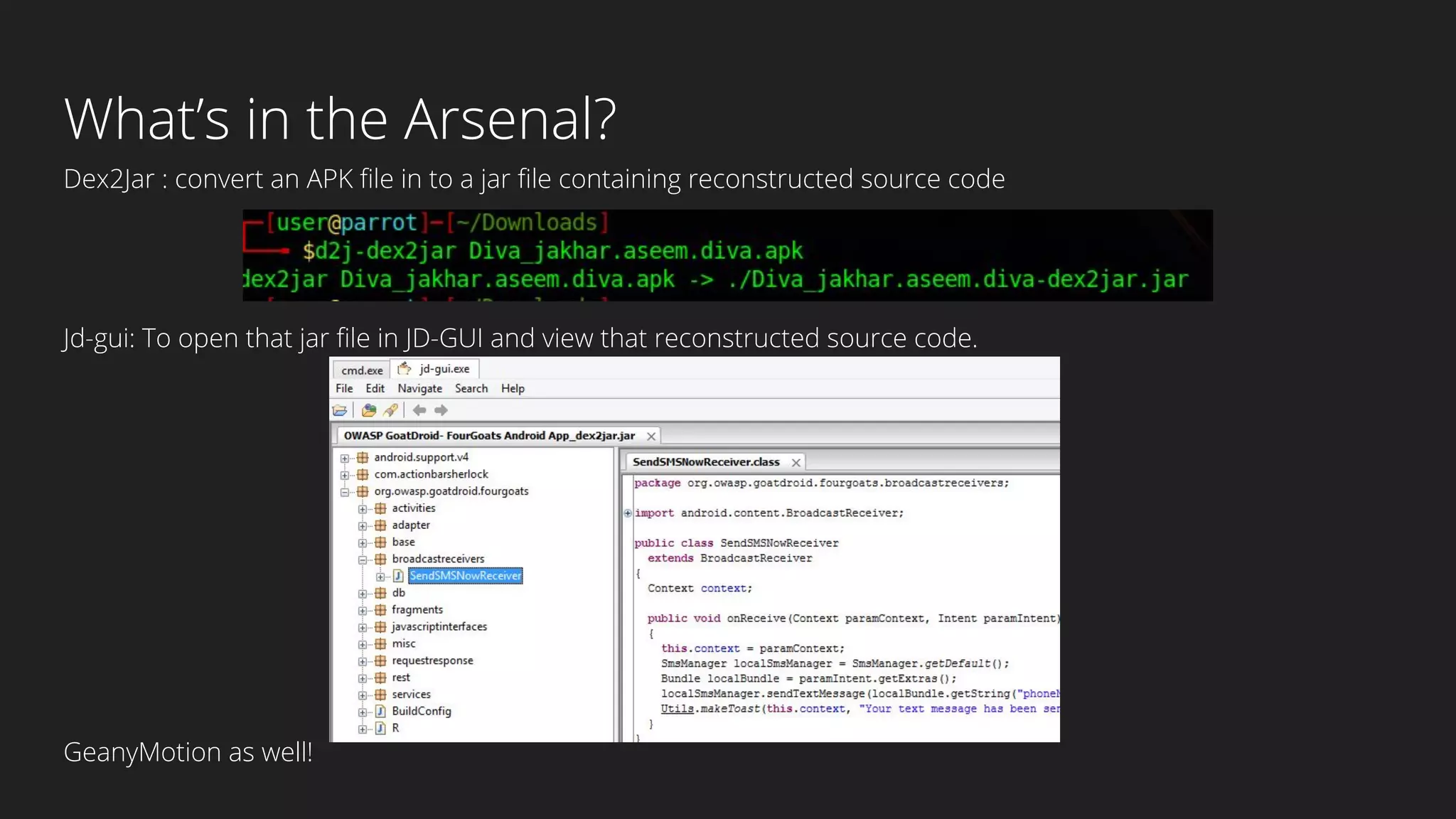
What’s in the Arsenal?
Dex2Jar : convert an APK file in to a jar file containing reconstructed source code
Jd-gui: To open that jar file in JD-GUI and view that reconstructed source code.
GeanyMotion as well!
DIVA
Damn insecure and vulnerable App
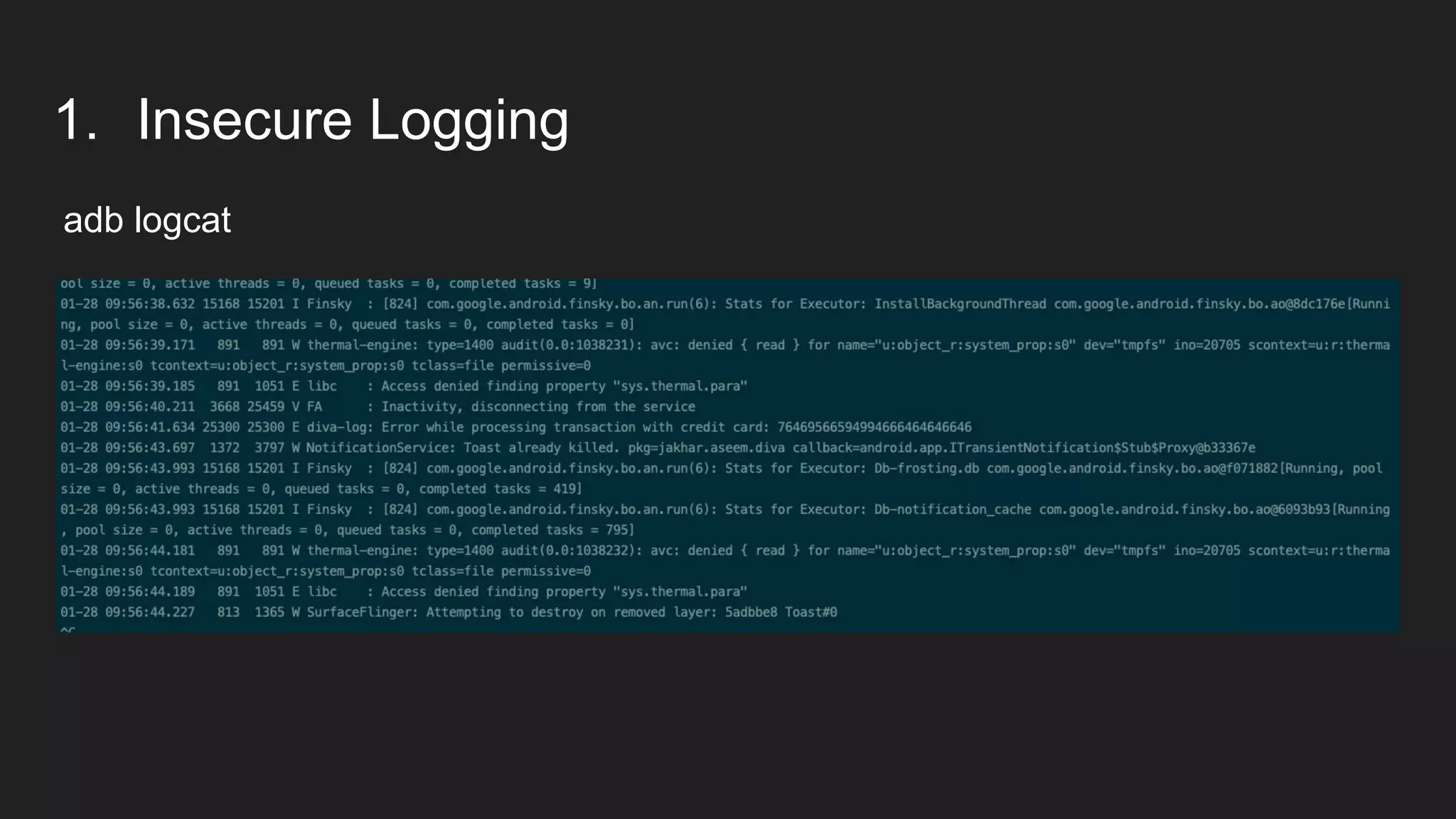
1. Insecure Logging
adb logcat
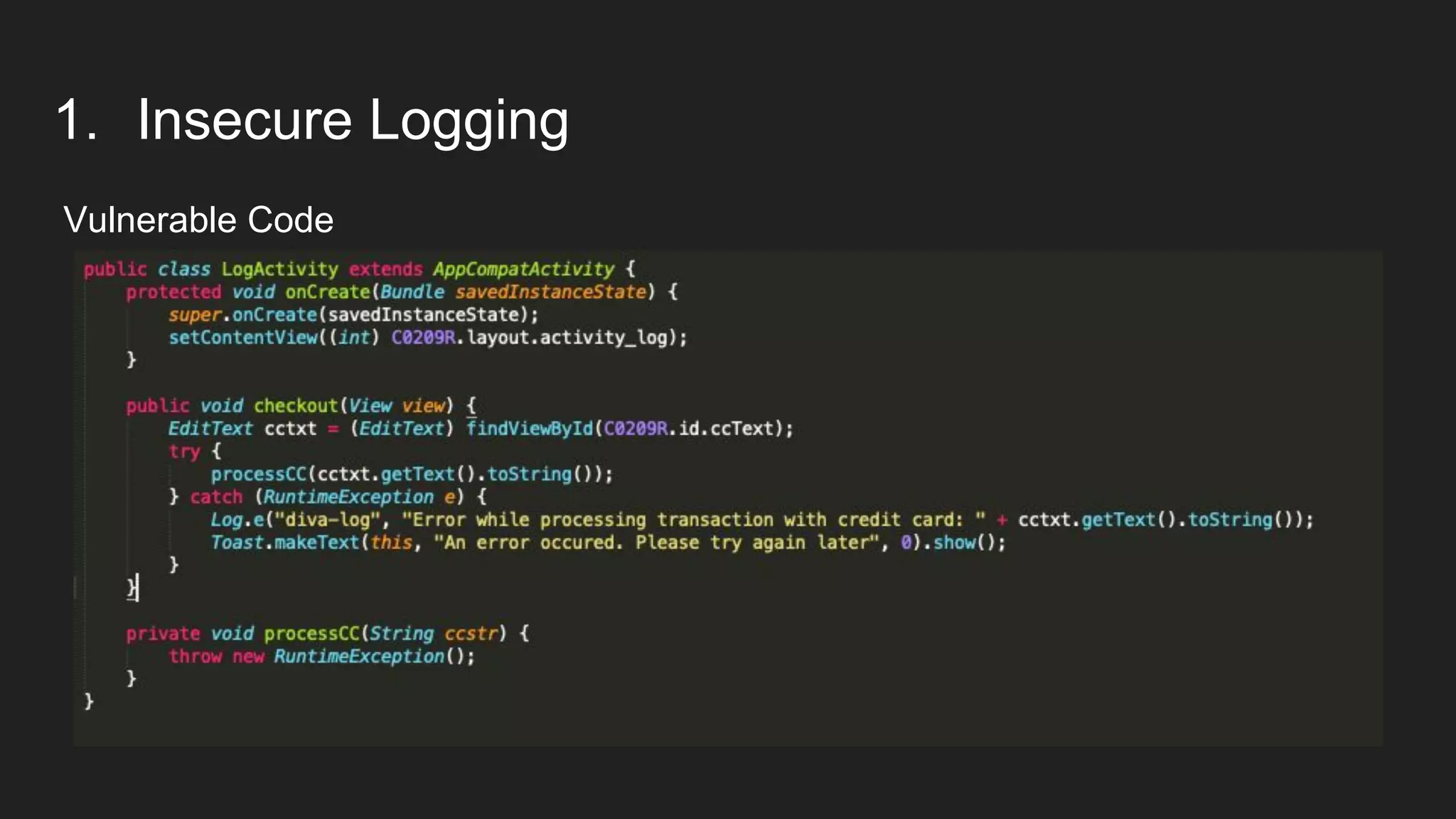
1. Insecure Logging
Vulnerable Code
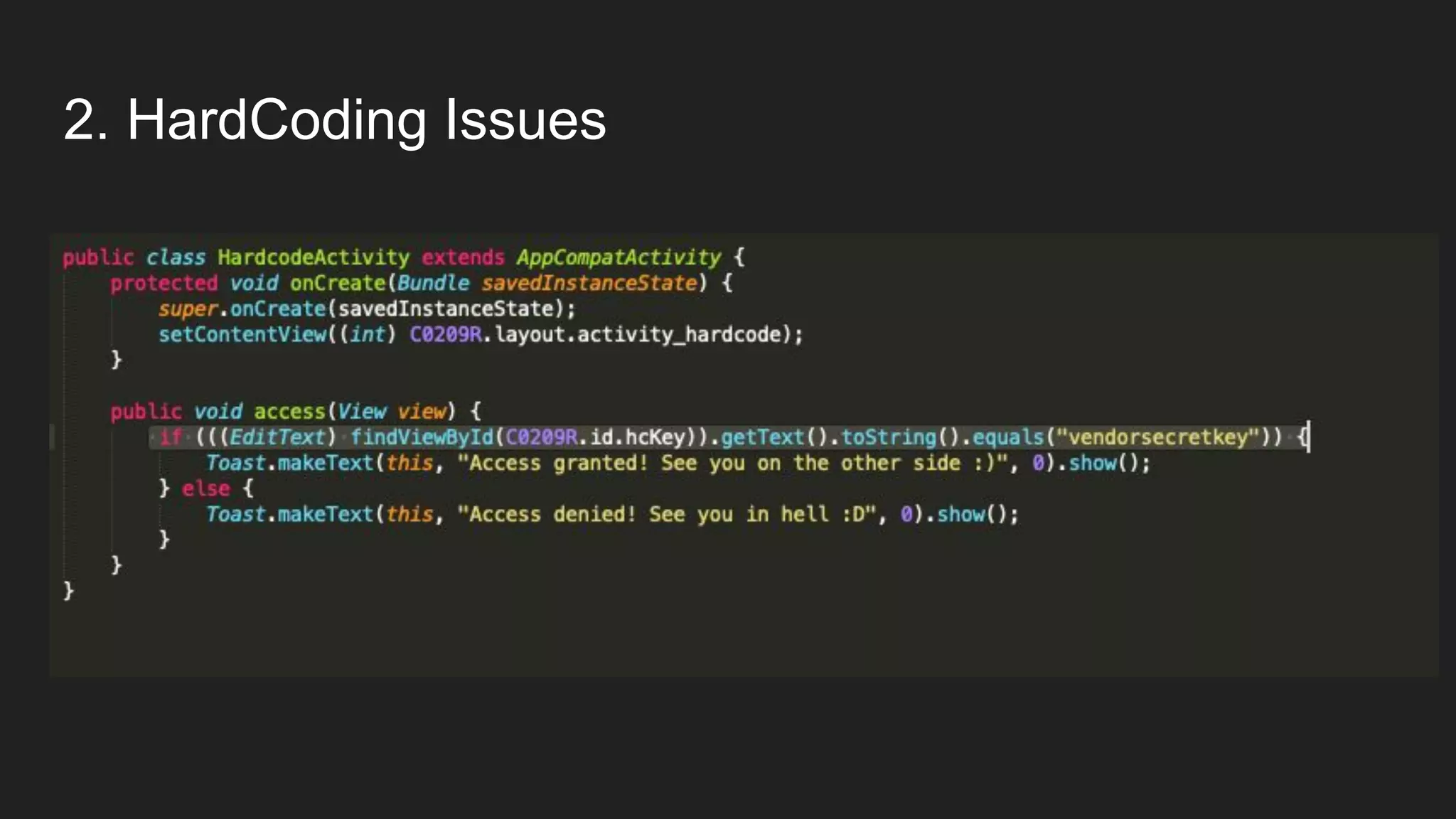
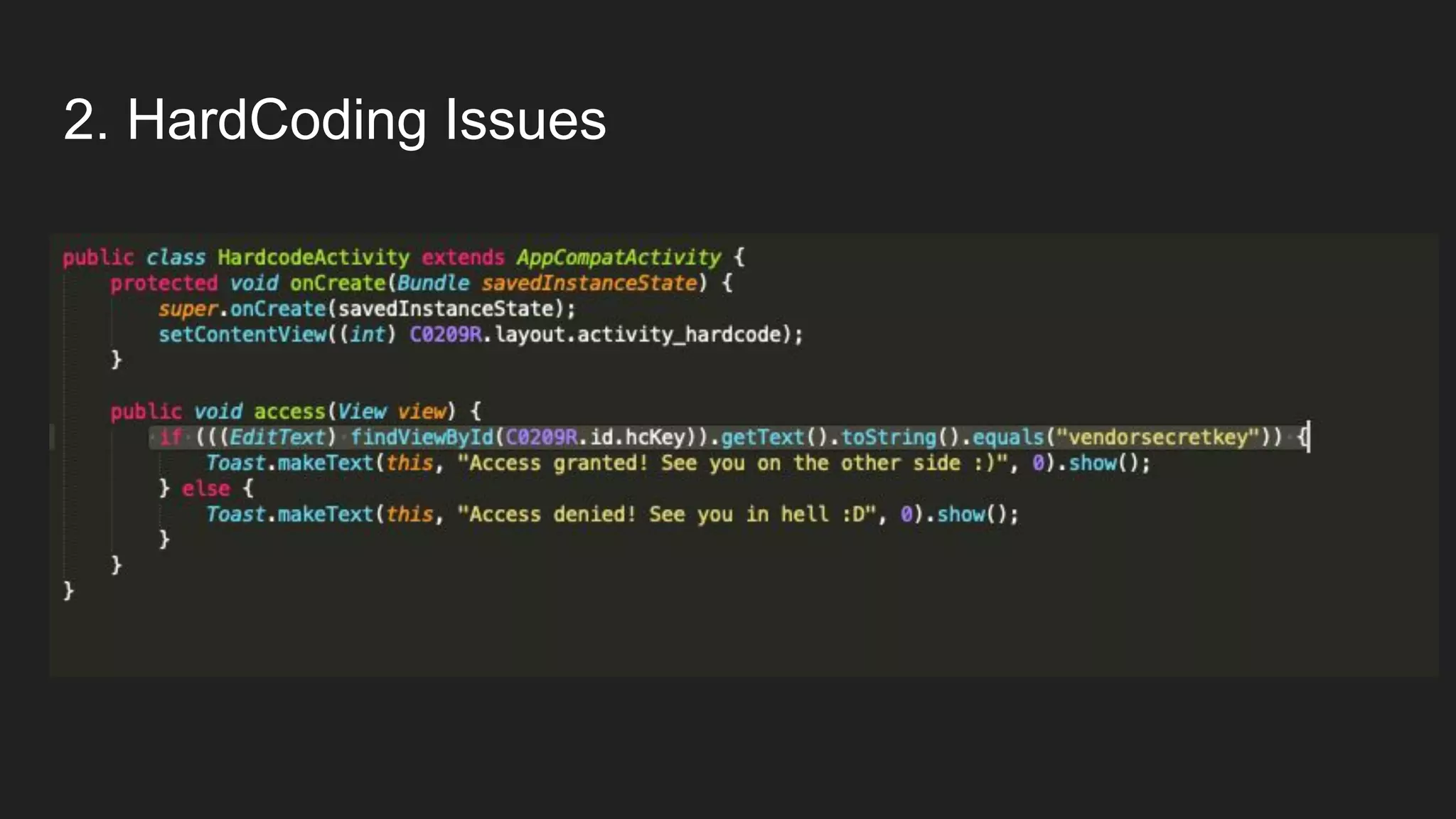
2. HardCoding Issues
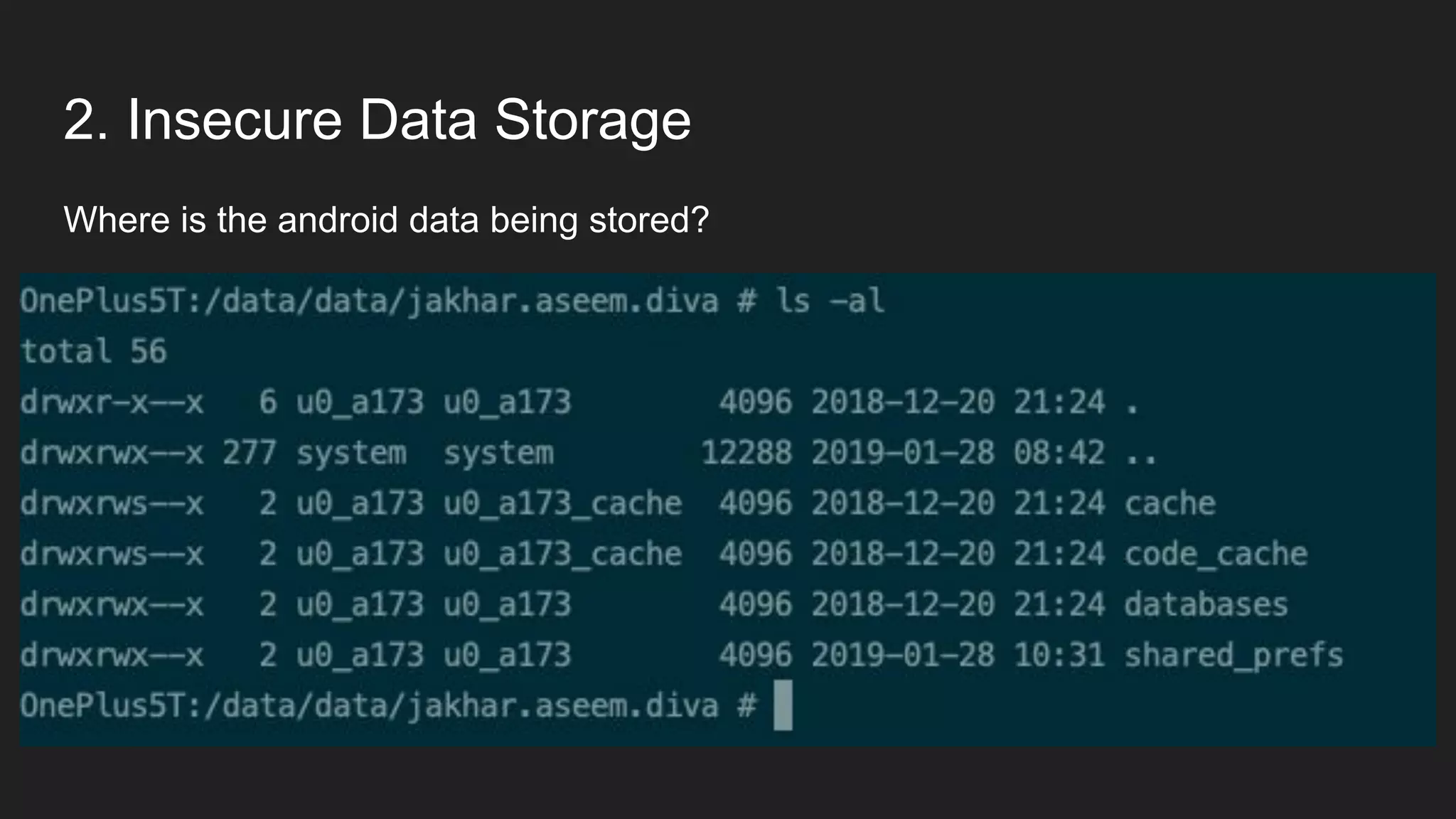
2. Insecure Data Storage
Where is the android data being stored?
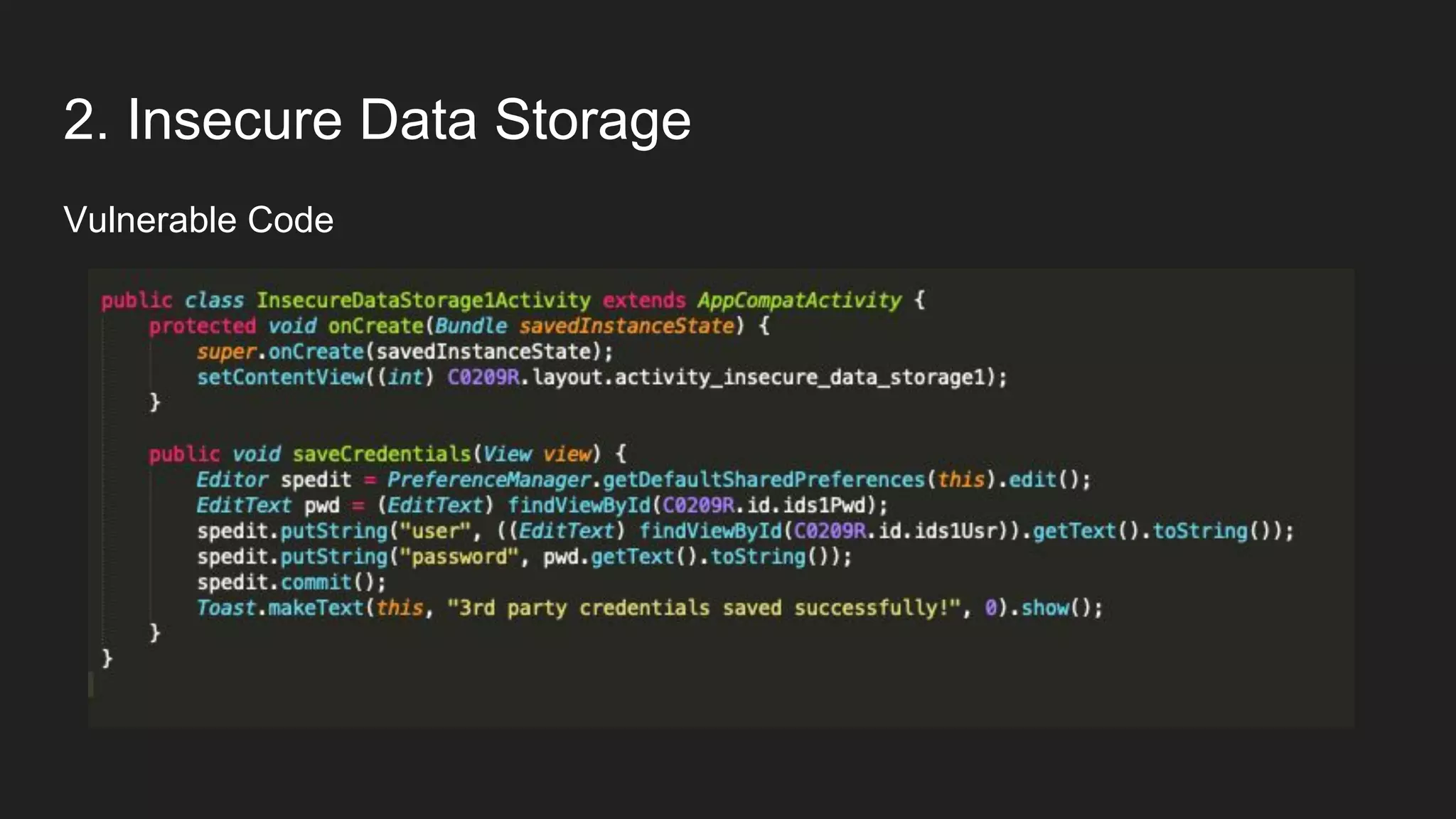
2. Insecure Data Storage
Vulnerable Code
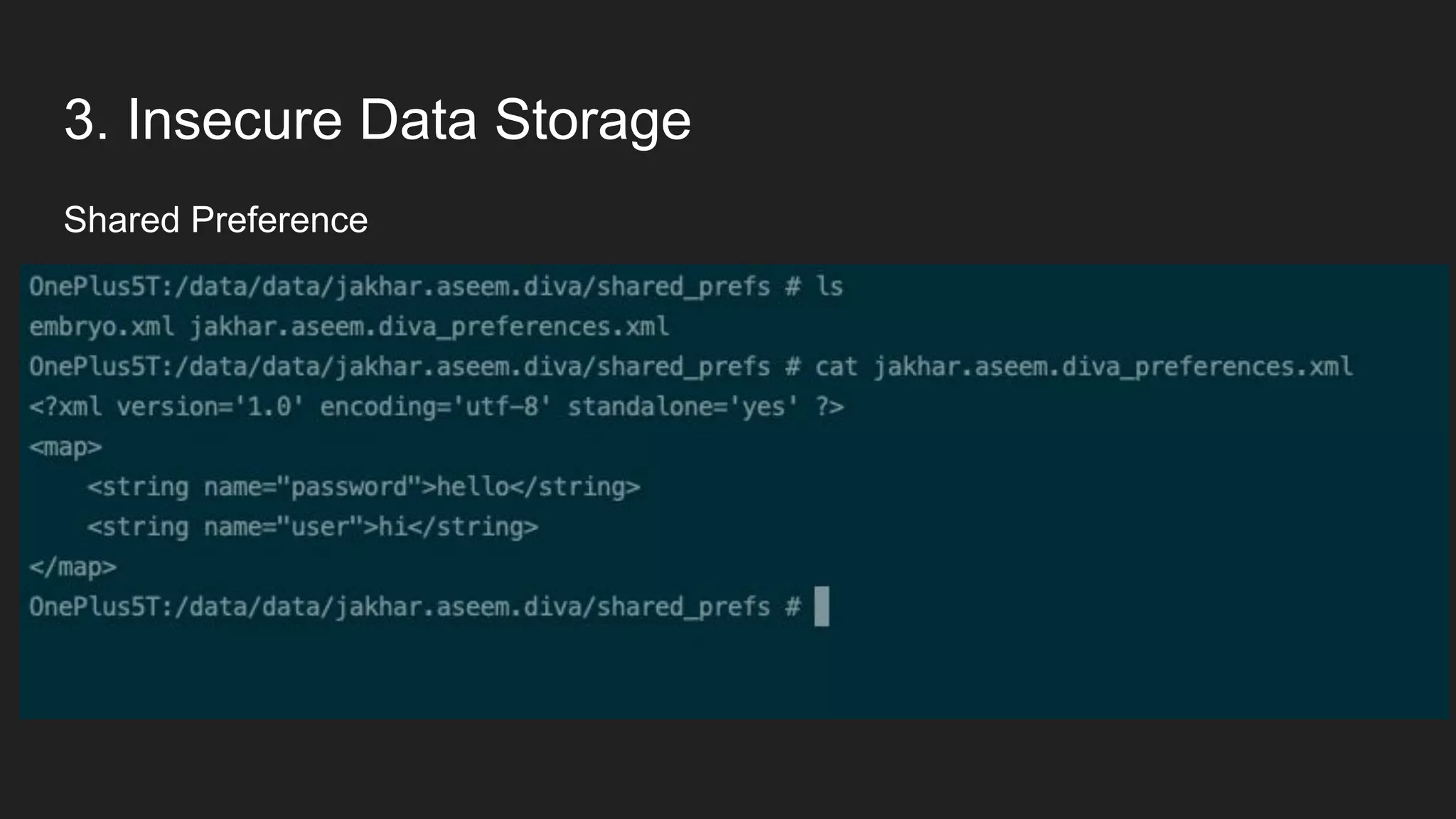
3. Insecure Data Storage
Shared Preference
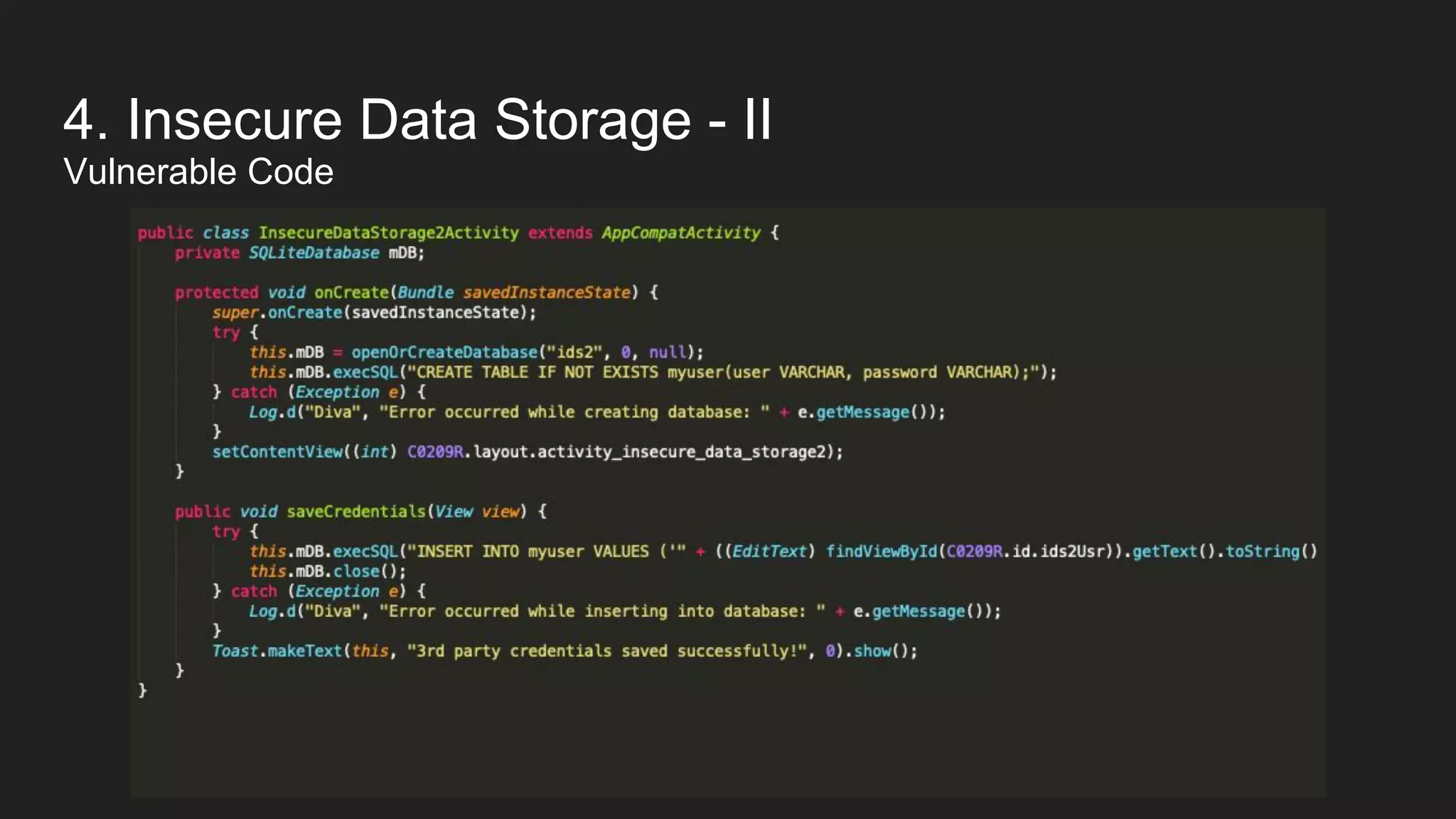
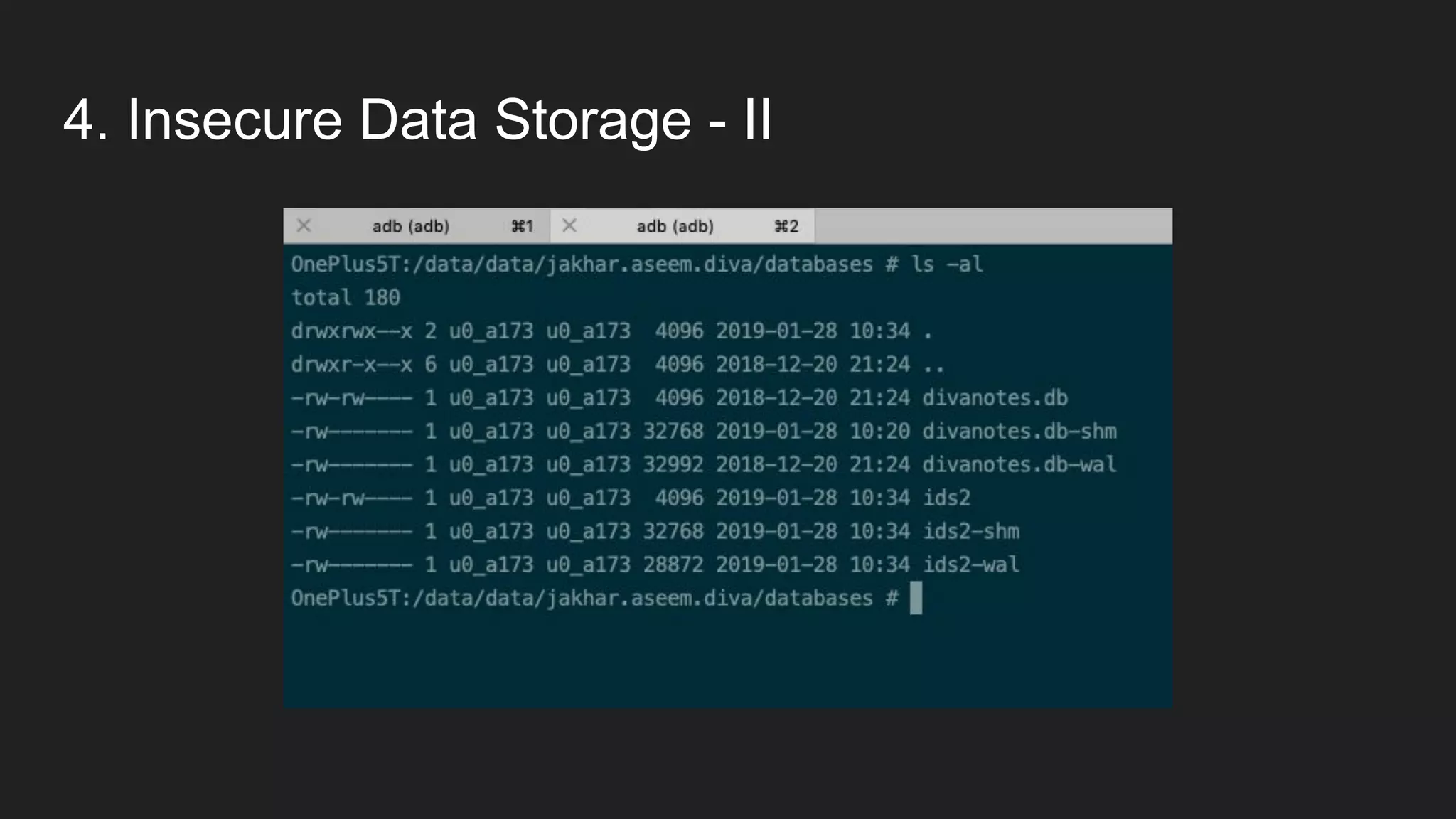
4. Insecure Data Storage - II
Vulnerable Code
4. Insecure Data Storage - II
How do I pull the database?
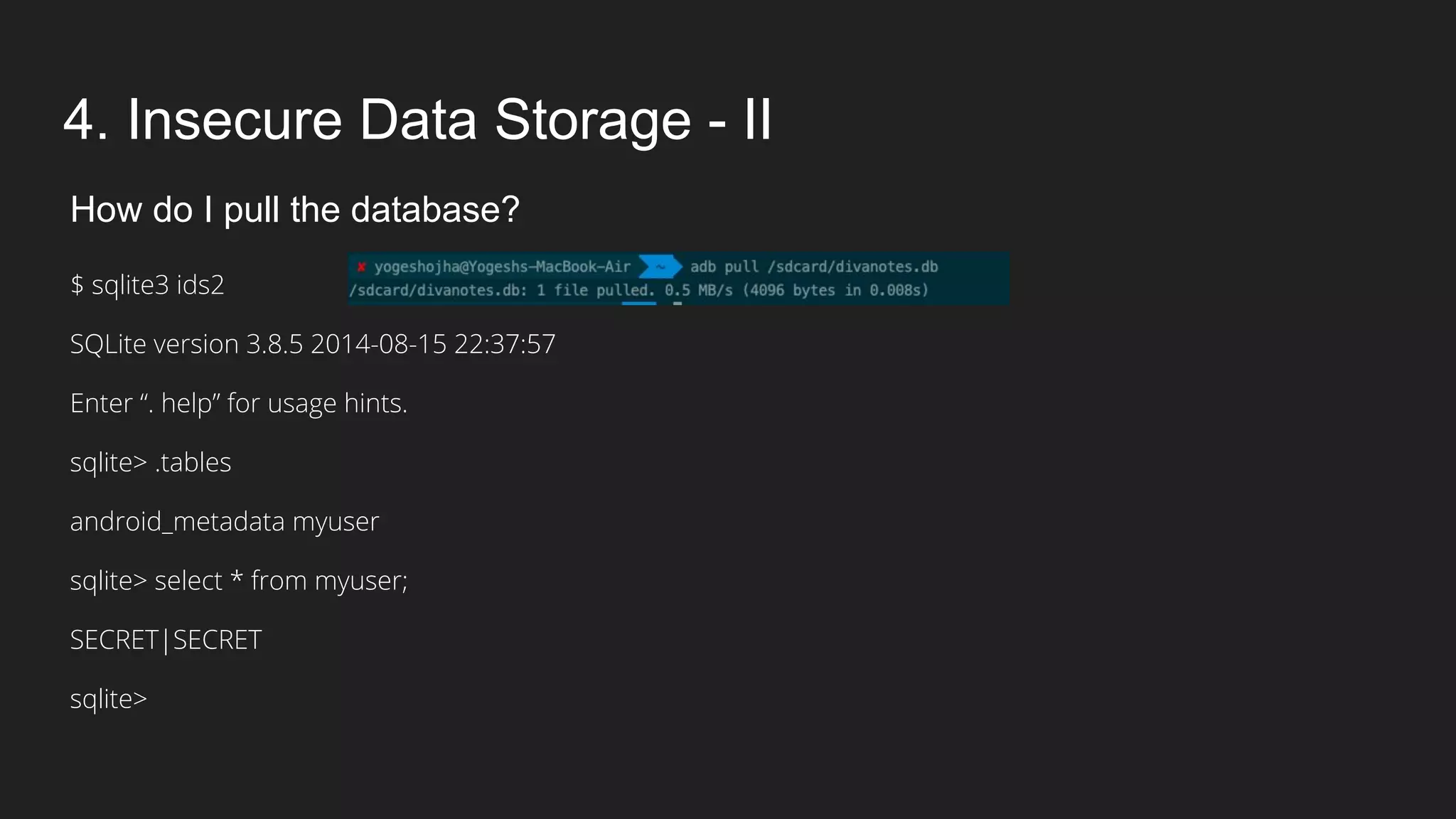
4. Insecure Data Storage - II
How do I pull the database?
$ sqlite3 ids2
SQLite version 3.8.5 2014-08-15 22:37:57
Enter “. help” for usage hints.
sqlite> .tables
android_metadata myuser
sqlite> select * from myuser;
SECRET|SECRET
sqlite>
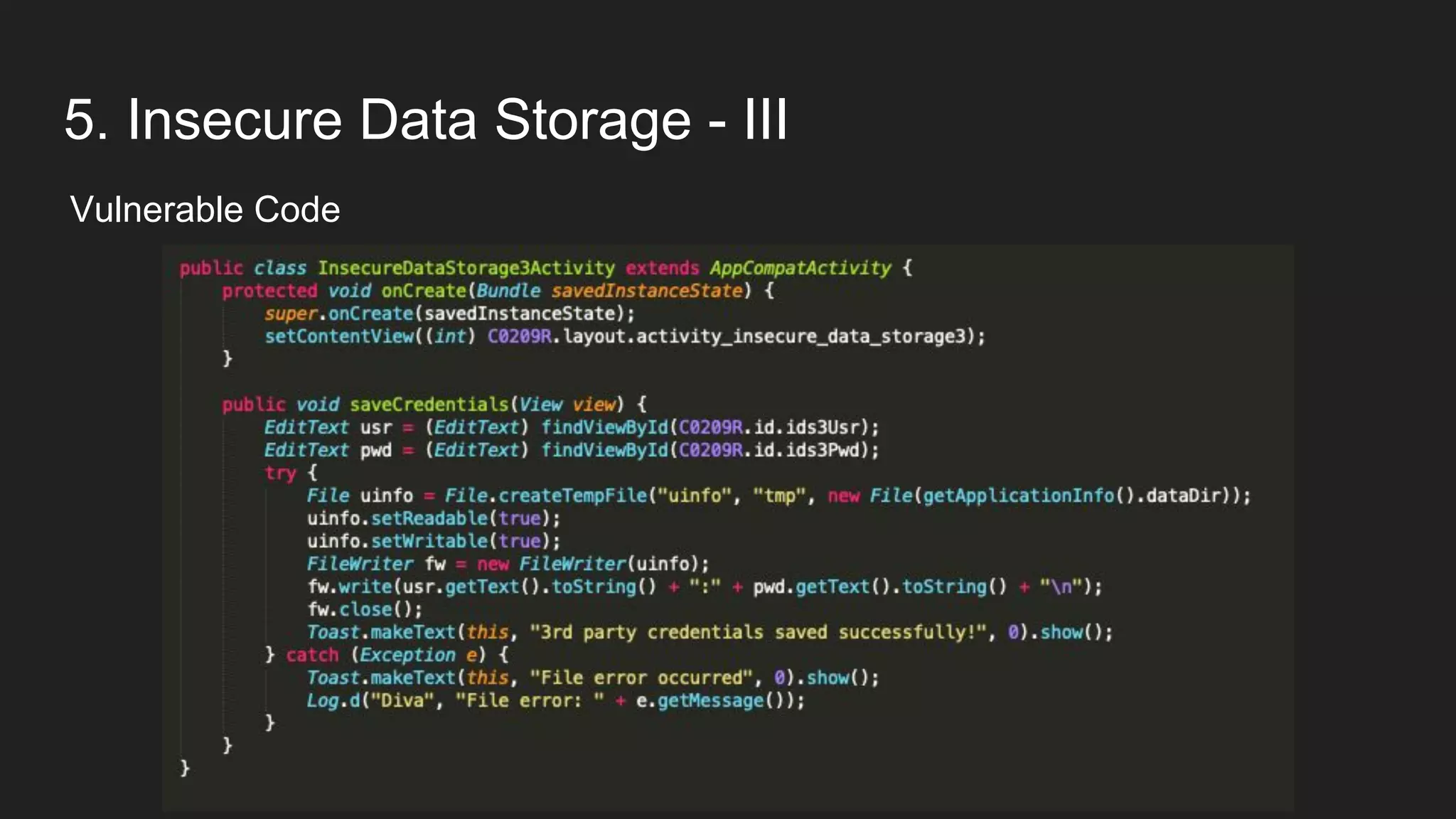
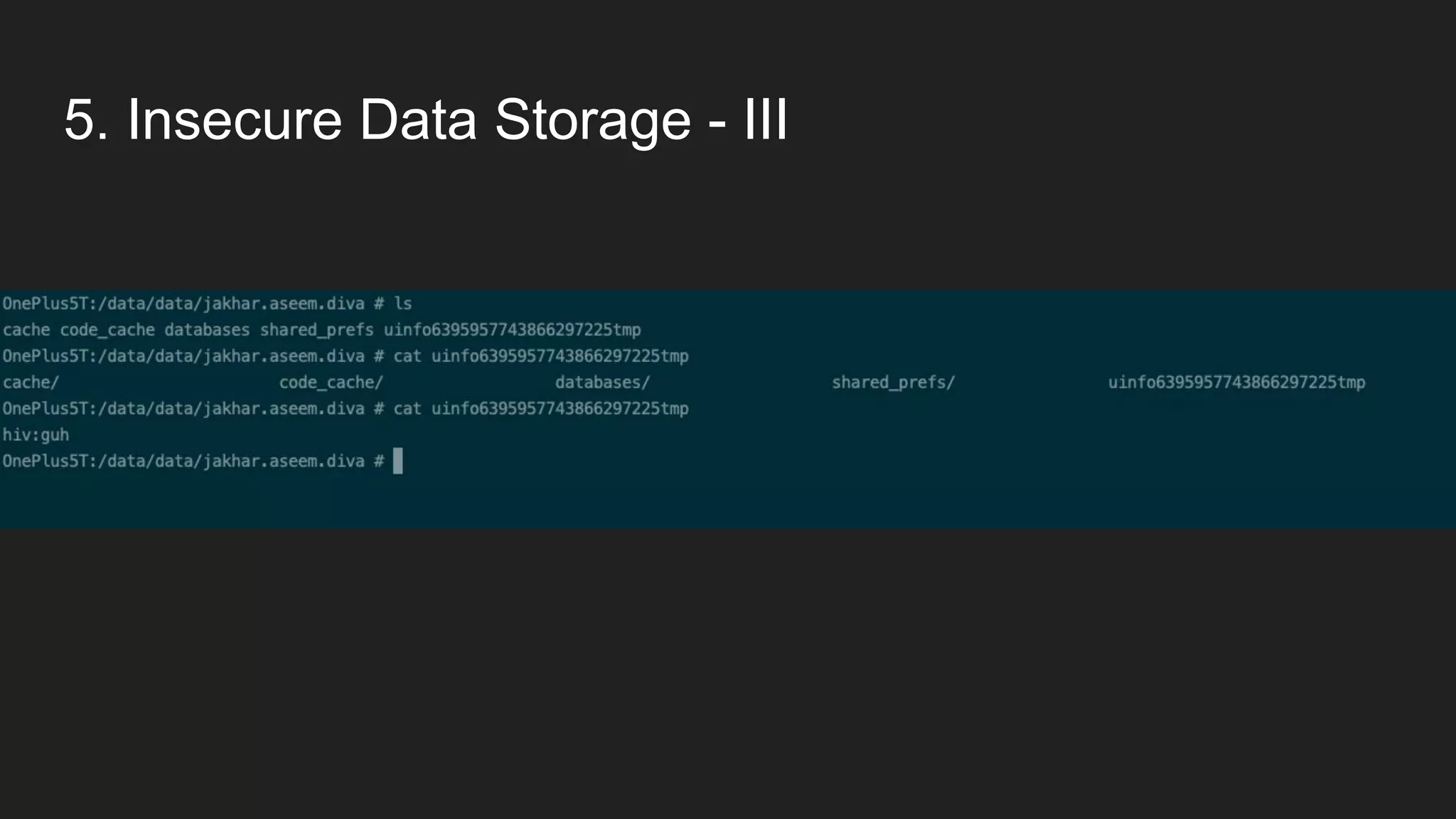
5. Insecure Data Storage - III
Vulnerable Code
5. Insecure Data Storage - III
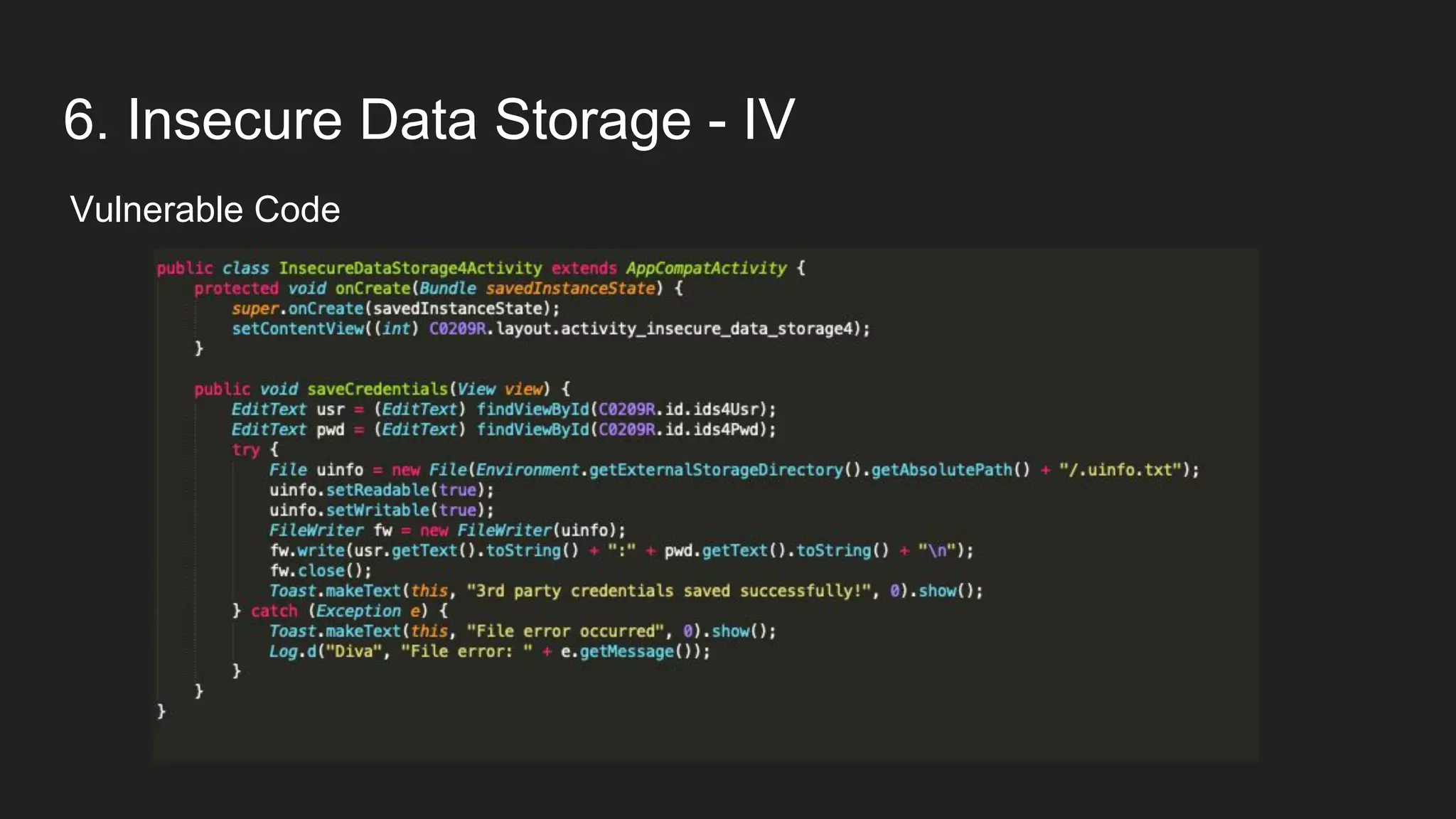
6. Insecure Data Storage - IV
Vulnerable Code
6. Insecure Data Storage - IV
Any Guess where this file could be stored?
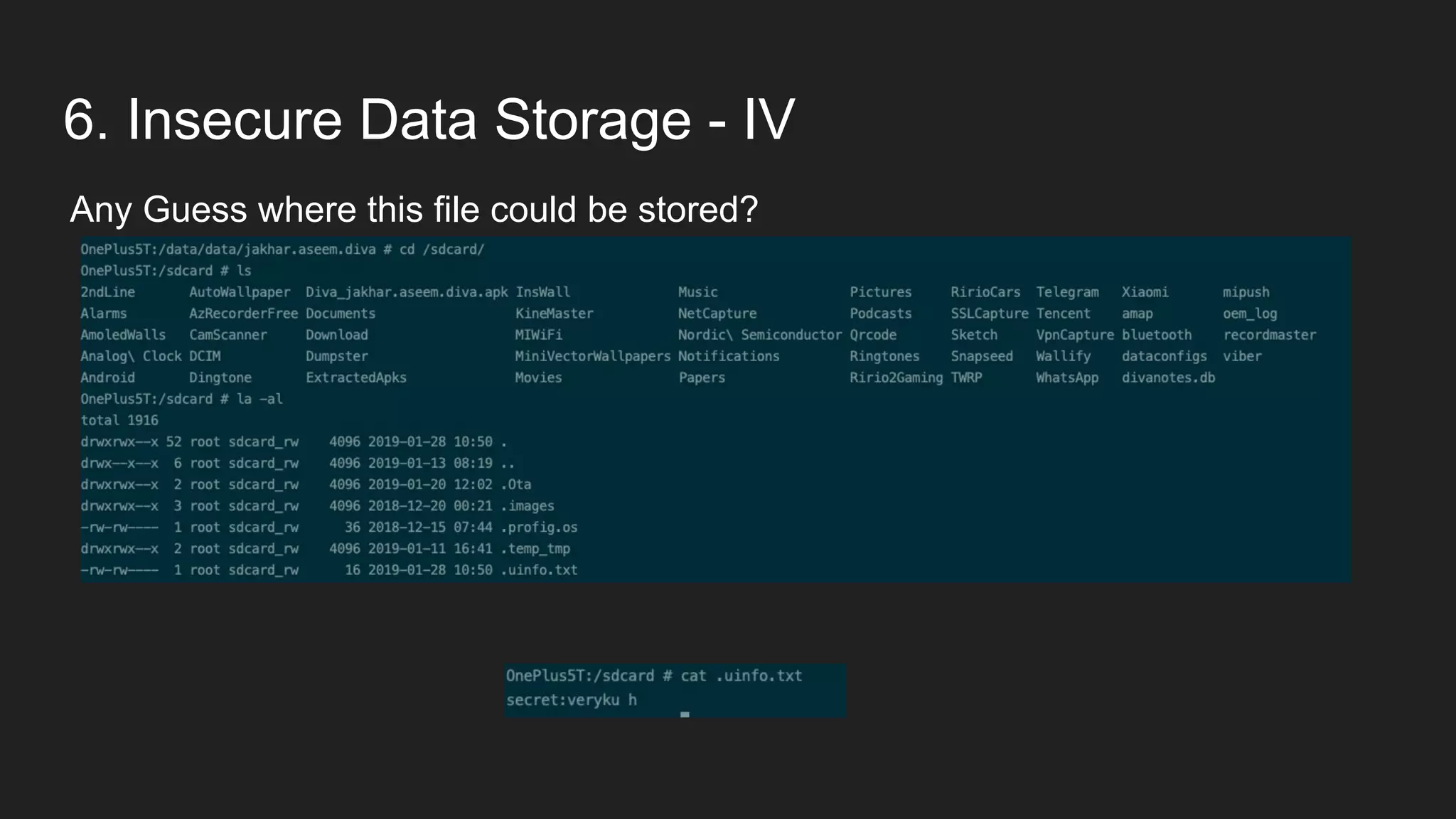
6. Insecure Data Storage - IV
Any Guess where this file could be stored?
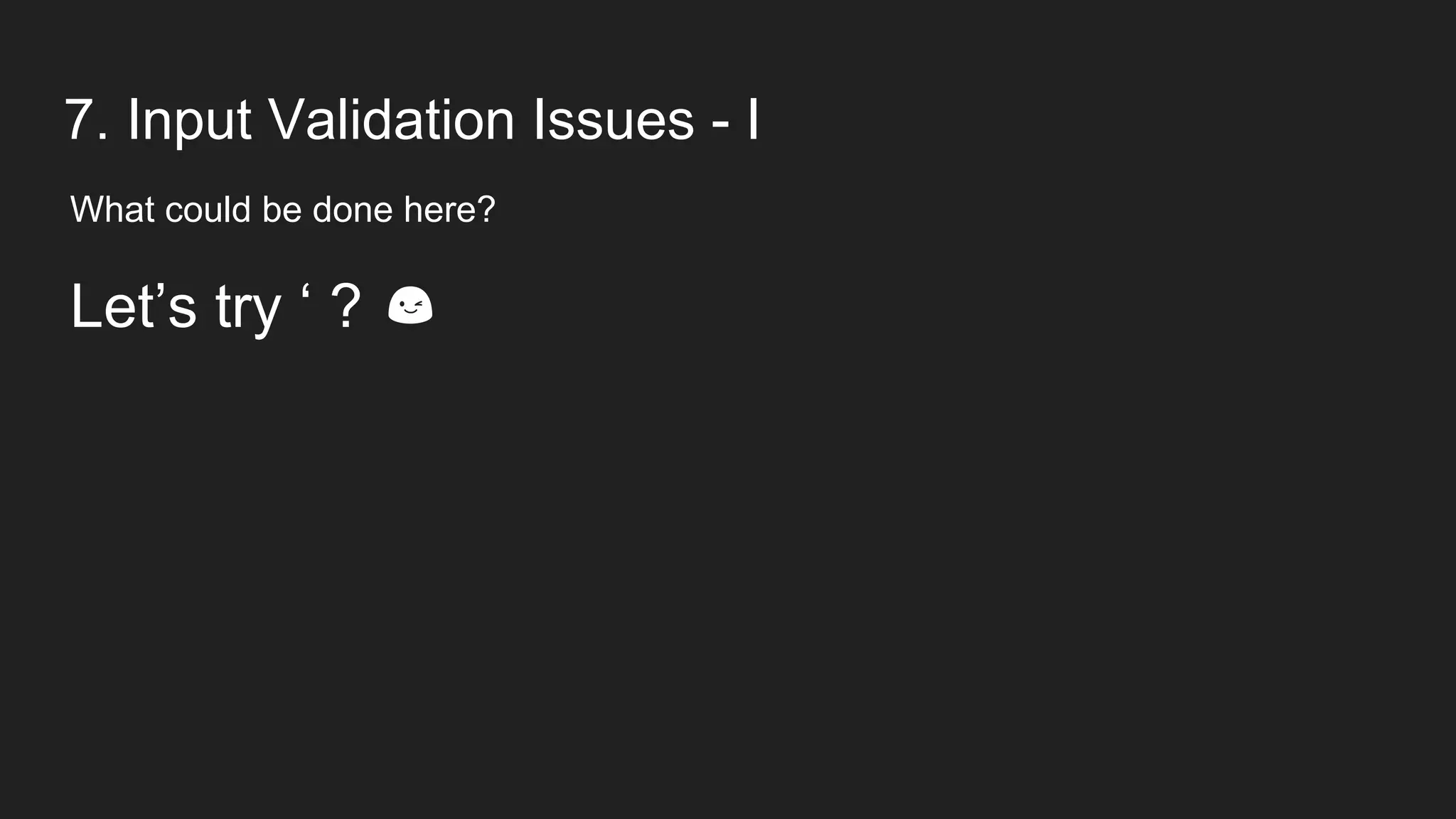
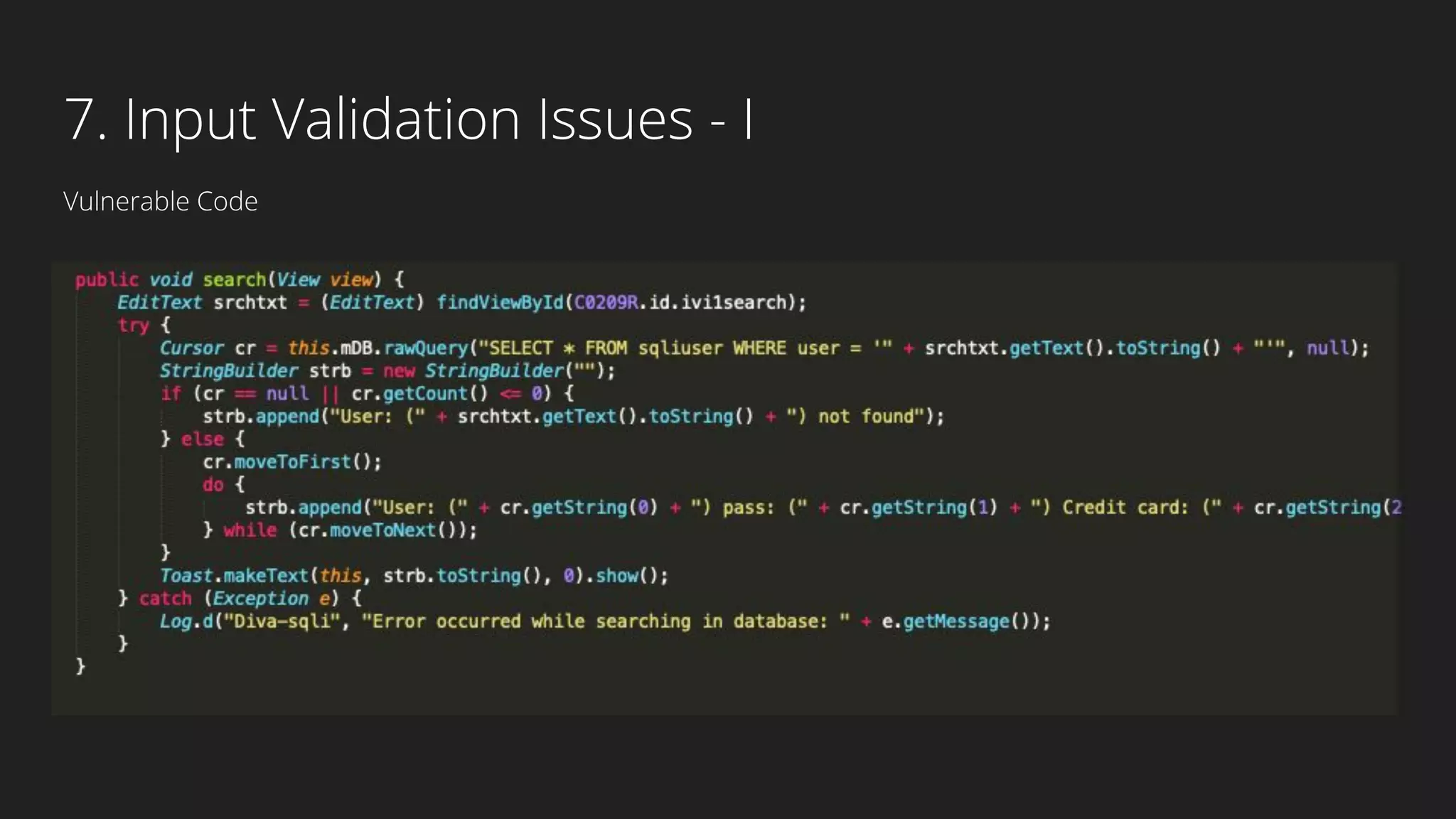
7. Input Validation Issues - I
What could be done here?
7. Input Validation Issues - I
What could be done here?
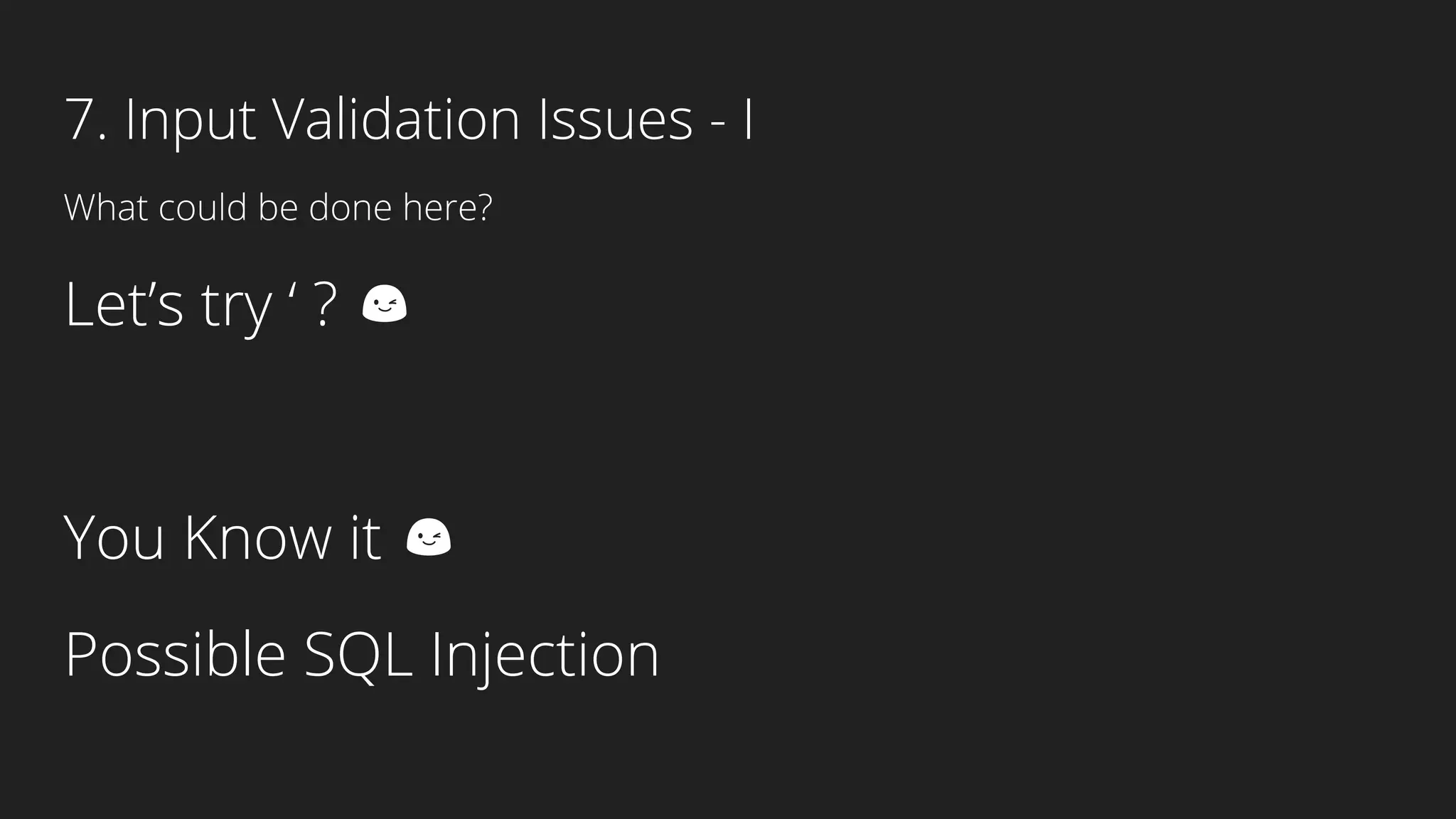
Let’s try ‘ ? 😉
7. Input Validation Issues - I
What could be done here?
Let’s try ‘ ? 😉
You Know it 😉
Possible SQL Injection
7. Input Validation Issues - I
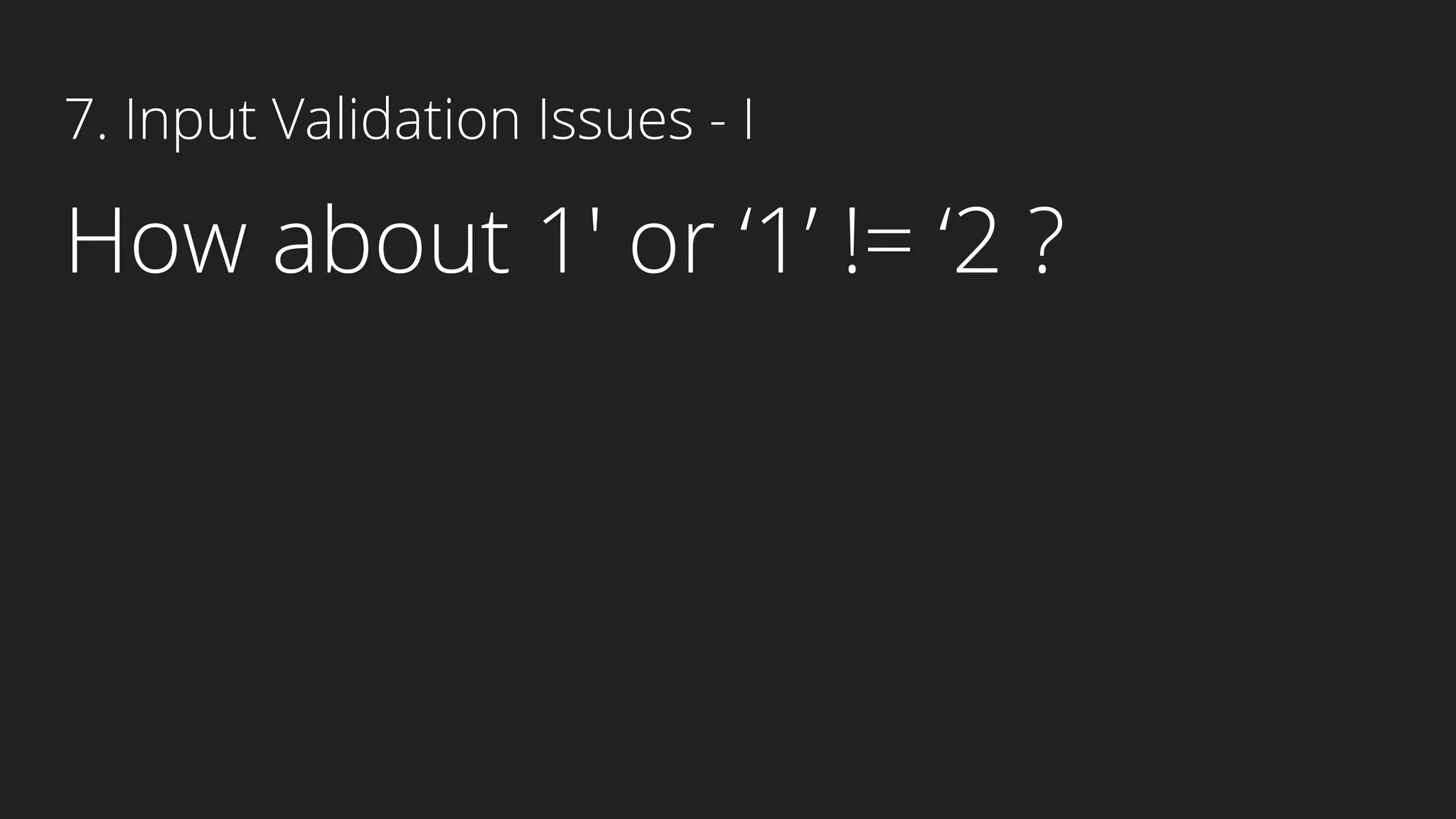
How about 1′ or ‘1’ != ‘2 ?
7. Input Validation Issues - I
Vulnerable Code
8. Input Validation Issues - II
More Dangerous!!!
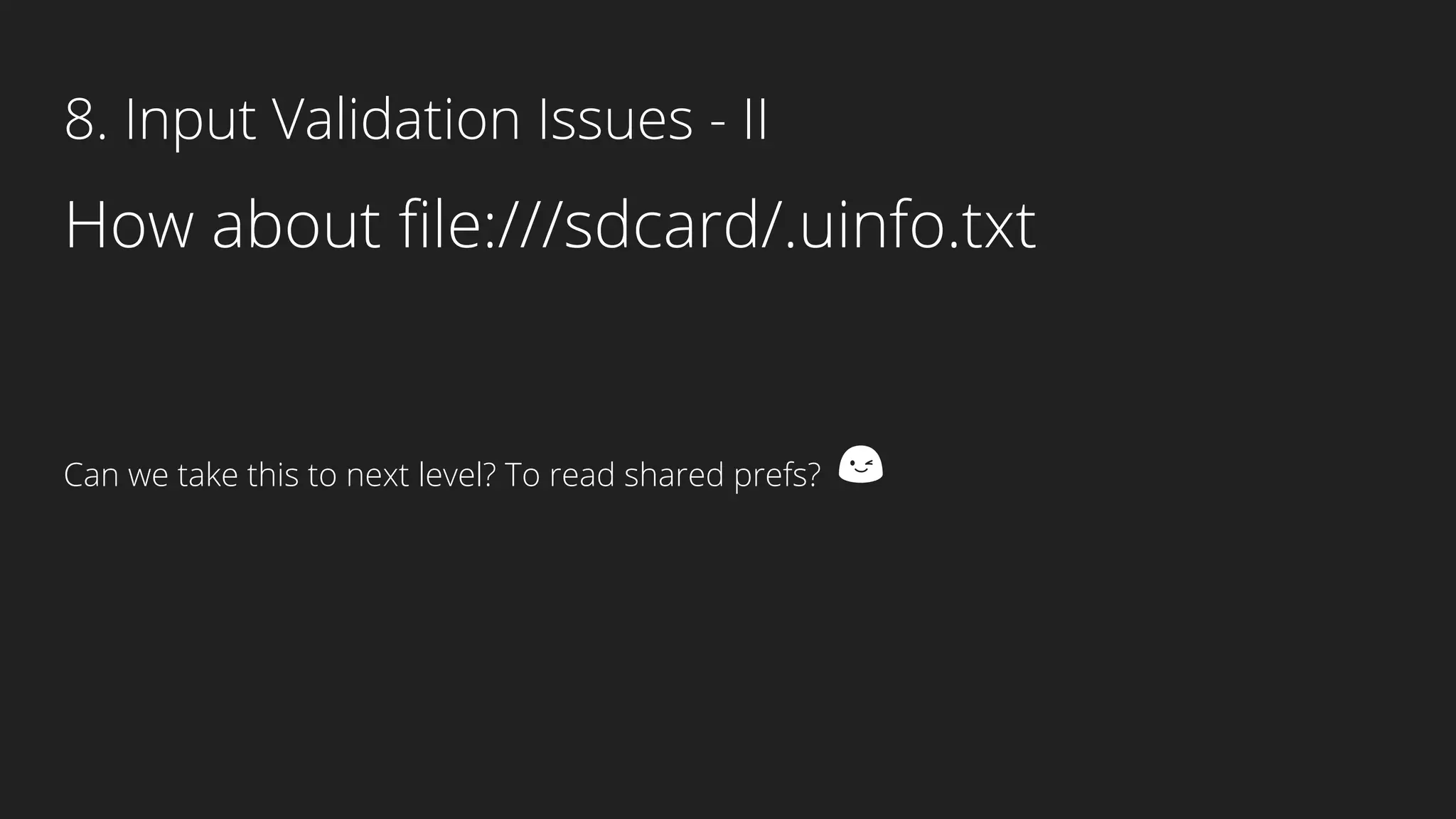
8. Input Validation Issues - II
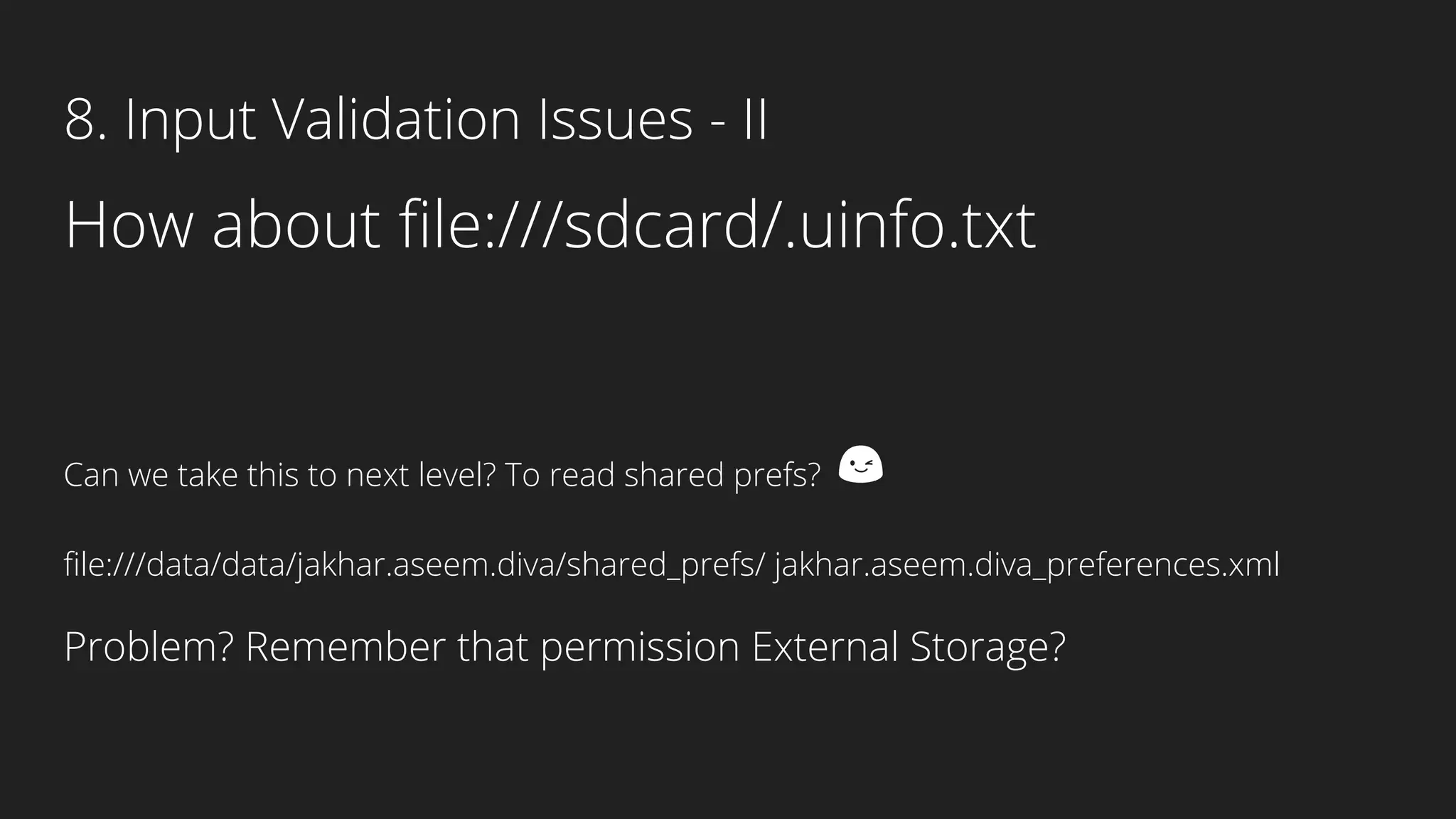
How about file:///sdcard/.uinfo.txt
Can we take this to next level? To read shared prefs? 😉
How about file:///sdcard/.uinfo.txt
Can we take this to next level? To read shared prefs? 😉
file:///data/data/jakhar.aseem.diva/shared_prefs/ jakhar.aseem.diva_preferences.xml
Problem? Remember that permission External Storage?
8. Input Validation Issues - II
How to capture packets in Burp?
Summary
Insecure Data Storage
Shared Preferences, Database, Cache
Pretty much everything inside /data/data
Binary Protections
Remember you decompile an apk?
Application Code can be obfuscated with the help of Proguard.
For security conscious application’s application, Dexguard can be used. Dexguard is a commercial version
of Proguard. Besides encrypting classes, strings, native libraries, it also adds tamper detection to let your
application react accordingly if a hacker has tried to modify it or is accessing it illegitimately.
Will be continued...
Any Questions?

Android security and penetration testing | DIVA | Yogesh Ojha

  • 1.
    Android Security & PenetrationTesting Beginners guide to Penetration Testing Mobile Application (Android) Using DIVA
  • 2.
    Android Architecture Android Runtime(ART): 1. Alternative to Dalvik Virtual Machine 2. Released with 4.4 as an experimental, 5.0 it completely replaced Dalvik Virtual Machine. 3. Major change in ART is because of Ahead-of-time(AOT) Compilation and Garbage Collection. 4. In Ahead-of-time(AOT) Compilation ,android apps will be compiled when user installs them on their device whereas in the Dalvik used Just-in-time(JIT) compilation in which bytecode are compiled when user runs the app.
  • 3.
    Android Application Fundamentals 1.Written in JAVA or Kotlin (Native) 2. Hybrid could be written using frameworks like ionic (HTML) or Xamarin When you get an apk, it's more than a resource!
  • 4.
    What’s inside theapk? AndroidManifest.xml : Contains all the top level components like Activities, Services, Broadcast Receivers etc. Contains permissions as well. All the dangerous permissions has to be in Manifest file! Keep your eye on: 1. Debug Mode : Defines whether the application can be debugged or not! If the application can be debugged then it can provide plenty of information to an attacker. Android applications not in the production state can have it set to true otherwise it must be false. 2. BackUp Flag: Defines whether application data can be backed up and restored by a user who has enabled usb debugging. Applications that handle and store sensitive information such as card details, passwords etc. should have this setting set to false to prevent such risks. 3. External Storage Applications that have the permission to copy data to external storage should be reviewed to ensure that no sensitive information is stored. 4. Permissions!!! Keep an eye on permissions to check if application is asking for dangerous permissions that do NOT require!
  • 6.
    What’s more insidethe apk? ● Java Files Activity Activity represents a single screen with a user interface. Services Component that runs on background. Broadcast Receiver Component that responds to system-wide broadcast announcements. “Hey, is the device booted?” ● Resource Directory Values has Strings.xml file
  • 7.
    Android Sandbox Each Androidapp lives in its own security sandbox! The Android operating system is a multi-user Linux system in which each app is a different user. The Android system assigns each app a unique Linux UID known only to system and not the app! The system sets permissions for all the files in an app so that only the UID assigned to that app can access them. Each process has its own virtual machine (VM), so an app’s code runs in isolation from other apps. By default, every app runs in its own Linux process. Android starts the process when any of the app’s components need to be executed, then shuts down the process when it’s no longer needed or when the system must recover memory for other apps. The Android system implements the principle of least privilege, that is each app by default has access only to the components that it requires to do its work and no more. This creates a very secure environment in which an app cannot access parts of the system for which it is not having permission. As every Android app runs in its own sandbox environment and cannot affect other apps by default but two apps can have same Linux User ID and can also share the same Dalvik VM if they are signed with the same Certificates.
  • 8.
    What’s in theArsenal? Know your tools! Android Debug Bridge: $adb logcat
  • 9.
    What’s in theArsenal? Apktool
  • 10.
    What’s in theArsenal? How do I decompile the apk?
  • 11.
    What’s in theArsenal? Dex2Jar : convert an APK file in to a jar file containing reconstructed source code Jd-gui: To open that jar file in JD-GUI and view that reconstructed source code. GeanyMotion as well!
  • 12.
    DIVA Damn insecure andvulnerable App
  • 13.
  • 14.
  • 15.
  • 16.
  • 17.
    2. Insecure DataStorage Where is the android data being stored?
  • 18.
    2. Insecure DataStorage Vulnerable Code
  • 19.
    3. Insecure DataStorage Shared Preference
  • 20.
    4. Insecure DataStorage - II Vulnerable Code
  • 21.
    4. Insecure DataStorage - II
  • 22.
    4. Insecure DataStorage - II How do I pull the database?
  • 23.
    4. Insecure DataStorage - II How do I pull the database? $ sqlite3 ids2 SQLite version 3.8.5 2014-08-15 22:37:57 Enter “. help” for usage hints. sqlite> .tables android_metadata myuser sqlite> select * from myuser; SECRET|SECRET sqlite>
  • 24.
    5. Insecure DataStorage - III Vulnerable Code
  • 25.
    5. Insecure DataStorage - III
  • 26.
    6. Insecure DataStorage - IV Vulnerable Code
  • 27.
    6. Insecure DataStorage - IV Any Guess where this file could be stored?
  • 28.
    6. Insecure DataStorage - IV Any Guess where this file could be stored?
  • 29.
    7. Input ValidationIssues - I What could be done here?
  • 30.
    7. Input ValidationIssues - I What could be done here? Let’s try ‘ ? 😉
  • 31.
    7. Input ValidationIssues - I What could be done here? Let’s try ‘ ? 😉 You Know it 😉 Possible SQL Injection
  • 32.
    7. Input ValidationIssues - I How about 1′ or ‘1’ != ‘2 ?
  • 33.
    7. Input ValidationIssues - I Vulnerable Code
  • 34.
    8. Input ValidationIssues - II More Dangerous!!!
  • 35.
    8. Input ValidationIssues - II How about file:///sdcard/.uinfo.txt Can we take this to next level? To read shared prefs? 😉
  • 36.
    How about file:///sdcard/.uinfo.txt Canwe take this to next level? To read shared prefs? 😉 file:///data/data/jakhar.aseem.diva/shared_prefs/ jakhar.aseem.diva_preferences.xml Problem? Remember that permission External Storage? 8. Input Validation Issues - II
  • 37.
    How to capturepackets in Burp?
  • 38.
    Summary Insecure Data Storage SharedPreferences, Database, Cache Pretty much everything inside /data/data Binary Protections Remember you decompile an apk? Application Code can be obfuscated with the help of Proguard. For security conscious application’s application, Dexguard can be used. Dexguard is a commercial version of Proguard. Besides encrypting classes, strings, native libraries, it also adds tamper detection to let your application react accordingly if a hacker has tried to modify it or is accessing it illegitimately.
  • 39.