MOBILE SECURITY 101 
By Lookout, Inc.
YOUR PHONE IS LIKE A 
SNAPSHOT OF 
YOURSELF
WHAT WOULD HAPPEN 
IF IT FELL INTO THE 
WRONG HANDS?
the truth is 
IT’S WORTH IT TO TAKE A 
FEW EXTRA STEPS TO 
PROTECT YOUR DATA. 
here’s how:
1 
AUTO-LOCK YOUR PHONE 
! 
They’re small, we carry them everywhere, and 
unfortunately mobile phones are lost or stolen all too 
often. If someone else gets access to your phone, a 
password is the first line of defense for your personal 
data. 
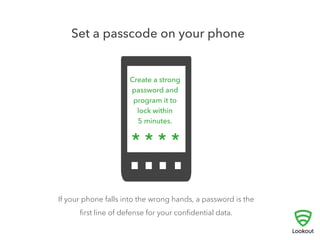
To keep your information private, create a strong password for 
your phone, and set your screen to auto-lock within five minutes.
2 
KEEP YOUR APPS AND DEVICE 
SOFTWARE UP TO DATE 
! 
Hackers work diligently to discover new vulnerabilities 
in our apps or the software that operates our phones. 
Device manufacturers and app developers frequently 
update their software to fix newly exploited security 
gaps. 
If you don’t download and install these updates your information is still at risk.
3 
USE DISCRETION WHEN 
DOWNLOADING APPS 
! 
One of the most exciting things about getting a new 
smartphone is downloading all the great apps that are 
available. Unfortunately, even the most innocent-looking 
app can contain software designed to steal 
personal data, make fraudulent charges, or even hijack 
your phone. 
Only download apps from sites you trust, check the app’s rating and read 
reviews to make sure they’re widely used and respected before you download.
4 
STICK TO WINDOW-SHOPPING ON 
PUBLIC WIFI 
! 
Public WiFi networks have become ubiquitous, but 
security for these networks is scarce. Be careful what 
you do on public WiFi networks as there may be others 
watching network traffic. 
Stay away from making purchases and banking transactions — any 
communication that conveys a password, account number, or credit card 
number — unless you are certain that you are on a secure connection.
5 
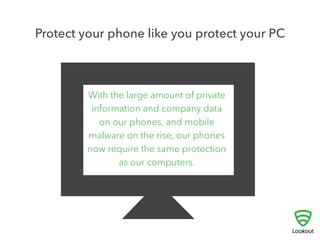
PROTECT YOUR PHONE LIKE YOU 
PROTECT YOUR PC 
! 
Most people already use software to shield their PC 
from viruses and spyware. With so much personal data 
on our phones and mobile malware on the rise, our 
mobile devices now need the same attention. 
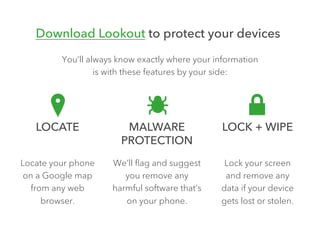
Protect yourself and your private data from malware, spyware and 
malicious apps by downloading a security app like Lookout. It’ll be 
installed and working in less time than it took you to read this!
For more mobile security tips, follow

Mobile Security 101

  • 1.
    MOBILE SECURITY 101 By Lookout, Inc.
  • 2.
    YOUR PHONE ISLIKE A SNAPSHOT OF YOURSELF
  • 3.
    WHAT WOULD HAPPEN IF IT FELL INTO THE WRONG HANDS?
  • 4.
    the truth is IT’S WORTH IT TO TAKE A FEW EXTRA STEPS TO PROTECT YOUR DATA. here’s how:
  • 5.
    1 AUTO-LOCK YOURPHONE ! They’re small, we carry them everywhere, and unfortunately mobile phones are lost or stolen all too often. If someone else gets access to your phone, a password is the first line of defense for your personal data. To keep your information private, create a strong password for your phone, and set your screen to auto-lock within five minutes.
  • 6.
    2 KEEP YOURAPPS AND DEVICE SOFTWARE UP TO DATE ! Hackers work diligently to discover new vulnerabilities in our apps or the software that operates our phones. Device manufacturers and app developers frequently update their software to fix newly exploited security gaps. If you don’t download and install these updates your information is still at risk.
  • 7.
    3 USE DISCRETIONWHEN DOWNLOADING APPS ! One of the most exciting things about getting a new smartphone is downloading all the great apps that are available. Unfortunately, even the most innocent-looking app can contain software designed to steal personal data, make fraudulent charges, or even hijack your phone. Only download apps from sites you trust, check the app’s rating and read reviews to make sure they’re widely used and respected before you download.
  • 8.
    4 STICK TOWINDOW-SHOPPING ON PUBLIC WIFI ! Public WiFi networks have become ubiquitous, but security for these networks is scarce. Be careful what you do on public WiFi networks as there may be others watching network traffic. Stay away from making purchases and banking transactions — any communication that conveys a password, account number, or credit card number — unless you are certain that you are on a secure connection.
  • 9.
    5 PROTECT YOURPHONE LIKE YOU PROTECT YOUR PC ! Most people already use software to shield their PC from viruses and spyware. With so much personal data on our phones and mobile malware on the rise, our mobile devices now need the same attention. Protect yourself and your private data from malware, spyware and malicious apps by downloading a security app like Lookout. It’ll be installed and working in less time than it took you to read this!
  • 10.
    For more mobilesecurity tips, follow