The OWASP Foundation
http://www.owasp.org
Copyright © The OWASP Foundation
Permission is granted to copy, distribute and/or modify this document under the terms of the OWASP License.
DZWEBDAYS
Blida
March 3rd, 2014
OWASP Top 10
Mobile Risks
Mennouchi Islam Azeddine,InfoToolsSolutions
OWASP Mobile Security Project
2
Agenda
• Introductions
• Mobile Security
Project
• Mobile Threat
Model
• Top 10 Risks
• Wrap Up/Q&A
3
Introductions
Mennouchi Islam
• InfoToolsSolutions
• Consultant
• https://www.infotoolssolutions.dz
4
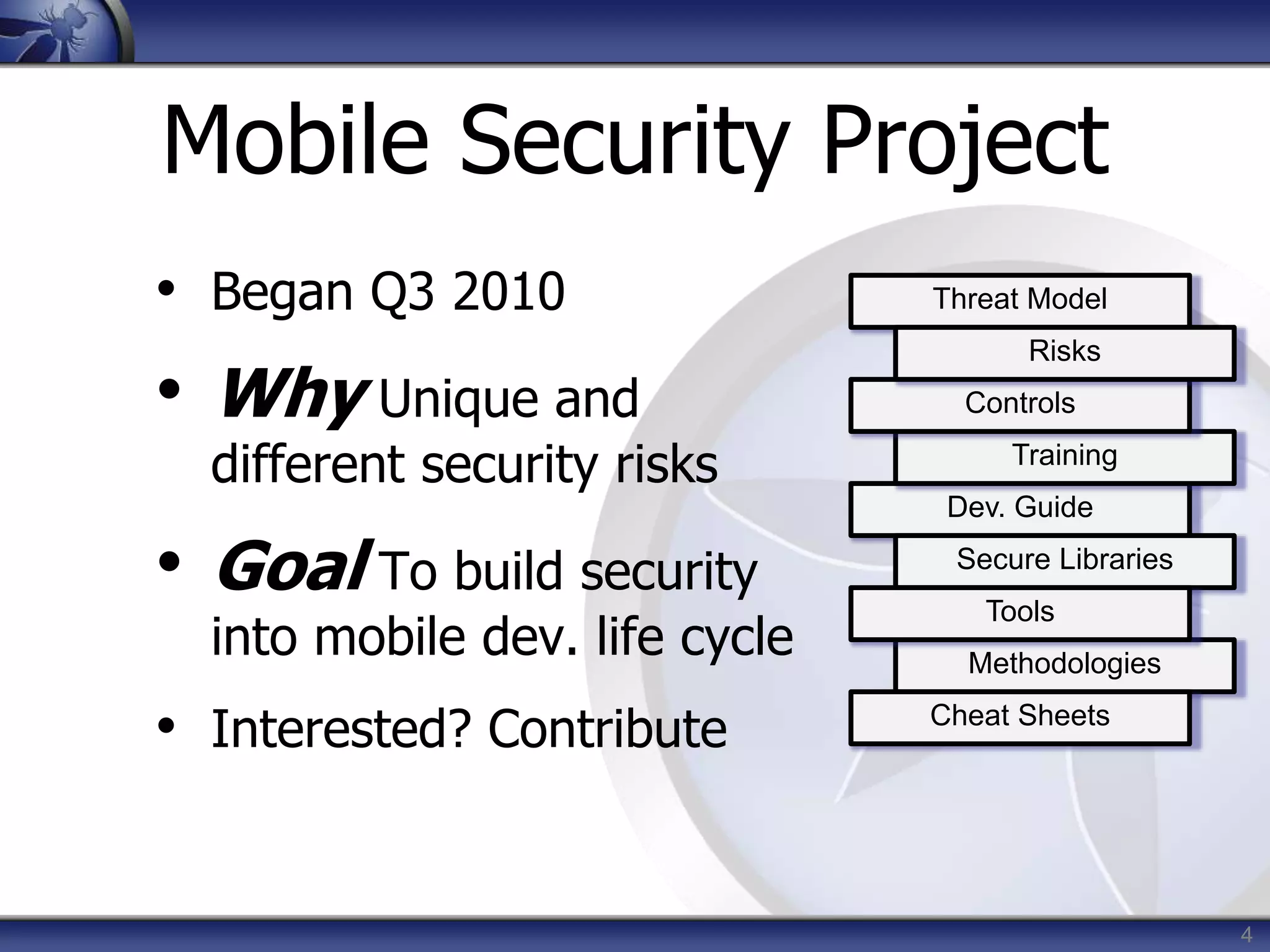
Mobile Security Project
• Began Q3 2010
• Why Unique and
different security risks
• Goal To build security
into mobile dev. life cycle
• Interested? Contribute
Threat Model
Dev. Guide
Training
Controls
Risks
Secure Libraries
Methodologies
Tools
Cheat Sheets
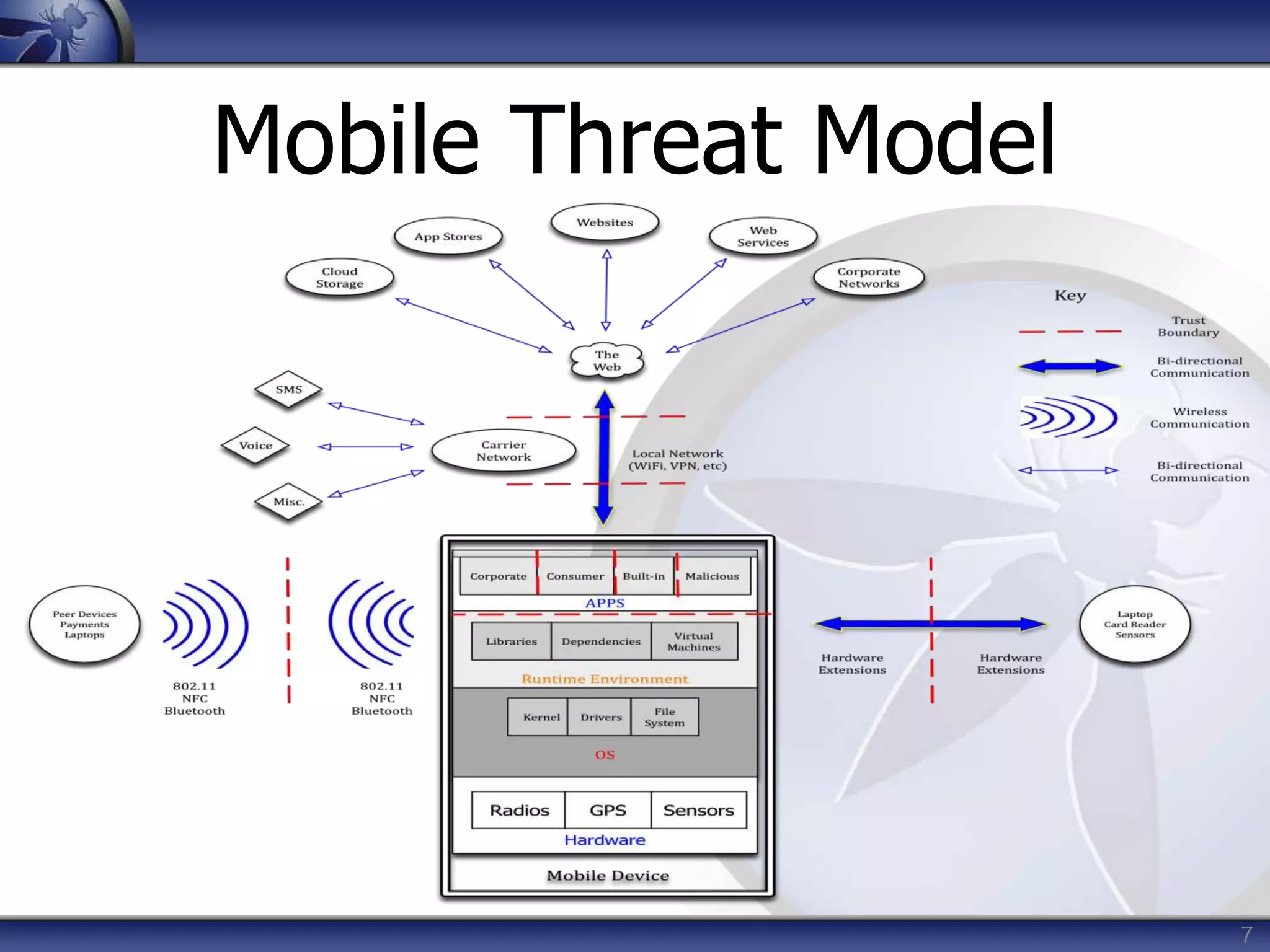
Mobile Threat Model
6
Mobile Threat Model
• Platforms vary with mileage
• Very different from traditional web app
model due to wildly varying use cases
and usage patterns
• Must consider more than the ‘apps’
• Remote web services
• Platform integration (iCloud, C2DM)
• Device (in)security considerations
7
Mobile Threat Model
8
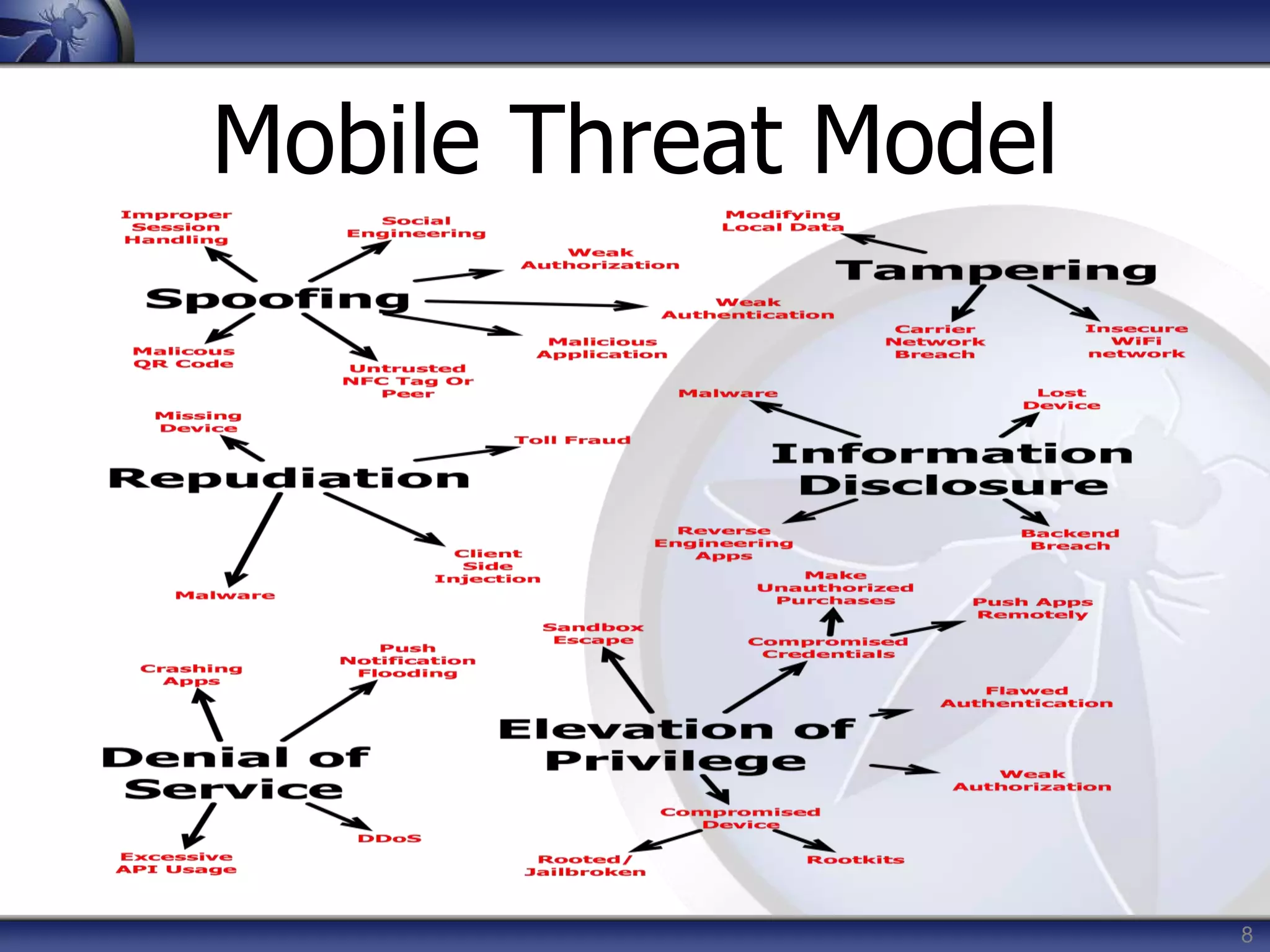
Mobile Threat Model
Top 10 Risks
10
Top 10 Risks
• Intended to be platform-agnostic
• Focused on areas of risk rather than
individual vulnerabilities
• Weighted utilizing the OWASP Risk
Rating Methodology
• https://www.owasp.org/index.php/OWASP_Risk_Rating_Methodology
11
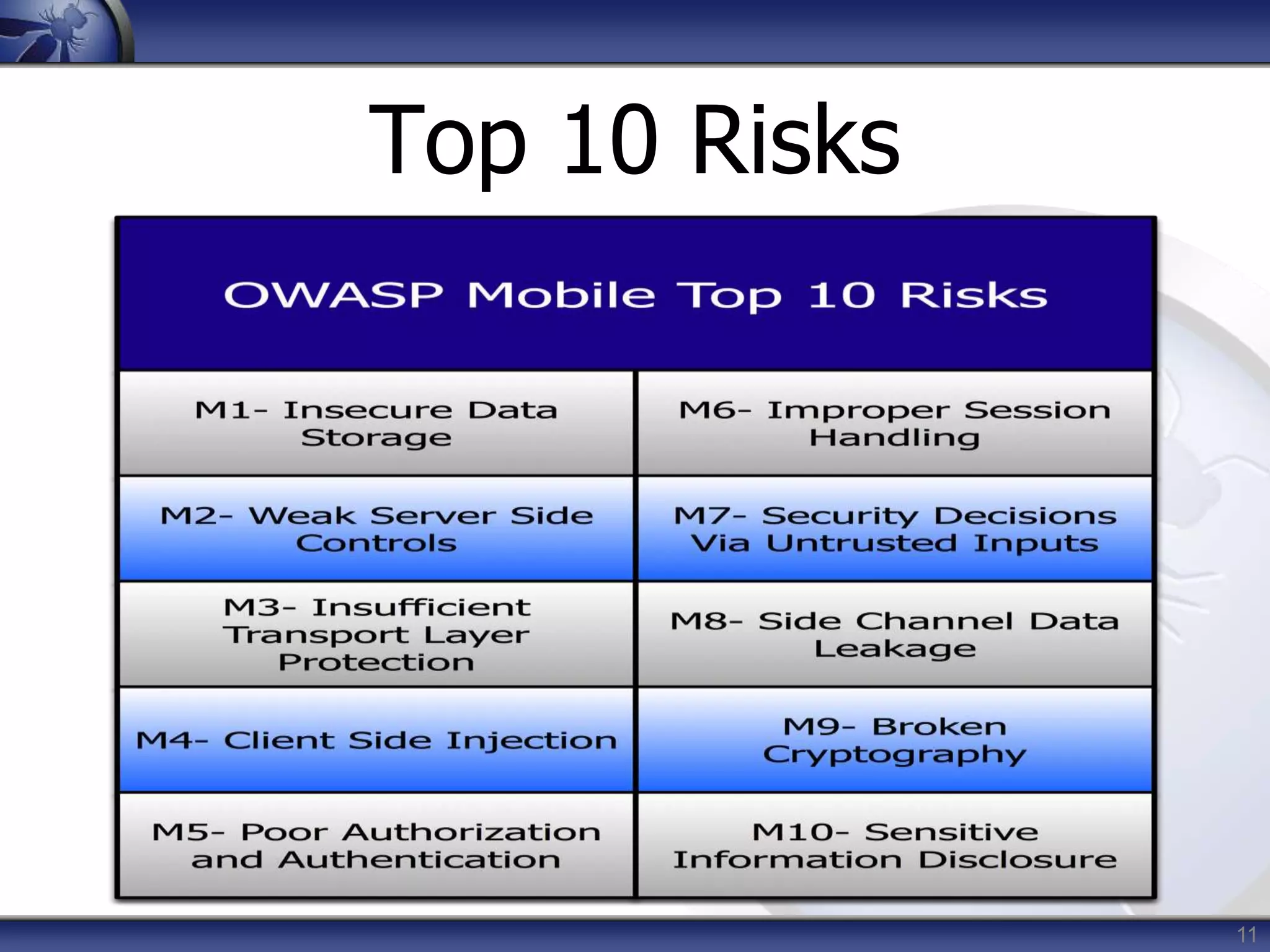
Top 10 Risks
12
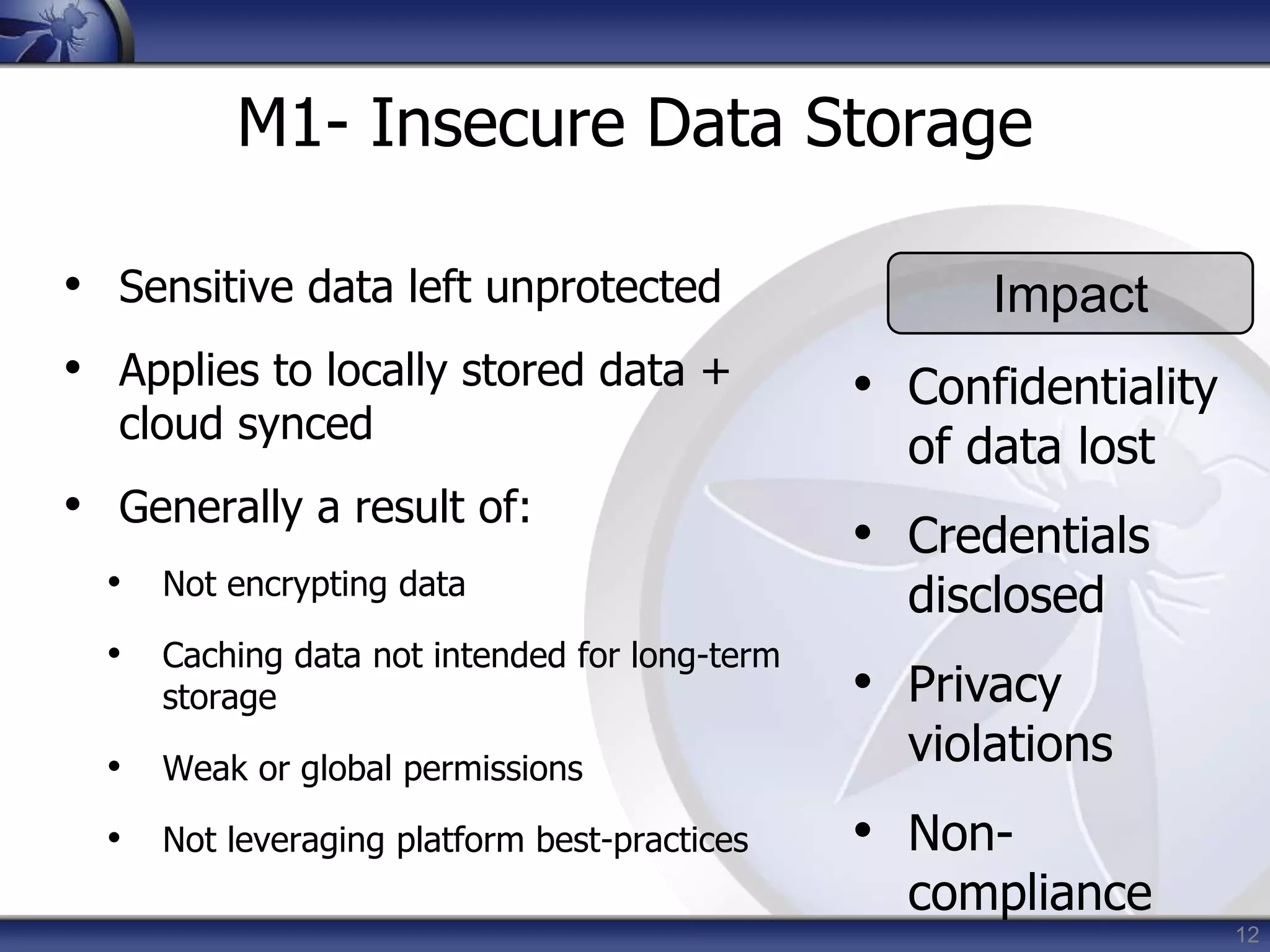
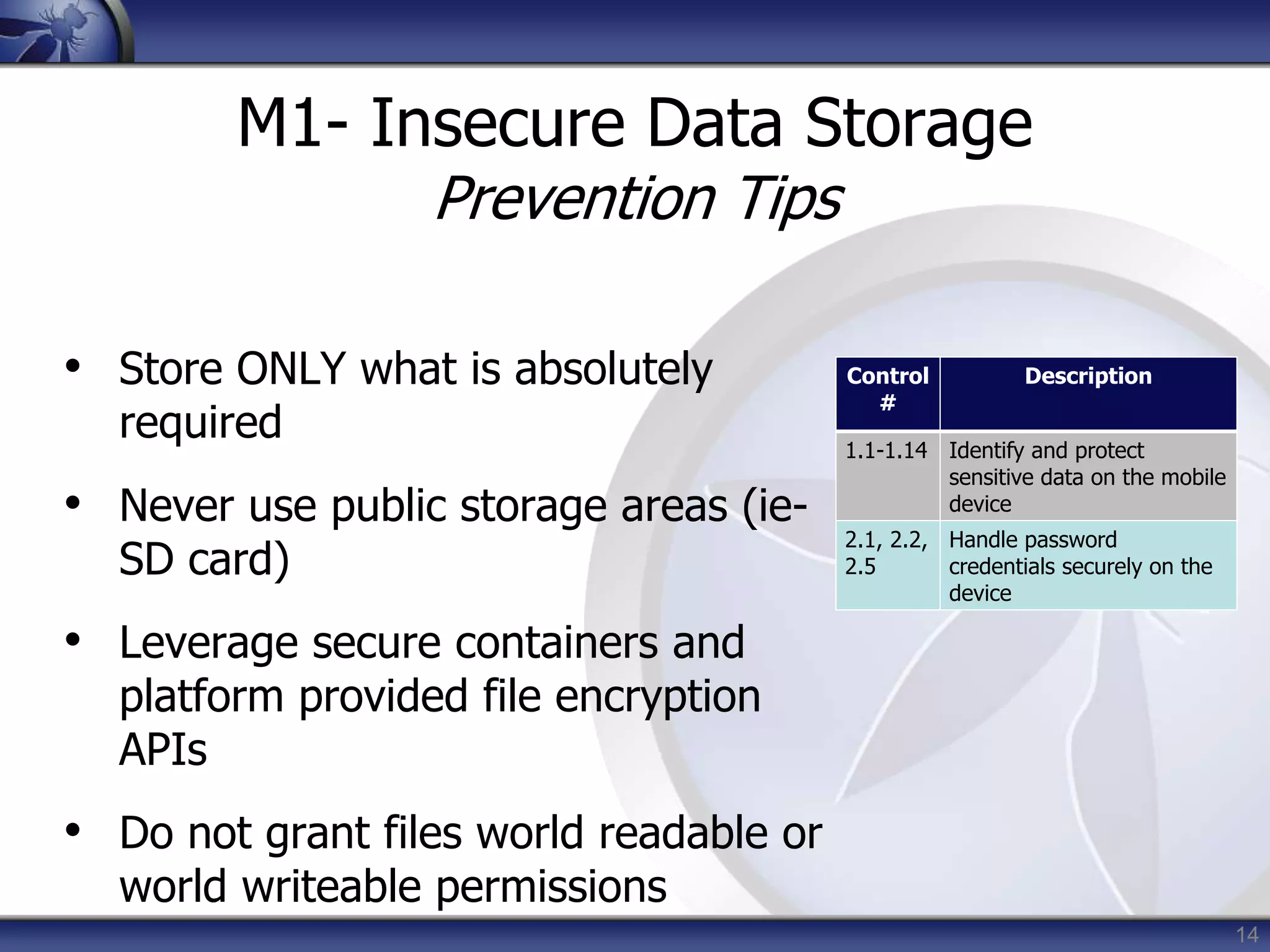
M1- Insecure Data Storage
• Sensitive data left unprotected
• Applies to locally stored data +
cloud synced
• Generally a result of:
• Not encrypting data
• Caching data not intended for long-term
storage
• Weak or global permissions
• Not leveraging platform best-practices
Impact
• Confidentiality
of data lost
• Credentials
disclosed
• Privacy
violations
• Non-
compliance
13
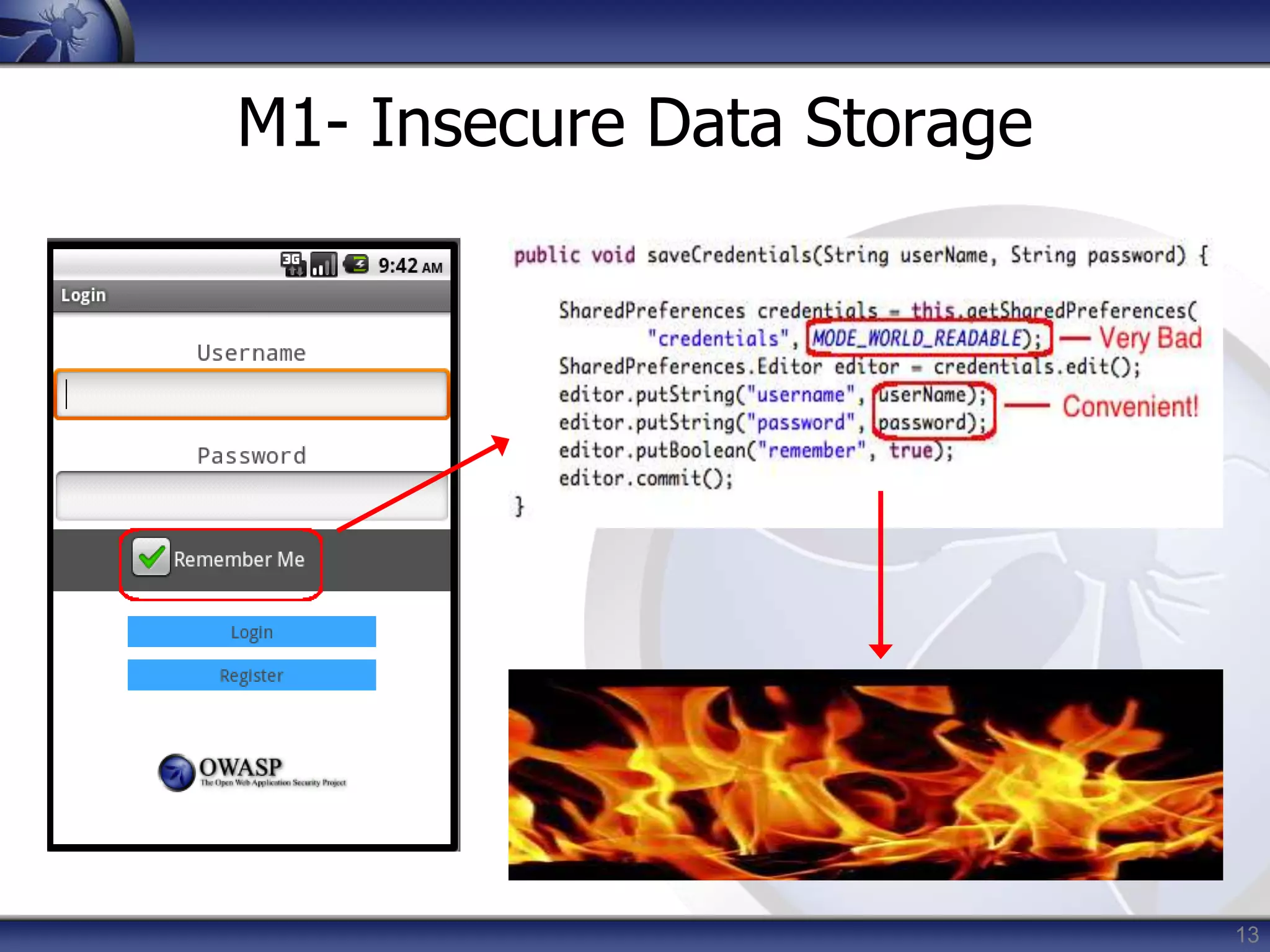
M1- Insecure Data Storage
14
M1- Insecure Data Storage
Prevention Tips
• Store ONLY what is absolutely
required
• Never use public storage areas (ie-
SD card)
• Leverage secure containers and
platform provided file encryption
APIs
• Do not grant files world readable or
world writeable permissions
Control
#
Description
1.1-1.14 Identify and protect
sensitive data on the mobile
device
2.1, 2.2,
2.5
Handle password
credentials securely on the
device
15
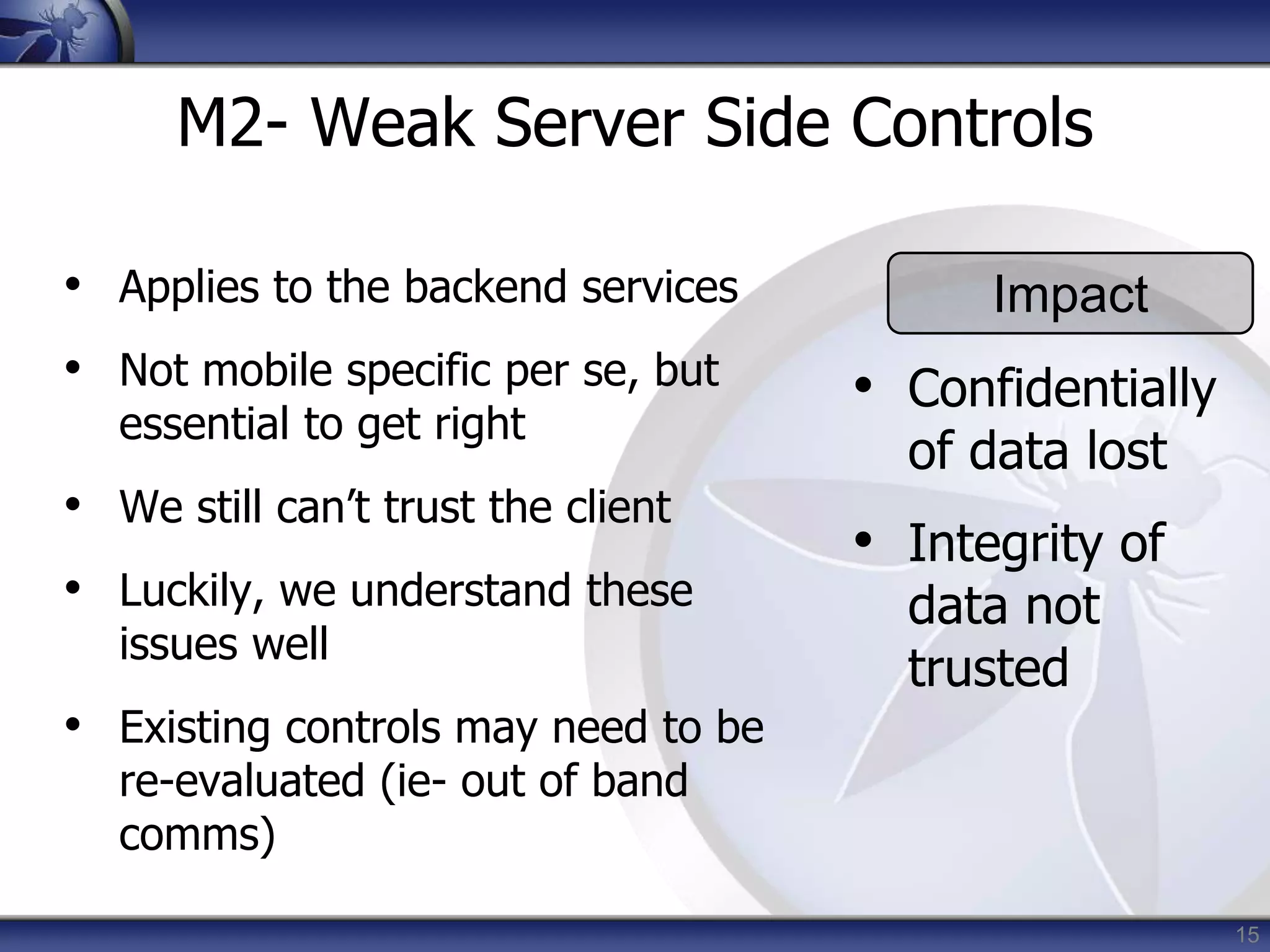
M2- Weak Server Side Controls
• Applies to the backend services
• Not mobile specific per se, but
essential to get right
• We still can’t trust the client
• Luckily, we understand these
issues well
• Existing controls may need to be
re-evaluated (ie- out of band
comms)
Impact
• Confidentially
of data lost
• Integrity of
data not
trusted
16
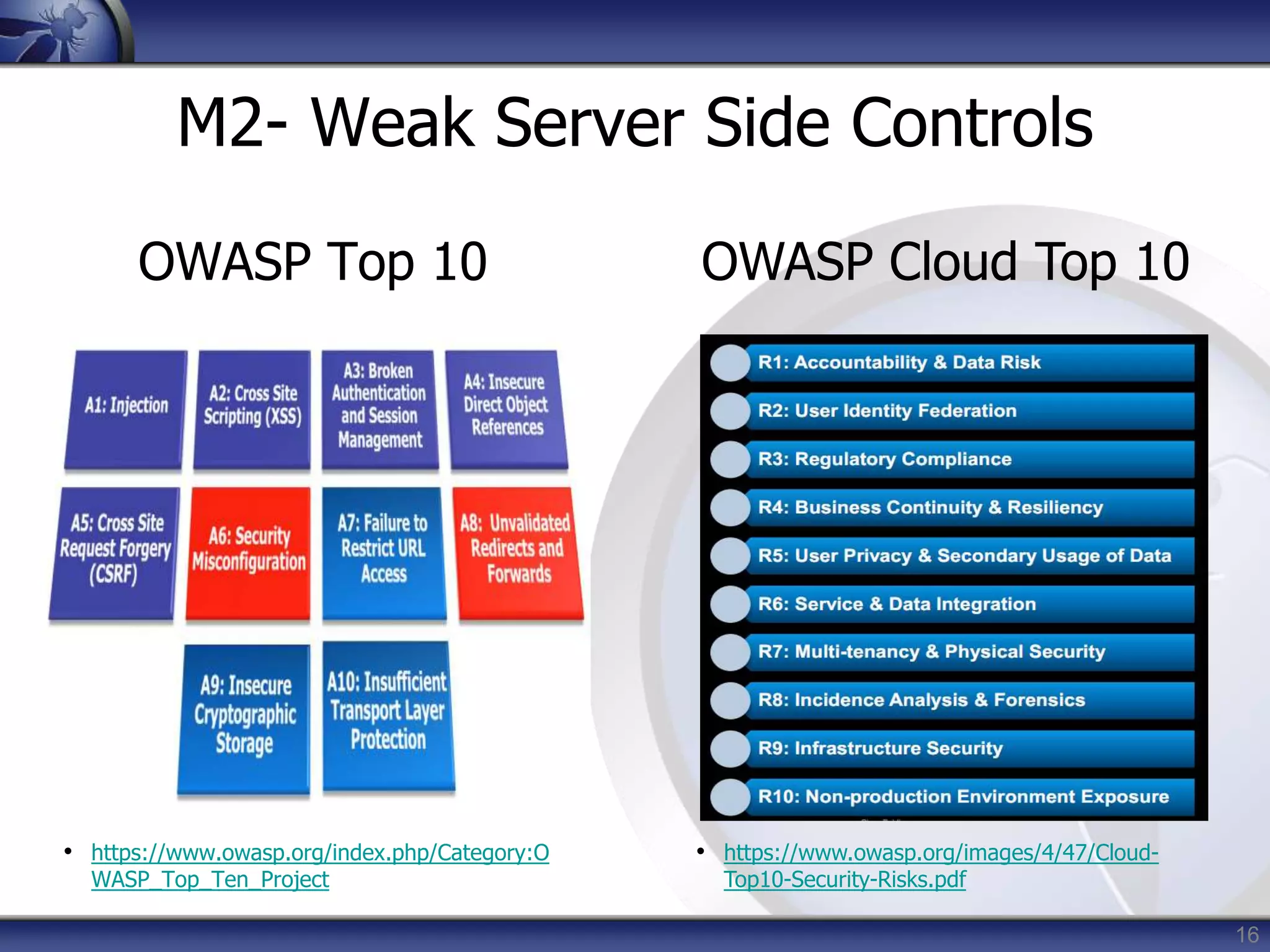
M2- Weak Server Side Controls
OWASP Top 10
• https://www.owasp.org/index.php/Category:O
WASP_Top_Ten_Project
OWASP Cloud Top 10
• https://www.owasp.org/images/4/47/Cloud-
Top10-Security-Risks.pdf
17
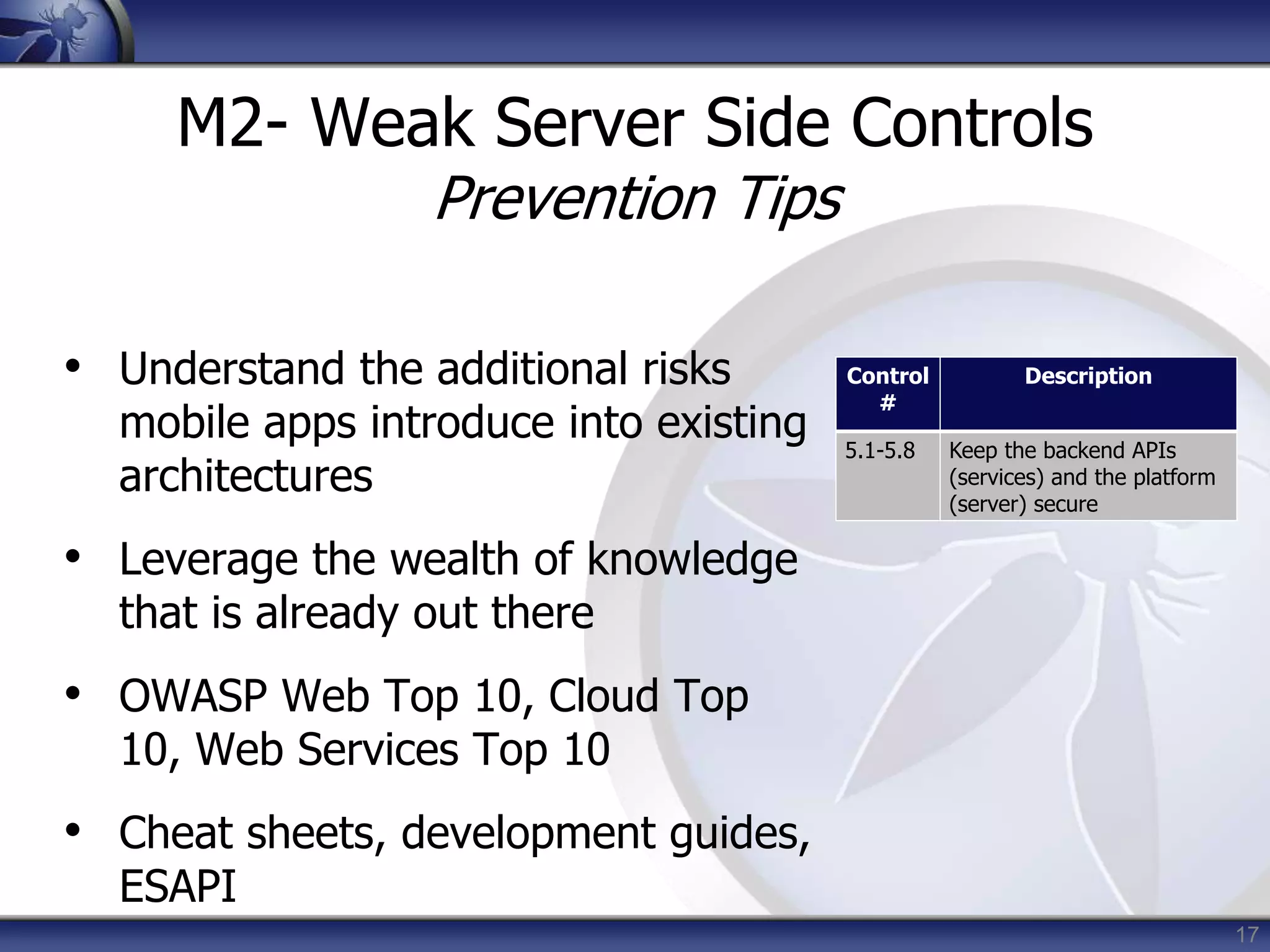
M2- Weak Server Side Controls
Prevention Tips
• Understand the additional risks
mobile apps introduce into existing
architectures
• Leverage the wealth of knowledge
that is already out there
• OWASP Web Top 10, Cloud Top
10, Web Services Top 10
• Cheat sheets, development guides,
ESAPI
Control
#
Description
5.1-5.8 Keep the backend APIs
(services) and the platform
(server) secure
18
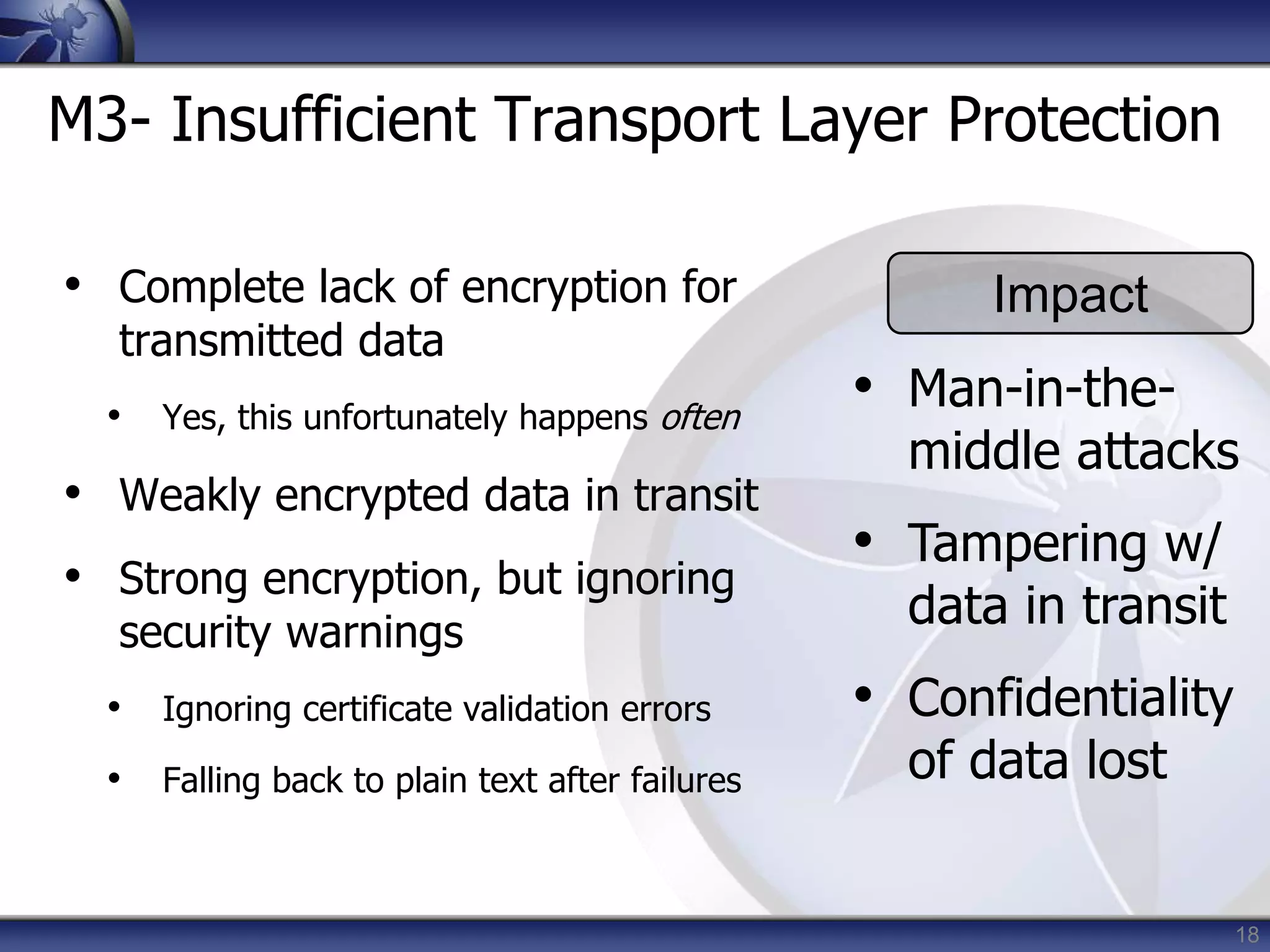
M3- Insufficient Transport Layer Protection
• Complete lack of encryption for
transmitted data
• Yes, this unfortunately happens often
• Weakly encrypted data in transit
• Strong encryption, but ignoring
security warnings
• Ignoring certificate validation errors
• Falling back to plain text after failures
Impact
• Man-in-the-
middle attacks
• Tampering w/
data in transit
• Confidentiality
of data lost
19
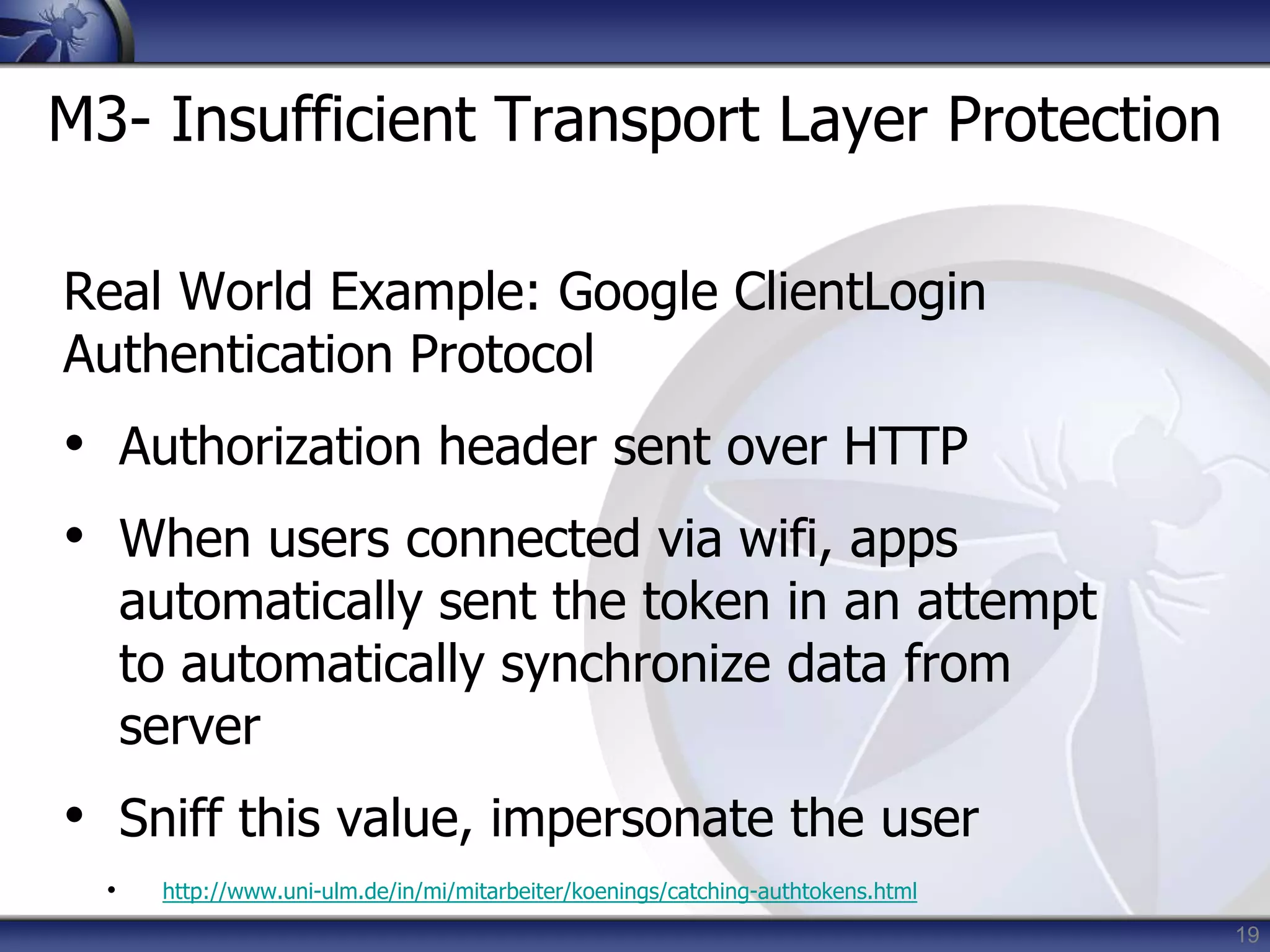
M3- Insufficient Transport Layer Protection
Real World Example: Google ClientLogin
Authentication Protocol
• Authorization header sent over HTTP
• When users connected via wifi, apps
automatically sent the token in an attempt
to automatically synchronize data from
server
• Sniff this value, impersonate the user
• http://www.uni-ulm.de/in/mi/mitarbeiter/koenings/catching-authtokens.html
20
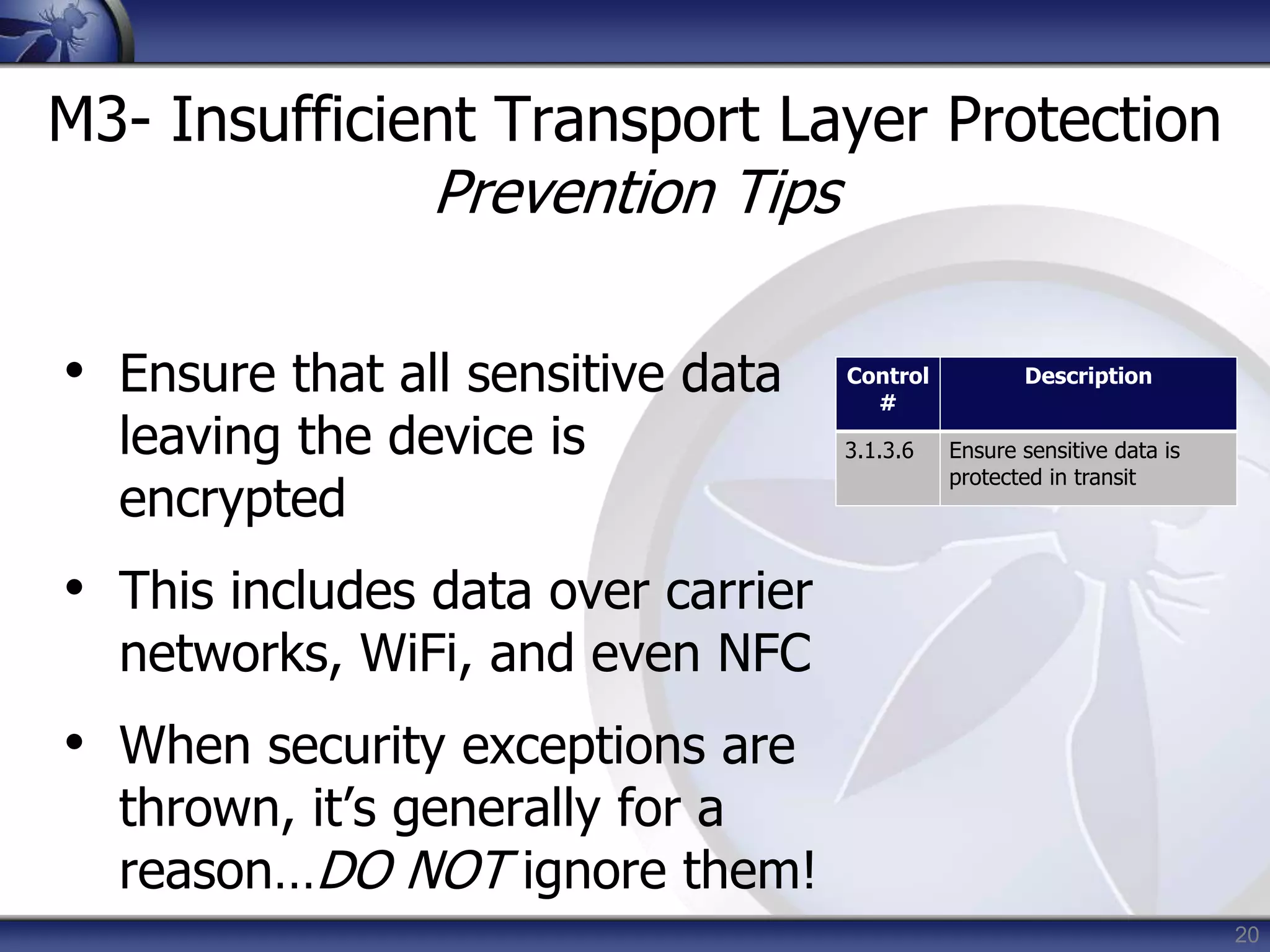
M3- Insufficient Transport Layer Protection
Prevention Tips
• Ensure that all sensitive data
leaving the device is
encrypted
• This includes data over carrier
networks, WiFi, and even NFC
• When security exceptions are
thrown, it’s generally for a
reason…DO NOT ignore them!
Control
#
Description
3.1.3.6 Ensure sensitive data is
protected in transit
21
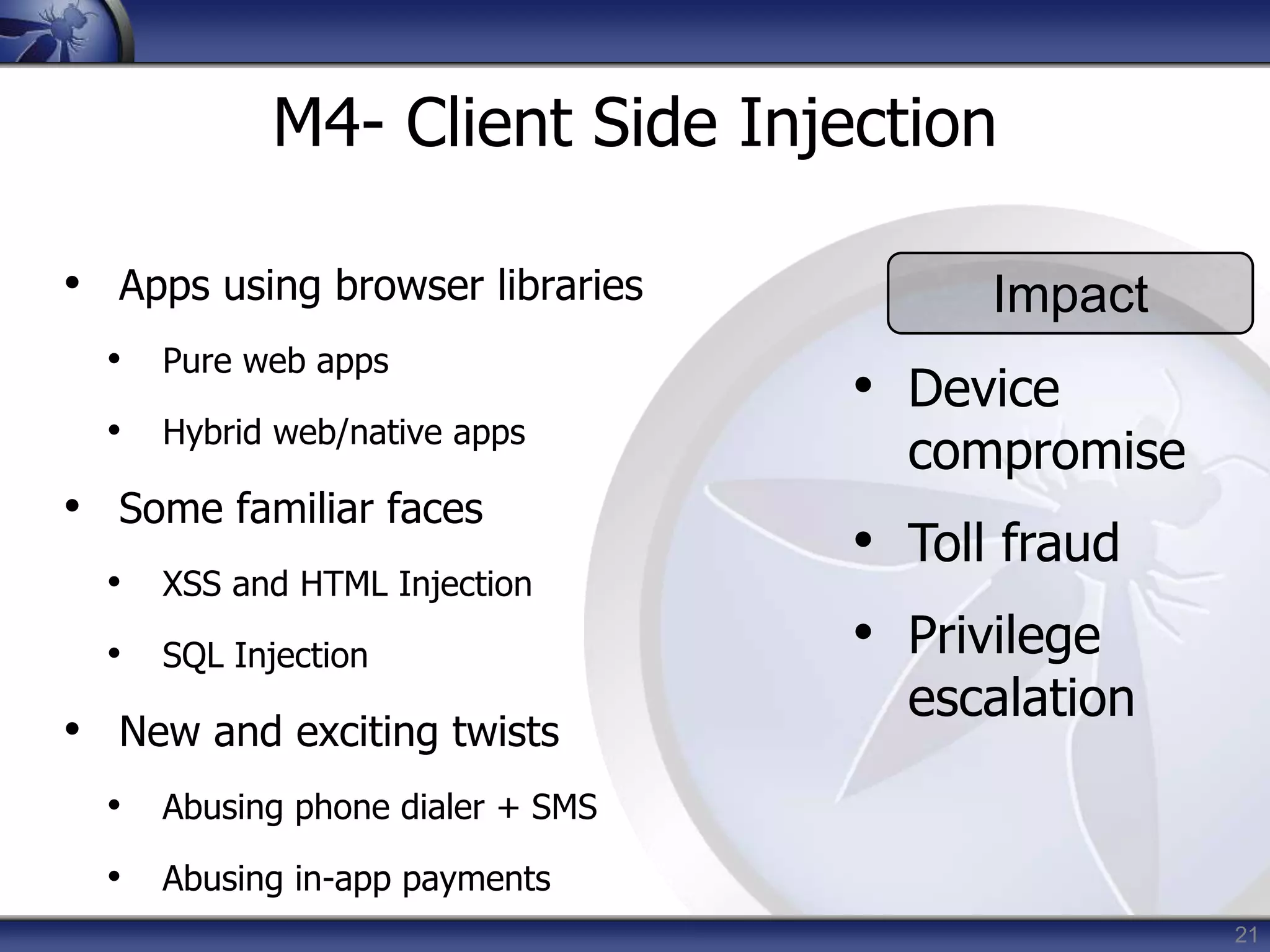
M4- Client Side Injection
• Apps using browser libraries
• Pure web apps
• Hybrid web/native apps
• Some familiar faces
• XSS and HTML Injection
• SQL Injection
• New and exciting twists
• Abusing phone dialer + SMS
• Abusing in-app payments
Impact
• Device
compromise
• Toll fraud
• Privilege
escalation
22
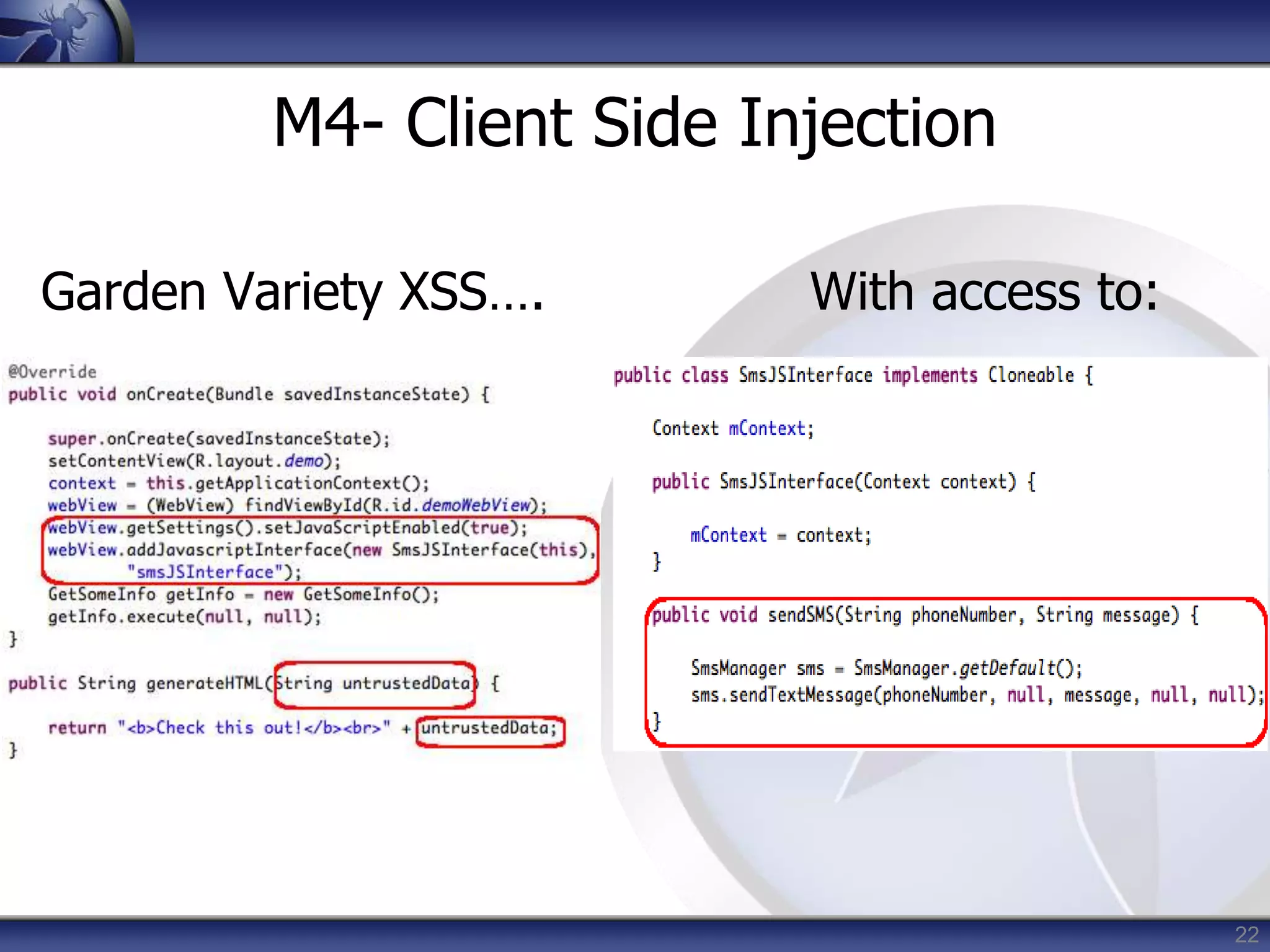
M4- Client Side Injection
Garden Variety XSS…. With access to:
23
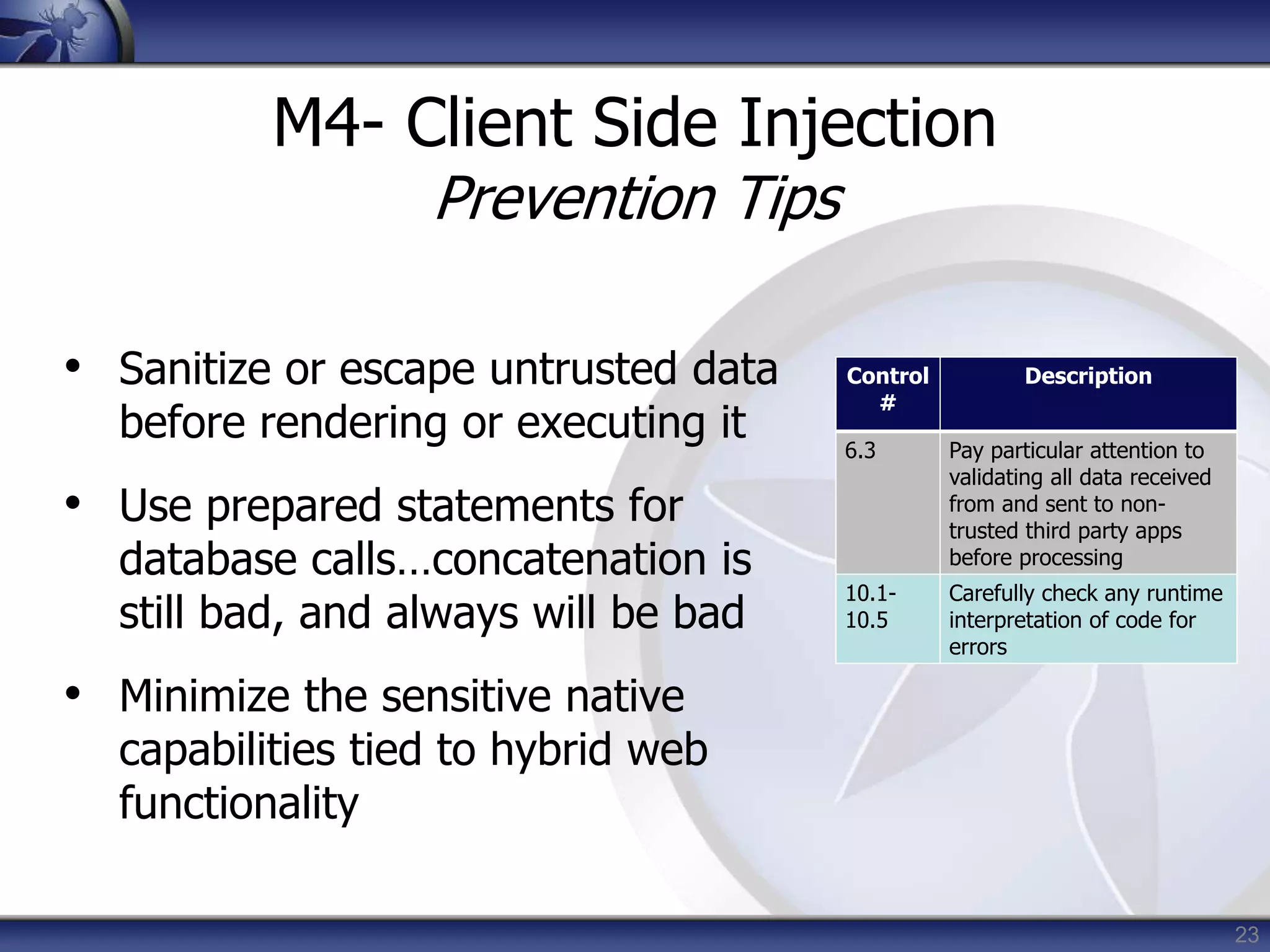
M4- Client Side Injection
Prevention Tips
• Sanitize or escape untrusted data
before rendering or executing it
• Use prepared statements for
database calls…concatenation is
still bad, and always will be bad
• Minimize the sensitive native
capabilities tied to hybrid web
functionality
Control
#
Description
6.3 Pay particular attention to
validating all data received
from and sent to non-
trusted third party apps
before processing
10.1-
10.5
Carefully check any runtime
interpretation of code for
errors
24
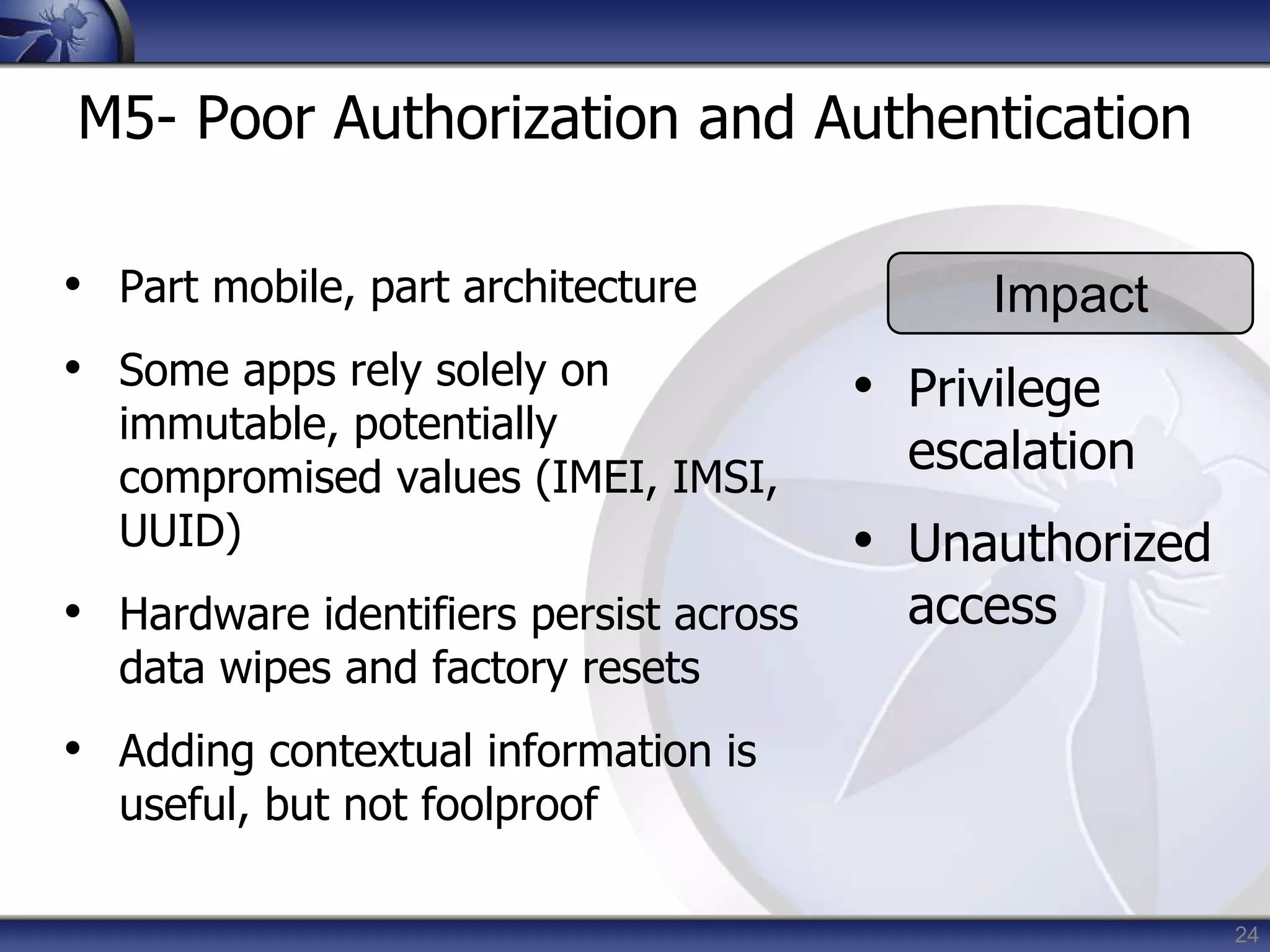
M5- Poor Authorization and Authentication
• Part mobile, part architecture
• Some apps rely solely on
immutable, potentially
compromised values (IMEI, IMSI,
UUID)
• Hardware identifiers persist across
data wipes and factory resets
• Adding contextual information is
useful, but not foolproof
Impact
• Privilege
escalation
• Unauthorized
access
25
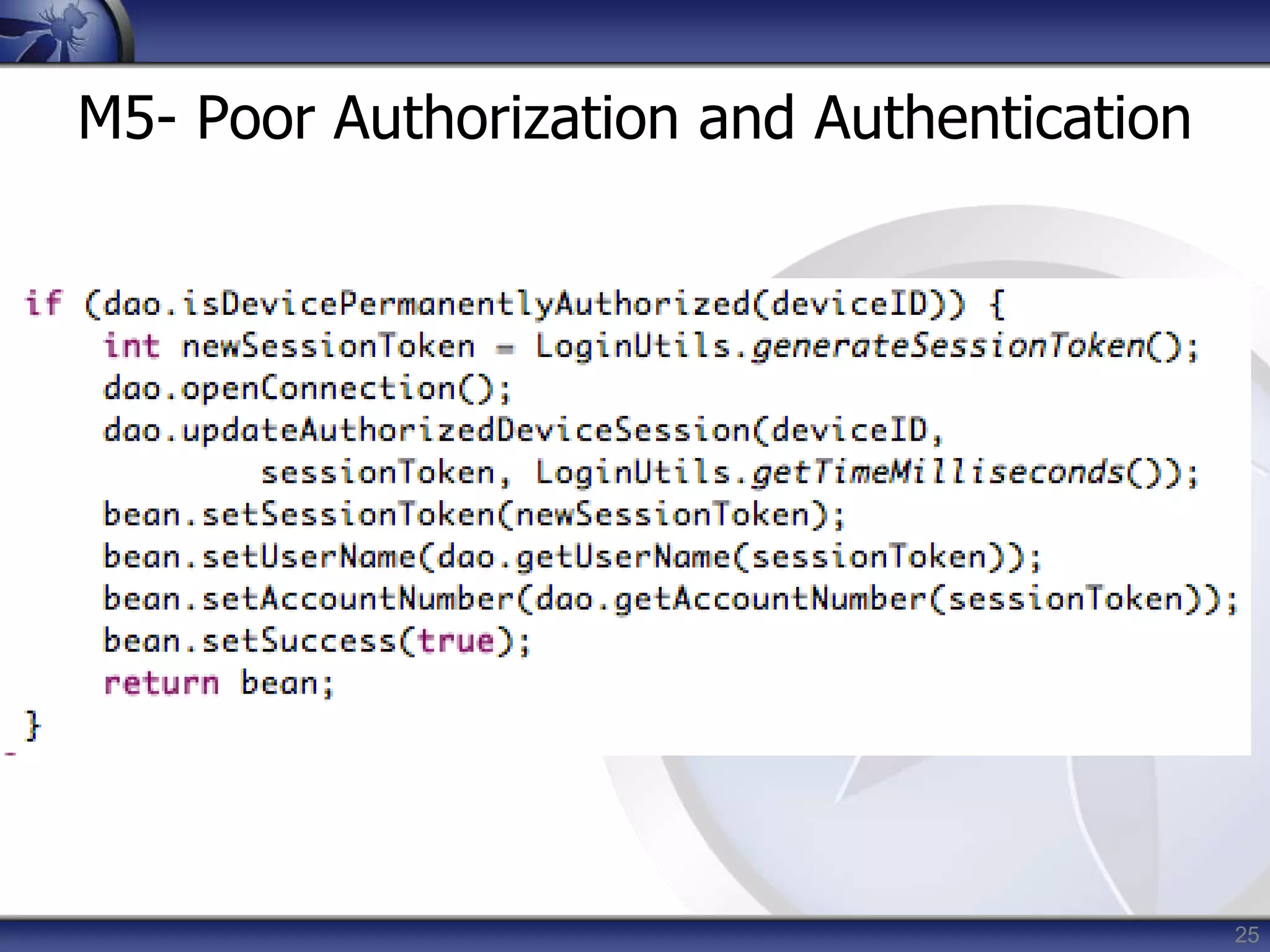
M5- Poor Authorization and Authentication
26
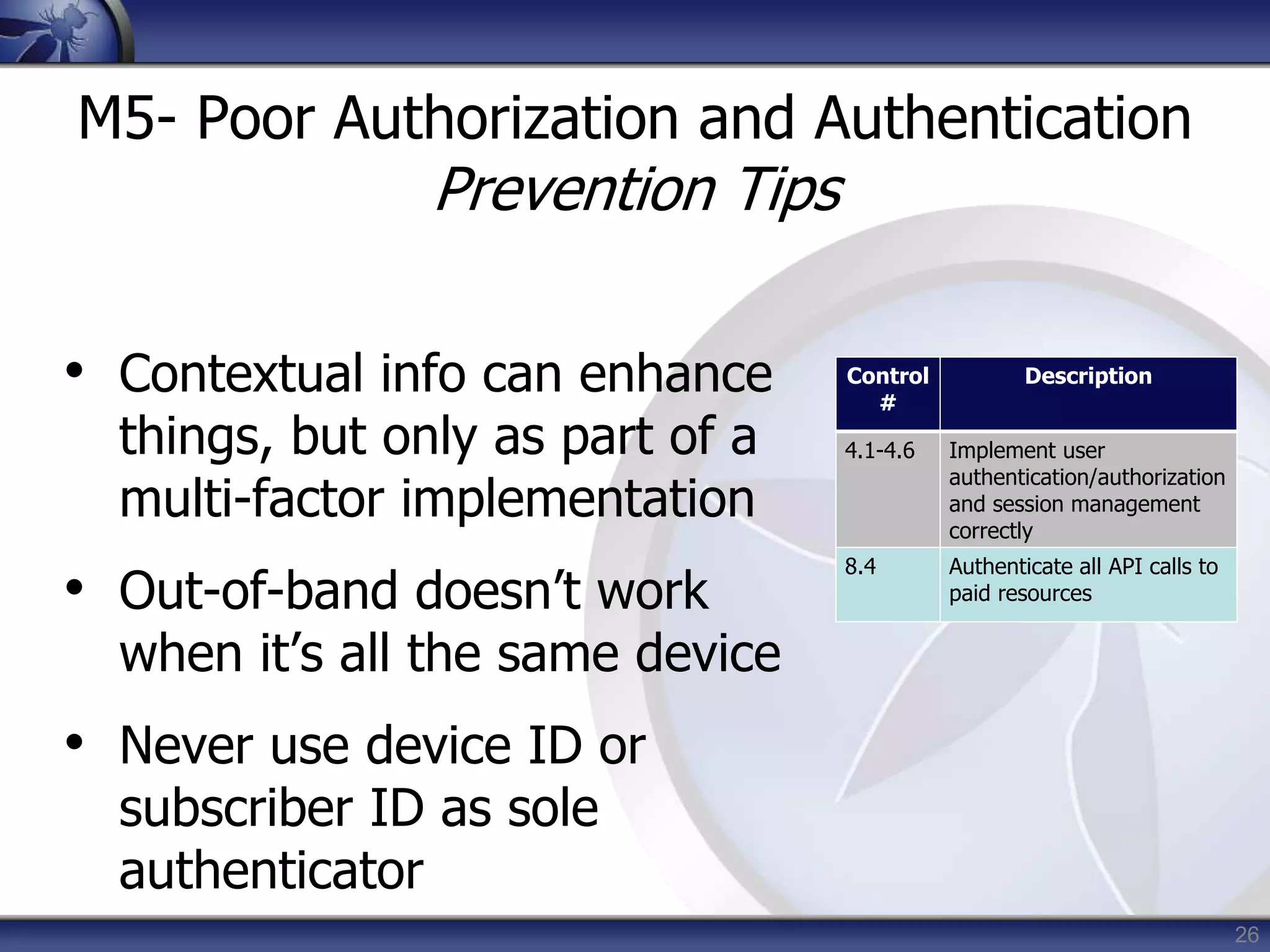
M5- Poor Authorization and Authentication
Prevention Tips
• Contextual info can enhance
things, but only as part of a
multi-factor implementation
• Out-of-band doesn’t work
when it’s all the same device
• Never use device ID or
subscriber ID as sole
authenticator
Control
#
Description
4.1-4.6 Implement user
authentication/authorization
and session management
correctly
8.4 Authenticate all API calls to
paid resources
27
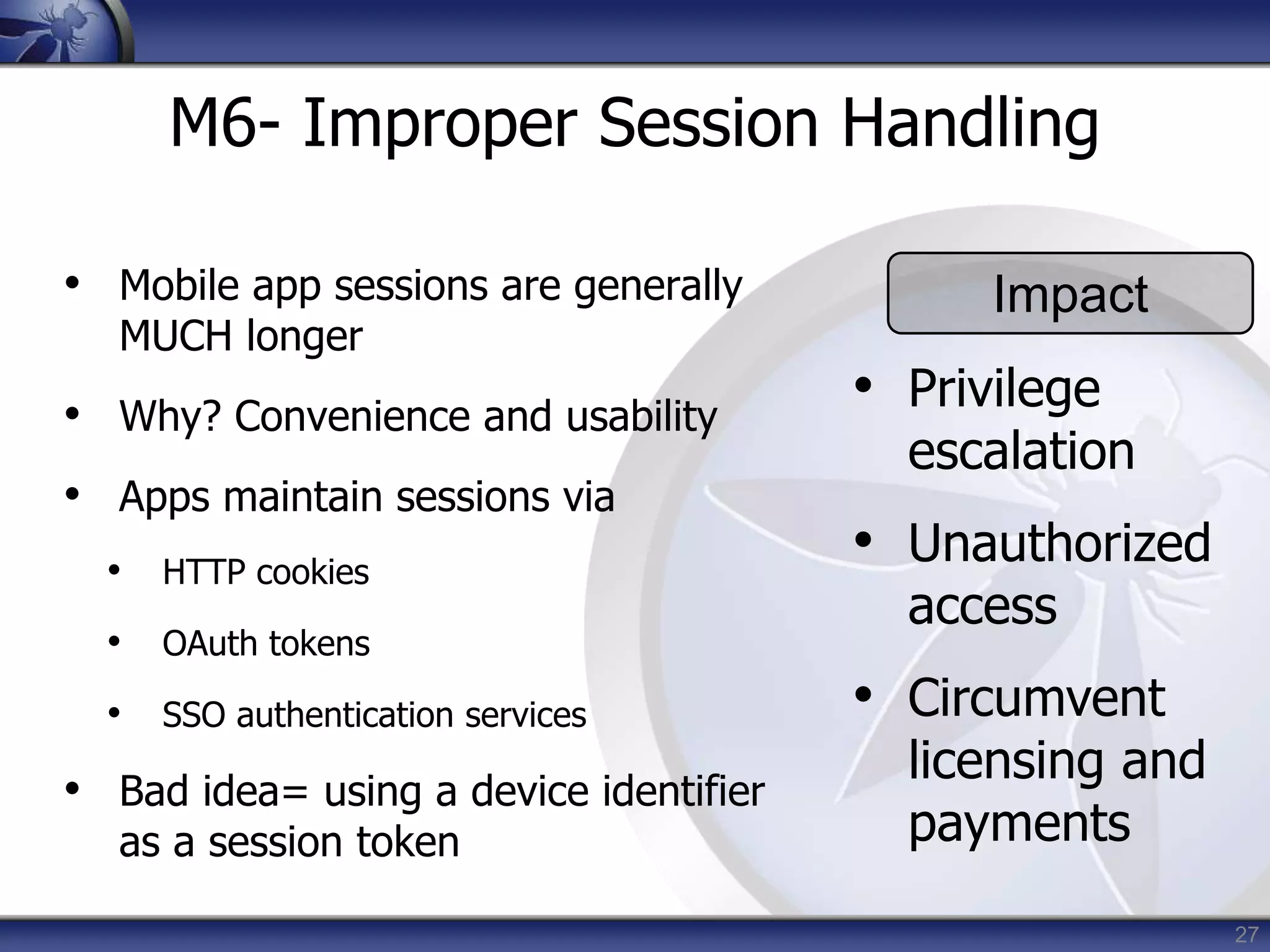
M6- Improper Session Handling
• Mobile app sessions are generally
MUCH longer
• Why? Convenience and usability
• Apps maintain sessions via
• HTTP cookies
• OAuth tokens
• SSO authentication services
• Bad idea= using a device identifier
as a session token
Impact
• Privilege
escalation
• Unauthorized
access
• Circumvent
licensing and
payments
28
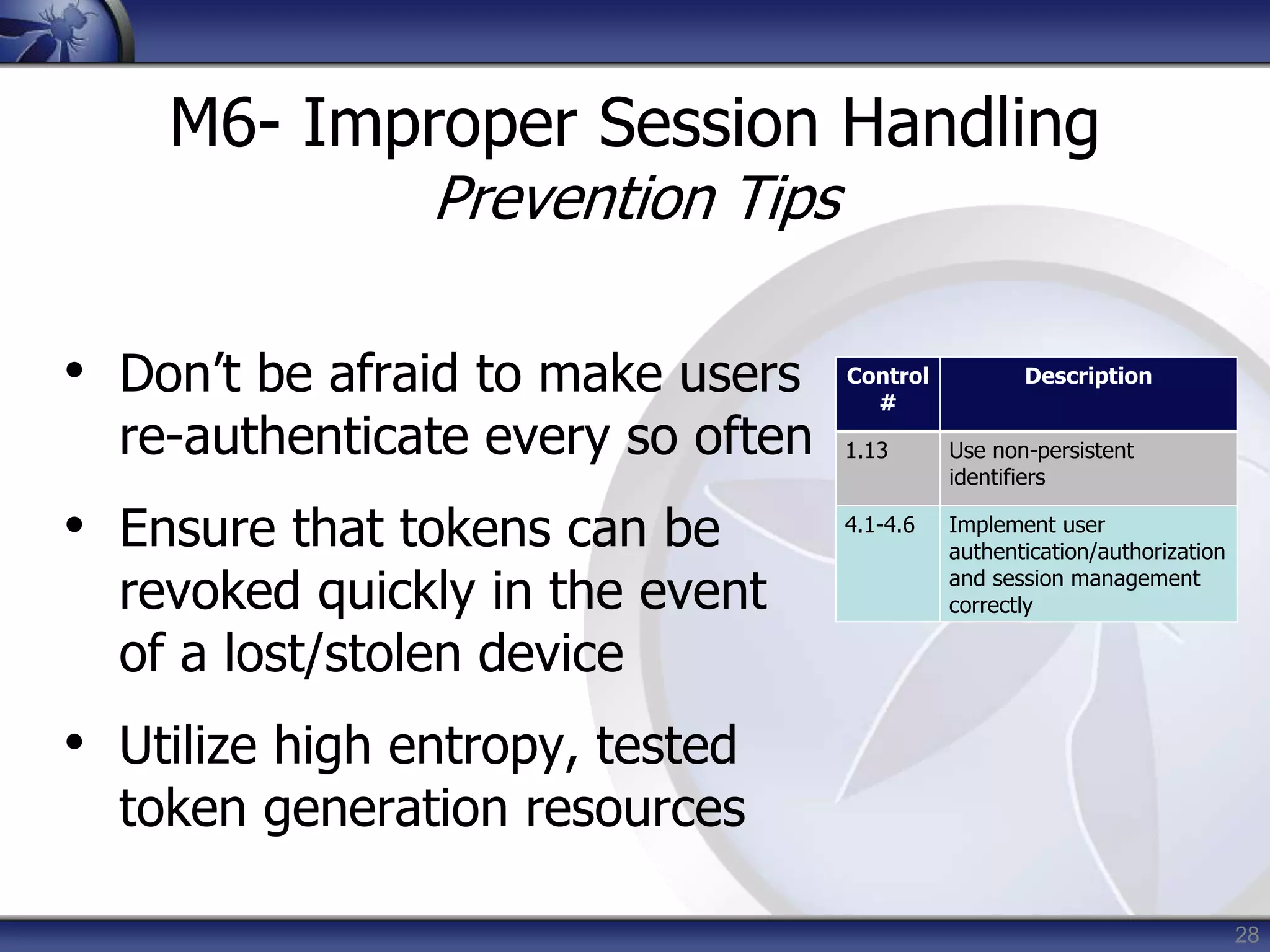
M6- Improper Session Handling
Prevention Tips
• Don’t be afraid to make users
re-authenticate every so often
• Ensure that tokens can be
revoked quickly in the event
of a lost/stolen device
• Utilize high entropy, tested
token generation resources
Control
#
Description
1.13 Use non-persistent
identifiers
4.1-4.6 Implement user
authentication/authorization
and session management
correctly
29
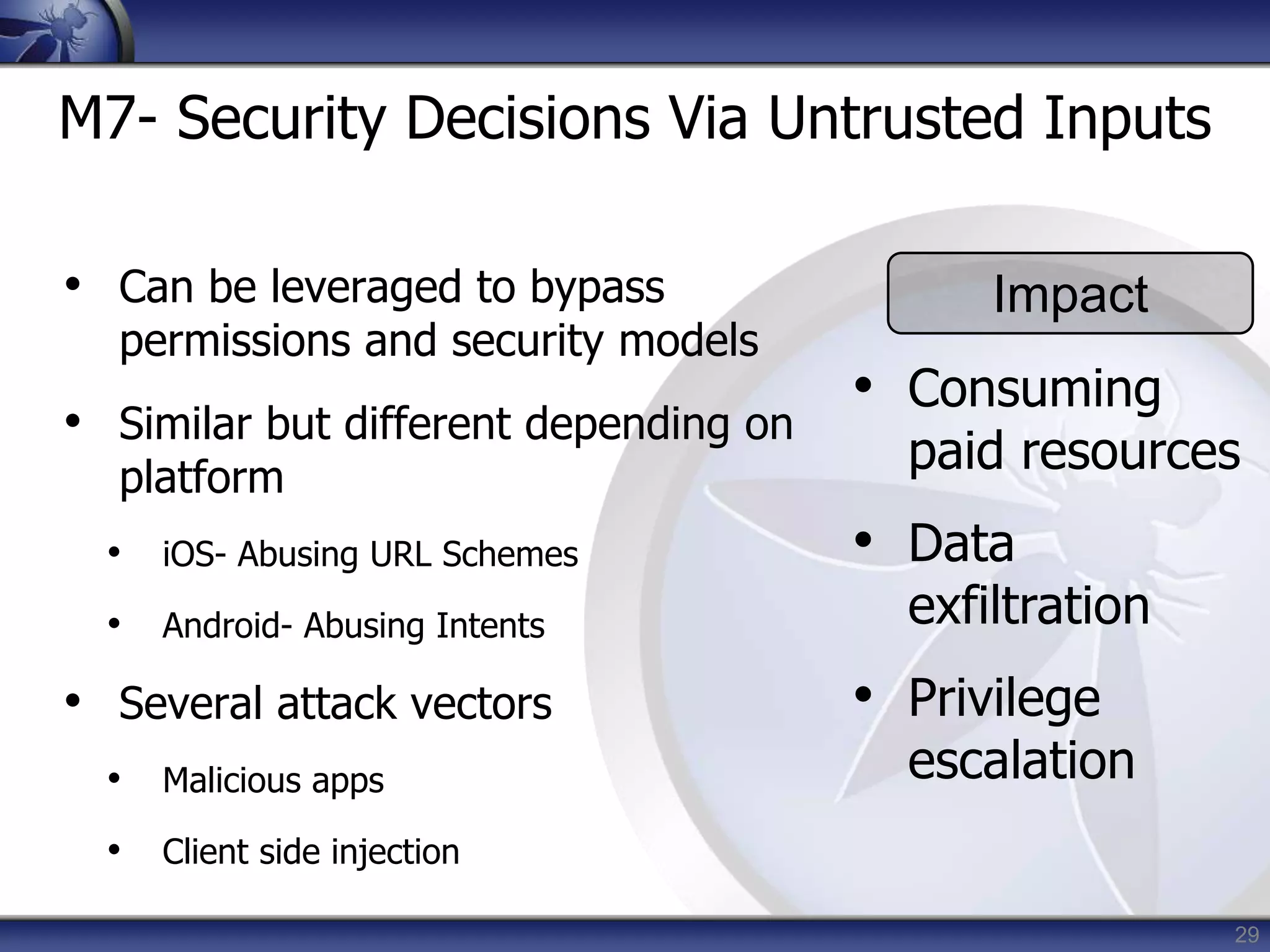
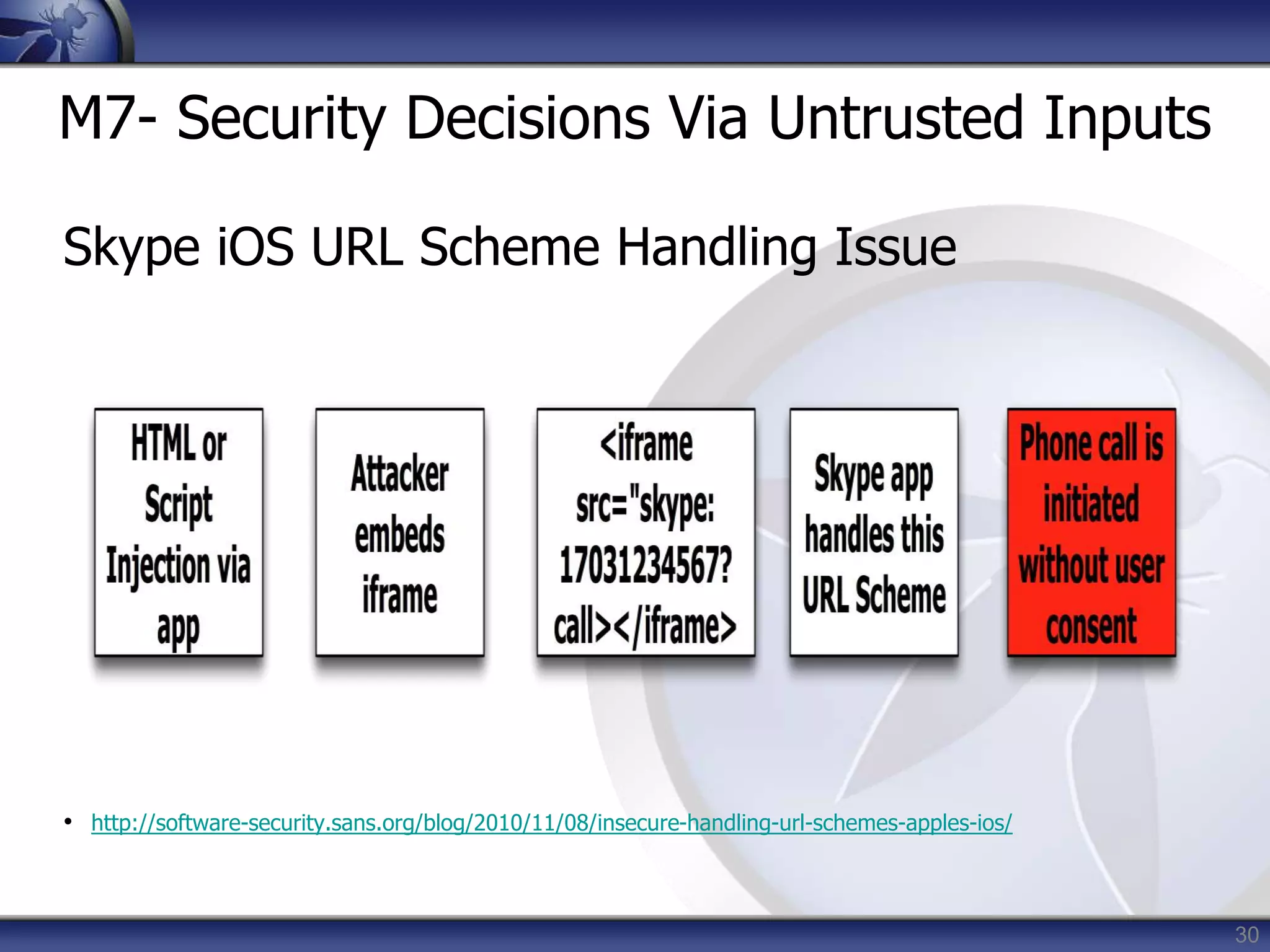
M7- Security Decisions Via Untrusted Inputs
• Can be leveraged to bypass
permissions and security models
• Similar but different depending on
platform
• iOS- Abusing URL Schemes
• Android- Abusing Intents
• Several attack vectors
• Malicious apps
• Client side injection
Impact
• Consuming
paid resources
• Data
exfiltration
• Privilege
escalation
30
M7- Security Decisions Via Untrusted Inputs
Skype iOS URL Scheme Handling Issue
• http://software-security.sans.org/blog/2010/11/08/insecure-handling-url-schemes-apples-ios/
31
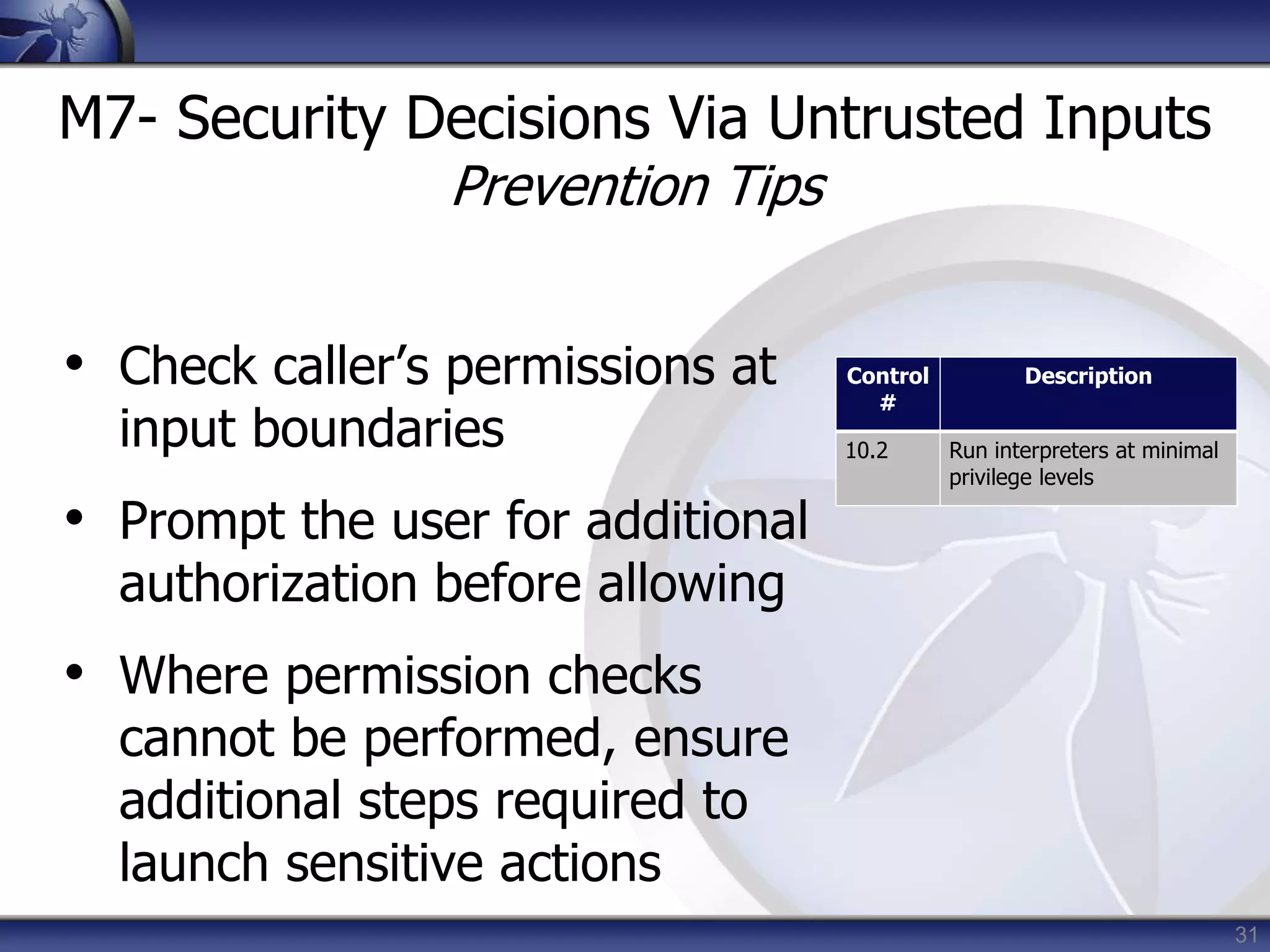
M7- Security Decisions Via Untrusted Inputs
Prevention Tips
• Check caller’s permissions at
input boundaries
• Prompt the user for additional
authorization before allowing
• Where permission checks
cannot be performed, ensure
additional steps required to
launch sensitive actions
Control
#
Description
10.2 Run interpreters at minimal
privilege levels
32
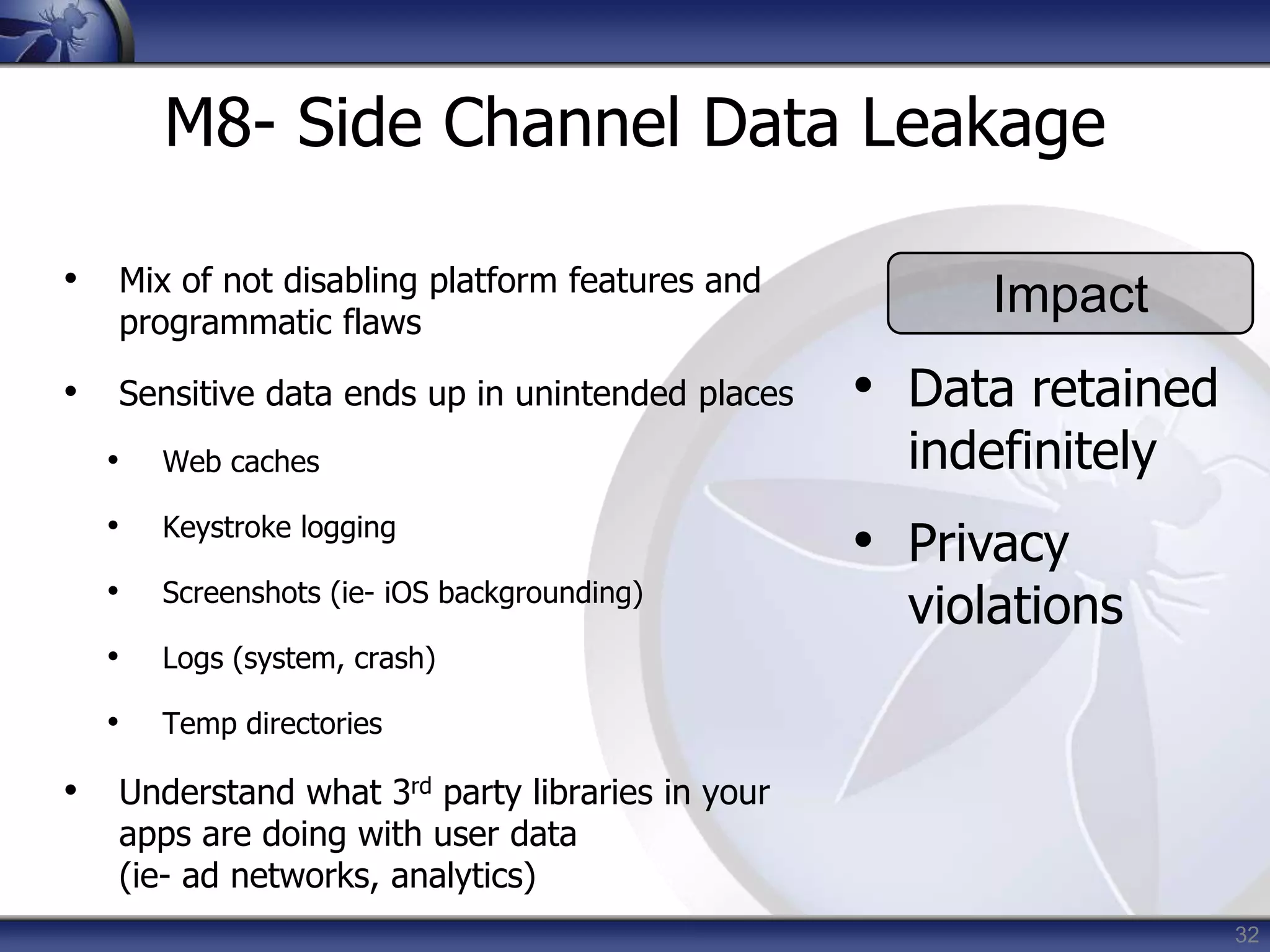
M8- Side Channel Data Leakage
• Mix of not disabling platform features and
programmatic flaws
• Sensitive data ends up in unintended places
• Web caches
• Keystroke logging
• Screenshots (ie- iOS backgrounding)
• Logs (system, crash)
• Temp directories
• Understand what 3rd party libraries in your
apps are doing with user data
(ie- ad networks, analytics)
Impact
• Data retained
indefinitely
• Privacy
violations
33
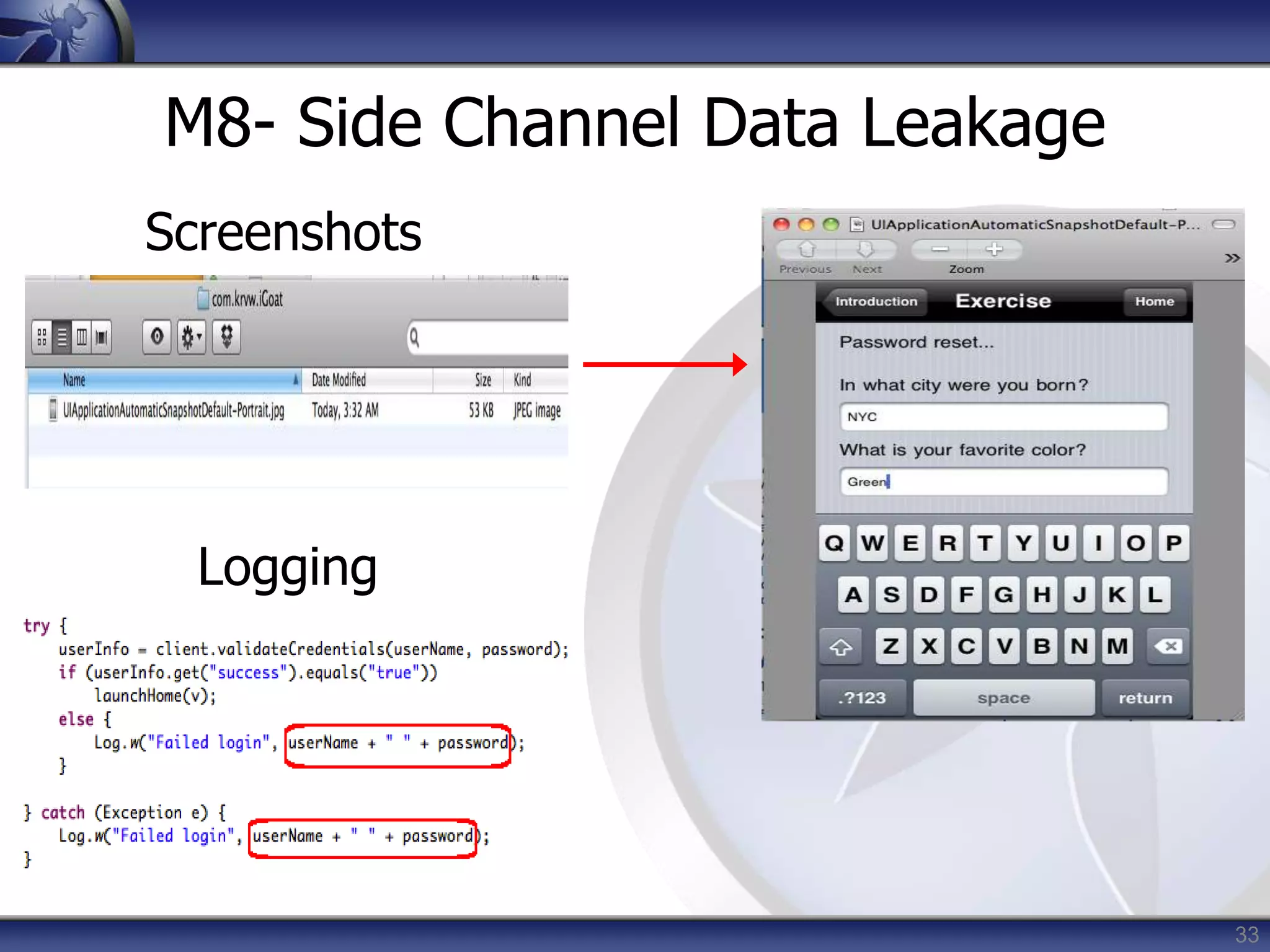
M8- Side Channel Data Leakage
Logging
Screenshots
34
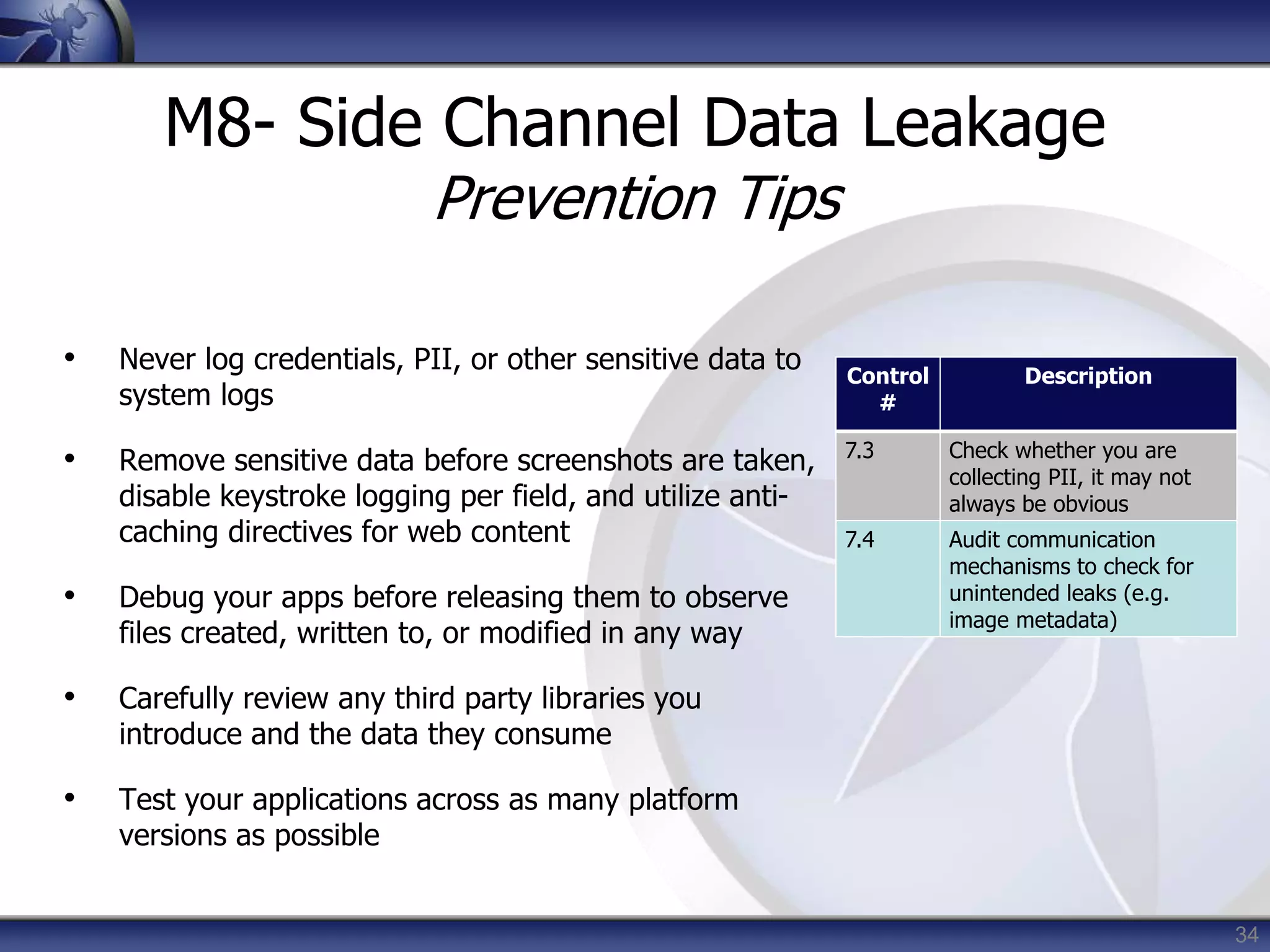
M8- Side Channel Data Leakage
Prevention Tips
• Never log credentials, PII, or other sensitive data to
system logs
• Remove sensitive data before screenshots are taken,
disable keystroke logging per field, and utilize anti-
caching directives for web content
• Debug your apps before releasing them to observe
files created, written to, or modified in any way
• Carefully review any third party libraries you
introduce and the data they consume
• Test your applications across as many platform
versions as possible
Control
#
Description
7.3 Check whether you are
collecting PII, it may not
always be obvious
7.4 Audit communication
mechanisms to check for
unintended leaks (e.g.
image metadata)
35
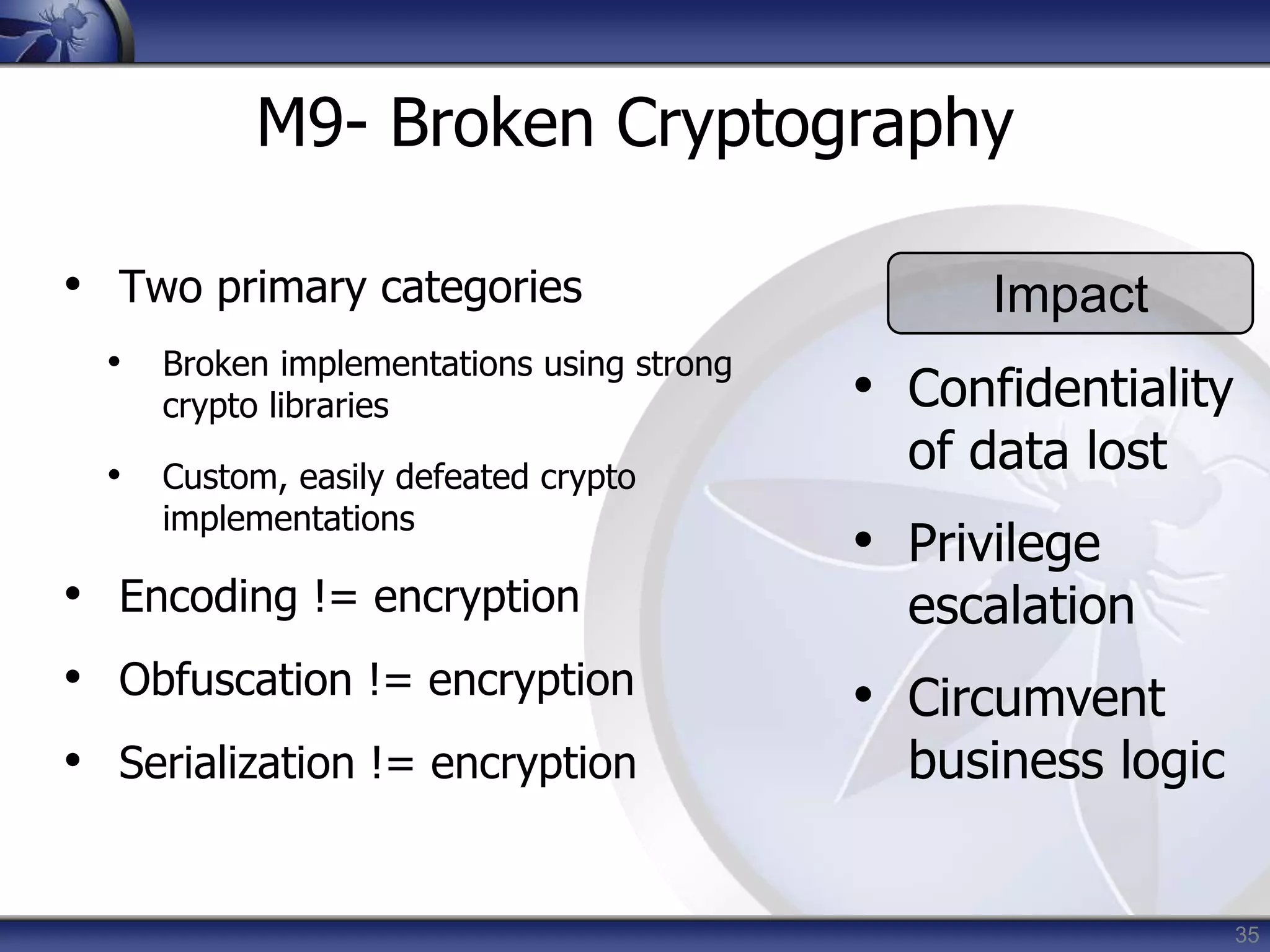
M9- Broken Cryptography
• Two primary categories
• Broken implementations using strong
crypto libraries
• Custom, easily defeated crypto
implementations
• Encoding != encryption
• Obfuscation != encryption
• Serialization != encryption
Impact
• Confidentiality
of data lost
• Privilege
escalation
• Circumvent
business logic
36
M9- Broken Cryptography
ldc literal_876:"QlVtT0JoVmY2N2E=”
invokestatic byte[] decode( java.lang.String )
invokespecial_lib java.lang.String.<init> //
pc=2
astore 8
private final byte[]
com.picuploader.BizProcess.SendRequest.routine_
12998
(com.picuploader.BizProcess.SendRequest,
byte[], byte[] );
{
enter
new_lib
net.rim.device.api.crypto.TripleDESKey
37
M9- Broken Cryptography
Prevention Tips
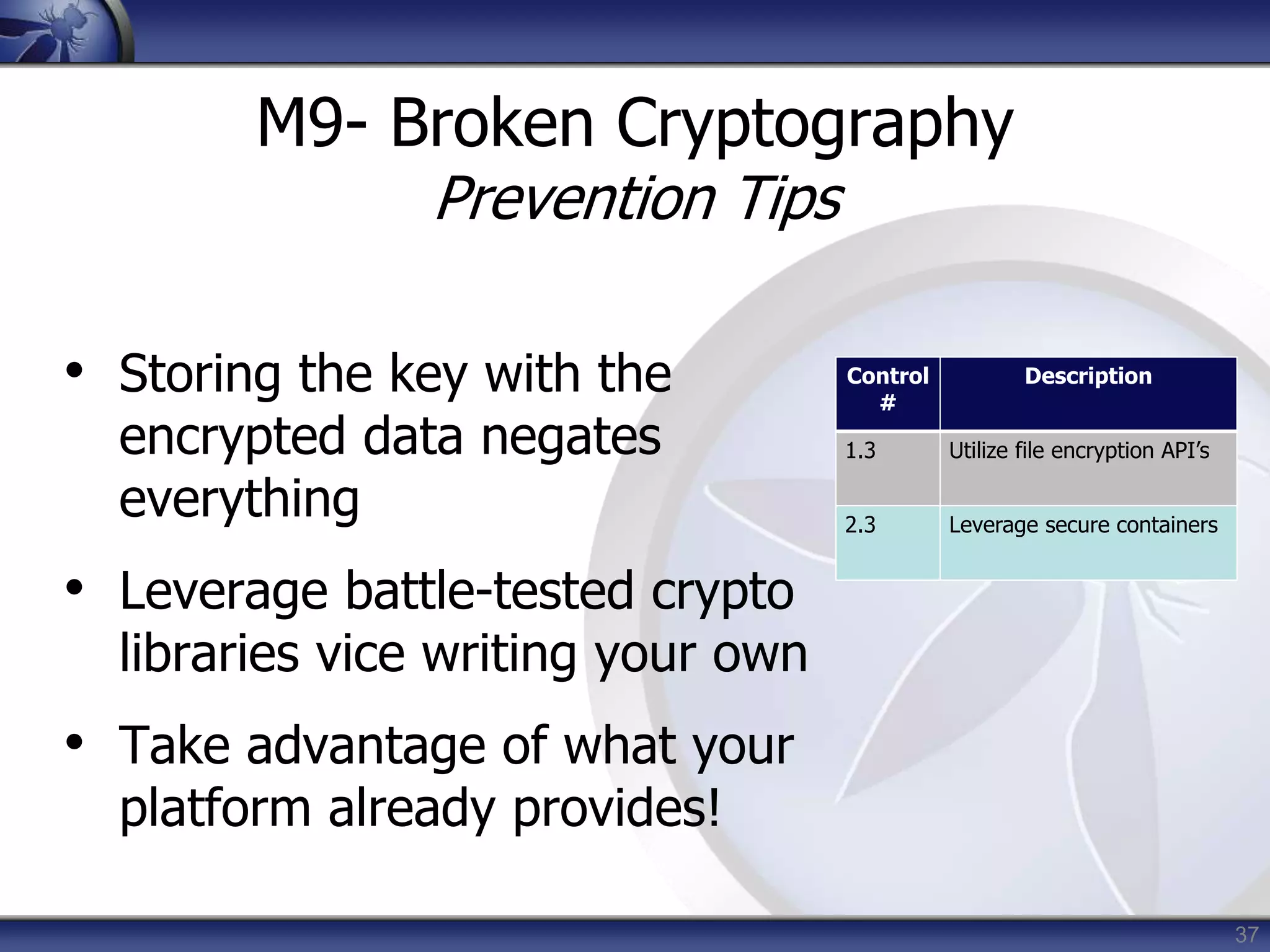
• Storing the key with the
encrypted data negates
everything
• Leverage battle-tested crypto
libraries vice writing your own
• Take advantage of what your
platform already provides!
Control
#
Description
1.3 Utilize file encryption API’s
2.3 Leverage secure containers
38
M10- Sensitive Information Disclosure
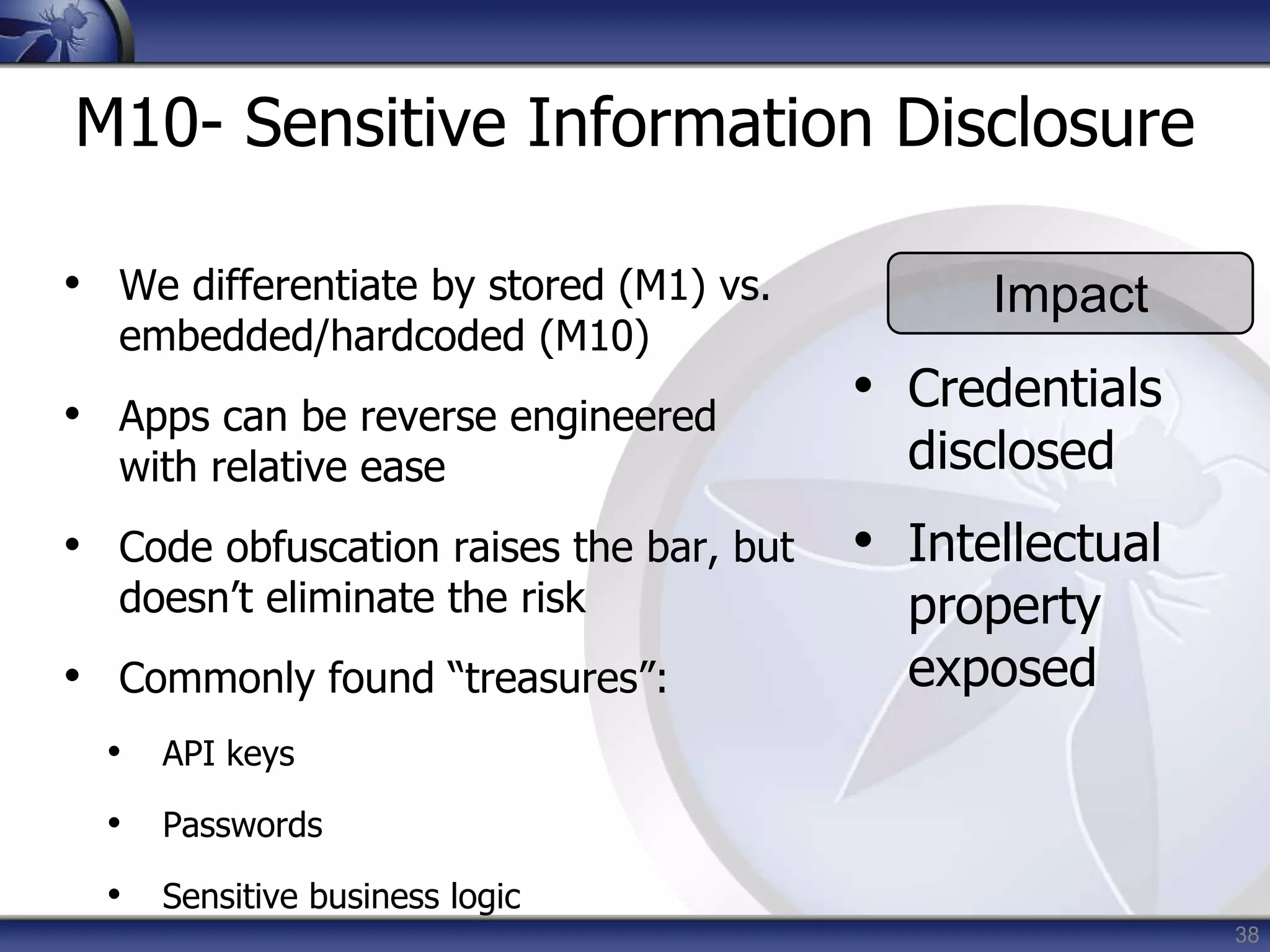
• We differentiate by stored (M1) vs.
embedded/hardcoded (M10)
• Apps can be reverse engineered
with relative ease
• Code obfuscation raises the bar, but
doesn’t eliminate the risk
• Commonly found “treasures”:
• API keys
• Passwords
• Sensitive business logic
Impact
• Credentials
disclosed
• Intellectual
property
exposed
39
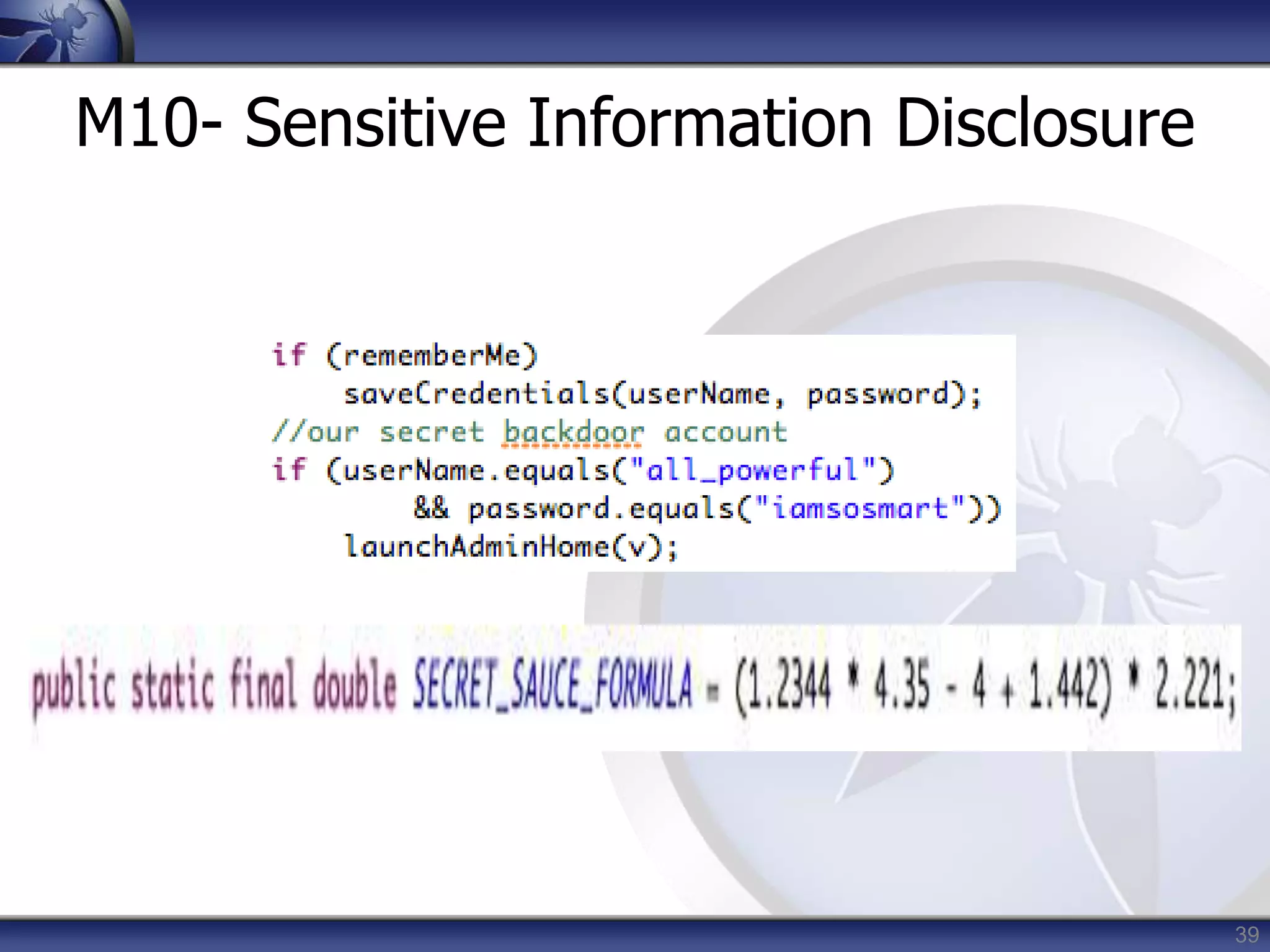
M10- Sensitive Information Disclosure
40
M10- Sensitive Information Disclosure
Prevention Tips
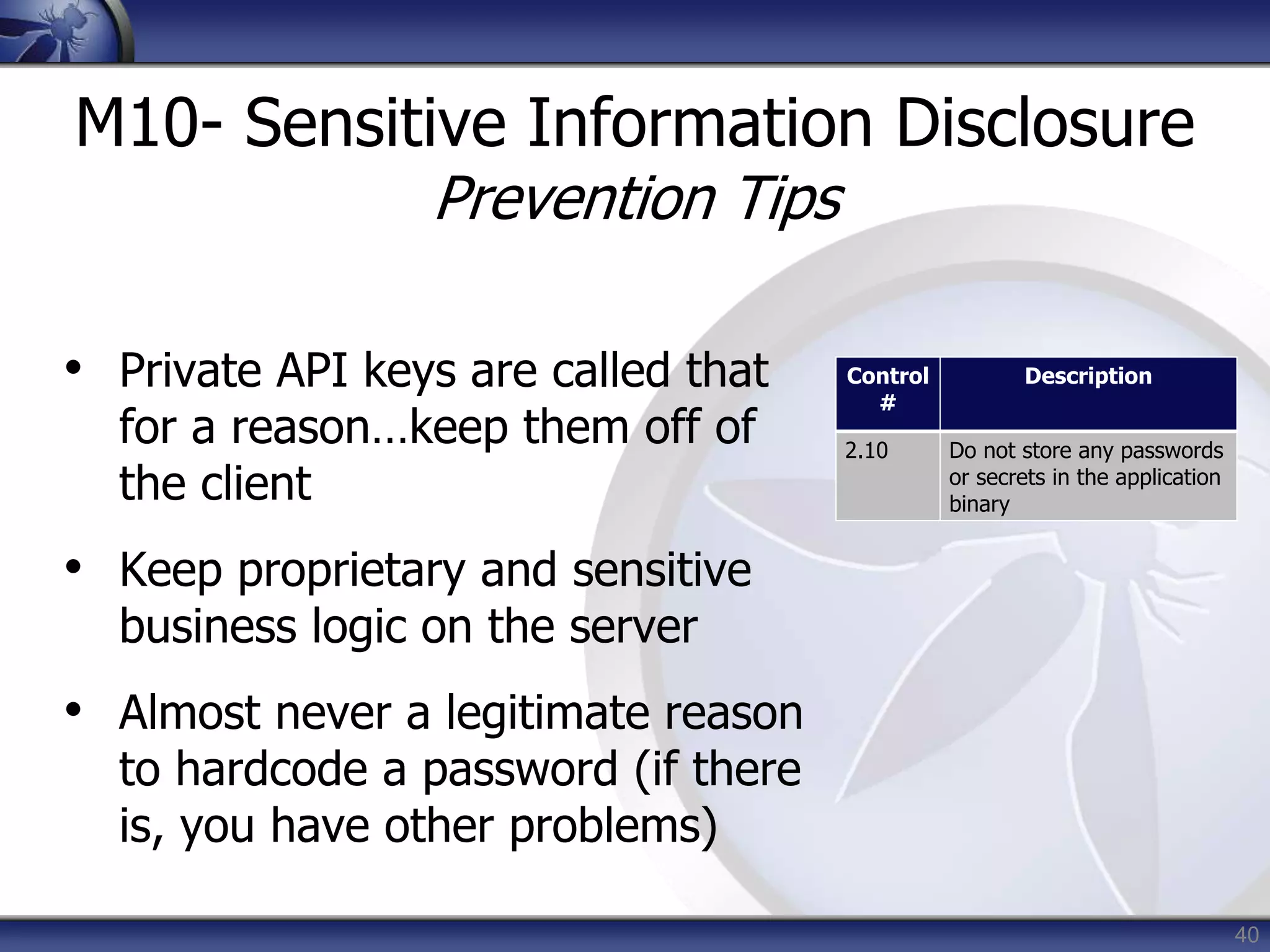
• Private API keys are called that
for a reason…keep them off of
the client
• Keep proprietary and sensitive
business logic on the server
• Almost never a legitimate reason
to hardcode a password (if there
is, you have other problems)
Control
#
Description
2.10 Do not store any passwords
or secrets in the application
binary
Wrap Up
42
Going Forward
• 60 day review period open to the public
Done!
• RC1 then becomes ‘Final v1.0’ Done!
• 12 month revision cycle
• Rapidly evolving platforms
• Stale data = not as useful
• If you have suggestions or ideas, we
want them!
43
Conclusion
• This is a good start, but we have a long
way to go
• We’ve identified the issues…now we
have to fix them
• Platforms must mature, frameworks
must mature, apps must mature
• The OWASP Mobile body of knowledge
must grow
44
Q&A
Thanks for listening!
If you have questions Shoot’Em or Contact
• Jack Mannino jack@nvisiumsecurity.com
http://twitter.com/jack_mannino
• Zach Lanier zach.lanier@intrepidusgroup.com
http://twitter.com/quine
• Mike Zusman mike.zusman@carvesystems.com
http://twitter.com/schmoilito
• Or Drop me an email azeddine.mennouchi@owasp.org

Webdays blida mobile top 10 risks

  • 1.
    The OWASP Foundation http://www.owasp.org Copyright© The OWASP Foundation Permission is granted to copy, distribute and/or modify this document under the terms of the OWASP License. DZWEBDAYS Blida March 3rd, 2014 OWASP Top 10 Mobile Risks Mennouchi Islam Azeddine,InfoToolsSolutions OWASP Mobile Security Project
  • 2.
    2 Agenda • Introductions • MobileSecurity Project • Mobile Threat Model • Top 10 Risks • Wrap Up/Q&A
  • 3.
    3 Introductions Mennouchi Islam • InfoToolsSolutions •Consultant • https://www.infotoolssolutions.dz
  • 4.
    4 Mobile Security Project •Began Q3 2010 • Why Unique and different security risks • Goal To build security into mobile dev. life cycle • Interested? Contribute Threat Model Dev. Guide Training Controls Risks Secure Libraries Methodologies Tools Cheat Sheets
  • 5.
  • 6.
    6 Mobile Threat Model •Platforms vary with mileage • Very different from traditional web app model due to wildly varying use cases and usage patterns • Must consider more than the ‘apps’ • Remote web services • Platform integration (iCloud, C2DM) • Device (in)security considerations
  • 7.
  • 8.
  • 9.
  • 10.
    10 Top 10 Risks •Intended to be platform-agnostic • Focused on areas of risk rather than individual vulnerabilities • Weighted utilizing the OWASP Risk Rating Methodology • https://www.owasp.org/index.php/OWASP_Risk_Rating_Methodology
  • 11.
  • 12.
    12 M1- Insecure DataStorage • Sensitive data left unprotected • Applies to locally stored data + cloud synced • Generally a result of: • Not encrypting data • Caching data not intended for long-term storage • Weak or global permissions • Not leveraging platform best-practices Impact • Confidentiality of data lost • Credentials disclosed • Privacy violations • Non- compliance
  • 13.
  • 14.
    14 M1- Insecure DataStorage Prevention Tips • Store ONLY what is absolutely required • Never use public storage areas (ie- SD card) • Leverage secure containers and platform provided file encryption APIs • Do not grant files world readable or world writeable permissions Control # Description 1.1-1.14 Identify and protect sensitive data on the mobile device 2.1, 2.2, 2.5 Handle password credentials securely on the device
  • 15.
    15 M2- Weak ServerSide Controls • Applies to the backend services • Not mobile specific per se, but essential to get right • We still can’t trust the client • Luckily, we understand these issues well • Existing controls may need to be re-evaluated (ie- out of band comms) Impact • Confidentially of data lost • Integrity of data not trusted
  • 16.
    16 M2- Weak ServerSide Controls OWASP Top 10 • https://www.owasp.org/index.php/Category:O WASP_Top_Ten_Project OWASP Cloud Top 10 • https://www.owasp.org/images/4/47/Cloud- Top10-Security-Risks.pdf
  • 17.
    17 M2- Weak ServerSide Controls Prevention Tips • Understand the additional risks mobile apps introduce into existing architectures • Leverage the wealth of knowledge that is already out there • OWASP Web Top 10, Cloud Top 10, Web Services Top 10 • Cheat sheets, development guides, ESAPI Control # Description 5.1-5.8 Keep the backend APIs (services) and the platform (server) secure
  • 18.
    18 M3- Insufficient TransportLayer Protection • Complete lack of encryption for transmitted data • Yes, this unfortunately happens often • Weakly encrypted data in transit • Strong encryption, but ignoring security warnings • Ignoring certificate validation errors • Falling back to plain text after failures Impact • Man-in-the- middle attacks • Tampering w/ data in transit • Confidentiality of data lost
  • 19.
    19 M3- Insufficient TransportLayer Protection Real World Example: Google ClientLogin Authentication Protocol • Authorization header sent over HTTP • When users connected via wifi, apps automatically sent the token in an attempt to automatically synchronize data from server • Sniff this value, impersonate the user • http://www.uni-ulm.de/in/mi/mitarbeiter/koenings/catching-authtokens.html
  • 20.
    20 M3- Insufficient TransportLayer Protection Prevention Tips • Ensure that all sensitive data leaving the device is encrypted • This includes data over carrier networks, WiFi, and even NFC • When security exceptions are thrown, it’s generally for a reason…DO NOT ignore them! Control # Description 3.1.3.6 Ensure sensitive data is protected in transit
  • 21.
    21 M4- Client SideInjection • Apps using browser libraries • Pure web apps • Hybrid web/native apps • Some familiar faces • XSS and HTML Injection • SQL Injection • New and exciting twists • Abusing phone dialer + SMS • Abusing in-app payments Impact • Device compromise • Toll fraud • Privilege escalation
  • 22.
    22 M4- Client SideInjection Garden Variety XSS…. With access to:
  • 23.
    23 M4- Client SideInjection Prevention Tips • Sanitize or escape untrusted data before rendering or executing it • Use prepared statements for database calls…concatenation is still bad, and always will be bad • Minimize the sensitive native capabilities tied to hybrid web functionality Control # Description 6.3 Pay particular attention to validating all data received from and sent to non- trusted third party apps before processing 10.1- 10.5 Carefully check any runtime interpretation of code for errors
  • 24.
    24 M5- Poor Authorizationand Authentication • Part mobile, part architecture • Some apps rely solely on immutable, potentially compromised values (IMEI, IMSI, UUID) • Hardware identifiers persist across data wipes and factory resets • Adding contextual information is useful, but not foolproof Impact • Privilege escalation • Unauthorized access
  • 25.
    25 M5- Poor Authorizationand Authentication
  • 26.
    26 M5- Poor Authorizationand Authentication Prevention Tips • Contextual info can enhance things, but only as part of a multi-factor implementation • Out-of-band doesn’t work when it’s all the same device • Never use device ID or subscriber ID as sole authenticator Control # Description 4.1-4.6 Implement user authentication/authorization and session management correctly 8.4 Authenticate all API calls to paid resources
  • 27.
    27 M6- Improper SessionHandling • Mobile app sessions are generally MUCH longer • Why? Convenience and usability • Apps maintain sessions via • HTTP cookies • OAuth tokens • SSO authentication services • Bad idea= using a device identifier as a session token Impact • Privilege escalation • Unauthorized access • Circumvent licensing and payments
  • 28.
    28 M6- Improper SessionHandling Prevention Tips • Don’t be afraid to make users re-authenticate every so often • Ensure that tokens can be revoked quickly in the event of a lost/stolen device • Utilize high entropy, tested token generation resources Control # Description 1.13 Use non-persistent identifiers 4.1-4.6 Implement user authentication/authorization and session management correctly
  • 29.
    29 M7- Security DecisionsVia Untrusted Inputs • Can be leveraged to bypass permissions and security models • Similar but different depending on platform • iOS- Abusing URL Schemes • Android- Abusing Intents • Several attack vectors • Malicious apps • Client side injection Impact • Consuming paid resources • Data exfiltration • Privilege escalation
  • 30.
    30 M7- Security DecisionsVia Untrusted Inputs Skype iOS URL Scheme Handling Issue • http://software-security.sans.org/blog/2010/11/08/insecure-handling-url-schemes-apples-ios/
  • 31.
    31 M7- Security DecisionsVia Untrusted Inputs Prevention Tips • Check caller’s permissions at input boundaries • Prompt the user for additional authorization before allowing • Where permission checks cannot be performed, ensure additional steps required to launch sensitive actions Control # Description 10.2 Run interpreters at minimal privilege levels
  • 32.
    32 M8- Side ChannelData Leakage • Mix of not disabling platform features and programmatic flaws • Sensitive data ends up in unintended places • Web caches • Keystroke logging • Screenshots (ie- iOS backgrounding) • Logs (system, crash) • Temp directories • Understand what 3rd party libraries in your apps are doing with user data (ie- ad networks, analytics) Impact • Data retained indefinitely • Privacy violations
  • 33.
    33 M8- Side ChannelData Leakage Logging Screenshots
  • 34.
    34 M8- Side ChannelData Leakage Prevention Tips • Never log credentials, PII, or other sensitive data to system logs • Remove sensitive data before screenshots are taken, disable keystroke logging per field, and utilize anti- caching directives for web content • Debug your apps before releasing them to observe files created, written to, or modified in any way • Carefully review any third party libraries you introduce and the data they consume • Test your applications across as many platform versions as possible Control # Description 7.3 Check whether you are collecting PII, it may not always be obvious 7.4 Audit communication mechanisms to check for unintended leaks (e.g. image metadata)
  • 35.
    35 M9- Broken Cryptography •Two primary categories • Broken implementations using strong crypto libraries • Custom, easily defeated crypto implementations • Encoding != encryption • Obfuscation != encryption • Serialization != encryption Impact • Confidentiality of data lost • Privilege escalation • Circumvent business logic
  • 36.
    36 M9- Broken Cryptography ldcliteral_876:"QlVtT0JoVmY2N2E=” invokestatic byte[] decode( java.lang.String ) invokespecial_lib java.lang.String.<init> // pc=2 astore 8 private final byte[] com.picuploader.BizProcess.SendRequest.routine_ 12998 (com.picuploader.BizProcess.SendRequest, byte[], byte[] ); { enter new_lib net.rim.device.api.crypto.TripleDESKey
  • 37.
    37 M9- Broken Cryptography PreventionTips • Storing the key with the encrypted data negates everything • Leverage battle-tested crypto libraries vice writing your own • Take advantage of what your platform already provides! Control # Description 1.3 Utilize file encryption API’s 2.3 Leverage secure containers
  • 38.
    38 M10- Sensitive InformationDisclosure • We differentiate by stored (M1) vs. embedded/hardcoded (M10) • Apps can be reverse engineered with relative ease • Code obfuscation raises the bar, but doesn’t eliminate the risk • Commonly found “treasures”: • API keys • Passwords • Sensitive business logic Impact • Credentials disclosed • Intellectual property exposed
  • 39.
  • 40.
    40 M10- Sensitive InformationDisclosure Prevention Tips • Private API keys are called that for a reason…keep them off of the client • Keep proprietary and sensitive business logic on the server • Almost never a legitimate reason to hardcode a password (if there is, you have other problems) Control # Description 2.10 Do not store any passwords or secrets in the application binary
  • 41.
  • 42.
    42 Going Forward • 60day review period open to the public Done! • RC1 then becomes ‘Final v1.0’ Done! • 12 month revision cycle • Rapidly evolving platforms • Stale data = not as useful • If you have suggestions or ideas, we want them!
  • 43.
    43 Conclusion • This isa good start, but we have a long way to go • We’ve identified the issues…now we have to fix them • Platforms must mature, frameworks must mature, apps must mature • The OWASP Mobile body of knowledge must grow
  • 44.
    44 Q&A Thanks for listening! Ifyou have questions Shoot’Em or Contact • Jack Mannino jack@nvisiumsecurity.com http://twitter.com/jack_mannino • Zach Lanier zach.lanier@intrepidusgroup.com http://twitter.com/quine • Mike Zusman mike.zusman@carvesystems.com http://twitter.com/schmoilito • Or Drop me an email azeddine.mennouchi@owasp.org