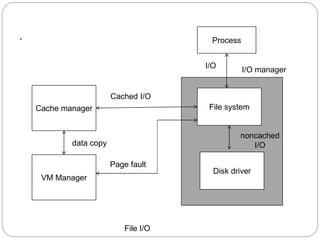
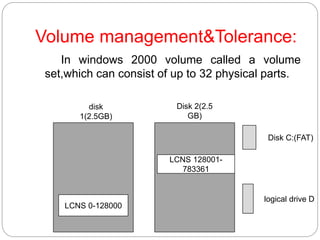
This document summarizes key aspects of disk structure, disk scheduling, disk management, swap space management, and Windows 2000. It discusses how disks are logically structured and addressed, factors that impact disk access time like seek time and rotational latency. It covers disk formatting, partitioning, boot blocks, handling bad blocks. It explains how operating systems manage swap space, where it is located, and examples of swap space use. It provides an overview of Windows 2000, describing its design, components like the kernel, virtual memory manager, I/O manager, and environmental subsystems.