Done by,
S.Praveenkumar.
 SPICE (Simulation Program for Integrated Circuits
Emphasis) is a general purpose analog circuit
simulator that is used to verify circuit designs and
to predict the circuit behavior.
 PSpice is a PC version of SPICE
 The name orcad is reflecting the company
oregon+CAD.
 1.Draw an electronic or electrical circuit on
the computer using Capture.
2. Simulate it with PSpice using specific
models for your devices.
3. Analyse its behaviour with Probe, which
can produce a range of plots.
 Historically this was a separate application
but it is now integrated with PSpice.
 Non-linear DC analysis(steady state dc)
 Non-linear transient analysis (sinusoidal
sources)
 Linear AC (circuits with sources of varying
frequencies)
 Noise analysis
 Sensitivity analysis
 Distortion analysis
 Fourier analysis(calculate and plot frequency
spectrum)
 Monte Carlo Analysis
 Independent and dependent voltage and current sources
 Resistors
 Capacitors
 Inductors
 Transmission lines
 Operational amplifiers
 Switches
 Diodes
 Bipolar transistors
 MOS transistors
 JFET
 MESFET
 Digital gates
 555
 and many other essential components.
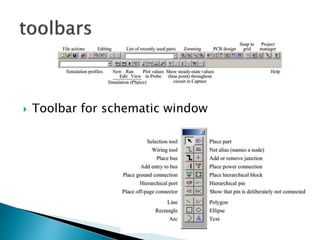
 Toolbar for schematic window
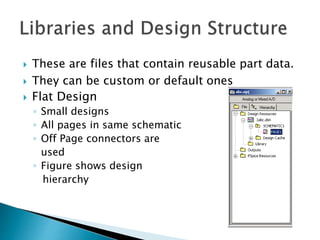
 These are files that contain reusable part data.
 They can be custom or default ones
 Flat Design
◦ Small designs
◦ All pages in same schematic
◦ Off Page connectors are
used
◦ Figure shows design
hierarchy
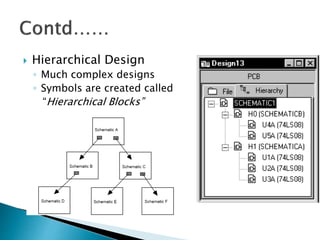
 Hierarchical Design
◦ Much complex designs
◦ Symbols are created called
“Hierarchical Blocks”
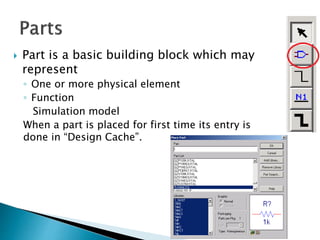
 Part is a basic building block which may
represent
◦ One or more physical element
◦ Function
Simulation model
When a part is placed for first time its entry is
done in “Design Cache”.
 PSpice is not case sensitive
 All element names must be unique
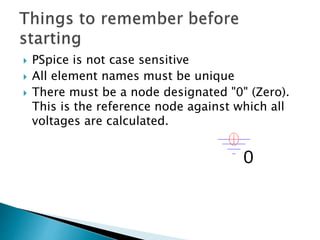
 There must be a node designated "0" (Zero).
This is the reference node against which all
voltages are calculated.
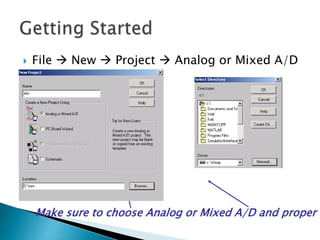
 File  New  Project  Analog or Mixed A/D
Make sure to choose Analog or Mixed A/D and proper l
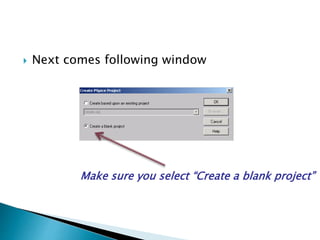
 Next comes following window
Make sure you select “Create a blank project”
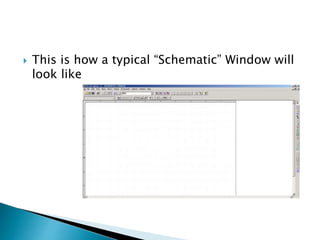
 This is how a typical “Schematic” Window will
look like
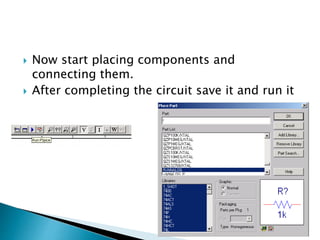
 Now start placing components and
connecting them.
 After completing the circuit save it and run it
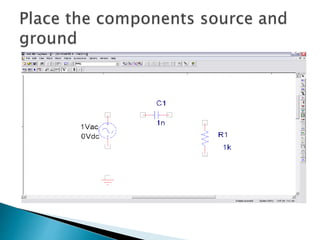
 Take example of a high pass filter (RC)
 First we will follow initial steps of creating a
new project
 Now placing the components.
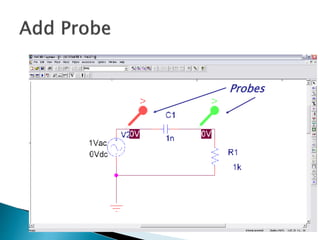
Probes
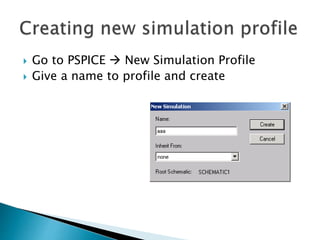
 Go to PSPICE  New Simulation Profile
 Give a name to profile and create
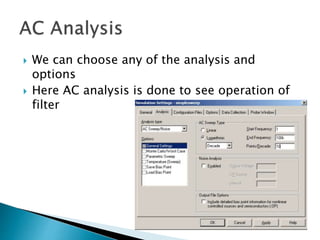
 We can choose any of the analysis and
options
 Here AC analysis is done to see operation of
filter
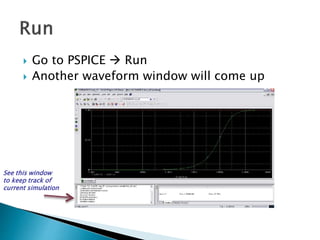
 Go to PSPICE  Run
 Another waveform window will come up
See this window
to keep track of
current simulation
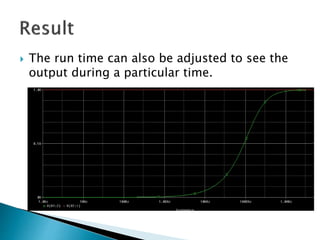
 The run time can also be adjusted to see the
output during a particular time.
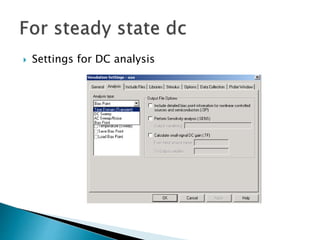
 Settings for DC analysis
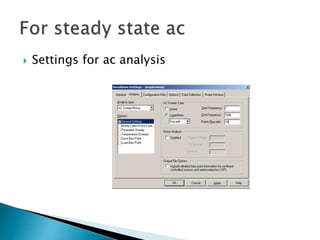
 Settings for ac analysis
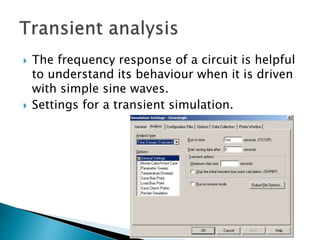
 The frequency response of a circuit is helpful
to understand its behaviour when it is driven
with simple sine waves.
 Settings for a transient simulation.
 In optoelectronic integrated circuits and
devices
Orcad pspice intro and basics

Orcad pspice intro and basics

  • 1.
  • 2.
     SPICE (SimulationProgram for Integrated Circuits Emphasis) is a general purpose analog circuit simulator that is used to verify circuit designs and to predict the circuit behavior.  PSpice is a PC version of SPICE  The name orcad is reflecting the company oregon+CAD.
  • 3.
     1.Draw anelectronic or electrical circuit on the computer using Capture. 2. Simulate it with PSpice using specific models for your devices. 3. Analyse its behaviour with Probe, which can produce a range of plots.  Historically this was a separate application but it is now integrated with PSpice.
  • 4.
     Non-linear DCanalysis(steady state dc)  Non-linear transient analysis (sinusoidal sources)  Linear AC (circuits with sources of varying frequencies)  Noise analysis  Sensitivity analysis  Distortion analysis  Fourier analysis(calculate and plot frequency spectrum)  Monte Carlo Analysis
  • 5.
     Independent anddependent voltage and current sources  Resistors  Capacitors  Inductors  Transmission lines  Operational amplifiers  Switches  Diodes  Bipolar transistors  MOS transistors  JFET  MESFET  Digital gates  555  and many other essential components.
  • 6.
     Toolbar forschematic window
  • 7.
     These arefiles that contain reusable part data.  They can be custom or default ones  Flat Design ◦ Small designs ◦ All pages in same schematic ◦ Off Page connectors are used ◦ Figure shows design hierarchy
  • 8.
     Hierarchical Design ◦Much complex designs ◦ Symbols are created called “Hierarchical Blocks”
  • 9.
     Part isa basic building block which may represent ◦ One or more physical element ◦ Function Simulation model When a part is placed for first time its entry is done in “Design Cache”.
  • 10.
     PSpice isnot case sensitive  All element names must be unique  There must be a node designated "0" (Zero). This is the reference node against which all voltages are calculated.
  • 11.
     File New  Project  Analog or Mixed A/D Make sure to choose Analog or Mixed A/D and proper l
  • 12.
     Next comesfollowing window Make sure you select “Create a blank project”
  • 13.
     This ishow a typical “Schematic” Window will look like
  • 14.
     Now startplacing components and connecting them.  After completing the circuit save it and run it
  • 15.
     Take exampleof a high pass filter (RC)  First we will follow initial steps of creating a new project  Now placing the components.
  • 17.
  • 18.
     Go toPSPICE  New Simulation Profile  Give a name to profile and create
  • 19.
     We canchoose any of the analysis and options  Here AC analysis is done to see operation of filter
  • 20.
     Go toPSPICE  Run  Another waveform window will come up See this window to keep track of current simulation
  • 21.
     The runtime can also be adjusted to see the output during a particular time.
  • 22.
     Settings forDC analysis
  • 23.
     Settings forac analysis
  • 24.
     The frequencyresponse of a circuit is helpful to understand its behaviour when it is driven with simple sine waves.  Settings for a transient simulation.
  • 25.
     In optoelectronicintegrated circuits and devices