Damian Gordon
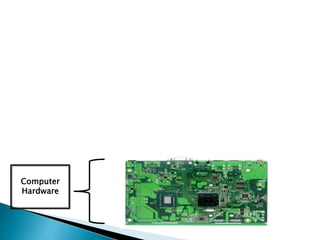
Computer
Hardware
Computer
Hardware
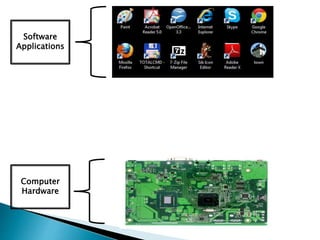
Software
Applications
Software
Applications
OPERATING SYSTEM
Computer
Hardware
Software
Applications
OPERATING SYSTEM
Computer
Hardware
UNIX
GUI (Graphical User Interface)CLI (Command-Line Interface)
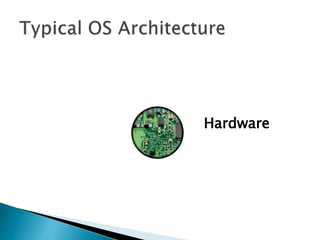
Hardware
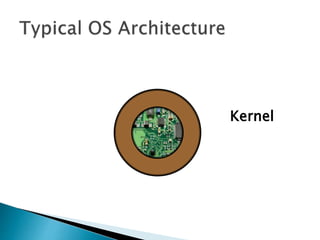
Kernel
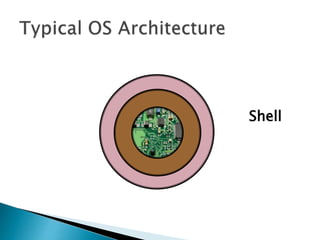
Shell
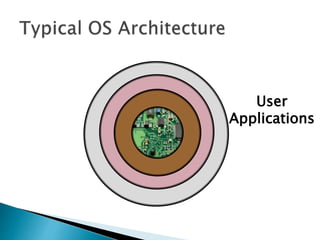
User
Applications
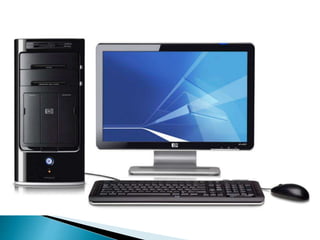
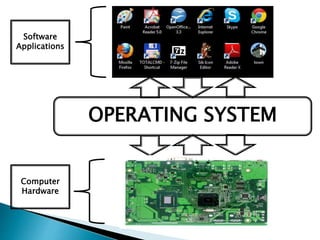
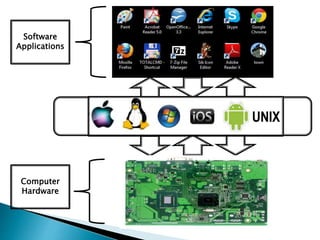
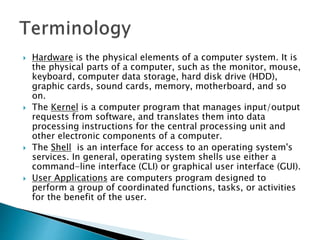
 Hardware is the physical elements of a computer system. It is
the physical parts of a computer, such as the monitor, mouse,
keyboard, computer data storage, hard disk drive (HDD),
graphic cards, sound cards, memory, motherboard, and so
on.
 The Kernel is a computer program that manages input/output
requests from software, and translates them into data
processing instructions for the central processing unit and
other electronic components of a computer.
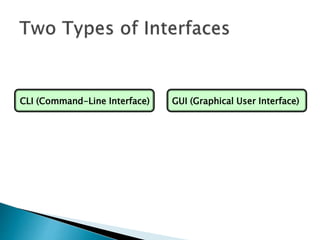
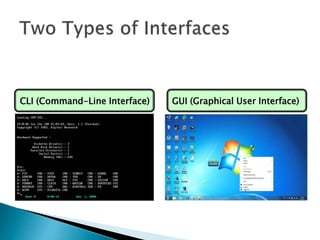
 The Shell is an interface for access to an operating system's
services. In general, operating system shells use either a
command-line interface (CLI) or graphical user interface (GUI).
 User Applications are computers program designed to
perform a group of coordinated functions, tasks, or activities
for the benefit of the user.
UNIX
Whose logo is this?
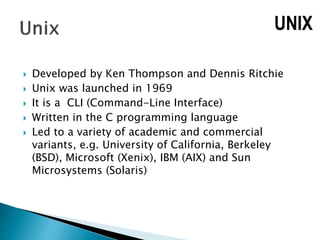
 Developed by Ken Thompson and Dennis Ritchie
 Unix was launched in 1969
 It is a CLI (Command-Line Interface)
 Written in the C programming language
 Led to a variety of academic and commercial
variants, e.g. University of California, Berkeley
(BSD), Microsoft (Xenix), IBM (AIX) and Sun
Microsystems (Solaris)
UNIX
Whose logo is this?
 Developed by Microsoft - Bill Gates & Paul Allen
 Windows was launched in 1985
 Built on DOS (Disk Operating System), which is a
CLI (Command-Line Interface)
 Has two modes User Mode (the user cannot directly
access the hardware) and Kernel Mode (the user
can access the hardware)
 Runs on Computers, Tablets (Surface), and
integration with Xbox
Whose logo is this?
 Developed by Apple - Steve Wozniak & Steve Jobs
 MacOS was launched in 1984
 MacOS is a native GUI (Graphical User Interface)
 MacOS evolved into OS X, which combined
technologies from MacOS, Unix, and NeXT
 Runs on Computers and other devices.
Whose logo is this?
 Developed by Linus Benedict Torvalds
 Linux was launched in 1992
 Linux is a CLI (Command-Line Interface)
 Torvalds made the code of Linux freely available to
everyone on the internet, and therefore lots of
people created their own versions of Linux, e.g.
Debian, RedHat, SUSE, SlackWare, Gentoo, Ubuntu
Whose logo is this?
 Developed by Andy Rubin, Rich Miner, Nick Sears,
and Chris White
 Android was launched in 2003
 Based on the Linux kernel
 Android is a GUI designed primarily for
touchscreen mobile devices such as smartphones
and tablets
Whose logo is this?
 Developed by Steve Jobs and Scott Forstall
 iOS was launched in 2007
 Based on the MacOS
 iOS is a GUI designed primarily for touchscreen
mobile devices such as iPhones, iPods, iPads, and
AppleTV.
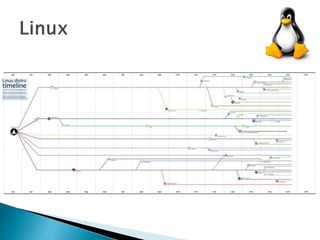
 A Linux distribution (often called a distro for short) is an
operating system made from a software collection,
which is based upon the Linux kernel and, often, a
package management system.
 Almost six hundred Linux distributions exist, with close
to five hundred out of those in active development,
constantly being revised and improved.
 There are commercially backed distributions, such as
Fedora (Red Hat), openSUSE (SUSE) and Ubuntu
(Canonical Ltd.), and entirely community-driven
distributions, such as Debian, Slackware, Gentoo and
Arch Linux.
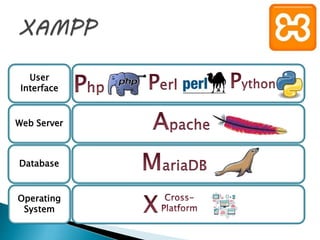
User
Interface
Web Server
Database
Operating
System
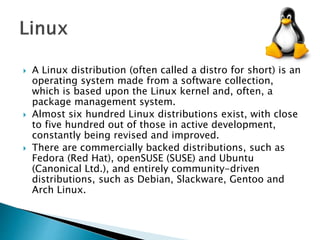
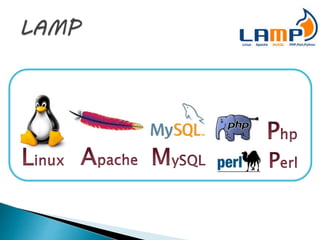
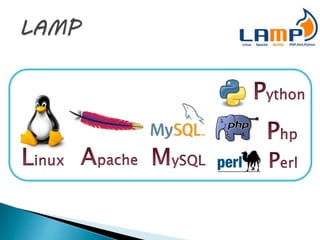
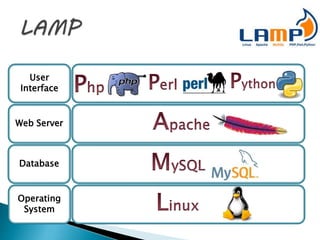
 LAMP is an model of web service solution stacks,
named as an acronym of the names of its original
four open-source components: the Linux operating
system, the Apache HTTP Server, the MySQL
relational database management system (RDBMS),
and the PHP programming language.
 The LAMP components are largely interchangeable
and not limited to the original selection. As a
solution stack, LAMP is suitable for building
dynamic web sites and web applications.
User
Interface
Web Server
Database
Operating
System
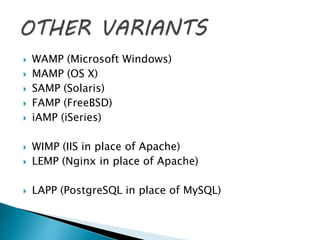
 WAMP (Microsoft Windows)
 MAMP (OS X)
 SAMP (Solaris)
 FAMP (FreeBSD)
 iAMP (iSeries)
 WIMP (IIS in place of Apache)
 LEMP (Nginx in place of Apache)
 LAPP (PostgreSQL in place of MySQL)
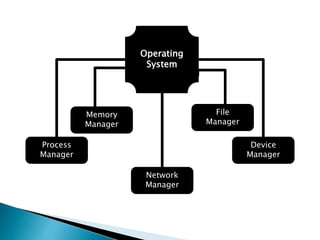
Operating
System
Process
Manager
Memory
Manager
Network
Manager
Device
Manager
File
Manager
 The OS must allocate resources to processes,
enable processes to share and exchange
information, protect the resources of each
process from other processes and enable
synchronisation among processes. To meet
these requirements, the OS must maintain a
data structure for each process, which
describes the state and resource ownership of
that process, and which enables the OS to
exert control over each process.
Process
Manager
 The memory management function keeps
track of the status of each memory location,
either allocated or free. It determines how
memory is allocated among competing
processes, deciding which gets memory,
when they receive it, and how much they are
allowed. When memory is allocated it
determines which memory locations will be
assigned. It tracks when memory is freed or
unallocated and updates the status.
Memory
Manager
 A file manager or file browser is a computer
program that provides a user interface to
manage files and folders. The most common
operations performed on files or groups of
files include creating, opening (e.g. viewing,
playing, editing or printing), renaming,
moving or copying, deleting and searching
for files, as well as modifying file attributes,
properties and file permissions. Folders and
files may be displayed in a hierarchical tree
based on their directory structure.
File
Manager
 The device manager is responsible for
detecting and managing devices, performing
power management, and exposing devices to
userspace. Device drivers allow user
applications to communicate with a system's
devices. They provide a high-level abstraction
of the hardware to user applications while
handling the low-level device-specific I/O
and interrupts.
Device
Manager
 The network manager manages the
relationship between the operating system
and the network(s) that it is connected to.
This means that the user can be unaware of
issues like connectivity, and network speed.
Network
Manager
Operating Systems 1: Introduction

Operating Systems 1: Introduction

  • 1.
  • 3.
  • 4.
  • 5.
  • 6.
  • 7.
    GUI (Graphical UserInterface)CLI (Command-Line Interface)
  • 8.
    GUI (Graphical UserInterface)CLI (Command-Line Interface)
  • 9.
  • 10.
  • 11.
  • 12.
  • 13.
     Hardware isthe physical elements of a computer system. It is the physical parts of a computer, such as the monitor, mouse, keyboard, computer data storage, hard disk drive (HDD), graphic cards, sound cards, memory, motherboard, and so on.  The Kernel is a computer program that manages input/output requests from software, and translates them into data processing instructions for the central processing unit and other electronic components of a computer.  The Shell is an interface for access to an operating system's services. In general, operating system shells use either a command-line interface (CLI) or graphical user interface (GUI).  User Applications are computers program designed to perform a group of coordinated functions, tasks, or activities for the benefit of the user.
  • 15.
  • 16.
     Developed byKen Thompson and Dennis Ritchie  Unix was launched in 1969  It is a CLI (Command-Line Interface)  Written in the C programming language  Led to a variety of academic and commercial variants, e.g. University of California, Berkeley (BSD), Microsoft (Xenix), IBM (AIX) and Sun Microsystems (Solaris) UNIX
  • 17.
  • 18.
     Developed byMicrosoft - Bill Gates & Paul Allen  Windows was launched in 1985  Built on DOS (Disk Operating System), which is a CLI (Command-Line Interface)  Has two modes User Mode (the user cannot directly access the hardware) and Kernel Mode (the user can access the hardware)  Runs on Computers, Tablets (Surface), and integration with Xbox
  • 19.
  • 20.
     Developed byApple - Steve Wozniak & Steve Jobs  MacOS was launched in 1984  MacOS is a native GUI (Graphical User Interface)  MacOS evolved into OS X, which combined technologies from MacOS, Unix, and NeXT  Runs on Computers and other devices.
  • 21.
  • 22.
     Developed byLinus Benedict Torvalds  Linux was launched in 1992  Linux is a CLI (Command-Line Interface)  Torvalds made the code of Linux freely available to everyone on the internet, and therefore lots of people created their own versions of Linux, e.g. Debian, RedHat, SUSE, SlackWare, Gentoo, Ubuntu
  • 23.
  • 24.
     Developed byAndy Rubin, Rich Miner, Nick Sears, and Chris White  Android was launched in 2003  Based on the Linux kernel  Android is a GUI designed primarily for touchscreen mobile devices such as smartphones and tablets
  • 25.
  • 26.
     Developed bySteve Jobs and Scott Forstall  iOS was launched in 2007  Based on the MacOS  iOS is a GUI designed primarily for touchscreen mobile devices such as iPhones, iPods, iPads, and AppleTV.
  • 29.
     A Linuxdistribution (often called a distro for short) is an operating system made from a software collection, which is based upon the Linux kernel and, often, a package management system.  Almost six hundred Linux distributions exist, with close to five hundred out of those in active development, constantly being revised and improved.  There are commercially backed distributions, such as Fedora (Red Hat), openSUSE (SUSE) and Ubuntu (Canonical Ltd.), and entirely community-driven distributions, such as Debian, Slackware, Gentoo and Arch Linux.
  • 32.
  • 33.
     LAMP isan model of web service solution stacks, named as an acronym of the names of its original four open-source components: the Linux operating system, the Apache HTTP Server, the MySQL relational database management system (RDBMS), and the PHP programming language.  The LAMP components are largely interchangeable and not limited to the original selection. As a solution stack, LAMP is suitable for building dynamic web sites and web applications.
  • 35.
  • 36.
     WAMP (MicrosoftWindows)  MAMP (OS X)  SAMP (Solaris)  FAMP (FreeBSD)  iAMP (iSeries)  WIMP (IIS in place of Apache)  LEMP (Nginx in place of Apache)  LAPP (PostgreSQL in place of MySQL)
  • 38.
  • 39.
     The OSmust allocate resources to processes, enable processes to share and exchange information, protect the resources of each process from other processes and enable synchronisation among processes. To meet these requirements, the OS must maintain a data structure for each process, which describes the state and resource ownership of that process, and which enables the OS to exert control over each process. Process Manager
  • 40.
     The memorymanagement function keeps track of the status of each memory location, either allocated or free. It determines how memory is allocated among competing processes, deciding which gets memory, when they receive it, and how much they are allowed. When memory is allocated it determines which memory locations will be assigned. It tracks when memory is freed or unallocated and updates the status. Memory Manager
  • 41.
     A filemanager or file browser is a computer program that provides a user interface to manage files and folders. The most common operations performed on files or groups of files include creating, opening (e.g. viewing, playing, editing or printing), renaming, moving or copying, deleting and searching for files, as well as modifying file attributes, properties and file permissions. Folders and files may be displayed in a hierarchical tree based on their directory structure. File Manager
  • 42.
     The devicemanager is responsible for detecting and managing devices, performing power management, and exposing devices to userspace. Device drivers allow user applications to communicate with a system's devices. They provide a high-level abstraction of the hardware to user applications while handling the low-level device-specific I/O and interrupts. Device Manager
  • 43.
     The networkmanager manages the relationship between the operating system and the network(s) that it is connected to. This means that the user can be unaware of issues like connectivity, and network speed. Network Manager