Linux Booting Procedure
2
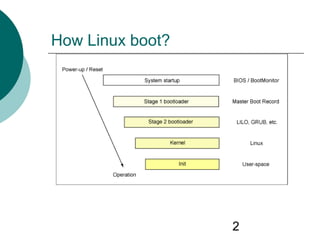
How Linux boot?
System startup
4
How computer startup?
 Booting is a bootstrapping process
that starts operating systems when
the user turns on a computer
system
 A boot sequence is the set of
operations the computer performs
when it is switched on that load an
operating system
5
Booting sequence
1. Tern on
2. CPU jump to address of BIOS (0xFFFF0)
3. BIOS runs POST (Power-On Self Test)
4. Find bootale devices
5. Loads and execute boot sector form MBR
6. Load OS
6
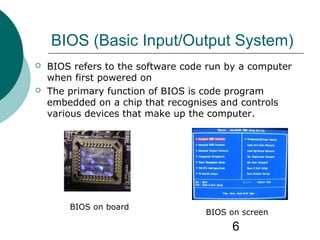
BIOS (Basic Input/Output System)
 BIOS refers to the software code run by a computer
when first powered on
 The primary function of BIOS is code program
embedded on a chip that recognises and controls
various devices that make up the computer.
BIOS on board
BIOS on screen
Boot loader
8
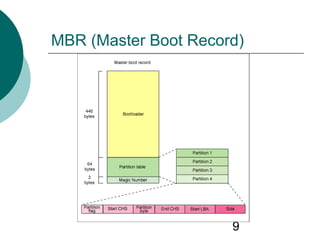
MBR (Master Boot Record)
 OS is booted from a hard disk, where the
Master Boot Record (MBR) contains the
primary boot loader
 The MBR is a 512-byte sector, located in
the first sector on the disk (sector 1 of
cylinder 0, head 0)
 After the MBR is loaded into RAM, the
BIOS yields control to it.
9
MBR (Master Boot Record)
10
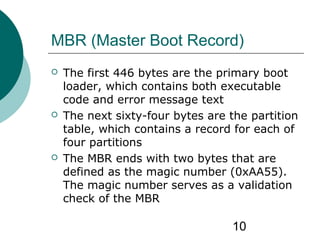
MBR (Master Boot Record)
 The first 446 bytes are the primary boot
loader, which contains both executable
code and error message text
 The next sixty-four bytes are the partition
table, which contains a record for each of
four partitions
 The MBR ends with two bytes that are
defined as the magic number (0xAA55).
The magic number serves as a validation
check of the MBR
11
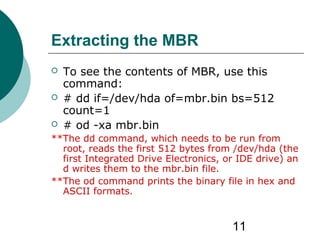
Extracting the MBR
 To see the contents of MBR, use this
command:
 # dd if=/dev/hda of=mbr.bin bs=512
count=1
 # od -xa mbr.bin
**The dd command, which needs to be run from
root, reads the first 512 bytes from /dev/hda (the
first Integrated Drive Electronics, or IDE drive) an
d writes them to the mbr.bin file.
**The od command prints the binary file in hex and
ASCII formats.
12
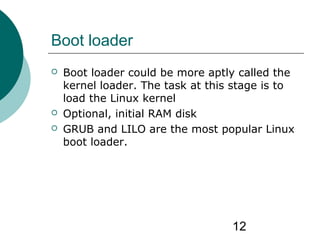
Boot loader
 Boot loader could be more aptly called the
kernel loader. The task at this stage is to
load the Linux kernel
 Optional, initial RAM disk
 GRUB and LILO are the most popular Linux
boot loader.
13
Other boot loader (Several OS)
 bootman
 GRUB
 LILO
 NTLDR
 XOSL
 BootX
 loadlin
 Gujin
 Boot Camp
 Syslinux
 GAG
14
GRUB: GRand Unified Bootloader
 GRUB is an operating system independant
boot loader
 A multiboot software packet from GNU
 Flexible command line interface
 File system access
 Support multiple executable format
 Support diskless system
 Download OS from network
 Etc.
15
GRUB boot process
1. The BIOS finds a bootable device (hard disk) and
transfers control to the master boot record
2. The MBR contains GRUB stage 1. Given the small size of
the MBR, Stage 1 just load the next stage of GRUB
3. GRUB Stage 1.5 is located in the first 30 kilobytes of
hard disk immediately following the MBR. Stage 1.5
loads Stage 2.
4. GRUB Stage 2 receives control, and displays to the user
the GRUB boot menu (where the user can manually
specify the boot parameters).
5. GRUB loads the user-selected (or default) kernel into
memory and passes control on to the kernel.
16
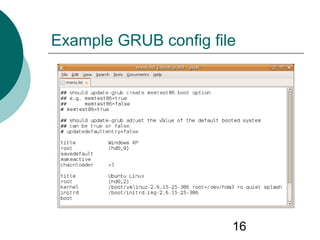
Example GRUB config file
17
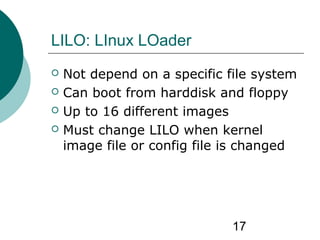
LILO: LInux LOader
 Not depend on a specific file system
 Can boot from harddisk and floppy
 Up to 16 different images
 Must change LILO when kernel
image file or config file is changed
Kernel
19
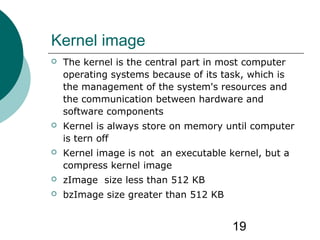
Kernel image
 The kernel is the central part in most computer
operating systems because of its task, which is
the management of the system's resources and
the communication between hardware and
software components
 Kernel is always store on memory until computer
is tern off
 Kernel image is not an executable kernel, but a
compress kernel image
 zImage size less than 512 KB
 bzImage size greater than 512 KB
20
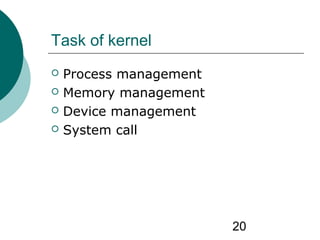
Task of kernel
 Process management
 Memory management
 Device management
 System call
21
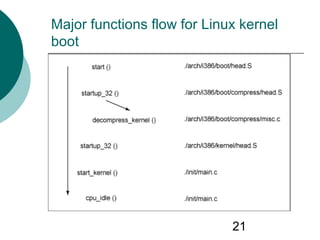
Major functions flow for Linux kernel
boot
22
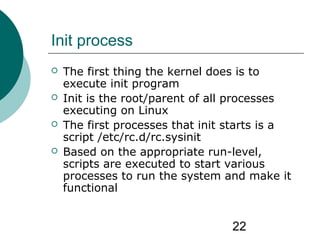
Init process
 The first thing the kernel does is to
execute init program
 Init is the root/parent of all processes
executing on Linux
 The first processes that init starts is a
script /etc/rc.d/rc.sysinit
 Based on the appropriate run-level,
scripts are executed to start various
processes to run the system and make it
functional
23
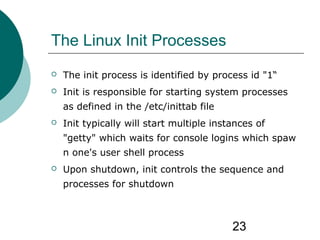
The Linux Init Processes
 The init process is identified by process id "1“
 Init is responsible for starting system processes
as defined in the /etc/inittab file
 Init typically will start multiple instances of
"getty" which waits for console logins which spaw
n one's user shell process
 Upon shutdown, init controls the sequence and
processes for shutdown
24
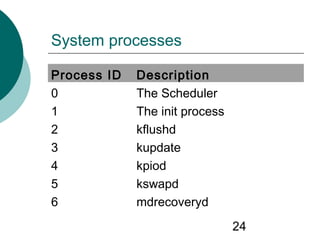
System processes
Process ID Description
0 The Scheduler
1 The init process
2 kflushd
3 kupdate
4 kpiod
5 kswapd
6 mdrecoveryd
25
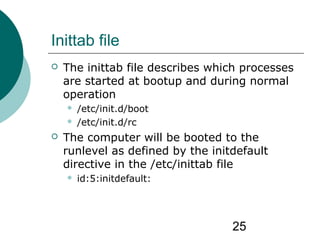
Inittab file
 The inittab file describes which processes
are started at bootup and during normal
operation
 /etc/init.d/boot
 /etc/init.d/rc
 The computer will be booted to the
runlevel as defined by the initdefault
directive in the /etc/inittab file
 id:5:initdefault:
26
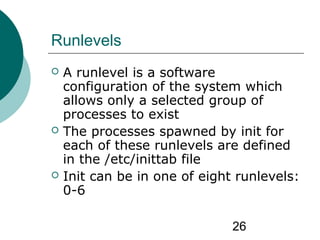
Runlevels
 A runlevel is a software
configuration of the system which
allows only a selected group of
processes to exist
 The processes spawned by init for
each of these runlevels are defined
in the /etc/inittab file
 Init can be in one of eight runlevels:
0-6
27
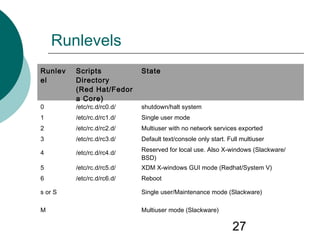
Runlevels
Runlev
el
Scripts
Directory
(Red Hat/Fedor
a Core)
State
0 /etc/rc.d/rc0.d/ shutdown/halt system
1 /etc/rc.d/rc1.d/ Single user mode
2 /etc/rc.d/rc2.d/ Multiuser with no network services exported
3 /etc/rc.d/rc3.d/ Default text/console only start. Full multiuser
4 /etc/rc.d/rc4.d/ Reserved for local use. Also X-windows (Slackware/
BSD)
5 /etc/rc.d/rc5.d/ XDM X-windows GUI mode (Redhat/System V)
6 /etc/rc.d/rc6.d/ Reboot
s or S Single user/Maintenance mode (Slackware)
M Multiuser mode (Slackware)
28
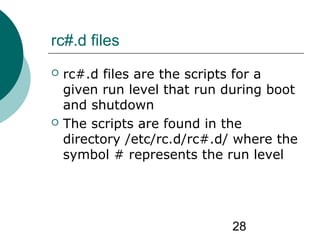
rc#.d files
 rc#.d files are the scripts for a
given run level that run during boot
and shutdown
 The scripts are found in the
directory /etc/rc.d/rc#.d/ where the
symbol # represents the run level
29
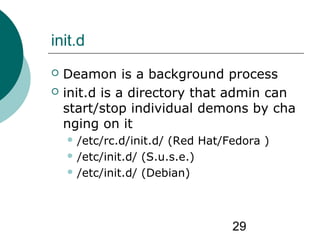
init.d
 Deamon is a background process
 init.d is a directory that admin can
start/stop individual demons by cha
nging on it
 /etc/rc.d/init.d/ (Red Hat/Fedora )
 /etc/init.d/ (S.u.s.e.)
 /etc/init.d/ (Debian)
30
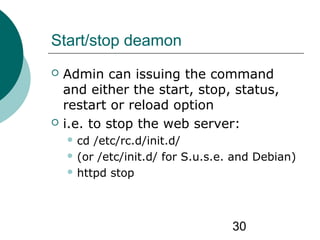
Start/stop deamon
 Admin can issuing the command
and either the start, stop, status,
restart or reload option
 i.e. to stop the web server:
 cd /etc/rc.d/init.d/
 (or /etc/init.d/ for S.u.s.e. and Debian)
 httpd stop
31
References
 http://en.wikipedia.org/
 http://www-
128.ibm.com/developerworks/linux/library/l-
linuxboot/
 http://yolinux.com/TUTORIALS/LinuxTutorialInitPr
ocess.html
 http://www.pycs.net/lateral/stories/23.html
 http://www.secguru.com/files/linux_file_structure
 http://www.comptechdoc.org/os/linux/
commands/linux_crfilest.html

Linux booting procedure

  • 1.
  • 2.
  • 3.
  • 4.
    4 How computer startup? Booting is a bootstrapping process that starts operating systems when the user turns on a computer system  A boot sequence is the set of operations the computer performs when it is switched on that load an operating system
  • 5.
    5 Booting sequence 1. Ternon 2. CPU jump to address of BIOS (0xFFFF0) 3. BIOS runs POST (Power-On Self Test) 4. Find bootale devices 5. Loads and execute boot sector form MBR 6. Load OS
  • 6.
    6 BIOS (Basic Input/OutputSystem)  BIOS refers to the software code run by a computer when first powered on  The primary function of BIOS is code program embedded on a chip that recognises and controls various devices that make up the computer. BIOS on board BIOS on screen
  • 7.
  • 8.
    8 MBR (Master BootRecord)  OS is booted from a hard disk, where the Master Boot Record (MBR) contains the primary boot loader  The MBR is a 512-byte sector, located in the first sector on the disk (sector 1 of cylinder 0, head 0)  After the MBR is loaded into RAM, the BIOS yields control to it.
  • 9.
  • 10.
    10 MBR (Master BootRecord)  The first 446 bytes are the primary boot loader, which contains both executable code and error message text  The next sixty-four bytes are the partition table, which contains a record for each of four partitions  The MBR ends with two bytes that are defined as the magic number (0xAA55). The magic number serves as a validation check of the MBR
  • 11.
    11 Extracting the MBR To see the contents of MBR, use this command:  # dd if=/dev/hda of=mbr.bin bs=512 count=1  # od -xa mbr.bin **The dd command, which needs to be run from root, reads the first 512 bytes from /dev/hda (the first Integrated Drive Electronics, or IDE drive) an d writes them to the mbr.bin file. **The od command prints the binary file in hex and ASCII formats.
  • 12.
    12 Boot loader  Bootloader could be more aptly called the kernel loader. The task at this stage is to load the Linux kernel  Optional, initial RAM disk  GRUB and LILO are the most popular Linux boot loader.
  • 13.
    13 Other boot loader(Several OS)  bootman  GRUB  LILO  NTLDR  XOSL  BootX  loadlin  Gujin  Boot Camp  Syslinux  GAG
  • 14.
    14 GRUB: GRand UnifiedBootloader  GRUB is an operating system independant boot loader  A multiboot software packet from GNU  Flexible command line interface  File system access  Support multiple executable format  Support diskless system  Download OS from network  Etc.
  • 15.
    15 GRUB boot process 1.The BIOS finds a bootable device (hard disk) and transfers control to the master boot record 2. The MBR contains GRUB stage 1. Given the small size of the MBR, Stage 1 just load the next stage of GRUB 3. GRUB Stage 1.5 is located in the first 30 kilobytes of hard disk immediately following the MBR. Stage 1.5 loads Stage 2. 4. GRUB Stage 2 receives control, and displays to the user the GRUB boot menu (where the user can manually specify the boot parameters). 5. GRUB loads the user-selected (or default) kernel into memory and passes control on to the kernel.
  • 16.
  • 17.
    17 LILO: LInux LOader Not depend on a specific file system  Can boot from harddisk and floppy  Up to 16 different images  Must change LILO when kernel image file or config file is changed
  • 18.
  • 19.
    19 Kernel image  Thekernel is the central part in most computer operating systems because of its task, which is the management of the system's resources and the communication between hardware and software components  Kernel is always store on memory until computer is tern off  Kernel image is not an executable kernel, but a compress kernel image  zImage size less than 512 KB  bzImage size greater than 512 KB
  • 20.
    20 Task of kernel Process management  Memory management  Device management  System call
  • 21.
    21 Major functions flowfor Linux kernel boot
  • 22.
    22 Init process  Thefirst thing the kernel does is to execute init program  Init is the root/parent of all processes executing on Linux  The first processes that init starts is a script /etc/rc.d/rc.sysinit  Based on the appropriate run-level, scripts are executed to start various processes to run the system and make it functional
  • 23.
    23 The Linux InitProcesses  The init process is identified by process id "1“  Init is responsible for starting system processes as defined in the /etc/inittab file  Init typically will start multiple instances of "getty" which waits for console logins which spaw n one's user shell process  Upon shutdown, init controls the sequence and processes for shutdown
  • 24.
    24 System processes Process IDDescription 0 The Scheduler 1 The init process 2 kflushd 3 kupdate 4 kpiod 5 kswapd 6 mdrecoveryd
  • 25.
    25 Inittab file  Theinittab file describes which processes are started at bootup and during normal operation  /etc/init.d/boot  /etc/init.d/rc  The computer will be booted to the runlevel as defined by the initdefault directive in the /etc/inittab file  id:5:initdefault:
  • 26.
    26 Runlevels  A runlevelis a software configuration of the system which allows only a selected group of processes to exist  The processes spawned by init for each of these runlevels are defined in the /etc/inittab file  Init can be in one of eight runlevels: 0-6
  • 27.
    27 Runlevels Runlev el Scripts Directory (Red Hat/Fedor a Core) State 0/etc/rc.d/rc0.d/ shutdown/halt system 1 /etc/rc.d/rc1.d/ Single user mode 2 /etc/rc.d/rc2.d/ Multiuser with no network services exported 3 /etc/rc.d/rc3.d/ Default text/console only start. Full multiuser 4 /etc/rc.d/rc4.d/ Reserved for local use. Also X-windows (Slackware/ BSD) 5 /etc/rc.d/rc5.d/ XDM X-windows GUI mode (Redhat/System V) 6 /etc/rc.d/rc6.d/ Reboot s or S Single user/Maintenance mode (Slackware) M Multiuser mode (Slackware)
  • 28.
    28 rc#.d files  rc#.dfiles are the scripts for a given run level that run during boot and shutdown  The scripts are found in the directory /etc/rc.d/rc#.d/ where the symbol # represents the run level
  • 29.
    29 init.d  Deamon isa background process  init.d is a directory that admin can start/stop individual demons by cha nging on it  /etc/rc.d/init.d/ (Red Hat/Fedora )  /etc/init.d/ (S.u.s.e.)  /etc/init.d/ (Debian)
  • 30.
    30 Start/stop deamon  Admincan issuing the command and either the start, stop, status, restart or reload option  i.e. to stop the web server:  cd /etc/rc.d/init.d/  (or /etc/init.d/ for S.u.s.e. and Debian)  httpd stop
  • 31.
    31 References  http://en.wikipedia.org/  http://www- 128.ibm.com/developerworks/linux/library/l- linuxboot/ http://yolinux.com/TUTORIALS/LinuxTutorialInitPr ocess.html  http://www.pycs.net/lateral/stories/23.html  http://www.secguru.com/files/linux_file_structure  http://www.comptechdoc.org/os/linux/ commands/linux_crfilest.html