Rapid E-Learning Tools and Techniques Steve Rayson [email_address] Presentation 31 October 2007
About Kineo Rapid e-learning specialist Partnering with internal learning and development teams  Working flexibly and quickly to help meet the demands placed upon internal teams Developing technology-enabled learning which accelerates learner performance
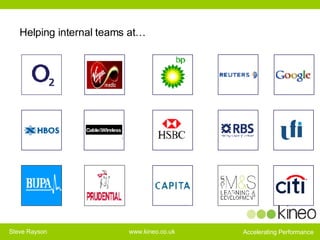
Helping internal teams at…
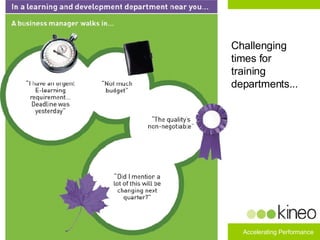
Challenging times for training departments...
The Potential of Rapid E-learning Lower costs of production Reduced development time  Increase speed of response to emerging needs Provide more control to subject matter expert  Easier maintenance and updates  Helps internal teams say ‘yes’ more often
Rapid e-learning: perception and realities Rapid e-learning is an excuse to not do design  Rapid e-learning just means ‘get an authoring tool’   Rapid e-learning just looks like powerpoint Reality: Design is key to success, it’s more important in rapid Reality: Rapid e-learning means a new look at the whole process  Reality: It is not about winning awards it is about getting the job done. But what does it look like?
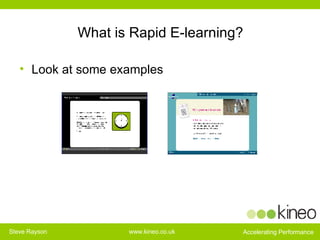
What is Rapid E-learning? Look at some examples
Problems of Traditional E-learning Development “ Boring e-learning results from: Using outdated processes that focus on content presentation, accuracy and comprehensiveness. Processes that rely too much on up-front analysis. Not providing stakeholders with an effective way of being involved.” Michael Allen, Creating Successful E-learning
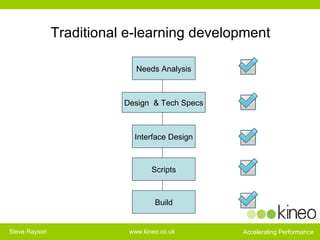
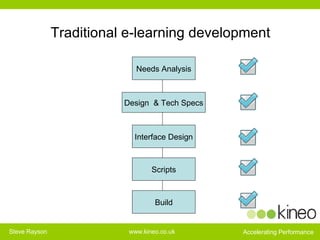
Traditional e-learning development Needs Analysis Design  & Tech Specs Interface Design Scripts Build
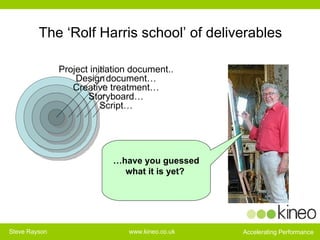
The ‘Rolf Harris school’ of deliverables … have you guessed what it is yet?   Script… Storyboard… Creative treatment… Design   document… Project initiation document..
What is the Problem with this Approach? “ specification documents and storyboards are ineffective ways of creating, communicating and evaluating design alternatives.” “ Poor designs get pushed through the process and are not recognised until too late” “ The need to redesign as better ideas are discovered is considered a fault  (and one the client should pay for),  rather than part of the process.” Michael Allen, Creating Successful E-learning
Rapid e-learning Think guided missile -
So what is Different about Rapid? 1. Different development process 2. Use of small multi-skilled teams 3. Use of templates and patterns for reusability 4. Use of web tools to keep content current
Rapid e-learning technique number 1: Change the development process
Traditional e-learning development Needs Analysis Design  & Tech Specs Interface Design Scripts Build
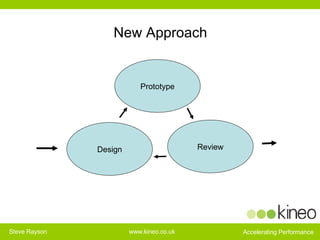
New Approach Prototype Review Design
Prototypes Are fun! Shorten the process Improve information sharing Help people talk more constructively Double checks assumptions Lead to more creative designs Everyone has a view on a prototype Why fret when good ideas emerge late in the process? That’s a good thing…
Summary   Prototypes should take days not weeks Communicate by example, replacing easily misinterpreted design documents Are practical Double-checks assumptions  Promote creativity Communicate effectively  Involve all stakeholders
Rapid e-learning technique number 2: Small, multi-skilled teams
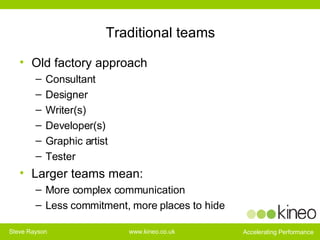
Traditional teams Old factory approach Consultant Designer Writer(s) Developer(s) Graphic artist Tester Larger teams mean: More complex communication Less commitment, more places to hide
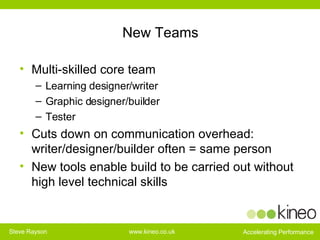
New Teams Multi-skilled core team Learning designer/writer Graphic designer/builder Tester Cuts down on communication overhead: writer/designer/builder often = same person New tools enable build to be carried out without high level technical skills
Rapid e-learning technique 3: Use templates and patterns for re-use
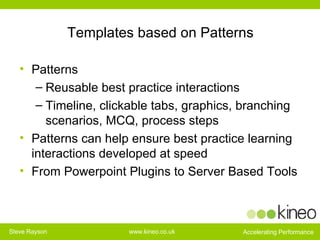
Templates based on Patterns Patterns  Reusable best practice interactions Timeline, clickable tabs, graphics, branching scenarios, MCQ, process steps Patterns can help ensure best practice learning interactions developed at speed From Powerpoint Plugins to Server Based Tools
Rapid technique number 4: Use new tools to make change easy and keep your learning current
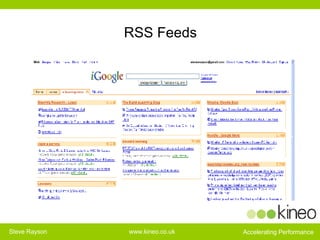
Dynamic Content Things change! Printed Book v Wikipedia Old model - publishes courses, updates every 6 months or so New model - RSS feeds update key content daily or whenever required
RSS Feeds
Learner Contribution Use wikis, blogs, comments functions to enable learners to update, contribute and add value
Impact on the shape of elearning
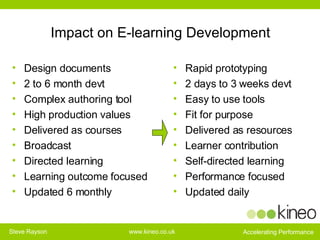
Impact on E-learning Development Design documents 2 to 6 month devt Complex authoring tool High production values Delivered as courses Broadcast Directed learning Learning outcome focused Updated 6 monthly Rapid prototyping 2 days to 3 weeks devt Easy to use tools Fit for purpose Delivered as resources Learner contribution Self-directed learning Performance focused Updated daily
Real World Examples
“ For M&S the approach we’ve taken with Kineo on this project shows how you can deliver cost-effective high-quality e-learning speed, and reach a global audience to address key compliance requirements.”
“ Partnering with Kineo on rapid e-learning has helped us to deliver business critical needs that would not otherwise be possible through e-learning.  Kineo feels like part of our internal learning and development team. They’ve helped us transform what’s possible with e-learning in Cable & Wireless.”
“ With rapid e-learning I can  say   'Yes' to customers I may have had to say 'No' to in the past  due to the time, money and effort required to develop material in the traditional way.”
Summary Rapid provides, fast, cost-effective  Solutions 1. Different development process 2. Use of small multi-skilled teams 3. Use of templates and patterns for reusability 4. Use of web tools to keep content current Free paper on rapid design from our stand or website

Rapid elearning tools and techniques

  • 1.
    Rapid E-Learning Toolsand Techniques Steve Rayson [email_address] Presentation 31 October 2007
  • 2.
    About Kineo Rapide-learning specialist Partnering with internal learning and development teams Working flexibly and quickly to help meet the demands placed upon internal teams Developing technology-enabled learning which accelerates learner performance
  • 3.
  • 4.
    Challenging times fortraining departments...
  • 5.
    The Potential ofRapid E-learning Lower costs of production Reduced development time Increase speed of response to emerging needs Provide more control to subject matter expert Easier maintenance and updates Helps internal teams say ‘yes’ more often
  • 6.
    Rapid e-learning: perceptionand realities Rapid e-learning is an excuse to not do design Rapid e-learning just means ‘get an authoring tool’ Rapid e-learning just looks like powerpoint Reality: Design is key to success, it’s more important in rapid Reality: Rapid e-learning means a new look at the whole process Reality: It is not about winning awards it is about getting the job done. But what does it look like?
  • 7.
    What is RapidE-learning? Look at some examples
  • 8.
    Problems of TraditionalE-learning Development “ Boring e-learning results from: Using outdated processes that focus on content presentation, accuracy and comprehensiveness. Processes that rely too much on up-front analysis. Not providing stakeholders with an effective way of being involved.” Michael Allen, Creating Successful E-learning
  • 9.
    Traditional e-learning developmentNeeds Analysis Design & Tech Specs Interface Design Scripts Build
  • 10.
    The ‘Rolf Harrisschool’ of deliverables … have you guessed what it is yet? Script… Storyboard… Creative treatment… Design document… Project initiation document..
  • 11.
    What is theProblem with this Approach? “ specification documents and storyboards are ineffective ways of creating, communicating and evaluating design alternatives.” “ Poor designs get pushed through the process and are not recognised until too late” “ The need to redesign as better ideas are discovered is considered a fault (and one the client should pay for), rather than part of the process.” Michael Allen, Creating Successful E-learning
  • 12.
    Rapid e-learning Thinkguided missile -
  • 13.
    So what isDifferent about Rapid? 1. Different development process 2. Use of small multi-skilled teams 3. Use of templates and patterns for reusability 4. Use of web tools to keep content current
  • 14.
    Rapid e-learning techniquenumber 1: Change the development process
  • 15.
    Traditional e-learning developmentNeeds Analysis Design & Tech Specs Interface Design Scripts Build
  • 16.
  • 17.
    Prototypes Are fun!Shorten the process Improve information sharing Help people talk more constructively Double checks assumptions Lead to more creative designs Everyone has a view on a prototype Why fret when good ideas emerge late in the process? That’s a good thing…
  • 18.
    Summary Prototypes should take days not weeks Communicate by example, replacing easily misinterpreted design documents Are practical Double-checks assumptions Promote creativity Communicate effectively Involve all stakeholders
  • 19.
    Rapid e-learning techniquenumber 2: Small, multi-skilled teams
  • 20.
    Traditional teams Oldfactory approach Consultant Designer Writer(s) Developer(s) Graphic artist Tester Larger teams mean: More complex communication Less commitment, more places to hide
  • 21.
    New Teams Multi-skilledcore team Learning designer/writer Graphic designer/builder Tester Cuts down on communication overhead: writer/designer/builder often = same person New tools enable build to be carried out without high level technical skills
  • 22.
    Rapid e-learning technique3: Use templates and patterns for re-use
  • 23.
    Templates based onPatterns Patterns Reusable best practice interactions Timeline, clickable tabs, graphics, branching scenarios, MCQ, process steps Patterns can help ensure best practice learning interactions developed at speed From Powerpoint Plugins to Server Based Tools
  • 24.
    Rapid technique number4: Use new tools to make change easy and keep your learning current
  • 25.
    Dynamic Content Thingschange! Printed Book v Wikipedia Old model - publishes courses, updates every 6 months or so New model - RSS feeds update key content daily or whenever required
  • 26.
  • 27.
    Learner Contribution Usewikis, blogs, comments functions to enable learners to update, contribute and add value
  • 28.
    Impact on theshape of elearning
  • 29.
    Impact on E-learningDevelopment Design documents 2 to 6 month devt Complex authoring tool High production values Delivered as courses Broadcast Directed learning Learning outcome focused Updated 6 monthly Rapid prototyping 2 days to 3 weeks devt Easy to use tools Fit for purpose Delivered as resources Learner contribution Self-directed learning Performance focused Updated daily
  • 30.
  • 31.
    “ For M&Sthe approach we’ve taken with Kineo on this project shows how you can deliver cost-effective high-quality e-learning speed, and reach a global audience to address key compliance requirements.”
  • 32.
    “ Partnering withKineo on rapid e-learning has helped us to deliver business critical needs that would not otherwise be possible through e-learning. Kineo feels like part of our internal learning and development team. They’ve helped us transform what’s possible with e-learning in Cable & Wireless.”
  • 33.
    “ With rapide-learning I can say 'Yes' to customers I may have had to say 'No' to in the past due to the time, money and effort required to develop material in the traditional way.”
  • 34.
    Summary Rapid provides,fast, cost-effective Solutions 1. Different development process 2. Use of small multi-skilled teams 3. Use of templates and patterns for reusability 4. Use of web tools to keep content current Free paper on rapid design from our stand or website