ELearning Design
and Rollout
By Jen Milner
The Challenge
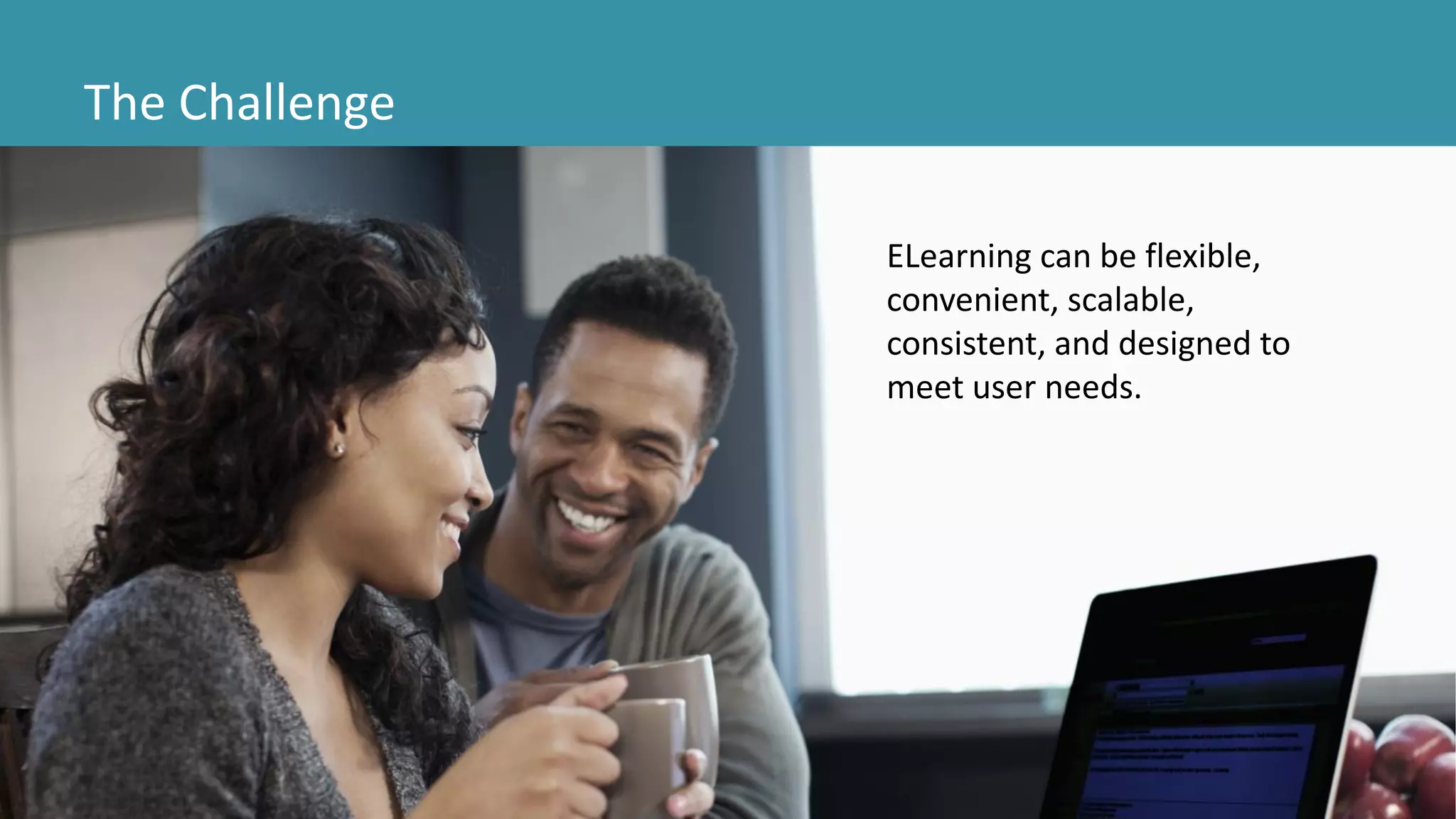
ELearning can be flexible,
convenient, scalable,
consistent, and designed to
meet user needs.
The Challenge
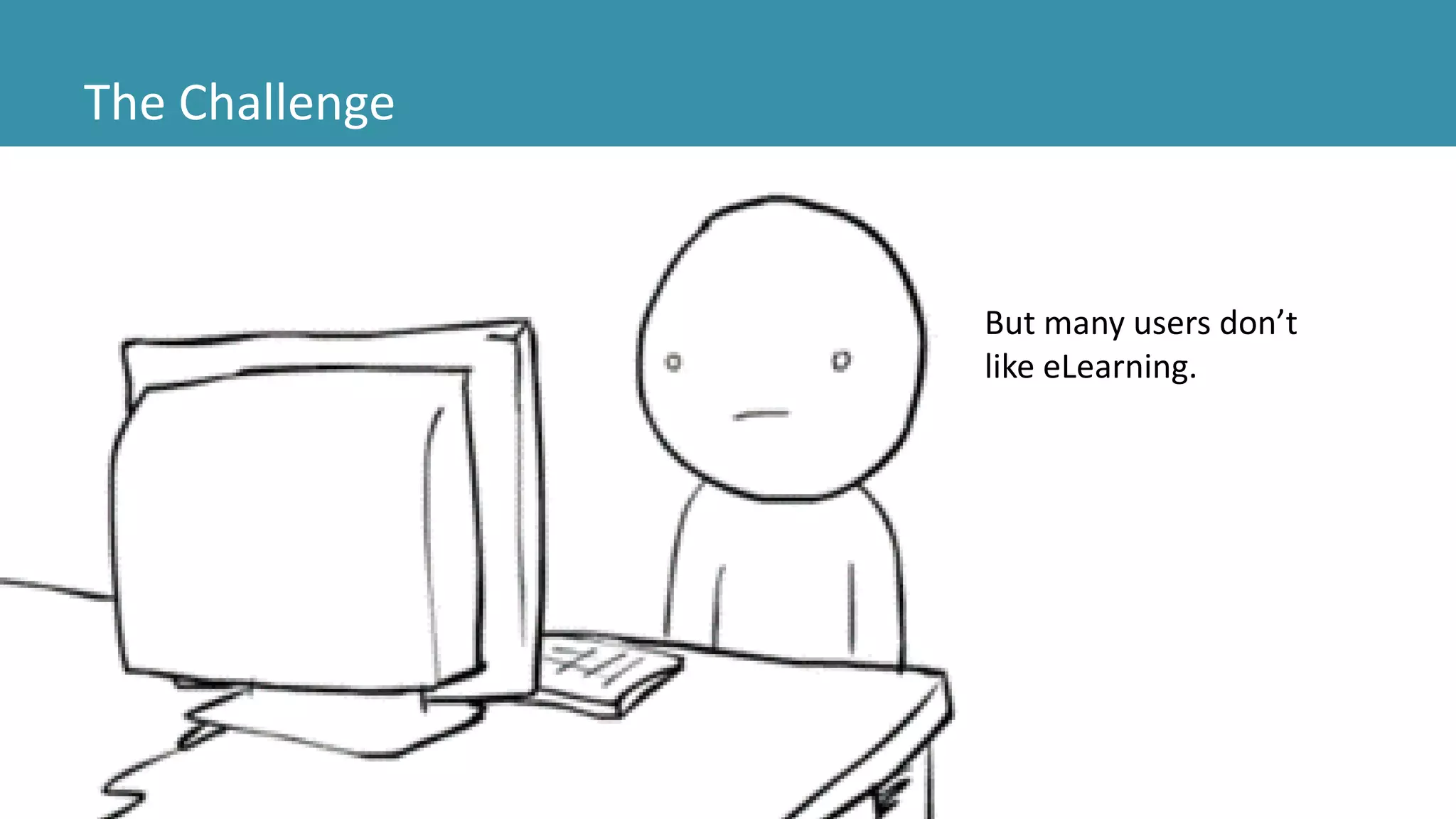
But many users don’t
like eLearning.
The Challenge
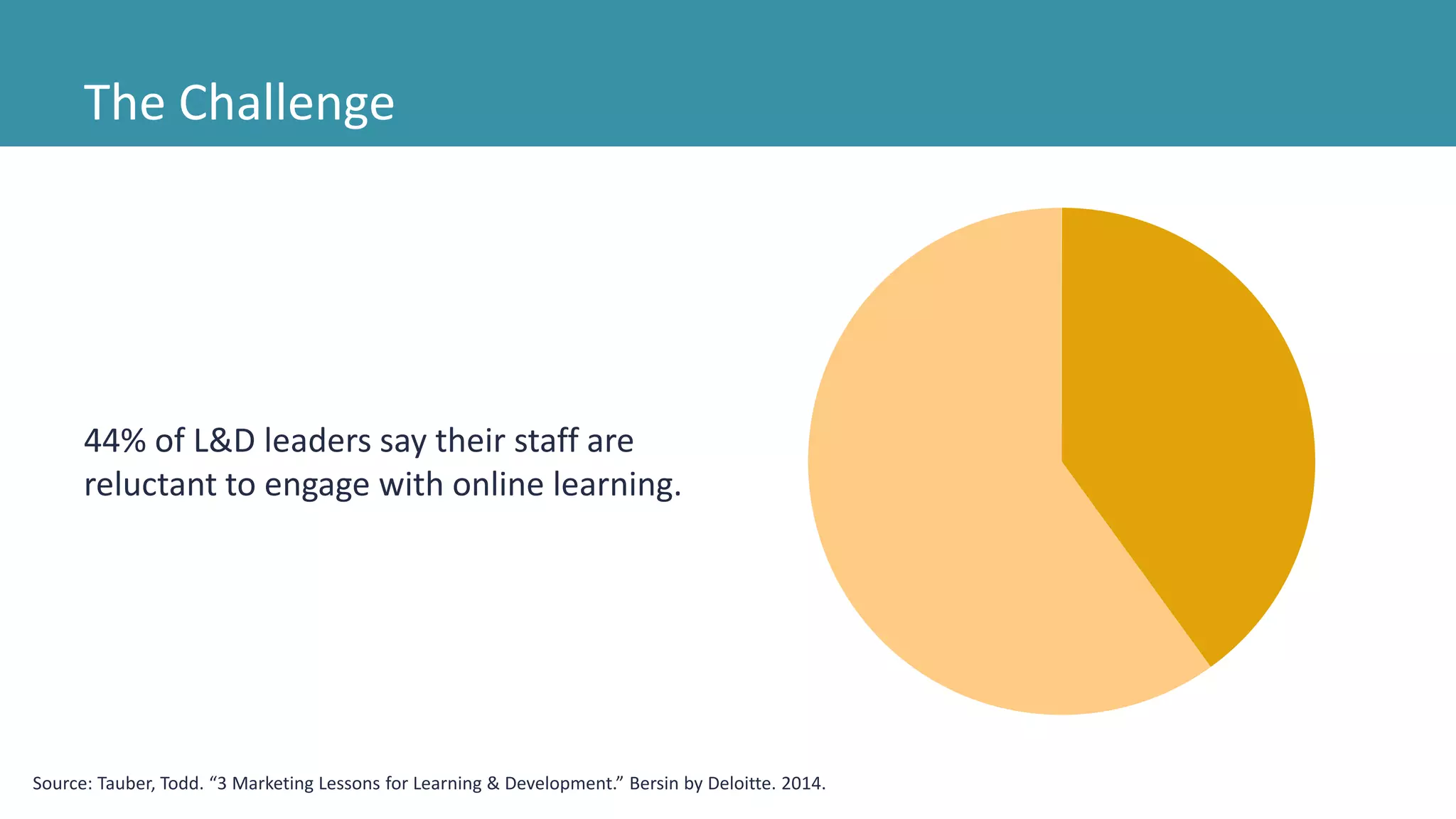
44% of L&D leaders say their staff are
reluctant to engage with online learning.
Source: Tauber, Todd. “3 Marketing Lessons for Learning & Development.” Bersin by Deloitte. 2014.
The Challenge
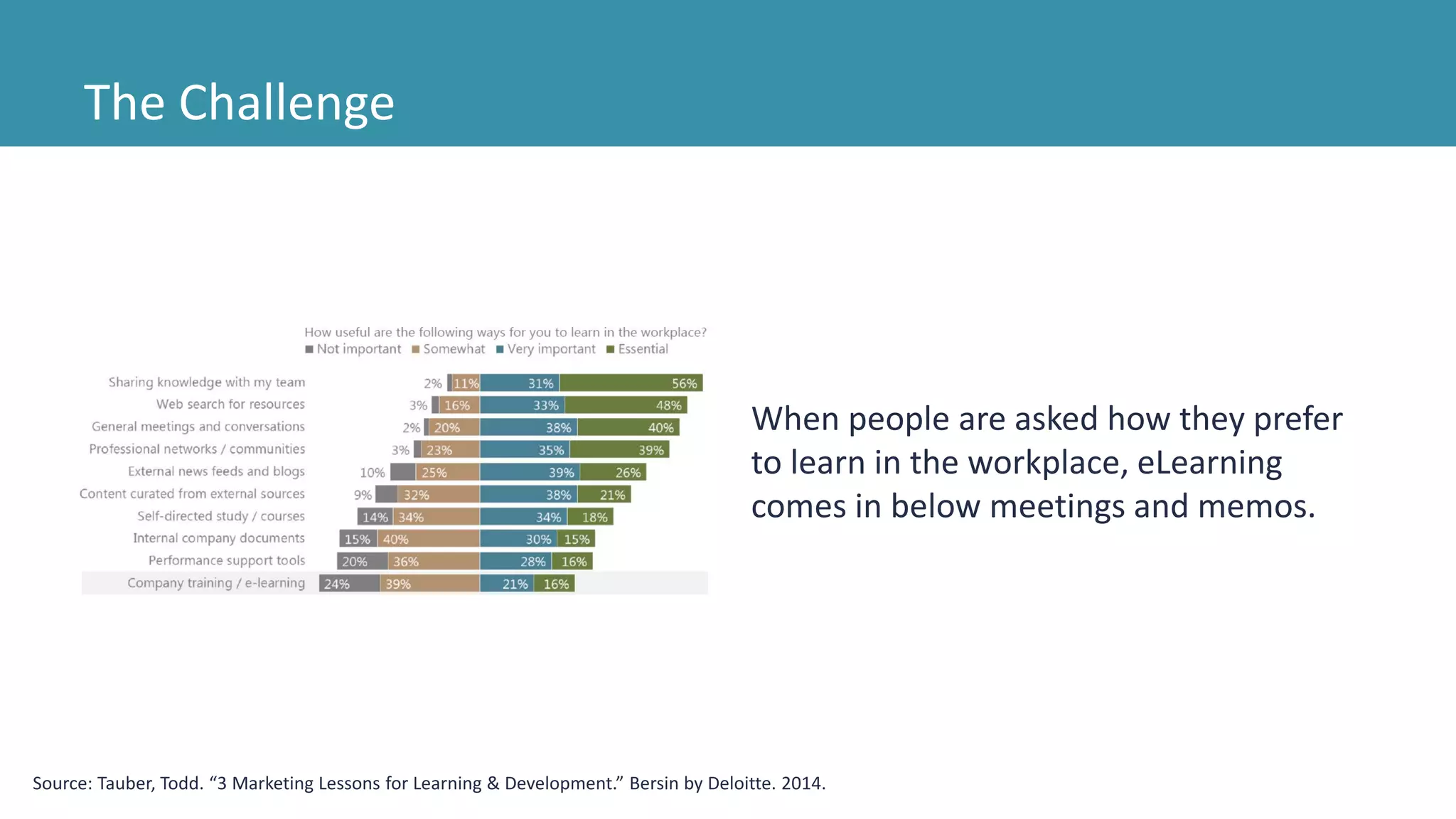
When people are asked how they prefer
to learn in the workplace, eLearning
comes in below meetings and memos.
Source: Tauber, Todd. “3 Marketing Lessons for Learning & Development.” Bersin by Deloitte. 2014.
The Challenge
This is a big problem because eLearning is
becoming more common.
We need to do better.
Source: Tauber, Todd. “3 Marketing Lessons for Learning & Development.” Bersin by Deloitte. 2014.
Analyze
Design
Develop
Implement
Evaluate
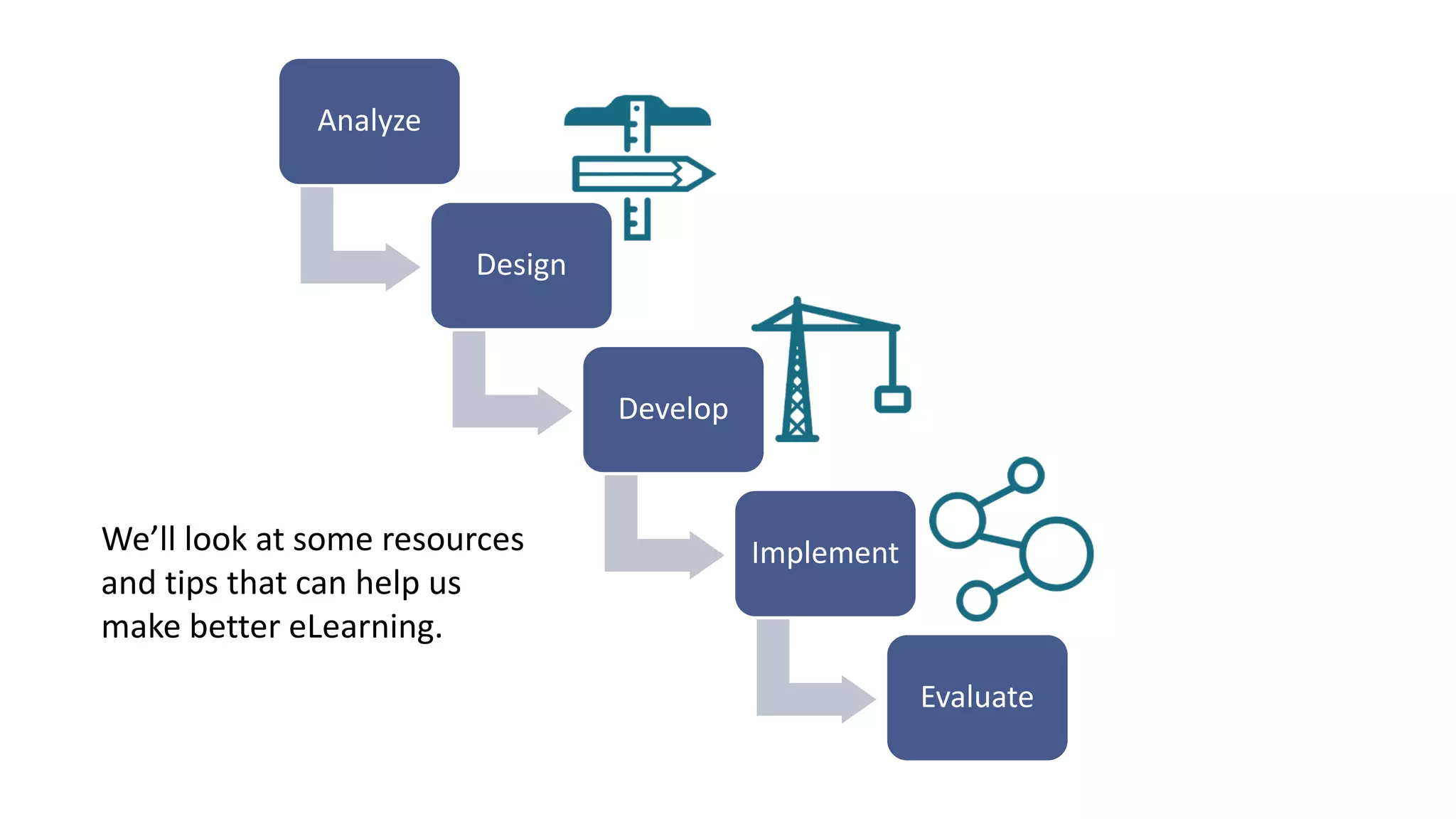
We’ll look at some resources
and tips that can help us
make better eLearning.
Designing eLearning
Source: http://blog.cathy-moore.com/2013/05/is-
training-really-the-answer-ask-the-flowchart/
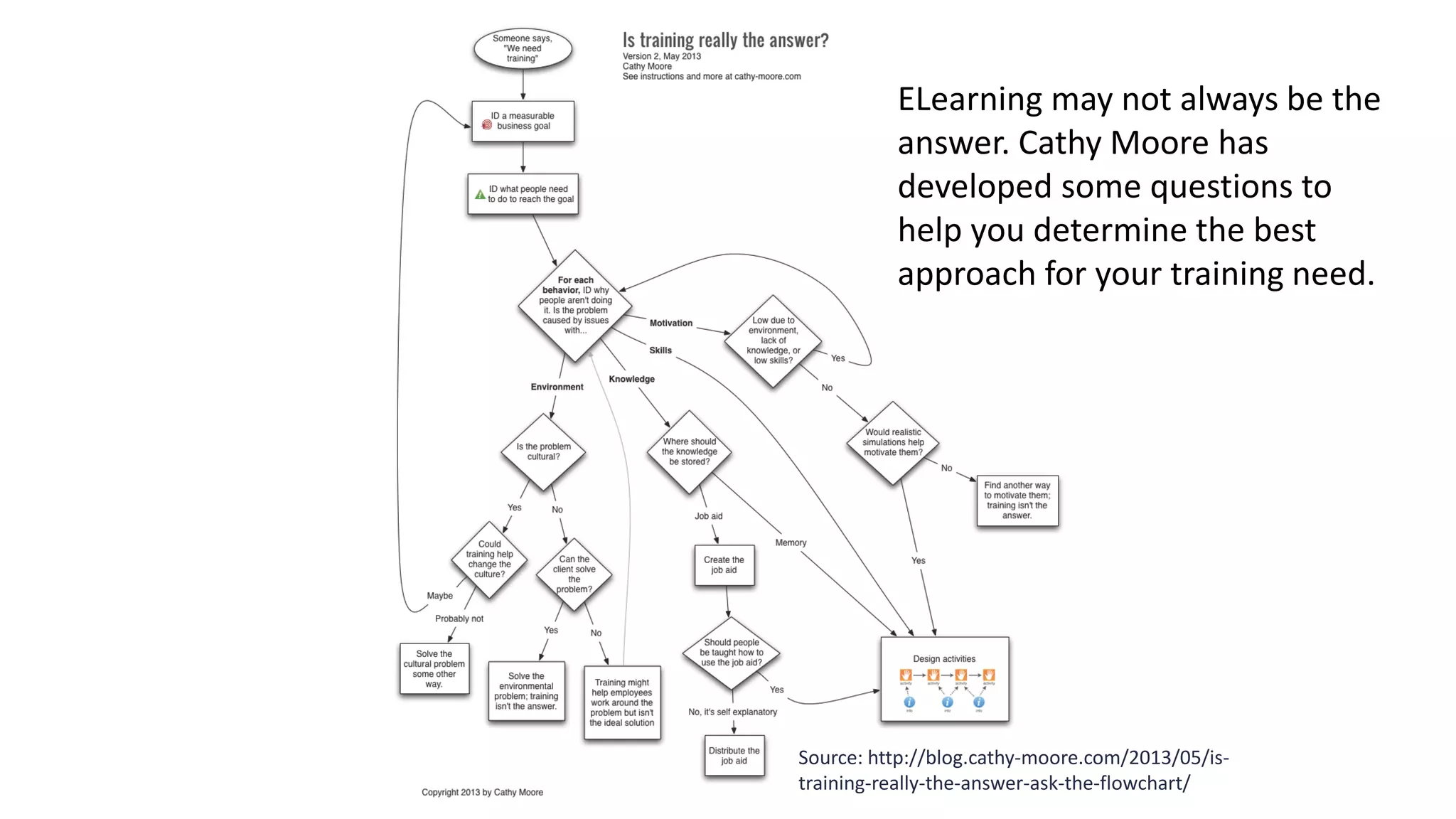
ELearning may not always be the
answer. Cathy Moore has
developed some questions to
help you determine the best
approach for your training need.
Designing eLearning
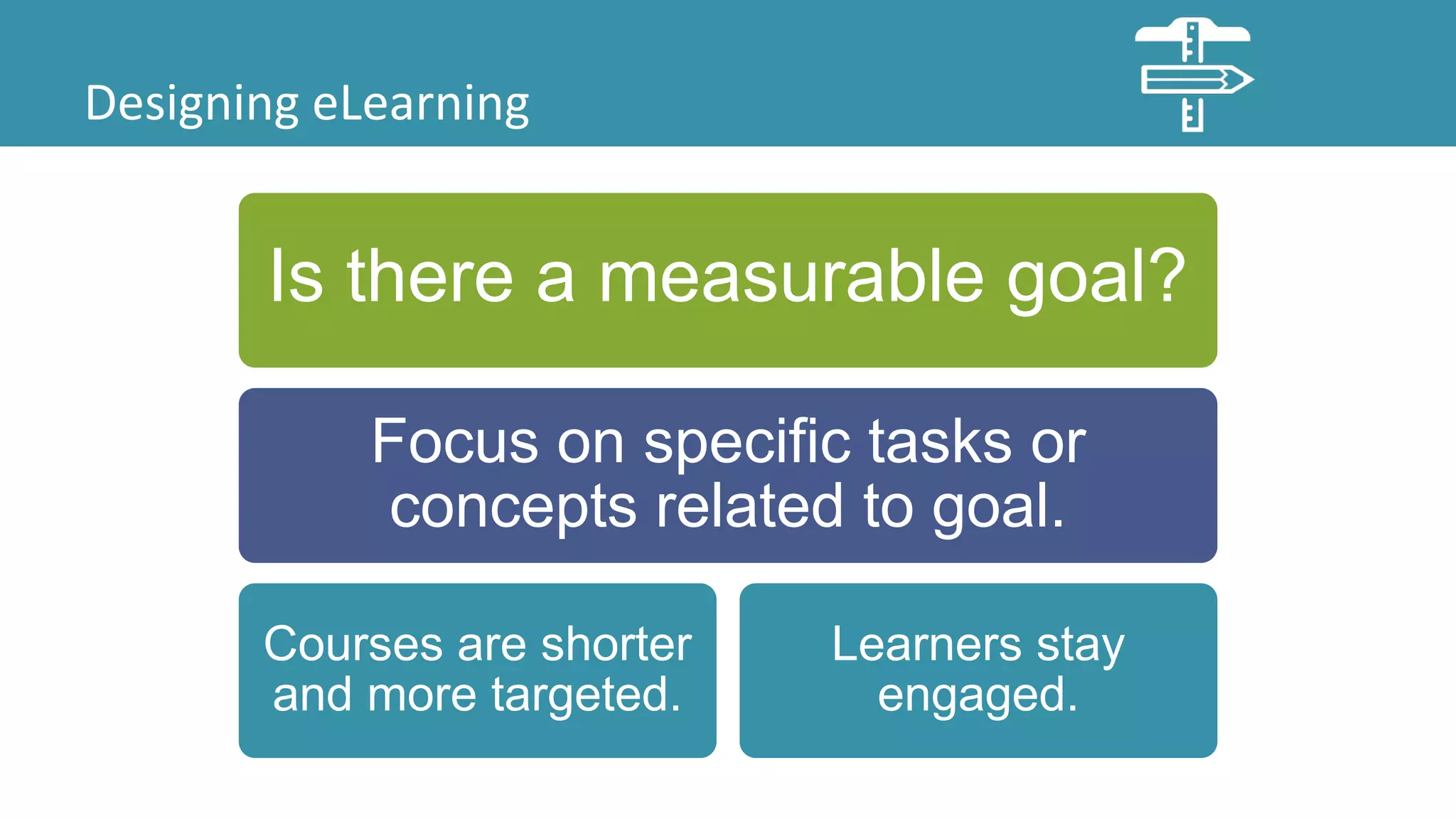
Is there a measurable goal?
Focus on specific tasks or
concepts related to goal.
Courses are shorter
and more targeted.
Learners stay
engaged.
Designing eLearning
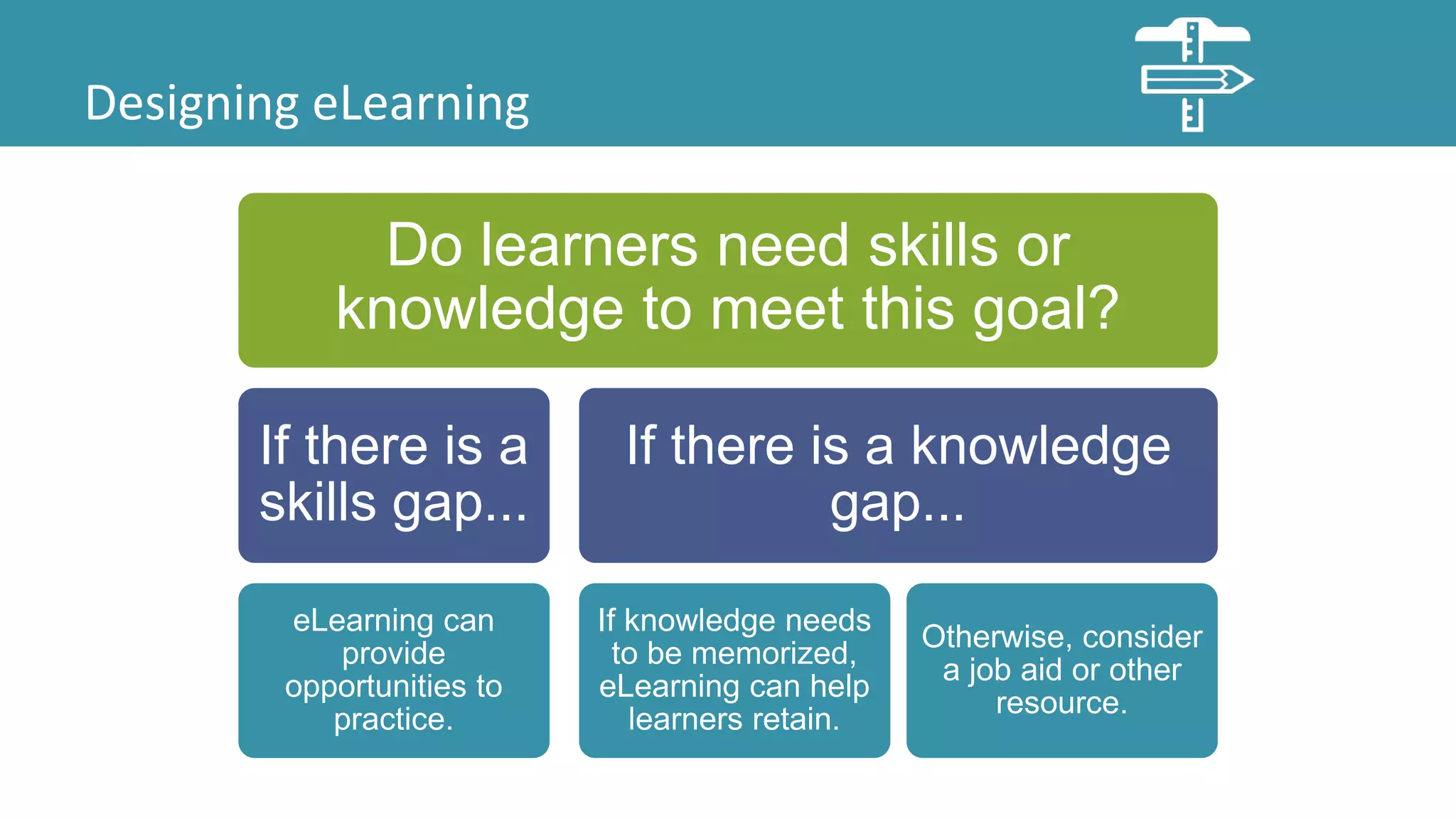
Do learners need skills or
knowledge to meet this goal?
If there is a
skills gap...
eLearning can
provide
opportunities to
practice.
If there is a knowledge
gap...
If knowledge needs
to be memorized,
eLearning can help
learners retain.
Otherwise, consider
a job aid or other
resource.
Designing eLearning
Is the problem cultural or caused
by lack of motivation?
Can training
change the
culture?
If not, address
underlying
issues.
Is the lack of motivation due to
lack of skills or knowledge?
If yes, training
can help.
If not, find
another way.
Designing eLearning
Let’s look at several training requests and see what questions we could ask to
determine the best approach.
Designing eLearning
Training Request: Our entire user guide needs to be
delivered as eLearning organized by screen and
covering all buttons and fields.
In this example, clarify the business goals and focus
on what learners need to be able to do to meet those
goals.
Designing eLearning
Training Request: We need eLearning for our
customers on submitting and tracking issues on our
support portal.
In this example, submitting and tracking issues
hopefully isn’t something learners need to do
everyday and is a simple process. Another approach is
probably best here.
Designing eLearning
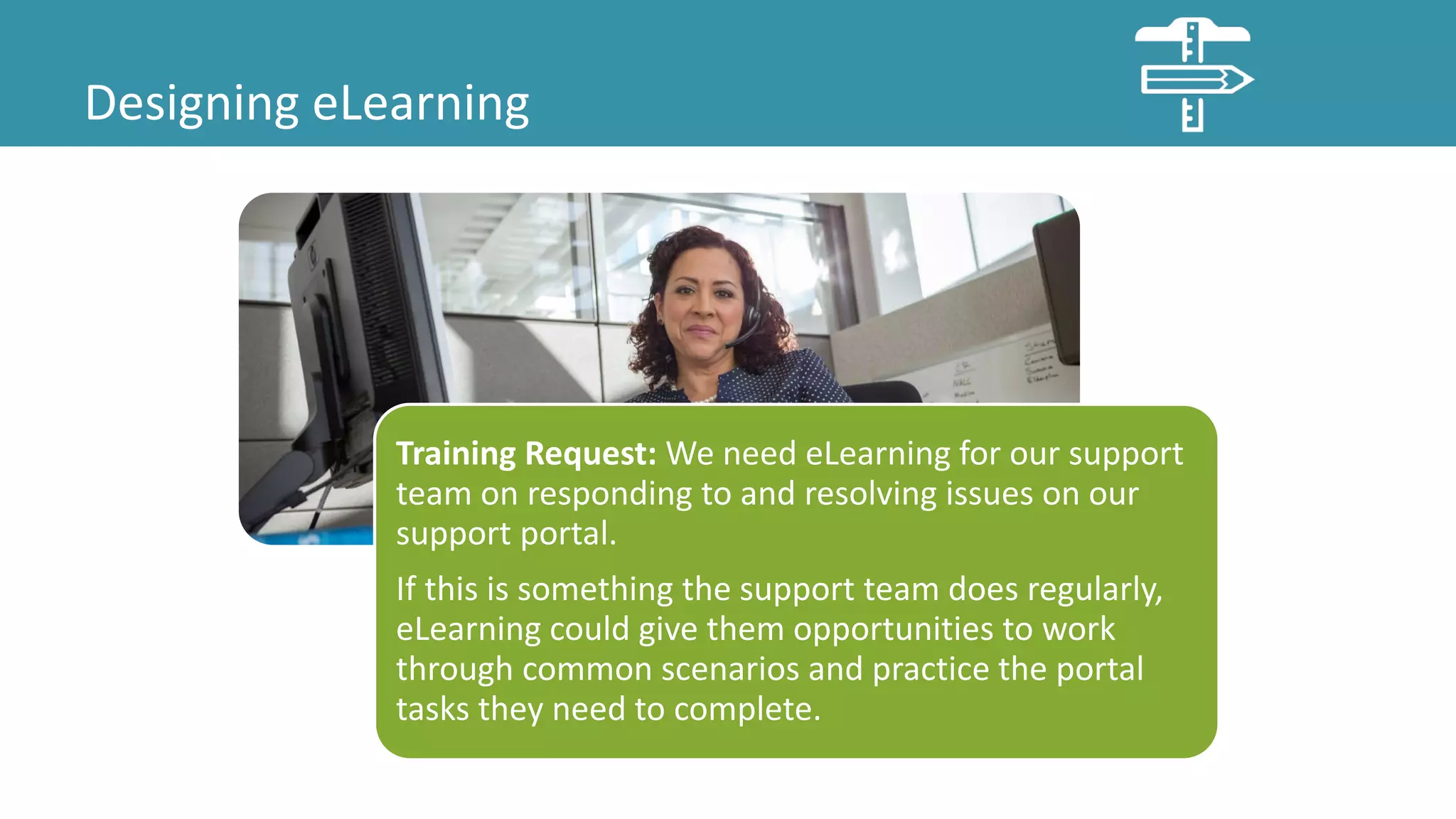
Training Request: We need eLearning for our support
team on responding to and resolving issues on our
support portal.
If this is something the support team does regularly,
eLearning could give them opportunities to work
through common scenarios and practice the portal
tasks they need to complete.
Designing eLearning
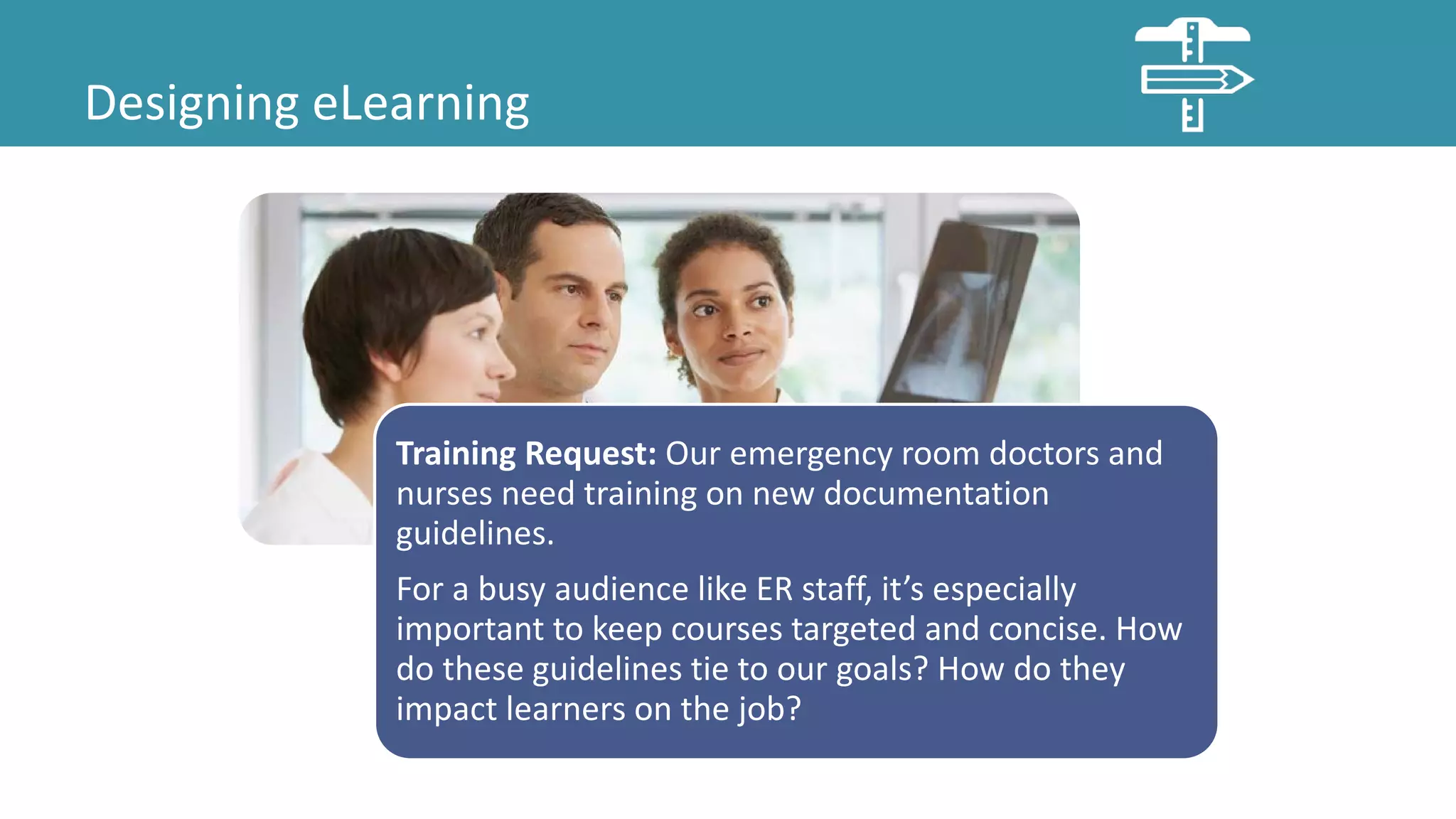
Training Request: Our emergency room doctors and
nurses need training on new documentation
guidelines.
For a busy audience like ER staff, it’s especially
important to keep courses targeted and concise. How
do these guidelines tie to our goals? How do they
impact learners on the job?
Designing eLearning
Training Request: We need to teach product admins
how to create custom reports and dashboards.
If this is something admins do regularly, eLearning
could give admins opportunities to practice the steps
for creating reports and to explore some common
examples.
Designing eLearning
Training Request: Product admins also need to know
about the database tables available for reporting.
Is this something admins need to memorize? If not,
consider another approach, such as a job aid. If we
create the course requested on the previous page, we
could introduce the tables and job aid there.
Designing eLearning
Now that we’ve identified projects appropriate for eLearning, what limitations are we
likely to face as we move forward with development?
Designing eLearning
One limitation that we often overlook is
our capacity to learn.
Novice to Expert
Designing eLearning
Have you learned something new recently? How did it feel?
Long-term memory has a huge capacity for information. During
learning, processing in working memory produces new or
expanded patterns in long-term memory, which can be brought
back into working memory when needed.
Any task repeated hundreds of times becomes hardwired into
long-term memory, and automatic tasks can be performed with
little or no working memory. This allows experts to save working
memory for problem solving, multitasking, complex tasks, etc.
Source: Clark, Ruth Colvin. Evidence-Based Training Methods: A Guide for Training Professionals. Alexandria, VA: ATD Press, 2015. Print.
Designing eLearning
Working Memory
Active
Processor
Where problem solving,
thinking, and learning take
place
Limited
Capacity
Capacity of 3-5 chunks of
information
Dual
Channel
Separate systems for:
• Audio (reading a word)
• Visual (seeing a picture)
Topics encoded two ways are
easier to remember.
Until we get learners to expert status, we
need to focus on working memory.
We can easily overload working memory
with too much content, unfamiliar terms,
lengthy lectures, etc.
Source: Clark, Ruth Colvin. Evidence-Based Training Methods: A Guide for Training Professionals. Alexandria, VA: ATD Press, 2015. Print.
Designing eLearning
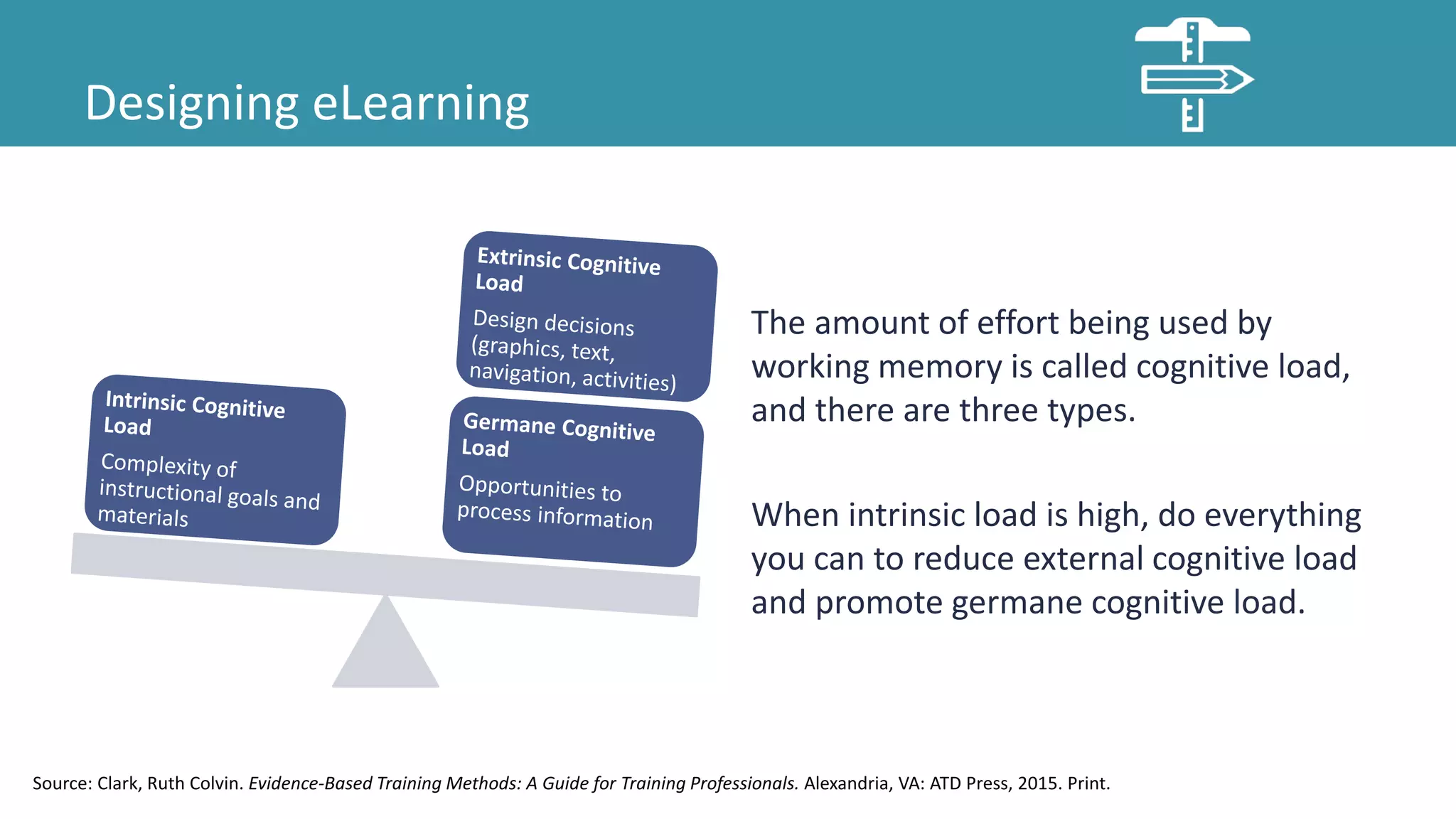
The amount of effort being used by
working memory is called cognitive load,
and there are three types.
When intrinsic load is high, do everything
you can to reduce external cognitive load
and promote germane cognitive load.
Source: Clark, Ruth Colvin. Evidence-Based Training Methods: A Guide for Training Professionals. Alexandria, VA: ATD Press, 2015. Print.
Developing eLearning
• Relevant graphics improve learning of novices.
• Avoid identical narration of written text.
• Chunk text into small segments.
• Apply methods to manage cognitive load.
• Use high fidelity examples to illustrate routine
tasks.
• Provide examples for novice learners.
• The best learning comes from relevant
behavioral engagement with feedback.
• Provide guided practice.
• Organize behavioral engagement in the form
of practice exercises.
• Break large tasks into sub-tasks, but teach
context of the whole.
• Teach important concepts before the
procedure.
• Identify sufficient scenarios to reach
competency.
• Ensure sufficient guidance.
• Provide opportunities for explicit reflection.
Ruth Clark has a number of tips for creating better eLearning based on research, but a
better way to explore them is by looking at an example.
Source: Clark, Ruth Colvin. Evidence-Based Training Methods: A Guide for Training Professionals. Alexandria, VA: ATD Press, 2015. Print.
This is a course developed
for medical staff about
using a new program to
triage patients coming into
the ER.
This slide welcomes learners
to the course and introduces
the system functions.
Make training personable
with a conversational tone.
Use first and second person,
polite phrases, instructors
as hosts, and narrative
writing.
Promote deeper learning by
adding visuals to text, but
minimize visuals unrelated
to the instructional goal.
They can interrupt the
instructional message.
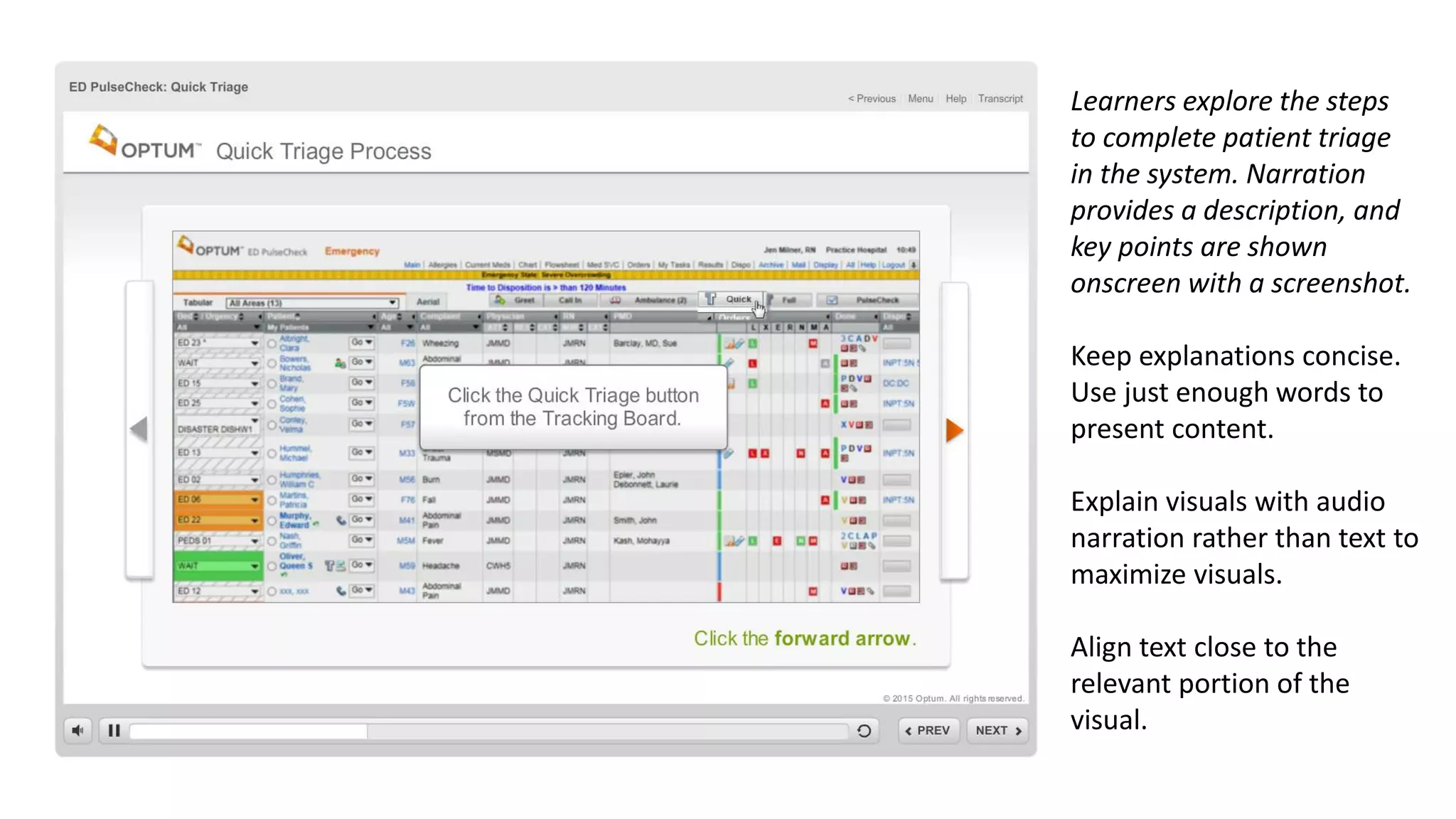
Learners explore the steps
to complete patient triage
in the system. Narration
provides a description, and
key points are shown
onscreen with a screenshot.
Keep explanations concise.
Use just enough words to
present content.
Explain visuals with audio
narration rather than text to
maximize visuals.
Align text close to the
relevant portion of the
visual.
Next, learners explore the
whole triage screen. This
slide is overwhelming, and
there are too many items.
Segment content into
smaller chunks that can be
accessed by the learner at
their preferred pace.
While learners can explore
the field explanations here
at their own pace, it’s
unlikely that they will. It
would have been better to
split this into sections, and
then have learners explore
each section.
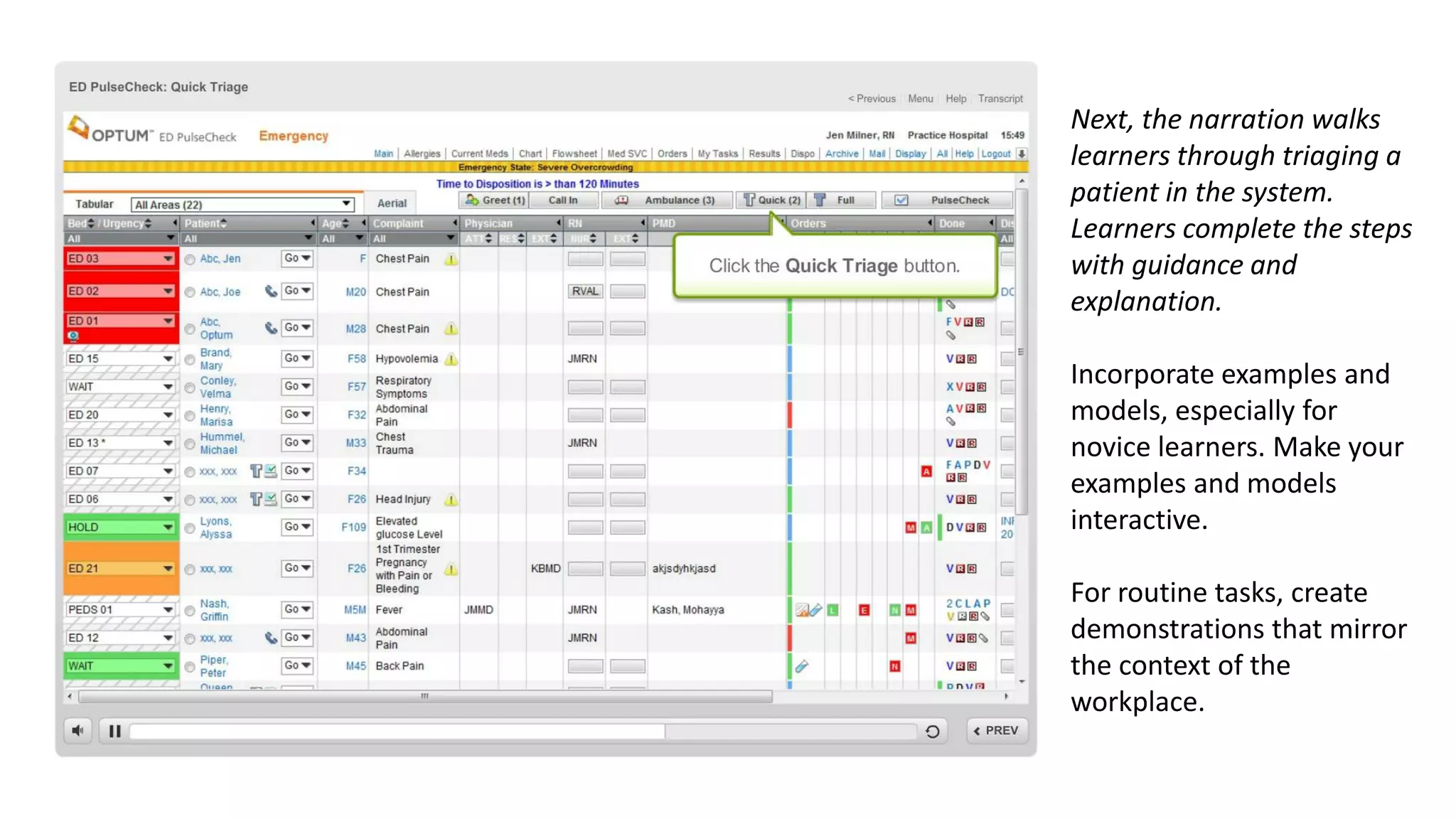
Next, the narration walks
learners through triaging a
patient in the system.
Learners complete the steps
with guidance and
explanation.
Incorporate examples and
models, especially for
novice learners. Make your
examples and models
interactive.
For routine tasks, create
demonstrations that mirror
the context of the
workplace.
Save time and improve
learning by replacing
practice exercises with
worked examples. A worked
example is a demonstration
that the steps the learner
must take to complete a
task or solve a problem.
Worked examples lead to
better learning than
practice exercises alone.
The course ends with a
multiple choice question on
the course content. What’s
wrong with this approach?
Incorporate the context of
the job to build practice
exercises that require
application rather than
recall of content.
Distribute practice within
your lessons and
throughout your content
rather than grouping them
together.
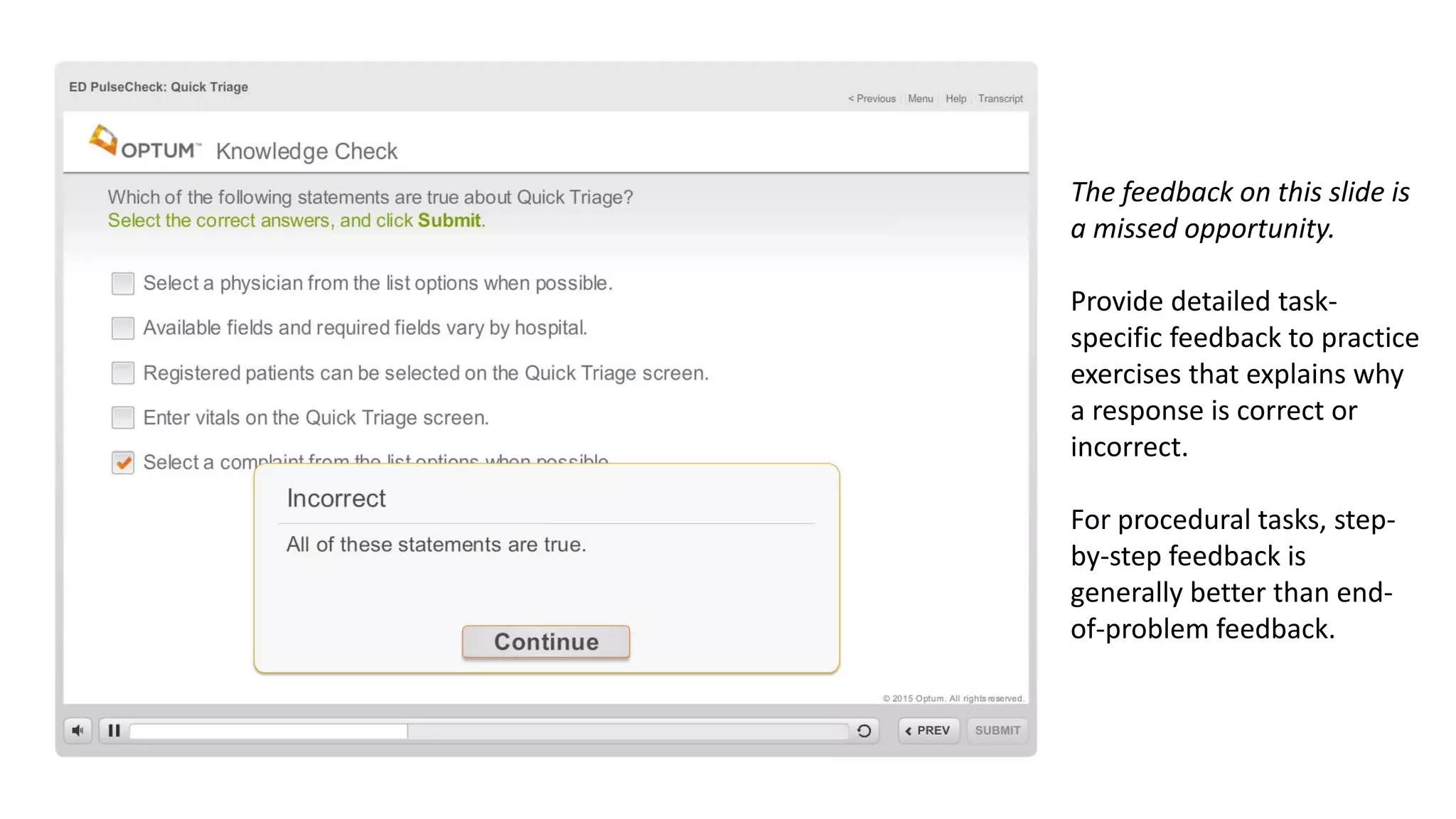
The feedback on this slide is
a missed opportunity.
Provide detailed task-
specific feedback to practice
exercises that explains why
a response is correct or
incorrect.
For procedural tasks, step-
by-step feedback is
generally better than end-
of-problem feedback.
Implementing eLearning
Determine access methods
Communicate to customers
Determine Access Methods
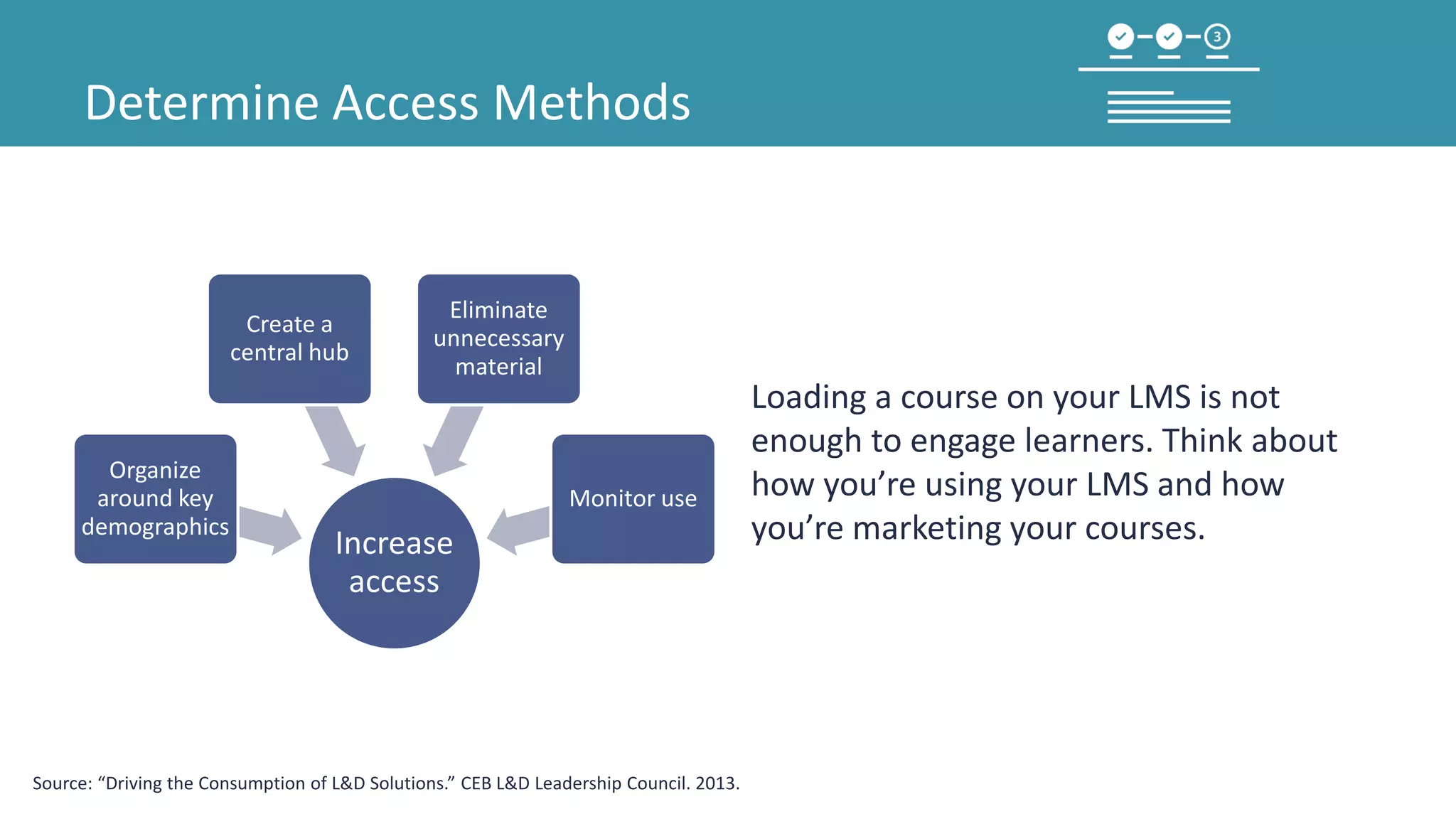
Increase
access
Organize
around key
demographics
Create a
central hub
Eliminate
unnecessary
material
Monitor use
Loading a course on your LMS is not
enough to engage learners. Think about
how you’re using your LMS and how
you’re marketing your courses.
Source: “Driving the Consumption of L&D Solutions.” CEB L&D Leadership Council. 2013.
Determine Access Methods
A learning ecosystem approach can help
you figure out what to include in your
learning hub or portal.
Performance
Support
Knowledge
Management
Access to
Experts
Social
Networking
Structured
Learning
Human
Resources
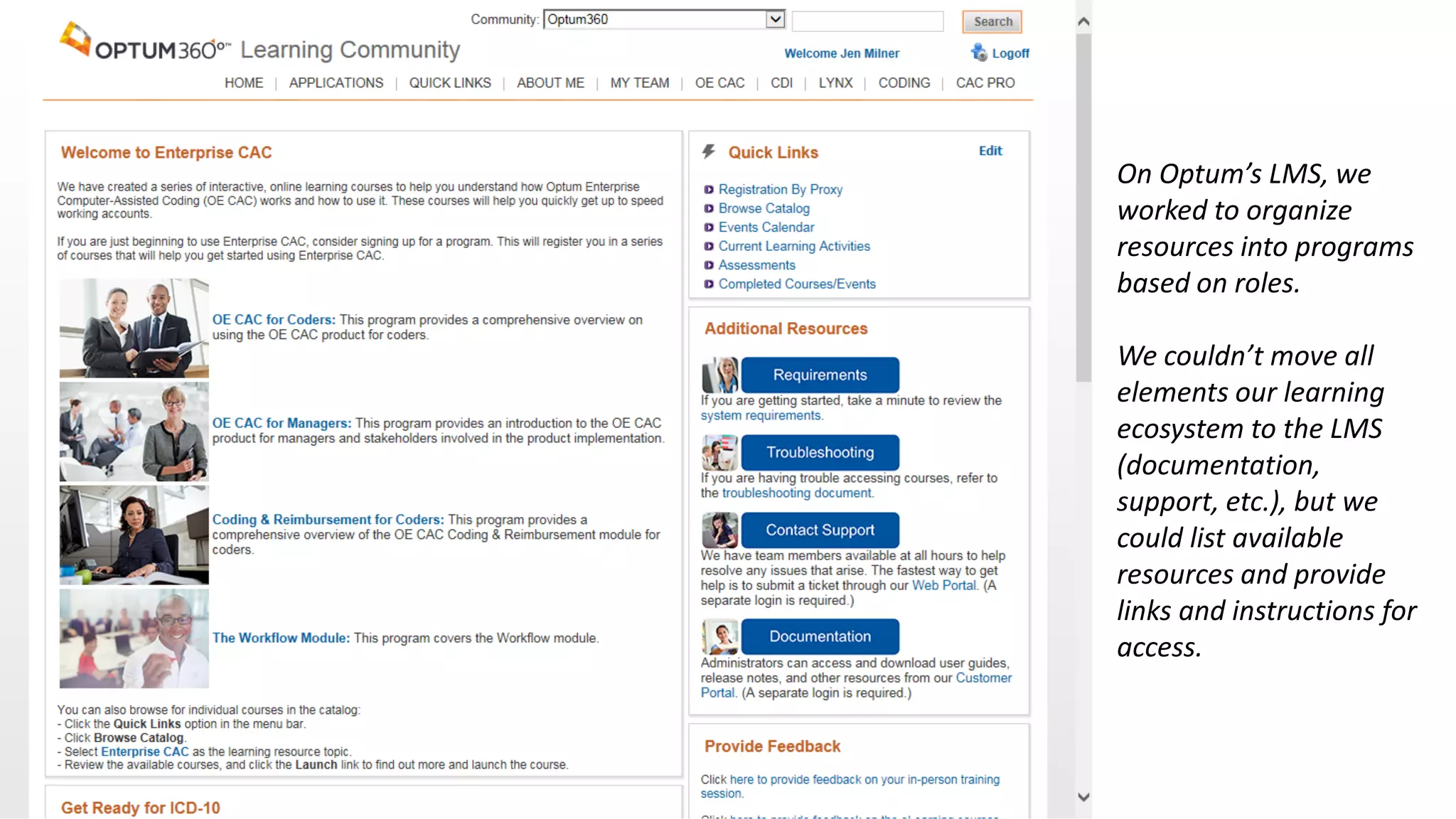
On Optum’s LMS, we
worked to organize
resources into programs
based on roles.
We couldn’t move all
elements our learning
ecosystem to the LMS
(documentation,
support, etc.), but we
could list available
resources and provide
links and instructions for
access.
Communicate to Customers
Next, think about how you’ll market your
course to learners and other key
stakeholders.
Source: Tauber, Todd. “3 Marketing Lessons for Learning & Development.” Bersin by Deloitte. 2014.
Communicate to Customers
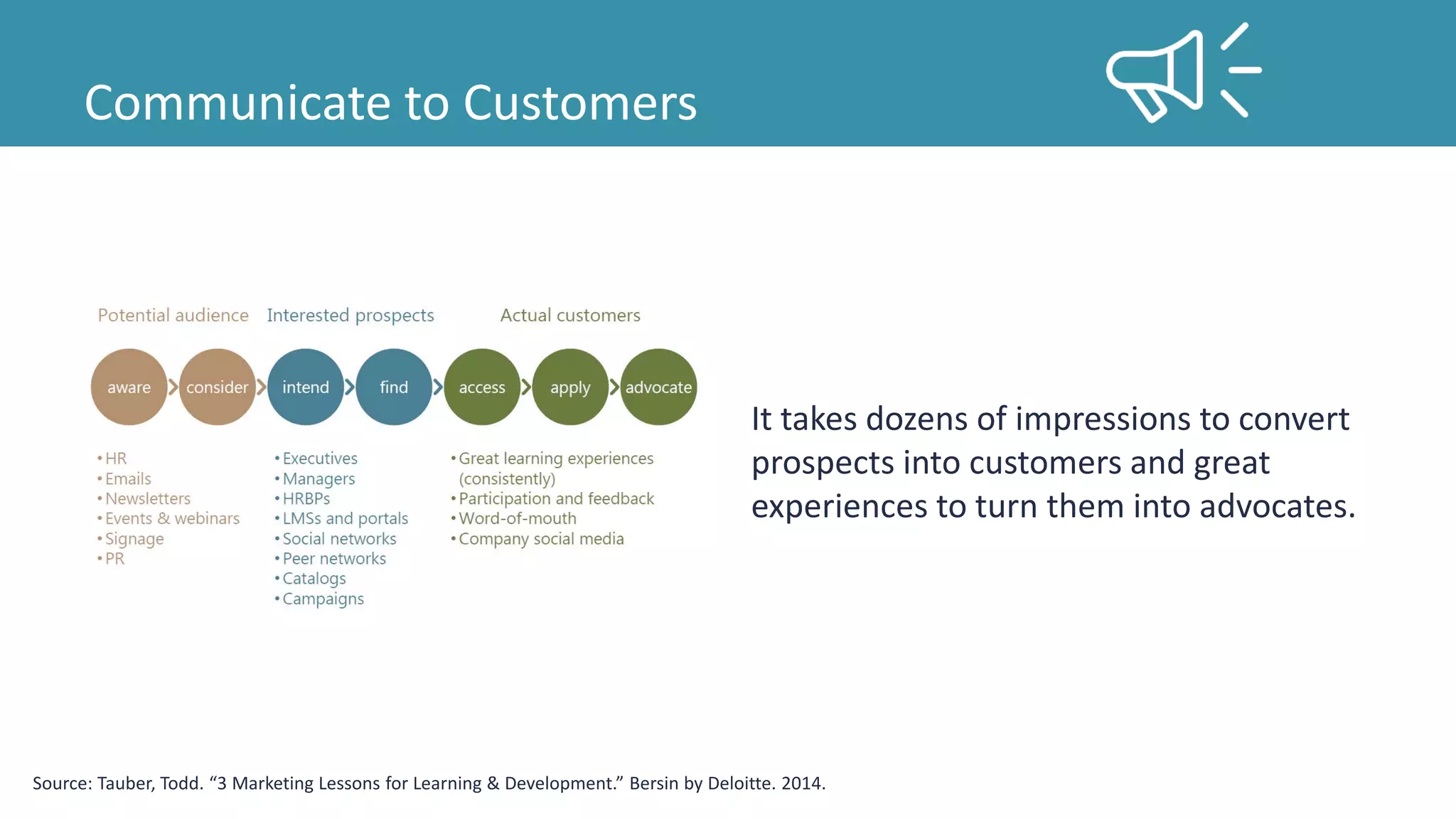
It takes dozens of impressions to convert
prospects into customers and great
experiences to turn them into advocates.
Source: Tauber, Todd. “3 Marketing Lessons for Learning & Development.” Bersin by Deloitte. 2014.
Communicate to Customers
0
500
1000
1500
2000
2500
3000
3500
4000
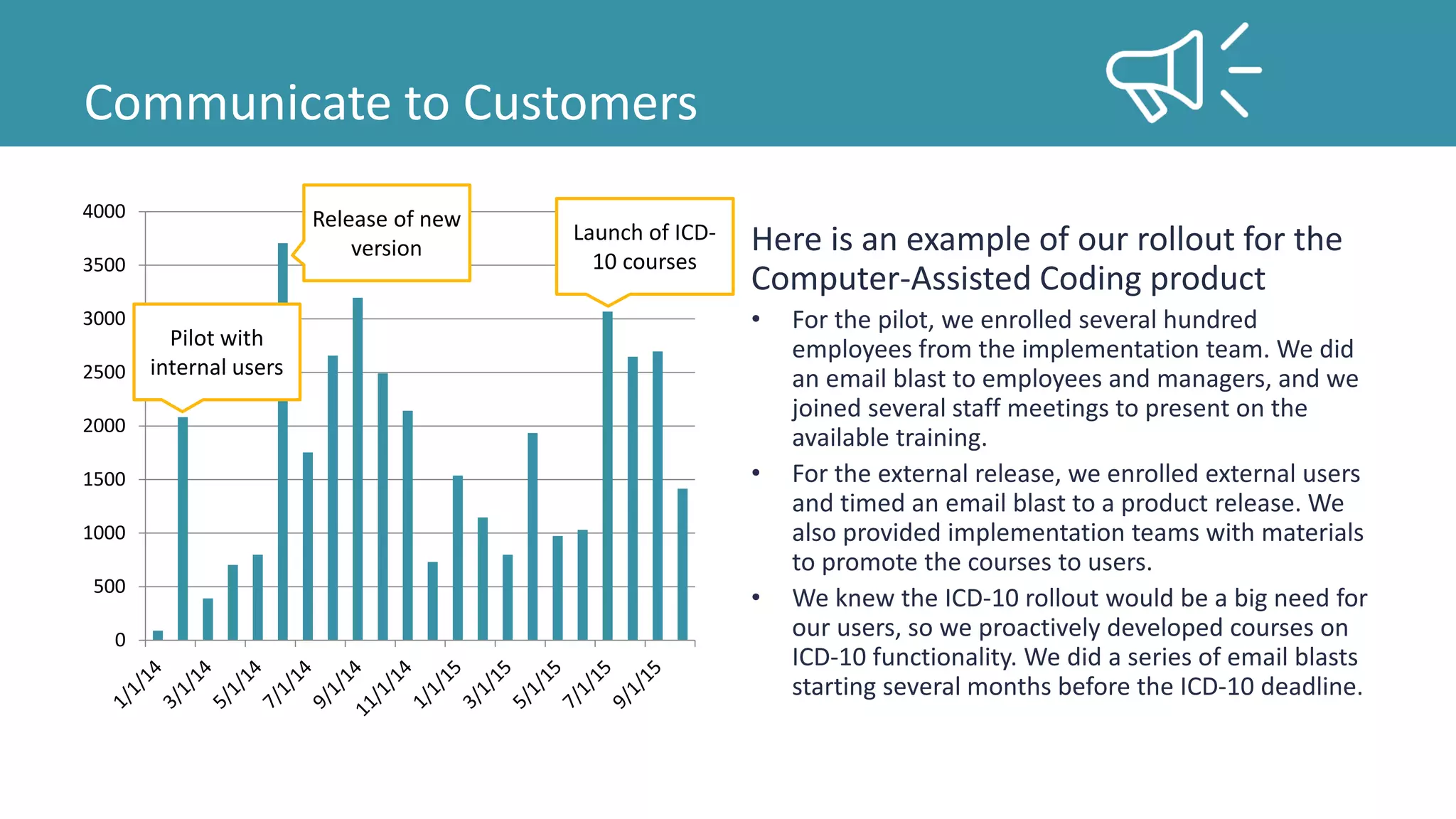
Here is an example of our rollout for the
Computer-Assisted Coding product
• For the pilot, we enrolled several hundred
employees from the implementation team. We did
an email blast to employees and managers, and we
joined several staff meetings to present on the
available training.
• For the external release, we enrolled external users
and timed an email blast to a product release. We
also provided implementation teams with materials
to promote the courses to users.
• We knew the ICD-10 rollout would be a big need for
our users, so we proactively developed courses on
ICD-10 functionality. We did a series of email blasts
starting several months before the ICD-10 deadline.
Pilot with
internal users
Release of new
version
Launch of ICD-
10 courses
Thank you!
Share your experience on LinkedIn:
http://linkedin.com/groups/119899

ELearning Design and Rollout

  • 1.
  • 2.
    The Challenge ELearning canbe flexible, convenient, scalable, consistent, and designed to meet user needs.
  • 3.
    The Challenge But manyusers don’t like eLearning.
  • 4.
    The Challenge 44% ofL&D leaders say their staff are reluctant to engage with online learning. Source: Tauber, Todd. “3 Marketing Lessons for Learning & Development.” Bersin by Deloitte. 2014.
  • 5.
    The Challenge When peopleare asked how they prefer to learn in the workplace, eLearning comes in below meetings and memos. Source: Tauber, Todd. “3 Marketing Lessons for Learning & Development.” Bersin by Deloitte. 2014.
  • 6.
    The Challenge This isa big problem because eLearning is becoming more common. We need to do better. Source: Tauber, Todd. “3 Marketing Lessons for Learning & Development.” Bersin by Deloitte. 2014.
  • 7.
    Analyze Design Develop Implement Evaluate We’ll look atsome resources and tips that can help us make better eLearning.
  • 8.
  • 9.
    Source: http://blog.cathy-moore.com/2013/05/is- training-really-the-answer-ask-the-flowchart/ ELearning maynot always be the answer. Cathy Moore has developed some questions to help you determine the best approach for your training need.
  • 10.
    Designing eLearning Is therea measurable goal? Focus on specific tasks or concepts related to goal. Courses are shorter and more targeted. Learners stay engaged.
  • 11.
    Designing eLearning Do learnersneed skills or knowledge to meet this goal? If there is a skills gap... eLearning can provide opportunities to practice. If there is a knowledge gap... If knowledge needs to be memorized, eLearning can help learners retain. Otherwise, consider a job aid or other resource.
  • 12.
    Designing eLearning Is theproblem cultural or caused by lack of motivation? Can training change the culture? If not, address underlying issues. Is the lack of motivation due to lack of skills or knowledge? If yes, training can help. If not, find another way.
  • 13.
    Designing eLearning Let’s lookat several training requests and see what questions we could ask to determine the best approach.
  • 14.
    Designing eLearning Training Request:Our entire user guide needs to be delivered as eLearning organized by screen and covering all buttons and fields. In this example, clarify the business goals and focus on what learners need to be able to do to meet those goals.
  • 15.
    Designing eLearning Training Request:We need eLearning for our customers on submitting and tracking issues on our support portal. In this example, submitting and tracking issues hopefully isn’t something learners need to do everyday and is a simple process. Another approach is probably best here.
  • 16.
    Designing eLearning Training Request:We need eLearning for our support team on responding to and resolving issues on our support portal. If this is something the support team does regularly, eLearning could give them opportunities to work through common scenarios and practice the portal tasks they need to complete.
  • 17.
    Designing eLearning Training Request:Our emergency room doctors and nurses need training on new documentation guidelines. For a busy audience like ER staff, it’s especially important to keep courses targeted and concise. How do these guidelines tie to our goals? How do they impact learners on the job?
  • 18.
    Designing eLearning Training Request:We need to teach product admins how to create custom reports and dashboards. If this is something admins do regularly, eLearning could give admins opportunities to practice the steps for creating reports and to explore some common examples.
  • 19.
    Designing eLearning Training Request:Product admins also need to know about the database tables available for reporting. Is this something admins need to memorize? If not, consider another approach, such as a job aid. If we create the course requested on the previous page, we could introduce the tables and job aid there.
  • 20.
    Designing eLearning Now thatwe’ve identified projects appropriate for eLearning, what limitations are we likely to face as we move forward with development?
  • 21.
    Designing eLearning One limitationthat we often overlook is our capacity to learn.
  • 22.
    Novice to Expert DesigningeLearning Have you learned something new recently? How did it feel? Long-term memory has a huge capacity for information. During learning, processing in working memory produces new or expanded patterns in long-term memory, which can be brought back into working memory when needed. Any task repeated hundreds of times becomes hardwired into long-term memory, and automatic tasks can be performed with little or no working memory. This allows experts to save working memory for problem solving, multitasking, complex tasks, etc. Source: Clark, Ruth Colvin. Evidence-Based Training Methods: A Guide for Training Professionals. Alexandria, VA: ATD Press, 2015. Print.
  • 23.
    Designing eLearning Working Memory Active Processor Whereproblem solving, thinking, and learning take place Limited Capacity Capacity of 3-5 chunks of information Dual Channel Separate systems for: • Audio (reading a word) • Visual (seeing a picture) Topics encoded two ways are easier to remember. Until we get learners to expert status, we need to focus on working memory. We can easily overload working memory with too much content, unfamiliar terms, lengthy lectures, etc. Source: Clark, Ruth Colvin. Evidence-Based Training Methods: A Guide for Training Professionals. Alexandria, VA: ATD Press, 2015. Print.
  • 24.
    Designing eLearning The amountof effort being used by working memory is called cognitive load, and there are three types. When intrinsic load is high, do everything you can to reduce external cognitive load and promote germane cognitive load. Source: Clark, Ruth Colvin. Evidence-Based Training Methods: A Guide for Training Professionals. Alexandria, VA: ATD Press, 2015. Print.
  • 25.
  • 26.
    Developing eLearning • Relevantgraphics improve learning of novices. • Avoid identical narration of written text. • Chunk text into small segments. • Apply methods to manage cognitive load. • Use high fidelity examples to illustrate routine tasks. • Provide examples for novice learners. • The best learning comes from relevant behavioral engagement with feedback. • Provide guided practice. • Organize behavioral engagement in the form of practice exercises. • Break large tasks into sub-tasks, but teach context of the whole. • Teach important concepts before the procedure. • Identify sufficient scenarios to reach competency. • Ensure sufficient guidance. • Provide opportunities for explicit reflection. Ruth Clark has a number of tips for creating better eLearning based on research, but a better way to explore them is by looking at an example. Source: Clark, Ruth Colvin. Evidence-Based Training Methods: A Guide for Training Professionals. Alexandria, VA: ATD Press, 2015. Print.
  • 27.
    This is acourse developed for medical staff about using a new program to triage patients coming into the ER.
  • 28.
    This slide welcomeslearners to the course and introduces the system functions. Make training personable with a conversational tone. Use first and second person, polite phrases, instructors as hosts, and narrative writing. Promote deeper learning by adding visuals to text, but minimize visuals unrelated to the instructional goal. They can interrupt the instructional message.
  • 29.
    Learners explore thesteps to complete patient triage in the system. Narration provides a description, and key points are shown onscreen with a screenshot. Keep explanations concise. Use just enough words to present content. Explain visuals with audio narration rather than text to maximize visuals. Align text close to the relevant portion of the visual.
  • 30.
    Next, learners explorethe whole triage screen. This slide is overwhelming, and there are too many items. Segment content into smaller chunks that can be accessed by the learner at their preferred pace. While learners can explore the field explanations here at their own pace, it’s unlikely that they will. It would have been better to split this into sections, and then have learners explore each section.
  • 31.
    Next, the narrationwalks learners through triaging a patient in the system. Learners complete the steps with guidance and explanation. Incorporate examples and models, especially for novice learners. Make your examples and models interactive. For routine tasks, create demonstrations that mirror the context of the workplace.
  • 32.
    Save time andimprove learning by replacing practice exercises with worked examples. A worked example is a demonstration that the steps the learner must take to complete a task or solve a problem. Worked examples lead to better learning than practice exercises alone.
  • 33.
    The course endswith a multiple choice question on the course content. What’s wrong with this approach? Incorporate the context of the job to build practice exercises that require application rather than recall of content. Distribute practice within your lessons and throughout your content rather than grouping them together.
  • 34.
    The feedback onthis slide is a missed opportunity. Provide detailed task- specific feedback to practice exercises that explains why a response is correct or incorrect. For procedural tasks, step- by-step feedback is generally better than end- of-problem feedback.
  • 35.
    Implementing eLearning Determine accessmethods Communicate to customers
  • 36.
    Determine Access Methods Increase access Organize aroundkey demographics Create a central hub Eliminate unnecessary material Monitor use Loading a course on your LMS is not enough to engage learners. Think about how you’re using your LMS and how you’re marketing your courses. Source: “Driving the Consumption of L&D Solutions.” CEB L&D Leadership Council. 2013.
  • 37.
    Determine Access Methods Alearning ecosystem approach can help you figure out what to include in your learning hub or portal. Performance Support Knowledge Management Access to Experts Social Networking Structured Learning Human Resources
  • 38.
    On Optum’s LMS,we worked to organize resources into programs based on roles. We couldn’t move all elements our learning ecosystem to the LMS (documentation, support, etc.), but we could list available resources and provide links and instructions for access.
  • 39.
    Communicate to Customers Next,think about how you’ll market your course to learners and other key stakeholders. Source: Tauber, Todd. “3 Marketing Lessons for Learning & Development.” Bersin by Deloitte. 2014.
  • 40.
    Communicate to Customers Ittakes dozens of impressions to convert prospects into customers and great experiences to turn them into advocates. Source: Tauber, Todd. “3 Marketing Lessons for Learning & Development.” Bersin by Deloitte. 2014.
  • 41.
    Communicate to Customers 0 500 1000 1500 2000 2500 3000 3500 4000 Hereis an example of our rollout for the Computer-Assisted Coding product • For the pilot, we enrolled several hundred employees from the implementation team. We did an email blast to employees and managers, and we joined several staff meetings to present on the available training. • For the external release, we enrolled external users and timed an email blast to a product release. We also provided implementation teams with materials to promote the courses to users. • We knew the ICD-10 rollout would be a big need for our users, so we proactively developed courses on ICD-10 functionality. We did a series of email blasts starting several months before the ICD-10 deadline. Pilot with internal users Release of new version Launch of ICD- 10 courses
  • 42.
    Thank you! Share yourexperience on LinkedIn: http://linkedin.com/groups/119899