User-centered
      Design
         Ivano Malavolta
    ivano.malavolta@univaq.it
http://www.di.univaq.it/malavolta
Roadmap

• User-Centered Design
• The Elements of User Experience
Good Design?

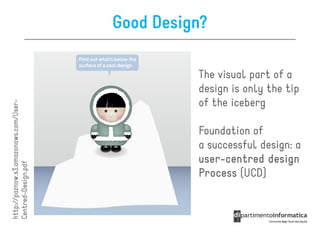
                                                 The visual part of a
                                                 design is only the tip
                                                 of the iceberg
http://paznow.s3.amazonaws.com/User-
http://paznow.s3.amazonaws.com/User


                                                 Foundation of
                                                 a successful design: a
                                                 user-centred design
                                                 user-
Centred-Design.pdf


                                                 Process (UCD)
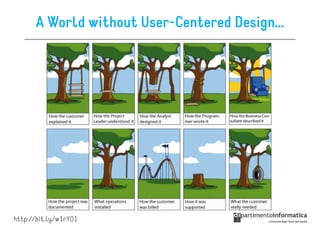
A World without User-Centered Design…


http://bit.ly/w1rYO1
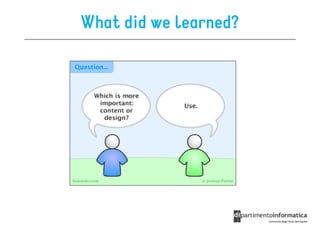
What did we learned?
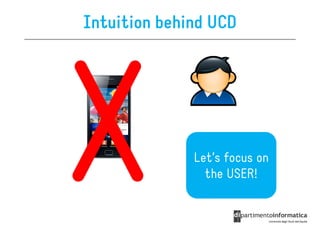
Intuition behind UCD


              Let’s focus on
                the USER!
Definition of UCD (from Wikipedia)

User Centered-Design (UCD) is …

“a design philosophy and a process in which the
  needs, wants, and limitations of the end user
  of an interface or document are given
  extensive attention at each stage of the
  design process”
More formally…

UCD is a development cycle which takes into
  consideration what users really need and makes
  adjustments by exploring, testing and tuning the
  design until these needs are satisfied


The result of this is a high level of usability, the design is:
                                      usability
• effective
• efficient
• engaging
• easy to learn
UCD is Universal
UCD can be applied to all design practices that
  have the aim to provide a good user experience

Ex.
• websites
• architecture
• magazines
• graphics
• …
UCD is a process

Designers have to:

1. analyze and foresee how users are likely to
   use an interface
2. test the validity of their assumptions in real
   world tests with actual users
http://paznow.s3.amazonaws.com/User
http://paznow.s3.amazonaws.com/User-
Centred-Design.pdf


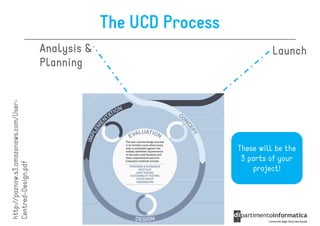
                                       Planning
                                       Analysis &
                                                    The UCD Process


                 project!
              3 parts of your
             These will be the
                                           Launch
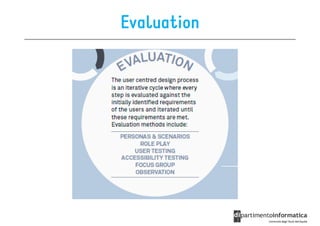
Evaluation
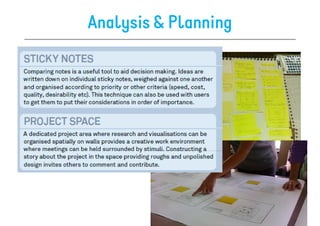
Analysis & Planning
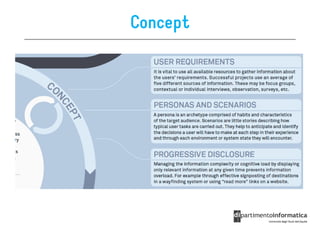
Concept
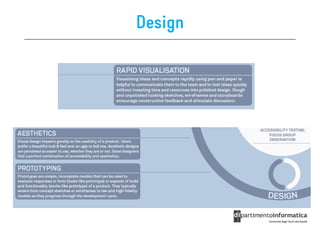
Design
Implementation & Launch

We will cover these steps later in this course…
Roadmap

• User-centered Design
• The Elements of User Experience
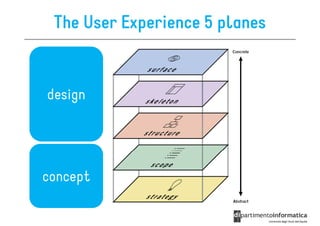
The User Experience 5 planes


design


concept
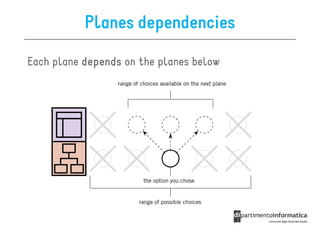
Planes dependencies

Each plane depends on the planes below
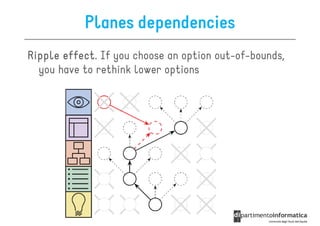
Planes dependencies
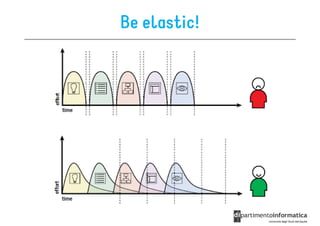
Ripple effect. If you choose an option out-of-bounds,
       effect
  you have to rethink lower options
Be elastic!
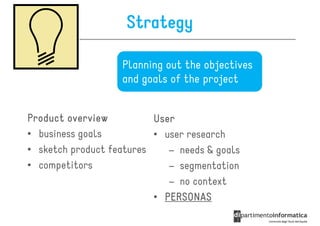
Strategy

                   Planning out the objectives
                   and goals of the project


Product overview          User
• business goals          • user research
• sketch product features    – needs & goals
• competitors                – segmentation
                             – no context
                          • PERSONAS
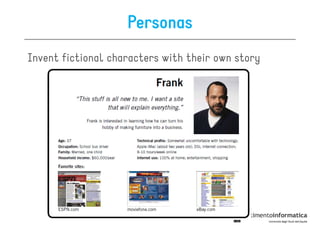
Personas
Invent fictional characters with their own story
Scope
                   Definition of scope, user needs,
                   requirements,
                   functional specifications
• Features of the app
   – what does it do
• Prioritized Requirements
   – constraints, rules, etc.
• Type of managed content
   – how does it manage text, video, audio
   – data provenance (external API, web service, DB …)
• Scenarios (using personas)
   – describe how personas may interact with the app
Structure

                       Structural design of the
                          information space


• how the user moves through and makes sense of
  tasks and information
   – information architecture
     • views definition and content nomenclature
  – interaction design
     • navigation among views
  – SITEMAP
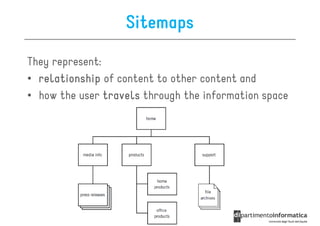
Sitemaps

They represent:
• relationship of content to other content and
• how the user travels through the information space
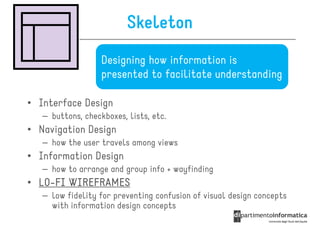
Skeleton
                   Designing how information is
                   presented to facilitate understanding

• Interface Design
   – buttons, checkboxes, lists, etc.
• Navigation Design
   – how the user travels among views
• Information Design
   – how to arrange and group info + wayfinding
• LO-FI WIREFRAMES
  LO-
   – low fidelity for preventing confusion of visual design concepts
     with information design concepts
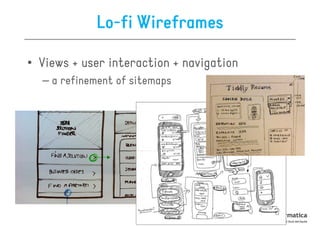
Lo-fi Wireframes

• Views + user interaction + navigation
  – a refinement of sitemaps
Surface

               The look and feel of the product


• typography, colour palette, alignment, texture,
  layouts, etc.
• HI-FI WIREFRAMES (close to mockups)
  HI-
• PROTOTYPES
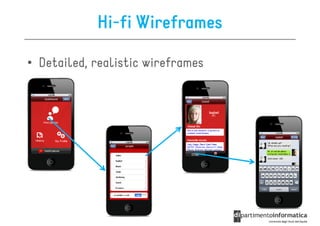
Hi-fi Wireframes

• Detailed, realistic wireframes
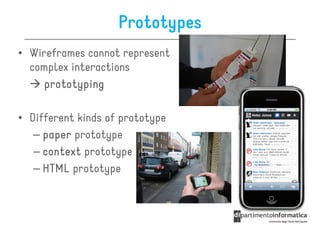
Prototypes
• Wireframes cannot represent
  complex interactions
     prototyping

• Different kinds of prototype
   – paper prototype
   – context prototype
   – HTML prototype
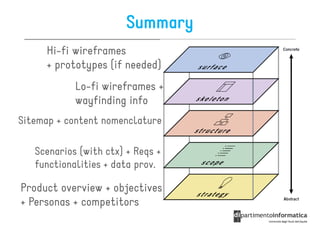
Summary
     Hi-fi wireframes
     + prototypes (if needed)
            Lo-fi wireframes +
            wayfinding info
Sitemap + content nomenclature

   Scenarios (with ctx) + Reqs +
   functionalities + data prov.

Product overview + objectives
+ Personas + competitors
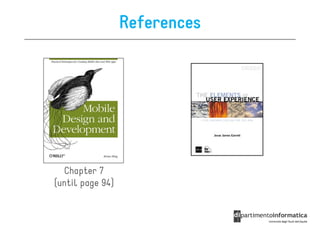
References


  Chapter 7
(until page 94)

User-Centered Design

  • 1.
    User-centered Design Ivano Malavolta ivano.malavolta@univaq.it http://www.di.univaq.it/malavolta
  • 2.
    Roadmap • User-Centered Design •The Elements of User Experience
  • 3.
    Good Design? The visual part of a design is only the tip of the iceberg http://paznow.s3.amazonaws.com/User- http://paznow.s3.amazonaws.com/User Foundation of a successful design: a user-centred design user- Centred-Design.pdf Process (UCD)
  • 4.
    A World withoutUser-Centered Design… http://bit.ly/w1rYO1
  • 5.
    What did welearned?
  • 6.
    Intuition behind UCD Let’s focus on the USER!
  • 7.
    Definition of UCD(from Wikipedia) User Centered-Design (UCD) is … “a design philosophy and a process in which the needs, wants, and limitations of the end user of an interface or document are given extensive attention at each stage of the design process”
  • 8.
    More formally… UCD isa development cycle which takes into consideration what users really need and makes adjustments by exploring, testing and tuning the design until these needs are satisfied The result of this is a high level of usability, the design is: usability • effective • efficient • engaging • easy to learn
  • 9.
    UCD is Universal UCDcan be applied to all design practices that have the aim to provide a good user experience Ex. • websites • architecture • magazines • graphics • …
  • 10.
    UCD is aprocess Designers have to: 1. analyze and foresee how users are likely to use an interface 2. test the validity of their assumptions in real world tests with actual users
  • 11.
    http://paznow.s3.amazonaws.com/User http://paznow.s3.amazonaws.com/User- Centred-Design.pdf Planning Analysis & The UCD Process project! 3 parts of your These will be the Launch
  • 12.
  • 13.
  • 14.
  • 15.
  • 16.
    Implementation & Launch Wewill cover these steps later in this course…
  • 17.
    Roadmap • User-centered Design •The Elements of User Experience
  • 18.
    The User Experience5 planes design concept
  • 19.
    Planes dependencies Each planedepends on the planes below
  • 20.
    Planes dependencies Ripple effect.If you choose an option out-of-bounds, effect you have to rethink lower options
  • 21.
  • 22.
    Strategy Planning out the objectives and goals of the project Product overview User • business goals • user research • sketch product features – needs & goals • competitors – segmentation – no context • PERSONAS
  • 23.
  • 24.
    Scope Definition of scope, user needs, requirements, functional specifications • Features of the app – what does it do • Prioritized Requirements – constraints, rules, etc. • Type of managed content – how does it manage text, video, audio – data provenance (external API, web service, DB …) • Scenarios (using personas) – describe how personas may interact with the app
  • 25.
    Structure Structural design of the information space • how the user moves through and makes sense of tasks and information – information architecture • views definition and content nomenclature – interaction design • navigation among views – SITEMAP
  • 26.
    Sitemaps They represent: • relationshipof content to other content and • how the user travels through the information space
  • 27.
    Skeleton Designing how information is presented to facilitate understanding • Interface Design – buttons, checkboxes, lists, etc. • Navigation Design – how the user travels among views • Information Design – how to arrange and group info + wayfinding • LO-FI WIREFRAMES LO- – low fidelity for preventing confusion of visual design concepts with information design concepts
  • 28.
    Lo-fi Wireframes • Views+ user interaction + navigation – a refinement of sitemaps
  • 29.
    Surface The look and feel of the product • typography, colour palette, alignment, texture, layouts, etc. • HI-FI WIREFRAMES (close to mockups) HI- • PROTOTYPES
  • 30.
    Hi-fi Wireframes • Detailed,realistic wireframes
  • 31.
    Prototypes • Wireframes cannotrepresent complex interactions prototyping • Different kinds of prototype – paper prototype – context prototype – HTML prototype
  • 32.
    Summary Hi-fi wireframes + prototypes (if needed) Lo-fi wireframes + wayfinding info Sitemap + content nomenclature Scenarios (with ctx) + Reqs + functionalities + data prov. Product overview + objectives + Personas + competitors
  • 33.
    References Chapter7 (until page 94)