GetSuperNow
App Case Study
Abel Alvarez
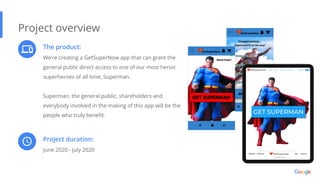
The product:
We’re creating a GetSuperNow app that can grant the
general public direct access to one of our most heroic
superheroes of all time, Superman.
Superman, the general public, shareholders and
everybody involved in the making of this app will be the
people who truly benefit.
Project overview
Project duration:
June 2020 - July 2020
The problem:
We’ve noticed that people have not been able
to get the emergent help they need in time.
Project overview
The goal:
Our app solves that “disconnection” problem
by allowing users to instantly connect with
Superman.
My role:
Lead UX designer for the GetSuperNow app.
Project overview
Responsibilities:
My job is to plan, design, research, develop a
prototype, and produce app.
Understanding
the user
● User research
● Personas
● Problem statements
● Competitive audit
● Ideation
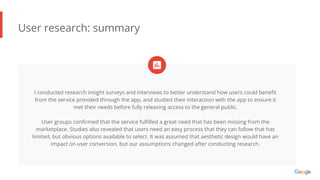
User research: summary
I conducted research insight surveys and interviews to better understand how users could benefit
from the service provided through the app, and studied their interaction with the app to ensure it
met their needs before fully releasing access to the general public.
User groups confirmed that the service fulfilled a great need that has been missing from the
marketplace. Studies also revealed that users need an easy process that they can follow that has
limited, but obvious options available to select. It was assumed that aesthetic design would have an
impact on user conversion, but our assumptions changed after conducting research.
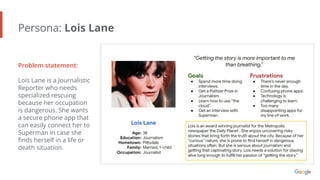
Persona: Lois Lane
Problem statement:
Lois Lane is a Journalistic
Reporter who needs
specialized rescuing
because her occupation
is dangerous. She wants
a secure phone app that
can easily connect her to
Superman in case she
finds herself in a life or
death situation.
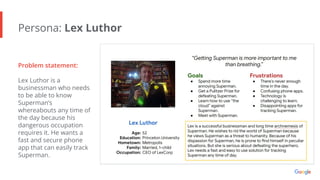
Persona: Lex Luthor
Problem statement:
Lex Luthor is a
businessman who needs
to be able to know
Superman’s
whereabouts any time of
the day because his
dangerous occupation
requires it. He wants a
fast and secure phone
app that can easily track
Superman.
Competitive audit
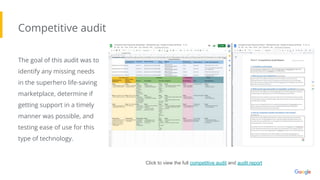
The goal of this audit was to
identify any missing needs
in the superhero life-saving
marketplace, determine if
getting support in a timely
manner was possible, and
testing ease of use for this
type of technology.
Click to view the full competitive audit and audit report
Ideation
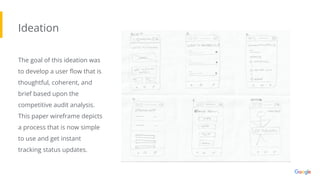
The goal of this ideation was
to develop a user flow that is
thoughtful, coherent, and
brief based upon the
competitive audit analysis.
This paper wireframe depicts
a process that is now simple
to use and get instant
tracking status updates.
● Digital wireframes
● Low-fidelity prototype
● Usability studies
Starting
the design
Digital wireframes
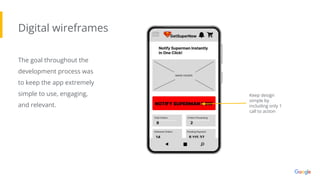
The goal throughout the
development process was
to keep the app extremely
simple to use, engaging,
and relevant.
Keep design
simple by
including only 1
call to action
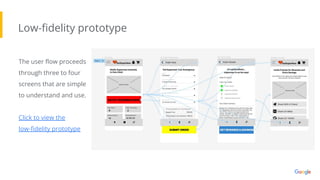
Low-fidelity prototype
The user flow proceeds
through three to four
screens that are simple
to understand and use.
Click to view the
low-fidelity prototype
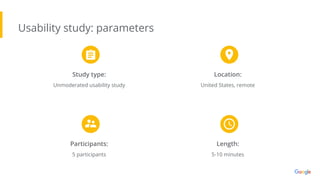
Usability study: parameters
Study type:
Unmoderated usability study
Location:
United States, remote
Participants:
5 participants
Length:
5-10 minutes
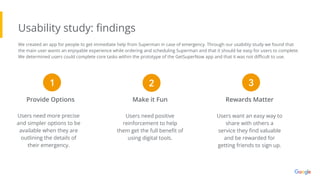
Usability study: findings
Users need more precise
and simpler options to be
available when they are
outlining the details of
their emergency.
Provide Options Make it Fun Rewards Matter
Users need positive
reinforcement to help
them get the full benefit of
using digital tools.
Users want an easy way to
share with others a
service they find valuable
and be rewarded for
getting friends to sign up.
1 2 3
We created an app for people to get immediate help from Superman in case of emergency. Through our usability study we found that
the main user wants an enjoyable experience while ordering and scheduling Superman and that it should be easy for users to complete.
We determined users could complete core tasks within the prototype of the GetSuperNow app and that it was not difficult to use.
● Mockups
● High-fidelity prototype
● Accessibility
Refining
the design
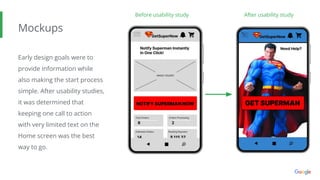
Mockups
Early design goals were to
provide information while
also making the start process
simple. After usability studies,
it was determined that
keeping one call to action
with very limited text on the
Home screen was the best
way to go.
Before usability study After usability study
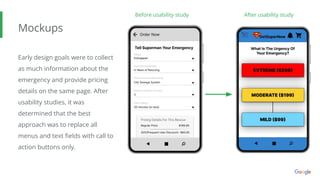
Mockups
Early design goals were to collect
as much information about the
emergency and provide pricing
details on the same page. After
usability studies, it was
determined that the best
approach was to replace all
menus and text fields with call to
action buttons only.
Before usability study After usability study
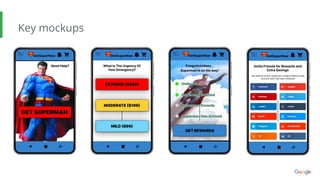
Key mockups
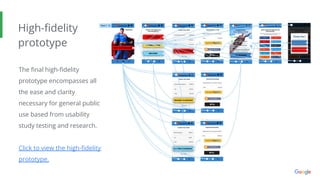
High-fidelity
prototype
The final high-fidelity
prototype encompasses all
the ease and clarity
necessary for general public
use based from usability
study testing and research.
Click to view the high-fidelity
prototype.
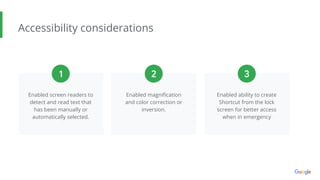
Accessibility considerations
Enabled screen readers to
detect and read text that
has been manually or
automatically selected.
Enabled magnification
and color correction or
inversion.
Enabled ability to create
Shortcut from the lock
screen for better access
when in emergency
1 2 3
● Information architecture
● Responsive design
Responsive Design
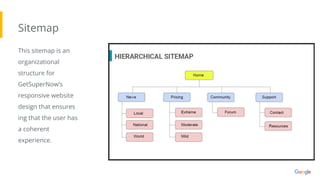
Sitemap
This sitemap is an
organizational
structure for
GetSuperNow’s
responsive website
design that ensures
ing that the user has
a coherent
experience.
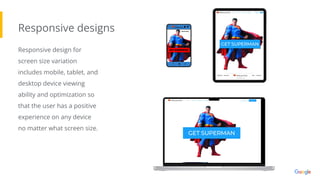
Responsive designs
Responsive design for
screen size variation
includes mobile, tablet, and
desktop device viewing
ability and optimization so
that the user has a positive
experience on any device
no matter what screen size.
● Takeaways
● Next steps
Going forward
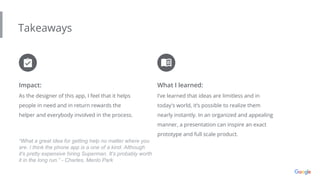
Takeaways
Impact:
As the designer of this app, I feel that it helps
people in need and in return rewards the
helper and everybody involved in the process.
What I learned:
I’ve learned that ideas are limitless and in
today's world, it’s possible to realize them
nearly instantly. In an organized and appealing
manner, a presentation can inspire an exact
prototype and full scale product.
“What a great idea for getting help no matter where you
are. I think the phone app is a one of a kind. Although
it's pretty expensive hiring Superman. It's probably worth
it in the long run.” - Charles, Menlo Park
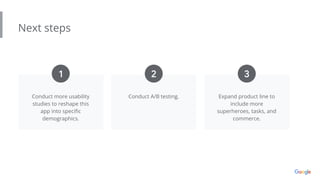
Next steps
Conduct more usability
studies to reshape this
app into specific
demographics.
Conduct A/B testing. Expand product line to
include more
superheroes, tasks, and
commerce.
1 2 3
Thank you!
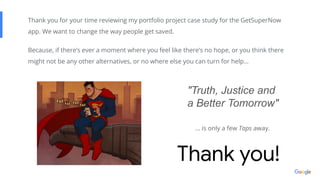
Thank you for your time reviewing my portfolio project case study for the GetSuperNow
app. We want to change the way people get saved.
Because, if there’s ever a moment where you feel like there’s no hope, or you think there
might not be any other alternatives, or no where else you can turn for help…
"Truth, Justice and
a Better Tomorrow"
… is only a few Taps away.
LinkedIn
Email
Breaking up the monotony.

Case Study 1 - Portfolio Project Final - Google UX Design Certificate

  • 1.
  • 2.
    The product: We’re creatinga GetSuperNow app that can grant the general public direct access to one of our most heroic superheroes of all time, Superman. Superman, the general public, shareholders and everybody involved in the making of this app will be the people who truly benefit. Project overview Project duration: June 2020 - July 2020
  • 3.
    The problem: We’ve noticedthat people have not been able to get the emergent help they need in time. Project overview The goal: Our app solves that “disconnection” problem by allowing users to instantly connect with Superman.
  • 4.
    My role: Lead UXdesigner for the GetSuperNow app. Project overview Responsibilities: My job is to plan, design, research, develop a prototype, and produce app.
  • 5.
    Understanding the user ● Userresearch ● Personas ● Problem statements ● Competitive audit ● Ideation
  • 6.
    User research: summary Iconducted research insight surveys and interviews to better understand how users could benefit from the service provided through the app, and studied their interaction with the app to ensure it met their needs before fully releasing access to the general public. User groups confirmed that the service fulfilled a great need that has been missing from the marketplace. Studies also revealed that users need an easy process that they can follow that has limited, but obvious options available to select. It was assumed that aesthetic design would have an impact on user conversion, but our assumptions changed after conducting research.
  • 7.
    Persona: Lois Lane Problemstatement: Lois Lane is a Journalistic Reporter who needs specialized rescuing because her occupation is dangerous. She wants a secure phone app that can easily connect her to Superman in case she finds herself in a life or death situation.
  • 8.
    Persona: Lex Luthor Problemstatement: Lex Luthor is a businessman who needs to be able to know Superman’s whereabouts any time of the day because his dangerous occupation requires it. He wants a fast and secure phone app that can easily track Superman.
  • 9.
    Competitive audit The goalof this audit was to identify any missing needs in the superhero life-saving marketplace, determine if getting support in a timely manner was possible, and testing ease of use for this type of technology. Click to view the full competitive audit and audit report
  • 10.
    Ideation The goal ofthis ideation was to develop a user flow that is thoughtful, coherent, and brief based upon the competitive audit analysis. This paper wireframe depicts a process that is now simple to use and get instant tracking status updates.
  • 11.
    ● Digital wireframes ●Low-fidelity prototype ● Usability studies Starting the design
  • 12.
    Digital wireframes The goalthroughout the development process was to keep the app extremely simple to use, engaging, and relevant. Keep design simple by including only 1 call to action
  • 13.
    Low-fidelity prototype The userflow proceeds through three to four screens that are simple to understand and use. Click to view the low-fidelity prototype
  • 14.
    Usability study: parameters Studytype: Unmoderated usability study Location: United States, remote Participants: 5 participants Length: 5-10 minutes
  • 15.
    Usability study: findings Usersneed more precise and simpler options to be available when they are outlining the details of their emergency. Provide Options Make it Fun Rewards Matter Users need positive reinforcement to help them get the full benefit of using digital tools. Users want an easy way to share with others a service they find valuable and be rewarded for getting friends to sign up. 1 2 3 We created an app for people to get immediate help from Superman in case of emergency. Through our usability study we found that the main user wants an enjoyable experience while ordering and scheduling Superman and that it should be easy for users to complete. We determined users could complete core tasks within the prototype of the GetSuperNow app and that it was not difficult to use.
  • 16.
    ● Mockups ● High-fidelityprototype ● Accessibility Refining the design
  • 17.
    Mockups Early design goalswere to provide information while also making the start process simple. After usability studies, it was determined that keeping one call to action with very limited text on the Home screen was the best way to go. Before usability study After usability study
  • 18.
    Mockups Early design goalswere to collect as much information about the emergency and provide pricing details on the same page. After usability studies, it was determined that the best approach was to replace all menus and text fields with call to action buttons only. Before usability study After usability study
  • 19.
  • 20.
    High-fidelity prototype The final high-fidelity prototypeencompasses all the ease and clarity necessary for general public use based from usability study testing and research. Click to view the high-fidelity prototype.
  • 21.
    Accessibility considerations Enabled screenreaders to detect and read text that has been manually or automatically selected. Enabled magnification and color correction or inversion. Enabled ability to create Shortcut from the lock screen for better access when in emergency 1 2 3
  • 22.
    ● Information architecture ●Responsive design Responsive Design
  • 23.
    Sitemap This sitemap isan organizational structure for GetSuperNow’s responsive website design that ensures ing that the user has a coherent experience.
  • 24.
    Responsive designs Responsive designfor screen size variation includes mobile, tablet, and desktop device viewing ability and optimization so that the user has a positive experience on any device no matter what screen size.
  • 25.
    ● Takeaways ● Nextsteps Going forward
  • 26.
    Takeaways Impact: As the designerof this app, I feel that it helps people in need and in return rewards the helper and everybody involved in the process. What I learned: I’ve learned that ideas are limitless and in today's world, it’s possible to realize them nearly instantly. In an organized and appealing manner, a presentation can inspire an exact prototype and full scale product. “What a great idea for getting help no matter where you are. I think the phone app is a one of a kind. Although it's pretty expensive hiring Superman. It's probably worth it in the long run.” - Charles, Menlo Park
  • 27.
    Next steps Conduct moreusability studies to reshape this app into specific demographics. Conduct A/B testing. Expand product line to include more superheroes, tasks, and commerce. 1 2 3
  • 28.
    Thank you! Thank youfor your time reviewing my portfolio project case study for the GetSuperNow app. We want to change the way people get saved. Because, if there’s ever a moment where you feel like there’s no hope, or you think there might not be any other alternatives, or no where else you can turn for help… "Truth, Justice and a Better Tomorrow" … is only a few Taps away.
  • 29.