ESD Web Team 
Mike McCoy 
11/15/2010 
USER EXPERIENCE DESIGN PROCESS
SOME TERMINOLOGY 
Ò Human Factors Engineering 
Ò Usability 
Ò User Centered Design 
Ò User Experience Design
HUMAN FACTORS ENGINEERING 
Ò The Science of Understanding Human: 
É Capabilities 
É Limitations 
É Perception 
É Cognition 
Ò Using that Data to Design/Engineer: 
É Tools 
É Systems 
É Processes 
É Environments 
É ‘Experiences’ 
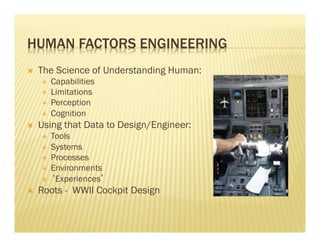
Ò Roots - WWII Cockpit Design
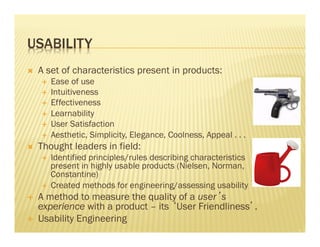
USABILITY 
Ò A set of characteristics present in products: 
É Ease of use 
É Intuitiveness 
É Effectiveness 
É Learnability 
É User Satisfaction 
É Aesthetic, Simplicity, Elegance, Coolness, Appeal . . . 
Ò Thought leaders in field: 
É Identified principles/rules describing characteristics 
present in highly usable products (Nielsen, Norman, 
Constantine) 
É Created methods for engineering/assessing usability 
É A method to measure the quality of a user’s 
experience with a product – its ‘User Friendliness’. 
É Usability Engineering
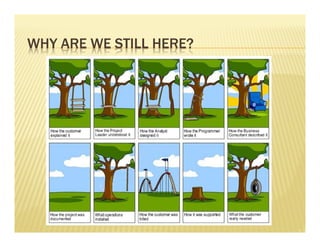
WHY ARE WE STILL HERE?
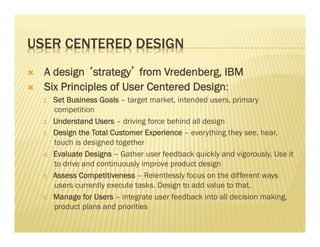
USER CENTERED DESIGN 
Ò A design ‘strategy’ from Vredenberg, IBM 
Ò Six Principles of User Centered Design: 
1. Set Business Goals – target market, intended users, primary 
competition 
2. Understand Users – driving force behind all design 
3. Design the Total Customer Experience – everything they see, hear, 
touch is designed together 
4. Evaluate Designs – Gather user feedback quickly and vigorously. Use it 
to drive and continuously improve product design 
5. Assess Competitiveness – Relentlessly focus on the different ways 
users currently execute tasks. Design to add value to that. 
6. Manage for Users – integrate user feedback into all decision making, 
product plans and priorities
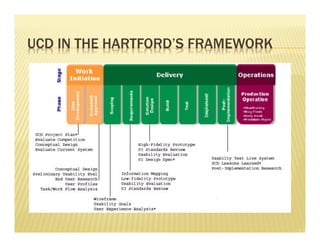
UCD IN THE HARTFORD’S FRAMEWORK
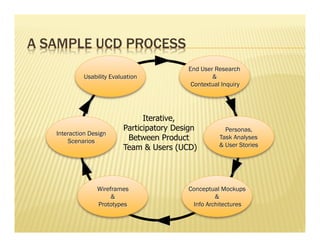
A SAMPLE UCD PROCESS 
End User Research 
& 
Contextual Inquiry 
Personas, 
Task Analyses 
& User Stories 
Conceptual Mockups 
& 
Info Architectures 
Usability Evaluation 
Interaction Design 
Wireframes 
& 
Prototypes 
Scenarios 
Iterative, 
Participatory Design 
Between Product 
Team & Users (UCD)
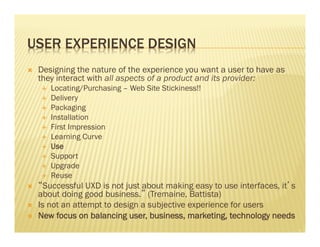
USER EXPERIENCE DESIGN 
Ò Designing the nature of the experience you want a user to have as 
they interact with all aspects of a product and its provider: 
É Locating/Purchasing – Web Site Stickiness!! 
É Delivery 
É Packaging 
É Installation 
É First Impression 
É Learning Curve 
É Use 
É Support 
É Upgrade 
É Reuse 
Ò “Successful UXD is not just about making easy to use interfaces, it’s 
about doing good business.” (Tremaine, Battista) 
Ò Is not an attempt to design a subjective experience for users 
Ò New focus on balancing user, business, marketing, technology needs
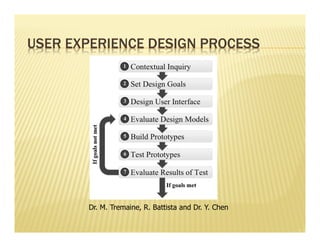
USER EXPERIENCE DESIGN PROCESS 
Dr. M. Tremaine, R. Battista and Dr. Y. Chen
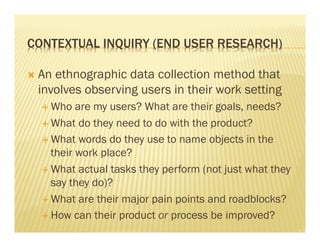
CONTEXTUAL INQUIRY (END USER RESEARCH) 
Ò An ethnographic data collection method that 
involves observing users in their work setting 
É Who are my users? What are their goals, needs? 
É What do they need to do with the product? 
É What words do they use to name objects in the 
their work place? 
É What actual tasks they perform (not just what they 
say they do)? 
É What are their major pain points and roadblocks? 
É How can their product or process be improved?
CONTEXTUAL INQUIRY - ARTIFACTS 
Ò Data collected can be used to produce: 
É Personas - Illuminates the users we are designing 
for at a low or high level. An abstraction of users. 
É Task Analyses – Understand, Map and Optimize 
task flow 
É Use Cases, Scenarios of Use, User stories - 
Integrates well with Agile’s ‘User Stories’. 
É Requirements
SET DESIGN GOALS - UP FRONT 
Ò Negotiated between users and designers. 
Ò Objective, measureable (not subjective, 
ambiguous) 
Ò Identification and Analysis of: 
É What users really do, not just what they say they do; 
what do they really want? 
É How users are likely to use a product (not always how 
we envision it)? 
É What are the usability needs? 
É What are the business’ present and future needs? 
É How will this effort impact market position and create 
competitive advantage?
SET DESIGN GOALS - FOR FINISHED PRODUCT 
Ò Business: 
É Improve productivity 
É Reduce error 
É Improve effectiveness 
É Reduce training, calls to help desk 
É Reduce Development Time and Cost by avoiding unnecessary features, 
producing properly conceived ones 
Ò End User: 
É Reduce stress and fatigue 
É Increase job satisfaction 
É Motivate and Persuade 
É Higher Acceptance 
Ò Market: 
É Create Pride of Ownership 
É Be First to Market 
É Create Competitive Advantage 
É Maintain/Enhance Reputation
DESIGN THE USER INTERFACE 
Ò Determine Basic Interface Operation 
É Platform – Mobile, Desktop 
É Basic Functions 
É Are we Going to Copy or Innovate? 
Ò Identify Conceptual Model 
É Draft Basic Look and Feel 
É Matched to User’s Mental Model to Business Model 
É Begin Information Architecture 
Ò Prioritization and Location of Functions 
É What features are built; when (drawn from Goals) 
É Determine Screen Flows, Task Flows, Interaction Paradigms
DESIGN THE USER INTERFACE - ARTIFACTS 
Ò More Terminology . . .
DESIGN THE USER INTERFACE - ARTIFACTS 
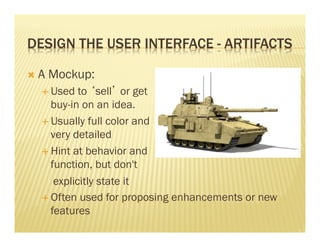
Ò A Mockup: 
É Used to ‘sell’ or get 
buy-in on an idea. 
É Usually full color and 
very detailed 
É Hint at behavior and 
function, but don't 
explicitly state it 
É Often used for proposing enhancements or new 
features
DESIGN THE USER INTERFACE - ARTIFACTS 
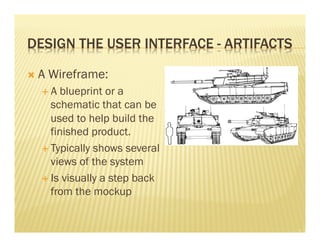
Ò A Wireframe: 
É A blueprint or a 
schematic that can be 
used to help build the 
finished product. 
É Typically shows several 
views of the system 
É Is visually a step back 
from the mockup
MORE ABOUT WIREFRAMES 
Ò Used as a basis for a conversation about design direction 
Ò Used to answer questions: 
É What is the high (or low) level page structure? 
É What content will appear on the screen and where? 
É What are the organizing principles – task, information architecture, etc? 
Ò Used to clarify assumptions 
Ò Method can change based on several factors: 
É Complexity of problem domain 
É Level of assumption 
É Magnitude of ‘unknowns’ 
É Project type - new application vs enhancement 
É Expected shelf life 
É Business criticality 
É Urgency to project 
Ò Should use whatever means necessary (low/med/hi fidelity; small or large 
scope) to get the point across, have the conversation, answer questions, clarify 
assumptions
INFORMATION ARCHITECTURES 
Ò Based in Library and Information Science.* 
Ò An opportunity to analyze the language and concepts 
used in the problem domain. 
Ò Map out how they interrelate or overlap. 
Ò A first step toward establishing the sign posts and 
waypoints that will guide a user as they navigate or 
‘forage’ through the interactive system (Krug) 
Ò Establishes ‘Lay of the Land’ 
* Is not wireframing, but you can’t wireframe without it
INTERACTION DESIGNS & SCREEN FLOWS 
Ò Take the wireframe concept a step further – Behavior, 
Interaction, Conversation 
Ò Used to answer questions about the conversation between 
User and System 
É What experience does the user have in the language of this conversation? 
É What behaviors and interactions are present on the screen (calculations, 
input methods, manipulation methods, integration with other screens) 
É How will the conversation flow (i.e. can we enumerate the conversation)? 
É What interaction design patterns can we use to optimize this 
conversation? 
Ò These artifacts also change based on context – 
complexity, assumption, project type, longevity, business 
criticality and urgency
EVALUATE THE DESIGN MODEL 
Ò Typically Quick and Dirty Methods for Getting 
the Low Hanging Fruit: 
É Cognitive Walkthroughs 
É Heuristic Evaluation – An Expert Review 
É User Walkthroughs 
É Quick Prototyping (e.g. Axure)
BUILD PROTOTYPES 
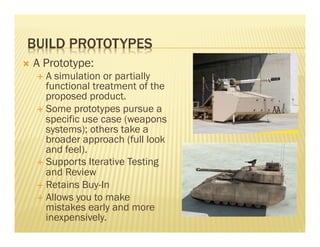
Ò A Prototype: 
É A simulation or partially 
functional treatment of the 
proposed product. 
É Some prototypes pursue a 
specific use case (weapons 
systems); others take a 
broader approach (full look 
and feel). 
É Supports Iterative Testing 
and Review 
É Retains Buy-In 
É Allows you to make 
mistakes early and more 
inexpensively.
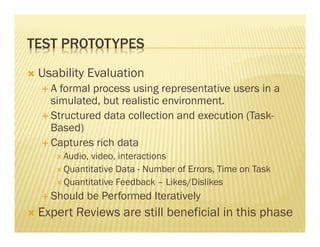
TEST PROTOTYPES 
Ò Usability Evaluation 
É A formal process using representative users in a 
simulated, but realistic environment. 
É Structured data collection and execution (Task- 
Based) 
É Captures rich data 
Ð Audio, video, interactions 
Ð Quantitative Data - Number of Errors, Time on Task 
Ð Quantitative Feedback – Likes/Dislikes 
É Should be Performed Iteratively 
Ò Expert Reviews are still beneficial in this phase
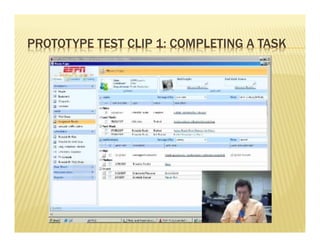
PROTOTYPE TEST CLIP 1: COMPLETING A TASK
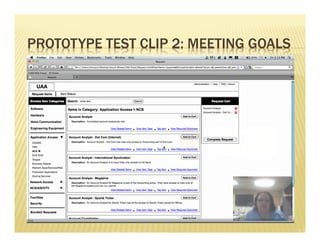
PROTOTYPE TEST CLIP 2: MEETING GOALS
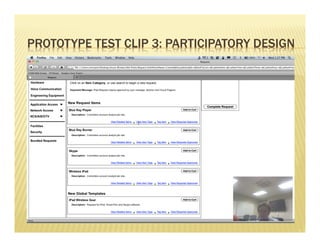
PROTOTYPE TEST CLIP 3: PARTICIPATORY DESIGN
EVALUATE TEST RESULTS 
Ò How well did the prototype perform against 
design goals set at start of process? 
É Quantitative is best, Qualitative is useful 
É Compare the results to a baseline or hypothesis 
É Were new issues uncovered? 
Ò Determine whether goals were met: 
É If goals met: freeze design or negotiate change to 
goals (if new problems uncovered) 
É If goals not met: change design or negotiate change 
in goals (if change is too costly)
FINAL THOUGHTS 
Ò This process is scalable to the needs and 
phase of each project. 
Ò Some UX work is better than none at all. 
Ò 8-10 users can typically uncover about 90% of 
a system’s design and usability flaws. (Source: 
Nielsen)

User experience design process

  • 1.
    ESD Web Team Mike McCoy 11/15/2010 USER EXPERIENCE DESIGN PROCESS
  • 2.
    SOME TERMINOLOGY ÒHuman Factors Engineering Ò Usability Ò User Centered Design Ò User Experience Design
  • 3.
    HUMAN FACTORS ENGINEERING Ò The Science of Understanding Human: É Capabilities É Limitations É Perception É Cognition Ò Using that Data to Design/Engineer: É Tools É Systems É Processes É Environments É ‘Experiences’ Ò Roots - WWII Cockpit Design
  • 4.
    USABILITY Ò Aset of characteristics present in products: É Ease of use É Intuitiveness É Effectiveness É Learnability É User Satisfaction É Aesthetic, Simplicity, Elegance, Coolness, Appeal . . . Ò Thought leaders in field: É Identified principles/rules describing characteristics present in highly usable products (Nielsen, Norman, Constantine) É Created methods for engineering/assessing usability É A method to measure the quality of a user’s experience with a product – its ‘User Friendliness’. É Usability Engineering
  • 5.
    WHY ARE WESTILL HERE?
  • 6.
    USER CENTERED DESIGN Ò A design ‘strategy’ from Vredenberg, IBM Ò Six Principles of User Centered Design: 1. Set Business Goals – target market, intended users, primary competition 2. Understand Users – driving force behind all design 3. Design the Total Customer Experience – everything they see, hear, touch is designed together 4. Evaluate Designs – Gather user feedback quickly and vigorously. Use it to drive and continuously improve product design 5. Assess Competitiveness – Relentlessly focus on the different ways users currently execute tasks. Design to add value to that. 6. Manage for Users – integrate user feedback into all decision making, product plans and priorities
  • 7.
    UCD IN THEHARTFORD’S FRAMEWORK
  • 8.
    A SAMPLE UCDPROCESS End User Research & Contextual Inquiry Personas, Task Analyses & User Stories Conceptual Mockups & Info Architectures Usability Evaluation Interaction Design Wireframes & Prototypes Scenarios Iterative, Participatory Design Between Product Team & Users (UCD)
  • 9.
    USER EXPERIENCE DESIGN Ò Designing the nature of the experience you want a user to have as they interact with all aspects of a product and its provider: É Locating/Purchasing – Web Site Stickiness!! É Delivery É Packaging É Installation É First Impression É Learning Curve É Use É Support É Upgrade É Reuse Ò “Successful UXD is not just about making easy to use interfaces, it’s about doing good business.” (Tremaine, Battista) Ò Is not an attempt to design a subjective experience for users Ò New focus on balancing user, business, marketing, technology needs
  • 10.
    USER EXPERIENCE DESIGNPROCESS Dr. M. Tremaine, R. Battista and Dr. Y. Chen
  • 11.
    CONTEXTUAL INQUIRY (ENDUSER RESEARCH) Ò An ethnographic data collection method that involves observing users in their work setting É Who are my users? What are their goals, needs? É What do they need to do with the product? É What words do they use to name objects in the their work place? É What actual tasks they perform (not just what they say they do)? É What are their major pain points and roadblocks? É How can their product or process be improved?
  • 12.
    CONTEXTUAL INQUIRY -ARTIFACTS Ò Data collected can be used to produce: É Personas - Illuminates the users we are designing for at a low or high level. An abstraction of users. É Task Analyses – Understand, Map and Optimize task flow É Use Cases, Scenarios of Use, User stories - Integrates well with Agile’s ‘User Stories’. É Requirements
  • 13.
    SET DESIGN GOALS- UP FRONT Ò Negotiated between users and designers. Ò Objective, measureable (not subjective, ambiguous) Ò Identification and Analysis of: É What users really do, not just what they say they do; what do they really want? É How users are likely to use a product (not always how we envision it)? É What are the usability needs? É What are the business’ present and future needs? É How will this effort impact market position and create competitive advantage?
  • 14.
    SET DESIGN GOALS- FOR FINISHED PRODUCT Ò Business: É Improve productivity É Reduce error É Improve effectiveness É Reduce training, calls to help desk É Reduce Development Time and Cost by avoiding unnecessary features, producing properly conceived ones Ò End User: É Reduce stress and fatigue É Increase job satisfaction É Motivate and Persuade É Higher Acceptance Ò Market: É Create Pride of Ownership É Be First to Market É Create Competitive Advantage É Maintain/Enhance Reputation
  • 15.
    DESIGN THE USERINTERFACE Ò Determine Basic Interface Operation É Platform – Mobile, Desktop É Basic Functions É Are we Going to Copy or Innovate? Ò Identify Conceptual Model É Draft Basic Look and Feel É Matched to User’s Mental Model to Business Model É Begin Information Architecture Ò Prioritization and Location of Functions É What features are built; when (drawn from Goals) É Determine Screen Flows, Task Flows, Interaction Paradigms
  • 16.
    DESIGN THE USERINTERFACE - ARTIFACTS Ò More Terminology . . .
  • 17.
    DESIGN THE USERINTERFACE - ARTIFACTS Ò A Mockup: É Used to ‘sell’ or get buy-in on an idea. É Usually full color and very detailed É Hint at behavior and function, but don't explicitly state it É Often used for proposing enhancements or new features
  • 18.
    DESIGN THE USERINTERFACE - ARTIFACTS Ò A Wireframe: É A blueprint or a schematic that can be used to help build the finished product. É Typically shows several views of the system É Is visually a step back from the mockup
  • 19.
    MORE ABOUT WIREFRAMES Ò Used as a basis for a conversation about design direction Ò Used to answer questions: É What is the high (or low) level page structure? É What content will appear on the screen and where? É What are the organizing principles – task, information architecture, etc? Ò Used to clarify assumptions Ò Method can change based on several factors: É Complexity of problem domain É Level of assumption É Magnitude of ‘unknowns’ É Project type - new application vs enhancement É Expected shelf life É Business criticality É Urgency to project Ò Should use whatever means necessary (low/med/hi fidelity; small or large scope) to get the point across, have the conversation, answer questions, clarify assumptions
  • 20.
    INFORMATION ARCHITECTURES ÒBased in Library and Information Science.* Ò An opportunity to analyze the language and concepts used in the problem domain. Ò Map out how they interrelate or overlap. Ò A first step toward establishing the sign posts and waypoints that will guide a user as they navigate or ‘forage’ through the interactive system (Krug) Ò Establishes ‘Lay of the Land’ * Is not wireframing, but you can’t wireframe without it
  • 21.
    INTERACTION DESIGNS &SCREEN FLOWS Ò Take the wireframe concept a step further – Behavior, Interaction, Conversation Ò Used to answer questions about the conversation between User and System É What experience does the user have in the language of this conversation? É What behaviors and interactions are present on the screen (calculations, input methods, manipulation methods, integration with other screens) É How will the conversation flow (i.e. can we enumerate the conversation)? É What interaction design patterns can we use to optimize this conversation? Ò These artifacts also change based on context – complexity, assumption, project type, longevity, business criticality and urgency
  • 22.
    EVALUATE THE DESIGNMODEL Ò Typically Quick and Dirty Methods for Getting the Low Hanging Fruit: É Cognitive Walkthroughs É Heuristic Evaluation – An Expert Review É User Walkthroughs É Quick Prototyping (e.g. Axure)
  • 23.
    BUILD PROTOTYPES ÒA Prototype: É A simulation or partially functional treatment of the proposed product. É Some prototypes pursue a specific use case (weapons systems); others take a broader approach (full look and feel). É Supports Iterative Testing and Review É Retains Buy-In É Allows you to make mistakes early and more inexpensively.
  • 24.
    TEST PROTOTYPES ÒUsability Evaluation É A formal process using representative users in a simulated, but realistic environment. É Structured data collection and execution (Task- Based) É Captures rich data Ð Audio, video, interactions Ð Quantitative Data - Number of Errors, Time on Task Ð Quantitative Feedback – Likes/Dislikes É Should be Performed Iteratively Ò Expert Reviews are still beneficial in this phase
  • 25.
    PROTOTYPE TEST CLIP1: COMPLETING A TASK
  • 26.
    PROTOTYPE TEST CLIP2: MEETING GOALS
  • 27.
    PROTOTYPE TEST CLIP3: PARTICIPATORY DESIGN
  • 28.
    EVALUATE TEST RESULTS Ò How well did the prototype perform against design goals set at start of process? É Quantitative is best, Qualitative is useful É Compare the results to a baseline or hypothesis É Were new issues uncovered? Ò Determine whether goals were met: É If goals met: freeze design or negotiate change to goals (if new problems uncovered) É If goals not met: change design or negotiate change in goals (if change is too costly)
  • 29.
    FINAL THOUGHTS ÒThis process is scalable to the needs and phase of each project. Ò Some UX work is better than none at all. Ò 8-10 users can typically uncover about 90% of a system’s design and usability flaws. (Source: Nielsen)