Trends and Concepts, Hasso Plattner Institute
Potsdam, February 15th , 2011


Wireframes and UI-Prototypes
An introduction with practical tips


Pidoco GmbH
Silvan T. Golega
Topic of today


    Wireframes and UI-Prototypes Theory
        Why should I do them
        How do I make them


    Wireframes and UI-Prototypes Practice
        Demo of Pidoco Prototype Creator
About me


   About me
       Silvan T. Golega
       Did my bachelor and
       my master here at HPI
       Founded Pidoco GmbH
       We develop web projects
       We build and sell web-based tools for prototyping
       and usability testing*


                            *(We are looking for interns)
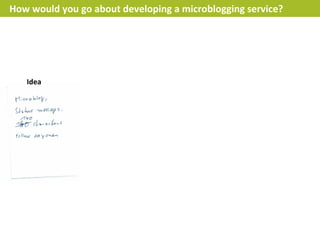
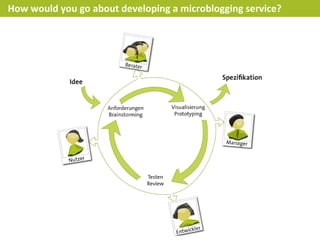
How would you go about developing a microblogging service?


   Idea
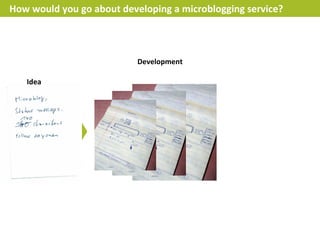
How would you go about developing a microblogging service?


                           Development

   Idea
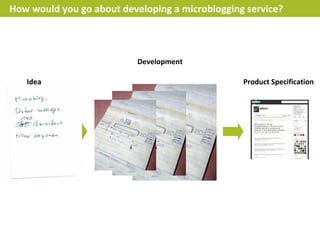
How would you go about developing a microblogging service?


                           Development

   Idea                                          Product Specification
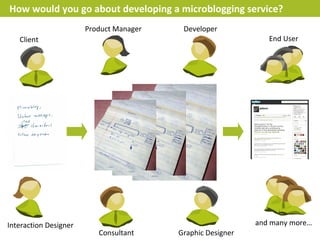
How would you go about developing a microblogging service?
                       Product Manager    Developer
   Client                                                      End User


Interaction Designer                                        and many more…
                          Consultant     Graphic Designer
How would you go about developing a microblogging service?
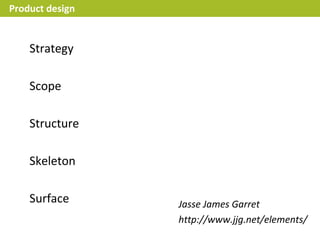
Product design


    Strategy

    Scope

    Structure

    Skeleton

    Surface      Jasse James Garret
                 http://www.jjg.net/elements/
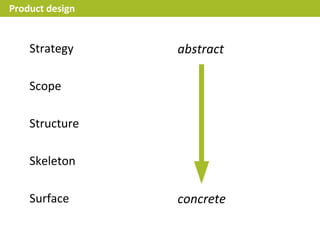
Product design


    Strategy     abstract

    Scope

    Structure

    Skeleton

    Surface      concrete
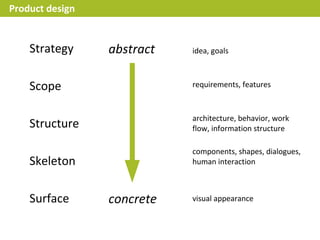
Product design


    Strategy     abstract   idea, goals


    Scope                   requirements, features


                            architecture, behavior, work
    Structure               flow, information structure

                            components, shapes, dialogues,
    Skeleton                human interaction


    Surface      concrete   visual appearance
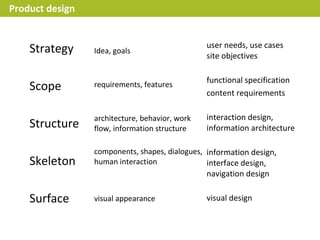
Product design


                                                user needs, use cases
    Strategy     Idea, goals
                                                site objectives

                                                functional specification
    Scope        requirements, features
                                                content requirements

                 architecture, behavior, work   interaction design,
    Structure    flow, information structure    information architecture

                 components, shapes, dialogues, information design,
    Skeleton     human interaction              interface design,
                                                navigation design

    Surface      visual appearance              visual design
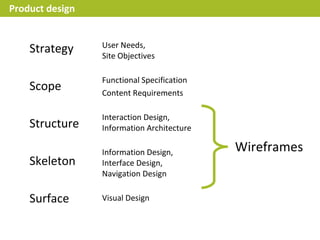
Product design


                 User Needs,
    Strategy     Site Objectives

                 Functional Specification
    Scope        Content Requirements

                 Interaction Design,
    Structure    Information Architecture

                 Information Design,        Wireframes
    Skeleton     Interface Design,
                 Navigation Design

    Surface      Visual Design
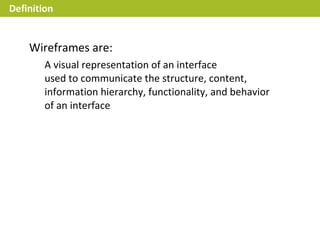
Definition


    Wireframes are:
        A visual representation of an interface
        used to communicate the structure, content,
        information hierarchy, functionality, and behavior
        of an interface
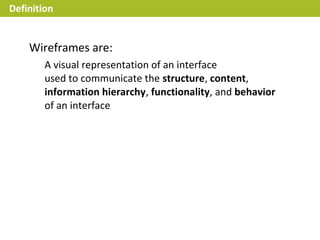
Definition


    Wireframes are:
        A visual representation of an interface
        used to communicate the structure, content,
        information hierarchy, functionality, and behavior
        of an interface
Definition


    Wireframes are:
        A visual representation of an interface
        used to communicate the structure, content,
        information hierarchy, functionality, and behavior
        of an interface


    Prototypes are:
        A simulation of some aspects of the final solution
        used to develop, demonstrate and evaluate the
        process, capability, performance or usability of the
        solution
Definition


    Wireframes are:
        A visual representation of an interface
        used to communicate the structure, content,
        information hierarchy, functionality, and behavior
        of an interface


    UI-Prototypes are:
        A simulation of some aspects of the final solution
        used to develop, demonstrate and evaluate the
        process, capability, performance or usability of the
        solution
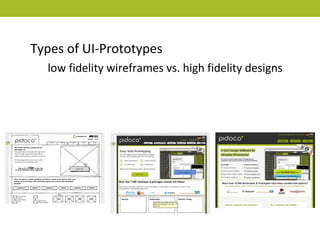
Types of UI-Prototypes
  low fidelity wireframes vs. high fidelity designs
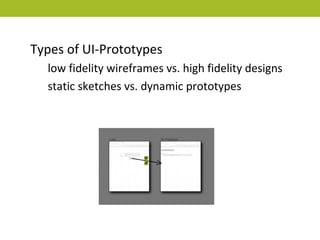
Types of UI-Prototypes
  low fidelity wireframes vs. high fidelity designs
  static sketches vs. dynamic prototypes
What is your purpose?


    Ideation

    Feedback

    Specification

    Usability Testing
What are your goals?


    Define content


    Test interaction


    Create the big picture


    Solve difficult problems
Focus when prototyping


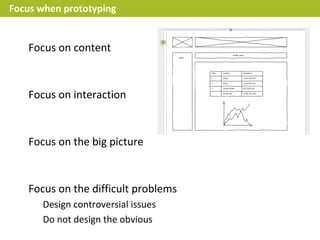
   Focus on content


   Focus on interaction


   Focus on the big picture


   Focus on the difficult problems
Focus when prototyping


    Focus on content
       No graphics, no visual design, no branding
       No fake text ('lorem ipsum'): be realistic
    Focus on interaction


    Focus on the big picture


    Focus on the difficult problems
Focus when prototyping


    Focus on content
       No graphics, no visual design, no branding
       No fake text ('lorem ipsum'): be realistic

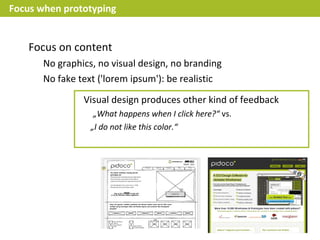
                Visual design produces other kind of feedback
                   „What happens when I click here?“ vs.
                  „I do not like this color.“
Focus when prototyping


    Focus on content
       No graphics, no visual design, no branding
       No fake text ('lorem ipsum'): be realistic

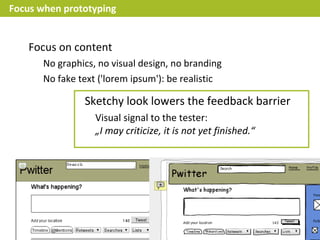
                Sketchy look lowers the feedback barrier
                   Visual signal to the tester:
                   „I may criticize, it is not yet finished.“
Focus when prototyping


   Focus on content


   Focus on interaction
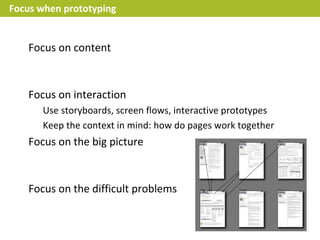
      Use storyboards, screen flows, interactive prototypes
      Keep the context in mind: how do pages work together
   Focus on the big picture


   Focus on the difficult problems
Focus when prototyping


   Focus on content


   Focus on interaction


   Focus on the big picture
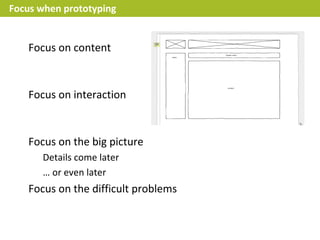
      Details come later
      … or even later
   Focus on the difficult problems
Focus when prototyping


   Focus on content


   Focus on interaction


   Focus on the big picture


   Focus on the difficult problems
      Design controversial issues
      Do not design the obvious
Tools


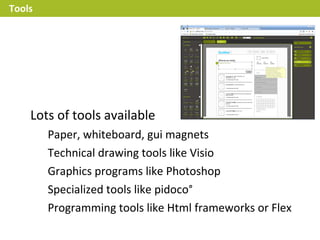
    Lots of tools available
        Paper, whiteboard, gui magnets
        Technical drawing tools like Visio
        Graphics programs like Photoshop
        Specialized tools like pidoco°
        Programming tools like Html frameworks or Flex
Tools


    Choose tools that help you focus
        Photoshop make it difficult to focus on content
        Paper makes it difficult to focus on interaction
        HTML makes it difficult to focus on the big picture
Tools


    Choose the right tool for the right task
        Paper if you need to be quick
        Internet based tools if you want good feedback
        Tools with dynamic features if you want to test interaction
        Programming tools if you want to test new UI-Elements
        Tools with good exports if you need a specification
Exceptions


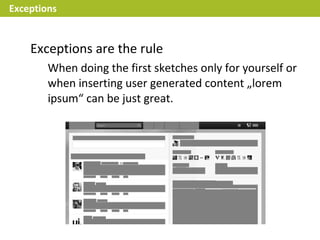
    Exceptions are the rule
        When doing the first sketches only for yourself or
        when inserting user generated content „lorem
        ipsum“ can be just great.
Exceptions


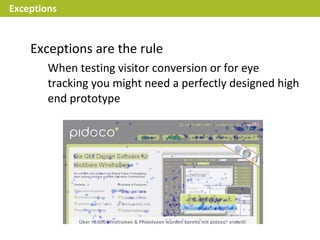
    Exceptions are the rule
        When testing visitor conversion or for eye
        tracking you might need a perfectly designed high
        end prototype
Exceptions


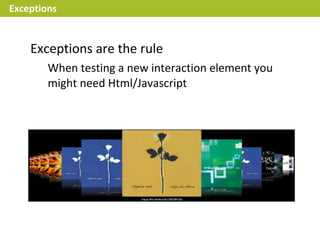
    Exceptions are the rule
        When testing a new interaction element you
        might need Html/Javascript
Exceptions


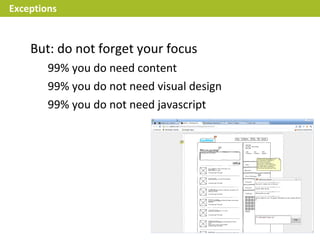
    But: do not forget your focus
        99% you do need content
        99% you do not need visual design
        99% you do not need javascript
Mobile


    Designing for mobile
         User interface concepts differ
           no right click, no mouse over, etc.
         Search for good device guidelines
           each device is different
         Test it on the real device as often as you can
           an emulator just isn't the same
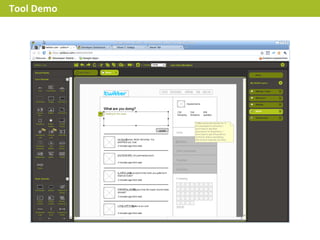
Tool Demo
Here’s our contact information:


     Getting in touch:            Pidoco GmbH
                                  Warschauer Straße 58a
                                  D-10243 Berlin
     Silvan.Golega@pidoco.com
     @pidoco, @tec on Twitter     www.pidoco.com
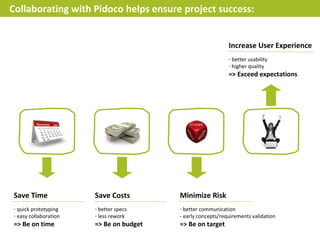
Collaborating with Pidoco helps ensure project success:


                                                             Increase User Experience
                                                             - better usability
                                                             - higher quality
                                                             => Exceed expectations


Save Time              Save Costs        Minimize Risk
- quick prototyping    - better specs    - better communication
- easy collaboration   - less rework     - early concepts/requirements validation
=> Be on time          => Be on budget   => Be on target
Images taken from:


                        Under (CC BY 2.0) http://www.flickr.com/photos/jackdorsey/182613360/


                     Under GPL: http://de.wikipedia.org/w/index.php?title=Datei:Songbird_With_Addons.png

Wireframes and UI-Prototypes

  • 1.
    Trends and Concepts,Hasso Plattner Institute Potsdam, February 15th , 2011 Wireframes and UI-Prototypes An introduction with practical tips Pidoco GmbH Silvan T. Golega
  • 2.
    Topic of today Wireframes and UI-Prototypes Theory Why should I do them How do I make them Wireframes and UI-Prototypes Practice Demo of Pidoco Prototype Creator
  • 3.
    About me About me Silvan T. Golega Did my bachelor and my master here at HPI Founded Pidoco GmbH We develop web projects We build and sell web-based tools for prototyping and usability testing* *(We are looking for interns)
  • 4.
    How would yougo about developing a microblogging service? Idea
  • 5.
    How would yougo about developing a microblogging service? Development Idea
  • 6.
    How would yougo about developing a microblogging service? Development Idea Product Specification
  • 7.
    How would yougo about developing a microblogging service? Product Manager Developer Client End User Interaction Designer and many more… Consultant Graphic Designer
  • 8.
    How would yougo about developing a microblogging service?
  • 9.
    Product design Strategy Scope Structure Skeleton Surface Jasse James Garret http://www.jjg.net/elements/
  • 10.
    Product design Strategy abstract Scope Structure Skeleton Surface concrete
  • 11.
    Product design Strategy abstract idea, goals Scope requirements, features architecture, behavior, work Structure flow, information structure components, shapes, dialogues, Skeleton human interaction Surface concrete visual appearance
  • 12.
    Product design user needs, use cases Strategy Idea, goals site objectives functional specification Scope requirements, features content requirements architecture, behavior, work interaction design, Structure flow, information structure information architecture components, shapes, dialogues, information design, Skeleton human interaction interface design, navigation design Surface visual appearance visual design
  • 13.
    Product design User Needs, Strategy Site Objectives Functional Specification Scope Content Requirements Interaction Design, Structure Information Architecture Information Design, Wireframes Skeleton Interface Design, Navigation Design Surface Visual Design
  • 14.
    Definition Wireframes are: A visual representation of an interface used to communicate the structure, content, information hierarchy, functionality, and behavior of an interface
  • 15.
    Definition Wireframes are: A visual representation of an interface used to communicate the structure, content, information hierarchy, functionality, and behavior of an interface
  • 16.
    Definition Wireframes are: A visual representation of an interface used to communicate the structure, content, information hierarchy, functionality, and behavior of an interface Prototypes are: A simulation of some aspects of the final solution used to develop, demonstrate and evaluate the process, capability, performance or usability of the solution
  • 17.
    Definition Wireframes are: A visual representation of an interface used to communicate the structure, content, information hierarchy, functionality, and behavior of an interface UI-Prototypes are: A simulation of some aspects of the final solution used to develop, demonstrate and evaluate the process, capability, performance or usability of the solution
  • 18.
    Types of UI-Prototypes low fidelity wireframes vs. high fidelity designs
  • 19.
    Types of UI-Prototypes low fidelity wireframes vs. high fidelity designs static sketches vs. dynamic prototypes
  • 20.
    What is yourpurpose? Ideation Feedback Specification Usability Testing
  • 21.
    What are yourgoals? Define content Test interaction Create the big picture Solve difficult problems
  • 22.
    Focus when prototyping Focus on content Focus on interaction Focus on the big picture Focus on the difficult problems
  • 23.
    Focus when prototyping Focus on content No graphics, no visual design, no branding No fake text ('lorem ipsum'): be realistic Focus on interaction Focus on the big picture Focus on the difficult problems
  • 24.
    Focus when prototyping Focus on content No graphics, no visual design, no branding No fake text ('lorem ipsum'): be realistic Visual design produces other kind of feedback „What happens when I click here?“ vs. „I do not like this color.“
  • 25.
    Focus when prototyping Focus on content No graphics, no visual design, no branding No fake text ('lorem ipsum'): be realistic Sketchy look lowers the feedback barrier Visual signal to the tester: „I may criticize, it is not yet finished.“
  • 26.
    Focus when prototyping Focus on content Focus on interaction Use storyboards, screen flows, interactive prototypes Keep the context in mind: how do pages work together Focus on the big picture Focus on the difficult problems
  • 27.
    Focus when prototyping Focus on content Focus on interaction Focus on the big picture Details come later … or even later Focus on the difficult problems
  • 28.
    Focus when prototyping Focus on content Focus on interaction Focus on the big picture Focus on the difficult problems Design controversial issues Do not design the obvious
  • 29.
    Tools Lots of tools available Paper, whiteboard, gui magnets Technical drawing tools like Visio Graphics programs like Photoshop Specialized tools like pidoco° Programming tools like Html frameworks or Flex
  • 30.
    Tools Choose tools that help you focus Photoshop make it difficult to focus on content Paper makes it difficult to focus on interaction HTML makes it difficult to focus on the big picture
  • 31.
    Tools Choose the right tool for the right task Paper if you need to be quick Internet based tools if you want good feedback Tools with dynamic features if you want to test interaction Programming tools if you want to test new UI-Elements Tools with good exports if you need a specification
  • 32.
    Exceptions Exceptions are the rule When doing the first sketches only for yourself or when inserting user generated content „lorem ipsum“ can be just great.
  • 33.
    Exceptions Exceptions are the rule When testing visitor conversion or for eye tracking you might need a perfectly designed high end prototype
  • 34.
    Exceptions Exceptions are the rule When testing a new interaction element you might need Html/Javascript
  • 35.
    Exceptions But: do not forget your focus 99% you do need content 99% you do not need visual design 99% you do not need javascript
  • 36.
    Mobile Designing for mobile User interface concepts differ no right click, no mouse over, etc. Search for good device guidelines each device is different Test it on the real device as often as you can an emulator just isn't the same
  • 37.
  • 38.
    Here’s our contactinformation: Getting in touch: Pidoco GmbH Warschauer Straße 58a D-10243 Berlin Silvan.Golega@pidoco.com @pidoco, @tec on Twitter www.pidoco.com
  • 39.
    Collaborating with Pidocohelps ensure project success: Increase User Experience - better usability - higher quality => Exceed expectations Save Time Save Costs Minimize Risk - quick prototyping - better specs - better communication - easy collaboration - less rework - early concepts/requirements validation => Be on time => Be on budget => Be on target
  • 40.
    Images taken from: Under (CC BY 2.0) http://www.flickr.com/photos/jackdorsey/182613360/ Under GPL: http://de.wikipedia.org/w/index.php?title=Datei:Songbird_With_Addons.png