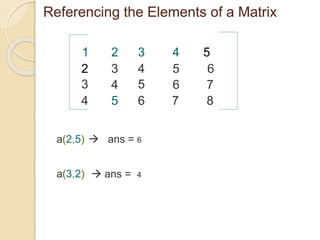
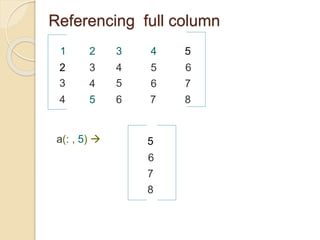
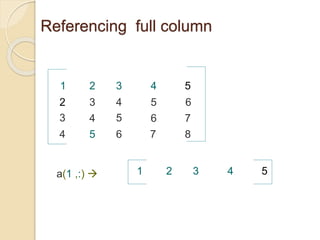
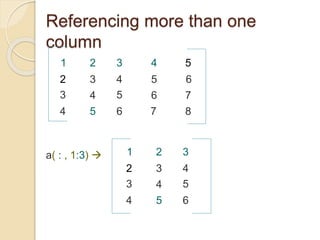
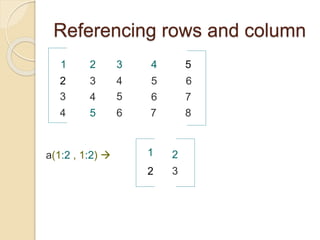
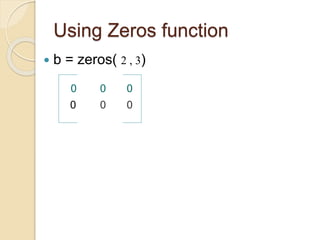
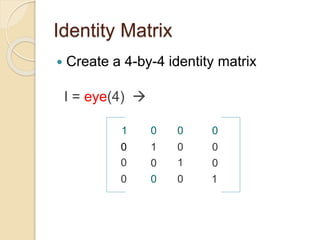
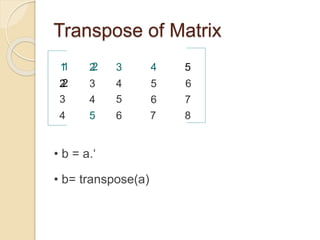
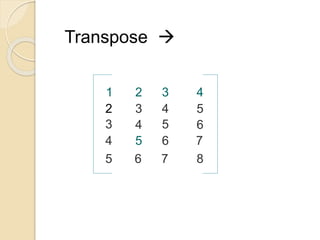
This document discusses how to create and manipulate matrices in MATLAB. It explains how to create a matrix by entering comma-separated elements in rows and using semicolons to separate rows. It also covers how to reference specific elements, rows, columns, and submatrices of a matrix. Finally, it demonstrates some common matrix operations like creating zero and identity matrices, taking the transpose, and concatenating matrices horizontally and vertically.

![How to create Matrix .
By entering elements in each row as comma or
space delimited numbers and using semicolons to
mark the end of each row.
1 2 3 4 5
2
3
4
3
4
5
4
5
6
5
6
6
7
87
a = [ 1 2 3 4 5 ; 2 3 4 5 6 ; 3 4 5 6 7; 4 5 6 7 8]](https://image.slidesharecdn.com/matricesinmatlab-190811133809/85/Matrices-in-matlab-2-320.jpg)
![Matrix Concatenation
3
1 2
2 5
2 3
4
a=
b=
c = [ a b ] row wise concatenation
3
1 2
2 5
2 3
4](https://image.slidesharecdn.com/matricesinmatlab-190811133809/85/Matrices-in-matlab-13-320.jpg)
![c = [ a ; b ] column wise concatenation
3
1 2
2
5
2 3
4](https://image.slidesharecdn.com/matricesinmatlab-190811133809/85/Matrices-in-matlab-14-320.jpg)