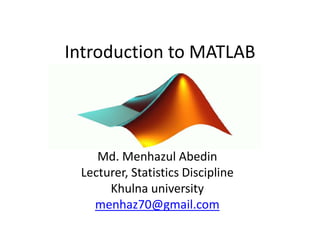
Introduction to MATLAB
Md. Menhazul Abedin
Lecturer, Statistics Discipline
Khulna university
menhaz70@gmail.com
What is MATLAB
• High level language for technical computing
• Stands for MATrix LABoratory
• Everything is a matrix - easy to do linear
algebra
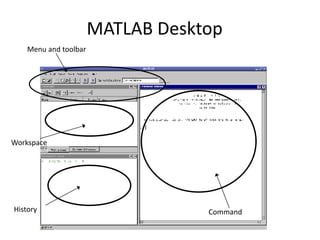
MATLAB Desktop
Menu and toolbar
CommandHistory
Workspace
Valid variables Names
• A valid variable name starts with a letter,
followed by letters, digits, or underscores.
• MATLAB® is casesensitive, so A and a are not the
same variable.
• The maximum length of a variable name is the
value that the namelengthmax command returns.
• You cannot define variables with the same names
as MATLAB keywords, such as if or end. For a
complete list, run the iskeyword command.
Matlab keywords….
• Keywords are must not variable name
• 'break' 'case' 'catch' 'classdef' 'continue' 'else'
'elseif' 'end' 'for' 'function' 'global' 'if' 'otherwise'
'parfor' 'persistent' 'return' 'spmd' 'switch' 'try'
'while'
How to run?
• If program in command space press “ enter”
• If in open script then block command and
presss F9.
Matrices & Vectors
• All (almost) entities in MATLAB are matrices
• Easy to define:
• Use ‘,’ or ‘ ’ to separate row elements
• use ‘;’ to separate rows
>> A = [1 3; 5 8]
A = 1 3
5 8
>> A = [1,3; 5,8]
A = 1 3
5 8
Matrices & Vectors
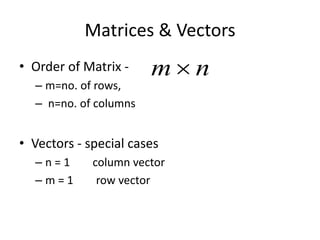
• Order of Matrix -
– m=no. of rows,
– n=no. of columns
• Vectors - special cases
– n = 1 column vector
– m = 1 row vector

m  n
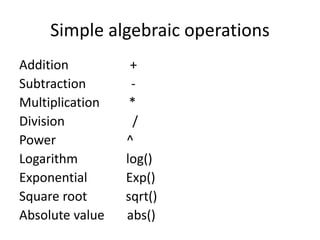
Simple algebraic operations
Addition +
Subtraction -
Multiplication *
Division /
Power ^
Logarithm log()
Exponential Exp()
Square root sqrt()
Absolute value abs()
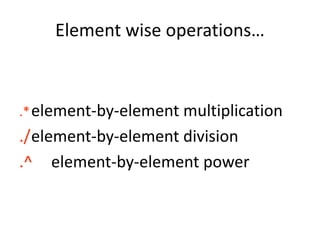
Element wise operations…
.*element-by-element multiplication
./element-by-element division
.^ element-by-element power
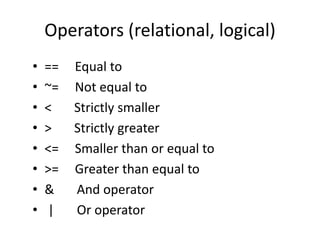
Operators (relational, logical)
• == Equal to
• ~= Not equal to
• < Strictly smaller
• > Strictly greater
• <= Smaller than or equal to
• >= Greater than equal to
• & And operator
• | Or operator
Sequences…….
• t =1:10
t =
1 2 3 4 5 6 7 8 9 10
• k =2:-0.5:-1
k =
2 1.5 1 0.5 0 -0.5 -1
• y=[2:2:12]
y=
2 4 6 8 10 12
• B = [1:4; 5:8]
x =
1 2 3 4
5 6 7 8
Some practice…….
• Do some mathematical operations as like as
calculator (addition, subtraction,
multiplication, division, log, square root,
power and so on)
Matrix...
• a vector x = [1 2 5 1]
x =
1 2 5 1
• a matrix x = [1 2 3; 5 1 4; 3 2 -1]
x =
1 2 3
5 1 4
3 2 -1
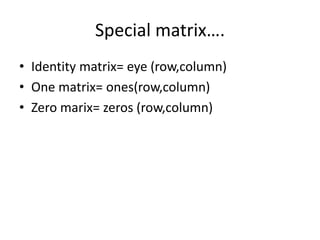
Special matrix….
• Identity matrix= eye (row,column)
• One matrix= ones(row,column)
• Zero marix= zeros (row,column)
Matrix operations…
• Let A be a matrix….
• Determinant= det(A)
• Transpose= A’
• Rank = rank(A)
• Inverse= inv(A)
• Trace = trace(A)
• Eigen value=eig(A)
• Eigen value and vector= [V,D] = eig(A)
• Matrix multiplication= A*B
• Matrix multiplication= A.*B [elementwise]
• Singular values= svd(A)
Cont…
• diag diagonal atrix
• triu upper triangular matrix
• tril lower triangular matri
• rand randomly generated matrix
• C=rand(5,4)
• triu(C)
• tril(C)
• diag([0.9092;0.5163;0.2661])
Cont…
• Length of a vector= length(x)
• Size or dimension of matrix= size(A)
• Replication of same number=
repmat(number,m,n)
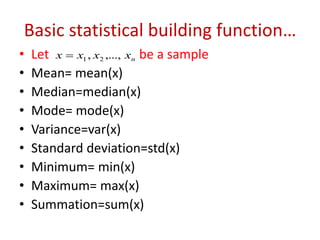
Basic statistical building function…
• Let be a sample
• Mean= mean(x)
• Median=median(x)
• Mode= mode(x)
• Variance=var(x)
• Standard deviation=std(x)
• Minimum= min(x)
• Maximum= max(x)
• Summation=sum(x)
nxxxx ,...,, 21
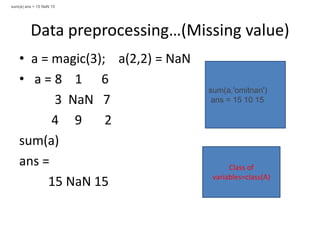
Data preprocessing…(Missing value)
• a = magic(3); a(2,2) = NaN
• a = 8 1 6
3 NaN 7
4 9 2
sum(a)
ans =
15 NaN 15
sum(a) ans = 15 NaN 15
sum(a,'omitnan')
ans = 15 10 15
Class of
variables=class(A)
Random number generation….
• Normal distribution:
normrnd(mu,sigma) for a single value
normrnd(mu,sigma,m,n) or
normrnd(mu,sigma[m,n]) for matrix having
m row and ncolumn
• Poisson distribution:
poissrnd(lamda)
poissrnd(lamda,m,n)
poissrnd(lamda,[m,n])
Binomial distribution:
binornd(N,P)
binornd(N,P,m,n)
binornd(N,P,[m,n])
Cont…
• Geometric distribution:
geornd(p)
geornd(p,m,n)
geornd(p,[m,n])
• Beta distribution:
betarnd(A,B)
betarnd(A,B,m,n)
betarnd(A,B,[m,n])
Exponential distribution:
exprnd(mu)
exprnd(mu,m,n)
exprnd(mu,[m,n])
Gamma distribution:
gamrd(A,B)
gamrnd(A,B,m,n)
gamrnd(A,B,[m,n])
Cont…
• Standard normal distribution:
randn return single value
randn(n) return n-by-n square matrix
randn(r,c) return r-by-c matrx
Covariance of Matrix
• C = cov(A,B)
returns the covariance between two random
variables A and B.
• C = cov(A)
returns the matrix of correlation
coefficient for A, where the columns
of A represent random variables and the rows
represent observations.
Example…
• A = [5 0 3 7; 1 -5 7 3; 4 9 8 10];
C = cov(A)
• A = [3 6 4]; B = [7 12 -9];
cov(A,B)
Correlation coefficient…
• R = corrcoef(A)
returns the matrix of correlation
coefficient for A, where the columns
of A represent random variables and the rows
represent observations.
• R= corrcoef(A,B)
returns coefficients between two random
variables A and B.
Example…..
• x = randn(6,1);
• y = randn(6,1);
• A = [x y 2*y+3];
• R = corrcoef(A)
• A = randn(10,1);
• B = randn(10,1);
• R = corrcoef(A,B)
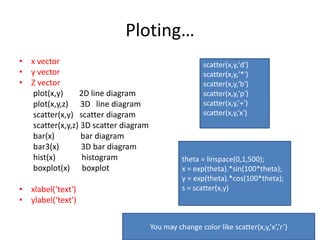
Ploting…
• x vector
• y vector
• Z vector
plot(x,y) 2D line diagram
plot(x,y,z) 3D line diagram
scatter(x,y) scatter diagram
scatter(x,y,z) 3D scatter diagram
bar(x) bar diagram
bar3(x) 3D bar diagram
hist(x) histogram
boxplot(x) boxplot
• xlabel(‘text')
• ylabel(‘text')
scatter(x,y,'d')
scatter(x,y,'*')
scatter(x,y,'b')
scatter(x,y,'p')
scatter(x,y,’+')
scatter(x,y,‘x')
theta = linspace(0,1,500);
x = exp(theta).*sin(100*theta);
y = exp(theta).*cos(100*theta);
s = scatter(x,y)
You may change color like scatter(x,y,’x’,’r’)
Regression…
load moore
y=moore(:,6)
x1=ones(length(y),1)
x2=moore(:,1:5)
x=[x1 x2]
% now perform regression %
[b,bint,r,rint,stats]=regress(y,x)
Test…
• %Single mean test
load stockreturns
x = stocks(:,3)
length(x)
[h,p,ci,stats] = ttest(x)
load stockreturns
x = stocks(:,3);
h = ttest(x,0,0.01)
• %paired mean test
load examgrades
x = grades(:,1);
y = grades(:,2);
[h,p] = ttest(x,y)
Cont…
%paired mean test
load examgrades
x = grades(:,1);
y = grades(:,2);
[h,p] = ttest2(x,y)
load examgrades
x = grades(:,1);
y = grades(:,2);
[h,p] = ttest(x,y,0.01)
Similar way F-test , z-test, chi-square test etc
%t-Test for a Hypothesized Mean
load examgrades
x = grades(:,1);
h = ttest(x,75)
%One-Sided t-Test
load examgrades
x = grades(:,1);
h = ttest(x,65,'right')
ANOVA…
% ANOVA one way
y = meshgrid(1:5);
y = y + normrnd(0,1,5,5)
p = anova1(y)
%ANOVA two way........
load popcorn
popcorn
[p,tbl] = anova2(popcorn,3);
Importing data…
• Excel data
• Watch the vedio
• File import data fix direcory
open ( tick generate matlab code) next
finish
https://www.youtube.com/watch?v=-
mZci3mNjlU
• clc clear commad window
• whos data size, class, bytes etc
• who provide variable names
• help mean
• help who
• help median
• help regression
• help plot
Thanks

Introduction to matlab

  • 1.
    Introduction to MATLAB Md.Menhazul Abedin Lecturer, Statistics Discipline Khulna university menhaz70@gmail.com
  • 2.
    What is MATLAB •High level language for technical computing • Stands for MATrix LABoratory • Everything is a matrix - easy to do linear algebra
  • 3.
    MATLAB Desktop Menu andtoolbar CommandHistory Workspace
  • 4.
    Valid variables Names •A valid variable name starts with a letter, followed by letters, digits, or underscores. • MATLAB® is casesensitive, so A and a are not the same variable. • The maximum length of a variable name is the value that the namelengthmax command returns. • You cannot define variables with the same names as MATLAB keywords, such as if or end. For a complete list, run the iskeyword command.
  • 5.
    Matlab keywords…. • Keywordsare must not variable name • 'break' 'case' 'catch' 'classdef' 'continue' 'else' 'elseif' 'end' 'for' 'function' 'global' 'if' 'otherwise' 'parfor' 'persistent' 'return' 'spmd' 'switch' 'try' 'while'
  • 6.
    How to run? •If program in command space press “ enter” • If in open script then block command and presss F9.
  • 7.
    Matrices & Vectors •All (almost) entities in MATLAB are matrices • Easy to define: • Use ‘,’ or ‘ ’ to separate row elements • use ‘;’ to separate rows >> A = [1 3; 5 8] A = 1 3 5 8 >> A = [1,3; 5,8] A = 1 3 5 8
  • 8.
    Matrices & Vectors •Order of Matrix - – m=no. of rows, – n=no. of columns • Vectors - special cases – n = 1 column vector – m = 1 row vector  m  n
  • 9.
    Simple algebraic operations Addition+ Subtraction - Multiplication * Division / Power ^ Logarithm log() Exponential Exp() Square root sqrt() Absolute value abs()
  • 10.
    Element wise operations… .*element-by-elementmultiplication ./element-by-element division .^ element-by-element power
  • 11.
    Operators (relational, logical) •== Equal to • ~= Not equal to • < Strictly smaller • > Strictly greater • <= Smaller than or equal to • >= Greater than equal to • & And operator • | Or operator
  • 12.
    Sequences……. • t =1:10 t= 1 2 3 4 5 6 7 8 9 10 • k =2:-0.5:-1 k = 2 1.5 1 0.5 0 -0.5 -1 • y=[2:2:12] y= 2 4 6 8 10 12 • B = [1:4; 5:8] x = 1 2 3 4 5 6 7 8
  • 13.
    Some practice……. • Dosome mathematical operations as like as calculator (addition, subtraction, multiplication, division, log, square root, power and so on)
  • 14.
    Matrix... • a vectorx = [1 2 5 1] x = 1 2 5 1 • a matrix x = [1 2 3; 5 1 4; 3 2 -1] x = 1 2 3 5 1 4 3 2 -1
  • 15.
    Special matrix…. • Identitymatrix= eye (row,column) • One matrix= ones(row,column) • Zero marix= zeros (row,column)
  • 16.
    Matrix operations… • LetA be a matrix…. • Determinant= det(A) • Transpose= A’ • Rank = rank(A) • Inverse= inv(A) • Trace = trace(A) • Eigen value=eig(A) • Eigen value and vector= [V,D] = eig(A) • Matrix multiplication= A*B • Matrix multiplication= A.*B [elementwise] • Singular values= svd(A)
  • 17.
    Cont… • diag diagonalatrix • triu upper triangular matrix • tril lower triangular matri • rand randomly generated matrix • C=rand(5,4) • triu(C) • tril(C) • diag([0.9092;0.5163;0.2661])
  • 18.
    Cont… • Length ofa vector= length(x) • Size or dimension of matrix= size(A) • Replication of same number= repmat(number,m,n)
  • 19.
    Basic statistical buildingfunction… • Let be a sample • Mean= mean(x) • Median=median(x) • Mode= mode(x) • Variance=var(x) • Standard deviation=std(x) • Minimum= min(x) • Maximum= max(x) • Summation=sum(x) nxxxx ,...,, 21
  • 20.
    Data preprocessing…(Missing value) •a = magic(3); a(2,2) = NaN • a = 8 1 6 3 NaN 7 4 9 2 sum(a) ans = 15 NaN 15 sum(a) ans = 15 NaN 15 sum(a,'omitnan') ans = 15 10 15 Class of variables=class(A)
  • 21.
    Random number generation…. •Normal distribution: normrnd(mu,sigma) for a single value normrnd(mu,sigma,m,n) or normrnd(mu,sigma[m,n]) for matrix having m row and ncolumn • Poisson distribution: poissrnd(lamda) poissrnd(lamda,m,n) poissrnd(lamda,[m,n]) Binomial distribution: binornd(N,P) binornd(N,P,m,n) binornd(N,P,[m,n])
  • 22.
    Cont… • Geometric distribution: geornd(p) geornd(p,m,n) geornd(p,[m,n]) •Beta distribution: betarnd(A,B) betarnd(A,B,m,n) betarnd(A,B,[m,n]) Exponential distribution: exprnd(mu) exprnd(mu,m,n) exprnd(mu,[m,n]) Gamma distribution: gamrd(A,B) gamrnd(A,B,m,n) gamrnd(A,B,[m,n])
  • 23.
    Cont… • Standard normaldistribution: randn return single value randn(n) return n-by-n square matrix randn(r,c) return r-by-c matrx
  • 24.
    Covariance of Matrix •C = cov(A,B) returns the covariance between two random variables A and B. • C = cov(A) returns the matrix of correlation coefficient for A, where the columns of A represent random variables and the rows represent observations.
  • 25.
    Example… • A =[5 0 3 7; 1 -5 7 3; 4 9 8 10]; C = cov(A) • A = [3 6 4]; B = [7 12 -9]; cov(A,B)
  • 26.
    Correlation coefficient… • R= corrcoef(A) returns the matrix of correlation coefficient for A, where the columns of A represent random variables and the rows represent observations. • R= corrcoef(A,B) returns coefficients between two random variables A and B.
  • 27.
    Example….. • x =randn(6,1); • y = randn(6,1); • A = [x y 2*y+3]; • R = corrcoef(A) • A = randn(10,1); • B = randn(10,1); • R = corrcoef(A,B)
  • 28.
    Ploting… • x vector •y vector • Z vector plot(x,y) 2D line diagram plot(x,y,z) 3D line diagram scatter(x,y) scatter diagram scatter(x,y,z) 3D scatter diagram bar(x) bar diagram bar3(x) 3D bar diagram hist(x) histogram boxplot(x) boxplot • xlabel(‘text') • ylabel(‘text') scatter(x,y,'d') scatter(x,y,'*') scatter(x,y,'b') scatter(x,y,'p') scatter(x,y,’+') scatter(x,y,‘x') theta = linspace(0,1,500); x = exp(theta).*sin(100*theta); y = exp(theta).*cos(100*theta); s = scatter(x,y) You may change color like scatter(x,y,’x’,’r’)
  • 29.
    Regression… load moore y=moore(:,6) x1=ones(length(y),1) x2=moore(:,1:5) x=[x1 x2] %now perform regression % [b,bint,r,rint,stats]=regress(y,x)
  • 30.
    Test… • %Single meantest load stockreturns x = stocks(:,3) length(x) [h,p,ci,stats] = ttest(x) load stockreturns x = stocks(:,3); h = ttest(x,0,0.01) • %paired mean test load examgrades x = grades(:,1); y = grades(:,2); [h,p] = ttest(x,y)
  • 31.
    Cont… %paired mean test loadexamgrades x = grades(:,1); y = grades(:,2); [h,p] = ttest2(x,y) load examgrades x = grades(:,1); y = grades(:,2); [h,p] = ttest(x,y,0.01) Similar way F-test , z-test, chi-square test etc %t-Test for a Hypothesized Mean load examgrades x = grades(:,1); h = ttest(x,75) %One-Sided t-Test load examgrades x = grades(:,1); h = ttest(x,65,'right')
  • 32.
    ANOVA… % ANOVA oneway y = meshgrid(1:5); y = y + normrnd(0,1,5,5) p = anova1(y) %ANOVA two way........ load popcorn popcorn [p,tbl] = anova2(popcorn,3);
  • 33.
    Importing data… • Exceldata • Watch the vedio • File import data fix direcory open ( tick generate matlab code) next finish https://www.youtube.com/watch?v=- mZci3mNjlU
  • 34.
    • clc clearcommad window • whos data size, class, bytes etc • who provide variable names • help mean • help who • help median • help regression • help plot
  • 35.