Use of Mass Media in theUse of Mass Media in the
Teaching-Learning ProcessTeaching-Learning Process
9 July 2010, IGNOU9 July 2010, IGNOU
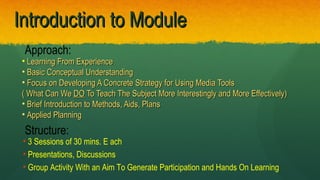
Introduction to ModuleIntroduction to Module
• Learning From ExperienceLearning From Experience
• Basic Conceptual UnderstandingBasic Conceptual Understanding
• Focus on Developing A Concrete Strategy for Using Media ToolsFocus on Developing A Concrete Strategy for Using Media Tools
( What Can We( What Can We DODO To Teach The Subject More Interestingly and More Effectively)To Teach The Subject More Interestingly and More Effectively)
• Brief Introduction to Methods, Aids, PlansBrief Introduction to Methods, Aids, Plans
• Applied PlanningApplied Planning
Approach:
Structure:
• 3 Sessions of 30 mins. E ach
• Presentations, Discussions
• Group Activity With an Aim To Generate Participation and Hands On Learning
IMAGINE:
- Class on Tourism in Arunachal
- Describe to students at
Bangalore/Chennai/Baroda
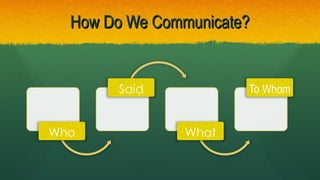
How Do We Communicate?How Do We Communicate?
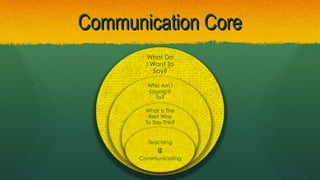
Communication CoreCommunication Core
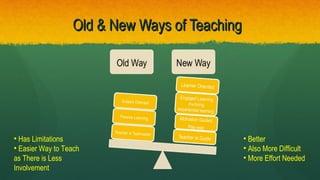
Old & New Ways of TeachingOld & New Ways of Teaching
• Better
• Also More Difficult
• More Effort Needed
• Has Limitations
• Easier Way to Teach
as There is Less
Involvement
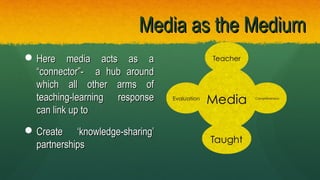
Media as the MediumMedia as the Medium
 Here media acts as aHere media acts as a
“connector”- a hub around“connector”- a hub around
which all other arms ofwhich all other arms of
teaching-learning responseteaching-learning response
can link up tocan link up to
 Create ‘knowledge-sharing’Create ‘knowledge-sharing’
partnershipspartnerships
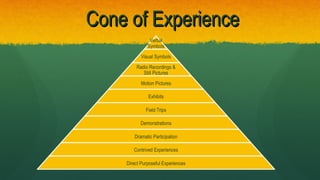
Cone of ExperienceCone of Experience
What are teaching Aids?What are teaching Aids?
-Devices that present units of knowledge throughDevices that present units of knowledge through
sound or visual stimuli or both, the aim being to helpsound or visual stimuli or both, the aim being to help
learning.learning.
-They help to concretize knowledge and help inThey help to concretize knowledge and help in
making a learning experience real, living and vital.making a learning experience real, living and vital.
-They act as a supplement to knowledge in the textThey act as a supplement to knowledge in the text
Involves utilization of more than one sensory
channel, helps to clarify, establish and correlate
accuracy, interpretations and concepts
Key Factors:Key Factors:
Supplements the Spoken WordSupplements the Spoken Word
 Supplements the material in textbooksSupplements the material in textbooks
Makes learning real, vivid interesting and life likeMakes learning real, vivid interesting and life like
 Helps develop concepts, improve attitudes and appreciationHelps develop concepts, improve attitudes and appreciation
•Makes learningMakes learning permanentpermanent, compelling, compelling
•
Who Can Use Teaching Aids?Who Can Use Teaching Aids?
Who can use talking as a tool of communication?!Who can use talking as a tool of communication?!
Teaching Aids are universal, multi-applicable andTeaching Aids are universal, multi-applicable and
multi-user basedmulti-user based
teacher education / distance learning / Officeteacher education / distance learning / Office
procedures / tourist guide orientation / / conventionalprocedures / tourist guide orientation / / conventional
classroomsclassrooms
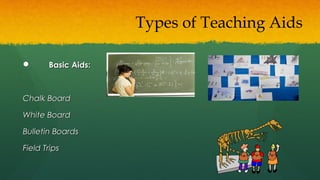
 Basic Aids:Basic Aids:
Chalk BoardChalk Board
White BoardWhite Board
Bulletin BoardsBulletin Boards
Field TripsField Trips
Types of Teaching Aids
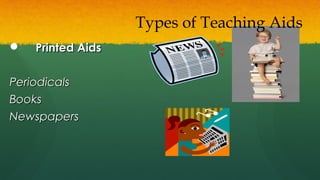
 Printed AidsPrinted Aids
PeriodicalsPeriodicals
BooksBooks
NewspapersNewspapers
Types of Teaching Aids
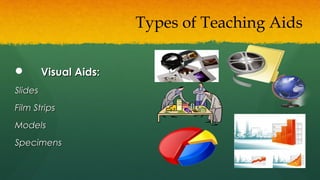
 Visual Aids:Visual Aids:
SlidesSlides
Film StripsFilm Strips
ModelsModels
SpecimensSpecimens
Types of Teaching Aids
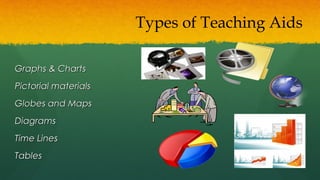
Graphs & ChartsGraphs & Charts
Pictorial materialsPictorial materials
Globes and MapsGlobes and Maps
DiagramsDiagrams
Time LinesTime Lines
TablesTables
Types of Teaching Aids
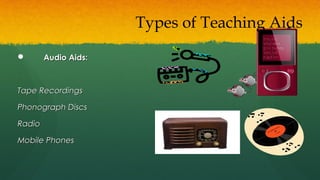
 Audio Aids:Audio Aids:
Tape RecordingsTape Recordings
Phonograph DiscsPhonograph Discs
RadioRadio
Mobile PhonesMobile Phones
Types of Teaching Aids
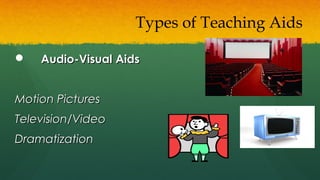
 Audio-Visual AidsAudio-Visual Aids
Motion PicturesMotion Pictures
Television/VideoTelevision/Video
DramatizationDramatization
Types of Teaching Aids
Trinnnngggggg!Trinnnngggggg!
Working with the Students and The MediaWorking with the Students and The Media
1. Put yourself in their shoes1. Put yourself in their shoes
 What do you like to read/ see/ hear ?What do you like to read/ see/ hear ?
 How much ?How much ?
 Where?Where?
What Guides Use of MediaWhat Guides Use of Media
How Best Can We Use The Media?How Best Can We Use The Media?
1.1. Radio:Radio:
 interactive phone-in programmesinteractive phone-in programmes
 radio dramas (like the ones on dealing with HIV AIDS)radio dramas (like the ones on dealing with HIV AIDS)
 docu-featuresdocu-features
2. Television2. Television
AdvertisementsAdvertisements
Interactive programming- EDUSATInteractive programming- EDUSAT
Information based animated and live responseInformation based animated and live response
demonstrations- GYAN DARSHANdemonstrations- GYAN DARSHAN
How Best Can We Use The Media?How Best Can We Use The Media?
3. Print & Advertising3. Print & Advertising
newspapers devote more space to education as well asnewspapers devote more space to education as well as
informationinformation
Information should be VISUAL rather than textual – asInformation should be VISUAL rather than textual – as
visual messages carry more impact than text heavy ones.visual messages carry more impact than text heavy ones.
How Best Can We Use The Media?How Best Can We Use The Media?
New Media
• Website (40 m users)
• E-newsletters
• E-mailers
• Mobile phones
• ATM screen appeals
- Understand the students’ needs- Understand the students’ needs
- Take into account the entry level behavior- Take into account the entry level behavior
- KISS- KISS
Working with the MediaWorking with the Media
Do your researchDo your research
 WhereWhere is the space?is the space?
 When is it available?When is it available?
 How can it work?How can it work?
Working with the MediaWorking with the Media
Think out of the boxThink out of the box
 Make an Impact, provide noveltyMake an Impact, provide novelty
 Feed statisticsFeed statistics
 Be ready with hooks & anglesBe ready with hooks & angles
 Link up with real life scenariosLink up with real life scenarios
 Be armed with case studies to bring the issue alive.Be armed with case studies to bring the issue alive.
Working with the MediaWorking with the Media
• Don’t approach mass media for everything
• Sometimes an a black board lesson can be
more effective
• Radio can be more cost-effective than TV
• The shelf life of a publication is greater than
a TV ad
CautionCaution
TELL ME
HOW
TEACHERS
USE
DIGITAL
MEDIA?
I podcast
lessons,
interviews,
summaries,
reviews,
updates
I slidecast
photos,
graphics,
reports,
stories
I vodcast
role plays,
discussions,
projects,
I screencast
tutorials,
software
BLOOM
I USE
DIGITAL MEDIA
RESOURCES TO
ASSIST MY
STUDENTS
TO ACQUIRE
KNOWLEDGE
AND COMPREHEND
AND
APPLY
THAT KNOWLEDGE
BACK
NOW
TELL ME
HOW
STUDENTS
USE
DIGITAL
MEDIA?
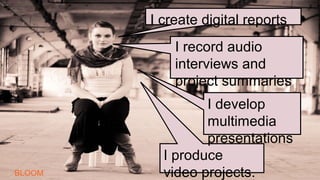
I produce
video projects.
I record audio
interviews and
project summaries
I create digital reports
I develop
multimedia
presentations
BLOOM
I USE DIGITAL MEDIA TO
DEVELOP PROJECTS THAT
REQUIRE ME TO ANALYSE,
SYNTHESISE AND
EVALUATE INFORMATION.
BACK
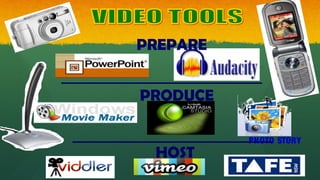
SHOW ME
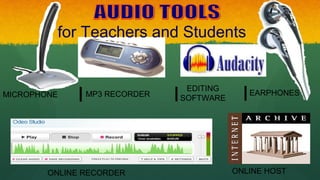
for Teachers and Students
MICROPHONE MP3 RECORDER
EDITING
SOFTWARE
EARPHONES
ONLINE RECORDER ONLINE HOST
PREPARE
PRODUCE
HOST
PHOTO STORY
Group ActivityGroup Activity
1.1. Division into 3 Groups….A,B,CDivision into 3 Groups….A,B,C
A - Science TeachersA - Science Teachers
B - Maths TeachersB - Maths Teachers
C- Language TeachersC- Language Teachers
ThinkThink
LinkLink
ShareShare
Reflection Time…Reflection Time…
Trinnnngggggg!Trinnnngggggg!
Applied LearningApplied Learning
Group Activity:Group Activity:
Devise 1 teaching aid to explainDevise 1 teaching aid to explain
any concept in your area of workany concept in your area of work
Group ActivityGroup Activity
Explanation of Group WorkExplanation of Group Work
- Develop a Plan for Teaching your specific subjectDevelop a Plan for Teaching your specific subject
- Work with your group members to create mass mediaWork with your group members to create mass media
teaching aidsteaching aids
- Present the lecture to the class (5 mins each)Present the lecture to the class (5 mins each)
- Peer Review and EvaluationPeer Review and Evaluation
- Review, Feedback and LearningsReview, Feedback and Learnings
What they should be likeWhat they should be like
 ConsistentConsistent
 Focused message deliveryFocused message delivery
 Student-friendlyStudent-friendly
 Concise and clearConcise and clear
 Emotive appealEmotive appeal
 TimelyTimely

Mass media & teaching learning

  • 1.
    Use of MassMedia in theUse of Mass Media in the Teaching-Learning ProcessTeaching-Learning Process 9 July 2010, IGNOU9 July 2010, IGNOU
  • 2.
    Introduction to ModuleIntroductionto Module • Learning From ExperienceLearning From Experience • Basic Conceptual UnderstandingBasic Conceptual Understanding • Focus on Developing A Concrete Strategy for Using Media ToolsFocus on Developing A Concrete Strategy for Using Media Tools ( What Can We( What Can We DODO To Teach The Subject More Interestingly and More Effectively)To Teach The Subject More Interestingly and More Effectively) • Brief Introduction to Methods, Aids, PlansBrief Introduction to Methods, Aids, Plans • Applied PlanningApplied Planning Approach: Structure: • 3 Sessions of 30 mins. E ach • Presentations, Discussions • Group Activity With an Aim To Generate Participation and Hands On Learning
  • 3.
    IMAGINE: - Class onTourism in Arunachal - Describe to students at Bangalore/Chennai/Baroda
  • 5.
    How Do WeCommunicate?How Do We Communicate?
  • 6.
  • 7.
    Old & NewWays of TeachingOld & New Ways of Teaching • Better • Also More Difficult • More Effort Needed • Has Limitations • Easier Way to Teach as There is Less Involvement
  • 8.
    Media as theMediumMedia as the Medium  Here media acts as aHere media acts as a “connector”- a hub around“connector”- a hub around which all other arms ofwhich all other arms of teaching-learning responseteaching-learning response can link up tocan link up to  Create ‘knowledge-sharing’Create ‘knowledge-sharing’ partnershipspartnerships
  • 9.
  • 10.
    What are teachingAids?What are teaching Aids? -Devices that present units of knowledge throughDevices that present units of knowledge through sound or visual stimuli or both, the aim being to helpsound or visual stimuli or both, the aim being to help learning.learning. -They help to concretize knowledge and help inThey help to concretize knowledge and help in making a learning experience real, living and vital.making a learning experience real, living and vital. -They act as a supplement to knowledge in the textThey act as a supplement to knowledge in the text
  • 11.
    Involves utilization ofmore than one sensory channel, helps to clarify, establish and correlate accuracy, interpretations and concepts
  • 12.
    Key Factors:Key Factors: Supplementsthe Spoken WordSupplements the Spoken Word  Supplements the material in textbooksSupplements the material in textbooks Makes learning real, vivid interesting and life likeMakes learning real, vivid interesting and life like  Helps develop concepts, improve attitudes and appreciationHelps develop concepts, improve attitudes and appreciation •Makes learningMakes learning permanentpermanent, compelling, compelling •
  • 13.
    Who Can UseTeaching Aids?Who Can Use Teaching Aids? Who can use talking as a tool of communication?!Who can use talking as a tool of communication?! Teaching Aids are universal, multi-applicable andTeaching Aids are universal, multi-applicable and multi-user basedmulti-user based teacher education / distance learning / Officeteacher education / distance learning / Office procedures / tourist guide orientation / / conventionalprocedures / tourist guide orientation / / conventional classroomsclassrooms
  • 14.
     Basic Aids:BasicAids: Chalk BoardChalk Board White BoardWhite Board Bulletin BoardsBulletin Boards Field TripsField Trips Types of Teaching Aids
  • 15.
     Printed AidsPrintedAids PeriodicalsPeriodicals BooksBooks NewspapersNewspapers Types of Teaching Aids
  • 16.
     Visual Aids:VisualAids: SlidesSlides Film StripsFilm Strips ModelsModels SpecimensSpecimens Types of Teaching Aids
  • 17.
    Graphs & ChartsGraphs& Charts Pictorial materialsPictorial materials Globes and MapsGlobes and Maps DiagramsDiagrams Time LinesTime Lines TablesTables Types of Teaching Aids
  • 18.
     Audio Aids:AudioAids: Tape RecordingsTape Recordings Phonograph DiscsPhonograph Discs RadioRadio Mobile PhonesMobile Phones Types of Teaching Aids
  • 19.
     Audio-Visual AidsAudio-VisualAids Motion PicturesMotion Pictures Television/VideoTelevision/Video DramatizationDramatization Types of Teaching Aids
  • 20.
  • 21.
    Working with theStudents and The MediaWorking with the Students and The Media 1. Put yourself in their shoes1. Put yourself in their shoes  What do you like to read/ see/ hear ?What do you like to read/ see/ hear ?  How much ?How much ?  Where?Where?
  • 22.
    What Guides Useof MediaWhat Guides Use of Media
  • 23.
    How Best CanWe Use The Media?How Best Can We Use The Media? 1.1. Radio:Radio:  interactive phone-in programmesinteractive phone-in programmes  radio dramas (like the ones on dealing with HIV AIDS)radio dramas (like the ones on dealing with HIV AIDS)  docu-featuresdocu-features
  • 24.
    2. Television2. Television AdvertisementsAdvertisements Interactiveprogramming- EDUSATInteractive programming- EDUSAT Information based animated and live responseInformation based animated and live response demonstrations- GYAN DARSHANdemonstrations- GYAN DARSHAN How Best Can We Use The Media?How Best Can We Use The Media?
  • 25.
    3. Print &Advertising3. Print & Advertising newspapers devote more space to education as well asnewspapers devote more space to education as well as informationinformation Information should be VISUAL rather than textual – asInformation should be VISUAL rather than textual – as visual messages carry more impact than text heavy ones.visual messages carry more impact than text heavy ones. How Best Can We Use The Media?How Best Can We Use The Media?
  • 26.
    New Media • Website(40 m users) • E-newsletters • E-mailers • Mobile phones • ATM screen appeals
  • 27.
    - Understand thestudents’ needs- Understand the students’ needs - Take into account the entry level behavior- Take into account the entry level behavior - KISS- KISS Working with the MediaWorking with the Media
  • 28.
    Do your researchDoyour research  WhereWhere is the space?is the space?  When is it available?When is it available?  How can it work?How can it work? Working with the MediaWorking with the Media
  • 29.
    Think out ofthe boxThink out of the box  Make an Impact, provide noveltyMake an Impact, provide novelty  Feed statisticsFeed statistics  Be ready with hooks & anglesBe ready with hooks & angles  Link up with real life scenariosLink up with real life scenarios  Be armed with case studies to bring the issue alive.Be armed with case studies to bring the issue alive. Working with the MediaWorking with the Media
  • 30.
    • Don’t approachmass media for everything • Sometimes an a black board lesson can be more effective • Radio can be more cost-effective than TV • The shelf life of a publication is greater than a TV ad CautionCaution
  • 31.
  • 32.
    I podcast lessons, interviews, summaries, reviews, updates I slidecast photos, graphics, reports, stories Ivodcast role plays, discussions, projects, I screencast tutorials, software BLOOM
  • 33.
    I USE DIGITAL MEDIA RESOURCESTO ASSIST MY STUDENTS TO ACQUIRE KNOWLEDGE AND COMPREHEND AND APPLY THAT KNOWLEDGE BACK
  • 34.
  • 35.
    I produce video projects. Irecord audio interviews and project summaries I create digital reports I develop multimedia presentations BLOOM
  • 36.
    I USE DIGITALMEDIA TO DEVELOP PROJECTS THAT REQUIRE ME TO ANALYSE, SYNTHESISE AND EVALUATE INFORMATION. BACK
  • 37.
  • 38.
    for Teachers andStudents MICROPHONE MP3 RECORDER EDITING SOFTWARE EARPHONES ONLINE RECORDER ONLINE HOST
  • 39.
  • 40.
    Group ActivityGroup Activity 1.1.Division into 3 Groups….A,B,CDivision into 3 Groups….A,B,C A - Science TeachersA - Science Teachers B - Maths TeachersB - Maths Teachers C- Language TeachersC- Language Teachers
  • 41.
  • 42.
  • 44.
    Applied LearningApplied Learning GroupActivity:Group Activity: Devise 1 teaching aid to explainDevise 1 teaching aid to explain any concept in your area of workany concept in your area of work
  • 45.
    Group ActivityGroup Activity Explanationof Group WorkExplanation of Group Work - Develop a Plan for Teaching your specific subjectDevelop a Plan for Teaching your specific subject - Work with your group members to create mass mediaWork with your group members to create mass media teaching aidsteaching aids - Present the lecture to the class (5 mins each)Present the lecture to the class (5 mins each) - Peer Review and EvaluationPeer Review and Evaluation - Review, Feedback and LearningsReview, Feedback and Learnings
  • 46.
    What they shouldbe likeWhat they should be like  ConsistentConsistent  Focused message deliveryFocused message delivery  Student-friendlyStudent-friendly  Concise and clearConcise and clear  Emotive appealEmotive appeal  TimelyTimely

Editor's Notes

  • #28 1. Can you give them more interesting information? 2. Can you package it better? 3. Can you give them
  • #29 There are dedicated columns on specific days that deal with development. Can you find place ? Which are the lean days? When are they looking for help? There are dedicated reporters for specific beats. Is development a beat ? IF yes, who covers it? If not, what comes close to it? Who covers it? 4. Are you reaching the right person? Who has the authority to pass stories? Who wants a byline?
  • #30 What journalists want but rarely get is suggestions for exclusive stories targeted at their readership or viewers and backed up with case studies to bring the issue alive. there were huge areas of the media that were under exploited by charities who were missing a trick in focussing on news desks rather than pitching tailor-made ideas to features desks and magazines. Isolation & Remarriage 500 poll, 6 matrimonial websites Use existing ones. Create new ones. Image is important