Module 1:
Presentation/ Application
What is Instructional Media?
(Definition)
 Instructional media is comprised of all the materials and physical means an instructor
might use to implement instruction and facilitate students' achievement of instructional
objectives. This may include traditional materials such as chalkboards, handouts, charts,
slides, overheads, real objects, and videotape or film, as well newer materials and
methods such as computers, DVDs, CD-ROMs, the Internet, and interactive video
conferencing.
Categories of Instructional Media
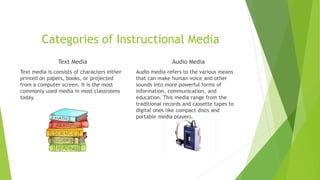
Text Media
Text media is consists of characters either
printed on papers, books, or projected
from a computer screen. It is the most
commonly used media in most classrooms
today.
Audio Media
Audio media refers to the various means
that can make human voice and other
sounds into more powerful forms of
information, communication, and
education. This media range from the
traditional records and cassette tapes to
digital ones like compact discs and
portable media players.
Categories of Instructional Media
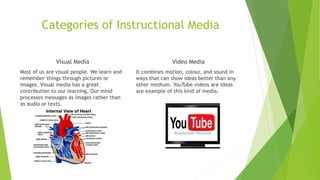
Visual Media
Most of us are visual people. We learn and
remember things through pictures or
images. Visual media has a great
contribution to our learning. Our mind
processes messages as images rather than
as audio or texts.
Video Media
It combines motion, colour, and sound in
ways that can show ideas better than any
other medium. YouTube videos are ideas
are example of this kind of media.
Categories of Instructional Media
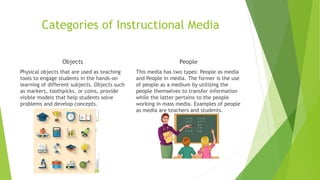
Objects
Physical objects that are used as teaching
tools to engage students in the hands-on
learning of different subjects. Objects such
as markers, toothpicks, or coins, provide
visible models that help students solve
problems and develop concepts.
People
This media has two types: People as media
and People in media. The former is the use
of people as a medium by utilizing the
people themselves to transfer information
while the latter pertains to the people
working in mass media. Examples of people
as media are teachers and students.
Five ways a teacher can be prepared for the use and design of media
Using media requires that the instructor step outside of the traditional lecture method and facilitate
learning by encouraging students to learn through the media. This approach works best when students
are primed. If students are not adequately informed about what they are expected to learn, they will
struggle to make the connection between the learning objectives and the media that they are exposed
to. Five ways teachers can prepare to use or design media are:
1) Be prepared. Technology does not work 100% of the time so have a back up plan.
2) Stay legal. View the copyright information on the cautions page.
3) Start small. Find one movie, song, or news source and incorporate it into your class. Expand once
you are comfortable.
4) Be knowledgably. have a fair amount of knowledge on the media selected to use.
5). Be patient. It takes time to integrate media effectively into a course. This is not edutainment, it is
the conscious use of media to enable students to learn more so don’t be in a rush to teach.
Reference
Smaldino, S.E., Russell, J. D., and Lowther, D. L.(2008). Instructional Technology and Media for
Learning. (9th Edition). New Jersey: Pearson Merrill Prentice.

Module 1 assignment

  • 1.
  • 2.
    What is InstructionalMedia? (Definition)  Instructional media is comprised of all the materials and physical means an instructor might use to implement instruction and facilitate students' achievement of instructional objectives. This may include traditional materials such as chalkboards, handouts, charts, slides, overheads, real objects, and videotape or film, as well newer materials and methods such as computers, DVDs, CD-ROMs, the Internet, and interactive video conferencing.
  • 3.
    Categories of InstructionalMedia Text Media Text media is consists of characters either printed on papers, books, or projected from a computer screen. It is the most commonly used media in most classrooms today. Audio Media Audio media refers to the various means that can make human voice and other sounds into more powerful forms of information, communication, and education. This media range from the traditional records and cassette tapes to digital ones like compact discs and portable media players.
  • 4.
    Categories of InstructionalMedia Visual Media Most of us are visual people. We learn and remember things through pictures or images. Visual media has a great contribution to our learning. Our mind processes messages as images rather than as audio or texts. Video Media It combines motion, colour, and sound in ways that can show ideas better than any other medium. YouTube videos are ideas are example of this kind of media.
  • 5.
    Categories of InstructionalMedia Objects Physical objects that are used as teaching tools to engage students in the hands-on learning of different subjects. Objects such as markers, toothpicks, or coins, provide visible models that help students solve problems and develop concepts. People This media has two types: People as media and People in media. The former is the use of people as a medium by utilizing the people themselves to transfer information while the latter pertains to the people working in mass media. Examples of people as media are teachers and students.
  • 6.
    Five ways ateacher can be prepared for the use and design of media Using media requires that the instructor step outside of the traditional lecture method and facilitate learning by encouraging students to learn through the media. This approach works best when students are primed. If students are not adequately informed about what they are expected to learn, they will struggle to make the connection between the learning objectives and the media that they are exposed to. Five ways teachers can prepare to use or design media are: 1) Be prepared. Technology does not work 100% of the time so have a back up plan. 2) Stay legal. View the copyright information on the cautions page. 3) Start small. Find one movie, song, or news source and incorporate it into your class. Expand once you are comfortable. 4) Be knowledgably. have a fair amount of knowledge on the media selected to use. 5). Be patient. It takes time to integrate media effectively into a course. This is not edutainment, it is the conscious use of media to enable students to learn more so don’t be in a rush to teach. Reference Smaldino, S.E., Russell, J. D., and Lowther, D. L.(2008). Instructional Technology and Media for Learning. (9th Edition). New Jersey: Pearson Merrill Prentice.