Wong Yew Yip
yewyip@gmail.com
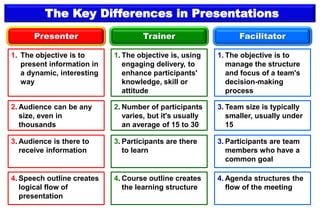
The Key Differences in Presentations
Presenter Trainer Facilitator
1. The objective is to
present information in
a dynamic, interesting
way
1. The objective is, using
engaging delivery, to
enhance participants'
knowledge, skill or
attitude
1. The objective is to
manage the structure
and focus of a team's
decision-making
process
2. Audience can be any
size, even in
thousands
2. Number of participants
varies, but it's usually
an average of 15 to 30
3. Team size is typically
smaller, usually under
15
3. Audience is there to
receive information
3. Participants are there
to learn
3. Participants are team
members who have a
common goal
4. Speech outline creates
logical flow of
presentation
4. Course outline creates
the learning structure
4. Agenda structures the
flow of the meeting
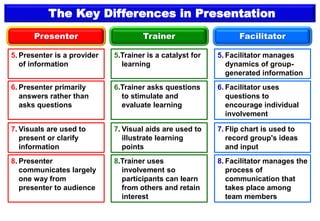
The Key Differences in Presentation
Presenter Trainer Facilitator
5. Presenter is a provider
of information
5.Trainer is a catalyst for
learning
5. Facilitator manages
dynamics of group-
generated information
6. Presenter primarily
answers rather than
asks questions
6.Trainer asks questions
to stimulate and
evaluate learning
6. Facilitator uses
questions to
encourage individual
involvement
7. Visuals are used to
present or clarify
information
7. Visual aids are used to
illustrate learning
points
7. Flip chart is used to
record group's ideas
and input
8. Presenter
communicates largely
one way from
presenter to audience
8.Trainer uses
involvement so
participants can learn
from others and retain
interest
8. Facilitator manages the
process of
communication that
takes place among
team members
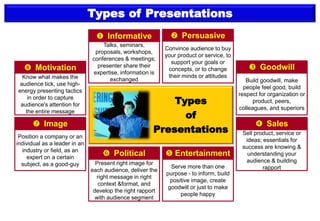
Types of Presentations
Talks, seminars,
proposals, workshops,
conferences & meetings;
presenter share their
expertise, information is
exchanged
 Informative
Convince audience to buy
your product or service, to
support your goals or
concepts, or to change
their minds or attitudes
 Persuasive
Build goodwill, make
people feel good, build
respect for organization or
product, peers,
colleagues, and superiors
 Goodwill
Sell product, service or
ideas; essentials for
success are knowing &
understanding your
audience & building
rapport
 Sales
Serve more than one
purpose - to inform, build
positive image, create
goodwill or just to make
people happy
 Entertainment
Present right image for
each audience, deliver the
right message in right
context &format, and
develop the right rapport
with audience segment
 Political
Know what makes the
audience tick, use high-
energy presenting tactics
in order to capture
audience's attention for
the entire message
 Motivation
Position a company or an
individual as a leader in an
industry or field, as an
expert on a certain
subject, as a good-guy
 Image
Types
of
Presentations
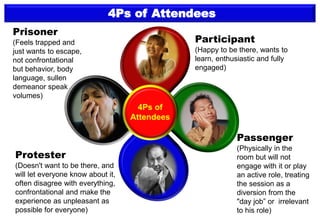
4Ps of Attendees
Participant
(Happy to be there, wants to
learn, enthusiastic and fully
engaged)
Prisoner
(Feels trapped and
just wants to escape,
not confrontational
but behavior, body
language, sullen
demeanor speak
volumes)
Protester
(Doesn't want to be there, and
will let everyone know about it,
often disagree with everything,
confrontational and make the
experience as unpleasant as
possible for everyone)
Passenger
(Physically in the
room but will not
engage with it or play
an active role, treating
the session as a
diversion from the
"day job” or irrelevant
to his role)
4Ps of
Attendees
Designed & Developed by : Wong Yew Yip : 7 July 2021
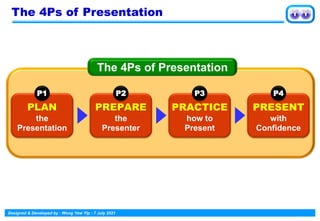
The 4Ps of Presentation
PLAN
the
Presentation
P1
The 4Ps of Presentation
PREPARE
the
Presenter
P2
PRACTICE
how to
Present
P3
PRESENT
with
Confidence
P4
Designed & Developed by : Wong Yew Yip : 7 July 2021
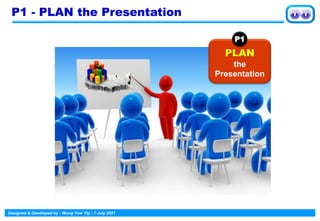
P1 - PLAN the Presentation
PLAN
the
Presentation
P1
Designed & Developed by : Wong Yew Yip : 7 July 2021
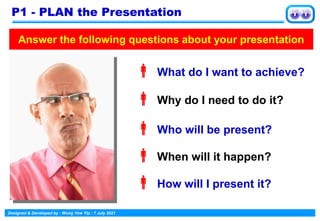
 What do I want to achieve?
 Why do I need to do it?
 Who will be present?
 When will it happen?
 How will I present it?
Answer the following questions about your presentation
P1 - PLAN the Presentation
Designed & Developed by : Wong Yew Yip : 7 July 2021
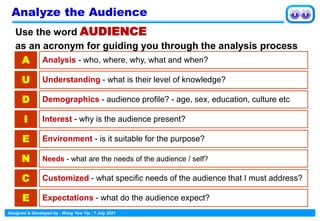
Use the word AUDIENCE
as an acronym for guiding you through the analysis process
A Analysis - who, where, why, what and when?
U Understanding - what is their level of knowledge?
D Demographics - audience profile? - age, sex, education, culture etc
I Interest - why is the audience present?
E Environment - is it suitable for the purpose?
N Needs - what are the needs of the audience / self?
C Customized - what specific needs of the audience that I must address?
E Expectations - what do the audience expect?
Analyze the Audience
Designed & Developed by : Wong Yew Yip : 7 July 2021
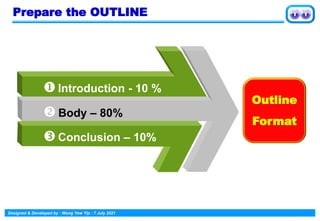
Prepare the OUTLINE
 Body – 80%
Introduction - 10 %
Conclusion – 10%
Outline
Format
Designed & Developed by : Wong Yew Yip : 7 July 2021
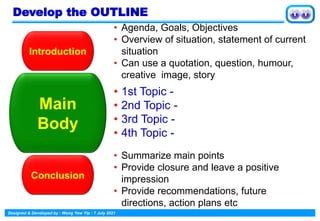
Introduction
• Agenda, Goals, Objectives
• Overview of situation, statement of current
situation
• Can use a quotation, question, humour,
creative image, story
Main
Body
• 1st Topic -
• 2nd Topic -
• 3rd Topic -
• 4th Topic -
Conclusion
• Summarize main points
• Provide closure and leave a positive
impression
• Provide recommendations, future
directions, action plans etc
Develop the OUTLINE
Designed & Developed by : Wong Yew Yip : 7 July 2021
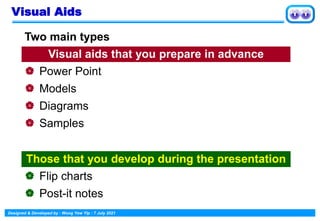
Visual Aids
Two main types
Visual aids that you prepare in advance
 Power Point
 Models
 Diagrams
 Samples
Those that you develop during the presentation
 Flip charts
 Post-it notes
Designed & Developed by : Wong Yew Yip : 7 July 2021
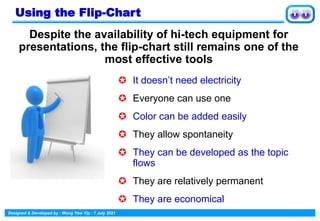
 It doesn’t need electricity
 Everyone can use one
 Color can be added easily
 They allow spontaneity
 They can be developed as the topic
flows
 They are relatively permanent
 They are economical
Using the Flip-Chart
Despite the availability of hi-tech equipment for
presentations, the flip-chart still remains one of the
most effective tools
Designed & Developed by : Wong Yew Yip : 7 July 2021
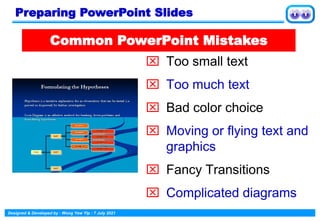
 Too small text
 Too much text
 Bad color choice
 Moving or flying text and
graphics
 Fancy Transitions
 Complicated diagrams
Common PowerPoint Mistakes
Preparing PowerPoint Slides
Designed & Developed by : Wong Yew Yip : 7 July 2021
 Animated images should contribute
something otherwise they are
distractions
 Bullet point ”sounds” can divert the
audience away from your ideas
 Especially when iritating and
predictable
 Your ideas should be centre stage
Avoid Distractions
Designed & Developed by : Wong Yew Yip : 7 July 2021
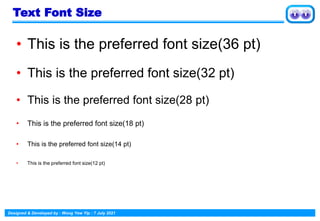
• This is the preferred font size(36 pt)
• This is the preferred font size(32 pt)
• This is the preferred font size(28 pt)
• This is the preferred font size(18 pt)
• This is the preferred font size(14 pt)
• This is the preferred font size(12 pt)
Text Font Size
Designed & Developed by : Wong Yew Yip : 7 July 2021
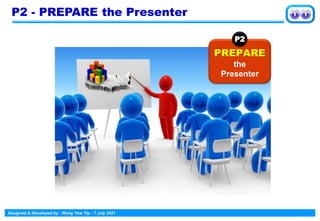
P2 - PREPARE the Presenter
PREPARE
the
Presenter
P2
Designed & Developed by : Wong Yew Yip : 7 July 2021
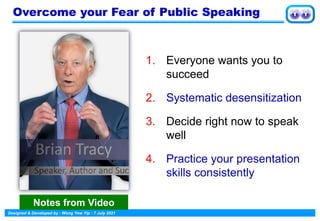
Overcome your Fear of Public Speaking
1. Everyone wants you to
succeed
2. Systematic desensitization
3. Decide right now to speak
well
4. Practice your presentation
skills consistently
Notes from Video
Designed & Developed by : Wong Yew Yip : 7 July 2021
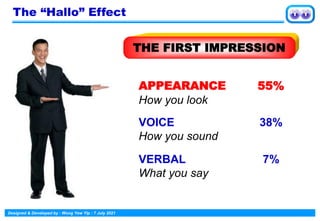
THE FIRST IMPRESSION
APPEARANCE
How you look
VOICE
How you sound
VERBAL
What you say
55%
38%
7%
The “Hallo” Effect
Designed & Developed by : Wong Yew Yip : 7 July 2021
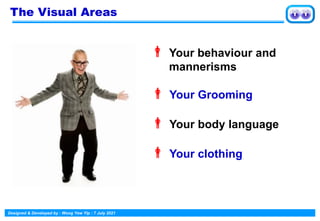
 Your behaviour and
mannerisms
 Your Grooming
 Your body language
 Your clothing
The Visual Areas
Designed & Developed by : Wong Yew Yip : 7 July 2021
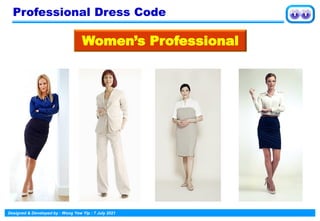
Women’s Professional
Professional Dress Code
Designed & Developed by : Wong Yew Yip : 7 July 2021
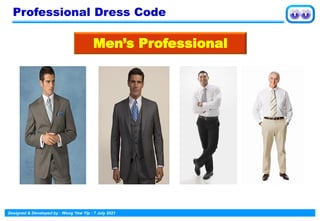
Professional Dress Code
Men’s Professional
Designed & Developed by : Wong Yew Yip : 7 July 2021
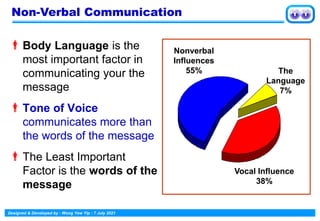
Body Language is the
most important factor in
communicating your the
message
Tone of Voice
communicates more than
the words of the message
The Least Important
Factor is the words of the
message
Non-Verbal Communication
The
Language
7%
Vocal Influence
38%
Nonverbal
Influences
55%
Designed & Developed by : Wong Yew Yip : 7 July 2021
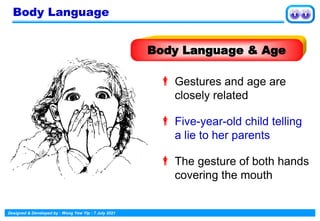
 Gestures and age are
closely related
 Five-year-old child telling
a lie to her parents
 The gesture of both hands
covering the mouth
Body Language
Body Language & Age
Designed & Developed by : Wong Yew Yip : 7 July 2021
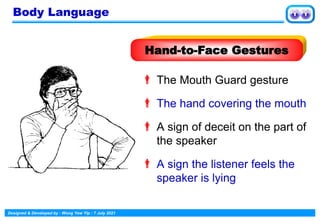
 The Mouth Guard gesture
 The hand covering the mouth
 A sign of deceit on the part of
the speaker
 A sign the listener feels the
speaker is lying
Hand-to-Face Gestures
Body Language
Designed & Developed by : Wong Yew Yip : 7 July 2021
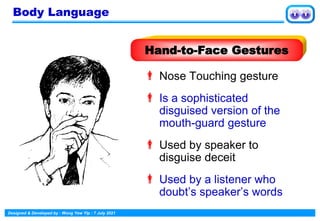
 Nose Touching gesture
 Is a sophisticated
disguised version of the
mouth-guard gesture
 Used by speaker to
disguise deceit
 Used by a listener who
doubt’s speaker’s words
Hand-to-Face Gestures
Body Language
Designed & Developed by : Wong Yew Yip : 7 July 2021
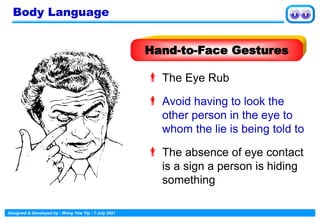
 The Eye Rub
 Avoid having to look the
other person in the eye to
whom the lie is being told to
 The absence of eye contact
is a sign a person is hiding
something
Hand-to-Face Gestures
Body Language
Designed & Developed by : Wong Yew Yip : 7 July 2021
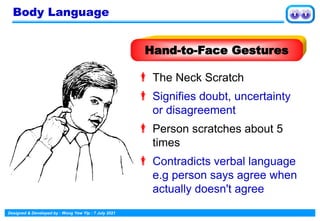
 The Neck Scratch
 Signifies doubt, uncertainty
or disagreement
 Person scratches about 5
times
 Contradicts verbal language
e.g person says agree when
actually doesn't agree
Hand-to-Face Gestures
Body Language
Designed & Developed by : Wong Yew Yip : 7 July 2021
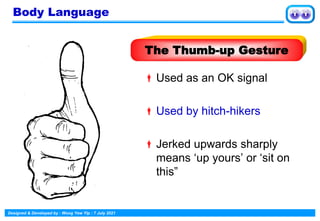
Used as an OK signal
Used by hitch-hikers
Jerked upwards sharply
means ‘up yours’ or ‘sit on
this”
The Thumb-up Gesture
Body Language
Designed & Developed by : Wong Yew Yip : 7 July 2021
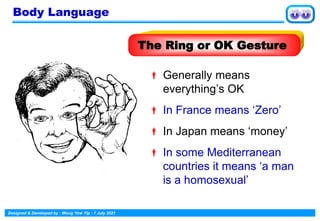
 Generally means
everything’s OK
 In France means ‘Zero’
 In Japan means ‘money’
 In some Mediterranean
countries it means ‘a man
is a homosexual’
The Ring or OK Gesture
Body Language
Designed & Developed by : Wong Yew Yip : 7 July 2021
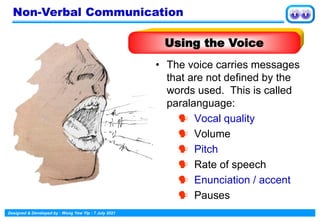
• The voice carries messages
that are not defined by the
words used. This is called
paralanguage:
 Vocal quality
 Volume
 Pitch
 Rate of speech
 Enunciation / accent
 Pauses
Non-Verbal Communication
Using the Voice
Designed & Developed by : Wong Yew Yip : 7 July 2021
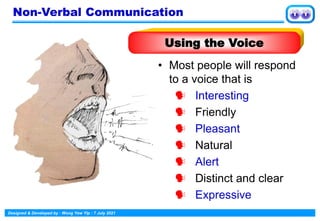
• Most people will respond
to a voice that is
 Interesting
 Friendly
 Pleasant
 Natural
 Alert
 Distinct and clear
 Expressive
Using the Voice
Non-Verbal Communication
Designed & Developed by : Wong Yew Yip : 7 July 2021
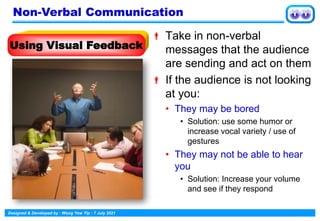
 Take in non-verbal
messages that the audience
are sending and act on them
 If the audience is not looking
at you:
• They may be bored
• Solution: use some humor or
increase vocal variety / use of
gestures
• They may not be able to hear
you
• Solution: Increase your volume
and see if they respond
Using Visual Feedback
Non-Verbal Communication
Designed & Developed by : Wong Yew Yip : 7 July 2021
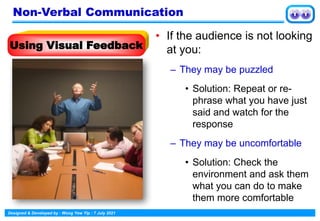
• If the audience is not looking
at you:
– They may be puzzled
• Solution: Repeat or re-
phrase what you have just
said and watch for the
response
– They may be uncomfortable
• Solution: Check the
environment and ask them
what you can do to make
them more comfortable
Using Visual Feedback
Non-Verbal Communication
Designed & Developed by : Wong Yew Yip : 7 July 2021
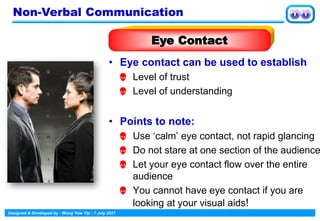
• Eye contact can be used to establish
 Level of trust
 Level of understanding
• Points to note:
 Use ‘calm’ eye contact, not rapid glancing
 Do not stare at one section of the audience
 Let your eye contact flow over the entire
audience
 You cannot have eye contact if you are
looking at your visual aids!
Eye Contact
Non-Verbal Communication
Designed & Developed by : Wong Yew Yip : 7 July 2021
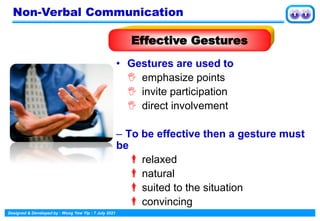
• Gestures are used to
 emphasize points
 invite participation
 direct involvement
– To be effective then a gesture must
be
relaxed
natural
suited to the situation
convincing
Effective Gestures
Non-Verbal Communication
Designed & Developed by : Wong Yew Yip : 7 July 2021
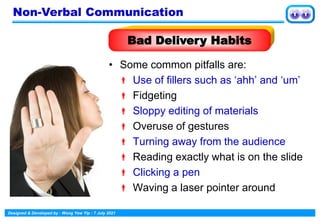
• Some common pitfalls are:
 Use of fillers such as ‘ahh’ and ‘um’
 Fidgeting
 Sloppy editing of materials
 Overuse of gestures
 Turning away from the audience
 Reading exactly what is on the slide
 Clicking a pen
 Waving a laser pointer around
Bad Delivery Habits
Non-Verbal Communication
Designed & Developed by : Wong Yew Yip : 7 July 2021
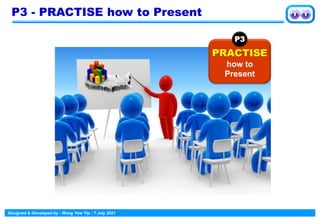
P3 - PRACTISE how to Present
PRACTISE
how to
Present
P3
Designed & Developed by : Wong Yew Yip : 7 July 2021
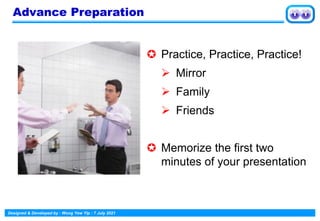
Advance Preparation
 Practice, Practice, Practice!
➢ Mirror
➢ Family
➢ Friends
 Memorize the first two
minutes of your presentation
Designed & Developed by : Wong Yew Yip : 7 July 2021
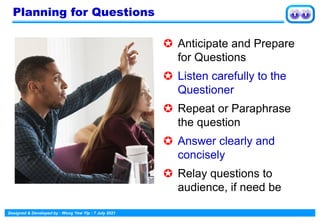
Planning for Questions
 Anticipate and Prepare
for Questions
 Listen carefully to the
Questioner
 Repeat or Paraphrase
the question
 Answer clearly and
concisely
 Relay questions to
audience, if need be
Designed & Developed by : Wong Yew Yip : 7 July 2021
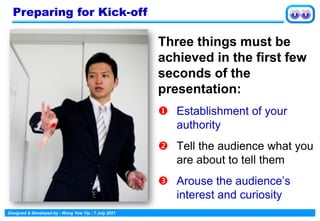
Three things must be
achieved in the first few
seconds of the
presentation:
 Establishment of your
authority
 Tell the audience what you
are about to tell them
 Arouse the audience’s
interest and curiosity
Preparing for Kick-off
Designed & Developed by : Wong Yew Yip : 7 July 2021
1. Greet - Hello / Good morning
2. Identify - My name is . . .
3. Qualify - I work as …
4. Topic - I’m going to talk to you about
5. How long - My presentation will last . . .
6. Visual aids- I will be using a PC projector
7. Questions - I shall be pleased to take questions
at the end
The Kick-off Formula
Designed & Developed by : Wong Yew Yip : 7 July 2021
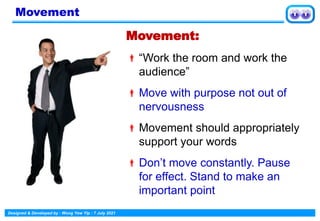
Movement:
“Work the room and work the
audience”
Move with purpose not out of
nervousness
Movement should appropriately
support your words
Don’t move constantly. Pause
for effect. Stand to make an
important point
Movement
Designed & Developed by : Wong Yew Yip : 7 July 2021
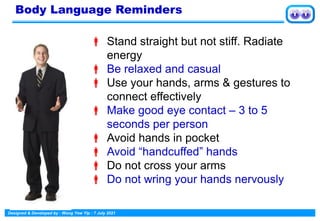
 Stand straight but not stiff. Radiate
energy
 Be relaxed and casual
 Use your hands, arms & gestures to
connect effectively
 Make good eye contact – 3 to 5
seconds per person
 Avoid hands in pocket
 Avoid “handcuffed” hands
 Do not cross your arms
 Do not wring your hands nervously
Body Language Reminders
Designed & Developed by : Wong Yew Yip : 7 July 2021
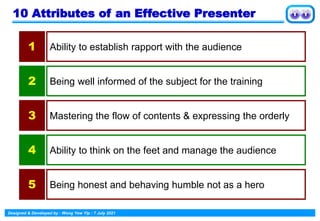
10 Attributes of an Effective Presenter
Ability to establish rapport with the audience
1
Being well informed of the subject for the training
2
Mastering the flow of contents & expressing the orderly
3
Ability to think on the feet and manage the audience
4
Being honest and behaving humble not as a hero
5
Designed & Developed by : Wong Yew Yip : 7 July 2021
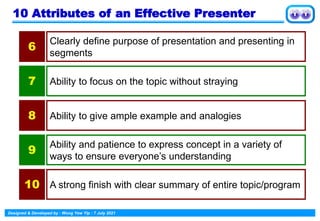
10 Attributes of an Effective Presenter
Clearly define purpose of presentation and presenting in
segments
6
Ability to focus on the topic without straying
7
Ability to give ample example and analogies
8
Ability and patience to express concept in a variety of
ways to ensure everyone’s understanding
9
A strong finish with clear summary of entire topic/program
10
Designed & Developed by : Wong Yew Yip : 7 July 2021
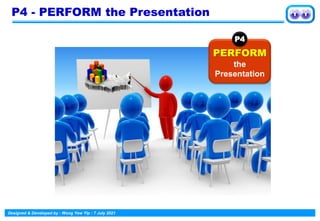
P4 - PERFORM the Presentation
PERFORM
the
Presentation
P4
Designed & Developed by : Wong Yew Yip : 7 July 2021
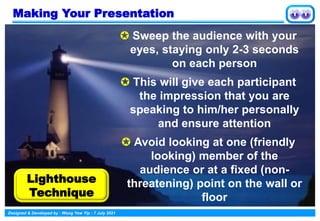
Making Your Presentation
 Sweep the audience with your
eyes, staying only 2-3 seconds
on each person
 This will give each participant
the impression that you are
speaking to him/her personally
and ensure attention
 Avoid looking at one (friendly
looking) member of the
audience or at a fixed (non-
threatening) point on the wall or
floor
Lighthouse
Technique
Designed & Developed by : Wong Yew Yip : 7 July 2021
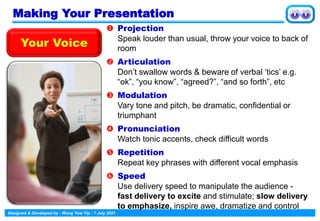
 Projection
Speak louder than usual, throw your voice to back of
room
 Articulation
Don’t swallow words & beware of verbal ‘tics’ e.g.
“ok”, “you know”, “agreed?”, “and so forth”, etc
 Modulation
Vary tone and pitch, be dramatic, confidential or
triumphant
 Pronunciation
Watch tonic accents, check difficult words
 Repetition
Repeat key phrases with different vocal emphasis
 Speed
Use delivery speed to manipulate the audience -
fast delivery to excite and stimulate; slow delivery
to emphasize, inspire awe, dramatize and control
Your Voice
Making Your Presentation
Designed & Developed by : Wong Yew Yip : 7 July 2021
Making Your Presentation
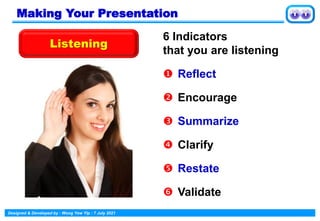
Listening
6 Indicators
that you are listening
 Reflect
 Encourage
 Summarize
 Clarify
 Restate
 Validate
Designed & Developed by : Wong Yew Yip : 7 July 2021
Making Your Presentation
Verbal Reinforcers
Positive reinforcers are
used to "reward" correct or
appropriate responses
Examples:
 Great idea
 Good answer
 Excellent
 Well-said
Reinforcers are important
tools for motivating participants
Neutral reinforcers are
used to neutralize an
incorrect or inappropriate
response instead of "turning
off" the participant with a
negative statement
Examples:
Good try
Ok, let’s try again
Hmm …
Designed & Developed by : Wong Yew Yip : 7 July 2021
Making Your Presentation
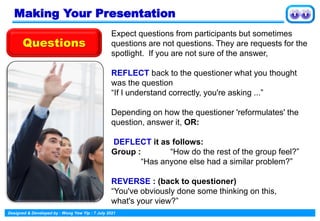
Expect questions from participants but sometimes
questions are not questions. They are requests for the
spotlight. If you are not sure of the answer,
REFLECT back to the questioner what you thought
was the question
“If I understand correctly, you're asking ...”
Depending on how the questioner 'reformulates' the
question, answer it, OR:
DEFLECT it as follows:
Group : “How do the rest of the group feel?”
“Has anyone else had a similar problem?”
REVERSE : (back to questioner)
“You've obviously done some thinking on this,
what's your view?”
Questions
Designed & Developed by : Wong Yew Yip : 7 July 2021
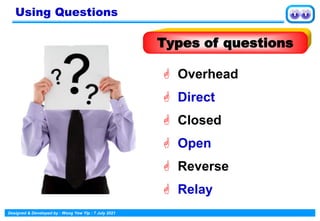
 Direct
 Overhead
 Closed
 Open
 Reverse
 Relay
Using Questions
Types of questions
Designed & Developed by : Wong Yew Yip : 7 July 2021
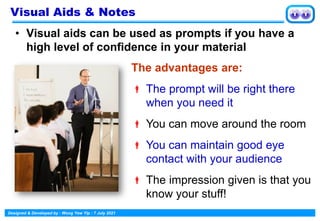
• Visual aids can be used as prompts if you have a
high level of confidence in your material
Visual Aids & Notes
The advantages are:
 The prompt will be right there
when you need it
 You can move around the room
 You can maintain good eye
contact with your audience
 The impression given is that you
know your stuff!
Designed & Developed by : Wong Yew Yip : 7 July 2021
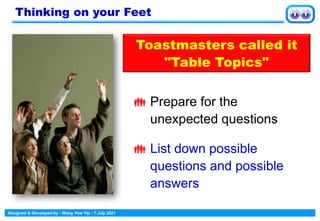
 Prepare for the
unexpected questions
 List down possible
questions and possible
answers
Thinking on your Feet
Toastmasters called it
"Table Topics"
Designed & Developed by : Wong Yew Yip : 7 July 2021
 To know everything
about something
 To know something
about everything
Tips for Thinking on your Feet
Designed & Developed by : Wong Yew Yip : 7 July 2021
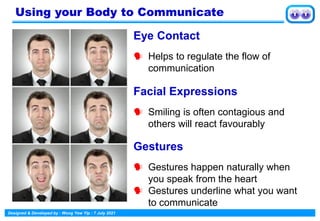
Eye Contact
 Helps to regulate the flow of
communication
Facial Expressions
 Smiling is often contagious and
others will react favourably
Gestures
 Gestures happen naturally when
you speak from the heart
 Gestures underline what you want
to communicate
Using your Body to Communicate
Designed & Developed by : Wong Yew Yip : 7 July 2021
 Speak clearly and purposefully
 Breathe deeply
 Maintain eye contact
 Do not read from handouts/screen
 Do not put both hands in your pockets for
long periods of time
 Do not lean on the podium for long
periods of time
 Speak to the audience…NOT to the
visuals and do not stand between the
visuals and the audience
Delivery Techniques 1
Designed & Developed by : Wong Yew Yip : 7 July 2021
 Vary your tone. Emphasize
 Listen intently to comments and opinions.
Make your audience feel important
 If appropriate, circulate around the room as
you speak
 Get ready before your audience arrives: be
the last one to leave
 Consider the time of day and how long you
have got for your talk. Prepare to cut short
your presentation
 Start on time finish slightly early
Delivery Techniques 2
Designed & Developed by : Wong Yew Yip : 7 July 2021
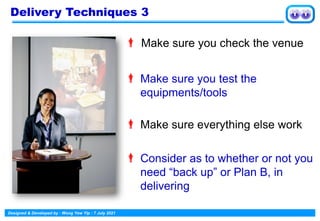
 Make sure you check the venue
 Make sure you test the
equipments/tools
 Make sure everything else work
 Consider as to whether or not you
need “back up” or Plan B, in
delivering
Delivery Techniques 3
Designed & Developed by : Wong Yew Yip : 7 July 2021
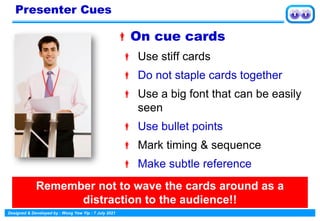
On cue cards
 Use stiff cards
 Do not staple cards together
 Use a big font that can be easily
seen
 Use bullet points
 Mark timing & sequence
 Make subtle reference
Presenter Cues
Remember not to wave the cards around as a
distraction to the audience!!
Designed & Developed by : Wong Yew Yip : 7 July 2021
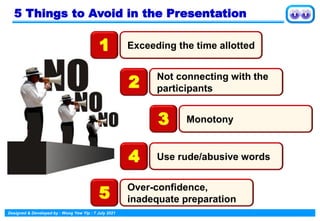
5 Things to Avoid in the Presentation
Exceeding the time allotted
1
Not connecting with the
participants
2
Monotony
3
Use rude/abusive words
4
Over-confidence,
inadequate preparation
5
Designed & Developed by : Wong Yew Yip : 7 July 2021
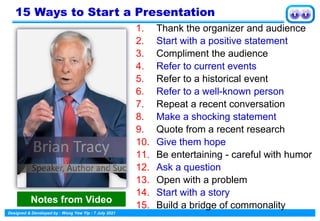
15 Ways to Start a Presentation
1. Thank the organizer and audience
2. Start with a positive statement
3. Compliment the audience
4. Refer to current events
5. Refer to a historical event
6. Refer to a well-known person
7. Repeat a recent conversation
8. Make a shocking statement
9. Quote from a recent research
10. Give them hope
11. Be entertaining - careful with humor
12. Ask a question
13. Open with a problem
14. Start with a story
15. Build a bridge of commonality
Notes from Video
Designed & Developed by : Wong Yew Yip : 7 July 2021
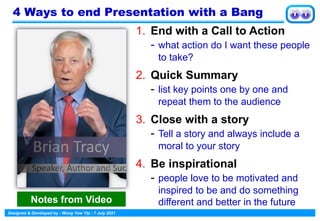
4 Ways to end Presentation with a Bang
1. End with a Call to Action
- what action do I want these people
to take?
2. Quick Summary
- list key points one by one and
repeat them to the audience
3. Close with a story
- Tell a story and always include a
moral to your story
4. Be inspirational
- people love to be motivated and
inspired to be and do something
different and better in the future
Notes from Video
Designed & Developed by : Wong Yew Yip : 7 July 2021
Dealing with Challenging Participants
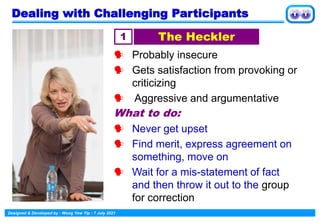
 Probably insecure
 Gets satisfaction from provoking or
criticizing
 Aggressive and argumentative
What to do:
 Never get upset
 Find merit, express agreement on
something, move on
 Wait for a mis-statement of fact
and then throw it out to the group
for correction
1 The Heckler
Designed & Developed by : Wong Yew Yip : 7 July 2021
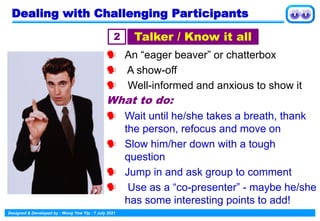
 An “eager beaver” or chatterbox
 A show-off
 Well-informed and anxious to show it
What to do:
 Wait until he/she takes a breath, thank
the person, refocus and move on
 Slow him/her down with a tough
question
 Jump in and ask group to comment
 Use as a “co-presenter” - maybe he/she
has some interesting points to add!
2 Talker / Know it all
Dealing with Challenging Participants
Designed & Developed by : Wong Yew Yip : 7 July 2021
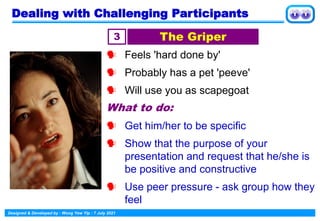
 Feels 'hard done by'
 Probably has a pet 'peeve'
 Will use you as scapegoat
What to do:
 Get him/her to be specific
 Show that the purpose of your
presentation and request that he/she is
be positive and constructive
 Use peer pressure - ask group how they
feel
3 The Griper
Dealing with Challenging Participants
Designed & Developed by : Wong Yew Yip : 7 July 2021
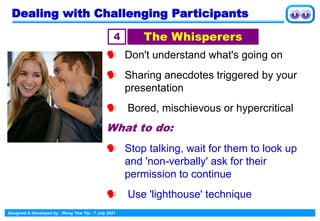
 Don't understand what's going on
 Sharing anecdotes triggered by your
presentation
 Bored, mischievous or hypercritical
What to do:
 Stop talking, wait for them to look up
and 'non-verbally' ask for their
permission to continue
 Use 'lighthouse' technique
4 The Whisperers
Dealing with Challenging Participants
Designed & Developed by : Wong Yew Yip : 7 July 2021
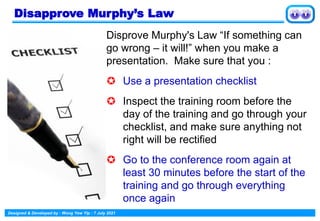
Disapprove Murphy’s Law
Disprove Murphy's Law “If something can
go wrong – it will!” when you make a
presentation. Make sure that you :
 Use a presentation checklist
 Inspect the training room before the
day of the training and go through your
checklist, and make sure anything not
right will be rectified
 Go to the conference room again at
least 30 minutes before the start of the
training and go through everything
once again
Thank You
Contact :
yewyip@gmail.com
for PowerPoint file

Making an Impactful Presentation

  • 1.
  • 2.
    The Key Differencesin Presentations Presenter Trainer Facilitator 1. The objective is to present information in a dynamic, interesting way 1. The objective is, using engaging delivery, to enhance participants' knowledge, skill or attitude 1. The objective is to manage the structure and focus of a team's decision-making process 2. Audience can be any size, even in thousands 2. Number of participants varies, but it's usually an average of 15 to 30 3. Team size is typically smaller, usually under 15 3. Audience is there to receive information 3. Participants are there to learn 3. Participants are team members who have a common goal 4. Speech outline creates logical flow of presentation 4. Course outline creates the learning structure 4. Agenda structures the flow of the meeting
  • 3.
    The Key Differencesin Presentation Presenter Trainer Facilitator 5. Presenter is a provider of information 5.Trainer is a catalyst for learning 5. Facilitator manages dynamics of group- generated information 6. Presenter primarily answers rather than asks questions 6.Trainer asks questions to stimulate and evaluate learning 6. Facilitator uses questions to encourage individual involvement 7. Visuals are used to present or clarify information 7. Visual aids are used to illustrate learning points 7. Flip chart is used to record group's ideas and input 8. Presenter communicates largely one way from presenter to audience 8.Trainer uses involvement so participants can learn from others and retain interest 8. Facilitator manages the process of communication that takes place among team members
  • 4.
    Types of Presentations Talks,seminars, proposals, workshops, conferences & meetings; presenter share their expertise, information is exchanged  Informative Convince audience to buy your product or service, to support your goals or concepts, or to change their minds or attitudes  Persuasive Build goodwill, make people feel good, build respect for organization or product, peers, colleagues, and superiors  Goodwill Sell product, service or ideas; essentials for success are knowing & understanding your audience & building rapport  Sales Serve more than one purpose - to inform, build positive image, create goodwill or just to make people happy  Entertainment Present right image for each audience, deliver the right message in right context &format, and develop the right rapport with audience segment  Political Know what makes the audience tick, use high- energy presenting tactics in order to capture audience's attention for the entire message  Motivation Position a company or an individual as a leader in an industry or field, as an expert on a certain subject, as a good-guy  Image Types of Presentations
  • 5.
    4Ps of Attendees Participant (Happyto be there, wants to learn, enthusiastic and fully engaged) Prisoner (Feels trapped and just wants to escape, not confrontational but behavior, body language, sullen demeanor speak volumes) Protester (Doesn't want to be there, and will let everyone know about it, often disagree with everything, confrontational and make the experience as unpleasant as possible for everyone) Passenger (Physically in the room but will not engage with it or play an active role, treating the session as a diversion from the "day job” or irrelevant to his role) 4Ps of Attendees
  • 6.
    Designed & Developedby : Wong Yew Yip : 7 July 2021 The 4Ps of Presentation PLAN the Presentation P1 The 4Ps of Presentation PREPARE the Presenter P2 PRACTICE how to Present P3 PRESENT with Confidence P4
  • 7.
    Designed & Developedby : Wong Yew Yip : 7 July 2021 P1 - PLAN the Presentation PLAN the Presentation P1
  • 8.
    Designed & Developedby : Wong Yew Yip : 7 July 2021  What do I want to achieve?  Why do I need to do it?  Who will be present?  When will it happen?  How will I present it? Answer the following questions about your presentation P1 - PLAN the Presentation
  • 9.
    Designed & Developedby : Wong Yew Yip : 7 July 2021 Use the word AUDIENCE as an acronym for guiding you through the analysis process A Analysis - who, where, why, what and when? U Understanding - what is their level of knowledge? D Demographics - audience profile? - age, sex, education, culture etc I Interest - why is the audience present? E Environment - is it suitable for the purpose? N Needs - what are the needs of the audience / self? C Customized - what specific needs of the audience that I must address? E Expectations - what do the audience expect? Analyze the Audience
  • 10.
    Designed & Developedby : Wong Yew Yip : 7 July 2021 Prepare the OUTLINE  Body – 80% Introduction - 10 % Conclusion – 10% Outline Format
  • 11.
    Designed & Developedby : Wong Yew Yip : 7 July 2021 Introduction • Agenda, Goals, Objectives • Overview of situation, statement of current situation • Can use a quotation, question, humour, creative image, story Main Body • 1st Topic - • 2nd Topic - • 3rd Topic - • 4th Topic - Conclusion • Summarize main points • Provide closure and leave a positive impression • Provide recommendations, future directions, action plans etc Develop the OUTLINE
  • 12.
    Designed & Developedby : Wong Yew Yip : 7 July 2021 Visual Aids Two main types Visual aids that you prepare in advance  Power Point  Models  Diagrams  Samples Those that you develop during the presentation  Flip charts  Post-it notes
  • 13.
    Designed & Developedby : Wong Yew Yip : 7 July 2021  It doesn’t need electricity  Everyone can use one  Color can be added easily  They allow spontaneity  They can be developed as the topic flows  They are relatively permanent  They are economical Using the Flip-Chart Despite the availability of hi-tech equipment for presentations, the flip-chart still remains one of the most effective tools
  • 14.
    Designed & Developedby : Wong Yew Yip : 7 July 2021  Too small text  Too much text  Bad color choice  Moving or flying text and graphics  Fancy Transitions  Complicated diagrams Common PowerPoint Mistakes Preparing PowerPoint Slides
  • 15.
    Designed & Developedby : Wong Yew Yip : 7 July 2021  Animated images should contribute something otherwise they are distractions  Bullet point ”sounds” can divert the audience away from your ideas  Especially when iritating and predictable  Your ideas should be centre stage Avoid Distractions
  • 16.
    Designed & Developedby : Wong Yew Yip : 7 July 2021 • This is the preferred font size(36 pt) • This is the preferred font size(32 pt) • This is the preferred font size(28 pt) • This is the preferred font size(18 pt) • This is the preferred font size(14 pt) • This is the preferred font size(12 pt) Text Font Size
  • 17.
    Designed & Developedby : Wong Yew Yip : 7 July 2021 P2 - PREPARE the Presenter PREPARE the Presenter P2
  • 18.
    Designed & Developedby : Wong Yew Yip : 7 July 2021 Overcome your Fear of Public Speaking 1. Everyone wants you to succeed 2. Systematic desensitization 3. Decide right now to speak well 4. Practice your presentation skills consistently Notes from Video
  • 19.
    Designed & Developedby : Wong Yew Yip : 7 July 2021 THE FIRST IMPRESSION APPEARANCE How you look VOICE How you sound VERBAL What you say 55% 38% 7% The “Hallo” Effect
  • 20.
    Designed & Developedby : Wong Yew Yip : 7 July 2021  Your behaviour and mannerisms  Your Grooming  Your body language  Your clothing The Visual Areas
  • 21.
    Designed & Developedby : Wong Yew Yip : 7 July 2021 Women’s Professional Professional Dress Code
  • 22.
    Designed & Developedby : Wong Yew Yip : 7 July 2021 Professional Dress Code Men’s Professional
  • 23.
    Designed & Developedby : Wong Yew Yip : 7 July 2021 Body Language is the most important factor in communicating your the message Tone of Voice communicates more than the words of the message The Least Important Factor is the words of the message Non-Verbal Communication The Language 7% Vocal Influence 38% Nonverbal Influences 55%
  • 24.
    Designed & Developedby : Wong Yew Yip : 7 July 2021  Gestures and age are closely related  Five-year-old child telling a lie to her parents  The gesture of both hands covering the mouth Body Language Body Language & Age
  • 25.
    Designed & Developedby : Wong Yew Yip : 7 July 2021  The Mouth Guard gesture  The hand covering the mouth  A sign of deceit on the part of the speaker  A sign the listener feels the speaker is lying Hand-to-Face Gestures Body Language
  • 26.
    Designed & Developedby : Wong Yew Yip : 7 July 2021  Nose Touching gesture  Is a sophisticated disguised version of the mouth-guard gesture  Used by speaker to disguise deceit  Used by a listener who doubt’s speaker’s words Hand-to-Face Gestures Body Language
  • 27.
    Designed & Developedby : Wong Yew Yip : 7 July 2021  The Eye Rub  Avoid having to look the other person in the eye to whom the lie is being told to  The absence of eye contact is a sign a person is hiding something Hand-to-Face Gestures Body Language
  • 28.
    Designed & Developedby : Wong Yew Yip : 7 July 2021  The Neck Scratch  Signifies doubt, uncertainty or disagreement  Person scratches about 5 times  Contradicts verbal language e.g person says agree when actually doesn't agree Hand-to-Face Gestures Body Language
  • 29.
    Designed & Developedby : Wong Yew Yip : 7 July 2021 Used as an OK signal Used by hitch-hikers Jerked upwards sharply means ‘up yours’ or ‘sit on this” The Thumb-up Gesture Body Language
  • 30.
    Designed & Developedby : Wong Yew Yip : 7 July 2021  Generally means everything’s OK  In France means ‘Zero’  In Japan means ‘money’  In some Mediterranean countries it means ‘a man is a homosexual’ The Ring or OK Gesture Body Language
  • 31.
    Designed & Developedby : Wong Yew Yip : 7 July 2021 • The voice carries messages that are not defined by the words used. This is called paralanguage:  Vocal quality  Volume  Pitch  Rate of speech  Enunciation / accent  Pauses Non-Verbal Communication Using the Voice
  • 32.
    Designed & Developedby : Wong Yew Yip : 7 July 2021 • Most people will respond to a voice that is  Interesting  Friendly  Pleasant  Natural  Alert  Distinct and clear  Expressive Using the Voice Non-Verbal Communication
  • 33.
    Designed & Developedby : Wong Yew Yip : 7 July 2021  Take in non-verbal messages that the audience are sending and act on them  If the audience is not looking at you: • They may be bored • Solution: use some humor or increase vocal variety / use of gestures • They may not be able to hear you • Solution: Increase your volume and see if they respond Using Visual Feedback Non-Verbal Communication
  • 34.
    Designed & Developedby : Wong Yew Yip : 7 July 2021 • If the audience is not looking at you: – They may be puzzled • Solution: Repeat or re- phrase what you have just said and watch for the response – They may be uncomfortable • Solution: Check the environment and ask them what you can do to make them more comfortable Using Visual Feedback Non-Verbal Communication
  • 35.
    Designed & Developedby : Wong Yew Yip : 7 July 2021 • Eye contact can be used to establish  Level of trust  Level of understanding • Points to note:  Use ‘calm’ eye contact, not rapid glancing  Do not stare at one section of the audience  Let your eye contact flow over the entire audience  You cannot have eye contact if you are looking at your visual aids! Eye Contact Non-Verbal Communication
  • 36.
    Designed & Developedby : Wong Yew Yip : 7 July 2021 • Gestures are used to  emphasize points  invite participation  direct involvement – To be effective then a gesture must be relaxed natural suited to the situation convincing Effective Gestures Non-Verbal Communication
  • 37.
    Designed & Developedby : Wong Yew Yip : 7 July 2021 • Some common pitfalls are:  Use of fillers such as ‘ahh’ and ‘um’  Fidgeting  Sloppy editing of materials  Overuse of gestures  Turning away from the audience  Reading exactly what is on the slide  Clicking a pen  Waving a laser pointer around Bad Delivery Habits Non-Verbal Communication
  • 38.
    Designed & Developedby : Wong Yew Yip : 7 July 2021 P3 - PRACTISE how to Present PRACTISE how to Present P3
  • 39.
    Designed & Developedby : Wong Yew Yip : 7 July 2021 Advance Preparation  Practice, Practice, Practice! ➢ Mirror ➢ Family ➢ Friends  Memorize the first two minutes of your presentation
  • 40.
    Designed & Developedby : Wong Yew Yip : 7 July 2021 Planning for Questions  Anticipate and Prepare for Questions  Listen carefully to the Questioner  Repeat or Paraphrase the question  Answer clearly and concisely  Relay questions to audience, if need be
  • 41.
    Designed & Developedby : Wong Yew Yip : 7 July 2021 Three things must be achieved in the first few seconds of the presentation:  Establishment of your authority  Tell the audience what you are about to tell them  Arouse the audience’s interest and curiosity Preparing for Kick-off
  • 42.
    Designed & Developedby : Wong Yew Yip : 7 July 2021 1. Greet - Hello / Good morning 2. Identify - My name is . . . 3. Qualify - I work as … 4. Topic - I’m going to talk to you about 5. How long - My presentation will last . . . 6. Visual aids- I will be using a PC projector 7. Questions - I shall be pleased to take questions at the end The Kick-off Formula
  • 43.
    Designed & Developedby : Wong Yew Yip : 7 July 2021 Movement: “Work the room and work the audience” Move with purpose not out of nervousness Movement should appropriately support your words Don’t move constantly. Pause for effect. Stand to make an important point Movement
  • 44.
    Designed & Developedby : Wong Yew Yip : 7 July 2021  Stand straight but not stiff. Radiate energy  Be relaxed and casual  Use your hands, arms & gestures to connect effectively  Make good eye contact – 3 to 5 seconds per person  Avoid hands in pocket  Avoid “handcuffed” hands  Do not cross your arms  Do not wring your hands nervously Body Language Reminders
  • 45.
    Designed & Developedby : Wong Yew Yip : 7 July 2021 10 Attributes of an Effective Presenter Ability to establish rapport with the audience 1 Being well informed of the subject for the training 2 Mastering the flow of contents & expressing the orderly 3 Ability to think on the feet and manage the audience 4 Being honest and behaving humble not as a hero 5
  • 46.
    Designed & Developedby : Wong Yew Yip : 7 July 2021 10 Attributes of an Effective Presenter Clearly define purpose of presentation and presenting in segments 6 Ability to focus on the topic without straying 7 Ability to give ample example and analogies 8 Ability and patience to express concept in a variety of ways to ensure everyone’s understanding 9 A strong finish with clear summary of entire topic/program 10
  • 47.
    Designed & Developedby : Wong Yew Yip : 7 July 2021 P4 - PERFORM the Presentation PERFORM the Presentation P4
  • 48.
    Designed & Developedby : Wong Yew Yip : 7 July 2021 Making Your Presentation  Sweep the audience with your eyes, staying only 2-3 seconds on each person  This will give each participant the impression that you are speaking to him/her personally and ensure attention  Avoid looking at one (friendly looking) member of the audience or at a fixed (non- threatening) point on the wall or floor Lighthouse Technique
  • 49.
    Designed & Developedby : Wong Yew Yip : 7 July 2021  Projection Speak louder than usual, throw your voice to back of room  Articulation Don’t swallow words & beware of verbal ‘tics’ e.g. “ok”, “you know”, “agreed?”, “and so forth”, etc  Modulation Vary tone and pitch, be dramatic, confidential or triumphant  Pronunciation Watch tonic accents, check difficult words  Repetition Repeat key phrases with different vocal emphasis  Speed Use delivery speed to manipulate the audience - fast delivery to excite and stimulate; slow delivery to emphasize, inspire awe, dramatize and control Your Voice Making Your Presentation
  • 50.
    Designed & Developedby : Wong Yew Yip : 7 July 2021 Making Your Presentation Listening 6 Indicators that you are listening  Reflect  Encourage  Summarize  Clarify  Restate  Validate
  • 51.
    Designed & Developedby : Wong Yew Yip : 7 July 2021 Making Your Presentation Verbal Reinforcers Positive reinforcers are used to "reward" correct or appropriate responses Examples:  Great idea  Good answer  Excellent  Well-said Reinforcers are important tools for motivating participants Neutral reinforcers are used to neutralize an incorrect or inappropriate response instead of "turning off" the participant with a negative statement Examples: Good try Ok, let’s try again Hmm …
  • 52.
    Designed & Developedby : Wong Yew Yip : 7 July 2021 Making Your Presentation Expect questions from participants but sometimes questions are not questions. They are requests for the spotlight. If you are not sure of the answer, REFLECT back to the questioner what you thought was the question “If I understand correctly, you're asking ...” Depending on how the questioner 'reformulates' the question, answer it, OR: DEFLECT it as follows: Group : “How do the rest of the group feel?” “Has anyone else had a similar problem?” REVERSE : (back to questioner) “You've obviously done some thinking on this, what's your view?” Questions
  • 53.
    Designed & Developedby : Wong Yew Yip : 7 July 2021  Direct  Overhead  Closed  Open  Reverse  Relay Using Questions Types of questions
  • 54.
    Designed & Developedby : Wong Yew Yip : 7 July 2021 • Visual aids can be used as prompts if you have a high level of confidence in your material Visual Aids & Notes The advantages are:  The prompt will be right there when you need it  You can move around the room  You can maintain good eye contact with your audience  The impression given is that you know your stuff!
  • 55.
    Designed & Developedby : Wong Yew Yip : 7 July 2021  Prepare for the unexpected questions  List down possible questions and possible answers Thinking on your Feet Toastmasters called it "Table Topics"
  • 56.
    Designed & Developedby : Wong Yew Yip : 7 July 2021  To know everything about something  To know something about everything Tips for Thinking on your Feet
  • 57.
    Designed & Developedby : Wong Yew Yip : 7 July 2021 Eye Contact  Helps to regulate the flow of communication Facial Expressions  Smiling is often contagious and others will react favourably Gestures  Gestures happen naturally when you speak from the heart  Gestures underline what you want to communicate Using your Body to Communicate
  • 58.
    Designed & Developedby : Wong Yew Yip : 7 July 2021  Speak clearly and purposefully  Breathe deeply  Maintain eye contact  Do not read from handouts/screen  Do not put both hands in your pockets for long periods of time  Do not lean on the podium for long periods of time  Speak to the audience…NOT to the visuals and do not stand between the visuals and the audience Delivery Techniques 1
  • 59.
    Designed & Developedby : Wong Yew Yip : 7 July 2021  Vary your tone. Emphasize  Listen intently to comments and opinions. Make your audience feel important  If appropriate, circulate around the room as you speak  Get ready before your audience arrives: be the last one to leave  Consider the time of day and how long you have got for your talk. Prepare to cut short your presentation  Start on time finish slightly early Delivery Techniques 2
  • 60.
    Designed & Developedby : Wong Yew Yip : 7 July 2021  Make sure you check the venue  Make sure you test the equipments/tools  Make sure everything else work  Consider as to whether or not you need “back up” or Plan B, in delivering Delivery Techniques 3
  • 61.
    Designed & Developedby : Wong Yew Yip : 7 July 2021 On cue cards  Use stiff cards  Do not staple cards together  Use a big font that can be easily seen  Use bullet points  Mark timing & sequence  Make subtle reference Presenter Cues Remember not to wave the cards around as a distraction to the audience!!
  • 62.
    Designed & Developedby : Wong Yew Yip : 7 July 2021 5 Things to Avoid in the Presentation Exceeding the time allotted 1 Not connecting with the participants 2 Monotony 3 Use rude/abusive words 4 Over-confidence, inadequate preparation 5
  • 63.
    Designed & Developedby : Wong Yew Yip : 7 July 2021 15 Ways to Start a Presentation 1. Thank the organizer and audience 2. Start with a positive statement 3. Compliment the audience 4. Refer to current events 5. Refer to a historical event 6. Refer to a well-known person 7. Repeat a recent conversation 8. Make a shocking statement 9. Quote from a recent research 10. Give them hope 11. Be entertaining - careful with humor 12. Ask a question 13. Open with a problem 14. Start with a story 15. Build a bridge of commonality Notes from Video
  • 64.
    Designed & Developedby : Wong Yew Yip : 7 July 2021 4 Ways to end Presentation with a Bang 1. End with a Call to Action - what action do I want these people to take? 2. Quick Summary - list key points one by one and repeat them to the audience 3. Close with a story - Tell a story and always include a moral to your story 4. Be inspirational - people love to be motivated and inspired to be and do something different and better in the future Notes from Video
  • 65.
    Designed & Developedby : Wong Yew Yip : 7 July 2021 Dealing with Challenging Participants  Probably insecure  Gets satisfaction from provoking or criticizing  Aggressive and argumentative What to do:  Never get upset  Find merit, express agreement on something, move on  Wait for a mis-statement of fact and then throw it out to the group for correction 1 The Heckler
  • 66.
    Designed & Developedby : Wong Yew Yip : 7 July 2021  An “eager beaver” or chatterbox  A show-off  Well-informed and anxious to show it What to do:  Wait until he/she takes a breath, thank the person, refocus and move on  Slow him/her down with a tough question  Jump in and ask group to comment  Use as a “co-presenter” - maybe he/she has some interesting points to add! 2 Talker / Know it all Dealing with Challenging Participants
  • 67.
    Designed & Developedby : Wong Yew Yip : 7 July 2021  Feels 'hard done by'  Probably has a pet 'peeve'  Will use you as scapegoat What to do:  Get him/her to be specific  Show that the purpose of your presentation and request that he/she is be positive and constructive  Use peer pressure - ask group how they feel 3 The Griper Dealing with Challenging Participants
  • 68.
    Designed & Developedby : Wong Yew Yip : 7 July 2021  Don't understand what's going on  Sharing anecdotes triggered by your presentation  Bored, mischievous or hypercritical What to do:  Stop talking, wait for them to look up and 'non-verbally' ask for their permission to continue  Use 'lighthouse' technique 4 The Whisperers Dealing with Challenging Participants
  • 69.
    Designed & Developedby : Wong Yew Yip : 7 July 2021 Disapprove Murphy’s Law Disprove Murphy's Law “If something can go wrong – it will!” when you make a presentation. Make sure that you :  Use a presentation checklist  Inspect the training room before the day of the training and go through your checklist, and make sure anything not right will be rectified  Go to the conference room again at least 30 minutes before the start of the training and go through everything once again
  • 70.