



Public Relations Presentation and Communication Skills (2011/10) Lecture 3 Oral Presentation Developed and Presented by Roy Ying,  Msc., B.Comm. Note: Pictures used in this   power point file is for academic   Purpose only DA010  - Pr ofessional Diploma in Public Relations   - C OMM6005EP
Table of Content Preparation and planning checklist Structure of oral presentation Visual aids Creating interest and hold audience attention Body language, voice and use of language Tips in effective presentation What’s a good presentation? Tutorial: Group exercise in creating effective presentation plans that catch audience’s attention
Preparation and planning checklist This is a list of the essential elements to   consider in preparing and planning an   oral presentation. What is the  purpose ? What is  the  title  of my presentation ? Who am I   speaking to? What are the   main points I   want to   make? What do I   want the   audience to   do after   listening to   my   presentation?
Purpose It sets the scene affecting all the 5Ws of the PR Plan. Class discussion: Suppose you are the PR director of a major developer. What would you do differently between a brand new estate development launch vis-à-vis a press conference on a vital construction accident?
Purpose Differences: Who would you invite as presenters? Where would you organize the presentation? What are the key messages? When would you start the presentation? How would you structure the presentation?
Title Your presentation title defines your target audience It can be very simple.  Apple’s press invitation to the launch of its new iPhone was just “iPhone 4”, and it’s also the title of Steve Jobs’ presentation It can also be visionary.  The Chief Executive’s annual policy address has a different theme every year.
 
Who am I   speaking to? Once you have sorted out the purpose and the title of your presentation, it should be obvious who your target audience is. Even if you are just dealing with media, the way you prepare your presentation to TV, radio, newspaper, magazine, blogger, special feature journalist, and real time newswire may be slightly different
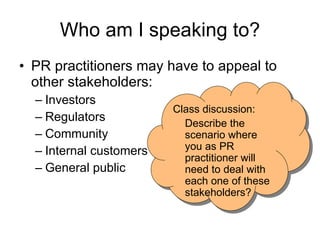
Who am I   speaking to? PR practitioners may have to appeal to other stakeholders: Investors  Regulators Community Internal customers General public Class discussion: Describe the scenario where you as PR practitioner will need to deal with each one of these stakeholders?
What are the   main points ? Remember, it is an oral PR presentation, not a scientific lecture. What do you want to get across? Suggest to stick to 1-2 key messages so media will walk away reporting more or less along the same line. Best is to produce a sound bite so it can go on the headlines
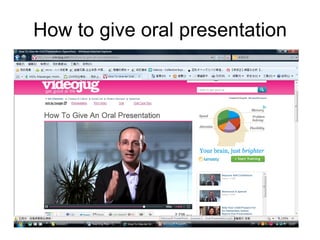
How to give oral presentation
Action from audience? If it’s media, there could be a number of actions I would want them to:  Publish my story Stop speculating rumours Gain knowledge of my product / industry Get to know my spokespersons Jot down the time table for future events Produce a special feature  Acknowledge us as reliable sources of news
Action from audience? If your audience is non-media….. Investors  Regulators Community Internal customers General public Class discussion: What do we want from these group of stakeholders?
Structure of oral presentation PR presentations take different shapes and forms, but at the very least, there should be: Introduction Main body Conclusion Summary* The reason for a summary is to help remind audience the key points you want them to take away from your presentation.
Introduction The beginning of a presentation is the   most important part. It is when you   establish a rapport with the audience   and when you have its attention. You must make the audience aware that you are starting your presentation. No need to be fancy, no need to be funny, as simple as possible:  Let's begin. Shall we start? Let's get the ball rolling. Let's get down to business. Hello ladies and gentlemen.
Elements in Introduction Greet the audience Introduce yourself  (and the people doing the presentation with you) Introduce the subject – just what exactly you are going to talk about State your objectives – what you want them to remember or get out of the presentation Announce your outline – that’s giving audience expectation on the content
Body What  information  should you give   in your speech? All your information   should support purpose.  In most   cases you will have to limit the   content, as time is usually precious! Content of your presentation may different one from another, but there are several general rules of thumb in delivering effective presentations.
Body – General Rules Sequencing your ideas Make sure they are consistent Signposting or signaling where   you are Indicating when you have finished   one point and go on to the next Listing information Makes it easier for audience to take notes Linking ideas Get the audience to understand why they have to keep listening to your previous points Outlining options Media love to draw comparisons.  The “What if” scenarios are usually picked up. Give examples This will make it easier for the audience to understand
Conclusion Present a short conclusion That is to say you should give a  conclusion  that logically comes out of   the ideas developed in your  presentation This could be a commentary, the   lessons learned, some   recommendations, or the next steps The conclusion should immediately followed by a one or two lines of summary of the key messages related to the purpose, and if possible, to end with a soundbite! Thank the audience
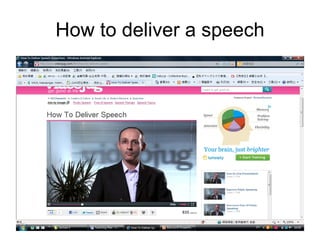
How to deliver a speech
Creating rapport with audience No need to be funny, unless there is a reason behind the joke. What you need is to grab their attention because we cannot  assume the audience will be   interested in what you have to say. Even if they are, minds can be wandered off or get distracted by the surroundings, mobile phones etc. Our job is to create rapport with audience so they can see why the presentation is relevant to them, and therefore pay attention……
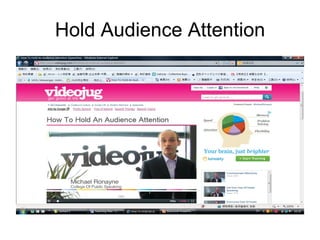
Hold Audience Attention
Attention – General Rules In the introduction ,  show how   your subject or what you are going to   say affects or may affect thei r work or lives This can be accomplished by: Give an unusual fact or statistic. Use words like you, we, us, our. Illustrate with a real life story. Ask the audience rhetorical   questions Be lively and enthusiastic. Develop some humour. Use a variety of media sources. Ask the audience to do something like raising their hands if they……..
Body language, voice and vocab Eye contact, facial   expressions, posture,   movements, gestures. Why is it useful? It is natural and a part   of communication. it is very visual to vent nervousness to maintain interest to emphasize
Positive body   language E ye contact to keep audiences' attention (Asian   audience might feel aggressed.)   facial expressions should be natural and   friendly: T he hands Lots of possibilities to emphasise, to   enumerate.   to express sincerity or reflexion   Be conscious of what you do with your   hands   If you are unhappy, hold notes or cards   to occupy them   arm  M ovements back and forth to   suggest flow.   Open arms to include or welcome ideas
Positive body   language B ody movement T o indicate a change of focus   keep audience's attention   move forward to emphasize   move to side to indicate a transition   gesture   up and down head motions are   movements to indicate importance or   acknowledgement   pen or pointer to indicate part, place (on   a transparency)   shrug shoulder to indicate I don't know   or care P osture stand straight but relaxed (do not slouch or lean sideways) Lean forward to emphasize however No hands in pockets
Negative Body Language Failing to make eye contact Do not look at your notes all the time Looking at the screen/board means your   back is turned to the audience cutting   contact Don't stare, or look blankly into people's   eyes Avoid swaying back and forth like a   pendulum Avoid leaning against walls Be aware of your nervous tics Do not fold your arms like a barrier While one hand in a pocket gives a very   relaxed pose, both hands in pockets   looks too casual and should be avoided
Visual Aids What are they? They could be  graphs ,  charts ,  maps ,  photos ,  drawings ,  images ,  models ,  video ,  film ,  real life objects  etc……just about anything What media are used? Transparencies ,  slides ,  Power Point slides ,  video projection ,  projector ,  handouts …....technology will add to this list (i.e., iPad)
Can these help your presentation? Blackboard,   Whiteboard,   Paperboard,   Flipchart ,  Chalk ,  Marker ,  Felt tip pen ,  Eraser ,  Board wiper Podium ,  Microphone,   Throat mike Sound system Loudspeakers Overhead,   Overhead projector, OHP,   Opaque projector
Why Visual Aids? to focus audience's attention to illustrate points that are difficult to verbalize to reinforce ideas to change focus from aural/oral to visual to involve and motivate   audience to involve all senses: to save time and avoid putting   information on a board
Choice of vocab Know your audience Assume the presentation will be recorded Speak one language and then another.  Do not mix them in a presentation.
Tips in Effective Presentations Face Your Audience. Make frequent eye contact. Write your whole speech out so you can read robotically if you blank   out, but know your material well enough that you can  look at your audience as you speak . Position your visual aids or keyboard so that you never turn your back to your audience. Don't hide behind the computer monitor  when you run your PowerPoint   presentation. Don't stare down into the overhead projector , either; your audience isn't down   there.
Tips in Effective Presentations Don't think about "delivering a speech". Don't try to recite from memory . Don't read word-for-word from a stack of papers . Instead, think about "talking to people“ Use visuals to help you explain, not as substitutes for explanation. Watch the time! Take questions in the middle, not at the end?
What has Steve Jobs done right?
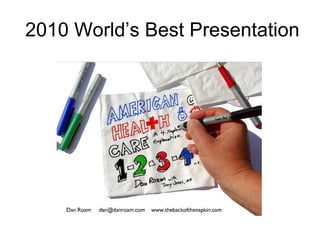
2010 World’s Best Presentation
 
Why is it the best? Comment from the CEO of  SlideShare's  on the winner of its  annual "World's Best Presentation" contest  change the way you think about presentations  Using sketches and yes, napkins, the presentation seeks to explain the current state of health care, health-care reform proposals, and what the various options mean to Americans.  Four napkins introduce each of four sections of the presentation but the entire deck is made up of 51 slides. Fifty-one slides with sketches, however, are far easier to understand than the current thousand-page bills winding their way through Congress.
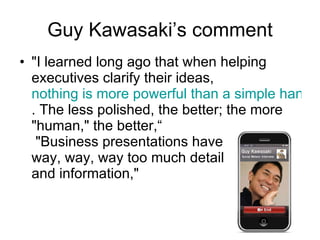
Guy Kawasaki ’s comment "I learned long ago that when helping executives clarify their ideas,  nothing is more powerful than a simple hand-drawn sketch . The less polished, the better; the more "human," the better,“  "Business presentations have  way, way, way too much detail  and information,"
Why do you want to keep listening? What message was he delivering?

Lecture 3 oral presentation

  • 1.
    Public Relations Presentationand Communication Skills (2011/10) Lecture 3 Oral Presentation Developed and Presented by Roy Ying, Msc., B.Comm. Note: Pictures used in this power point file is for academic Purpose only DA010 - Pr ofessional Diploma in Public Relations - C OMM6005EP
  • 2.
    Table of ContentPreparation and planning checklist Structure of oral presentation Visual aids Creating interest and hold audience attention Body language, voice and use of language Tips in effective presentation What’s a good presentation? Tutorial: Group exercise in creating effective presentation plans that catch audience’s attention
  • 3.
    Preparation and planningchecklist This is a list of the essential elements to consider in preparing and planning an oral presentation. What is the purpose ? What is the title of my presentation ? Who am I speaking to? What are the main points I want to make? What do I want the audience to do after listening to my presentation?
  • 4.
    Purpose It setsthe scene affecting all the 5Ws of the PR Plan. Class discussion: Suppose you are the PR director of a major developer. What would you do differently between a brand new estate development launch vis-à-vis a press conference on a vital construction accident?
  • 5.
    Purpose Differences: Whowould you invite as presenters? Where would you organize the presentation? What are the key messages? When would you start the presentation? How would you structure the presentation?
  • 6.
    Title Your presentationtitle defines your target audience It can be very simple. Apple’s press invitation to the launch of its new iPhone was just “iPhone 4”, and it’s also the title of Steve Jobs’ presentation It can also be visionary. The Chief Executive’s annual policy address has a different theme every year.
  • 7.
  • 8.
    Who am I speaking to? Once you have sorted out the purpose and the title of your presentation, it should be obvious who your target audience is. Even if you are just dealing with media, the way you prepare your presentation to TV, radio, newspaper, magazine, blogger, special feature journalist, and real time newswire may be slightly different
  • 9.
    Who am I speaking to? PR practitioners may have to appeal to other stakeholders: Investors Regulators Community Internal customers General public Class discussion: Describe the scenario where you as PR practitioner will need to deal with each one of these stakeholders?
  • 10.
    What are the main points ? Remember, it is an oral PR presentation, not a scientific lecture. What do you want to get across? Suggest to stick to 1-2 key messages so media will walk away reporting more or less along the same line. Best is to produce a sound bite so it can go on the headlines
  • 11.
    How to giveoral presentation
  • 12.
    Action from audience?If it’s media, there could be a number of actions I would want them to: Publish my story Stop speculating rumours Gain knowledge of my product / industry Get to know my spokespersons Jot down the time table for future events Produce a special feature Acknowledge us as reliable sources of news
  • 13.
    Action from audience?If your audience is non-media….. Investors Regulators Community Internal customers General public Class discussion: What do we want from these group of stakeholders?
  • 14.
    Structure of oralpresentation PR presentations take different shapes and forms, but at the very least, there should be: Introduction Main body Conclusion Summary* The reason for a summary is to help remind audience the key points you want them to take away from your presentation.
  • 15.
    Introduction The beginningof a presentation is the most important part. It is when you establish a rapport with the audience and when you have its attention. You must make the audience aware that you are starting your presentation. No need to be fancy, no need to be funny, as simple as possible: Let's begin. Shall we start? Let's get the ball rolling. Let's get down to business. Hello ladies and gentlemen.
  • 16.
    Elements in IntroductionGreet the audience Introduce yourself (and the people doing the presentation with you) Introduce the subject – just what exactly you are going to talk about State your objectives – what you want them to remember or get out of the presentation Announce your outline – that’s giving audience expectation on the content
  • 17.
    Body What information should you give in your speech? All your information should support purpose. In most cases you will have to limit the content, as time is usually precious! Content of your presentation may different one from another, but there are several general rules of thumb in delivering effective presentations.
  • 18.
    Body – GeneralRules Sequencing your ideas Make sure they are consistent Signposting or signaling where you are Indicating when you have finished one point and go on to the next Listing information Makes it easier for audience to take notes Linking ideas Get the audience to understand why they have to keep listening to your previous points Outlining options Media love to draw comparisons. The “What if” scenarios are usually picked up. Give examples This will make it easier for the audience to understand
  • 19.
    Conclusion Present ashort conclusion That is to say you should give a conclusion that logically comes out of the ideas developed in your presentation This could be a commentary, the lessons learned, some recommendations, or the next steps The conclusion should immediately followed by a one or two lines of summary of the key messages related to the purpose, and if possible, to end with a soundbite! Thank the audience
  • 20.
  • 21.
    Creating rapport withaudience No need to be funny, unless there is a reason behind the joke. What you need is to grab their attention because we cannot assume the audience will be interested in what you have to say. Even if they are, minds can be wandered off or get distracted by the surroundings, mobile phones etc. Our job is to create rapport with audience so they can see why the presentation is relevant to them, and therefore pay attention……
  • 22.
  • 23.
    Attention – GeneralRules In the introduction , show how your subject or what you are going to say affects or may affect thei r work or lives This can be accomplished by: Give an unusual fact or statistic. Use words like you, we, us, our. Illustrate with a real life story. Ask the audience rhetorical questions Be lively and enthusiastic. Develop some humour. Use a variety of media sources. Ask the audience to do something like raising their hands if they……..
  • 24.
    Body language, voiceand vocab Eye contact, facial expressions, posture, movements, gestures. Why is it useful? It is natural and a part of communication. it is very visual to vent nervousness to maintain interest to emphasize
  • 25.
    Positive body language E ye contact to keep audiences' attention (Asian audience might feel aggressed.) facial expressions should be natural and friendly: T he hands Lots of possibilities to emphasise, to enumerate. to express sincerity or reflexion Be conscious of what you do with your hands If you are unhappy, hold notes or cards to occupy them arm M ovements back and forth to suggest flow. Open arms to include or welcome ideas
  • 26.
    Positive body language B ody movement T o indicate a change of focus keep audience's attention move forward to emphasize move to side to indicate a transition gesture up and down head motions are movements to indicate importance or acknowledgement pen or pointer to indicate part, place (on a transparency) shrug shoulder to indicate I don't know or care P osture stand straight but relaxed (do not slouch or lean sideways) Lean forward to emphasize however No hands in pockets
  • 27.
    Negative Body LanguageFailing to make eye contact Do not look at your notes all the time Looking at the screen/board means your back is turned to the audience cutting contact Don't stare, or look blankly into people's eyes Avoid swaying back and forth like a pendulum Avoid leaning against walls Be aware of your nervous tics Do not fold your arms like a barrier While one hand in a pocket gives a very relaxed pose, both hands in pockets looks too casual and should be avoided
  • 28.
    Visual Aids Whatare they? They could be graphs , charts , maps , photos , drawings , images , models , video , film , real life objects etc……just about anything What media are used? Transparencies , slides , Power Point slides , video projection , projector , handouts …....technology will add to this list (i.e., iPad)
  • 29.
    Can these helpyour presentation? Blackboard, Whiteboard, Paperboard, Flipchart , Chalk , Marker , Felt tip pen , Eraser , Board wiper Podium , Microphone, Throat mike Sound system Loudspeakers Overhead, Overhead projector, OHP, Opaque projector
  • 30.
    Why Visual Aids?to focus audience's attention to illustrate points that are difficult to verbalize to reinforce ideas to change focus from aural/oral to visual to involve and motivate audience to involve all senses: to save time and avoid putting information on a board
  • 31.
    Choice of vocabKnow your audience Assume the presentation will be recorded Speak one language and then another. Do not mix them in a presentation.
  • 32.
    Tips in EffectivePresentations Face Your Audience. Make frequent eye contact. Write your whole speech out so you can read robotically if you blank out, but know your material well enough that you can look at your audience as you speak . Position your visual aids or keyboard so that you never turn your back to your audience. Don't hide behind the computer monitor when you run your PowerPoint presentation. Don't stare down into the overhead projector , either; your audience isn't down there.
  • 33.
    Tips in EffectivePresentations Don't think about "delivering a speech". Don't try to recite from memory . Don't read word-for-word from a stack of papers . Instead, think about "talking to people“ Use visuals to help you explain, not as substitutes for explanation. Watch the time! Take questions in the middle, not at the end?
  • 34.
    What has SteveJobs done right?
  • 35.
    2010 World’s BestPresentation
  • 36.
  • 37.
    Why is itthe best? Comment from the CEO of SlideShare's on the winner of its annual "World's Best Presentation" contest change the way you think about presentations Using sketches and yes, napkins, the presentation seeks to explain the current state of health care, health-care reform proposals, and what the various options mean to Americans. Four napkins introduce each of four sections of the presentation but the entire deck is made up of 51 slides. Fifty-one slides with sketches, however, are far easier to understand than the current thousand-page bills winding their way through Congress.
  • 38.
    Guy Kawasaki ’scomment "I learned long ago that when helping executives clarify their ideas, nothing is more powerful than a simple hand-drawn sketch . The less polished, the better; the more "human," the better,“ "Business presentations have way, way, way too much detail and information,"
  • 39.
    Why do youwant to keep listening? What message was he delivering?