Living and Working on the Web
Lisa Harris and Sarah Hewitt
#UOSM2033
28/9/2015
Session Plan
• Introduction to Digital Literacy
• How the module works
http://blog.soton.ac.uk/uosm2033-2015
• Evaluating online information – exercise
• Topic-relevant articles saved on Scoop-It
• Satire by the Onion
• The latest from Erik Qualman
• Digital Literacy Conference
• Student Video: Living and Working on the Web
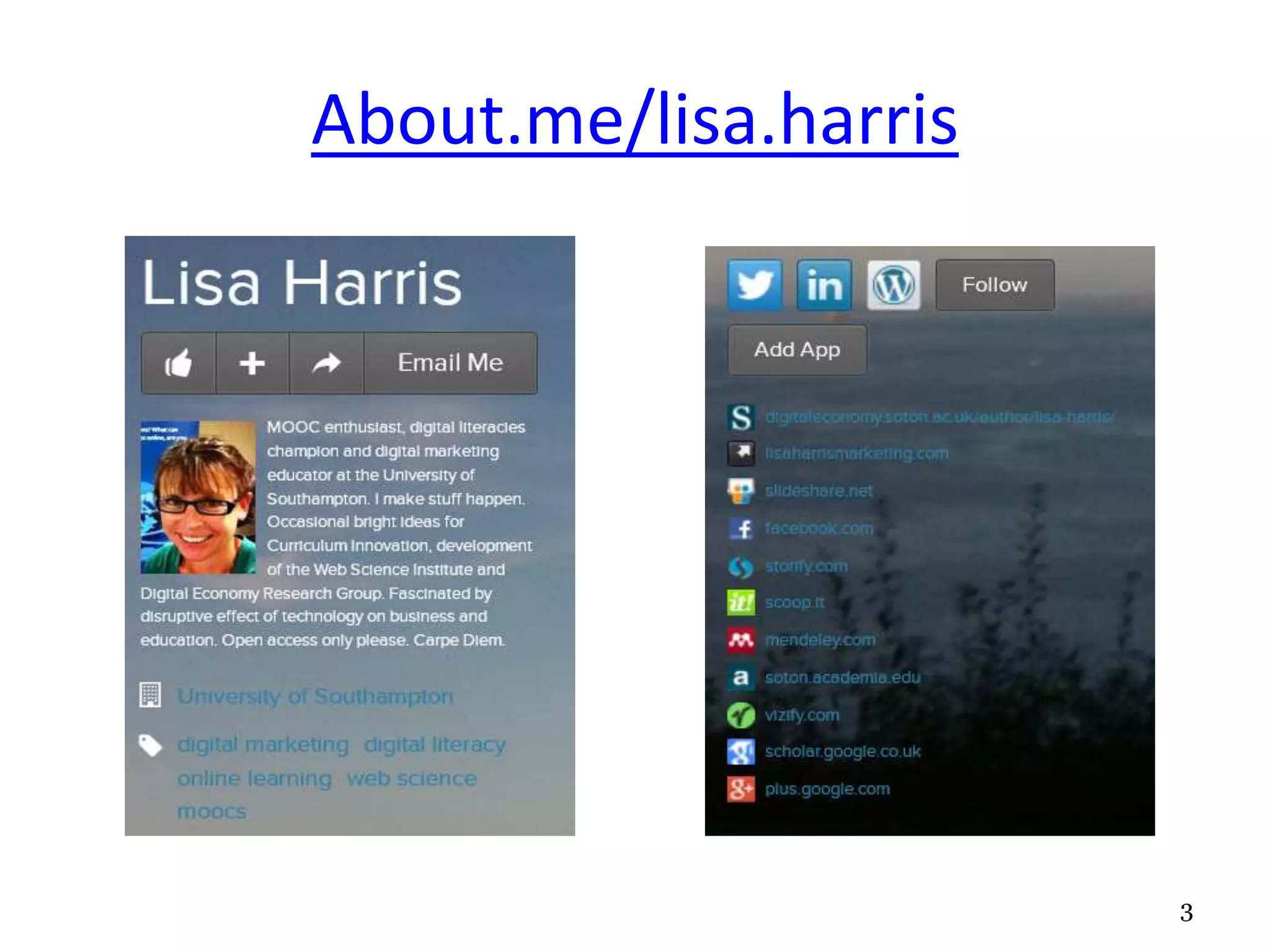
About.me/lisa.harris
3
Finding me online
About.me
Twitter
LinkedIn
Slideshare
Web Science Institute
Southampton Business School
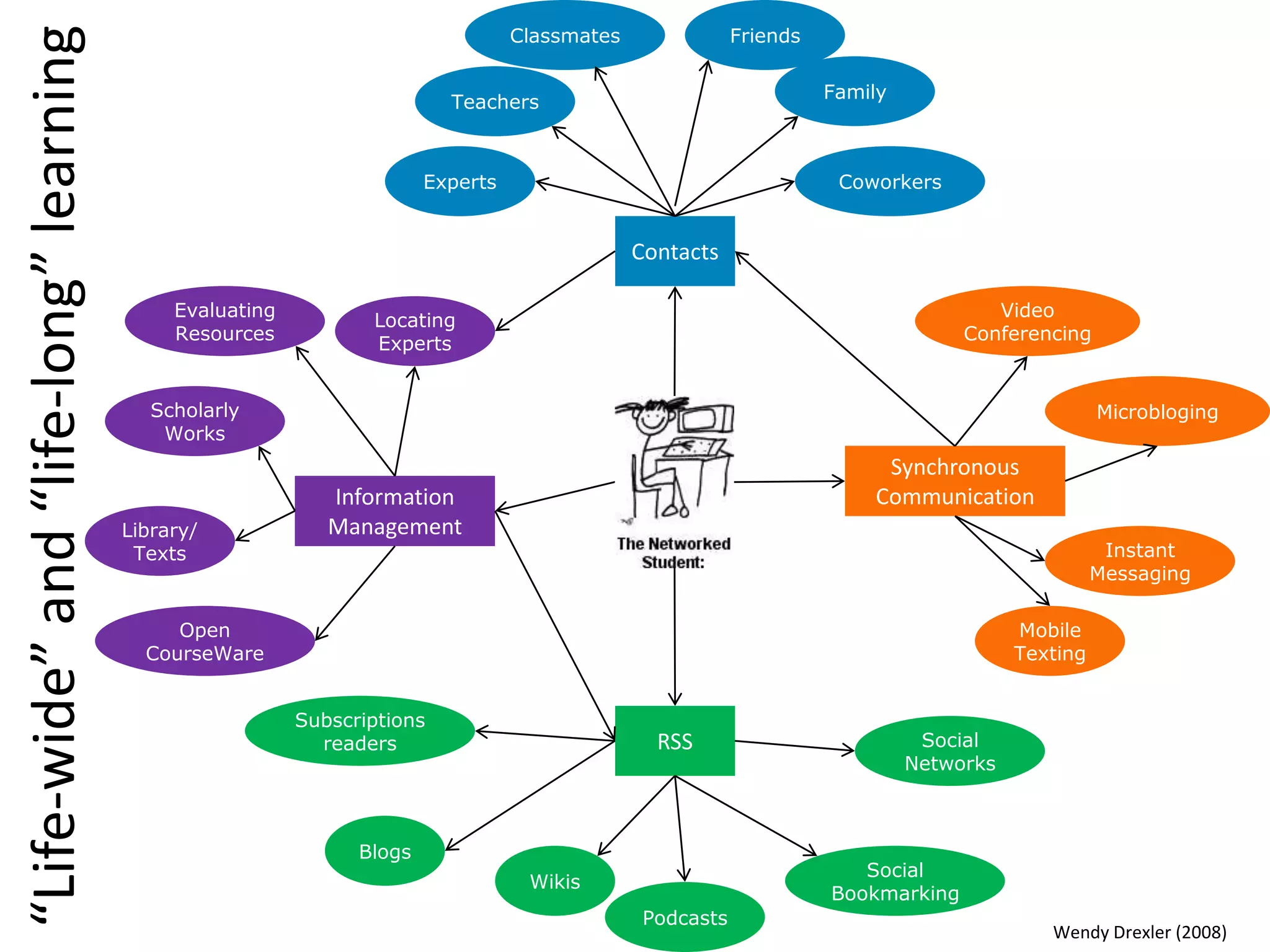
“Life-wide”and“life-long”learning
Contacts
Experts
Teachers
Classmates Friends
Family
Coworkers
Synchronous
Communication
Mobile
Texting
Video
Conferencing
Microbloging
Instant
Messaging
RSS
Wikis
Blogs
Subscriptions
readers
Podcasts
Social
Bookmarking
Social
Networks
Information
ManagementLibrary/
Texts
Open
CourseWare
Evaluating
Resources
Scholarly
Works
Locating
Experts
Wendy Drexler (2008)
Building a professional digital profile
• how we can proactively manage our digital
experiences for:
– effective learning in a world where we are increasingly
swamped with data.
– showcasing our knowledge and building our networks
to “stand out from the crowd” – enhancing
employment prospects or a setting up a new business
– promoting “digital citizenship” – for example by
behaving responsibly online or raising awareness of
and supporting good causes.
Digital Literacy
• “Digital literacy is the ability to locate, organise, understand,
evaluate, and analyse information using digital technology. It
involves a working knowledge of current tools and an
understanding of how they can be used”
• “The active management of online activities such as
collaboration, networking , content creation and curation in
order to “stand out from the crowd” in today’s job market”
• “an ability to respond positively to change”
• “How we can best live, learn and work in an increasingly
digital society”
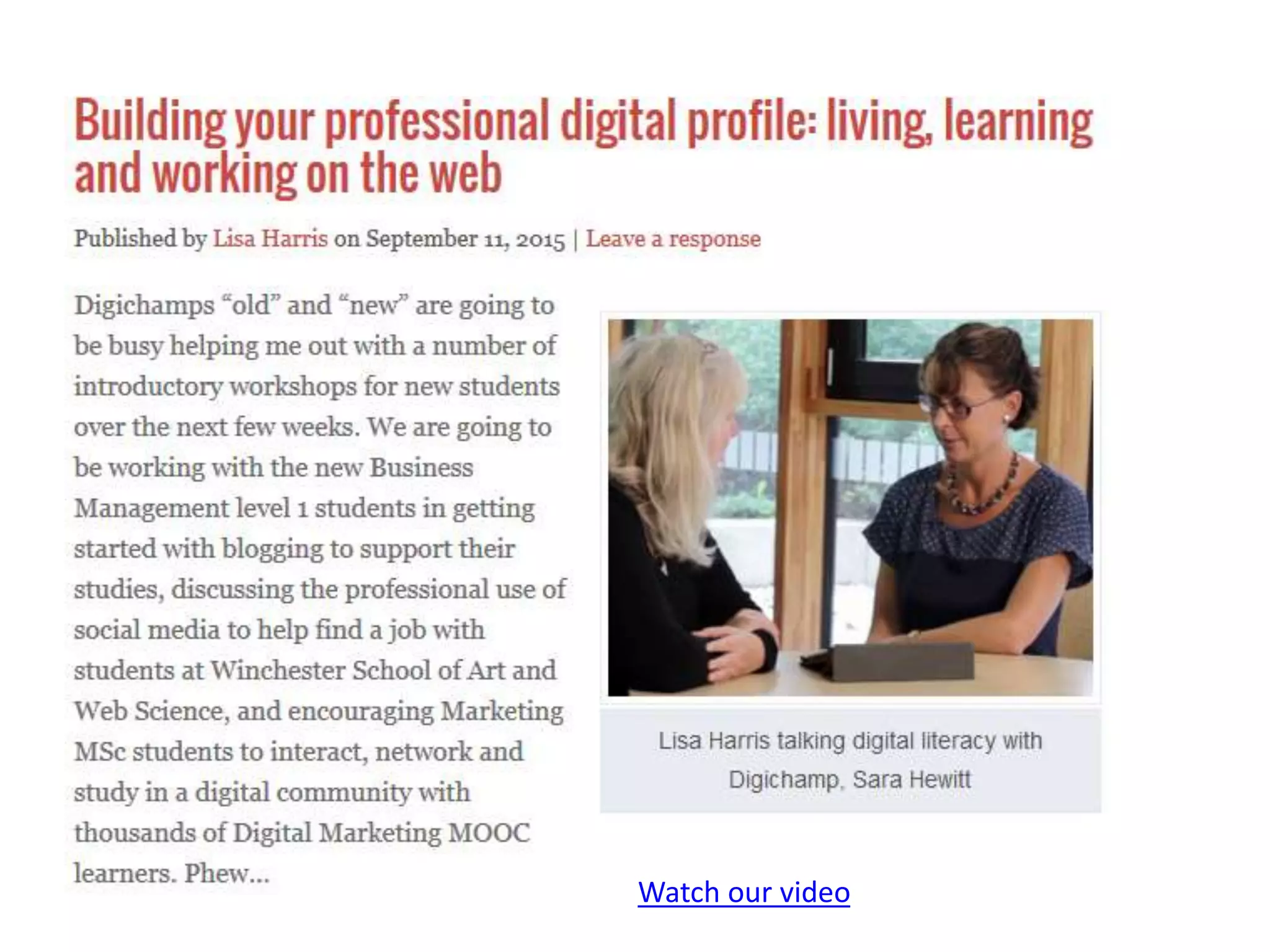
Watch our video
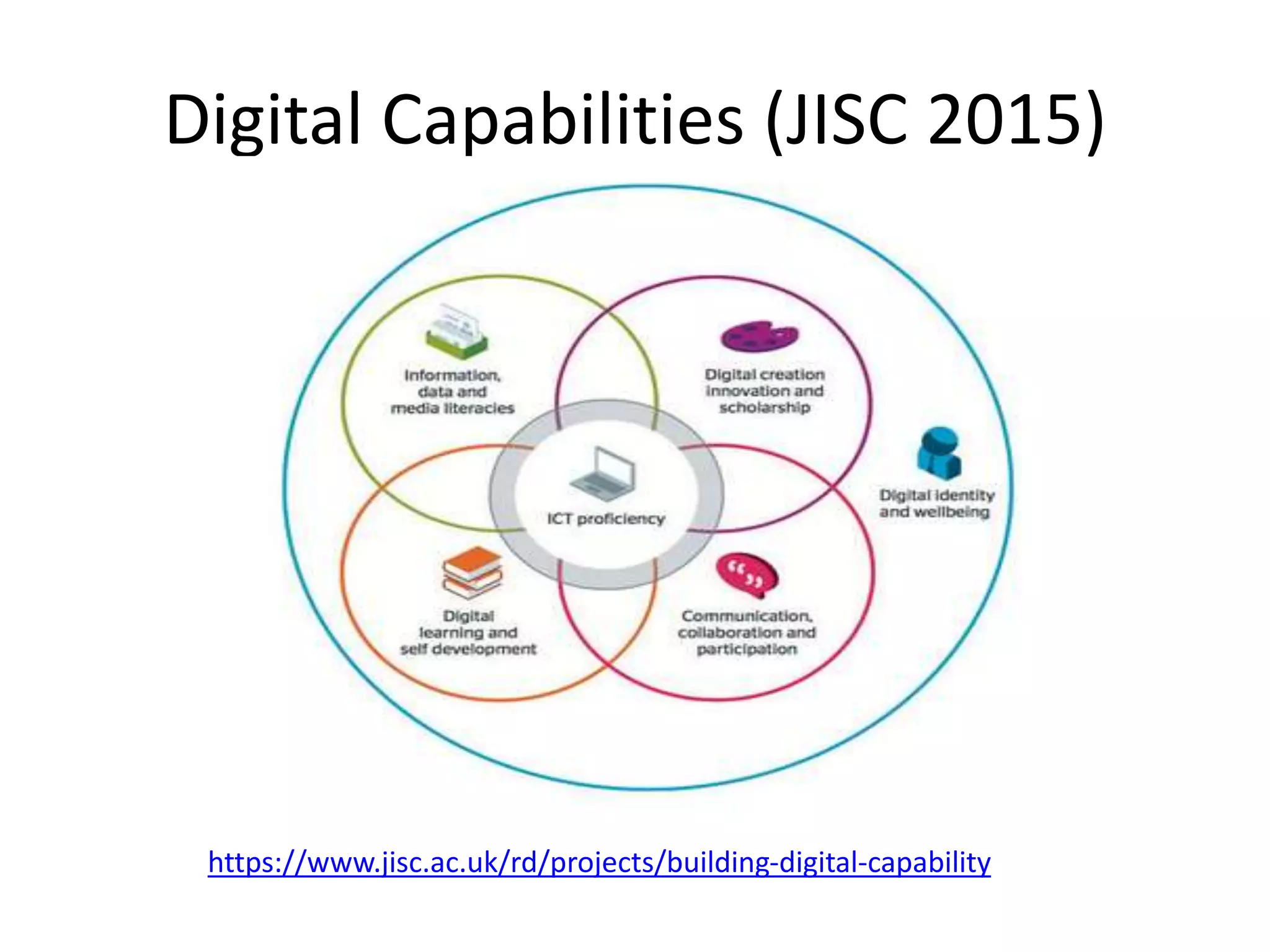
Digital Capabilities (JISC 2015)
https://www.jisc.ac.uk/rd/projects/building-digital-capability
Scope of digital literacy: information
management
• Finding, managing, evaluating and curating
information
– how do we manage the sheer volume of search
results we might get?
– How do we recognise a trusted source?
– How do we curate relevant materials from
different sources and formats to meet a specific
need, for example in addressing an assignment
question.
Scope of digital literacy: creating
materials
• How do we create new materials in written,
visual and audio formats?
• What role can a reflective blog play in our
learning journeys?
• How can its impact be enhanced with images
or video?
Scope of digital literacy: effective
communication
• How can we use tools such as twitter to
communicate, collaborate and participate in
online communities – building our own
networks and contributing to the work of
others, potentially on a global basis?
Scope of Digital Literacy: identity and
behaviour
• Safety and security – managing passwords,
privacy, access and tagging
• Managing the boundaries between the
personal and the professional
• Digital citizenship – charitable fundraising,
paying it forward, activism
So what are employers doing?
• According to a recent study by Jobvite
– 92% of recruiters use social media in the hiring process
– 80% had been positively influenced by a candidate’s
professional social network profile
– 78% had been negatively influenced towards a candidate’s
inappropriate use of social media
• The best candidates might not be actively looking for
a new job (up to 90% of the workforce)
• Social media can identify the best talent , encourage
conversation and build relationships with them
• Enables recruiters to promote their company as “a
great place to work”
“The new media environment can be disruptive to our
current teaching methods and philosophies. As we
increasingly move toward an environment of instant and
infinite information, it becomes less important for
students to know, memorize, or recall information and
more important for them to be able to find, sort, analyze,
share, discuss, critique, and create information and
knowledge. They need to move from being simply
knowledgeable to being knowledge-able.”
Wesch, M., 2011. From Knowledgeable to Knowledge-
able: Building New Learning Environments for New Media
Environments | UM Events | University of Michigan.
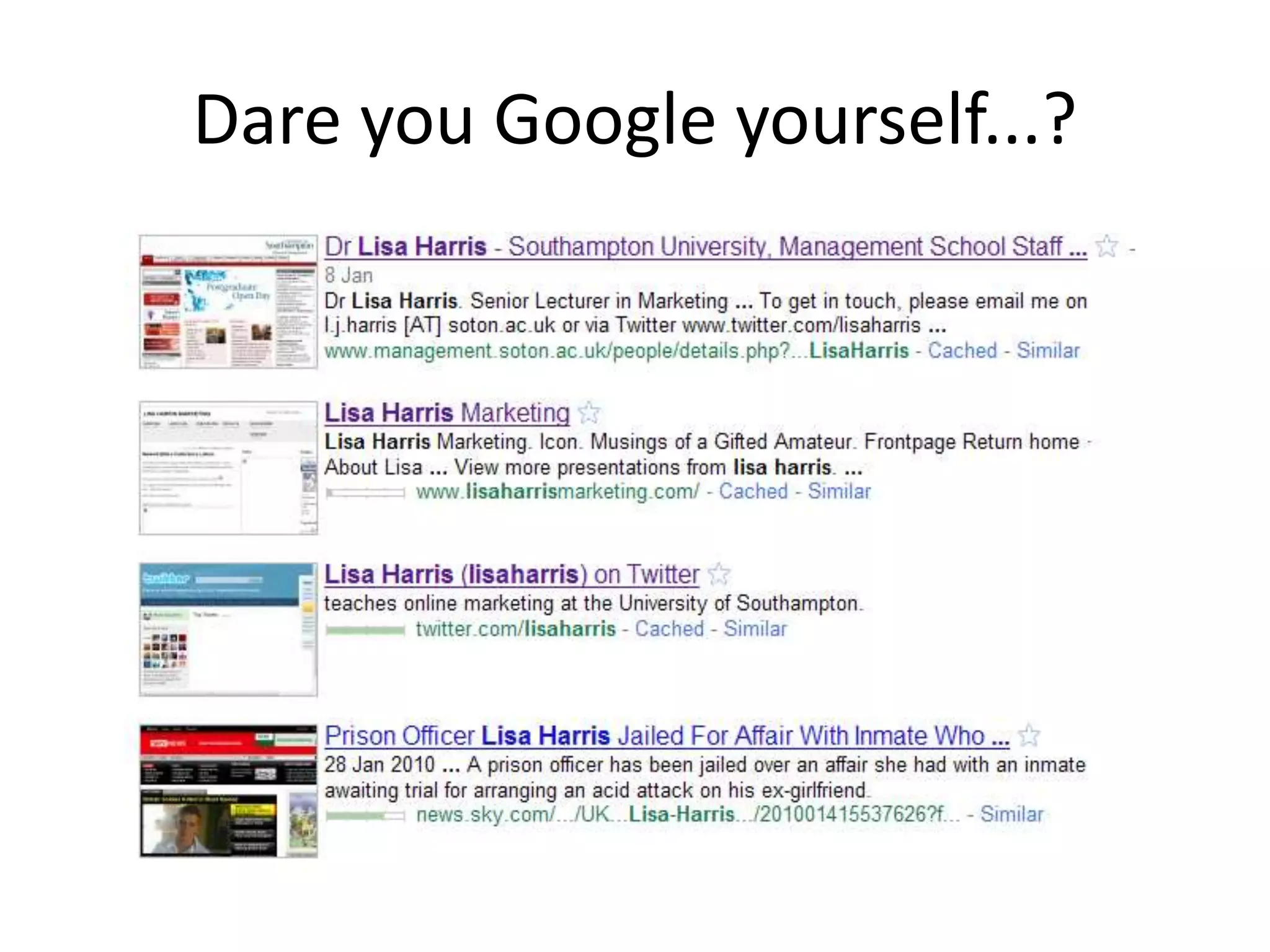
Dare you Google yourself...?
Using social media to get a job
• Connect (LinkedIn, FB, Twitter)
• Collaborate (Skype, Dropbox, Google Drive)
• Create (Wordpress, Soundcloud, Pinterest,
YouTube/Vimeo)
• Curate (ScoopIt, Delicious, Slideshare)
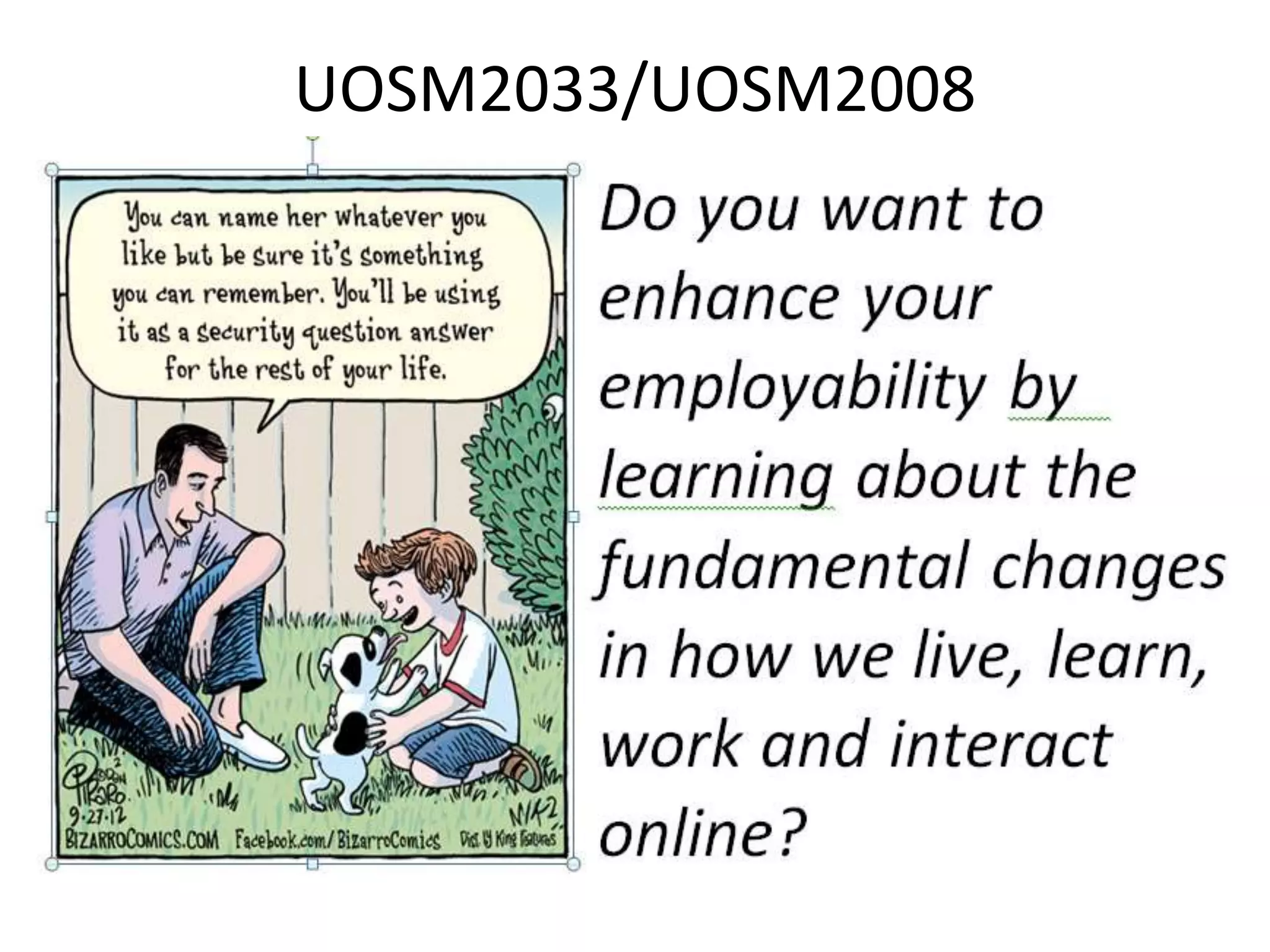
UOSM2033/UOSM2008
Successes
• Employability advantages
• Raised awareness of digital literacy and blended
learning across University
• Digitally proficient students can mentor less
confident colleagues
• Active rather than passive learning
• Flexibility of timing/location of learning for
students and tutors
• Study recommendations were made between
levels and disciplines
Setting up your blog
• You may have your own already that you wish to
use
• You can use a major free platform like
wordpress.com
• You can use the University’s blog.soton service
(University branded Wordpress blogs available
through iSolutions)
• Some good examples:
– Chris Phethean’s PhD progress blog
– Andy Sugden’s and Catherine Hunt’s curriculum
innovation module blogs
Blogs: pulling it all together
• Use the blog framework as a central point pulling in your
other social media content:
– Tweets – Flickr – LinkedIn – Vimeo - Slideshare – Pinterest -
Soundcloud - YouTube
• You can also embed other social media within individual
blog posts
• Video is increasingly important, especially authentic user
generated content
• Provide sharing buttons
• These activities provide a regular supply of “googlejuice” to
the blog
Google likes blogging
• Social media interaction with digital content is
the *biggest influence* on its search visibility:
1. Facebook shares
2. Facebook comments
3. Facebook likes
4. Tweets
• Hootsuite blogpost
• Advice from Social Media Strategist
Beware the “filter bubble”
• From https://www.google.com/settings/me you can
view what results other people see when searching for
your name, and what your own publicly visible Google
profile looks like.
• Entering your name directly into a Google search in
your own browser will NOT give you an accurate view
of how other people see these results.
• Google filters and personalises results according to
past search behaviour, so a search from your own
machine is likely to disproportionally favour your own
sites.
Exercise: accessing, storing and
evaluating online information
• Use this shared document to jot down your
ideas
• How do you decide how credible an online
source is?
• For more details, see the “evaluating online
information” link from the module blog
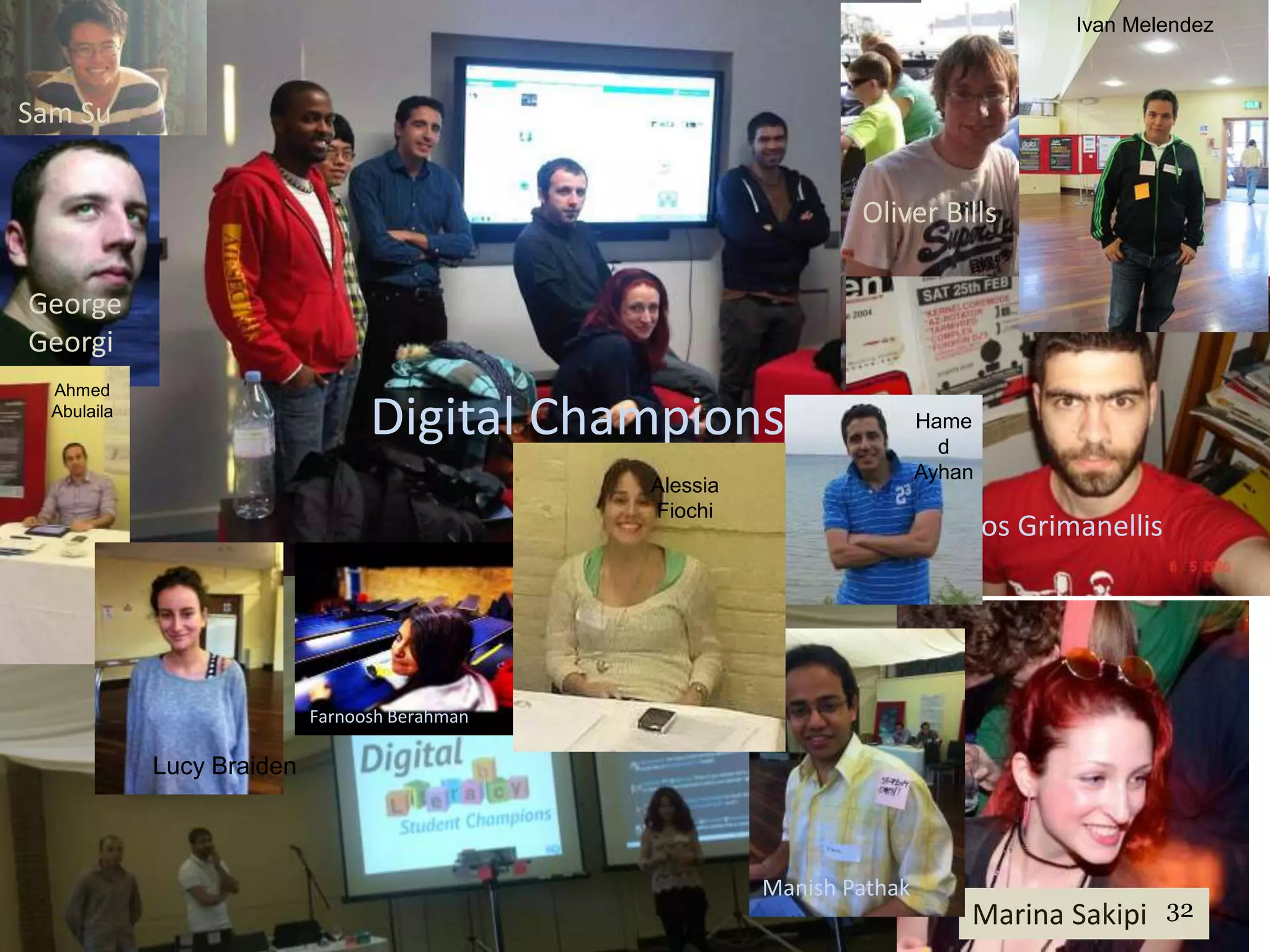
Digital Champions
Sam Su
Oliver Bills
Marina Sakipi
Panos Grimanellis
George
Georgi
ev
Hamed
Ayhan
Hame
d
Ayhan
Farnoosh Berahman
Manish Pathak
Ivan Melendez
Ahmed
Abulaila
Lucy Braiden
Alessia
Fiochi
32
DigiChamps: Flo Broderick
• Took Digital Marketing and CI modules, learned
interviewing skills and video editing
• Helped out in a big way at Digital Media Europe
• Masterminded student contribution to Digital
Literacies Conference
• Provided student perspective on our research into
online learning MOOC filming in Portus
• Now in Madrid working for Telefonica Digital
33
Digichamps: Ivan Melendez
• KISM MSc @ Southampton 2012
• Helped out with employability workshops and
university events
• Now working for Hootsuite in Vancouver
• Read Ivan’s story
Joining the Digichamps
• More information:
– Digichamps Blog
– Facebook Group
– What do the Digichamps do? (video)
• Digichamps help staff and students with educational
applications of new technologies, build professional online
profiles, and manage social media for live events.
• Students from all University Faculties & all levels of study
• Send a note to Lisa explaining why you would like to join
the Digichamps and highlighting the skills you offer / would
like to develop
35
Thank you 
Questions?

Living and Working on the Web

  • 1.
    Living and Workingon the Web Lisa Harris and Sarah Hewitt #UOSM2033 28/9/2015
  • 2.
    Session Plan • Introductionto Digital Literacy • How the module works http://blog.soton.ac.uk/uosm2033-2015 • Evaluating online information – exercise • Topic-relevant articles saved on Scoop-It • Satire by the Onion • The latest from Erik Qualman • Digital Literacy Conference • Student Video: Living and Working on the Web
  • 3.
  • 4.
    Finding me online About.me Twitter LinkedIn Slideshare WebScience Institute Southampton Business School
  • 5.
  • 6.
    Building a professionaldigital profile • how we can proactively manage our digital experiences for: – effective learning in a world where we are increasingly swamped with data. – showcasing our knowledge and building our networks to “stand out from the crowd” – enhancing employment prospects or a setting up a new business – promoting “digital citizenship” – for example by behaving responsibly online or raising awareness of and supporting good causes.
  • 7.
    Digital Literacy • “Digitalliteracy is the ability to locate, organise, understand, evaluate, and analyse information using digital technology. It involves a working knowledge of current tools and an understanding of how they can be used” • “The active management of online activities such as collaboration, networking , content creation and curation in order to “stand out from the crowd” in today’s job market” • “an ability to respond positively to change” • “How we can best live, learn and work in an increasingly digital society”
  • 8.
  • 9.
    Digital Capabilities (JISC2015) https://www.jisc.ac.uk/rd/projects/building-digital-capability
  • 10.
    Scope of digitalliteracy: information management • Finding, managing, evaluating and curating information – how do we manage the sheer volume of search results we might get? – How do we recognise a trusted source? – How do we curate relevant materials from different sources and formats to meet a specific need, for example in addressing an assignment question.
  • 11.
    Scope of digitalliteracy: creating materials • How do we create new materials in written, visual and audio formats? • What role can a reflective blog play in our learning journeys? • How can its impact be enhanced with images or video?
  • 12.
    Scope of digitalliteracy: effective communication • How can we use tools such as twitter to communicate, collaborate and participate in online communities – building our own networks and contributing to the work of others, potentially on a global basis?
  • 13.
    Scope of DigitalLiteracy: identity and behaviour • Safety and security – managing passwords, privacy, access and tagging • Managing the boundaries between the personal and the professional • Digital citizenship – charitable fundraising, paying it forward, activism
  • 15.
    So what areemployers doing? • According to a recent study by Jobvite – 92% of recruiters use social media in the hiring process – 80% had been positively influenced by a candidate’s professional social network profile – 78% had been negatively influenced towards a candidate’s inappropriate use of social media • The best candidates might not be actively looking for a new job (up to 90% of the workforce) • Social media can identify the best talent , encourage conversation and build relationships with them • Enables recruiters to promote their company as “a great place to work”
  • 16.
    “The new mediaenvironment can be disruptive to our current teaching methods and philosophies. As we increasingly move toward an environment of instant and infinite information, it becomes less important for students to know, memorize, or recall information and more important for them to be able to find, sort, analyze, share, discuss, critique, and create information and knowledge. They need to move from being simply knowledgeable to being knowledge-able.” Wesch, M., 2011. From Knowledgeable to Knowledge- able: Building New Learning Environments for New Media Environments | UM Events | University of Michigan.
  • 17.
    Dare you Googleyourself...?
  • 18.
    Using social mediato get a job • Connect (LinkedIn, FB, Twitter) • Collaborate (Skype, Dropbox, Google Drive) • Create (Wordpress, Soundcloud, Pinterest, YouTube/Vimeo) • Curate (ScoopIt, Delicious, Slideshare)
  • 19.
  • 20.
    Successes • Employability advantages •Raised awareness of digital literacy and blended learning across University • Digitally proficient students can mentor less confident colleagues • Active rather than passive learning • Flexibility of timing/location of learning for students and tutors • Study recommendations were made between levels and disciplines
  • 21.
    Setting up yourblog • You may have your own already that you wish to use • You can use a major free platform like wordpress.com • You can use the University’s blog.soton service (University branded Wordpress blogs available through iSolutions) • Some good examples: – Chris Phethean’s PhD progress blog – Andy Sugden’s and Catherine Hunt’s curriculum innovation module blogs
  • 22.
    Blogs: pulling itall together • Use the blog framework as a central point pulling in your other social media content: – Tweets – Flickr – LinkedIn – Vimeo - Slideshare – Pinterest - Soundcloud - YouTube • You can also embed other social media within individual blog posts • Video is increasingly important, especially authentic user generated content • Provide sharing buttons • These activities provide a regular supply of “googlejuice” to the blog
  • 23.
    Google likes blogging •Social media interaction with digital content is the *biggest influence* on its search visibility: 1. Facebook shares 2. Facebook comments 3. Facebook likes 4. Tweets • Hootsuite blogpost • Advice from Social Media Strategist
  • 24.
    Beware the “filterbubble” • From https://www.google.com/settings/me you can view what results other people see when searching for your name, and what your own publicly visible Google profile looks like. • Entering your name directly into a Google search in your own browser will NOT give you an accurate view of how other people see these results. • Google filters and personalises results according to past search behaviour, so a search from your own machine is likely to disproportionally favour your own sites.
  • 25.
    Exercise: accessing, storingand evaluating online information • Use this shared document to jot down your ideas • How do you decide how credible an online source is? • For more details, see the “evaluating online information” link from the module blog
  • 26.
    Digital Champions Sam Su OliverBills Marina Sakipi Panos Grimanellis George Georgi ev Hamed Ayhan Hame d Ayhan Farnoosh Berahman Manish Pathak Ivan Melendez Ahmed Abulaila Lucy Braiden Alessia Fiochi 32
  • 27.
    DigiChamps: Flo Broderick •Took Digital Marketing and CI modules, learned interviewing skills and video editing • Helped out in a big way at Digital Media Europe • Masterminded student contribution to Digital Literacies Conference • Provided student perspective on our research into online learning MOOC filming in Portus • Now in Madrid working for Telefonica Digital 33
  • 28.
    Digichamps: Ivan Melendez •KISM MSc @ Southampton 2012 • Helped out with employability workshops and university events • Now working for Hootsuite in Vancouver • Read Ivan’s story
  • 29.
    Joining the Digichamps •More information: – Digichamps Blog – Facebook Group – What do the Digichamps do? (video) • Digichamps help staff and students with educational applications of new technologies, build professional online profiles, and manage social media for live events. • Students from all University Faculties & all levels of study • Send a note to Lisa explaining why you would like to join the Digichamps and highlighting the skills you offer / would like to develop 35
  • 31.