Digital Tools for
Collaboration & Creativity
BEM2034/BEP 2120
Week 2 Small Group Sessions
Plan for this session
• Making sure you understand how the module works and our
expectations of you (don’t forget you can view the recording of last
week’s Introductory Webinar on ELE)
• Getting you started in collaborating with each other:
• Effective use of university resources: sources of support
• Digital tools for collaboration and creativity –Padlet exercise for Q&A
Sources of information and help
• Study Zone Digital - one to one support, cafés and other resources to
help you develop your study skills
• Digital Hubs Home Page (links to hubs at Streatham, Penryn and St
Lukes) everything you need to know about accessing university digital
services with in-person and online support
• Digital Hub Blog Post: “5 must have digital tools for university”
• One to one online support with
developing your English Language Skills
Digital Tools
• Office 365 – free, university-supported package of Microsoft products
• Padlet – for sharing information in “notice board” format. Free with
your university account
• For creating engaging visuals -
• Canva
• Piktochart
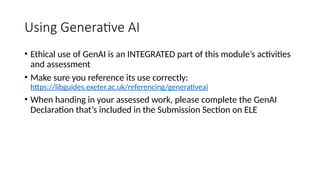
Using Generative AI
• Ethical use of GenAI is an INTEGRATED part of this module’s activities
and assessment
• Make sure you reference its use correctly:
https://libguides.exeter.ac.uk/referencing/generativeai
• When handing in your assessed work, please complete the GenAI
Declaration that’s included in the Submission Section on ELE
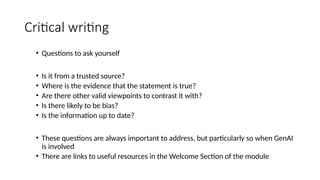
Critical writing
• Questions to ask yourself
• Is it from a trusted source?
• Where is the evidence that the statement is true?
• Are there other valid viewpoints to contrast it with?
• Is there likely to be bias?
• Is the information up to date?
• These questions are always important to address, but particularly so when GenAI
is involved
• There are links to useful resources in the Welcome Section of the module

Resources for Digital Collaboration and Tools

  • 1.
    Digital Tools for Collaboration& Creativity BEM2034/BEP 2120 Week 2 Small Group Sessions
  • 2.
    Plan for thissession • Making sure you understand how the module works and our expectations of you (don’t forget you can view the recording of last week’s Introductory Webinar on ELE) • Getting you started in collaborating with each other: • Effective use of university resources: sources of support • Digital tools for collaboration and creativity –Padlet exercise for Q&A
  • 3.
    Sources of informationand help • Study Zone Digital - one to one support, cafés and other resources to help you develop your study skills • Digital Hubs Home Page (links to hubs at Streatham, Penryn and St Lukes) everything you need to know about accessing university digital services with in-person and online support • Digital Hub Blog Post: “5 must have digital tools for university” • One to one online support with developing your English Language Skills
  • 4.
    Digital Tools • Office365 – free, university-supported package of Microsoft products • Padlet – for sharing information in “notice board” format. Free with your university account • For creating engaging visuals - • Canva • Piktochart
  • 5.
    Using Generative AI •Ethical use of GenAI is an INTEGRATED part of this module’s activities and assessment • Make sure you reference its use correctly: https://libguides.exeter.ac.uk/referencing/generativeai • When handing in your assessed work, please complete the GenAI Declaration that’s included in the Submission Section on ELE
  • 6.
    Critical writing • Questionsto ask yourself • Is it from a trusted source? • Where is the evidence that the statement is true? • Are there other valid viewpoints to contrast it with? • Is there likely to be bias? • Is the information up to date? • These questions are always important to address, but particularly so when GenAI is involved • There are links to useful resources in the Welcome Section of the module