

Introduction to Computer
Lecture # 8
Course Instructor : Sehrish Rafiq
Govt. Girls Degree College Maneri Swabi
Higher Education Department KP
Lecture Overview
• Units of memory
• Memory hierarchy
• Primary Memory and its types
• Register and its types
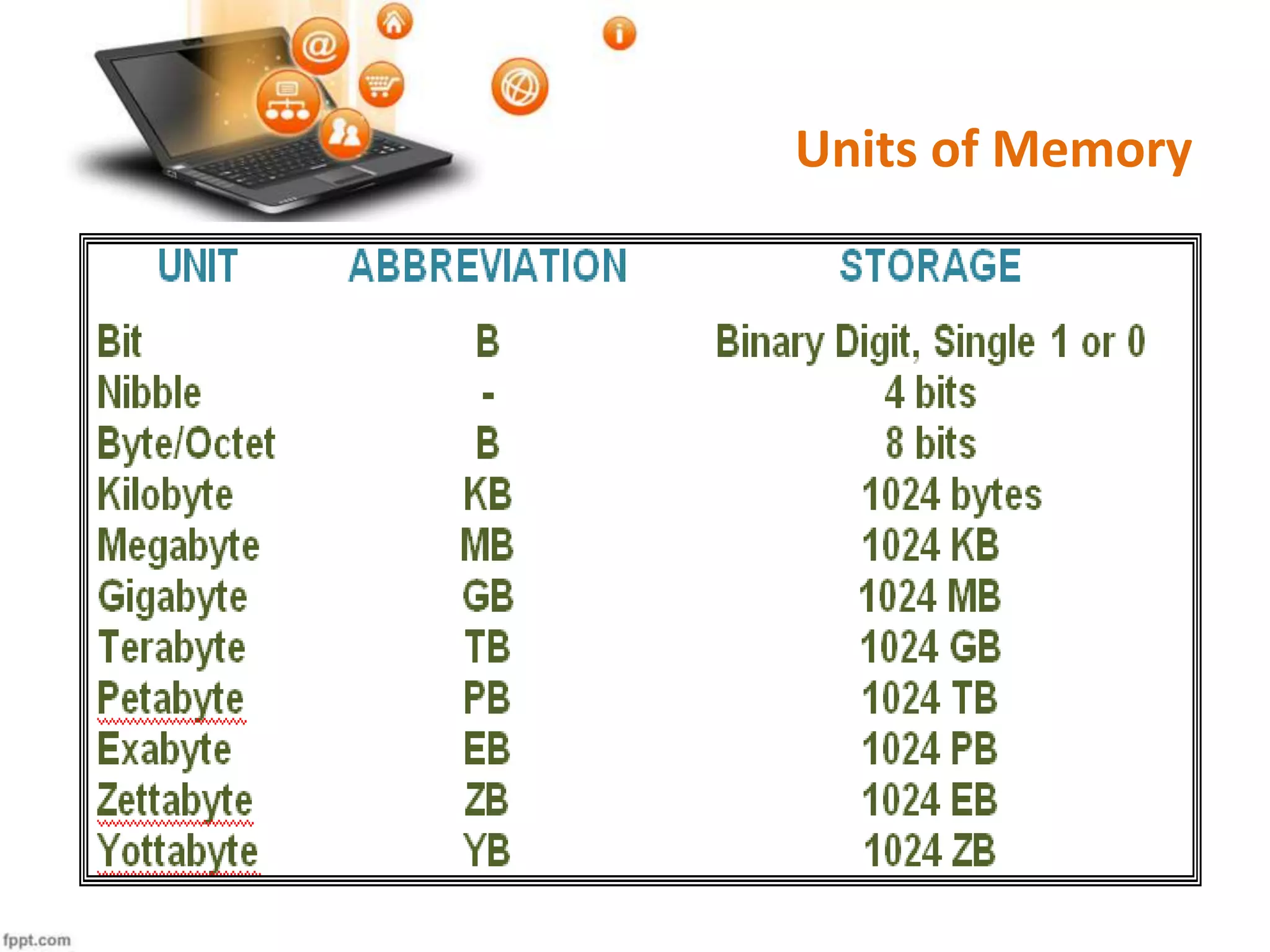
Units of Memory
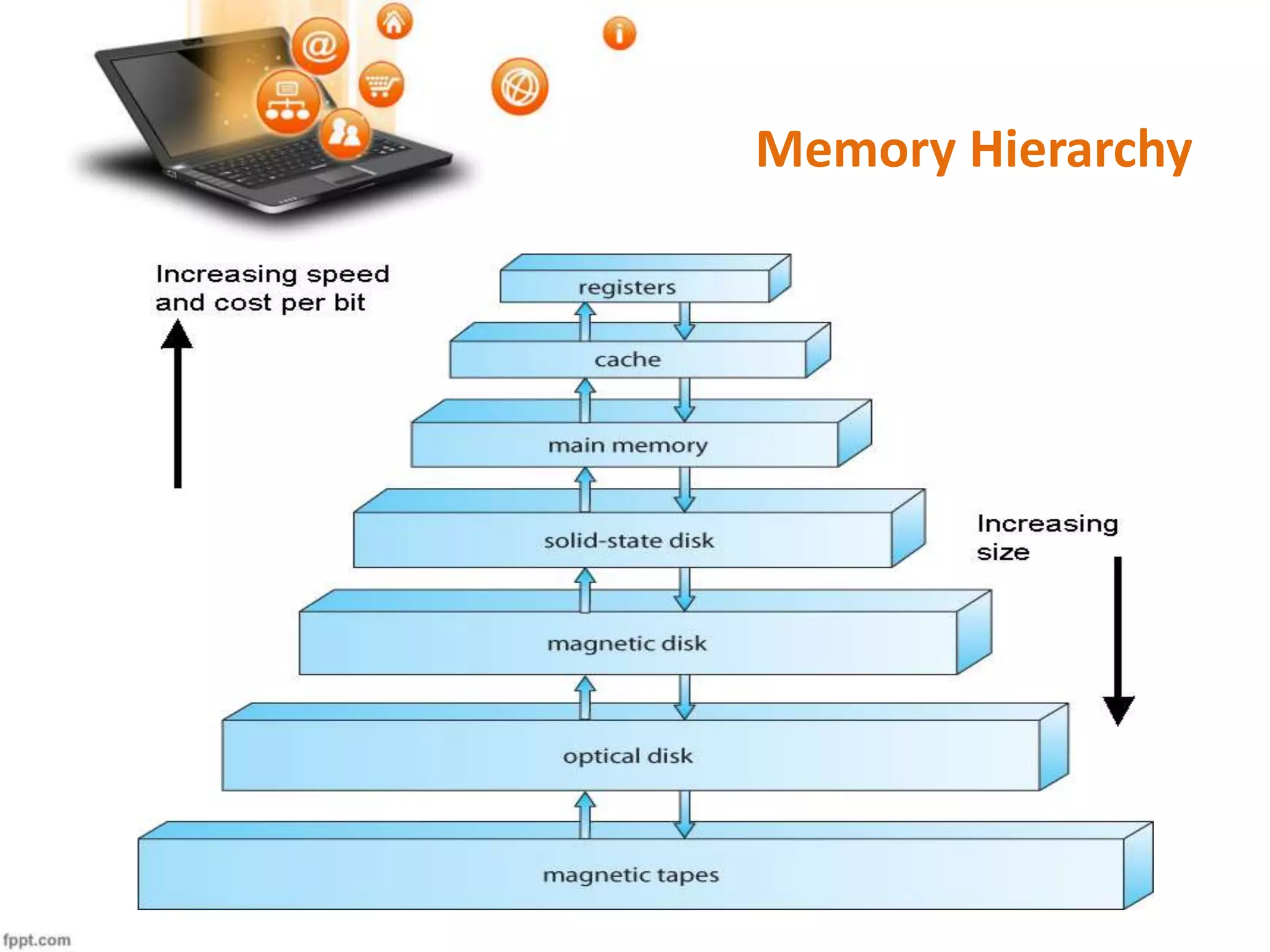
Memory Hierarchy
Computer Memory/ Storage
• Computer memory/storage is an important and compulsory component of
digital computers.
• It is an electronic / magnetic holding place for instructions and data.
• It is used to store data and programs on a temporary or permanent basis.
• From start to shutdown, the computer constantly uses memory.
• Types of memory
Primary memory
Secondary memory
Primary Memory
• Primary memory is also known as main memory.
• Primary memory devices are those memory devices which are directly
connected to the CPU and are directly accessible by the CPU.
• Primary memory devices except ROM store data and programs temporarily
and are volatile in nature.
• Primary memory devices are very expensive and they can store limited
amounts of data and mostly for short-term.
• Examples:-
Registers
Cache memory
Random Access Memory(RAM)
Read Only Memory(ROM)
Registers
• Registers are small memory devices that are part of the CPU chip.
• A register may hold an instruction, a storage address, or any kind of data
e.g. individual characters temporarily during processing.
• They are the fastest and the most expensive memory type of a computer.
• Registers vary in size e.g. 8-bit, 16-bit, 32 bit etc.
• Types:
 General purpose registers
 Special purpose registers
General Purpose Registers
• General Purpose Registers are used to store data as well as addresses.
• These registers are used for arithmetic and data movement.
• They are typically 8-32 bit in size.
• Examples:
 Accumulator(AX)
 Base Register(BX)
 Counter Register(CX)
 Data Register(DX)
Accumulator Register(AX)
• Accumulator register is used by the CPU for performing arithmetic and
logical operations.
• It is used to hold the intermediate results of these operations.
• Without accumulator, it would be necessary to write the result of each
calculation (addition, multiplication etc.) to main memory, perhaps only to
be read right back again for use in the next operation.
• The accumulator is initially set to zero and then each number in turn is
added to the value in accumulator.
Continued…
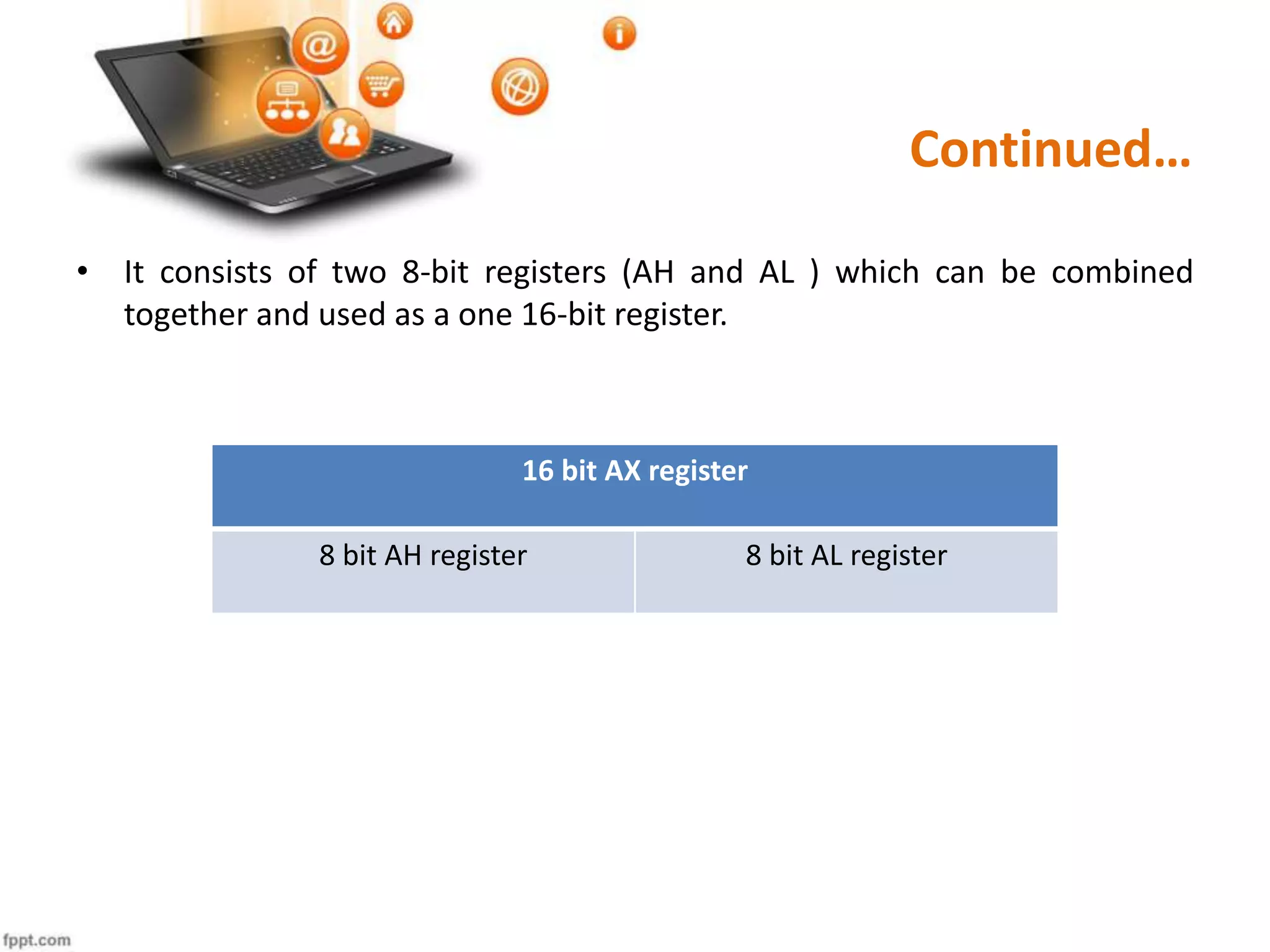
• It consists of two 8-bit registers (AH and AL ) which can be combined
together and used as a one 16-bit register.
16 bit AX register
8 bit AH register 8 bit AL register
Base Register(BX)
• The base register can hold a memory address that points to another
variable.
• It usually contains a data pointer.
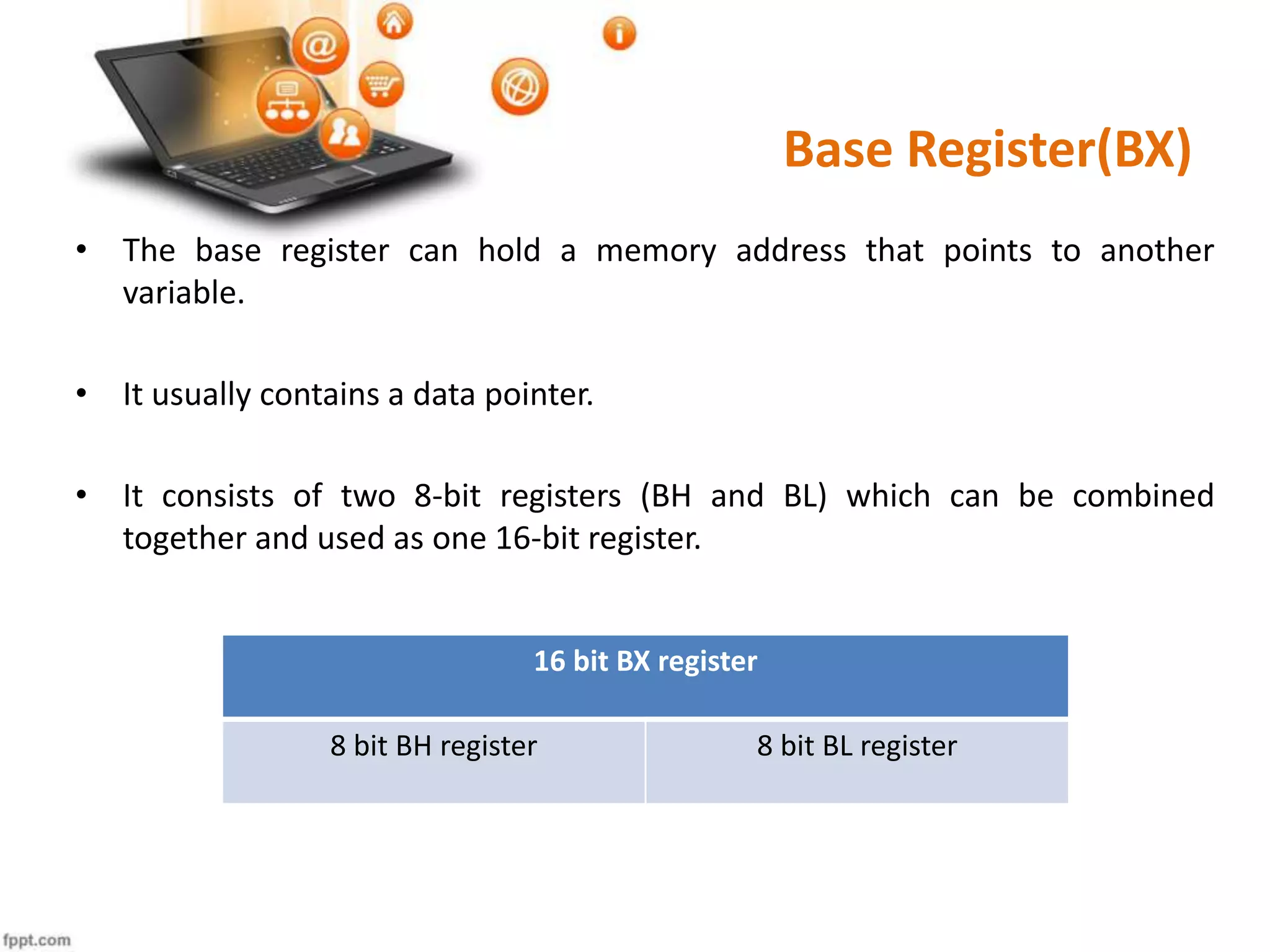
• It consists of two 8-bit registers (BH and BL) which can be combined
together and used as one 16-bit register.
16 bit BX register
8 bit BH register 8 bit BL register
Counter Register (CX)
• It acts as a counter for repeating or looping instructions.
• The instructions given are automatically repeated and will automatically
decrement the value of CX.
• The repetition quits when the value in CX register becomes zero.
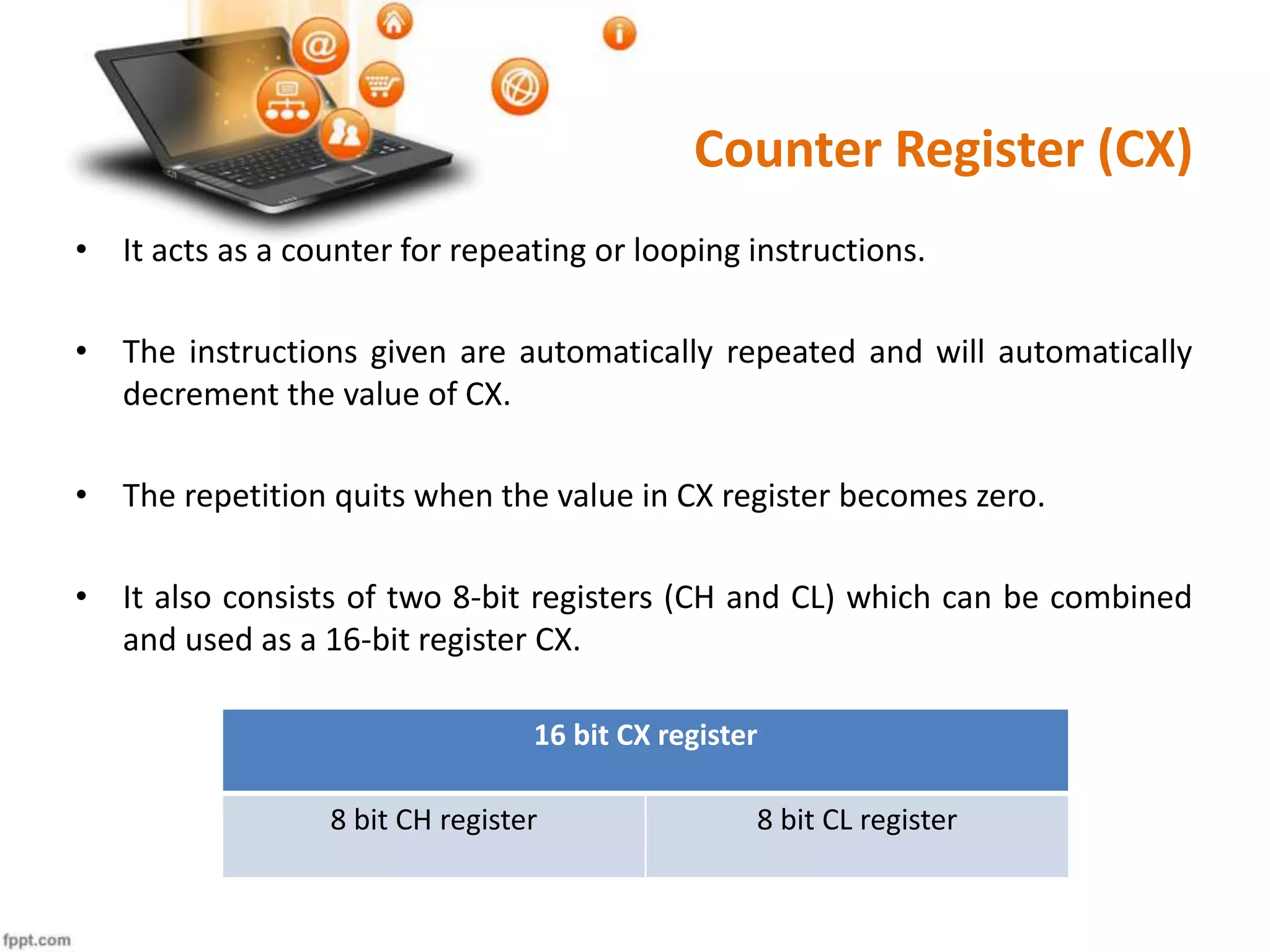
• It also consists of two 8-bit registers (CH and CL) which can be combined
and used as a 16-bit register CX.
16 bit CX register
8 bit CH register 8 bit CL register
Data Register(DX)
• Data register is used in multiplication and division operations.
• It can hold anything that has been copied from the memory ready for the
processor to use it.
• For input/output operations DX register can be used to hold a port
number.
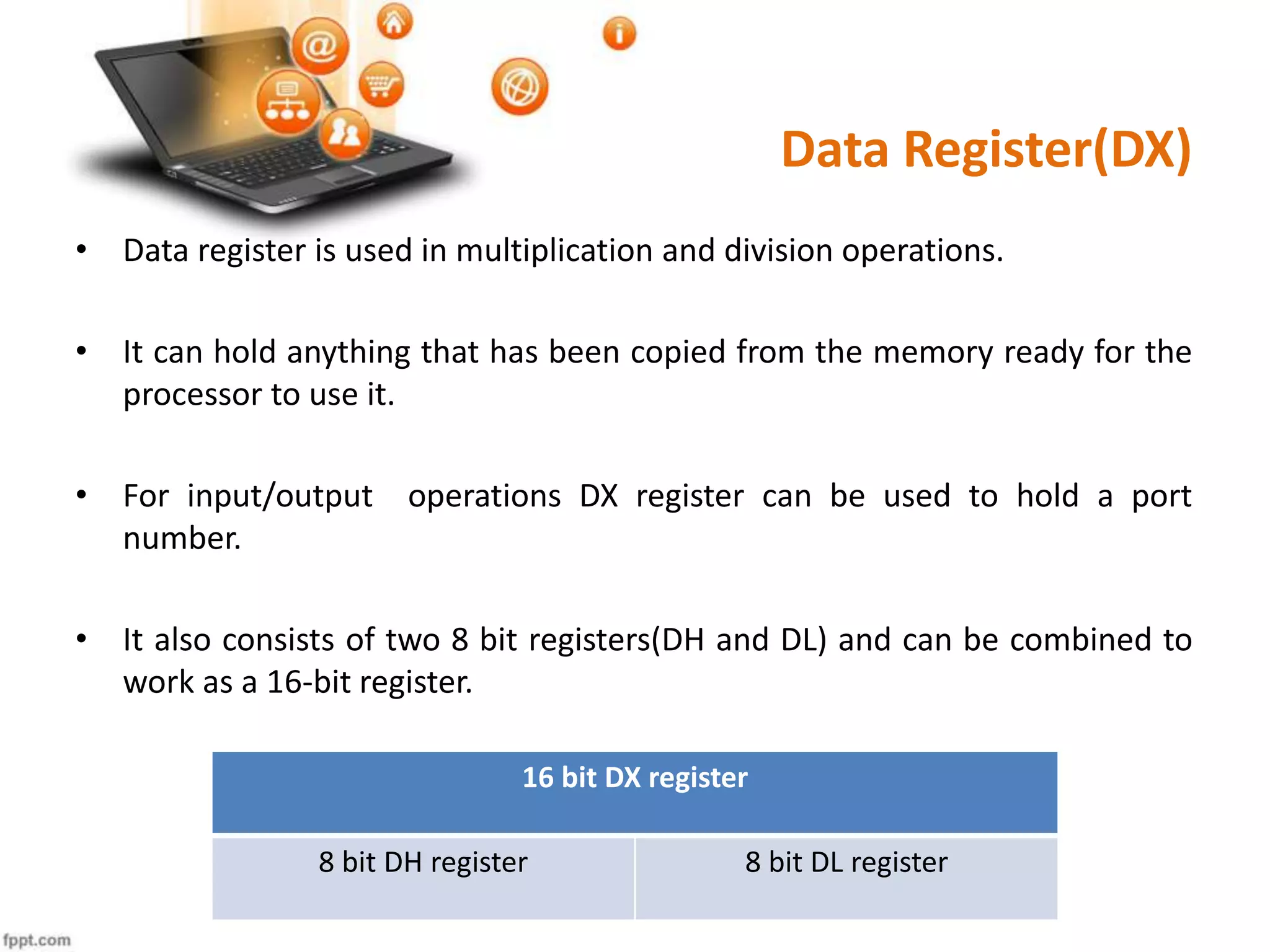
• It also consists of two 8 bit registers(DH and DL) and can be combined to
work as a 16-bit register.
16 bit DX register
8 bit DH register 8 bit DL register
Special Purpose Registers
• These registers are designed for special purposes.
• These are used by control unit to control the operations of CPU.
• The operating system uses them to control the execution of
programs.
• Examples:
Instruction Register(IR)
Memory Address Register (MAR)
Memory Buffer Register(MBR)
Program Counter(PC)
Instruction Register(IR)
• Instruction register is a part of control unit.
• It stores the current instruction being executed.
• Each instruction of a program must be loaded in to the instruction register
one by one.
Program Counter(PC)
• Program counter is also known as instruction pointer.
• This register contains the address of the instruction to be executed.
• As each instruction gets fetched, the program counter increases its stored
value by one which then points to the next instruction in sequence.
Memory Address Register(MAR)
• Memory Address Register (MAR) is the CPU register that either stores the
memory address from which data will be fetched by the CPU, or the
address to which data will be sent and stored.
• In other words, MAR holds the memory location of data that needs to be
accessed.
Memory Buffer Register(MBR) /
Memory Data Register (MDR)
• Memory Buffer Register(MBR) is also known as Memory Data
Register(MDR).
• When reading from memory the data to which the address in MAR points
is read in to MBR/MDR.
• When writing to memory, the CPU writes data from MBR/MDR to the
address stored in MAR.
Introduction to Computers Lecture # 8

Introduction to Computers Lecture # 8

  • 1.
    Introduction to Computer Lecture# 8 Course Instructor : Sehrish Rafiq Govt. Girls Degree College Maneri Swabi Higher Education Department KP
  • 2.
    Lecture Overview • Unitsof memory • Memory hierarchy • Primary Memory and its types • Register and its types
  • 3.
  • 4.
  • 5.
    Computer Memory/ Storage •Computer memory/storage is an important and compulsory component of digital computers. • It is an electronic / magnetic holding place for instructions and data. • It is used to store data and programs on a temporary or permanent basis. • From start to shutdown, the computer constantly uses memory. • Types of memory Primary memory Secondary memory
  • 6.
    Primary Memory • Primarymemory is also known as main memory. • Primary memory devices are those memory devices which are directly connected to the CPU and are directly accessible by the CPU. • Primary memory devices except ROM store data and programs temporarily and are volatile in nature. • Primary memory devices are very expensive and they can store limited amounts of data and mostly for short-term. • Examples:- Registers Cache memory Random Access Memory(RAM) Read Only Memory(ROM)
  • 7.
    Registers • Registers aresmall memory devices that are part of the CPU chip. • A register may hold an instruction, a storage address, or any kind of data e.g. individual characters temporarily during processing. • They are the fastest and the most expensive memory type of a computer. • Registers vary in size e.g. 8-bit, 16-bit, 32 bit etc. • Types:  General purpose registers  Special purpose registers
  • 8.
    General Purpose Registers •General Purpose Registers are used to store data as well as addresses. • These registers are used for arithmetic and data movement. • They are typically 8-32 bit in size. • Examples:  Accumulator(AX)  Base Register(BX)  Counter Register(CX)  Data Register(DX)
  • 9.
    Accumulator Register(AX) • Accumulatorregister is used by the CPU for performing arithmetic and logical operations. • It is used to hold the intermediate results of these operations. • Without accumulator, it would be necessary to write the result of each calculation (addition, multiplication etc.) to main memory, perhaps only to be read right back again for use in the next operation. • The accumulator is initially set to zero and then each number in turn is added to the value in accumulator.
  • 10.
    Continued… • It consistsof two 8-bit registers (AH and AL ) which can be combined together and used as a one 16-bit register. 16 bit AX register 8 bit AH register 8 bit AL register
  • 11.
    Base Register(BX) • Thebase register can hold a memory address that points to another variable. • It usually contains a data pointer. • It consists of two 8-bit registers (BH and BL) which can be combined together and used as one 16-bit register. 16 bit BX register 8 bit BH register 8 bit BL register
  • 12.
    Counter Register (CX) •It acts as a counter for repeating or looping instructions. • The instructions given are automatically repeated and will automatically decrement the value of CX. • The repetition quits when the value in CX register becomes zero. • It also consists of two 8-bit registers (CH and CL) which can be combined and used as a 16-bit register CX. 16 bit CX register 8 bit CH register 8 bit CL register
  • 13.
    Data Register(DX) • Dataregister is used in multiplication and division operations. • It can hold anything that has been copied from the memory ready for the processor to use it. • For input/output operations DX register can be used to hold a port number. • It also consists of two 8 bit registers(DH and DL) and can be combined to work as a 16-bit register. 16 bit DX register 8 bit DH register 8 bit DL register
  • 14.
    Special Purpose Registers •These registers are designed for special purposes. • These are used by control unit to control the operations of CPU. • The operating system uses them to control the execution of programs. • Examples: Instruction Register(IR) Memory Address Register (MAR) Memory Buffer Register(MBR) Program Counter(PC)
  • 15.
    Instruction Register(IR) • Instructionregister is a part of control unit. • It stores the current instruction being executed. • Each instruction of a program must be loaded in to the instruction register one by one.
  • 16.
    Program Counter(PC) • Programcounter is also known as instruction pointer. • This register contains the address of the instruction to be executed. • As each instruction gets fetched, the program counter increases its stored value by one which then points to the next instruction in sequence.
  • 17.
    Memory Address Register(MAR) •Memory Address Register (MAR) is the CPU register that either stores the memory address from which data will be fetched by the CPU, or the address to which data will be sent and stored. • In other words, MAR holds the memory location of data that needs to be accessed.
  • 18.
    Memory Buffer Register(MBR)/ Memory Data Register (MDR) • Memory Buffer Register(MBR) is also known as Memory Data Register(MDR). • When reading from memory the data to which the address in MAR points is read in to MBR/MDR. • When writing to memory, the CPU writes data from MBR/MDR to the address stored in MAR.