SEVEN
QUALITY
TOOLS
Prof (Dr) A Chamaru De
Alwis
INTRODUCTION
•Seven basic quality tools
•Purpose
• To assist an organization for problem solving and
process improvements
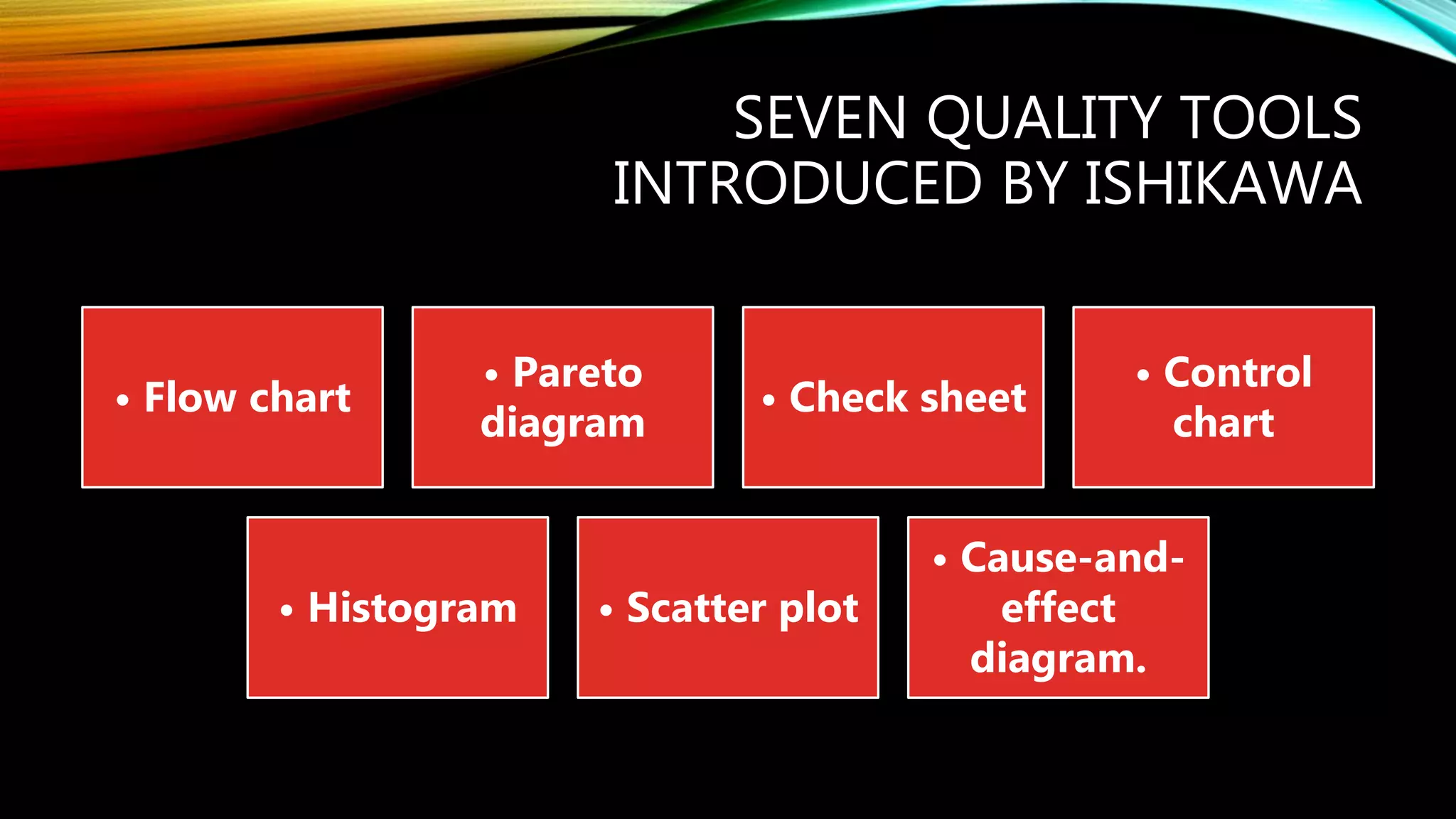
SEVEN QUALITY TOOLS
INTRODUCED BY ISHIKAWA
• Flow chart
• Pareto
diagram
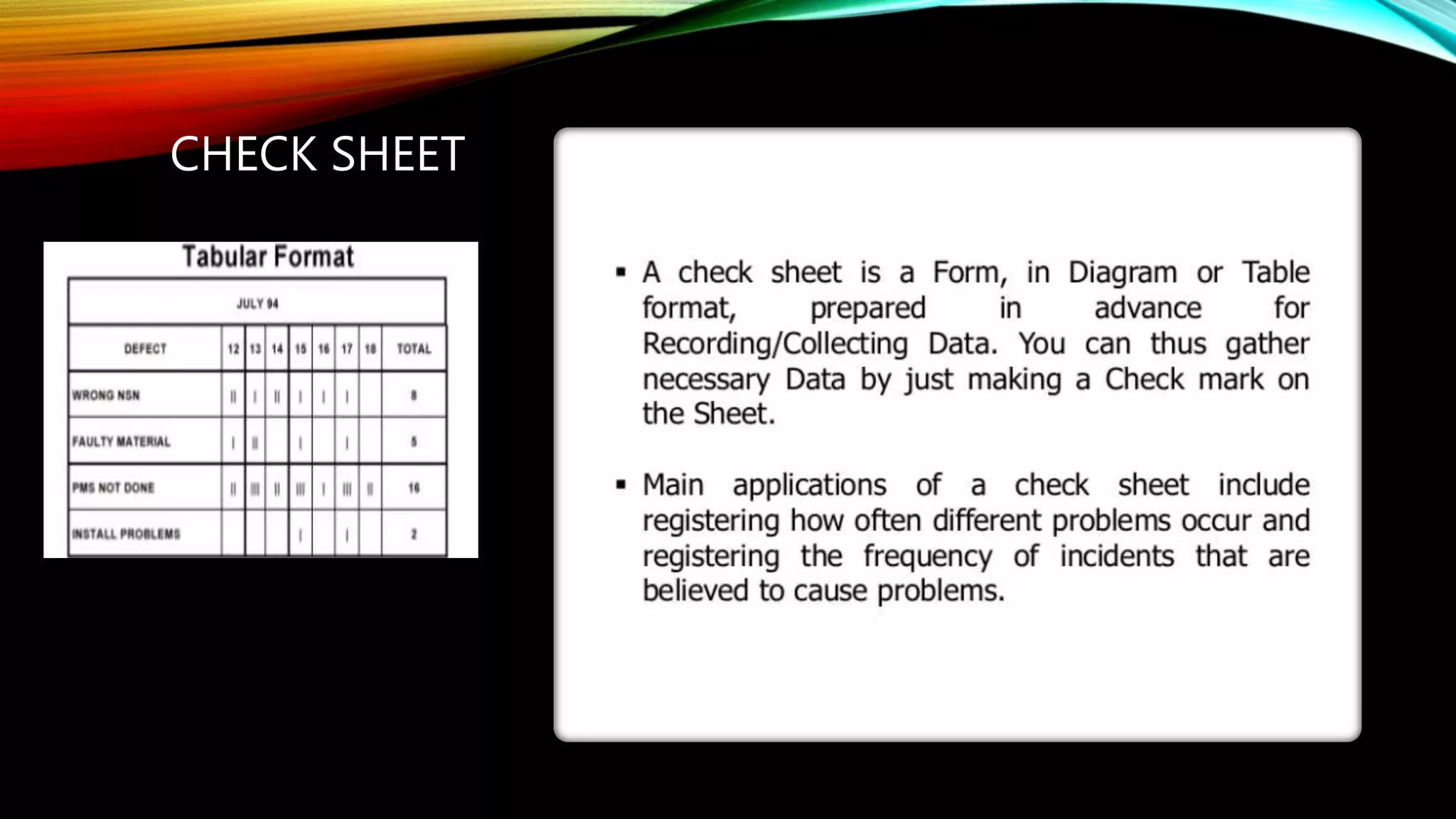
• Check sheet
• Control
chart
• Histogram • Scatter plot
• Cause-and-
effect
diagram.
ISHIKAWA’S BASIC TOOLS OF
QUALITY
Kaoru Ishikawa developed
seven basic visual tools of
quality so that the average
person could analyze and
interpret data.
These tools have been used
worldwide by companies,
managers of all levels and
employees.
LEARNING
OUTCOMES
• At the end of the presentation, Students
should have a capacity
• to define the role of Quality Tools
• explain the significance of Seven basic
quality Tools within Quality Management
system
CHECK SHEET
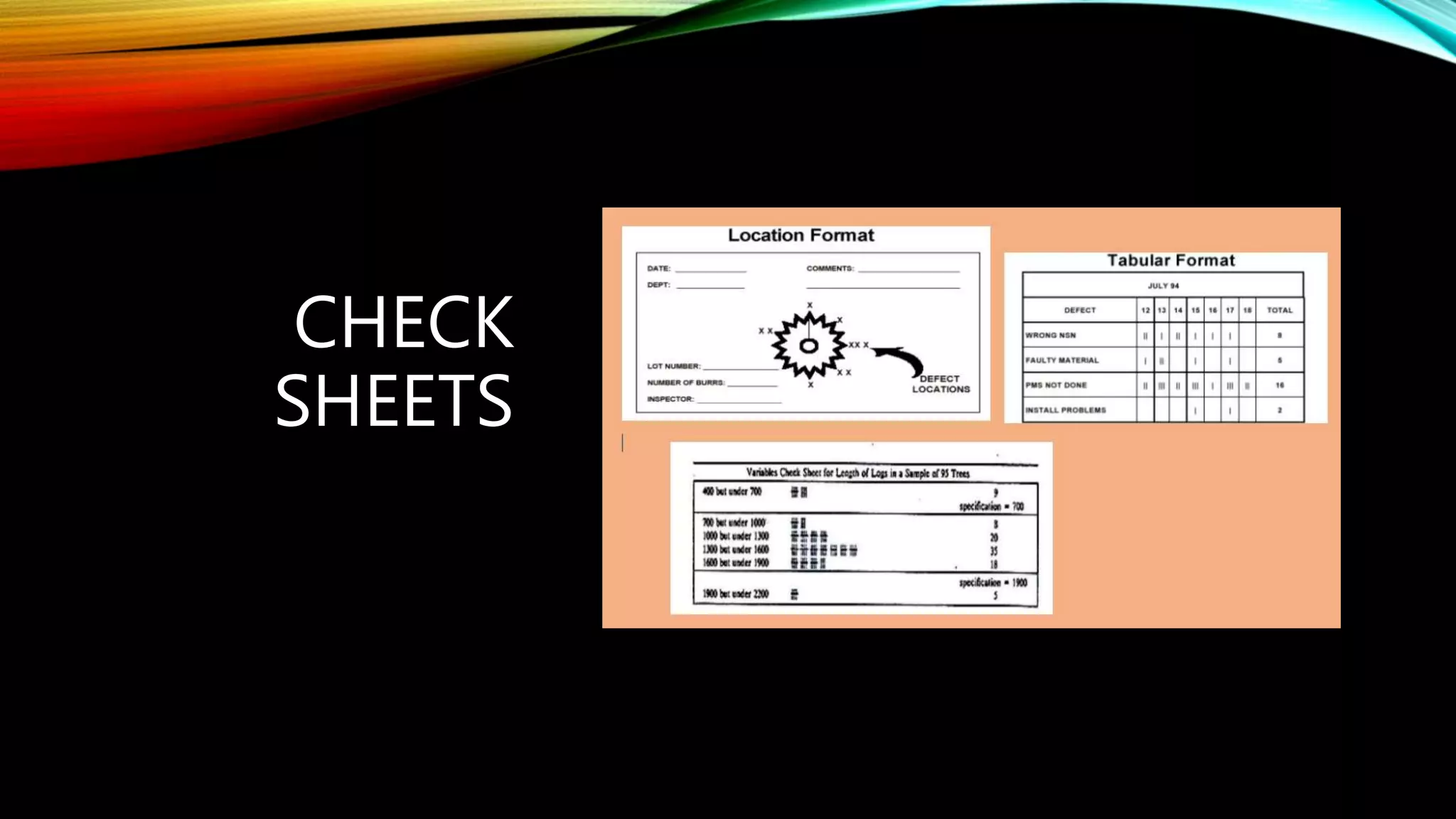
CHECK
SHEETS
Ishikawa’s Basic
Tools of Quality
Kaoru Ishikawa developed seven basic
visual tools of quality so that the average
person could analyze and interpret data.
These tools have been used worldwide by
companies, managers of all levels and
employees.
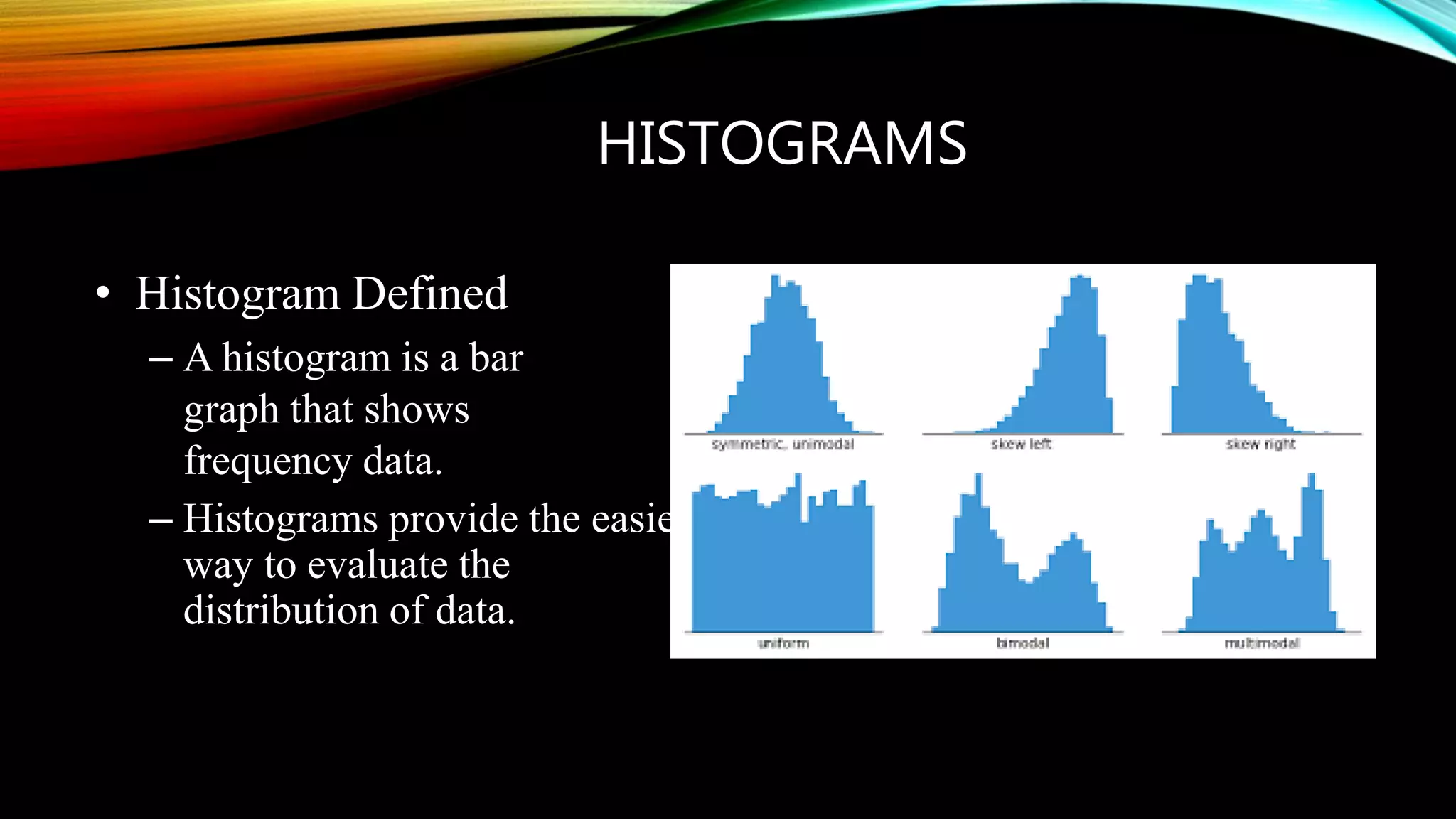
HISTOGRAMS
• Histogram Defined
– A histogram is a bar
graph that shows
frequency data.
– Histograms provide the easiest
way to evaluate the
distribution of data.
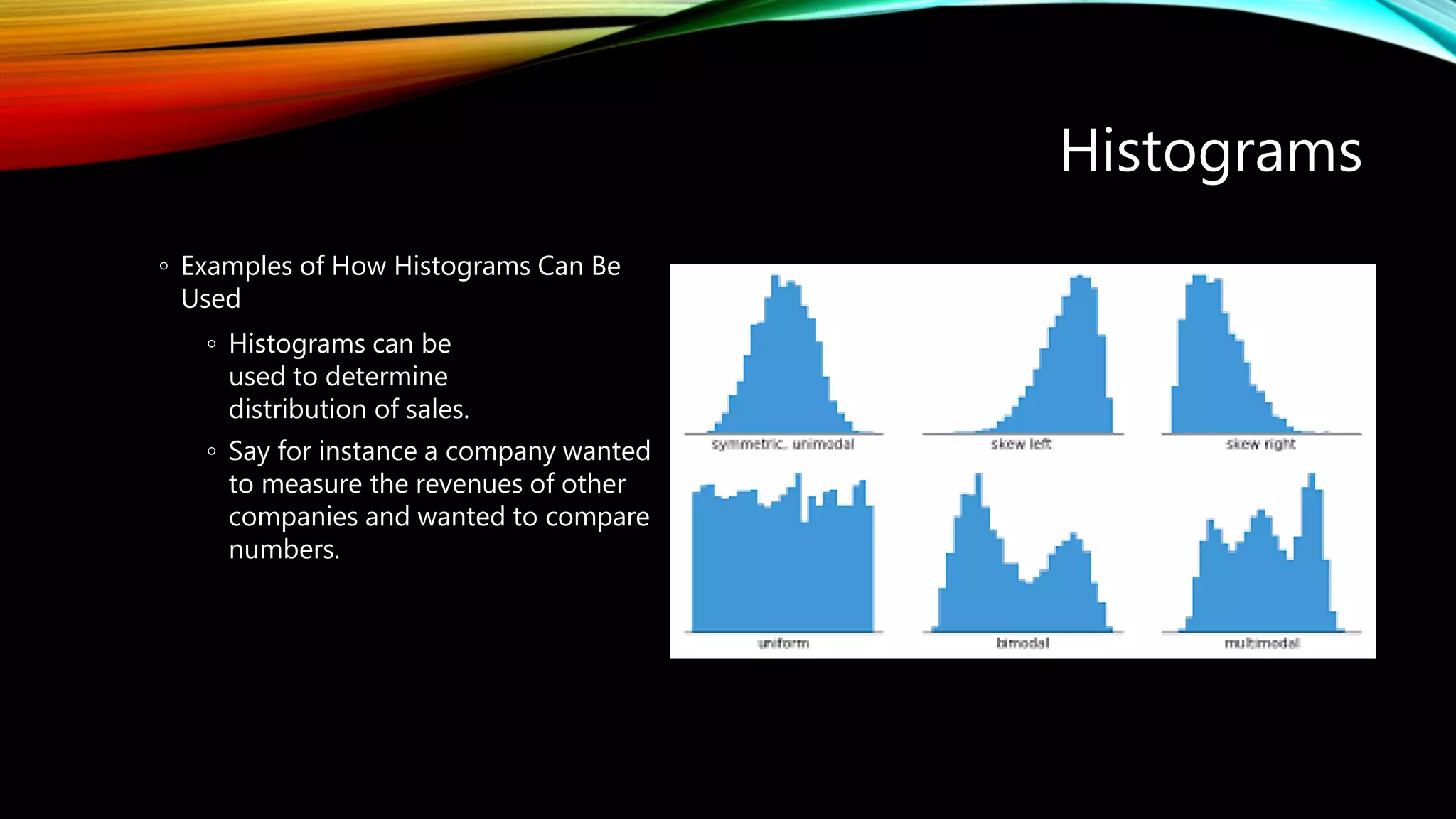
Histograms
◦ Examples of How Histograms Can Be
Used
◦ Histograms can be
used to determine
distribution of sales.
◦ Say for instance a company wanted
to measure the revenues of other
companies and wanted to compare
numbers.
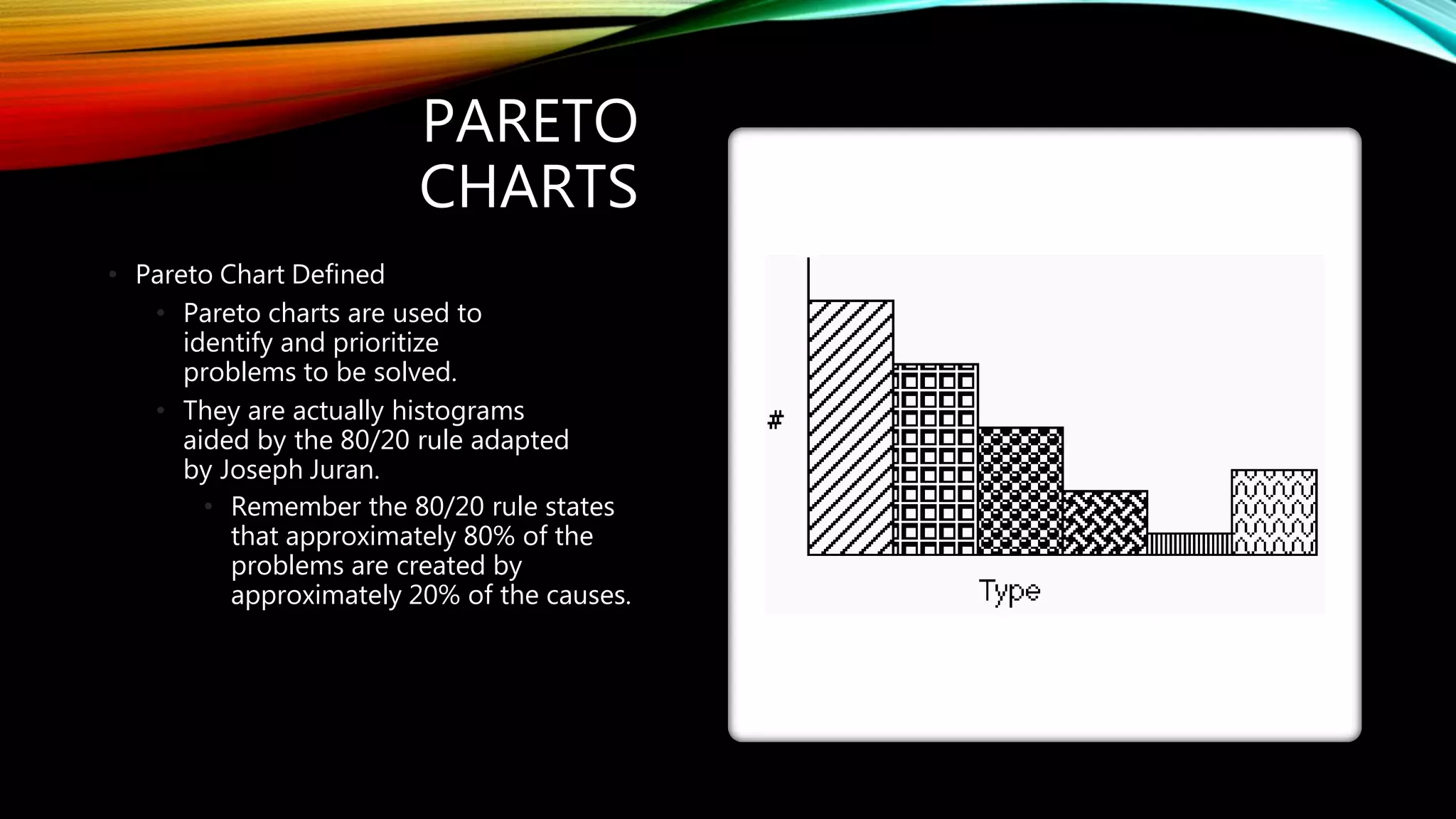
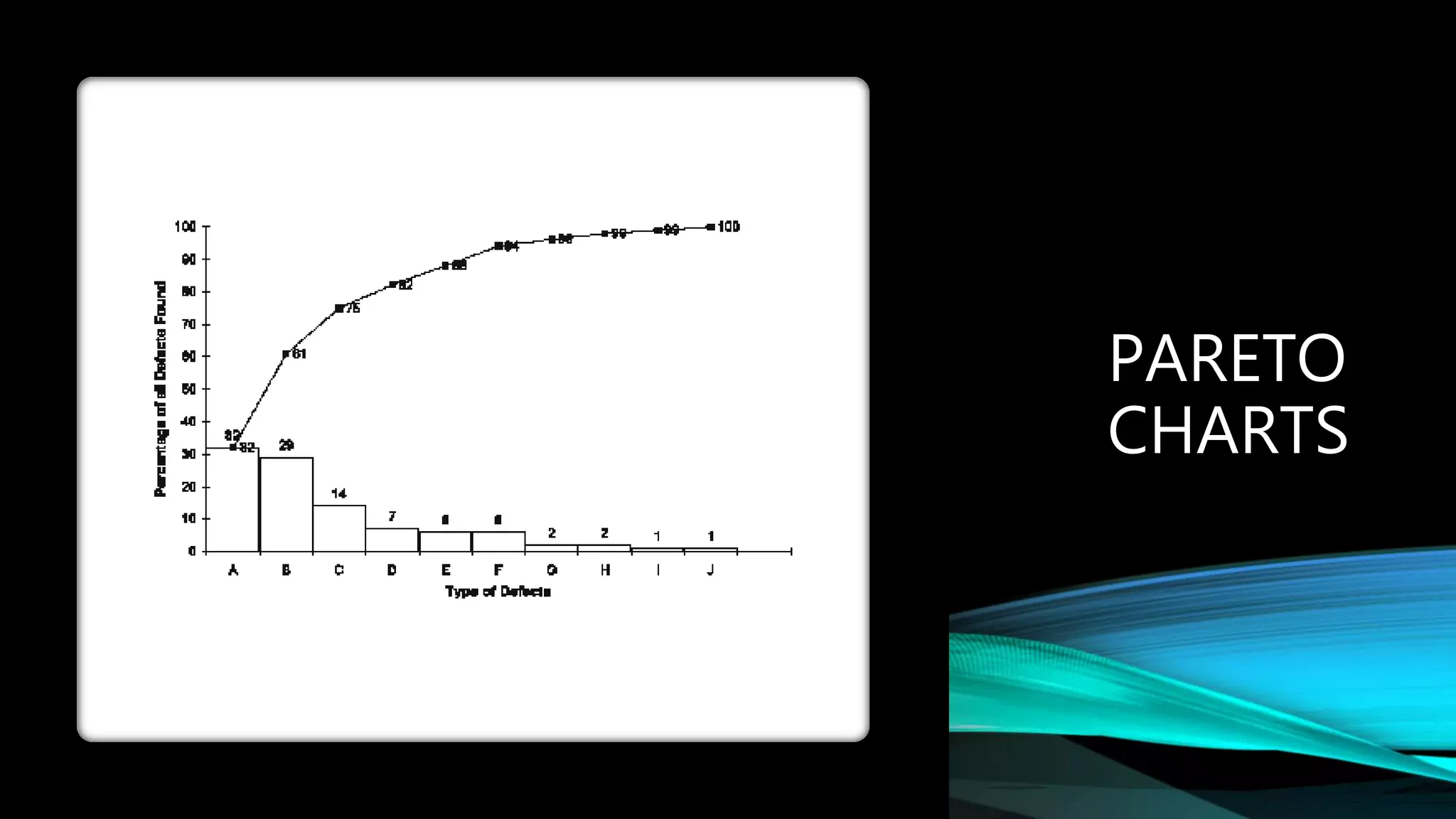
PARETO
CHARTS
• Pareto Chart Defined
• Pareto charts are used to
identify and prioritize
problems to be solved.
• They are actually histograms
aided by the 80/20 rule adapted
by Joseph Juran.
• Remember the 80/20 rule states
that approximately 80% of the
problems are created by
approximately 20% of the causes.
PARETO
CHARTS
• Cause and Effect Diagram Defined
• The cause and effect diagram is also called
the Ishikawa diagram or the fishbone
diagram.
• It is a tool for discovering all the possible
causes for a particular effect.
• The major purpose of this diagram is
to act as a first step in problem solving
by creating a list of possible causes.
CAUSE AND
EFFECT
DIAGRAMS
CAUSE AND EFFECT DIAGRAMS
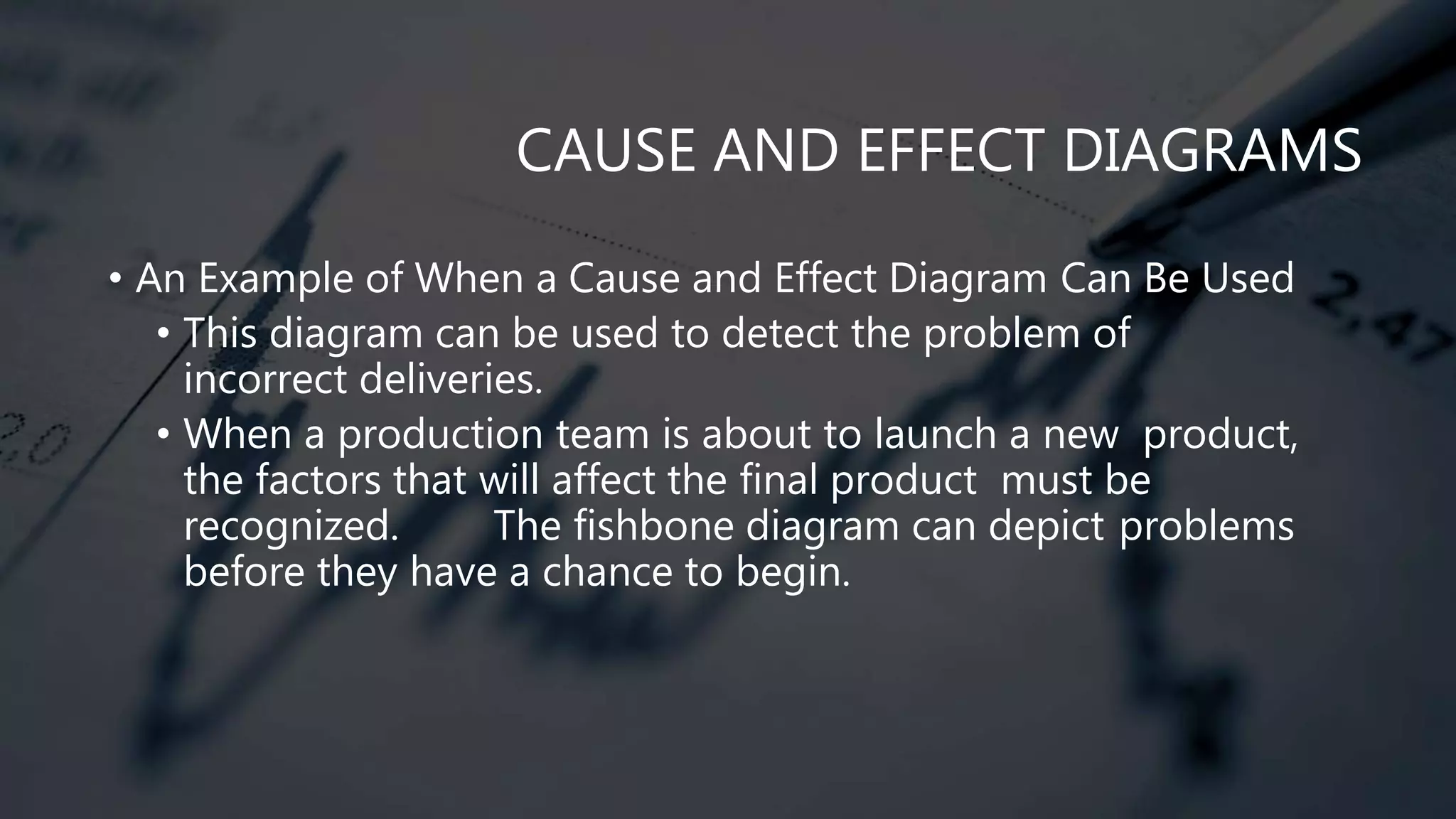
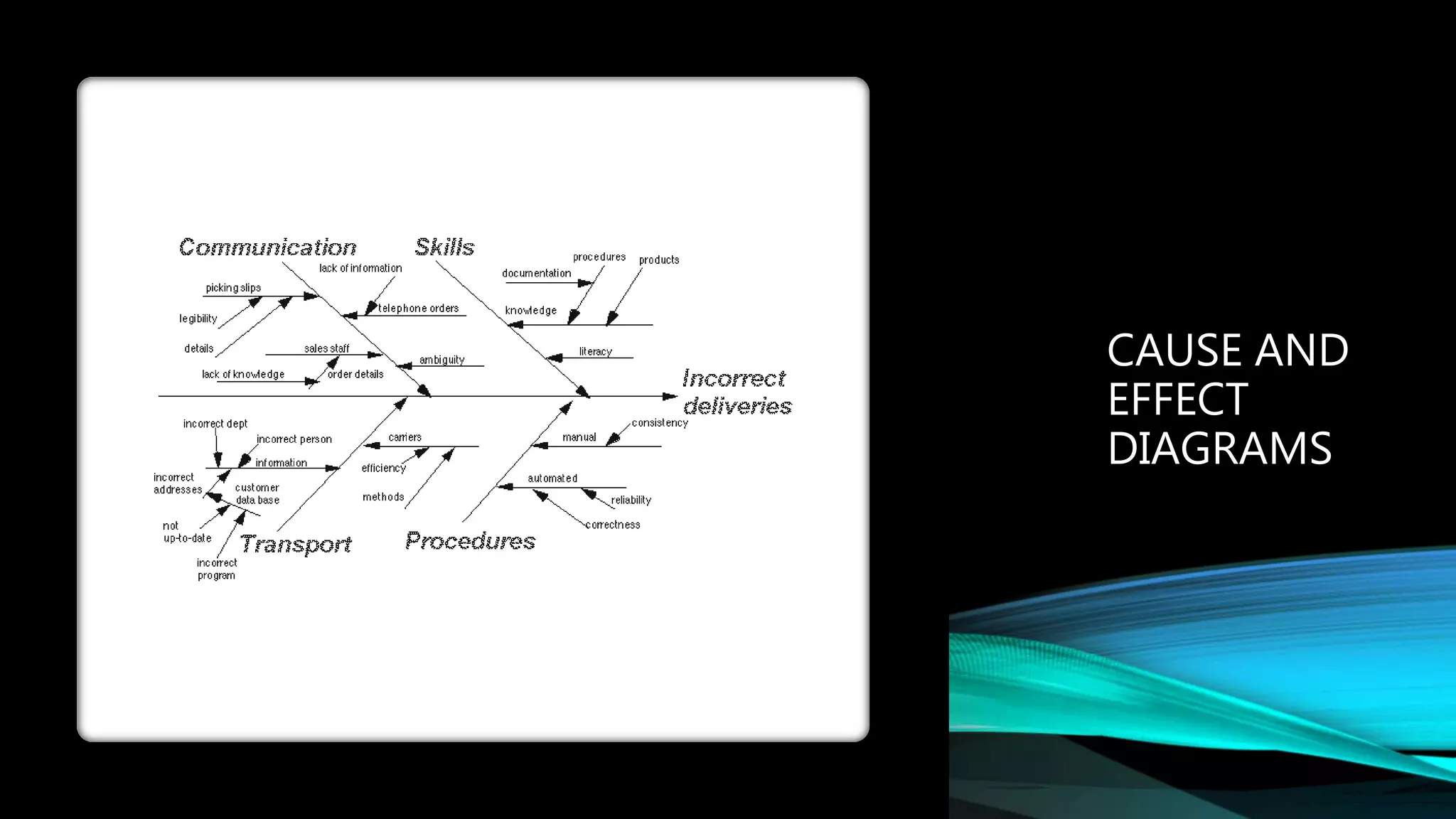
• An Example of When a Cause and Effect Diagram Can Be Used
• This diagram can be used to detect the problem of
incorrect deliveries.
• When a production team is about to launch a new product,
the factors that will affect the final product must be
recognized. The fishbone diagram can depict problems
before they have a chance to begin.
CAUSE AND
EFFECT
DIAGRAMS
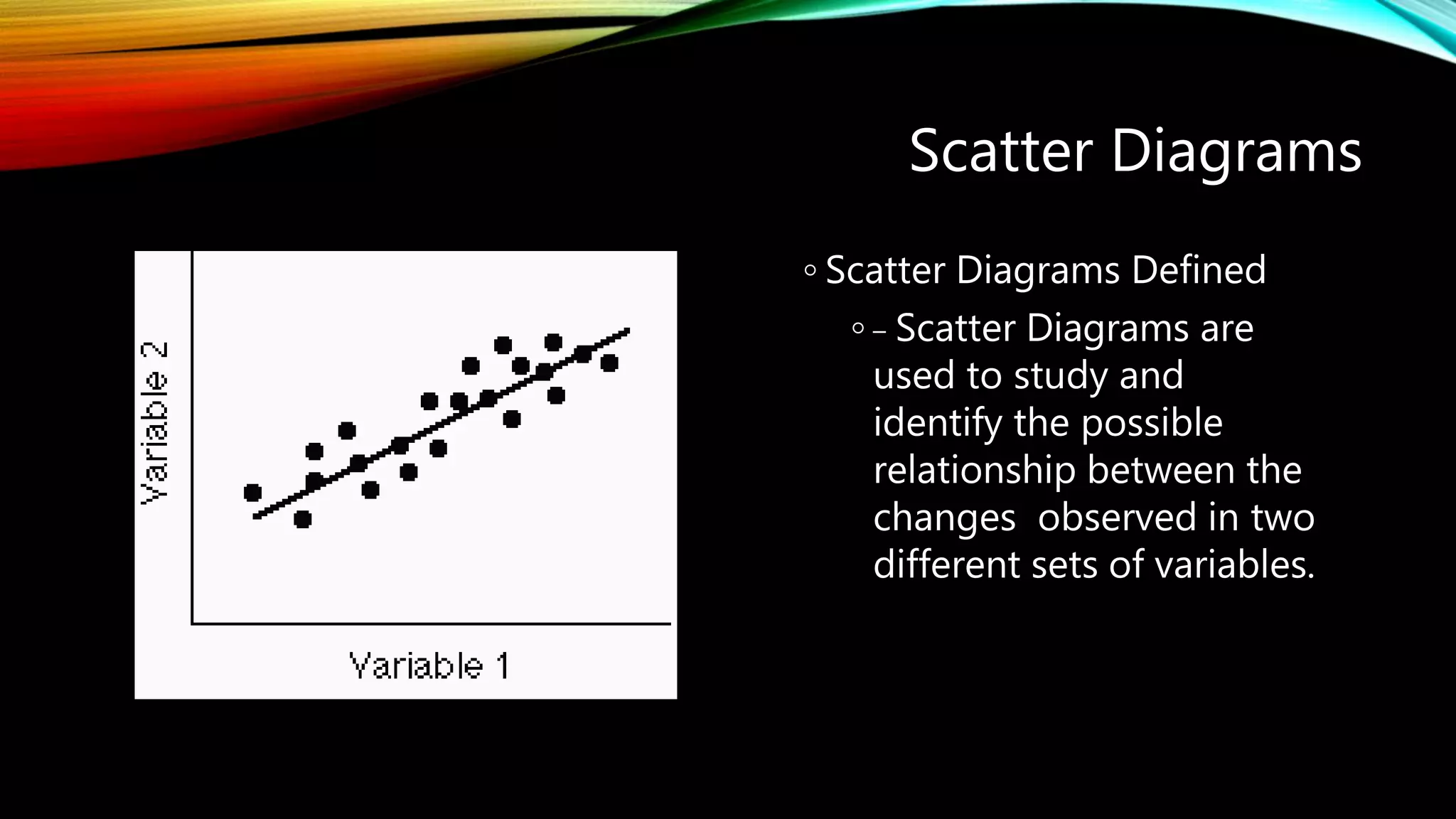
Scatter Diagrams
◦ Scatter Diagrams Defined
◦ – Scatter Diagrams are
used to study and
identify the possible
relationship between the
changes observed in two
different sets of variables.
Scatter
Diagrams
•
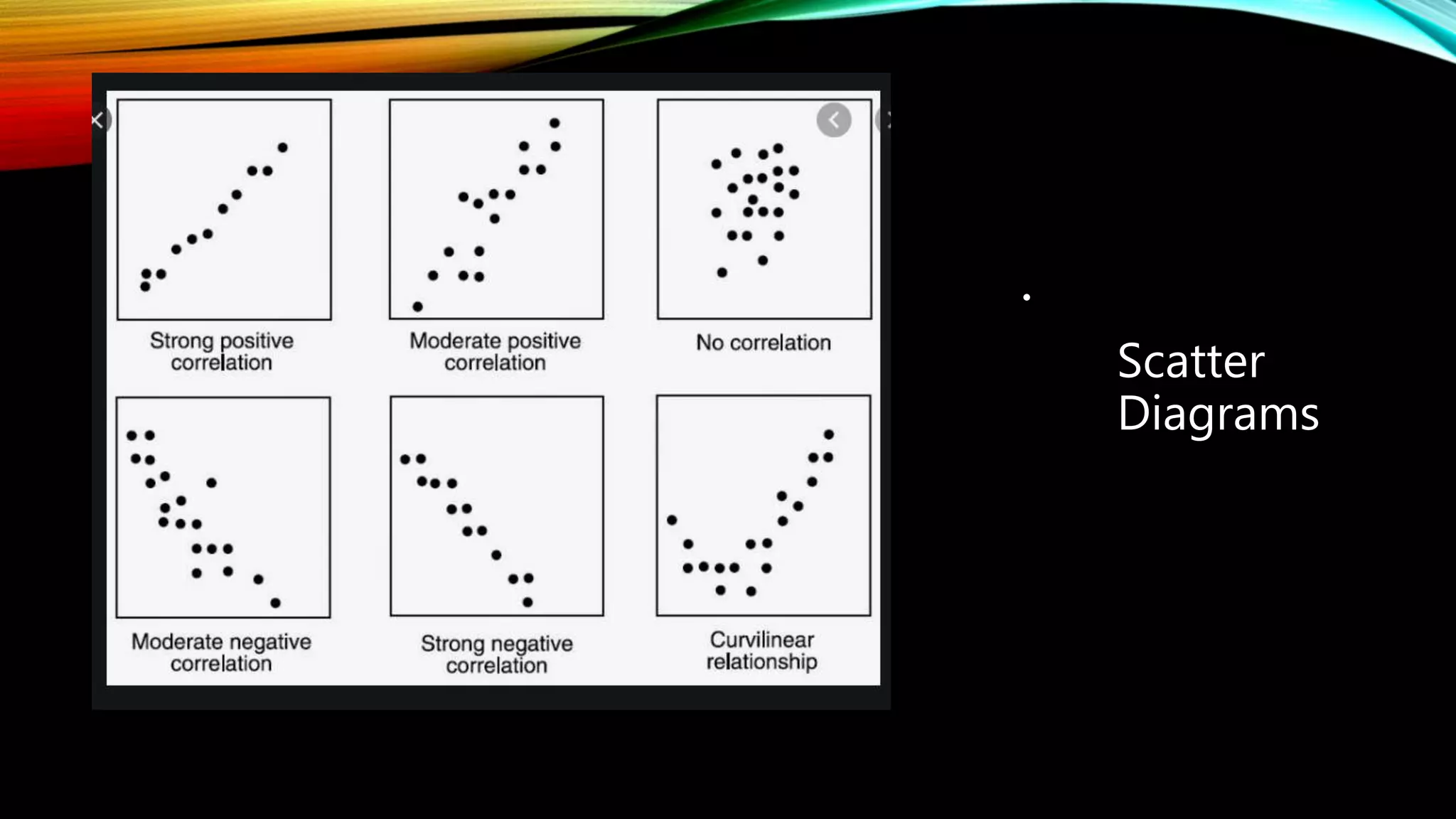
SCATTER DIAGRAMS
• An Example of When a Scatter Diagram
Can Be Used
– A scatter diagram can be used to identify the
relationship between the production speed of an
operation and the number of defective parts
made.
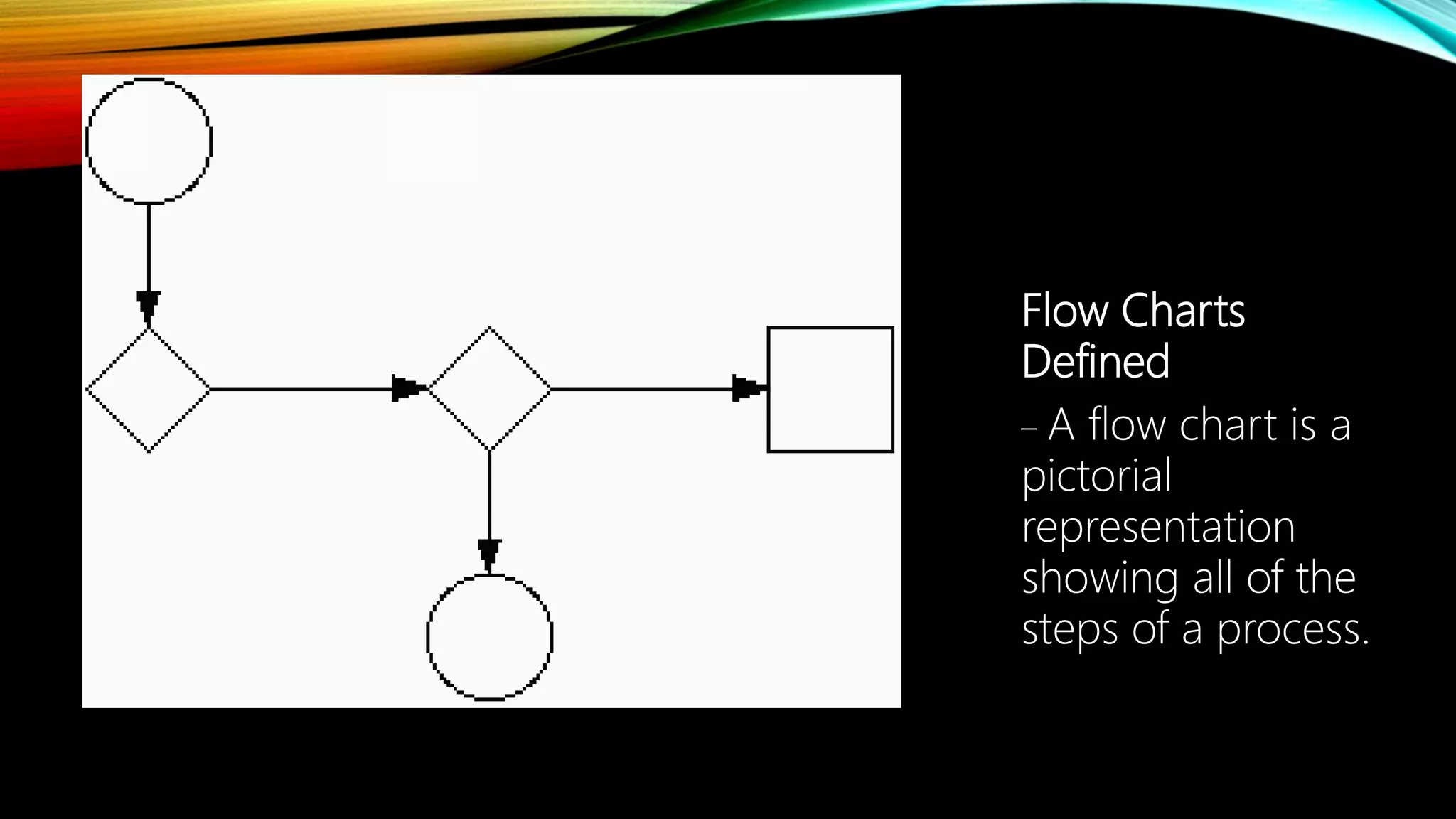
Flow Charts Flow Charts
Defined
– A flow chart is a
pictorial
representation
showing all of the
steps of a process.
CONTROL CHARTS
• Control Charts Defined
– Control charts are used to determine whether a
process will produce a product or service with
consistent measurable properties.
CONTROL CHARTS
• An Example of When to Use a Control
Chart
– Counting the number of defective products or
services
• Do you count the number of defects in a given
product or service?
• Is the number of units checked or tested constant?
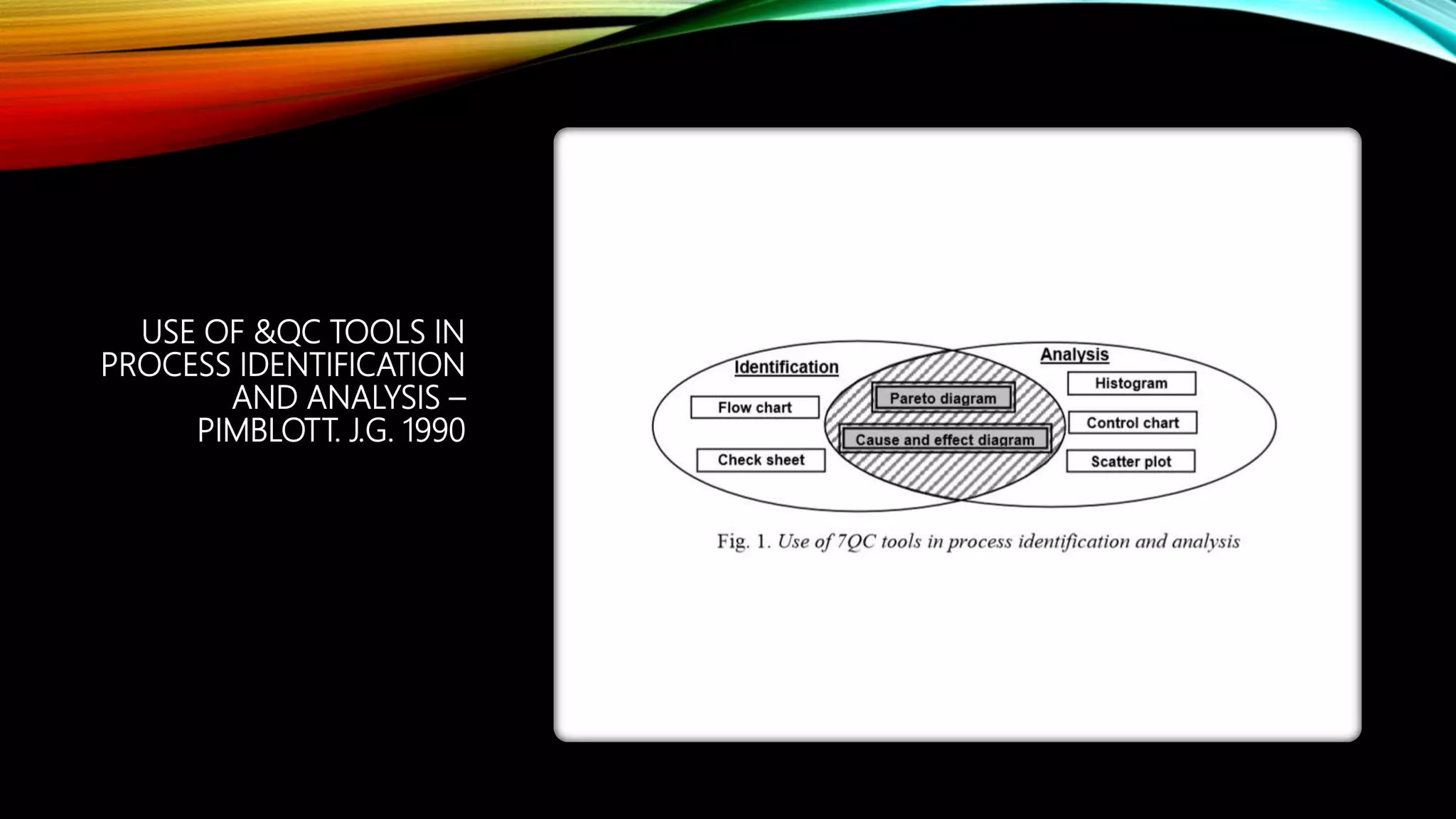
USE OF &QC TOOLS IN
PROCESS IDENTIFICATION
AND ANALYSIS –
PIMBLOTT. J.G. 1990
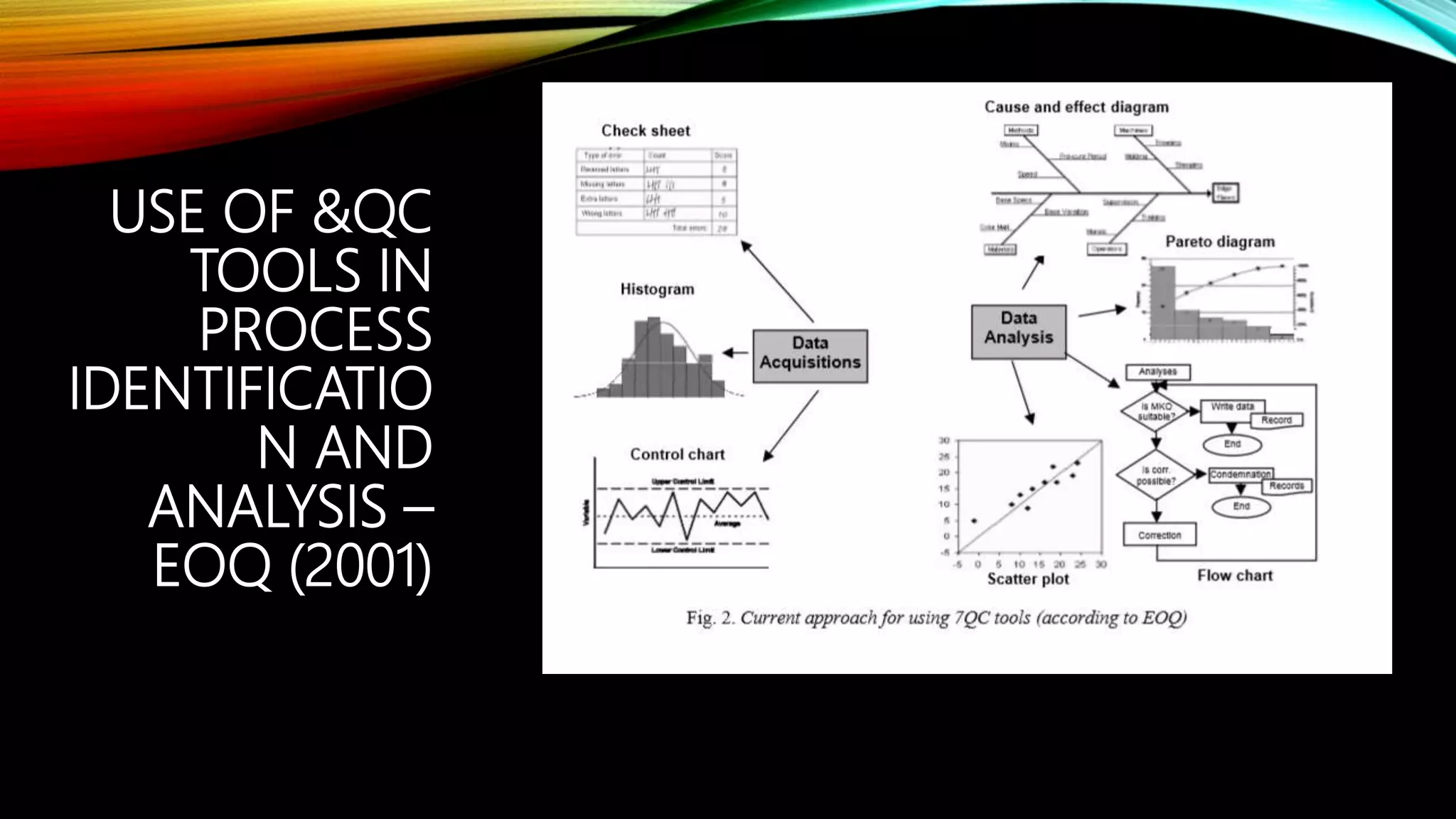
USE OF &QC
TOOLS IN
PROCESS
IDENTIFICATIO
N AND
ANALYSIS –
EOQ (2001)
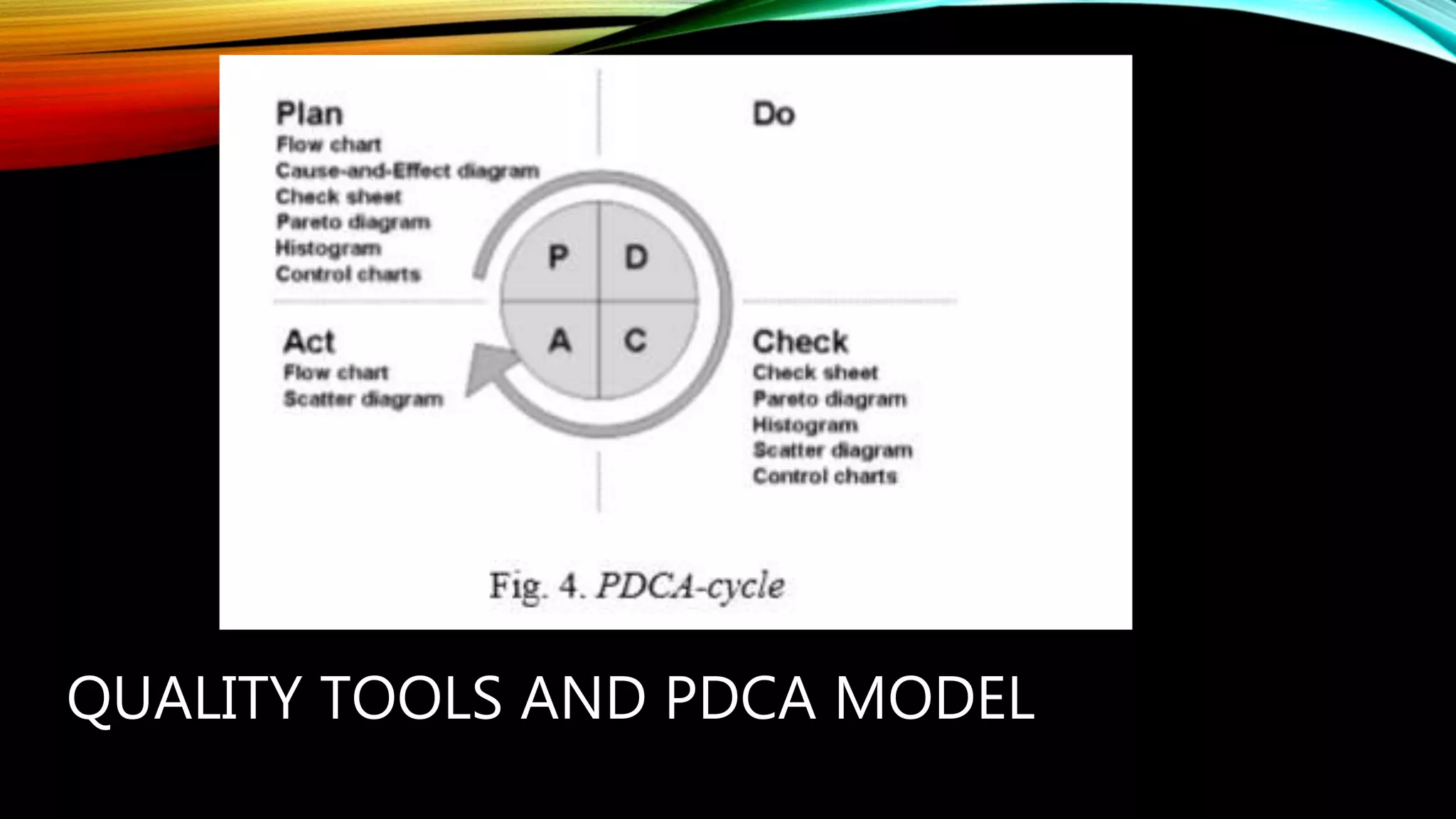
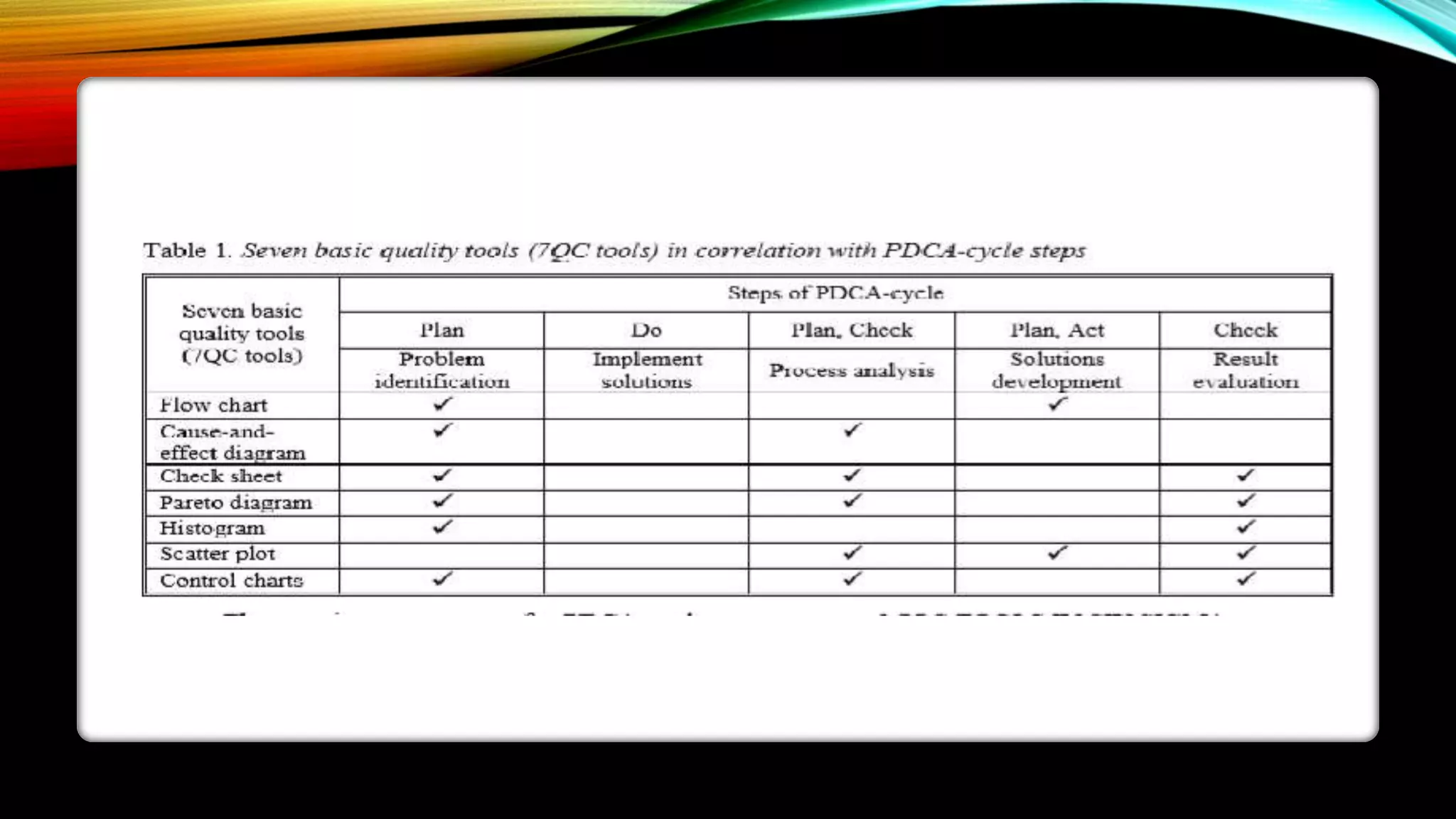
QUALITY TOOLS AND PDCA MODEL
CONCLUSION
7QC tools have an important place
in data collecting, analyzing,
visualizing and all other stages in
PDCA-cycle
systematic application of 7QC tools
will enable a successful quality
improvement process
That a continuous improvement
process cannot be realized without
quality tools, techniques and
methods
SUMMARY
This presentation provided learning
material for each of Ishikawa’s seven basic
tools of quality.
Each tool was clearly defined with
definitions, a step-by-step process and an
example of how the tool can be used.
As seen through the presentation, these
tools are rather simple and effective.
THANK
YOU

Introduction to secen quality tools

  • 1.
  • 2.
    INTRODUCTION •Seven basic qualitytools •Purpose • To assist an organization for problem solving and process improvements
  • 3.
    SEVEN QUALITY TOOLS INTRODUCEDBY ISHIKAWA • Flow chart • Pareto diagram • Check sheet • Control chart • Histogram • Scatter plot • Cause-and- effect diagram.
  • 4.
    ISHIKAWA’S BASIC TOOLSOF QUALITY Kaoru Ishikawa developed seven basic visual tools of quality so that the average person could analyze and interpret data. These tools have been used worldwide by companies, managers of all levels and employees.
  • 5.
    LEARNING OUTCOMES • At theend of the presentation, Students should have a capacity • to define the role of Quality Tools • explain the significance of Seven basic quality Tools within Quality Management system
  • 6.
  • 7.
  • 8.
    Ishikawa’s Basic Tools ofQuality Kaoru Ishikawa developed seven basic visual tools of quality so that the average person could analyze and interpret data. These tools have been used worldwide by companies, managers of all levels and employees.
  • 9.
    HISTOGRAMS • Histogram Defined –A histogram is a bar graph that shows frequency data. – Histograms provide the easiest way to evaluate the distribution of data.
  • 10.
    Histograms ◦ Examples ofHow Histograms Can Be Used ◦ Histograms can be used to determine distribution of sales. ◦ Say for instance a company wanted to measure the revenues of other companies and wanted to compare numbers.
  • 11.
    PARETO CHARTS • Pareto ChartDefined • Pareto charts are used to identify and prioritize problems to be solved. • They are actually histograms aided by the 80/20 rule adapted by Joseph Juran. • Remember the 80/20 rule states that approximately 80% of the problems are created by approximately 20% of the causes.
  • 12.
  • 13.
    • Cause andEffect Diagram Defined • The cause and effect diagram is also called the Ishikawa diagram or the fishbone diagram. • It is a tool for discovering all the possible causes for a particular effect. • The major purpose of this diagram is to act as a first step in problem solving by creating a list of possible causes. CAUSE AND EFFECT DIAGRAMS
  • 14.
    CAUSE AND EFFECTDIAGRAMS • An Example of When a Cause and Effect Diagram Can Be Used • This diagram can be used to detect the problem of incorrect deliveries. • When a production team is about to launch a new product, the factors that will affect the final product must be recognized. The fishbone diagram can depict problems before they have a chance to begin.
  • 15.
  • 16.
    Scatter Diagrams ◦ ScatterDiagrams Defined ◦ – Scatter Diagrams are used to study and identify the possible relationship between the changes observed in two different sets of variables.
  • 17.
  • 18.
    SCATTER DIAGRAMS • AnExample of When a Scatter Diagram Can Be Used – A scatter diagram can be used to identify the relationship between the production speed of an operation and the number of defective parts made.
  • 19.
    Flow Charts FlowCharts Defined – A flow chart is a pictorial representation showing all of the steps of a process.
  • 20.
    CONTROL CHARTS • ControlCharts Defined – Control charts are used to determine whether a process will produce a product or service with consistent measurable properties.
  • 21.
    CONTROL CHARTS • AnExample of When to Use a Control Chart – Counting the number of defective products or services • Do you count the number of defects in a given product or service? • Is the number of units checked or tested constant?
  • 22.
    USE OF &QCTOOLS IN PROCESS IDENTIFICATION AND ANALYSIS – PIMBLOTT. J.G. 1990
  • 23.
    USE OF &QC TOOLSIN PROCESS IDENTIFICATIO N AND ANALYSIS – EOQ (2001)
  • 24.
  • 26.
    CONCLUSION 7QC tools havean important place in data collecting, analyzing, visualizing and all other stages in PDCA-cycle systematic application of 7QC tools will enable a successful quality improvement process That a continuous improvement process cannot be realized without quality tools, techniques and methods
  • 27.
    SUMMARY This presentation providedlearning material for each of Ishikawa’s seven basic tools of quality. Each tool was clearly defined with definitions, a step-by-step process and an example of how the tool can be used. As seen through the presentation, these tools are rather simple and effective.
  • 28.