Presented By :
Uttam Pudasaini
www.naxa.com.np
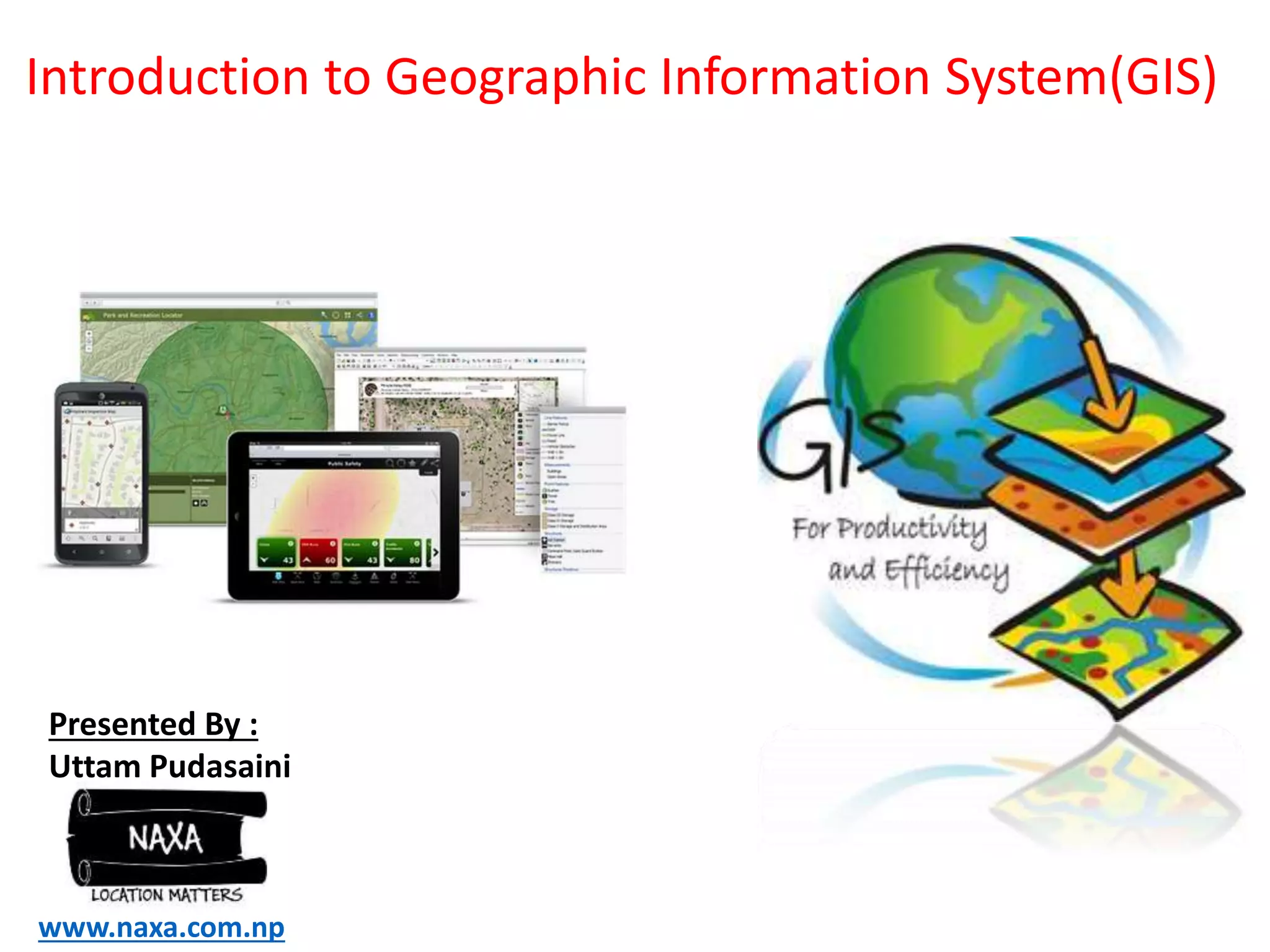
Introduction to Geographic Information System(GIS)
DAY 1
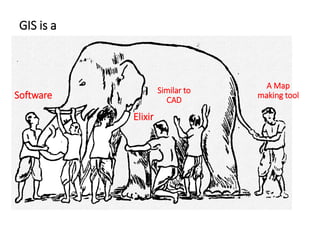
What is GIS???
Software
GIS ….. (misconceptions)???
A Map
making tool
Similar to
CAD
Elixir
GIS
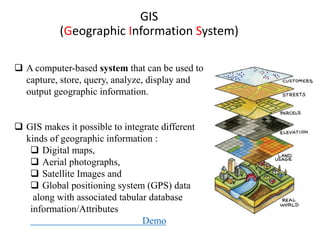
(Geographic Information System)
 A computer-based system that can be used to
capture, store, query, analyze, display and
output geographic information.
 GIS makes it possible to integrate different
kinds of geographic information :
 Digital maps,
 Aerial photographs,
 Satellite Images and
 Global positioning system (GPS) data
along with associated tabular database
information/Attributes
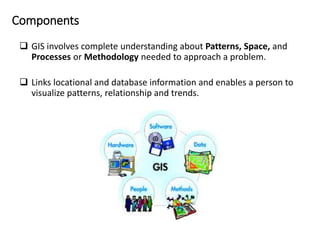
Components
 GIS involves complete understanding about Patterns, Space, and
Processes or Methodology needed to approach a problem.
 Links locational and database information and enables a person to
visualize patterns, relationship and trends.
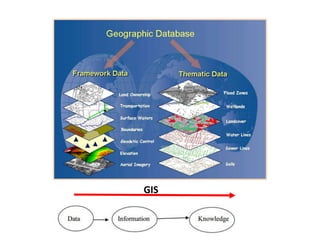
GIS
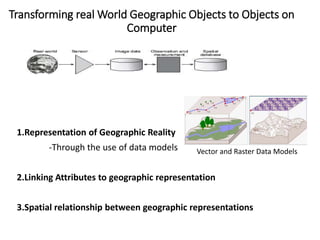
Transforming real World Geographic Objects to Objects on
Computer
1.Representation of Geographic Reality
-Through the use of data models
2.Linking Attributes to geographic representation
3.Spatial relationship between geographic representations
Vector and Raster Data Models
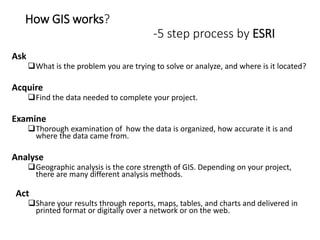
How GIS works?
-5 step process by ESRI
Ask
What is the problem you are trying to solve or analyze, and where is it located?
Acquire
Find the data needed to complete your project.
Examine
Thorough examination of how the data is organized, how accurate it is and
where the data came from.
Analyse
Geographic analysis is the core strength of GIS. Depending on your project,
there are many different analysis methods.
Act
Share your results through reports, maps, tables, and charts and delivered in
printed format or digitally over a network or on the web.
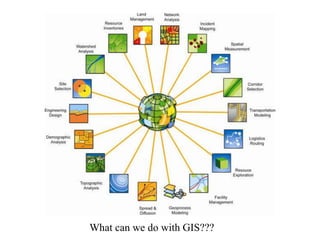
What can we do with GIS???
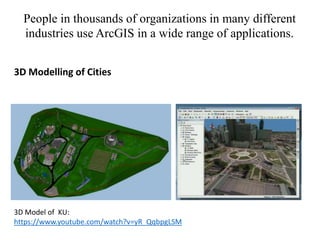
3D Modelling of Cities
People in thousands of organizations in many different
industries use ArcGIS in a wide range of applications.
3D Model of KU:
https://www.youtube.com/watch?v=yR_QqbpgLSM
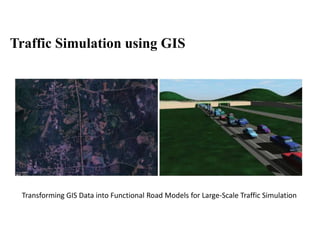
Traffic Simulation using GIS
Transforming GIS Data into Functional Road Models for Large-Scale Traffic Simulation
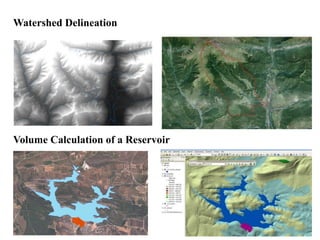
Watershed Delineation
Volume Calculation of a Reservoir
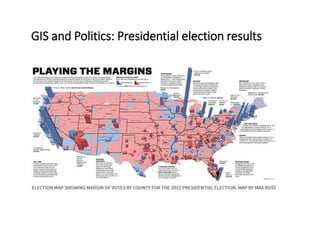
GIS and Politics: Presidential election results
It provides a powerful medium for managing,
visualizing, and communicating about our world.
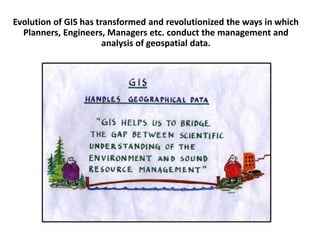
Evolution of GIS has transformed and revolutionized the ways in which
Planners, Engineers, Managers etc. conduct the management and
analysis of geospatial data.
Course Content :
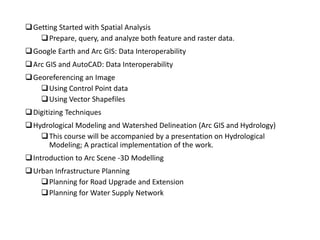
naxa.com.np/what-we-do/#gis-training
Training content_NAXA.PDF
GIS TRAINING COURSE
For this training session:
We will be using ArcGIS Desktop 10, later version of a popular
GIS software produced by ESRI.
This course is meant to teach some fundamental GIS operations
using ArcGIS.
It is not meant to be a comprehensive course in GIS or
ArcGIS.
ArcGIS
- By Environmental System Research Institute Inc., Redlands, CA (ESRI)'s
A family of GIS products that forms a complete Geographic Information
System (GIS) on industry standard.
Four primary frameworks of GIS are:
ArcGIS Desktop—Professional GIS applications composed of three
main software products:
 ArcView, ArcEditor, and ArcInfo
Developer GIS—Embeddable software components for developers to
extend GIS applications
Mobile GIS: ArcPad, and ArcGIS Mobile for field computing.
Server GIS: ArcIMS, ArcGIS Server, and ArcGIS Image Server
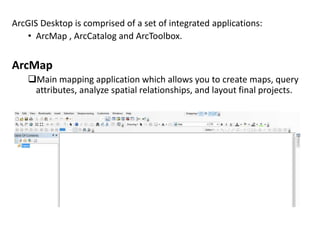
ArcGIS Desktop is comprised of a set of integrated applications:
• ArcMap , ArcCatalog and ArcToolbox.
ArcMap
Main mapping application which allows you to create maps, query
attributes, analyze spatial relationships, and layout final projects.
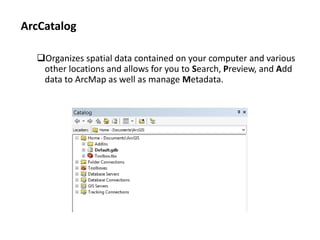
ArcCatalog
Organizes spatial data contained on your computer and various
other locations and allows for you to Search, Preview, and Add
data to ArcMap as well as manage Metadata.
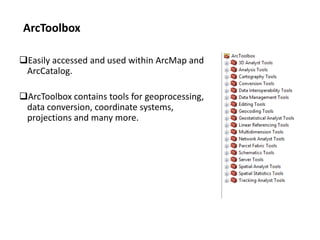
Easily accessed and used within ArcMap and
ArcCatalog.
ArcToolbox contains tools for geoprocessing,
data conversion, coordinate systems,
projections and many more.
ArcToolbox
“Give a man a fish and you feed him
for a day; Teach a man to fish and you
feed him for a lifetime.”
We hope this seminar will get you started
using GIS and excited about learning
more
Learn more about GIS and its Applications:
http://www.colorado.edu/geography/gcraft/notes/notes.html
Social Media:
Twitter: @Uttam_geopd
Facebook: www.facebook.com/Uttam.pudasaini
Email: utmpudasaini@hotmail.com,utmpudasaini@gmail.com
Linked In: http://www.linkedin.com/pub/uttam-pudasaini/7b/679/3ab
Blog: upudasainiuttam@wordpress.com

Introduction to GIS and its Applications

  • 1.
    Presented By : UttamPudasaini www.naxa.com.np Introduction to Geographic Information System(GIS) DAY 1
  • 2.
  • 3.
    Software GIS ….. (misconceptions)??? AMap making tool Similar to CAD Elixir
  • 4.
    GIS (Geographic Information System) A computer-based system that can be used to capture, store, query, analyze, display and output geographic information.  GIS makes it possible to integrate different kinds of geographic information :  Digital maps,  Aerial photographs,  Satellite Images and  Global positioning system (GPS) data along with associated tabular database information/Attributes
  • 5.
    Components  GIS involvescomplete understanding about Patterns, Space, and Processes or Methodology needed to approach a problem.  Links locational and database information and enables a person to visualize patterns, relationship and trends.
  • 6.
  • 7.
    Transforming real WorldGeographic Objects to Objects on Computer 1.Representation of Geographic Reality -Through the use of data models 2.Linking Attributes to geographic representation 3.Spatial relationship between geographic representations Vector and Raster Data Models
  • 8.
    How GIS works? -5step process by ESRI Ask What is the problem you are trying to solve or analyze, and where is it located? Acquire Find the data needed to complete your project. Examine Thorough examination of how the data is organized, how accurate it is and where the data came from. Analyse Geographic analysis is the core strength of GIS. Depending on your project, there are many different analysis methods. Act Share your results through reports, maps, tables, and charts and delivered in printed format or digitally over a network or on the web.
  • 9.
    What can wedo with GIS???
  • 10.
    3D Modelling ofCities People in thousands of organizations in many different industries use ArcGIS in a wide range of applications. 3D Model of KU: https://www.youtube.com/watch?v=yR_QqbpgLSM
  • 11.
    Traffic Simulation usingGIS Transforming GIS Data into Functional Road Models for Large-Scale Traffic Simulation
  • 12.
  • 13.
    GIS and Politics:Presidential election results
  • 14.
    It provides apowerful medium for managing, visualizing, and communicating about our world.
  • 15.
    Evolution of GIShas transformed and revolutionized the ways in which Planners, Engineers, Managers etc. conduct the management and analysis of geospatial data.
  • 16.
  • 17.
    For this trainingsession: We will be using ArcGIS Desktop 10, later version of a popular GIS software produced by ESRI. This course is meant to teach some fundamental GIS operations using ArcGIS. It is not meant to be a comprehensive course in GIS or ArcGIS.
  • 18.
    ArcGIS - By EnvironmentalSystem Research Institute Inc., Redlands, CA (ESRI)'s A family of GIS products that forms a complete Geographic Information System (GIS) on industry standard. Four primary frameworks of GIS are: ArcGIS Desktop—Professional GIS applications composed of three main software products:  ArcView, ArcEditor, and ArcInfo Developer GIS—Embeddable software components for developers to extend GIS applications Mobile GIS: ArcPad, and ArcGIS Mobile for field computing. Server GIS: ArcIMS, ArcGIS Server, and ArcGIS Image Server
  • 19.
    ArcGIS Desktop iscomprised of a set of integrated applications: • ArcMap , ArcCatalog and ArcToolbox. ArcMap Main mapping application which allows you to create maps, query attributes, analyze spatial relationships, and layout final projects.
  • 20.
    ArcCatalog Organizes spatial datacontained on your computer and various other locations and allows for you to Search, Preview, and Add data to ArcMap as well as manage Metadata.
  • 21.
    Easily accessed andused within ArcMap and ArcCatalog. ArcToolbox contains tools for geoprocessing, data conversion, coordinate systems, projections and many more. ArcToolbox
  • 22.
    “Give a mana fish and you feed him for a day; Teach a man to fish and you feed him for a lifetime.”
  • 23.
    We hope thisseminar will get you started using GIS and excited about learning more Learn more about GIS and its Applications: http://www.colorado.edu/geography/gcraft/notes/notes.html
  • 24.
    Social Media: Twitter: @Uttam_geopd Facebook:www.facebook.com/Uttam.pudasaini Email: utmpudasaini@hotmail.com,utmpudasaini@gmail.com Linked In: http://www.linkedin.com/pub/uttam-pudasaini/7b/679/3ab Blog: upudasainiuttam@wordpress.com