Week 10: Introduction to Excel – Statistical Application
Why excel?Why should I care about excel?It helps with your university courses, especially if you’re doing finance where you’ll encounter it in 1613, 2624, Applied Corporate Finance, Options, Applied Corporate Finance etc.But I have an awesome friend who knows excel and will do it all for me!Well, that friend won’t be there forever, especially when you get an internship or a graduate job where knowing how to use excel will help you adapt quicker and give you a better chance at doing well.I don’t plan to work in commerce!Well then… WHAT ON EARTH ARE YOU DOING HERE?!?!Now that we have that sorted, please go to the link below to download the excel spreadsheet with exercises and data for practice.www.unswbsoc.com/media/Introduction to Excel - Application to Statistics.xlsxhttp://myendlesssoliloquy.files.wordpress.com/2011/05/introduction-to-excel-application-to-statistics1.xlsx
So what will we cover today? Basic functions
 Sum
Count
 Average
 Logical statements
 IF statements
Sumif
Countif
 Statistical methods
 Data analysis
 Pivot tableBasic Functions
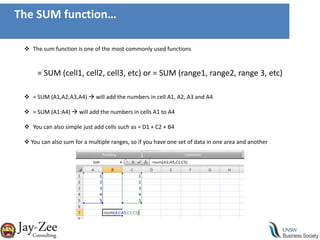
The SUM function…The sum function is one of the most commonly used functions= SUM (cell1, cell2, cell3, etc) or = SUM (range1, range2, range 3, etc)= SUM (A1,A2,A3,A4)  will add the numbers in cell A1, A2, A3 and A4
= SUM (A1:A4)  will add the numbers in cells A1 to A4
You can also simple just add cells such as = D1 + C2 + B4
 You can also sum for a multiple ranges, so if you have one set of data in one area and another The COUNT function…The count function allows you to count either the amount of number cells of the number of non blank cells in a range.= COUNT (range1, range2, etc) or = COUNTA (range1, range2, etc)= COUNT (A1:A25)  will count the amount of numbers from cell A1 to A25
= COUNTA (A1:A25)  will count the amount of non-blank cells from A1 to A25 (use this to count text)
You use COUNT for numbers and COUNTA for text
Just like the sum function, you can count in multiple ranges
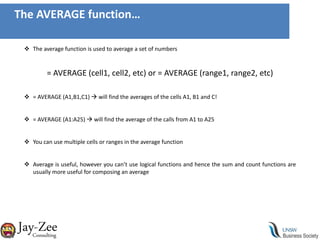
 Using a combination of sum and count you can create an average by dividing the sum by the countThe AVERAGE function…The average function is used to average a set of numbers= AVERAGE (cell1, cell2, etc) or = AVERAGE (range1, range2, etc)= AVERAGE (A1,B1,C1)  will find the averages of the cells A1, B1 and C!
= AVERAGE (A1:A25)  will find the average of the calls from A1 to A25
You can use multiple cells or ranges in the average function
Average is useful, however you can’t use logical functions and hence the sum and count functions are usually more useful for composing an averageLogical Functions
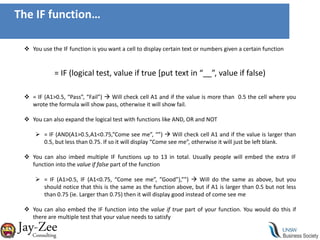
The IF function…You use the IF function is you want a cell to display certain text or numbers given a certain function = IF (logical test, value if true [put text in “__”, value if false)= IF (A1>0.5, “Pass”, “Fail”)  Will check cell A1 and if the value is more than  0.5 the cell where you wrote the formula will show pass, otherwise it will show fail.
You can also expand the logical test with functions like AND, OR and NOT
= IF (AND(A1>0.5,A1<0.75,”Come see me”, “”)  Will check cell A1 and if the value is larger than 0.5, but less than 0.75. If so it will display “Come see me”, otherwise it will just be left blank.

Introduction to excel - application to statistics

  • 1.
    Week 10: Introductionto Excel – Statistical Application
  • 2.
    Why excel?Why shouldI care about excel?It helps with your university courses, especially if you’re doing finance where you’ll encounter it in 1613, 2624, Applied Corporate Finance, Options, Applied Corporate Finance etc.But I have an awesome friend who knows excel and will do it all for me!Well, that friend won’t be there forever, especially when you get an internship or a graduate job where knowing how to use excel will help you adapt quicker and give you a better chance at doing well.I don’t plan to work in commerce!Well then… WHAT ON EARTH ARE YOU DOING HERE?!?!Now that we have that sorted, please go to the link below to download the excel spreadsheet with exercises and data for practice.www.unswbsoc.com/media/Introduction to Excel - Application to Statistics.xlsxhttp://myendlesssoliloquy.files.wordpress.com/2011/05/introduction-to-excel-application-to-statistics1.xlsx
  • 3.
    So what willwe cover today? Basic functions
  • 4.
  • 5.
  • 6.
  • 7.
  • 8.
  • 9.
  • 10.
  • 11.
  • 12.
  • 13.
  • 14.
    The SUM function…Thesum function is one of the most commonly used functions= SUM (cell1, cell2, cell3, etc) or = SUM (range1, range2, range 3, etc)= SUM (A1,A2,A3,A4)  will add the numbers in cell A1, A2, A3 and A4
  • 15.
    = SUM (A1:A4) will add the numbers in cells A1 to A4
  • 16.
    You can alsosimple just add cells such as = D1 + C2 + B4
  • 17.
    You canalso sum for a multiple ranges, so if you have one set of data in one area and another The COUNT function…The count function allows you to count either the amount of number cells of the number of non blank cells in a range.= COUNT (range1, range2, etc) or = COUNTA (range1, range2, etc)= COUNT (A1:A25)  will count the amount of numbers from cell A1 to A25
  • 18.
    = COUNTA (A1:A25) will count the amount of non-blank cells from A1 to A25 (use this to count text)
  • 19.
    You use COUNTfor numbers and COUNTA for text
  • 20.
    Just like thesum function, you can count in multiple ranges
  • 21.
    Using acombination of sum and count you can create an average by dividing the sum by the countThe AVERAGE function…The average function is used to average a set of numbers= AVERAGE (cell1, cell2, etc) or = AVERAGE (range1, range2, etc)= AVERAGE (A1,B1,C1)  will find the averages of the cells A1, B1 and C!
  • 22.
    = AVERAGE (A1:A25) will find the average of the calls from A1 to A25
  • 23.
    You can usemultiple cells or ranges in the average function
  • 24.
    Average is useful,however you can’t use logical functions and hence the sum and count functions are usually more useful for composing an averageLogical Functions
  • 25.
    The IF function…Youuse the IF function is you want a cell to display certain text or numbers given a certain function = IF (logical test, value if true [put text in “__”, value if false)= IF (A1>0.5, “Pass”, “Fail”)  Will check cell A1 and if the value is more than 0.5 the cell where you wrote the formula will show pass, otherwise it will show fail.
  • 26.
    You can alsoexpand the logical test with functions like AND, OR and NOT
  • 27.
    = IF (AND(A1>0.5,A1<0.75,”Comesee me”, “”)  Will check cell A1 and if the value is larger than 0.5, but less than 0.75. If so it will display “Come see me”, otherwise it will just be left blank.