Introduction to
Computer-Aided Instruction
CSSE 81: Computer-Aided Instruction
Lecture#1:
History of Computers
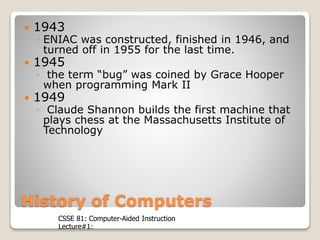
 1943
◦ ENIAC was constructed, finished in 1946, and
turned off in 1955 for the last time.
 1945
◦ the term “bug” was coined by Grace Hooper
when programming Mark II
 1949
◦ Claude Shannon builds the first machine that
plays chess at the Massachusetts Institute of
Technology
CSSE 81: Computer-Aided Instruction
Lecture#1:
History of Computers
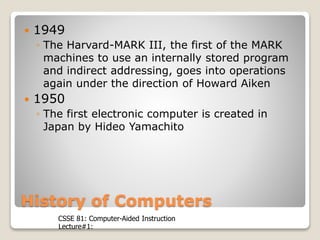
 1949
◦ The Harvard-MARK III, the first of the MARK
machines to use an internally stored program
and indirect addressing, goes into operations
again under the direction of Howard Aiken
 1950
◦ The first electronic computer is created in
Japan by Hideo Yamachito
CSSE 81: Computer-Aided Instruction
Lecture#1:
History of Computers
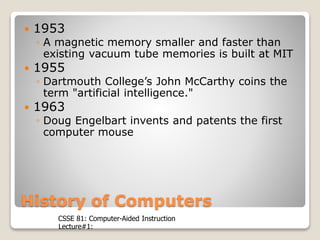
 1953
◦ A magnetic memory smaller and faster than
existing vacuum tube memories is built at MIT
 1955
◦ Dartmouth College’s John McCarthy coins the
term "artificial intelligence."
 1963
◦ Doug Engelbart invents and patents the first
computer mouse
CSSE 81: Computer-Aided Instruction
Lecture#1:
History of Computers
 1967
◦ IBM creates the first floppy disk.
 1975
◦ Paul Allen and Bill Gates write the first
computer language program for personal
computers, which is a form of BASIC designed
for the Altair. Gates later drops out of Harvard
and founds Microsoft with Allen.
CSSE 81: Computer-Aided Instruction
Lecture#1:
History of Computers
 1980
◦ IBM hires Paul Allen and Bill Gates to create an
operating system for a new PC. The pair buy
the rights to a simple operating system
manufactured by Seattle Computer Products
and use it as a template. IBM allows the two to
keep the marketing rights to the operating
system, called DOS.
CSSE 81: Computer-Aided Instruction
Lecture#1:
History of Computers
 1990
◦ Tim Berners-Lee, working with Robert
Cailliau at CERN propose a 'hypertext'
system, which is the first start of the
Internet as we know it today.
 1997
◦ IBM’s Deep Blue computer defeats world
champion chess player Garry Kasparov
in their second six-game showdown,
winning the tie-breaking game in only
62 minutes.
CSSE 81: Computer-Aided Instruction
Lecture#1:
History of Computers in Education
 early use of computers in education
are primarily on the field of:
◦ mathematics
◦ science
◦ engineering
 mathematical problem-solving tool
CSSE 81: Computer-Aided Instruction
Lecture#1:
History of Computers in Education
 1959
◦ PLATO at University of Illinois
◦ by Donald Bitier
◦ first, large-scale project for the use of
computers in education
◦ enable computer-based instruction to
integrate text and graphics, and provided
instructors with one of the first
programming environment for computer-
based instruction
CSSE 81: Computer-Aided Instruction
Lecture#1:
History of Computers in Education
 1963
◦ Patrick Suppes and Richard Atkinson at
Stanford
◦ establish a program of research and
development on CAI in math and reading.
 develop an individualized, instructional
strategies that allowed the learner to correct
his responses through rapid feedback.
 mastery is obtained through drill-and-
practice
CSSE 81: Computer-Aided Instruction
Lecture#1:
History of Computers in Education
 1970s
◦ researchers were looking for new
educational paradigms to take advantage
of the breakthrough in computer
technology.
 developed paradigm: ICAI
CSSE 81: Computer-Aided Instruction
Lecture#1:
CAI
 stands for Computer Aided Instruction
 an instructor-led, computer–based
teaching aid.
 the use of computer in the delivery of
instruction.
 the integration of software and hardware
in instruction
CSSE 81: Computer-Aided Instruction
Lecture#1:
CAI
◦ CAI: Computer-Assisted Instruction
◦ CBE: Computer-Based Education
◦ CAL: Computer-Assisted Learning
◦ IAC: Instructional Applications of
Computers
◦ CBI: Computer-Based Instruction
CSSE 81: Computer-Aided Instruction
Lecture#1:
Arguments in Using Computers
(Instruction)
Pro
•Computers have endless supply of
energy
•Computers can be made available for
longer period of time vs. human tutors
•Computers, when properly programmed,
are faster and more accurate than
human instructors
•Computers are capable of giving
endlessly changing list of examples.
CSSE 81: Computer-Aided Instruction
Lecture#1:
Arguments in Using Computers
(Instruction)
 Against
◦ computer instruction programs are notoriously
poor in anticipating a students individual needs.
◦ computer instruction programs are often more
than rote exercises having scant educational
values.
◦ computer instruction programs have been very
poor at adapting to the students changing
abilities, and have locked the student into
relatively rigid mode of instructions.
CSSE 81: Computer-Aided Instruction
Lecture#1:
Use of Computers in Academe
 As Tools
 As Assistants
 As Teachers
CSSE 81: Computer-Aided Instruction
Lecture#1:
Computers as Tools
 General purpose:
◦ To automate tasks
 Word processors
◦ MS Word, Notepad, Wordpad, etc.
 Spreadsheets
◦ MS Excel, Lotus 123, etc.
 Presentation Applications
◦ MS Powerpoint, etc.
CSSE 81: Computer-Aided Instruction
Lecture#1:
Computers as Assistants
 General purpose:
◦ for Assessment, Remediation, and
Reinforcement
 Applications
◦ Drills
◦ Instructional games
◦ simulations
CSSE 81: Computer-Aided Instruction
Lecture#1:
Computers as Teachers
 General purpose:
◦ for Instruction, Remediation, and Assessment
 Implementations:
◦ CAI
◦ ICAI
◦ Tutorials
◦ Simulations
CSSE 81: Computer-Aided Instruction
Lecture#1:
Advantages of CAI
 Interactive
 Provides immediate feedback
 Infinitely patient
 Motivates learners
 Provides consistency in presentation
 Can adjust difficulty to the level of the
learner
CSSE 81: Computer-Aided Instruction
Lecture#1:
Advantages of CAI
 Can present concepts or processes
dynamically and using multiple forms
of representation
 Can maintain records of student
performance
 Can accommodate large number of
learners
CSSE 81: Computer-Aided Instruction
Lecture#1:
Limitations of CAI
 Repeated instruction
 Inexpensive distribution
 Equipment and software can be costly
 Development takes time and money
 Lack of “personal touch”
CSSE 81: Computer-Aided Instruction
Lecture#1:
Development Tools
 Programming Languages
◦ Relatively inexpensive
◦ Powerful and flexible
◦ Difficult to learn and use
◦ Ex: Pascal, C, Java, Visual Basic, etc.
CSSE 81: Computer-Aided Instruction
Lecture#1:
Development Tools
 Multimedia/Hypermedia tools
◦ Relatively easy to learn and use
◦ Relatively powerful and flexible
◦ Moderately priced
◦ Ex: HTML, Flash, etc.
CSSE 81: Computer-Aided Instruction
Lecture#1:
Development Tools
 Authoring Tools
◦ Relatively easy to learn and use
◦ Powerful and flexible
◦ Expensive
◦ Ex: Macromedia Authorware, IconAuthor,
Quest, Pathware
CSSE 81: Computer-Aided Instruction
Lecture#1:
Expository Model of Instruction
 According to that model (EMI), for instruction to
be effective the following four phases should be
present:
◦ Presenting information
◦ Guiding the student
◦ Practicing by the student
◦ Assessing student learning
CSSE 81: Computer-Aided Instruction
Lecture#1:
Expository Model of Instruction
 Presentation of Information
◦ “to teach something new, the instructor must
first present information”
 The instructor will perform the skills so that the
students can imitate
◦ methods: Examples
◦ instructor-centered
CSSE 81: Computer-Aided Instruction
Lecture#1:
Expository Model of Instruction
 Guidance
◦ interactive tutorial
◦ Student performs under guidance of teacher
 answers questions about factual info
 apply rules and principles in problem-solving
activities
 practice procedural skills
CSSE 81: Computer-Aided Instruction
Lecture#1:
Expository Model of Instruction
 Guidance
◦ the instructor observes the student, correct
errors, and give suggestions or hints
◦ Guided discovery is part of the guidance phase
of instruction
CSSE 81: Computer-Aided Instruction
Lecture#1:
Expository Model of Instruction
 Practice
◦ learner-centered
◦ Instructor observes and corrects the student,
but emphasis is on the student practicing and
the instructor making only short corrective
statements.
CSSE 81: Computer-Aided Instruction
Lecture#1:
Expository Model of Instruction
 Practice
◦ Fluency, speed and practice
◦ method: use of workbooks (arithmetic),
flashcards (foreign-language instruction)
CSSE 81: Computer-Aided Instruction
Lecture#1:
Expository Model of Instruction
 Assessment
◦ level of learning
◦ quality of teaching
◦ future instructional needs
◦ method: tests
CSSE 81: Computer-Aided Instruction
Lecture#1:
Instructional Methodologies
 Tutorials
 Drills
 Simulations
 Instructional Games
 Tests
CSSE 81: Computer-Aided Instruction
Lecture#1:
Instructional Methodologies
 Tutorials
◦ teach new materials
◦ typically they present information and
then question the user to ascertain the
level of learning achieved
◦ able to monitor the student's progress
and to present remedial or advanced
levels if and when required
CSSE 81: Computer-Aided Instruction
Lecture#1:
Instructional Methodologies
 Drills
◦ typically deals with material that has
already been taught
◦ the student is presented with a task, often
selected randomly, and feedback is
offered immediately
◦ able to keep pace with the student by
offering remedial or advanced level if and
when they become necessary
CSSE 81: Computer-Aided Instruction
Lecture#1:
Instructional Methodologies
 Educational Games
◦ may be tutorial/drill and practice/simulation
with game elements added
◦ learning elements are hidden
CSSE 81: Computer-Aided Instruction
Lecture#1:
Instructional Methodologies
 Simulations
◦ may be used to present information and guide
the learner, to guide and drill, to do all three,
or to test the student’s knowledge.
◦ in here, the student learns by actually
performing the activities to be learned in a
context that is similar to the real world.
CSSE 81: Computer-Aided Instruction
Lecture#1:
Instructional Methodologies
 Tests
◦ assessed the level of learning
◦ use for a variety of purpose:
 Determine what a student knows and does not
know;
 Rank ordering of students in terms of
performance;
 Assigning grades; etc.
CSSE 81: Computer-Aided Instruction
Lecture#1:
Instructional Methodologies
 Tests
◦ Can take the form of an informal quiz or a
strictly monitored examination where
admission is by reservation only.

Introduction to computer aided instruction

  • 1.
  • 2.
    CSSE 81: Computer-AidedInstruction Lecture#1: History of Computers  1943 ◦ ENIAC was constructed, finished in 1946, and turned off in 1955 for the last time.  1945 ◦ the term “bug” was coined by Grace Hooper when programming Mark II  1949 ◦ Claude Shannon builds the first machine that plays chess at the Massachusetts Institute of Technology
  • 3.
    CSSE 81: Computer-AidedInstruction Lecture#1: History of Computers  1949 ◦ The Harvard-MARK III, the first of the MARK machines to use an internally stored program and indirect addressing, goes into operations again under the direction of Howard Aiken  1950 ◦ The first electronic computer is created in Japan by Hideo Yamachito
  • 4.
    CSSE 81: Computer-AidedInstruction Lecture#1: History of Computers  1953 ◦ A magnetic memory smaller and faster than existing vacuum tube memories is built at MIT  1955 ◦ Dartmouth College’s John McCarthy coins the term "artificial intelligence."  1963 ◦ Doug Engelbart invents and patents the first computer mouse
  • 5.
    CSSE 81: Computer-AidedInstruction Lecture#1: History of Computers  1967 ◦ IBM creates the first floppy disk.  1975 ◦ Paul Allen and Bill Gates write the first computer language program for personal computers, which is a form of BASIC designed for the Altair. Gates later drops out of Harvard and founds Microsoft with Allen.
  • 6.
    CSSE 81: Computer-AidedInstruction Lecture#1: History of Computers  1980 ◦ IBM hires Paul Allen and Bill Gates to create an operating system for a new PC. The pair buy the rights to a simple operating system manufactured by Seattle Computer Products and use it as a template. IBM allows the two to keep the marketing rights to the operating system, called DOS.
  • 7.
    CSSE 81: Computer-AidedInstruction Lecture#1: History of Computers  1990 ◦ Tim Berners-Lee, working with Robert Cailliau at CERN propose a 'hypertext' system, which is the first start of the Internet as we know it today.  1997 ◦ IBM’s Deep Blue computer defeats world champion chess player Garry Kasparov in their second six-game showdown, winning the tie-breaking game in only 62 minutes.
  • 8.
    CSSE 81: Computer-AidedInstruction Lecture#1: History of Computers in Education  early use of computers in education are primarily on the field of: ◦ mathematics ◦ science ◦ engineering  mathematical problem-solving tool
  • 9.
    CSSE 81: Computer-AidedInstruction Lecture#1: History of Computers in Education  1959 ◦ PLATO at University of Illinois ◦ by Donald Bitier ◦ first, large-scale project for the use of computers in education ◦ enable computer-based instruction to integrate text and graphics, and provided instructors with one of the first programming environment for computer- based instruction
  • 10.
    CSSE 81: Computer-AidedInstruction Lecture#1: History of Computers in Education  1963 ◦ Patrick Suppes and Richard Atkinson at Stanford ◦ establish a program of research and development on CAI in math and reading.  develop an individualized, instructional strategies that allowed the learner to correct his responses through rapid feedback.  mastery is obtained through drill-and- practice
  • 11.
    CSSE 81: Computer-AidedInstruction Lecture#1: History of Computers in Education  1970s ◦ researchers were looking for new educational paradigms to take advantage of the breakthrough in computer technology.  developed paradigm: ICAI
  • 12.
    CSSE 81: Computer-AidedInstruction Lecture#1: CAI  stands for Computer Aided Instruction  an instructor-led, computer–based teaching aid.  the use of computer in the delivery of instruction.  the integration of software and hardware in instruction
  • 13.
    CSSE 81: Computer-AidedInstruction Lecture#1: CAI ◦ CAI: Computer-Assisted Instruction ◦ CBE: Computer-Based Education ◦ CAL: Computer-Assisted Learning ◦ IAC: Instructional Applications of Computers ◦ CBI: Computer-Based Instruction
  • 14.
    CSSE 81: Computer-AidedInstruction Lecture#1: Arguments in Using Computers (Instruction) Pro •Computers have endless supply of energy •Computers can be made available for longer period of time vs. human tutors •Computers, when properly programmed, are faster and more accurate than human instructors •Computers are capable of giving endlessly changing list of examples.
  • 15.
    CSSE 81: Computer-AidedInstruction Lecture#1: Arguments in Using Computers (Instruction)  Against ◦ computer instruction programs are notoriously poor in anticipating a students individual needs. ◦ computer instruction programs are often more than rote exercises having scant educational values. ◦ computer instruction programs have been very poor at adapting to the students changing abilities, and have locked the student into relatively rigid mode of instructions.
  • 16.
    CSSE 81: Computer-AidedInstruction Lecture#1: Use of Computers in Academe  As Tools  As Assistants  As Teachers
  • 17.
    CSSE 81: Computer-AidedInstruction Lecture#1: Computers as Tools  General purpose: ◦ To automate tasks  Word processors ◦ MS Word, Notepad, Wordpad, etc.  Spreadsheets ◦ MS Excel, Lotus 123, etc.  Presentation Applications ◦ MS Powerpoint, etc.
  • 18.
    CSSE 81: Computer-AidedInstruction Lecture#1: Computers as Assistants  General purpose: ◦ for Assessment, Remediation, and Reinforcement  Applications ◦ Drills ◦ Instructional games ◦ simulations
  • 19.
    CSSE 81: Computer-AidedInstruction Lecture#1: Computers as Teachers  General purpose: ◦ for Instruction, Remediation, and Assessment  Implementations: ◦ CAI ◦ ICAI ◦ Tutorials ◦ Simulations
  • 20.
    CSSE 81: Computer-AidedInstruction Lecture#1: Advantages of CAI  Interactive  Provides immediate feedback  Infinitely patient  Motivates learners  Provides consistency in presentation  Can adjust difficulty to the level of the learner
  • 21.
    CSSE 81: Computer-AidedInstruction Lecture#1: Advantages of CAI  Can present concepts or processes dynamically and using multiple forms of representation  Can maintain records of student performance  Can accommodate large number of learners
  • 22.
    CSSE 81: Computer-AidedInstruction Lecture#1: Limitations of CAI  Repeated instruction  Inexpensive distribution  Equipment and software can be costly  Development takes time and money  Lack of “personal touch”
  • 23.
    CSSE 81: Computer-AidedInstruction Lecture#1: Development Tools  Programming Languages ◦ Relatively inexpensive ◦ Powerful and flexible ◦ Difficult to learn and use ◦ Ex: Pascal, C, Java, Visual Basic, etc.
  • 24.
    CSSE 81: Computer-AidedInstruction Lecture#1: Development Tools  Multimedia/Hypermedia tools ◦ Relatively easy to learn and use ◦ Relatively powerful and flexible ◦ Moderately priced ◦ Ex: HTML, Flash, etc.
  • 25.
    CSSE 81: Computer-AidedInstruction Lecture#1: Development Tools  Authoring Tools ◦ Relatively easy to learn and use ◦ Powerful and flexible ◦ Expensive ◦ Ex: Macromedia Authorware, IconAuthor, Quest, Pathware
  • 26.
    CSSE 81: Computer-AidedInstruction Lecture#1: Expository Model of Instruction  According to that model (EMI), for instruction to be effective the following four phases should be present: ◦ Presenting information ◦ Guiding the student ◦ Practicing by the student ◦ Assessing student learning
  • 27.
    CSSE 81: Computer-AidedInstruction Lecture#1: Expository Model of Instruction  Presentation of Information ◦ “to teach something new, the instructor must first present information”  The instructor will perform the skills so that the students can imitate ◦ methods: Examples ◦ instructor-centered
  • 28.
    CSSE 81: Computer-AidedInstruction Lecture#1: Expository Model of Instruction  Guidance ◦ interactive tutorial ◦ Student performs under guidance of teacher  answers questions about factual info  apply rules and principles in problem-solving activities  practice procedural skills
  • 29.
    CSSE 81: Computer-AidedInstruction Lecture#1: Expository Model of Instruction  Guidance ◦ the instructor observes the student, correct errors, and give suggestions or hints ◦ Guided discovery is part of the guidance phase of instruction
  • 30.
    CSSE 81: Computer-AidedInstruction Lecture#1: Expository Model of Instruction  Practice ◦ learner-centered ◦ Instructor observes and corrects the student, but emphasis is on the student practicing and the instructor making only short corrective statements.
  • 31.
    CSSE 81: Computer-AidedInstruction Lecture#1: Expository Model of Instruction  Practice ◦ Fluency, speed and practice ◦ method: use of workbooks (arithmetic), flashcards (foreign-language instruction)
  • 32.
    CSSE 81: Computer-AidedInstruction Lecture#1: Expository Model of Instruction  Assessment ◦ level of learning ◦ quality of teaching ◦ future instructional needs ◦ method: tests
  • 33.
    CSSE 81: Computer-AidedInstruction Lecture#1: Instructional Methodologies  Tutorials  Drills  Simulations  Instructional Games  Tests
  • 34.
    CSSE 81: Computer-AidedInstruction Lecture#1: Instructional Methodologies  Tutorials ◦ teach new materials ◦ typically they present information and then question the user to ascertain the level of learning achieved ◦ able to monitor the student's progress and to present remedial or advanced levels if and when required
  • 35.
    CSSE 81: Computer-AidedInstruction Lecture#1: Instructional Methodologies  Drills ◦ typically deals with material that has already been taught ◦ the student is presented with a task, often selected randomly, and feedback is offered immediately ◦ able to keep pace with the student by offering remedial or advanced level if and when they become necessary
  • 36.
    CSSE 81: Computer-AidedInstruction Lecture#1: Instructional Methodologies  Educational Games ◦ may be tutorial/drill and practice/simulation with game elements added ◦ learning elements are hidden
  • 37.
    CSSE 81: Computer-AidedInstruction Lecture#1: Instructional Methodologies  Simulations ◦ may be used to present information and guide the learner, to guide and drill, to do all three, or to test the student’s knowledge. ◦ in here, the student learns by actually performing the activities to be learned in a context that is similar to the real world.
  • 38.
    CSSE 81: Computer-AidedInstruction Lecture#1: Instructional Methodologies  Tests ◦ assessed the level of learning ◦ use for a variety of purpose:  Determine what a student knows and does not know;  Rank ordering of students in terms of performance;  Assigning grades; etc.
  • 39.
    CSSE 81: Computer-AidedInstruction Lecture#1: Instructional Methodologies  Tests ◦ Can take the form of an informal quiz or a strictly monitored examination where admission is by reservation only.