Graphics Programming in C
Kasun Ranga Wijeweera
(Email: krw19870829@gmail.com)
Evaluation Criteria
• Project: 40%
• End Semester Examination: 60%
Course Content
• Introduction to Graphics Programming in C
• Points, Lines and Polygons
• Line Drawing Algorithms
• Circle Drawing Algorithms
• Area Filling Algorithms
• Geometric Transformations in 2D
• Geometric Transformations in 3D
• Line Clipping Algorithms in 2D
• Line Clipping Algorithms in 3D
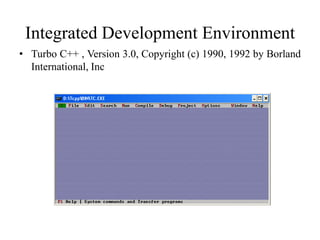
Integrated Development Environment
• Turbo C++ , Version 3.0, Copyright (c) 1990, 1992 by Borland
International, Inc
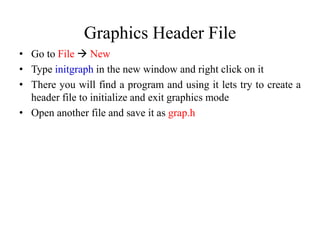
Graphics Header File
• Go to File  New
• Type initgraph in the new window and right click on it
• There you will find a program and using it lets try to create a
header file to initialize and exit graphics mode
• Open another file and save it as grap.h
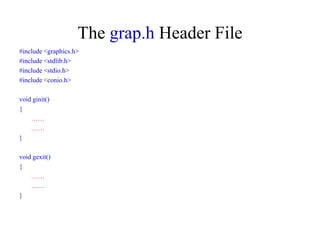
The grap.h Header File
#include <graphics.h>
#include <stdlib.h>
#include <stdio.h>
#include <conio.h>
void ginit()
{
……
……
}
void gexit()
{
……
……
}
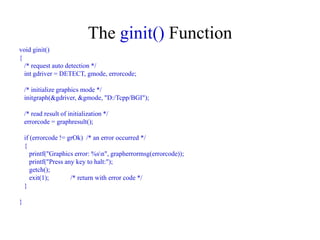
The ginit() Function
void ginit()
{
/* request auto detection */
int gdriver = DETECT, gmode, errorcode;
/* initialize graphics mode */
initgraph(&gdriver, &gmode, "D:/Tcpp/BGI");
/* read result of initialization */
errorcode = graphresult();
if (errorcode != grOk) /* an error occurred */
{
printf("Graphics error: %sn", grapherrormsg(errorcode));
printf("Press any key to halt:");
getch();
exit(1); /* return with error code */
}
}
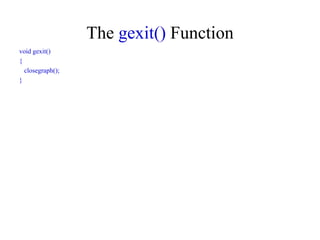
The gexit() Function
void gexit()
{
closegraph();
}
The First Program
• Open a new file and save it as first.c
• There you have to include the grap.h header file that had been
created earlier
• Then your first program should look like as follows and
running it will give a black and empty screen
#include<stdio.h>
#include<conio.h>
#include"D:/GP/header/grap.h"
void main()
{
ginit();
getch();
gexit();
}
The Output Screen
• Execute following code to get the maximum x and maximum y
values of the output screen
#include<stdio.h>
#include<conio.h>
#include"D:/GP/header/grap.h"
void main()
{
ginit();
printf("%d %d",getmaxx(),getmaxy());
getch();
gexit();
}
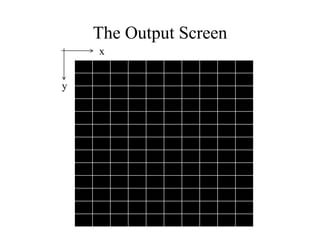
The Output Screen
x
y
The Output Screen
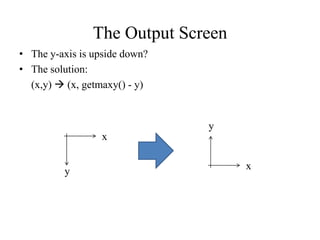
• The y-axis is upside down?
• The solution:
(x,y)  (x, getmaxy() - y)
x
y
x
y
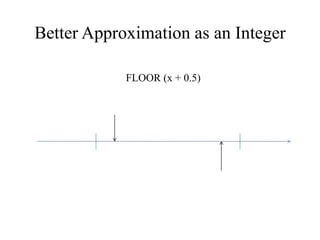
Better Approximation as an Integer
FLOOR (x + 0.5)
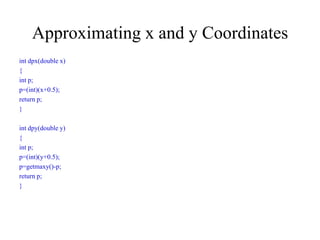
Approximating x and y Coordinates
int dpx(double x)
{
int p;
p=(int)(x+0.5);
return p;
}
int dpy(double y)
{
int p;
p=(int)(y+0.5);
p=getmaxy()-p;
return p;
}
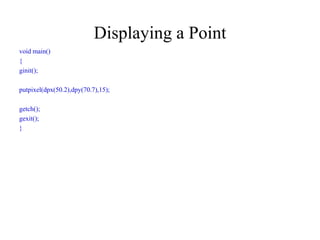
Displaying a Point
void main()
{
ginit();
putpixel(dpx(50.2),dpy(70.7),15);
getch();
gexit();
}
Any Questions?
Thank You!

Graphics Programming in C

  • 1.
    Graphics Programming inC Kasun Ranga Wijeweera (Email: krw19870829@gmail.com)
  • 2.
    Evaluation Criteria • Project:40% • End Semester Examination: 60%
  • 3.
    Course Content • Introductionto Graphics Programming in C • Points, Lines and Polygons • Line Drawing Algorithms • Circle Drawing Algorithms • Area Filling Algorithms • Geometric Transformations in 2D • Geometric Transformations in 3D • Line Clipping Algorithms in 2D • Line Clipping Algorithms in 3D
  • 4.
    Integrated Development Environment •Turbo C++ , Version 3.0, Copyright (c) 1990, 1992 by Borland International, Inc
  • 5.
    Graphics Header File •Go to File  New • Type initgraph in the new window and right click on it • There you will find a program and using it lets try to create a header file to initialize and exit graphics mode • Open another file and save it as grap.h
  • 6.
    The grap.h HeaderFile #include <graphics.h> #include <stdlib.h> #include <stdio.h> #include <conio.h> void ginit() { …… …… } void gexit() { …… …… }
  • 7.
    The ginit() Function voidginit() { /* request auto detection */ int gdriver = DETECT, gmode, errorcode; /* initialize graphics mode */ initgraph(&gdriver, &gmode, "D:/Tcpp/BGI"); /* read result of initialization */ errorcode = graphresult(); if (errorcode != grOk) /* an error occurred */ { printf("Graphics error: %sn", grapherrormsg(errorcode)); printf("Press any key to halt:"); getch(); exit(1); /* return with error code */ } }
  • 8.
    The gexit() Function voidgexit() { closegraph(); }
  • 9.
    The First Program •Open a new file and save it as first.c • There you have to include the grap.h header file that had been created earlier • Then your first program should look like as follows and running it will give a black and empty screen #include<stdio.h> #include<conio.h> #include"D:/GP/header/grap.h" void main() { ginit(); getch(); gexit(); }
  • 10.
    The Output Screen •Execute following code to get the maximum x and maximum y values of the output screen #include<stdio.h> #include<conio.h> #include"D:/GP/header/grap.h" void main() { ginit(); printf("%d %d",getmaxx(),getmaxy()); getch(); gexit(); }
  • 11.
  • 12.
    The Output Screen •The y-axis is upside down? • The solution: (x,y)  (x, getmaxy() - y) x y x y
  • 13.
    Better Approximation asan Integer FLOOR (x + 0.5)
  • 14.
    Approximating x andy Coordinates int dpx(double x) { int p; p=(int)(x+0.5); return p; } int dpy(double y) { int p; p=(int)(y+0.5); p=getmaxy()-p; return p; }
  • 15.
    Displaying a Point voidmain() { ginit(); putpixel(dpx(50.2),dpy(70.7),15); getch(); gexit(); }
  • 16.
  • 17.