Download to read offline
![Design Patterns in C#
2 of 3
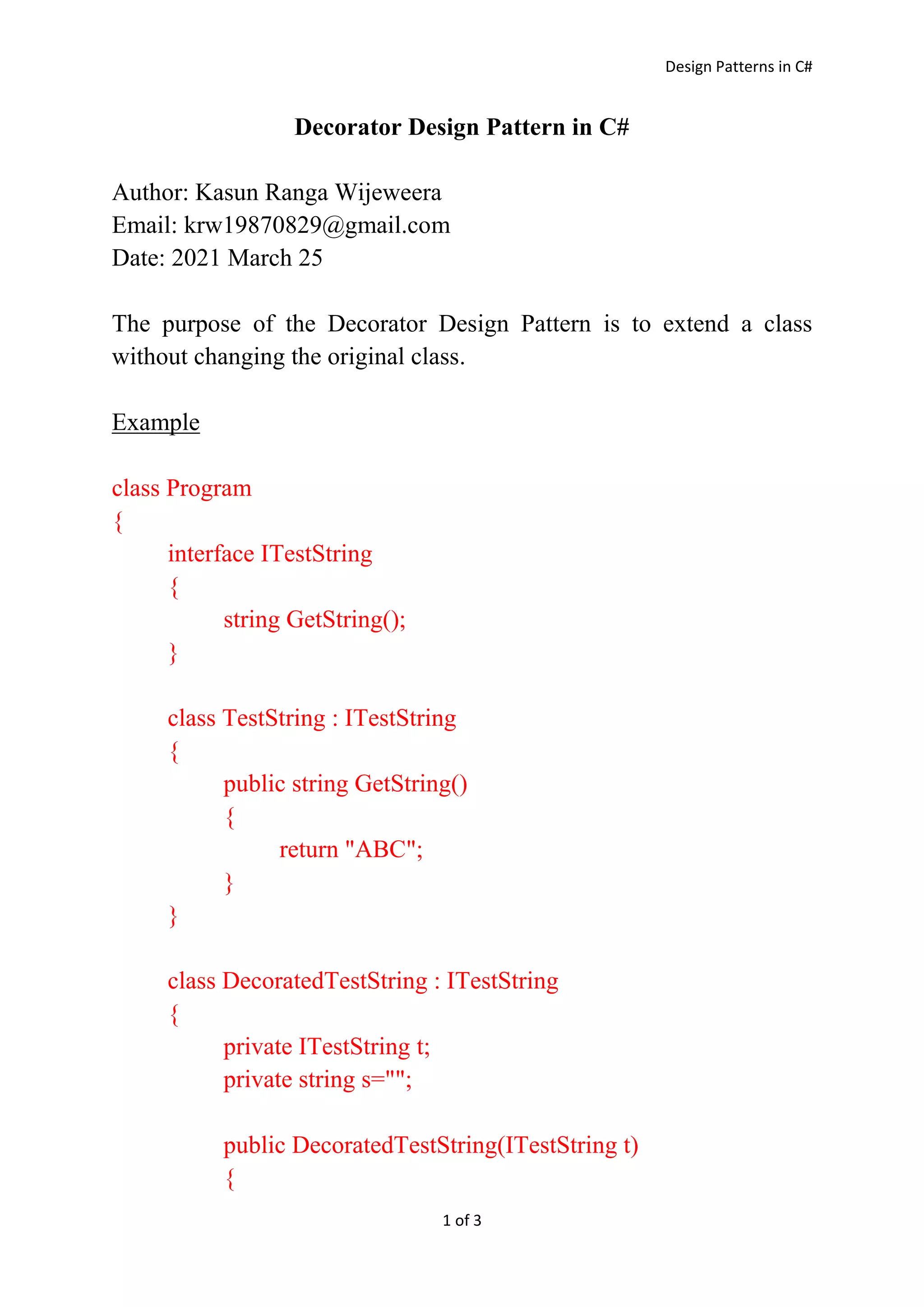
this.t = t;
}
public void Append(string s)
{
this.s += s;
}
public string GetString()
{
string s = t.GetString();
s += this.s;
return s;
}
}
static void Display(ITestString t)
{
Console.WriteLine(t.GetString());
}
static void Main(string[] args)
{
ITestString t = new TestString();
Display(t);
DecoratedTestString t1 = new DecoratedTestString(t);
t1.Append("XYZ");
Display(t1);
DecoratedTestString t2 = new DecoratedTestString(t1);
t2.Append("PQR");
Display(t2);](https://image.slidesharecdn.com/decorator-210327141708/85/Decorator-Design-Pattern-in-C-2-320.jpg)
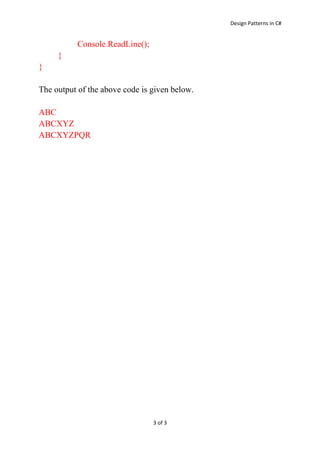

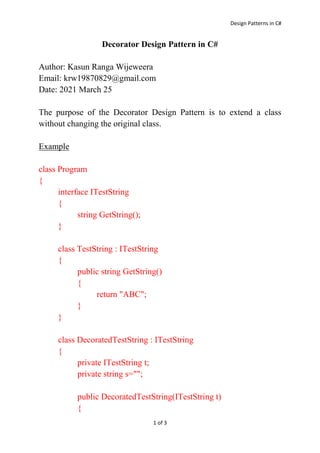
The Decorator Design Pattern allows extending a class without changing its original implementation. The example shows decorating a TestString class that returns a string by wrapping it in a DecoratedTestString class that appends additional strings. This allows "ABC" to be decorated with "XYZ" and then "PQR" by chaining the decorators without changing the original TestString class.


![Assignment for Factory Method Design Pattern in C# [ANSWERS]](https://cdn.slidesharecdn.com/ss_thumbnails/assingment1answers-200420114633-thumbnail.jpg?width=640&height=640&fit=bounds)


![谷歌留痕技术教程[ 𝙩𝙤𝙥 𝟮𝟯𝟯. 𝙘 𝙤𝙢 ]](https://cdn.slidesharecdn.com/ss_thumbnails/top233-260130173900-2eb784f9-thumbnail.jpg?width=640&height=640&fit=bounds)


