Download to read offline
![Design Patterns in C#
1 of 3
Singleton Design Pattern in C#
Author: Kasun Ranga Wijeweera
Email: krw19870829@gmail.com
Date: 2021 March 22
The main purpose of the Singleton Design Pattern is to prevent
creating more than one object from a given class.
Example
class Program
{
class Manager
{
public Manager()
{
}
}
static void Main(string[] args)
{
Manager m1 = new Manager();
Manager m2 = new Manager();
If (m1 == m2)
{
Console.WriteLine("One object");
}
else
{
Console.WriteLine("Two objects");
}](https://image.slidesharecdn.com/singleton-210327141616/85/Singleton-Design-Pattern-in-C-1-320.jpg)
![Design Patterns in C#
1 of 3
Singleton Design Pattern in C#
Author: Kasun Ranga Wijeweera
Email: krw19870829@gmail.com
Date: 2021 March 22
The main purpose of the Singleton Design Pattern is to prevent
creating more than one object from a given class.
Example
class Program
{
class Manager
{
public Manager()
{
}
}
static void Main(string[] args)
{
Manager m1 = new Manager();
Manager m2 = new Manager();
If (m1 == m2)
{
Console.WriteLine("One object");
}
else
{
Console.WriteLine("Two objects");
}](https://image.slidesharecdn.com/singleton-210327141616/75/Singleton-Design-Pattern-in-C-1-2048.jpg)
![Design Patterns in C#
2 of 3
Console.ReadLine();
}
}
The output of the above code gives “Two objects”.
The code after applying the Singleton Design Pattern is given below.
class Program
{
sealed class Manager
{
private Manager()
{
}
static readonly Manager m = new Manager();
public static Manager M
{
get { return m; }
}
}
static void Main(string[] args)
{
Manager m1 = Manager.M;
Manager m2 = Manager.M;
if (m1 == m2)
{
Console.WriteLine("One object");](https://image.slidesharecdn.com/singleton-210327141616/85/Singleton-Design-Pattern-in-C-2-320.jpg)
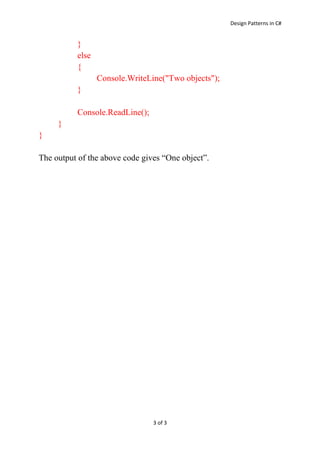

The document discusses the Singleton design pattern in C# which ensures that only one object of a particular class is ever created. It provides an example of a Manager class that creates two separate objects when not using the Singleton pattern, but only creates one shared object when applying the Singleton pattern by making the class sealed and constructor private with a static readonly property to access the single instance.


![Assignment for Factory Method Design Pattern in C# [ANSWERS]](https://cdn.slidesharecdn.com/ss_thumbnails/assingment1answers-200420114633-thumbnail.jpg?width=640&height=640&fit=bounds)


