Presented by Imran Loon
UiPath Agentic
Automation Associate
(UiAAA) Certification
Prep Session
Speaker
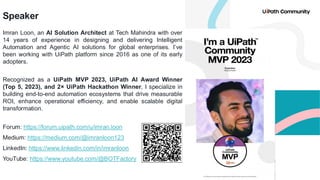
Imran Loon, an AI Solution Architect at Tech Mahindra with over
14 years of experience in designing and delivering Intelligent
Automation and Agentic AI solutions for global enterprises. I’ve
been working with UiPath platform since 2016 as one of its early
adopters.
Recognized as a UiPath MVP 2023, UiPath AI Award Winner
(Top 5, 2023), and 2× UiPath Hackathon Winner, I specialize in
building end-to-end automation ecosystems that drive measurable
ROI, enhance operational efficiency, and enable scalable digital
transformation.
Forum: https://forum.uipath.com/u/imran.loon
Medium: https://medium.com/@imranloon123
LinkedIn: https://www.linkedin.com/in/imranloon
YouTube: https://www.youtube.com/@BOTFactory
3
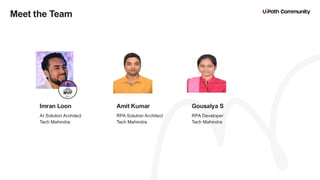
RPA Solution Architect
Tech Mahindra
RPA Developer
Tech Mahindra
Amit Kumar Gousalya S
Meet the Team
AI Solution Architect
Tech Mahindra
Imran Loon
4
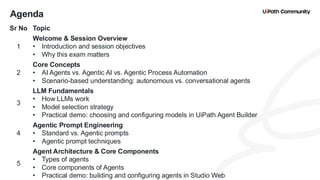
Agenda
Sr No Topic
1
Welcome & Session Overview
• Introduction and session objectives
• Why this exam matters
2
Core Concepts
• AI Agents vs. Agentic AI vs. Agentic Process Automation
• Scenario-based understanding: autonomous vs. conversational agents
3
LLM Fundamentals
• How LLMs work
• Model selection strategy
• Practical demo: choosing and configuring models in UiPath Agent Builder
4
Agentic Prompt Engineering
• Standard vs. Agentic prompts
• Agentic prompt techniques
5
Agent Architecture & Core Components
• Types of agents
• Core components of Agents
• Practical demo: building and configuring agents in Studio Web
5
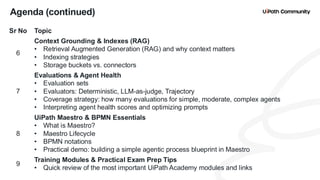
Agenda (continued)
Sr No Topic
6
Context Grounding & Indexes (RAG)
• Retrieval Augmented Generation (RAG) and why context matters
• Indexing strategies
• Storage buckets vs. connectors
7
Evaluations & Agent Health
• Evaluation sets
• Evaluators: Deterministic, LLM-as-judge, Trajectory
• Coverage strategy: how many evaluations for simple, moderate, complex agents
• Interpreting agent health scores and optimizing prompts
8
UiPath Maestro & BPMN Essentials
• What is Maestro?
• Maestro Lifecycle
• BPMN notations
• Practical demo: building a simple agentic process blueprint in Maestro
9
Training Modules & Practical Exam Prep Tips
• Quick review of the most important UiPath Academy modules and links
6
Agenda (continued)
Sr No Topic
10
Resources & Next Steps
• Cheat sheets, quick reference docs, and study plan
• Where to find session recording, notes, and community support
11
Q&A
• Open floor for participant questions
7
Machine Learning
Deep Learning
Gen AI
Foundation Model
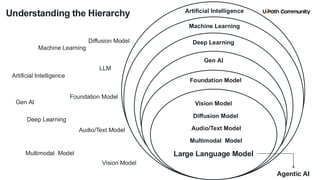
Understanding the Hierarchy
Artificial Intelligence
Machine Learning
Deep Learning
Foundation Model
LLM
Gen AI Vision Model
Diffusion Model
Audio/Text Model
Multimodal Model
Large Language Model
Audio/Text Model
Multimodal Model
Diffusion Model
Vision Model
Agentic AI
Artificial Intelligence
8
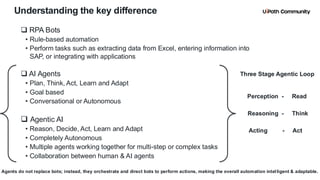
Understanding the key difference
❑ RPA Bots
• Rule-based automation
• Perform tasks such as extracting data from Excel, entering information into
SAP, or integrating with applications
❑ AI Agents
• Plan, Think, Act, Learn and Adapt
• Goal based
• Conversational or Autonomous
❑ Agentic AI
• Reason, Decide, Act, Learn and Adapt
• Completely Autonomous
• Multiple agents working together for multi-step or complex tasks
• Collaboration between human & AI agents
Agents do not replace bots; instead, they orchestrate and direct bots to perform actions, making the overall automation intel ligent & adaptable.
Perception - Read
Acting - Act
Reasoning - Think
Three Stage Agentic Loop
9
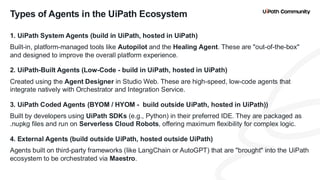
1. UiPath System Agents (build in UiPath, hosted in UiPath)
Built-in, platform-managed tools like Autopilot and the Healing Agent. These are "out-of-the-box"
and designed to improve the overall platform experience.
2. UiPath-Built Agents (Low-Code - build in UiPath, hosted in UiPath)
Created using the Agent Designer in Studio Web. These are high-speed, low-code agents that
integrate natively with Orchestrator and Integration Service.
3. UiPath Coded Agents (BYOM / HYOM - build outside UiPath, hosted in UiPath))
Built by developers using UiPath SDKs (e.g., Python) in their preferred IDE. They are packaged as
.nupkg files and run on Serverless Cloud Robots, offering maximum flexibility for complex logic.
4. External Agents (build outside UiPath, hosted outside UiPath)
Agents built on third-party frameworks (like LangChain or AutoGPT) that are "brought" into the UiPath
ecosystem to be orchestrated via Maestro.
Types of Agents in the UiPath Ecosystem
10
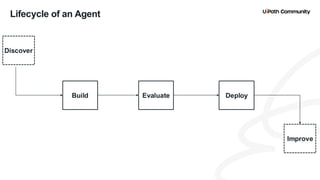
Lifecycle of an Agent
Discover
Improve
Build Deploy
Evaluate
11
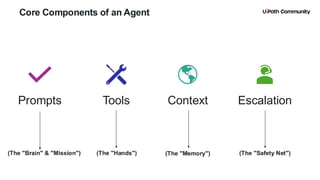
Core Components of an Agent
Prompts
(The "Brain" & "Mission")
Context
(The "Memory")
Escalation
(The "Safety Net")
Tools
(The "Hands")
12
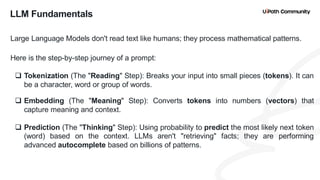
LLM Fundamentals
Large Language Models don't read text like humans; they process mathematical patterns.
Here is the step-by-step journey of a prompt:
❑ Tokenization (The "Reading" Step): Breaks your input into small pieces (tokens). It can
be a character, word or group of words.
❑ Embedding (The "Meaning" Step): Converts tokens into numbers (vectors) that
capture meaning and context.
❑ Prediction (The "Thinking" Step): Using probability to predict the most likely next token
(word) based on the context. LLMs aren't "retrieving" facts; they are performing
advanced autocomplete based on billions of patterns.
13
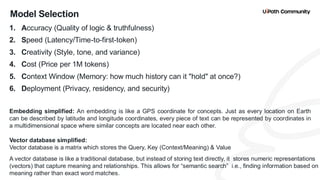
Model Selection
1. Accuracy (Quality of logic & truthfulness)
2. Speed (Latency/Time-to-first-token)
3. Creativity (Style, tone, and variance)
4. Cost (Price per 1M tokens)
5. Context Window (Memory: how much history can it "hold" at once?)
6. Deployment (Privacy, residency, and security)
Embedding simplified: An embedding is like a GPS coordinate for concepts. Just as every location on Earth
can be described by latitude and longitude coordinates, every piece of text can be represented by coordinates in
a multidimensional space where similar concepts are located near each other.
Vector database simplified:
Vector database is a matrix which stores the Query, Key (Context/Meaning) & Value
A vector database is like a traditional database, but instead of storing text directly, it stores numeric representations
(vectors) that capture meaning and relationships. This allows for “semantic search” i.e., finding information based on
meaning rather than exact word matches.
14
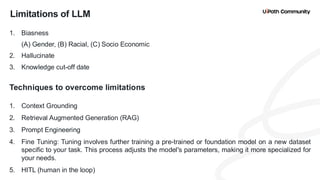
Limitations of LLM
1. Biasness
(A) Gender, (B) Racial, (C) Socio Economic
2. Hallucinate
3. Knowledge cut-off date
Techniques to overcome limitations
1. Context Grounding
2. Retrieval Augmented Generation (RAG)
3. Prompt Engineering
4. Fine Tuning: Tuning involves further training a pre-trained or foundation model on a new dataset
specific to your task. This process adjusts the model's parameters, making it more specialized for
your needs.
5. HITL (human in the loop)
15
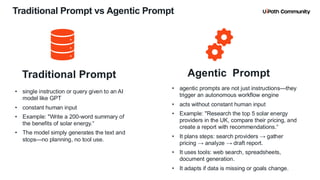
Traditional Prompt vs Agentic Prompt
Traditional Prompt
• single instruction or query given to an AI
model like GPT
• constant human input
• Example: "Write a 200-word summary of
the benefits of solar energy.“
• The model simply generates the text and
stops—no planning, no tool use.
Agentic Prompt
• agentic prompts are not just instructions—they
trigger an autonomous workflow engine
• acts without constant human input
• Example: "Research the top 5 solar energy
providers in the UK, compare their pricing, and
create a report with recommendations.“
• It plans steps: search providers → gather
pricing → analyze → draft report.
• It uses tools: web search, spreadsheets,
document generation.
• It adapts if data is missing or goals change.
16
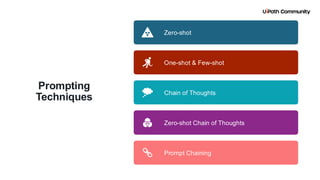
Prompting
Techniques
Zero-shot
One-shot & Few-shot
Chain of Thoughts
Zero-shot Chain of Thoughts
Prompt Chaining
17
Zero-shot (no examples provided to the model)
System message:
You are a precise enterprise email triage assistant.
Return only a single label from: ["Billing", "Technical",
"Sales"].
If uncertain, return "Technical".
User message (dynamic from email body):
Email:
{{email_body}}
Task: Classify the email into one label from the list
above.
Output JSON: {"label":"<one_of_the_labels>"}
Scenario: Route incoming emails to the right queue (Billing, Technical Support, Sales) without examples.
Activity: Create Text with Azure OpenAI
18
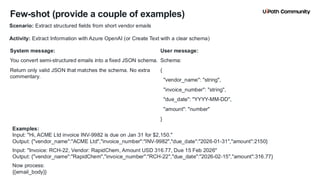
Few-shot (provide a couple of examples)
System message:
You convert semi-structured emails into a fixed JSON schema.
Return only valid JSON that matches the schema. No extra
commentary.
User message:
Schema:
{
"vendor_name": "string",
"invoice_number": "string",
"due_date": "YYYY-MM-DD",
"amount": "number"
}
Scenario: Extract structured fields from short vendor emails
Activity: Extract Information with Azure OpenAI (or Create Text with a clear schema)
Examples:
Input: "Hi, ACME Ltd invoice INV-9982 is due on Jan 31 for $2,150."
Output: {"vendor_name":"ACME Ltd","invoice_number":"INV-9982","due_date":"2026-01-31","amount":2150}
Input: "Invoice: RCH-22, Vendor: RapidChem, Amount USD 316.77, Due 15 Feb 2026"
Output: {"vendor_name":"RapidChem","invoice_number":"RCH-22","due_date":"2026-02-15","amount":316.77}
Now process:
{{email_body}}
19
“Chain-of-Thought” (safe style)
System message:
You diagnose RPA job failures.
Provide:
1) a short, numbered summary of key factors (max 4 bullets),
2) a final root-cause hypothesis (1–2 lines),
3) 2–3 actionable next steps.
Avoid exposing internal deliberations; keep outputs concise
and user-ready.
User message:
User message:
Logs:
{{log_excerpt}}
Context:
Process = Order Creation; ERP = SAP ECC; Bot runs on Win
2019
Deliverable format:
- Key factors: [1..4 bullets]
- Root-cause hypothesis: <1–2 lines>
- Next steps: [2..3 bullets]"
}
Scenario: Extract structured fields from short vendor emails
Activity: Extract Information with Azure OpenAI (or Create Text with a clear schema)
20
Zero-shot CoT (without revealing internals)
System message:
You prioritize support tickets.
Return a priority and 2 brief justifications (one line each).
Do not include hidden reasoning traces.
User message:
Ticket:
{{ticket_text}}
Output JSON schema:
{"priority":"High|Medium|Low","justifications":["...","..."]}
Scenario: Prioritize tickets by urgency.
21
Prompt Chaining (multi-step orchestration)
[Input Email]
|
v
[Prompt 1: Classify Email]
|
v
(Switch by Label)
|
Billing Path -------------------------
|
v
[Prompt 2: Extract Invoice Data]
|
v
[Prompt 3: Draft Reply]
|
v
[Prompt 4: Verify / Score Reply]
|
v
[Prompt 5: Correct Reply (if needed)]
|
v
[Send Email]
22
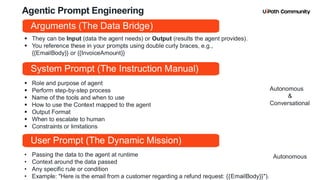
Agentic Prompt Engineering
▪ Role and purpose of agent
▪ Perform step-by-step process
▪ Name of the tools and when to use
▪ How to use the Context mapped to the agent
▪ Output Format
▪ When to escalate to human
▪ Constraints or limitations
System Prompt (The Instruction Manual)
• Passing the data to the agent at runtime
• Context around the data passed
• Any specific rule or condition
• Example: "Here is the email from a customer regarding a refund request: {{EmailBody}}").
User Prompt (The Dynamic Mission)
Autonomous
&
Conversational
Autonomous
▪ They can be Input (data the agent needs) or Output (results the agent provides).
▪ You reference these in your prompts using double curly braces, e.g.,
{{EmailBody}} or {{InvoiceAmount}}
Arguments (The Data Bridge)
23
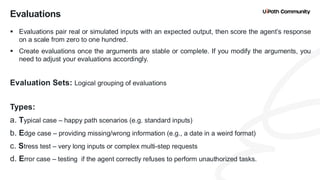
▪ Evaluations pair real or simulated inputs with an expected output, then score the agent’s response
on a scale from zero to one hundred.
▪ Create evaluations once the arguments are stable or complete. If you modify the arguments, you
need to adjust your evaluations accordingly.
Evaluation Sets: Logical grouping of evaluations
Types:
a. Typical case – happy path scenarios (e.g. standard inputs)
b. Edge case – providing missing/wrong information (e.g., a date in a weird format)
c. Stress test – very long inputs or complex multi-step requests
d. Error case – testing if the agent correctly refuses to perform unauthorized tasks.
Evaluations
24
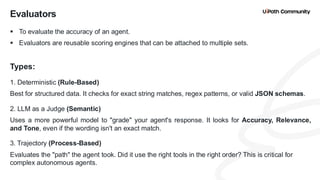
▪ To evaluate the accuracy of an agent.
▪ Evaluators are reusable scoring engines that can be attached to multiple sets.
Types:
1. Deterministic (Rule-Based)
Best for structured data. It checks for exact string matches, regex patterns, or valid JSON schemas.
2. LLM as a Judge (Semantic)
Uses a more powerful model to "grade" your agent's response. It looks for Accuracy, Relevance,
and Tone, even if the wording isn't an exact match.
3. Trajectory (Process-Based)
Evaluates the "path" the agent took. Did it use the right tools in the right order? This is critical for
complex autonomous agents.
Evaluators
25
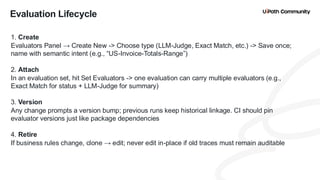
Evaluation Lifecycle
1. Create
Evaluators Panel → Create New -> Choose type (LLM-Judge, Exact Match, etc.) -> Save once;
name with semantic intent (e.g., “US-Invoice-Totals-Range”)
2. Attach
In an evaluation set, hit Set Evaluators -> one evaluation can carry multiple evaluators (e.g.,
Exact Match for status + LLM-Judge for summary)
3. Version
Any change prompts a version bump; previous runs keep historical linkage. CI should pin
evaluator versions just like package dependencies
4. Retire
If business rules change, clone → edit; never edit in-place if old traces must remain auditable
26
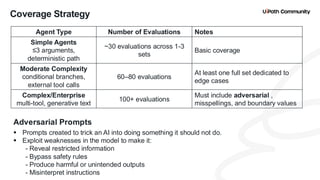
Coverage Strategy
Agent Type Number of Evaluations Notes
Simple Agents
≤3 arguments,
deterministic path
~30 evaluations across 1-3
sets
Basic coverage
Moderate Complexity
conditional branches,
external tool calls
60–80 evaluations
At least one full set dedicated to
edge cases
Complex/Enterprise
multi-tool, generative text
100+ evaluations
Must include adversarial ,
misspellings, and boundary values
Adversarial Prompts
▪ Prompts created to trick an AI into doing something it should not do.
▪ Exploit weaknesses in the model to make it:
- Reveal restricted information
- Bypass safety rules
- Produce harmful or unintended outputs
- Misinterpret instructions
27
Prompt Optimization & Agent Health Score
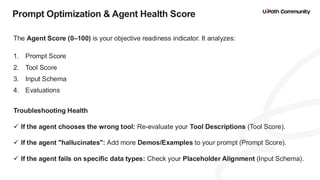
The Agent Score (0–100) is your objective readiness indicator. It analyzes:
1. Prompt Score
2. Tool Score
3. Input Schema
4. Evaluations
Troubleshooting Health
✓ If the agent chooses the wrong tool: Re-evaluate your Tool Descriptions (Tool Score).
✓ If the agent "hallucinates": Add more Demos/Examples to your prompt (Prompt Score).
✓ If the agent fails on specific data types: Check your Placeholder Alignment (Input Schema).
28
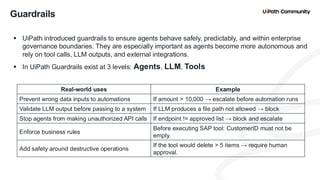
Guardrails
▪ UiPath introduced guardrails to ensure agents behave safely, predictably, and within enterprise
governance boundaries. They are especially important as agents become more autonomous and
rely on tool calls, LLM outputs, and external integrations.
▪ In UiPath Guardrails exist at 3 levels: Agents, LLM, Tools
Real-world uses Example
Prevent wrong data inputs to automations If amount > 10,000 → escalate before automation runs
Validate LLM output before passing to a system If LLM produces a file path not allowed → block
Stop agents from making unauthorized API calls If endpoint != approved list → block and escalate
Enforce business rules
Before executing SAP tool: CustomerID must not be
empty.
Add safety around destructive operations
If the tool would delete > 5 items → require human
approval.
29
Maestro: Agentic Process Automation
Maestro is the orchestration engine that manages the "handshake" between different human, agents and
automation workflows.
To manage an agentic process, Maestro follows 4 steps:
M — Model: Design the process using BPMN (Business Process Model and Notation).
I — Implement: Connect your Agents, RPA Robots, and Human tasks (Action Center) to the model.
M — Monitor: Track the live execution. Is the agent stuck? Is the human responding?
O — Optimize: Use process insights to refine the logic or swap out tools for better performance.
Why this is a "Must-Know"
✓ BPMN Mastery: It’s not just about AI; it’s about business logic.
✓ Human-in-the-Loop: Maestro is the primary place where Escalations are managed at a process level.
✓ End-to-End View: It proves you can build a solution that works across the entire organization, not just in a
single chat window.
30
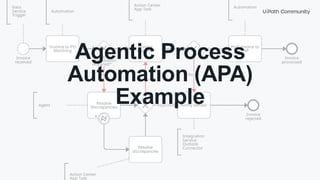
Agentic Process
Automation (APA)
Example
31
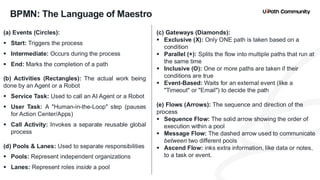
BPMN: The Language of Maestro
(a) Events (Circles):
▪ Start: Triggers the process
▪ Intermediate: Occurs during the process
▪ End: Marks the completion of a path
(b) Activities (Rectangles): The actual work being
done by an Agent or a Robot
▪ Service Task: Used to call an AI Agent or a Robot
▪ User Task: A "Human-in-the-Loop" step (pauses
for Action Center/Apps)
▪ Call Activity: Invokes a separate reusable global
process
(d) Pools & Lanes: Used to separate responsibilities
▪ Pools: Represent independent organizations
▪ Lanes: Represent roles inside a pool
(c) Gateways (Diamonds):
▪ Exclusive (X): Only ONE path is taken based on a
condition
▪ Parallel (+): Splits the flow into multiple paths that run at
the same time
▪ Inclusive (O): One or more paths are taken if their
conditions are true
▪ Event-Based: Waits for an external event (like a
"Timeout" or "Email") to decide the path
(e) Flows (Arrows): The sequence and direction of the
process
▪ Sequence Flow: The solid arrow showing the order of
execution within a pool
▪ Message Flow: The dashed arrow used to communicate
between two different pools
▪ Ascend Flow: inks extra information, like data or notes,
to a task or event.
32
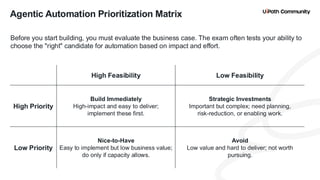
Agentic Automation Prioritization Matrix
Before you start building, you must evaluate the business case. The exam often tests your ability to
choose the "right" candidate for automation based on impact and effort.
High Feasibility Low Feasibility
High Priority
Build Immediately
High-impact and easy to deliver;
implement these first.
Strategic Investments
Important but complex; need planning,
risk-reduction, or enabling work.
Low Priority
Nice-to-Have
Easy to implement but low business value;
do only if capacity allows.
Avoid
Low value and hard to deliver; not worth
pursuing.
33
Training Modules to Emphasize for the Certification Exam
Topic Description Link
Agentic Prompt
Engineering
Explain how LLMs work, key factors to
select LLM, Prompting techniques
https://academy.uipath.com/courses/agentic-prompt-
engineering?lo_cId=1dnHSskofmInUUvX56PbHq
Autopilot
Build a conversational Agent (UiPath HR
Assistant agent, example with steps)
https://academy.uipath.com/learning-plans/agentic-
automation-developer-associate-
training?lo_cId=2MH3MWCd6y8z3nUz6A2dvt
UiPath Studio
Web
Build your first agent (Activity Search
Agent & Appointment Scheduler Agent,
example with steps)
https://academy.uipath.com/learning-plans/agentic-
automation-developer-associate-
training?lo_cId=2MH3MWCd6y8z3nUz6A2dvt
UiPath Agent
Builder
Types of UiPath Agent, UiPath Coded
Agents, Core Components, Evaluators
https://academy.uipath.com/courses/uipath-agent-
builder-april-25-technical-overview-for-
partners?lo_cId=6FAu1OmpAKSyRd7N2VQPFc
Configure
Evaluations for
Agents
Evaluation Sets, Evaluations
https://academy.uipath.com/learning-plans/agentic-
automation-developer-associate-
training?lo_cId=5Pjlizp0TKXEwk4MZD7Cdi
UiPath Maestro
Agentic Process Exercise - Accounts
Payable process
https://academy.uipath.com/courses/process-
implementation-in-uipath-
maestro?lo_cId=3bqpwxAOE1zWuqhT0s6V7x
https://www.linkedin.com/pulse/uipath-agentic-automation-associate-uiaaa-exam-my-key-imran-loon-g62pe/
Blog on Agentic Automation Associate Exam
34
Thank You

Skills to Pass the UiPath Agentic Automation Associate (UiAAA) Certification

  • 1.
    Presented by ImranLoon UiPath Agentic Automation Associate (UiAAA) Certification Prep Session
  • 2.
    Speaker Imran Loon, anAI Solution Architect at Tech Mahindra with over 14 years of experience in designing and delivering Intelligent Automation and Agentic AI solutions for global enterprises. I’ve been working with UiPath platform since 2016 as one of its early adopters. Recognized as a UiPath MVP 2023, UiPath AI Award Winner (Top 5, 2023), and 2× UiPath Hackathon Winner, I specialize in building end-to-end automation ecosystems that drive measurable ROI, enhance operational efficiency, and enable scalable digital transformation. Forum: https://forum.uipath.com/u/imran.loon Medium: https://medium.com/@imranloon123 LinkedIn: https://www.linkedin.com/in/imranloon YouTube: https://www.youtube.com/@BOTFactory
  • 3.
    3 RPA Solution Architect TechMahindra RPA Developer Tech Mahindra Amit Kumar Gousalya S Meet the Team AI Solution Architect Tech Mahindra Imran Loon
  • 4.
    4 Agenda Sr No Topic 1 Welcome& Session Overview • Introduction and session objectives • Why this exam matters 2 Core Concepts • AI Agents vs. Agentic AI vs. Agentic Process Automation • Scenario-based understanding: autonomous vs. conversational agents 3 LLM Fundamentals • How LLMs work • Model selection strategy • Practical demo: choosing and configuring models in UiPath Agent Builder 4 Agentic Prompt Engineering • Standard vs. Agentic prompts • Agentic prompt techniques 5 Agent Architecture & Core Components • Types of agents • Core components of Agents • Practical demo: building and configuring agents in Studio Web
  • 5.
    5 Agenda (continued) Sr NoTopic 6 Context Grounding & Indexes (RAG) • Retrieval Augmented Generation (RAG) and why context matters • Indexing strategies • Storage buckets vs. connectors 7 Evaluations & Agent Health • Evaluation sets • Evaluators: Deterministic, LLM-as-judge, Trajectory • Coverage strategy: how many evaluations for simple, moderate, complex agents • Interpreting agent health scores and optimizing prompts 8 UiPath Maestro & BPMN Essentials • What is Maestro? • Maestro Lifecycle • BPMN notations • Practical demo: building a simple agentic process blueprint in Maestro 9 Training Modules & Practical Exam Prep Tips • Quick review of the most important UiPath Academy modules and links
  • 6.
    6 Agenda (continued) Sr NoTopic 10 Resources & Next Steps • Cheat sheets, quick reference docs, and study plan • Where to find session recording, notes, and community support 11 Q&A • Open floor for participant questions
  • 7.
    7 Machine Learning Deep Learning GenAI Foundation Model Understanding the Hierarchy Artificial Intelligence Machine Learning Deep Learning Foundation Model LLM Gen AI Vision Model Diffusion Model Audio/Text Model Multimodal Model Large Language Model Audio/Text Model Multimodal Model Diffusion Model Vision Model Agentic AI Artificial Intelligence
  • 8.
    8 Understanding the keydifference ❑ RPA Bots • Rule-based automation • Perform tasks such as extracting data from Excel, entering information into SAP, or integrating with applications ❑ AI Agents • Plan, Think, Act, Learn and Adapt • Goal based • Conversational or Autonomous ❑ Agentic AI • Reason, Decide, Act, Learn and Adapt • Completely Autonomous • Multiple agents working together for multi-step or complex tasks • Collaboration between human & AI agents Agents do not replace bots; instead, they orchestrate and direct bots to perform actions, making the overall automation intel ligent & adaptable. Perception - Read Acting - Act Reasoning - Think Three Stage Agentic Loop
  • 9.
    9 1. UiPath SystemAgents (build in UiPath, hosted in UiPath) Built-in, platform-managed tools like Autopilot and the Healing Agent. These are "out-of-the-box" and designed to improve the overall platform experience. 2. UiPath-Built Agents (Low-Code - build in UiPath, hosted in UiPath) Created using the Agent Designer in Studio Web. These are high-speed, low-code agents that integrate natively with Orchestrator and Integration Service. 3. UiPath Coded Agents (BYOM / HYOM - build outside UiPath, hosted in UiPath)) Built by developers using UiPath SDKs (e.g., Python) in their preferred IDE. They are packaged as .nupkg files and run on Serverless Cloud Robots, offering maximum flexibility for complex logic. 4. External Agents (build outside UiPath, hosted outside UiPath) Agents built on third-party frameworks (like LangChain or AutoGPT) that are "brought" into the UiPath ecosystem to be orchestrated via Maestro. Types of Agents in the UiPath Ecosystem
  • 10.
    10 Lifecycle of anAgent Discover Improve Build Deploy Evaluate
  • 11.
    11 Core Components ofan Agent Prompts (The "Brain" & "Mission") Context (The "Memory") Escalation (The "Safety Net") Tools (The "Hands")
  • 12.
    12 LLM Fundamentals Large LanguageModels don't read text like humans; they process mathematical patterns. Here is the step-by-step journey of a prompt: ❑ Tokenization (The "Reading" Step): Breaks your input into small pieces (tokens). It can be a character, word or group of words. ❑ Embedding (The "Meaning" Step): Converts tokens into numbers (vectors) that capture meaning and context. ❑ Prediction (The "Thinking" Step): Using probability to predict the most likely next token (word) based on the context. LLMs aren't "retrieving" facts; they are performing advanced autocomplete based on billions of patterns.
  • 13.
    13 Model Selection 1. Accuracy(Quality of logic & truthfulness) 2. Speed (Latency/Time-to-first-token) 3. Creativity (Style, tone, and variance) 4. Cost (Price per 1M tokens) 5. Context Window (Memory: how much history can it "hold" at once?) 6. Deployment (Privacy, residency, and security) Embedding simplified: An embedding is like a GPS coordinate for concepts. Just as every location on Earth can be described by latitude and longitude coordinates, every piece of text can be represented by coordinates in a multidimensional space where similar concepts are located near each other. Vector database simplified: Vector database is a matrix which stores the Query, Key (Context/Meaning) & Value A vector database is like a traditional database, but instead of storing text directly, it stores numeric representations (vectors) that capture meaning and relationships. This allows for “semantic search” i.e., finding information based on meaning rather than exact word matches.
  • 14.
    14 Limitations of LLM 1.Biasness (A) Gender, (B) Racial, (C) Socio Economic 2. Hallucinate 3. Knowledge cut-off date Techniques to overcome limitations 1. Context Grounding 2. Retrieval Augmented Generation (RAG) 3. Prompt Engineering 4. Fine Tuning: Tuning involves further training a pre-trained or foundation model on a new dataset specific to your task. This process adjusts the model's parameters, making it more specialized for your needs. 5. HITL (human in the loop)
  • 15.
    15 Traditional Prompt vsAgentic Prompt Traditional Prompt • single instruction or query given to an AI model like GPT • constant human input • Example: "Write a 200-word summary of the benefits of solar energy.“ • The model simply generates the text and stops—no planning, no tool use. Agentic Prompt • agentic prompts are not just instructions—they trigger an autonomous workflow engine • acts without constant human input • Example: "Research the top 5 solar energy providers in the UK, compare their pricing, and create a report with recommendations.“ • It plans steps: search providers → gather pricing → analyze → draft report. • It uses tools: web search, spreadsheets, document generation. • It adapts if data is missing or goals change.
  • 16.
    16 Prompting Techniques Zero-shot One-shot & Few-shot Chainof Thoughts Zero-shot Chain of Thoughts Prompt Chaining
  • 17.
    17 Zero-shot (no examplesprovided to the model) System message: You are a precise enterprise email triage assistant. Return only a single label from: ["Billing", "Technical", "Sales"]. If uncertain, return "Technical". User message (dynamic from email body): Email: {{email_body}} Task: Classify the email into one label from the list above. Output JSON: {"label":"<one_of_the_labels>"} Scenario: Route incoming emails to the right queue (Billing, Technical Support, Sales) without examples. Activity: Create Text with Azure OpenAI
  • 18.
    18 Few-shot (provide acouple of examples) System message: You convert semi-structured emails into a fixed JSON schema. Return only valid JSON that matches the schema. No extra commentary. User message: Schema: { "vendor_name": "string", "invoice_number": "string", "due_date": "YYYY-MM-DD", "amount": "number" } Scenario: Extract structured fields from short vendor emails Activity: Extract Information with Azure OpenAI (or Create Text with a clear schema) Examples: Input: "Hi, ACME Ltd invoice INV-9982 is due on Jan 31 for $2,150." Output: {"vendor_name":"ACME Ltd","invoice_number":"INV-9982","due_date":"2026-01-31","amount":2150} Input: "Invoice: RCH-22, Vendor: RapidChem, Amount USD 316.77, Due 15 Feb 2026" Output: {"vendor_name":"RapidChem","invoice_number":"RCH-22","due_date":"2026-02-15","amount":316.77} Now process: {{email_body}}
  • 19.
    19 “Chain-of-Thought” (safe style) Systemmessage: You diagnose RPA job failures. Provide: 1) a short, numbered summary of key factors (max 4 bullets), 2) a final root-cause hypothesis (1–2 lines), 3) 2–3 actionable next steps. Avoid exposing internal deliberations; keep outputs concise and user-ready. User message: User message: Logs: {{log_excerpt}} Context: Process = Order Creation; ERP = SAP ECC; Bot runs on Win 2019 Deliverable format: - Key factors: [1..4 bullets] - Root-cause hypothesis: <1–2 lines> - Next steps: [2..3 bullets]" } Scenario: Extract structured fields from short vendor emails Activity: Extract Information with Azure OpenAI (or Create Text with a clear schema)
  • 20.
    20 Zero-shot CoT (withoutrevealing internals) System message: You prioritize support tickets. Return a priority and 2 brief justifications (one line each). Do not include hidden reasoning traces. User message: Ticket: {{ticket_text}} Output JSON schema: {"priority":"High|Medium|Low","justifications":["...","..."]} Scenario: Prioritize tickets by urgency.
  • 21.
    21 Prompt Chaining (multi-steporchestration) [Input Email] | v [Prompt 1: Classify Email] | v (Switch by Label) | Billing Path ------------------------- | v [Prompt 2: Extract Invoice Data] | v [Prompt 3: Draft Reply] | v [Prompt 4: Verify / Score Reply] | v [Prompt 5: Correct Reply (if needed)] | v [Send Email]
  • 22.
    22 Agentic Prompt Engineering ▪Role and purpose of agent ▪ Perform step-by-step process ▪ Name of the tools and when to use ▪ How to use the Context mapped to the agent ▪ Output Format ▪ When to escalate to human ▪ Constraints or limitations System Prompt (The Instruction Manual) • Passing the data to the agent at runtime • Context around the data passed • Any specific rule or condition • Example: "Here is the email from a customer regarding a refund request: {{EmailBody}}"). User Prompt (The Dynamic Mission) Autonomous & Conversational Autonomous ▪ They can be Input (data the agent needs) or Output (results the agent provides). ▪ You reference these in your prompts using double curly braces, e.g., {{EmailBody}} or {{InvoiceAmount}} Arguments (The Data Bridge)
  • 23.
    23 ▪ Evaluations pairreal or simulated inputs with an expected output, then score the agent’s response on a scale from zero to one hundred. ▪ Create evaluations once the arguments are stable or complete. If you modify the arguments, you need to adjust your evaluations accordingly. Evaluation Sets: Logical grouping of evaluations Types: a. Typical case – happy path scenarios (e.g. standard inputs) b. Edge case – providing missing/wrong information (e.g., a date in a weird format) c. Stress test – very long inputs or complex multi-step requests d. Error case – testing if the agent correctly refuses to perform unauthorized tasks. Evaluations
  • 24.
    24 ▪ To evaluatethe accuracy of an agent. ▪ Evaluators are reusable scoring engines that can be attached to multiple sets. Types: 1. Deterministic (Rule-Based) Best for structured data. It checks for exact string matches, regex patterns, or valid JSON schemas. 2. LLM as a Judge (Semantic) Uses a more powerful model to "grade" your agent's response. It looks for Accuracy, Relevance, and Tone, even if the wording isn't an exact match. 3. Trajectory (Process-Based) Evaluates the "path" the agent took. Did it use the right tools in the right order? This is critical for complex autonomous agents. Evaluators
  • 25.
    25 Evaluation Lifecycle 1. Create EvaluatorsPanel → Create New -> Choose type (LLM-Judge, Exact Match, etc.) -> Save once; name with semantic intent (e.g., “US-Invoice-Totals-Range”) 2. Attach In an evaluation set, hit Set Evaluators -> one evaluation can carry multiple evaluators (e.g., Exact Match for status + LLM-Judge for summary) 3. Version Any change prompts a version bump; previous runs keep historical linkage. CI should pin evaluator versions just like package dependencies 4. Retire If business rules change, clone → edit; never edit in-place if old traces must remain auditable
  • 26.
    26 Coverage Strategy Agent TypeNumber of Evaluations Notes Simple Agents ≤3 arguments, deterministic path ~30 evaluations across 1-3 sets Basic coverage Moderate Complexity conditional branches, external tool calls 60–80 evaluations At least one full set dedicated to edge cases Complex/Enterprise multi-tool, generative text 100+ evaluations Must include adversarial , misspellings, and boundary values Adversarial Prompts ▪ Prompts created to trick an AI into doing something it should not do. ▪ Exploit weaknesses in the model to make it: - Reveal restricted information - Bypass safety rules - Produce harmful or unintended outputs - Misinterpret instructions
  • 27.
    27 Prompt Optimization &Agent Health Score The Agent Score (0–100) is your objective readiness indicator. It analyzes: 1. Prompt Score 2. Tool Score 3. Input Schema 4. Evaluations Troubleshooting Health ✓ If the agent chooses the wrong tool: Re-evaluate your Tool Descriptions (Tool Score). ✓ If the agent "hallucinates": Add more Demos/Examples to your prompt (Prompt Score). ✓ If the agent fails on specific data types: Check your Placeholder Alignment (Input Schema).
  • 28.
    28 Guardrails ▪ UiPath introducedguardrails to ensure agents behave safely, predictably, and within enterprise governance boundaries. They are especially important as agents become more autonomous and rely on tool calls, LLM outputs, and external integrations. ▪ In UiPath Guardrails exist at 3 levels: Agents, LLM, Tools Real-world uses Example Prevent wrong data inputs to automations If amount > 10,000 → escalate before automation runs Validate LLM output before passing to a system If LLM produces a file path not allowed → block Stop agents from making unauthorized API calls If endpoint != approved list → block and escalate Enforce business rules Before executing SAP tool: CustomerID must not be empty. Add safety around destructive operations If the tool would delete > 5 items → require human approval.
  • 29.
    29 Maestro: Agentic ProcessAutomation Maestro is the orchestration engine that manages the "handshake" between different human, agents and automation workflows. To manage an agentic process, Maestro follows 4 steps: M — Model: Design the process using BPMN (Business Process Model and Notation). I — Implement: Connect your Agents, RPA Robots, and Human tasks (Action Center) to the model. M — Monitor: Track the live execution. Is the agent stuck? Is the human responding? O — Optimize: Use process insights to refine the logic or swap out tools for better performance. Why this is a "Must-Know" ✓ BPMN Mastery: It’s not just about AI; it’s about business logic. ✓ Human-in-the-Loop: Maestro is the primary place where Escalations are managed at a process level. ✓ End-to-End View: It proves you can build a solution that works across the entire organization, not just in a single chat window.
  • 30.
  • 31.
    31 BPMN: The Languageof Maestro (a) Events (Circles): ▪ Start: Triggers the process ▪ Intermediate: Occurs during the process ▪ End: Marks the completion of a path (b) Activities (Rectangles): The actual work being done by an Agent or a Robot ▪ Service Task: Used to call an AI Agent or a Robot ▪ User Task: A "Human-in-the-Loop" step (pauses for Action Center/Apps) ▪ Call Activity: Invokes a separate reusable global process (d) Pools & Lanes: Used to separate responsibilities ▪ Pools: Represent independent organizations ▪ Lanes: Represent roles inside a pool (c) Gateways (Diamonds): ▪ Exclusive (X): Only ONE path is taken based on a condition ▪ Parallel (+): Splits the flow into multiple paths that run at the same time ▪ Inclusive (O): One or more paths are taken if their conditions are true ▪ Event-Based: Waits for an external event (like a "Timeout" or "Email") to decide the path (e) Flows (Arrows): The sequence and direction of the process ▪ Sequence Flow: The solid arrow showing the order of execution within a pool ▪ Message Flow: The dashed arrow used to communicate between two different pools ▪ Ascend Flow: inks extra information, like data or notes, to a task or event.
  • 32.
    32 Agentic Automation PrioritizationMatrix Before you start building, you must evaluate the business case. The exam often tests your ability to choose the "right" candidate for automation based on impact and effort. High Feasibility Low Feasibility High Priority Build Immediately High-impact and easy to deliver; implement these first. Strategic Investments Important but complex; need planning, risk-reduction, or enabling work. Low Priority Nice-to-Have Easy to implement but low business value; do only if capacity allows. Avoid Low value and hard to deliver; not worth pursuing.
  • 33.
    33 Training Modules toEmphasize for the Certification Exam Topic Description Link Agentic Prompt Engineering Explain how LLMs work, key factors to select LLM, Prompting techniques https://academy.uipath.com/courses/agentic-prompt- engineering?lo_cId=1dnHSskofmInUUvX56PbHq Autopilot Build a conversational Agent (UiPath HR Assistant agent, example with steps) https://academy.uipath.com/learning-plans/agentic- automation-developer-associate- training?lo_cId=2MH3MWCd6y8z3nUz6A2dvt UiPath Studio Web Build your first agent (Activity Search Agent & Appointment Scheduler Agent, example with steps) https://academy.uipath.com/learning-plans/agentic- automation-developer-associate- training?lo_cId=2MH3MWCd6y8z3nUz6A2dvt UiPath Agent Builder Types of UiPath Agent, UiPath Coded Agents, Core Components, Evaluators https://academy.uipath.com/courses/uipath-agent- builder-april-25-technical-overview-for- partners?lo_cId=6FAu1OmpAKSyRd7N2VQPFc Configure Evaluations for Agents Evaluation Sets, Evaluations https://academy.uipath.com/learning-plans/agentic- automation-developer-associate- training?lo_cId=5Pjlizp0TKXEwk4MZD7Cdi UiPath Maestro Agentic Process Exercise - Accounts Payable process https://academy.uipath.com/courses/process- implementation-in-uipath- maestro?lo_cId=3bqpwxAOE1zWuqhT0s6V7x https://www.linkedin.com/pulse/uipath-agentic-automation-associate-uiaaa-exam-my-key-imran-loon-g62pe/ Blog on Agentic Automation Associate Exam
  • 34.