C graphics tutorial
http://www.programmingsimplified.com/
• graphics programming for developing your own games, in making
projects, for animation etc.
• C graphics programs
– C graphics functions
– draw shapes
– Moving car
– Smiling face animation
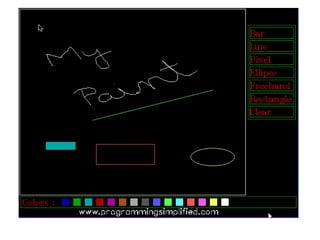
– Paint program in c
– Press me button game
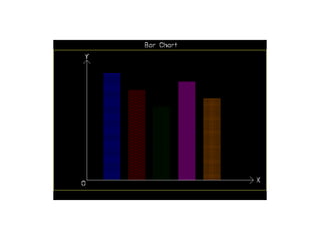
– bar chart
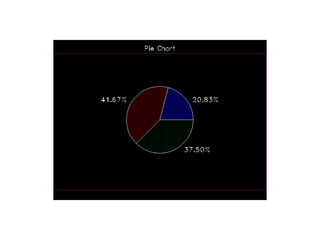
– pie chart
– 3d bar chart
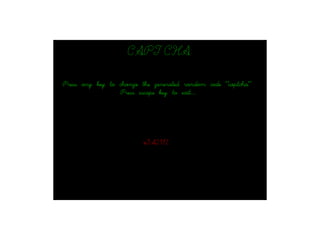
– captcha
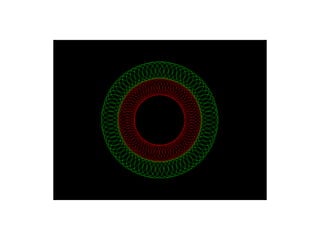
– Circles in circles
– Countdown
– Web browser program
– Traffic Light Simulation
– Mouse pointer restricted in circle
– Captcha program
•
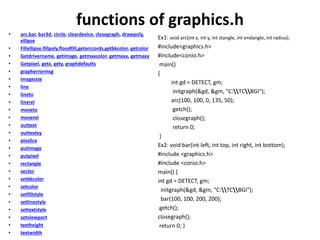
functions of graphics.h
• arc,bar, bar3d, circle, cleardevice, closegraph, drawpoly,
ellipse
• Fillellipse,fillpoly,floodfill,getarccords,getbkcolor, getcolor
• Getdrivername, getimage, getmaxcolor, getmaxx, getmaxy
• Getpixel, getx, gety, graphdefaults
• grapherrormsg
• imagesize
• line
• lineto
• linerel
• moveto
• moverel
• outtext
• outtextxy
• pieslice
• putimage
• putpixel
• rectangle
• sector
• setbkcolor
• setcolor
• setfillstyle
• setlinestyle
• settextstyle
• setviewport
• textheight
• textwidth
Ex1: void arc(int x, int y, int stangle, int endangle, int radius);
#include<graphics.h>
#include<conio.h>
main()
{
int gd = DETECT, gm;
initgraph(&gd, &gm, "C:TCBGI");
arc(100, 100, 0, 135, 50);
getch();
closegraph();
return 0;
}
Ex2: void bar(int left, int top, int right, int bottom);
#include <graphics.h>
#include <conio.h>
main() {
int gd = DETECT, gm;
initgraph(&gd, &gm, "C:TCBGI");
bar(100, 100, 200, 200);
getch();
closegraph();
return 0; }
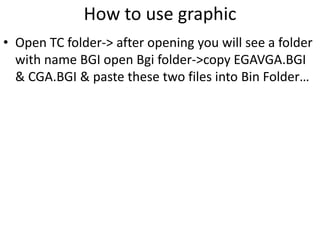
• Open TC folder-> after opening you will see a folder
with name BGI open Bgi folder->copy EGAVGA.BGI
& CGA.BGI & paste these two files into Bin Folder…
How to use graphic
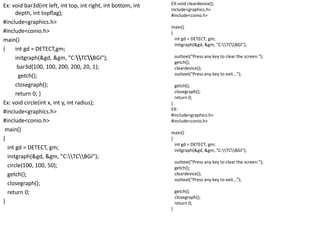
Ex: void bar3d(int left, int top, int right, int bottom, int
depth, int topflag);
#include<graphics.h>
#include<conio.h>
main()
{ int gd = DETECT,gm;
initgraph(&gd, &gm, "C:TCBGI");
bar3d(100, 100, 200, 200, 20, 1);
getch();
closegraph();
return 0; }
Ex: void circle(int x, int y, int radius);
#include<graphics.h>
#include<conio.h>
main()
{
int gd = DETECT, gm;
initgraph(&gd, &gm, "C:TCBGI");
circle(100, 100, 50);
getch();
closegraph();
return 0;
}
EX:void cleardevice();
include<graphics.h>
#include<conio.h>
main()
{
int gd = DETECT, gm;
initgraph(&gd, &gm, "C:TCBGI");
outtext("Press any key to clear the screen.");
getch();
cleardevice();
outtext("Press any key to exit...");
getch();
closegraph();
return 0;
}
EX:
#include<graphics.h>
#include<conio.h>
main()
{
int gd = DETECT, gm;
initgraph(&gd, &gm, "C:TCBGI");
outtext("Press any key to clear the screen.");
getch();
cleardevice();
outtext("Press any key to exit...");
getch();
closegraph();
return 0;
}
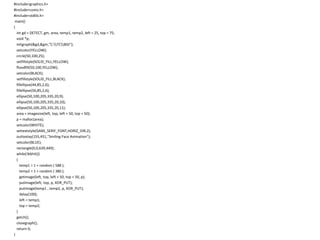
#include<graphics.h>
#include<conio.h>
#include<stdlib.h>
main()
{
int gd = DETECT, gm, area, temp1, temp2, left = 25, top = 75;
void *p;
initgraph(&gd,&gm,"C:TCBGI");
setcolor(YELLOW);
circle(50,100,25);
setfillstyle(SOLID_FILL,YELLOW);
floodfill(50,100,YELLOW);
setcolor(BLACK);
setfillstyle(SOLID_FILL,BLACK);
fillellipse(44,85,2,6);
fillellipse(56,85,2,6);
ellipse(50,100,205,335,20,9);
ellipse(50,100,205,335,20,10);
ellipse(50,100,205,335,20,11);
area = imagesize(left, top, left + 50, top + 50);
p = malloc(area);
setcolor(WHITE);
settextstyle(SANS_SERIF_FONT,HORIZ_DIR,2);
outtextxy(155,451,"Smiling Face Animation");
setcolor(BLUE);
rectangle(0,0,639,449);
while(!kbhit())
{
temp1 = 1 + random ( 588 );
temp2 = 1 + random ( 380 );
getimage(left, top, left + 50, top + 50, p);
putimage(left, top, p, XOR_PUT);
putimage(temp1 , temp2, p, XOR_PUT);
delay(100);
left = temp1;
top = temp2;
}
getch();
closegraph();
return 0;
}
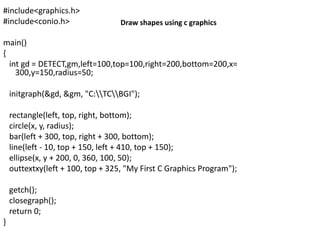
#include<graphics.h>
#include<conio.h>
main()
{
int gd = DETECT,gm,left=100,top=100,right=200,bottom=200,x=
300,y=150,radius=50;
initgraph(&gd, &gm, "C:TCBGI");
rectangle(left, top, right, bottom);
circle(x, y, radius);
bar(left + 300, top, right + 300, bottom);
line(left - 10, top + 150, left + 410, top + 150);
ellipse(x, y + 200, 0, 360, 100, 50);
outtextxy(left + 100, top + 325, "My First C Graphics Program");
getch();
closegraph();
return 0;
}
Draw shapes using c graphics
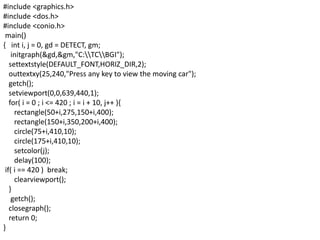
#include <graphics.h>
#include <dos.h>
#include <conio.h>
main()
{ int i, j = 0, gd = DETECT, gm;
initgraph(&gd,&gm,"C:TCBGI");
settextstyle(DEFAULT_FONT,HORIZ_DIR,2);
outtextxy(25,240,"Press any key to view the moving car");
getch();
setviewport(0,0,639,440,1);
for( i = 0 ; i <= 420 ; i = i + 10, j++ ){
rectangle(50+i,275,150+i,400);
rectangle(150+i,350,200+i,400);
circle(75+i,410,10);
circle(175+i,410,10);
setcolor(j);
delay(100);
if( i == 420 ) break;
clearviewport();
}
getch();
closegraph();
return 0;
}
Press me button game in c, download press-me-button game
#include<graphics.h>
#include<dos.h>
#include<conio.h>
main()
{
int gd = DETECT, gm, i;
char a[5];
initgraph( &gd, &gm, "C:TCBGI");
settextjustify( CENTER_TEXT, CENTER_TEXT );
settextstyle(DEFAULT_FONT,HORIZ_DIR,3);
setcolor(RED);
for(i = 30 ; i >=0 ; i--)
{
sprintf(a,"%d",i);
outtextxy(getmaxx()/2, getmaxy()/2, a);
delay(1000);
if ( i == 0 ) break;
cleardevice();
}
getch();
closegraph();
return 0;
}
C program countdown code
web browser project in c, c program to open a website/url
traffic light program in c, traffic light simulation
c program to restrict mouse pointer in a circle

7. chapter vi

  • 1.
  • 2.
    • graphics programmingfor developing your own games, in making projects, for animation etc. • C graphics programs – C graphics functions – draw shapes – Moving car – Smiling face animation – Paint program in c – Press me button game – bar chart – pie chart – 3d bar chart – captcha – Circles in circles – Countdown – Web browser program – Traffic Light Simulation – Mouse pointer restricted in circle – Captcha program •
  • 3.
    functions of graphics.h •arc,bar, bar3d, circle, cleardevice, closegraph, drawpoly, ellipse • Fillellipse,fillpoly,floodfill,getarccords,getbkcolor, getcolor • Getdrivername, getimage, getmaxcolor, getmaxx, getmaxy • Getpixel, getx, gety, graphdefaults • grapherrormsg • imagesize • line • lineto • linerel • moveto • moverel • outtext • outtextxy • pieslice • putimage • putpixel • rectangle • sector • setbkcolor • setcolor • setfillstyle • setlinestyle • settextstyle • setviewport • textheight • textwidth Ex1: void arc(int x, int y, int stangle, int endangle, int radius); #include<graphics.h> #include<conio.h> main() { int gd = DETECT, gm; initgraph(&gd, &gm, "C:TCBGI"); arc(100, 100, 0, 135, 50); getch(); closegraph(); return 0; } Ex2: void bar(int left, int top, int right, int bottom); #include <graphics.h> #include <conio.h> main() { int gd = DETECT, gm; initgraph(&gd, &gm, "C:TCBGI"); bar(100, 100, 200, 200); getch(); closegraph(); return 0; }
  • 4.
    • Open TCfolder-> after opening you will see a folder with name BGI open Bgi folder->copy EGAVGA.BGI & CGA.BGI & paste these two files into Bin Folder… How to use graphic
  • 5.
    Ex: void bar3d(intleft, int top, int right, int bottom, int depth, int topflag); #include<graphics.h> #include<conio.h> main() { int gd = DETECT,gm; initgraph(&gd, &gm, "C:TCBGI"); bar3d(100, 100, 200, 200, 20, 1); getch(); closegraph(); return 0; } Ex: void circle(int x, int y, int radius); #include<graphics.h> #include<conio.h> main() { int gd = DETECT, gm; initgraph(&gd, &gm, "C:TCBGI"); circle(100, 100, 50); getch(); closegraph(); return 0; } EX:void cleardevice(); include<graphics.h> #include<conio.h> main() { int gd = DETECT, gm; initgraph(&gd, &gm, "C:TCBGI"); outtext("Press any key to clear the screen."); getch(); cleardevice(); outtext("Press any key to exit..."); getch(); closegraph(); return 0; } EX: #include<graphics.h> #include<conio.h> main() { int gd = DETECT, gm; initgraph(&gd, &gm, "C:TCBGI"); outtext("Press any key to clear the screen."); getch(); cleardevice(); outtext("Press any key to exit..."); getch(); closegraph(); return 0; }
  • 6.
    #include<graphics.h> #include<conio.h> #include<stdlib.h> main() { int gd =DETECT, gm, area, temp1, temp2, left = 25, top = 75; void *p; initgraph(&gd,&gm,"C:TCBGI"); setcolor(YELLOW); circle(50,100,25); setfillstyle(SOLID_FILL,YELLOW); floodfill(50,100,YELLOW); setcolor(BLACK); setfillstyle(SOLID_FILL,BLACK); fillellipse(44,85,2,6); fillellipse(56,85,2,6); ellipse(50,100,205,335,20,9); ellipse(50,100,205,335,20,10); ellipse(50,100,205,335,20,11); area = imagesize(left, top, left + 50, top + 50); p = malloc(area); setcolor(WHITE); settextstyle(SANS_SERIF_FONT,HORIZ_DIR,2); outtextxy(155,451,"Smiling Face Animation"); setcolor(BLUE); rectangle(0,0,639,449); while(!kbhit()) { temp1 = 1 + random ( 588 ); temp2 = 1 + random ( 380 ); getimage(left, top, left + 50, top + 50, p); putimage(left, top, p, XOR_PUT); putimage(temp1 , temp2, p, XOR_PUT); delay(100); left = temp1; top = temp2; } getch(); closegraph(); return 0; }
  • 7.
    #include<graphics.h> #include<conio.h> main() { int gd =DETECT,gm,left=100,top=100,right=200,bottom=200,x= 300,y=150,radius=50; initgraph(&gd, &gm, "C:TCBGI"); rectangle(left, top, right, bottom); circle(x, y, radius); bar(left + 300, top, right + 300, bottom); line(left - 10, top + 150, left + 410, top + 150); ellipse(x, y + 200, 0, 360, 100, 50); outtextxy(left + 100, top + 325, "My First C Graphics Program"); getch(); closegraph(); return 0; } Draw shapes using c graphics
  • 8.
    #include <graphics.h> #include <dos.h> #include<conio.h> main() { int i, j = 0, gd = DETECT, gm; initgraph(&gd,&gm,"C:TCBGI"); settextstyle(DEFAULT_FONT,HORIZ_DIR,2); outtextxy(25,240,"Press any key to view the moving car"); getch(); setviewport(0,0,639,440,1); for( i = 0 ; i <= 420 ; i = i + 10, j++ ){ rectangle(50+i,275,150+i,400); rectangle(150+i,350,200+i,400); circle(75+i,410,10); circle(175+i,410,10); setcolor(j); delay(100); if( i == 420 ) break; clearviewport(); } getch(); closegraph(); return 0; }
  • 10.
    Press me buttongame in c, download press-me-button game
  • 15.
    #include<graphics.h> #include<dos.h> #include<conio.h> main() { int gd =DETECT, gm, i; char a[5]; initgraph( &gd, &gm, "C:TCBGI"); settextjustify( CENTER_TEXT, CENTER_TEXT ); settextstyle(DEFAULT_FONT,HORIZ_DIR,3); setcolor(RED); for(i = 30 ; i >=0 ; i--) { sprintf(a,"%d",i); outtextxy(getmaxx()/2, getmaxy()/2, a); delay(1000); if ( i == 0 ) break; cleardevice(); } getch(); closegraph(); return 0; } C program countdown code
  • 16.
    web browser projectin c, c program to open a website/url
  • 17.
    traffic light programin c, traffic light simulation
  • 18.
    c program torestrict mouse pointer in a circle

Editor's Notes

  • #10 #include<graphics.h> #include<dos.h> #include<math.h> #include<stdlib.h> #include<stdio.h> #include<conio.h> union REGS i, o; int leftcolor[15]; int get_key() { union REGS i,o; i.h.ah = 0; int86(22,&i,&o); return ( o.h.ah ); } void draw_color_panel() { int left, top, c, color; left = 100; top = 436; color = getcolor(); setcolor(GREEN); rectangle(4,431,635,457); setcolor(RED); settextstyle(TRIPLEX_FONT,0,2); outtextxy(10,431,"Colors : "); for( c = 1 ; c <= 15 ; c++ ) { setfillstyle(SOLID_FILL, c); bar(left, top, left+16, top+16); leftcolor[c-1] = left; left += 26; } setcolor(color); } void draw_shape_panel() { int left, top, c, color; left = 529; top = 45; color = getcolor(); setcolor(GREEN); rectangle(525,40,633,255); for( c = 1 ; c <= 7 ; c++ ) { rectangle(left, top, left+100, top+25); top += 30; } setcolor(RED); outtextxy(530,45,"Bar"); outtextxy(530,75,"Line"); outtextxy(530,105,"Pixel"); outtextxy(530,135,"Ellipse"); outtextxy(530,165,"Freehand"); outtextxy(530,195,"Rectangle"); outtextxy(530,225,"Clear"); setcolor(color); } void change_color(int x, int y) { int c; for( c = 0 ; c <= 13 ; c++ ) { if( x > leftcolor[c] && x < leftcolor[c+1] && y > 437 && y < 453 ) setcolor(c+1); if( x > leftcolor[14] && x < 505 && y > 437 && y < 453 ) setcolor(WHITE); } } char change_shape(int x, int y) { if ( x > 529 && x < 625 && y > 45 && y < 70 ) return 'b'; else if ( x > 529 && x < 625 && y > 75 && y < 100 ) return 'l'; else if ( x > 529 && x < 625 && y > 105 && y < 130 ) return 'p'; else if ( x > 529 && x < 625 && y > 135 && y < 160 ) return 'e'; else if ( x > 529 && x < 625 && y > 165 && y < 190 ) return 'f'; else if ( x > 529 && x < 625 && y > 195 && y < 220 ) return 'r'; else if ( x > 529 && x < 625 && y > 225 && y < 250 ) return 'c'; } void showmouseptr() { i.x.ax = 1; int86(0x33,&i,&o); } void hidemouseptr() { i.x.ax = 2; int86(0x33,&i,&o); } void restrictmouseptr( int x1, int y1, int x2, int y2) { i.x.ax = 7; i.x.cx = x1; i.x.dx = x2; int86(0x33,&i,&o); i.x.ax = 8; i.x.cx = y1; i.x.dx = y2; int86(0x33,&i,&o); } void getmousepos(int *button,int *x,int *y) { i.x.ax = 3; int86(0x33,&i,&o); *button = o.x.bx; *x = o.x.cx; *y = o.x.dx; } main() { int gd = DETECT,gm; int maxx,maxy,x,y,button,prevx,prevy,temp1,temp2,key,color; char ch = 'f' ; // default free-hand drawing initgraph(&gd,&gm,"C:\\TC\\BGI"); maxx = getmaxx(); maxy = getmaxy(); setcolor(BLUE); rectangle(0,0,maxx,maxy); setcolor(WHITE); settextstyle(SANS_SERIF_FONT,HORIZ_DIR,2); outtextxy(maxx/2-180,maxy-28,"www.programmingsimplified.com"); draw_color_panel(); draw_shape_panel(); setviewport(1,1,maxx-1,maxy-1,1); restrictmouseptr(1,1,maxx-1,maxy-1); showmouseptr(); rectangle(2,2,518,427); setviewport(1,1,519,428,1); while(1) { if(kbhit()) { key = get_key(); if( key == 1 ) { closegraph(); exit(0); } } getmousepos(&button,&x,&y); if( button == 1 ) { if( x > 4 && x < 635 && y > 431 && y < 457 ) change_color( x, y ); else if ( x > 529 && x < 625 && y > 40 && y < 250 ) ch = change_shape( x, y ); temp1 = x ; temp2 = y ; if ( ch == 'f' ) { hidemouseptr(); while( button == 1 ) { line(temp1,temp2,x,y); temp1 = x; temp2 = y; getmousepos(&button,&x,&y); } showmouseptr(); } while( button == 1) getmousepos(&button,&x,&y); /* to avoid interference of mouse while drawing */ hidemouseptr(); if( ch == 'p') putpixel(x,y,getcolor()); else if ( ch == 'b' ) { setfillstyle(SOLID_FILL,getcolor()); bar(temp1,temp2,x,y); } else if ( ch == 'l') line(temp1,temp2,x,y); else if ( ch == 'e') ellipse(temp1,temp2,0,360,abs(x-temp1),abs(y-temp2)); else if ( ch == 'r' ) rectangle(temp1,temp2,x,y); else if ( ch == 'c' ) { ch = 'f'; // setting to freehand drawing clearviewport(); color = getcolor(); setcolor(WHITE); rectangle(2,2,518,427); setcolor(color); } showmouseptr(); } } }
  • #11 #include<stdio.h> #include<conio.h> #include<dos.h> #include<graphics.h> #include<stdlib.h> union REGS i, o; int left = 265, top = 250; void initialize_graphics_mode() { int gd = DETECT, gm, error; initgraph(&gd,&gm,"C:\\TC\\BGI"); error = graphresult(); if( error != grOk ) { perror("Error "); printf("Press any key to exit...\n"); getch(); exit(EXIT_FAILURE); } } void showmouseptr() { i.x.ax = 1; int86(0x33,&i,&o); } void hidemouseptr() { i.x.ax = 2; int86(0x33,&i,&o); } void getmousepos(int *x,int *y) { i.x.ax = 3; int86(0x33,&i,&o); *x = o.x.cx; *y = o.x.dx; } void draw_bar() { hidemouseptr(); setfillstyle(SOLID_FILL,CYAN); bar(190,180,450,350); showmouseptr(); } void draw_button(int x, int y) { hidemouseptr(); setfillstyle(SOLID_FILL,MAGENTA); bar(x,y,x+100,y+30); moveto(x+5,y); setcolor(YELLOW); outtext("Press me"); showmouseptr(); } void draw() { settextstyle(SANS_SERIF_FONT,HORIZ_DIR,2); outtextxy(155,451,"www.programmingsimplified.com"); setcolor(BLUE); rectangle(0,0,639,450); setcolor(RED); outtextxy(160,25,"Try to press the \"Press me\" button"); outtextxy(210,50,"Press escape key to exit"); setfillstyle(XHATCH_FILL,GREEN); setcolor(BLUE); bar(1,1,75,449); bar(565,1,638,449); showmouseptr(); draw_bar(); draw_button(left,top); } void initialize() { initialize_graphics_mode(); if( !initmouse() ) { closegraph(); printf("Unable to initialize the mouse"); printf("Press any key to exit...\n"); getch(); exit(EXIT_SUCCESS); } draw(); } int initmouse() { i.x.ax = 0; int86(0x33,&i,&o); return ( o.x.ax ); } void get_input() { int x, y; while(1) { getmousepos(&x,&y); /* mouse pointer in left of button */ if( x >= (left-3) && y >= (top-3) && y <= (top+30+3) && x < left ) { draw_bar(); left = left + 4; if( left > 350 ) left = 190; draw_button(left,top); } /* mouse pointer in right of button */ else if( x <= (left+100+3) && y >= (top-3) && y <= (top+30+3) && x>(left+100)) { draw_bar(); left = left - 4; if( left < 190 ) left = 350; draw_button(left,top); } /* mouse pointer above button */ else if( x >= (left-3) && y >= (top-3) && y < (top) && x<=(left+100+3)) { draw_bar(); top = top + 4; if( top > 320 ) top = 180; draw_button(left,top); } /* mouse pointer below button */ else if( x >= (left-3) && y > (top+30) && y <= (top+30+3) && x<=(left+100+3)) { draw_bar(); top = top - 4; if( top < 180 ) top = 320; draw_button(left,top); } if(kbhit()) { if( getkey() == 1 ) exit(EXIT_SUCCESS); } } } int getkey() { i.h.ah = 0; int86(22,&i,&o); return( o.h.ah ); } main() { initialize(); get_input(); return 0; }
  • #12 #include<graphics.h> #include<conio.h> main() { int gd = DETECT, gm; initgraph(&gd, &gm, "C:\\TC\\BGI"); setcolor(YELLOW); rectangle(0,30,639,450); settextstyle(SANS_SERIF_FONT,HORIZ_DIR,2); setcolor(WHITE); outtextxy(275,0,"Bar Chart"); setlinestyle(SOLID_LINE,0,2); line(100,420,100,60); line(100,420,600,420); line(90,70,100,60); line(110,70,100,60); line(590,410,600,420); line(590,430,600,420); outtextxy(95,35,"Y"); outtextxy(610,405,"X"); outtextxy(85,415,"O"); setfillstyle(LINE_FILL,BLUE); bar(150,100,200,419); setfillstyle(XHATCH_FILL,RED); bar(225,150,275,419); setfillstyle(WIDE_DOT_FILL,GREEN); bar(300,200,350,419); setfillstyle(INTERLEAVE_FILL,MAGENTA); bar(375,125,425,419); setfillstyle(HATCH_FILL,BROWN); bar(450,175,500,419); getch(); return 0; }
  • #13 #include<graphics.h> #include<conio.h> main() { int gd = DETECT, gm, midx, midy; initgraph(&gd, &gm, "C:\\TC\\BGI"); setcolor(MAGENTA); rectangle(0,40,639,450); settextstyle(SANS_SERIF_FONT,HORIZ_DIR,2); setcolor(WHITE); outtextxy(275,10,"Pie Chart"); midx = getmaxx()/2; midy = getmaxy()/2; setfillstyle(LINE_FILL,BLUE); pieslice(midx, midy, 0, 75, 100); outtextxy(midx+100, midy - 75, "20.83%"); setfillstyle(XHATCH_FILL,RED); pieslice(midx, midy, 75, 225, 100); outtextxy(midx-175, midy - 75, "41.67%"); setfillstyle(WIDE_DOT_FILL,GREEN); pieslice(midx, midy, 225, 360, 100); outtextxy(midx+75, midy + 75, "37.50%"); getch(); return 0; }
  • #14 #include<stdlib.h> #include<dos.h> #include<graphics.h> main() { int i = 0, key, num, midx, gd = DETECT, gm; char a[10]; initgraph(&gd,&gm,"C:\\TC\\BGI"); midx = getmaxx()/2; settextstyle(SCRIPT_FONT,HORIZ_DIR,5); settextjustify(CENTER_TEXT,CENTER_TEXT); setcolor(GREEN); outtextxy(midx,20,"CAPTCHA"); settextstyle(SCRIPT_FONT,HORIZ_DIR,2); outtextxy(midx,125,"Press any key to change the generated random code \"captcha\""); outtextxy(midx,150,"Press escape key to exit..."); setcolor(WHITE); setviewport(100,200,600,400,1); setcolor(RED); randomize(); while(1) { while(i<6) { num = random(3); if ( num == 0 ) a[i] = 65 + random(26); /* 65 is the ASCII value of A */ else if ( num == 1) a[i] = 97 + random(26); /* 97 is the ASCII value of a */ else a[i] = 48 + random(10); /* 48 is the ASCII value of 0 */ i++; } a[i] = '\0'; outtextxy(210,100,a); key = getch(); if( key == 27 ) /* escape key*/ exit(0); clearviewport(); i = 0; } }
  • #15 #include<graphics.h> #include<conio.h> #include<dos.h> main() { int gd = DETECT, gm, x, y, color, angle = 0; struct arccoordstype a, b; initgraph(&gd, &gm, "C:\\TC\\BGI"); delay(2000); while(angle<=360) { setcolor(BLACK); arc(getmaxx()/2,getmaxy()/2,angle,angle+2,100); setcolor(RED); getarccoords(&a); circle(a.xstart,a.ystart,25); setcolor(BLACK); arc(getmaxx()/2,getmaxy()/2,angle,angle+2,150); getarccoords(&a); setcolor(GREEN); circle(a.xstart,a.ystart,25); angle = angle+5; delay(50); } getch(); closegraph(); return 0; }
  • #17 #include<stdio.h> #include<conio.h> #include<stdlib.h> #include<graphics.h> #include<dos.h> #include<string.h> void initialize_graphics_mode(); int get_key(); void draw(); union REGS i, o; main() { int key, i = 0, xpos, ypos, button; char arr[200], temp[5], *ptr; char a[] = "C:\\Progra~1\\Mozill~1\\firefox "; strcpy(arr,a); i = strlen(a); initialize_graphics_mode(); draw(); while(1) { if(kbhit()) key = get_key(); if((key>=97&&key<=122)||(key>=65&&key<=90)||key==46||key==47||key==63) { arr[i] = key; sprintf(temp,"%c",arr[i]); outtext(temp); if(getx()>470) { clearviewport(); moveto(5,2); } i++; } else if ( key == 13 ) { arr[i] = '\0'; system(arr); break; } else if ( key == 27 ) { closegraph(); exit(EXIT_SUCCESS); } if(button==1&&xpos>=150&&xpos<=480&&ypos>=300&&ypos<=330) { system("C:\\Progra~1\\Mozill~1\\firefox programmingsimplified.com"); break; } key = -1; } closegraph(); return 0; } void initialize_graphics_mode() { int gd = DETECT, gm, errorcode; initgraph(&gd,&gm,"C:\\TC\\BGI"); errorcode = graphresult(); if( errorcode != grOk ) { printf("Graphics error : %s\n",grapherrormsg(errorcode)); printf("Press any key to exit...\n"); getch(); exit(EXIT_FAILURE); } } int get_key() { i.h.ah = 0; int86(22,&i,&o); return( o.h.al ); } void draw() { settextstyle(SANS_SERIF_FONT,HORIZ_DIR,2); outtextxy(275,11,"Web Browser"); outtextxy(155,451,"www.programmingsimplified.com"); outtextxy(5,105,"Enter URL : "); rectangle(120,100,600,130); setviewport(121,101,599,129,1); moveto(5,1); }
  • #18 #include<graphics.h> #include<conio.h> #include<dos.h> #include<stdlib.h> main() { int gd = DETECT, gm, midx, midy; initgraph(&gd, &gm, "C:\\TC\\BGI"); midx = getmaxx()/2; midy = getmaxy()/2; setcolor(RED); settextstyle(SCRIPT_FONT, HORIZ_DIR, 3); settextjustify(CENTER_TEXT, CENTER_TEXT); outtextxy(midx, midy-10, "Traffic Light Simulation"); outtextxy(midx, midy+10, "Press any key to start"); getch(); cleardevice(); setcolor(WHITE); settextstyle(DEFAULT_FONT, HORIZ_DIR, 1); rectangle(midx-30,midy-80,midx+30,midy+80); circle(midx, midy-50, 22); setfillstyle(SOLID_FILL,RED); floodfill(midx, midy-50,WHITE); setcolor(BLUE); outtextxy(midx,midy-50,"STOP"); delay(2000); graphdefaults(); cleardevice(); setcolor(WHITE); rectangle(midx-30,midy-80,midx+30,midy+80); circle(midx, midy, 20); setfillstyle(SOLID_FILL,YELLOW); floodfill(midx, midy,WHITE); setcolor(BLUE); outtextxy(midx-18,midy-3,"READY"); delay(2000); cleardevice(); setcolor(WHITE); rectangle(midx-30,midy-80,midx+30,midy+80); circle(midx, midy+50, 22); setfillstyle(SOLID_FILL,GREEN); floodfill(midx, midy+50,WHITE); setcolor(BLUE); outtextxy(midx-7,midy+48,"GO"); setcolor(RED); settextstyle(SCRIPT_FONT, HORIZ_DIR, 4); outtextxy(midx-150, midy+100, "Press any key to exit..."); getch(); closegraph(); return 0; }
  • #19 #include<graphics.h> #include<conio.h> #include<dos.h> #include<stdlib.h> #include<math.h> union REGS i, o; int initmouse() { i.x.ax = 0; int86(0X33, &i, &o); return ( o.x.ax ); } void showmouseptr() { i.x.ax = 1; int86(0X33, &i, &o); } void hidemopuseptr() { i.x.ax = 2; int86(0X33,&i,&o); } void getmousepos(int *x, int *y) { i.x.ax = 3; int86(0X33, &i, &o); *x = o.x.cx; *y = o.x.dx; } void movemouseptr(int x, int y) { i.x.ax = 4; i.x.cx = x; i.x.dx = y; int86(0X33, &i, &o); } main() { int gd = DETECT, gm, midx, midy, radius, x, y, tempx, tempy; radius = 100; initgraph(&gd, &gm, "C:\\TC\\BGI"); if(!initmouse()) { closegraph(); exit(1); } midx = getmaxx()/2; midy = getmaxy()/2; showmouseptr(); movemouseptr(midx, midy); circle(midx, midy, radius); x = tempx = midx; y = tempy = midy; while(!kbhit()) { getmousepos(&x, &y); if((pow(x-midx,2)+pow(y-midy,2)-pow(radius,2))>0) { movemouseptr(tempx, tempy); x = tempx; y = tempy; } tempx = x; tempy = y; } closegraph(); return 0; }