


How to get the MTTR below 1
minute and more
Devaraj Das
(ddas@hortonworks.com)
Nicolas Liochon
(nkeywal@gmail.com)
Outline
• What is this? Why are we talking about this
topic? Why it matters? ….
• HBase Recovery – an overview
• HDFS issues
• Beyond MTTR (Performance post recovery)
• Conclusion / Future / Q & A
What is MTTR? Why its important? …
• Mean Time To Recovery -> Average time
required to repair a failed component (Courtesy:
Wikipedia)
• Enterprises want an MTTR of ZERO
– Data should always be available with no
degradation of perceived SLAs
– Practically hard to obtain but yeah it’s a goal
• Close to Zero-MTTR is especially important for
HBase
– Given it is used in near realtime systems
HBase Basics
• Strongly consistent
– Write ordered with reads
– Once written, the data will stay
• Built on top of HDFS
• When a machine fails the cluster remains
available, and its data as well
• We’re just speaking about the piece of data that
was handled by this machine
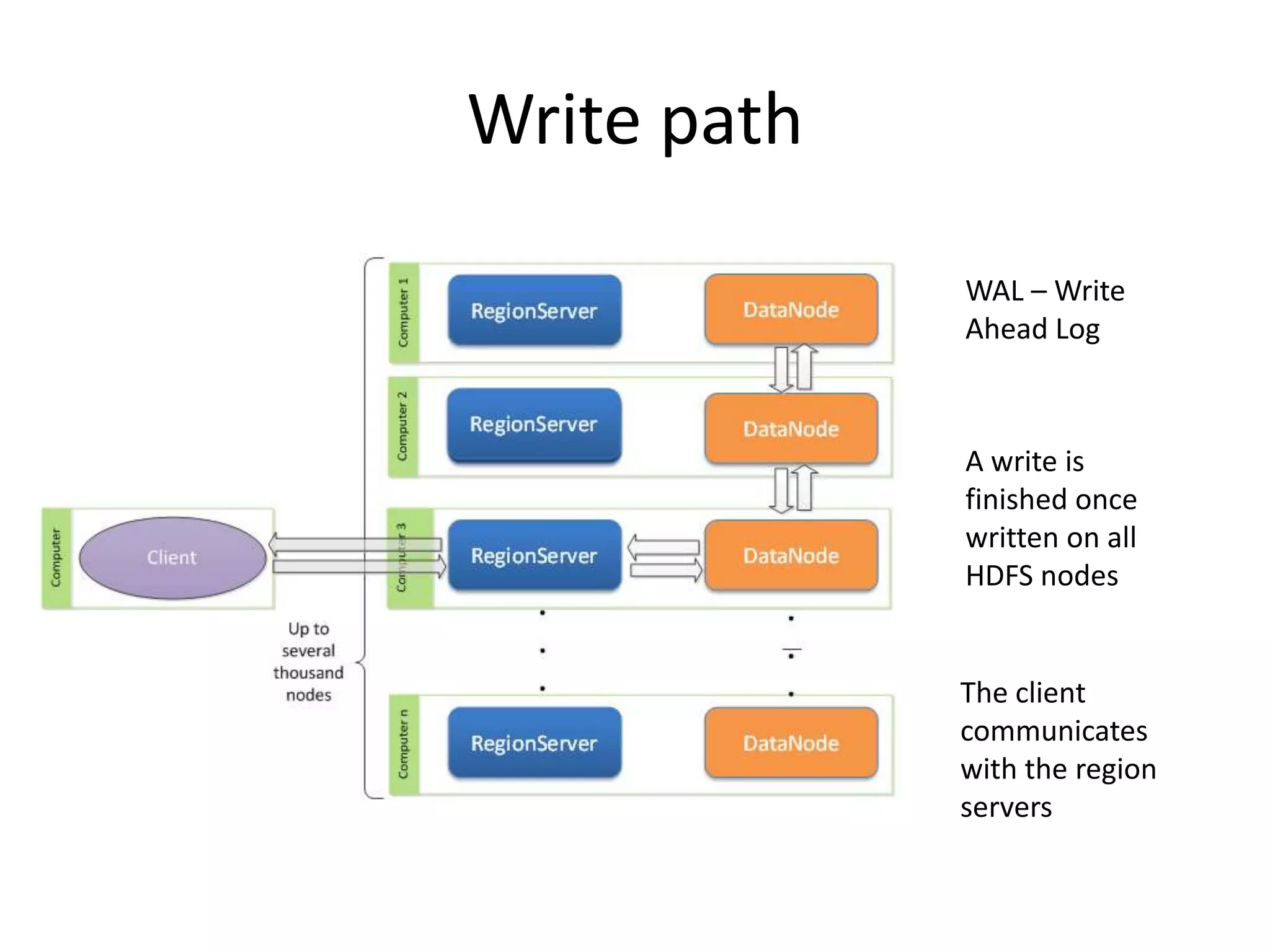
Write path
WAL – Write
Ahead Log
A write is
finished once
written on all
HDFS nodes
The client
communicates
with the region
servers
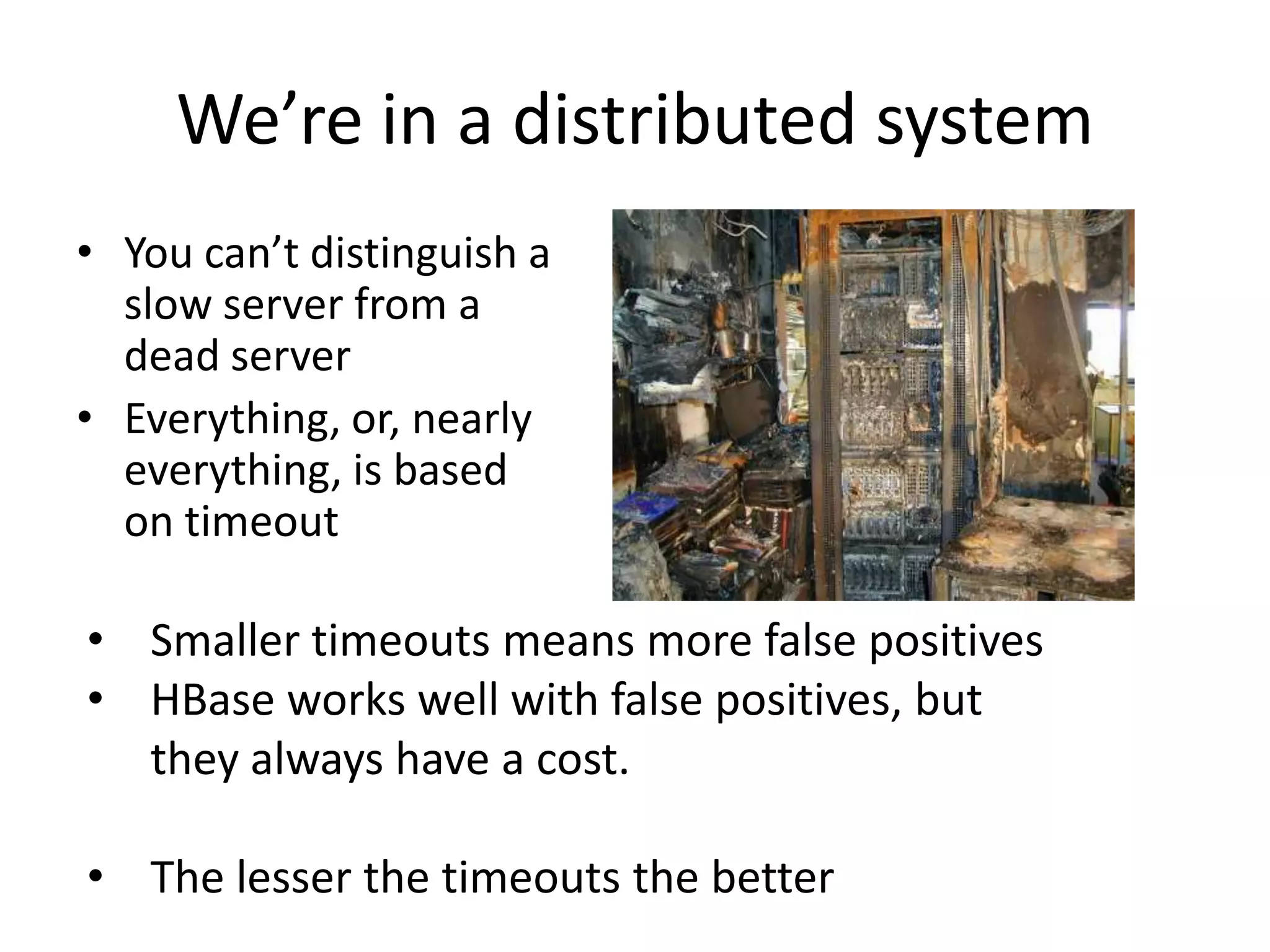
We’re in a distributed system
• You can’t distinguish a
slow server from a
dead server
• Everything, or, nearly
everything, is based
on timeout
• Smaller timeouts means more false positives
• HBase works well with false positives, but
they always have a cost.
• The lesser the timeouts the better
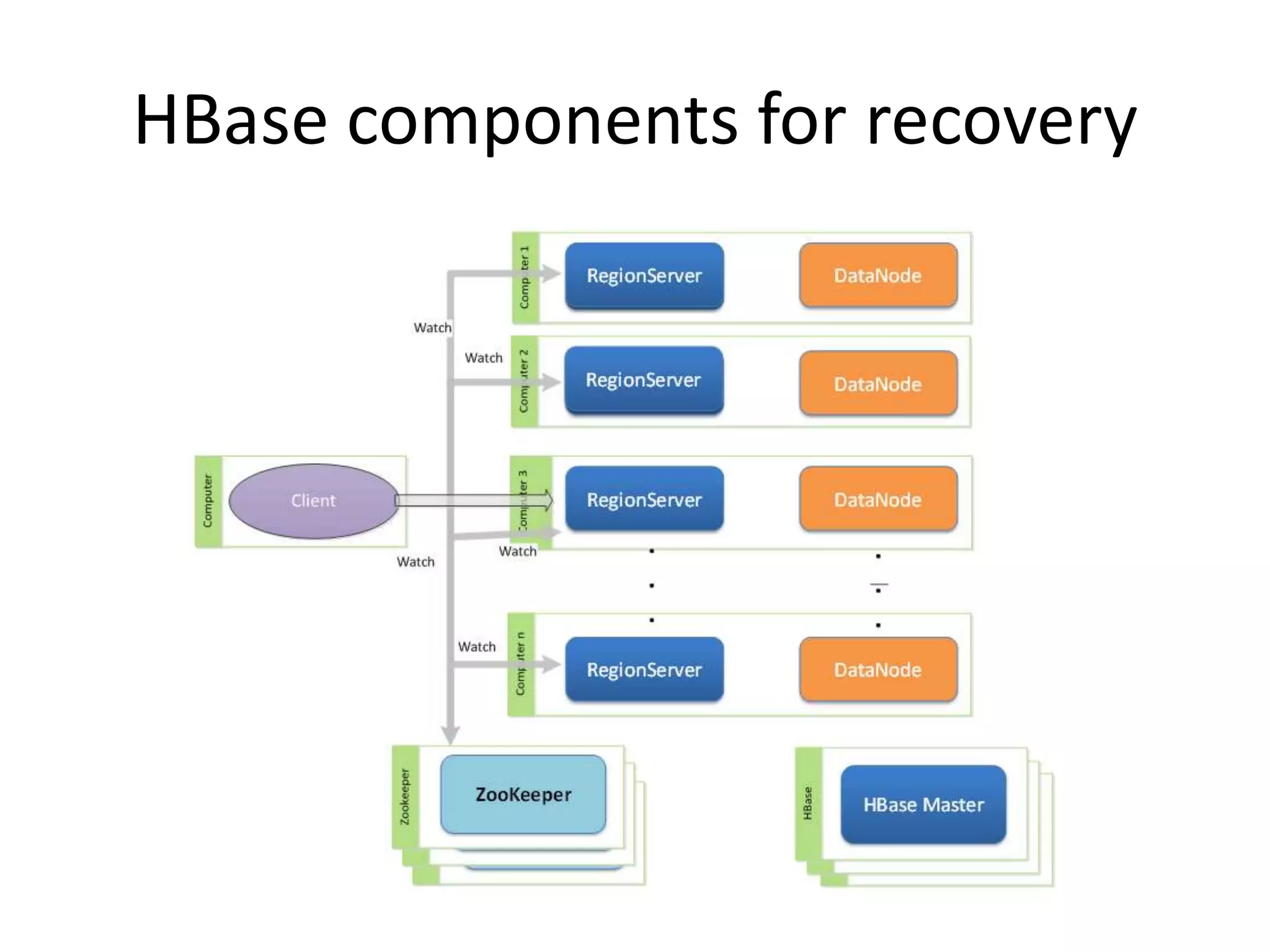
HBase components for recovery
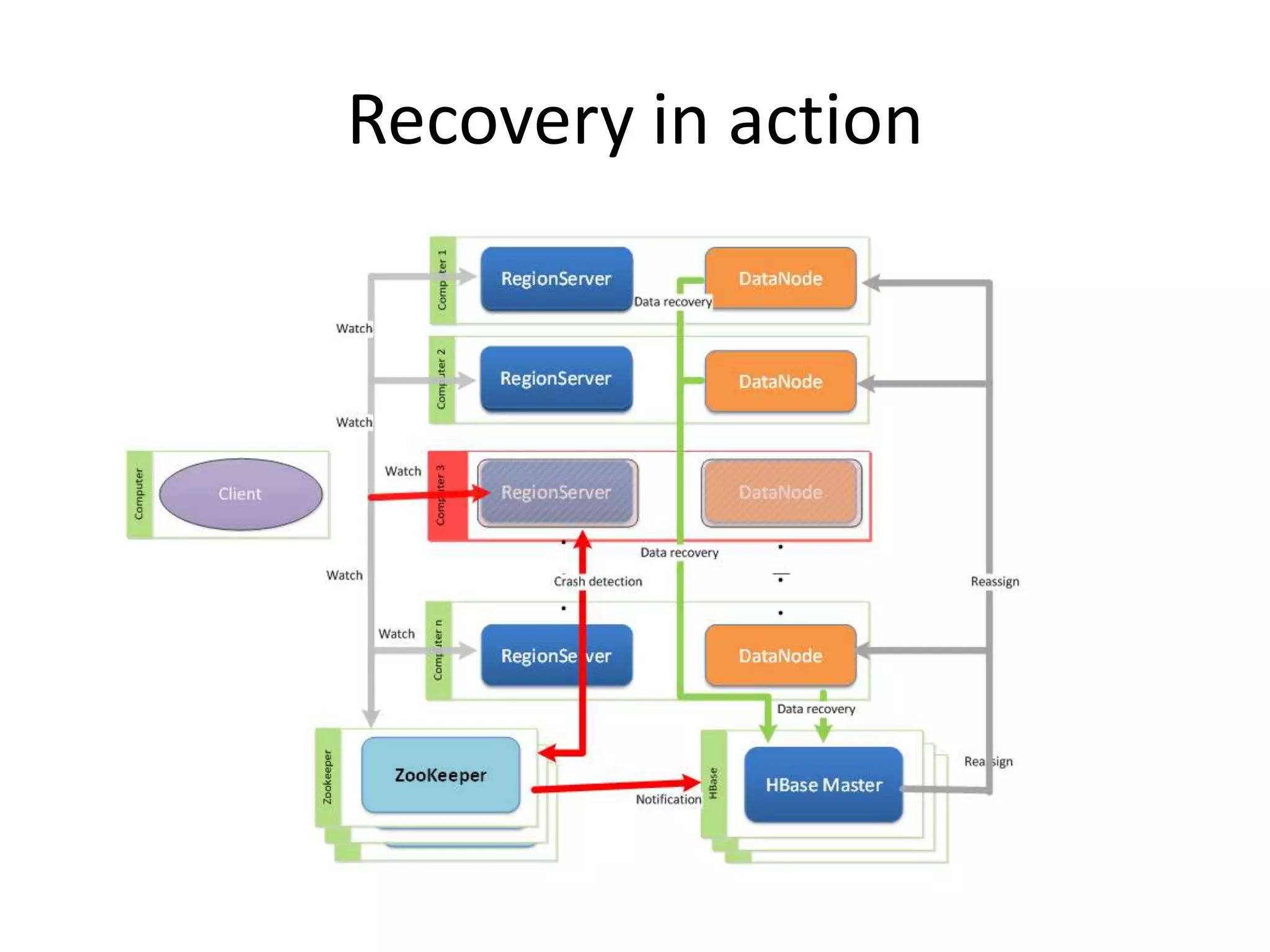
Recovery in action
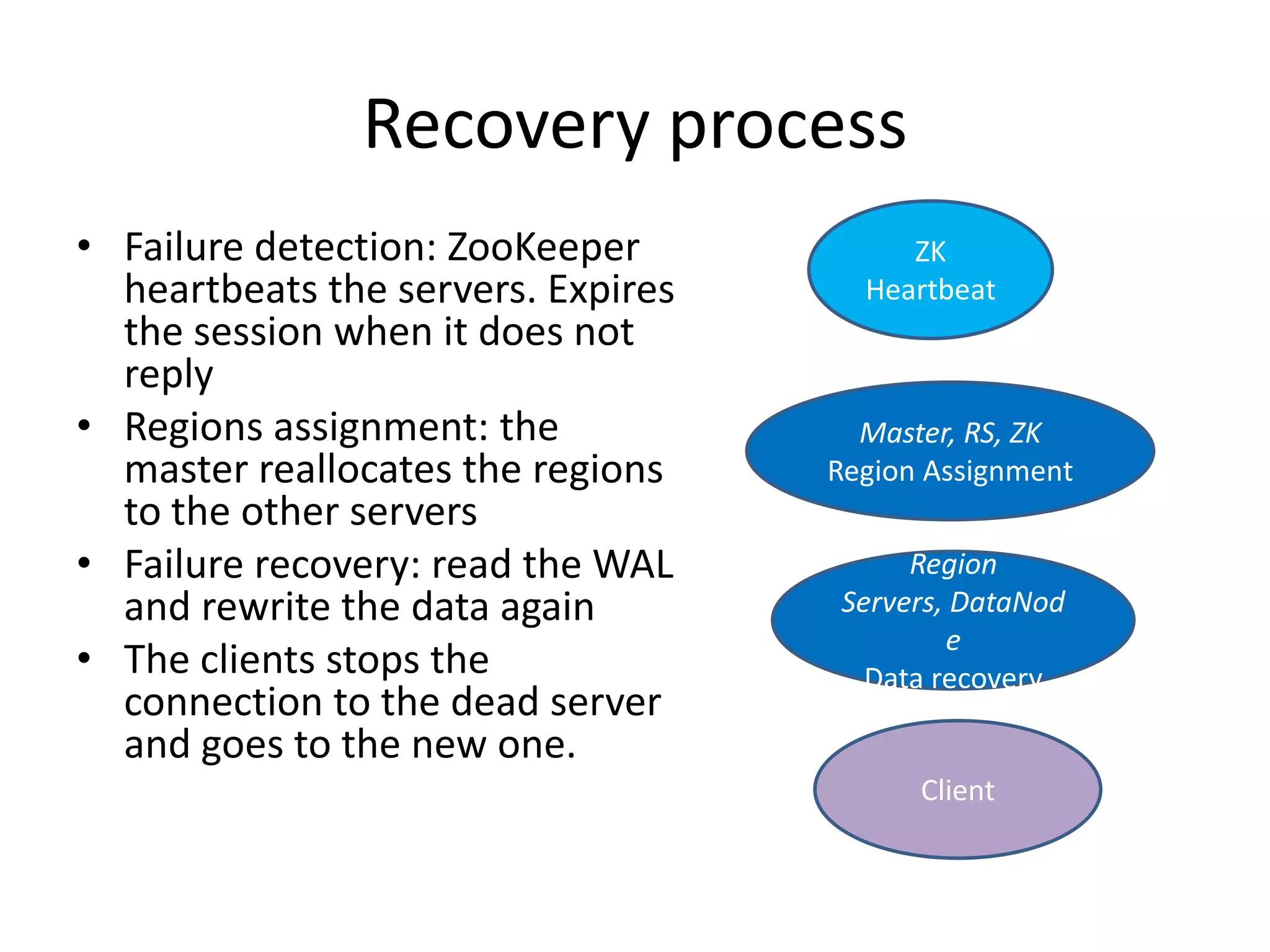
Recovery process
• Failure detection: ZooKeeper
heartbeats the servers. Expires
the session when it does not
reply
• Regions assignment: the
master reallocates the regions
to the other servers
• Failure recovery: read the WAL
and rewrite the data again
• The clients stops the
connection to the dead server
and goes to the new one.
ZK
Heartbeat
Client
Region
Servers, DataNod
e
Data recovery
Master, RS, ZK
Region Assignment
So….
• Detect the failure as fast as possible
• Reassign as fast as possible
• Read / rewrite the WAL as fast as possible
• That’s obvious
The obvious – failure detection
• Failure detection
– Set a ZooKeeper timeout to 30s instead of the old 180s
default.
– Beware of the GC, but lower values are possible.
– ZooKeeper detects the errors sooner than the configured
timeout
• 0.96
– HBase scripts clean the ZK node when the server is kill -
9ed
• => Detection time becomes 0
– Can be used by any monitoring tool
The obvious – faster data recovery
• Not so obvious actually
• Already distributed since 0.92
– The larger the cluster the better.
• Completely rewritten in 0.96
– Recovery itself rewritten in 0.96
– Will be covered in the second part
The obvious – Faster assignment
• Faster assignment
– Just improving performances
• Parallelism
• Speed
– Globally ‘much’ faster
– Backported to 0.94
• Still possible to do better for huge number of
regions.
• A few seconds for most cases
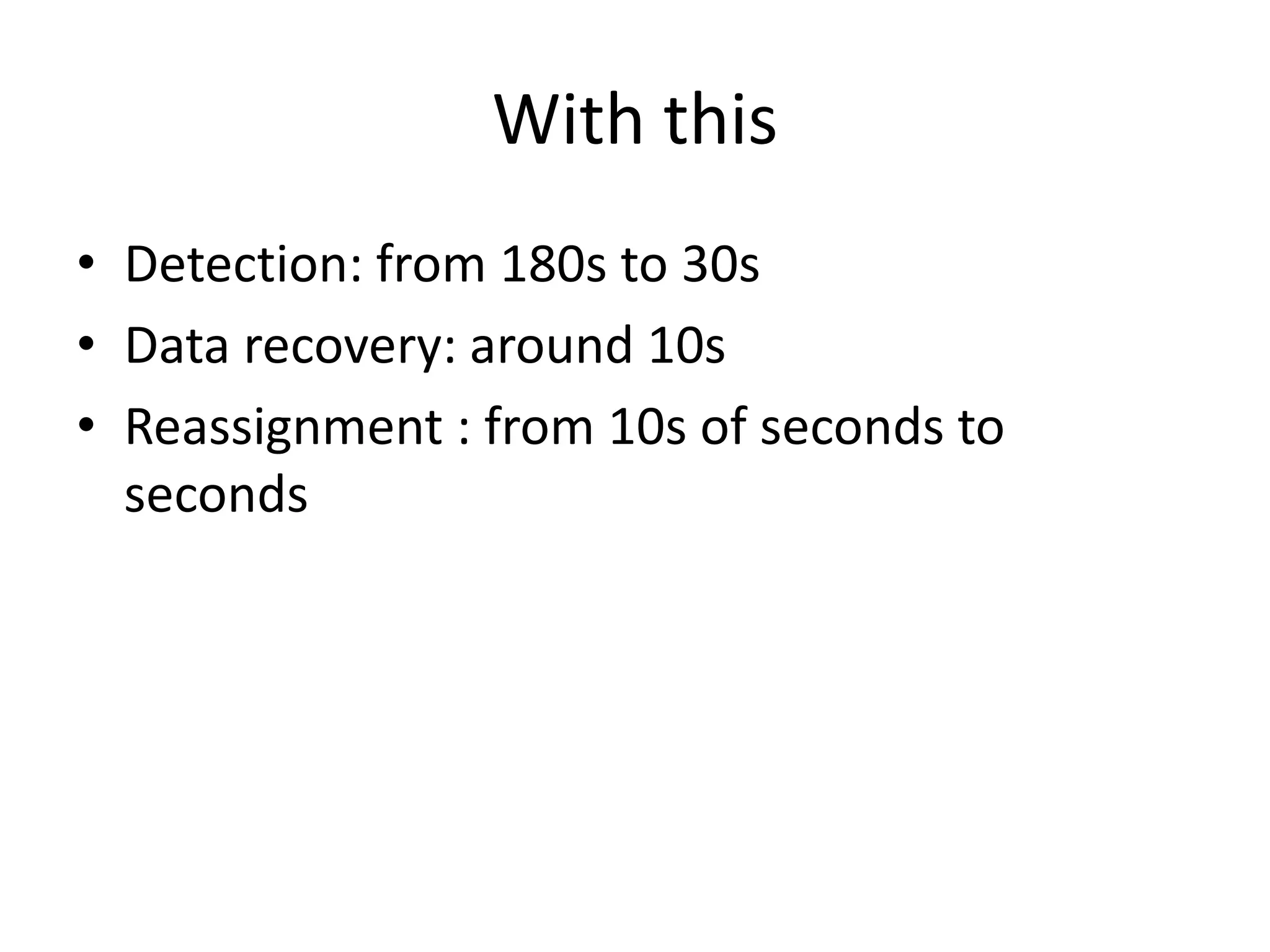
With this
• Detection: from 180s to 30s
• Data recovery: around 10s
• Reassignment : from 10s of seconds to
seconds
Do you think we’re better with this
• Answer is NO
• Actually, yes but if and only if HDFS is fine
– But when you lose a regionserver, you’ve just lost
a datanode
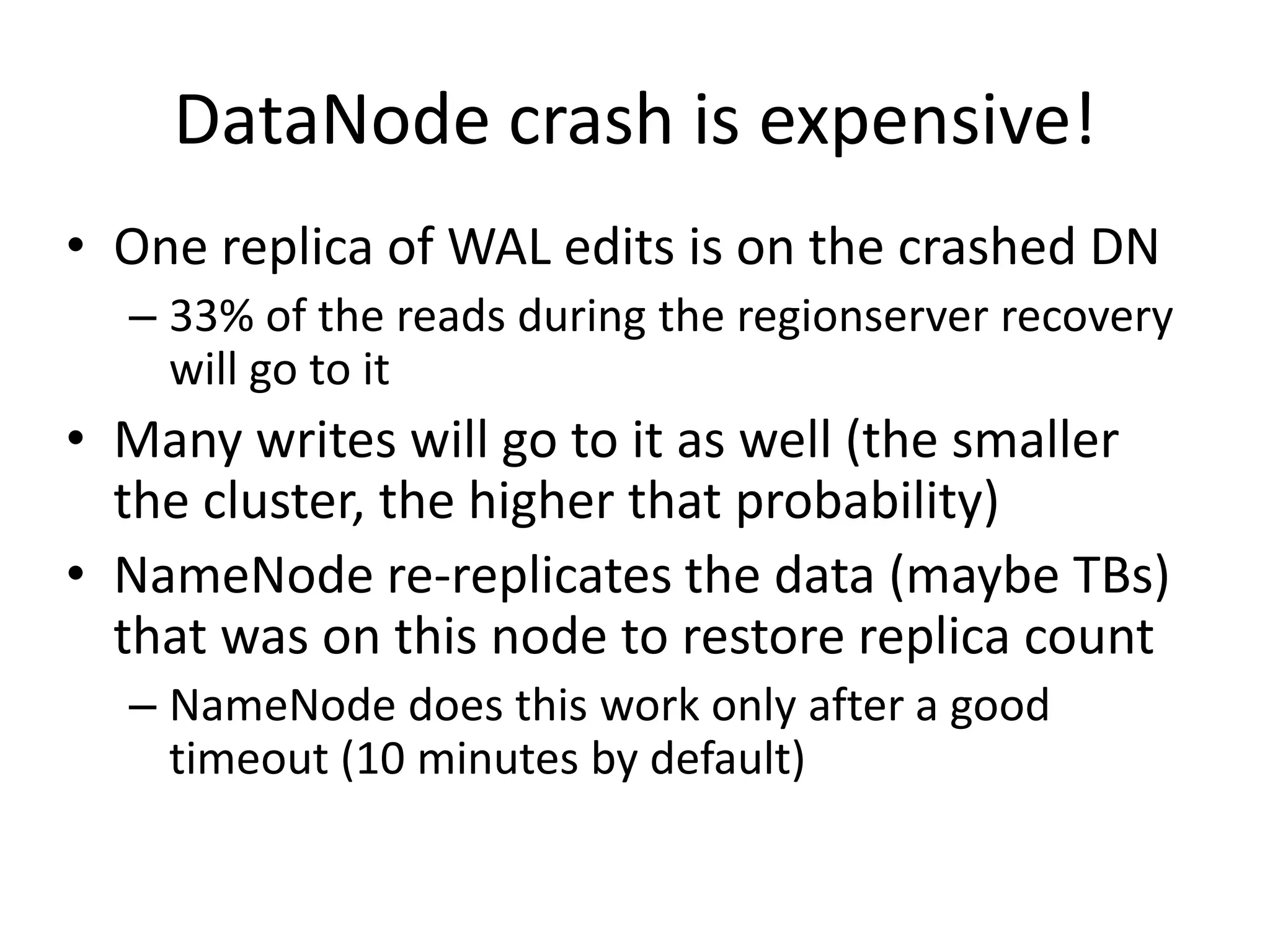
DataNode crash is expensive!
• One replica of WAL edits is on the crashed DN
– 33% of the reads during the regionserver recovery
will go to it
• Many writes will go to it as well (the smaller
the cluster, the higher that probability)
• NameNode re-replicates the data (maybe TBs)
that was on this node to restore replica count
– NameNode does this work only after a good
timeout (10 minutes by default)
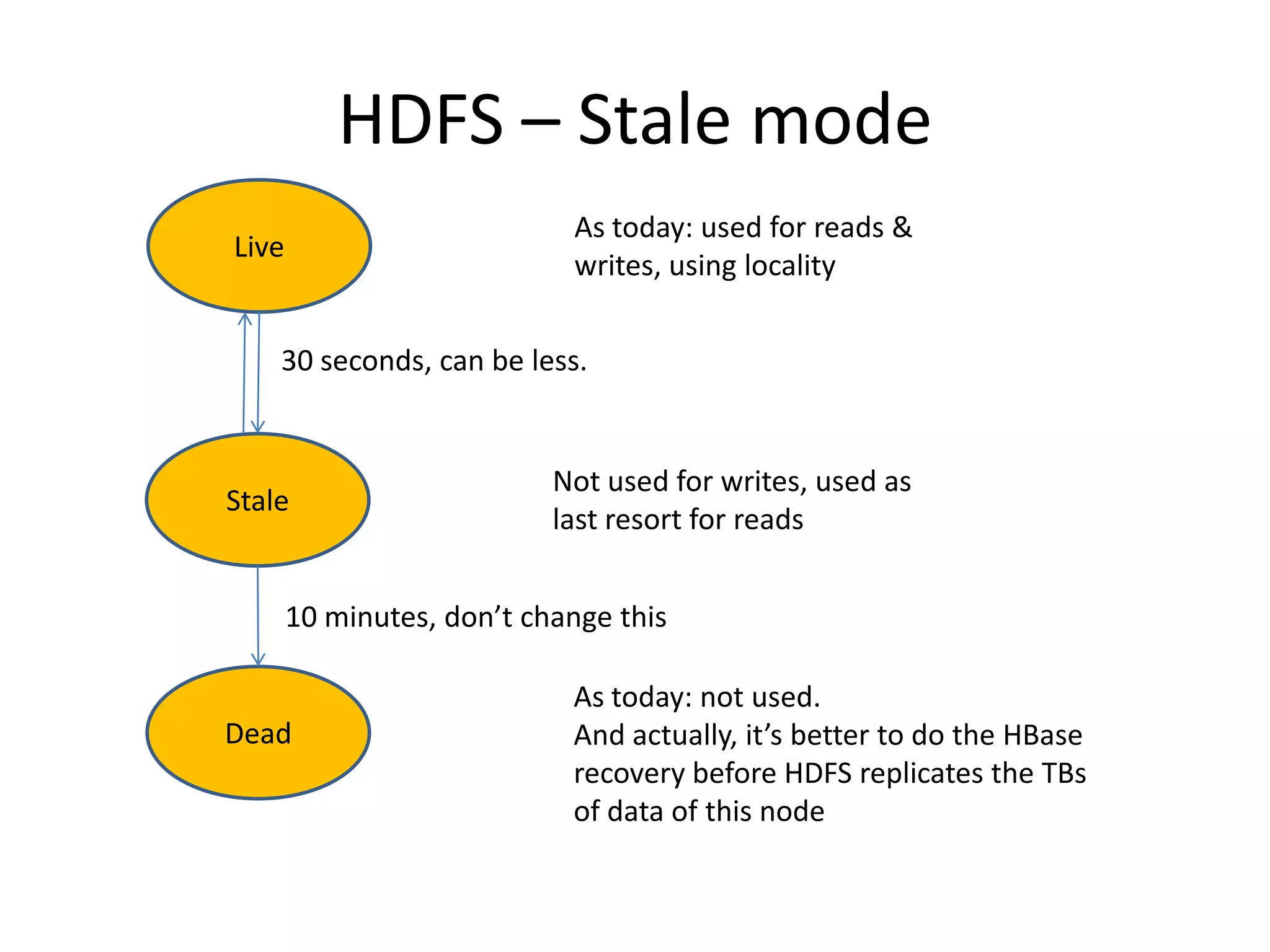
HDFS – Stale mode
Live
Stale
Dead
As today: used for reads &
writes, using locality
Not used for writes, used as
last resort for reads
As today: not used.
And actually, it’s better to do the HBase
recovery before HDFS replicates the TBs
of data of this node
30 seconds, can be less.
10 minutes, don’t change this
Results
• No more read/write HDFS errors during the
recovery
• Multiple failures are still possible
– Stale mode will still play its role
– And set dfs.timeout to 30s
– This limits the effect of two failures in a row. The
cost of the second failure is 30s if you were
unlucky
Are we done?
• We’re not bad
• But there is still something
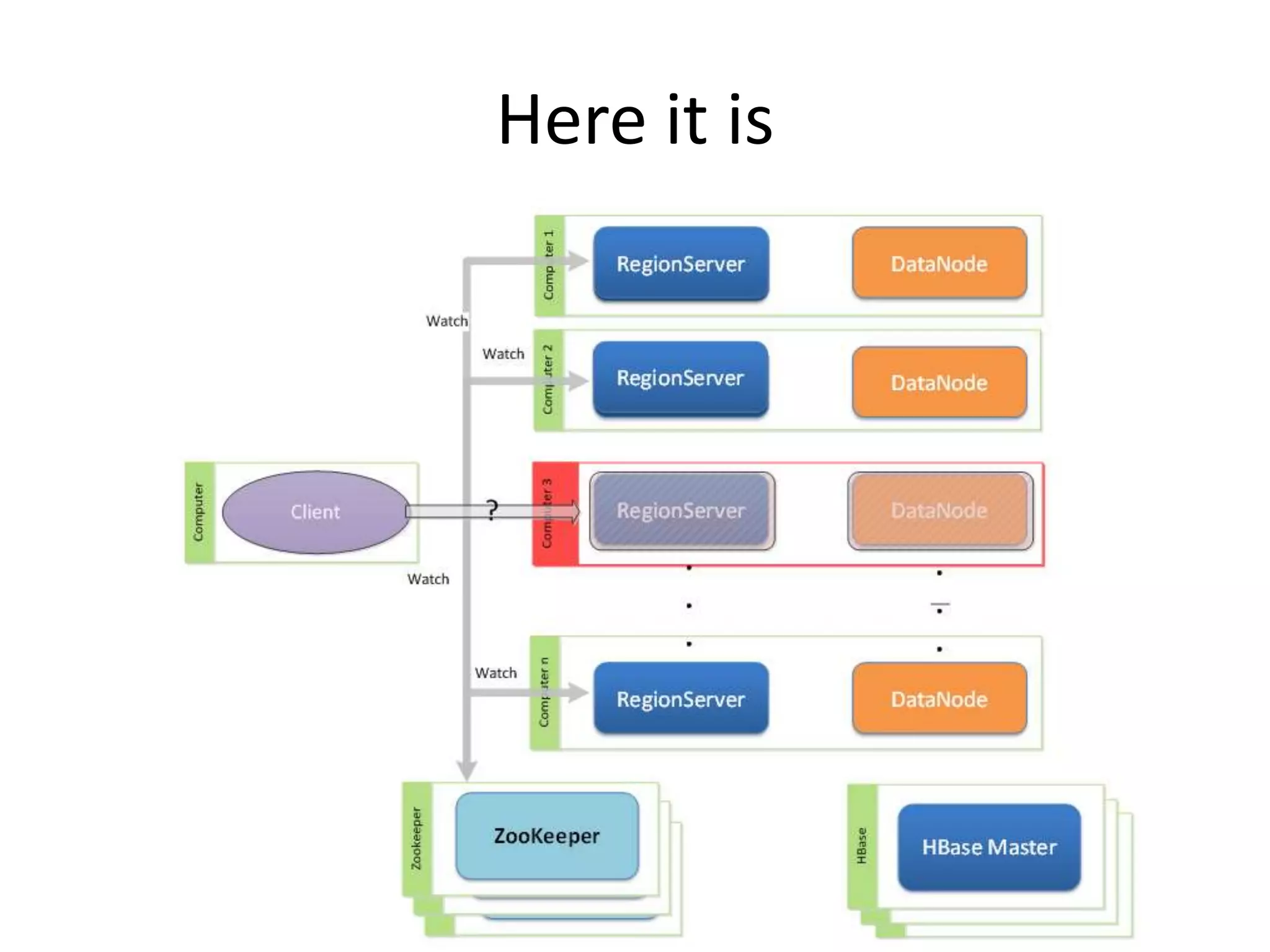
The client
You left it waiting on the dead server
Here it is
The client
• You want the client to be patient
• Retrying when the system is already loaded is
not good.
• You want the client to learn about region
servers dying, and to be able to react
immediately.
• You want this to scale.
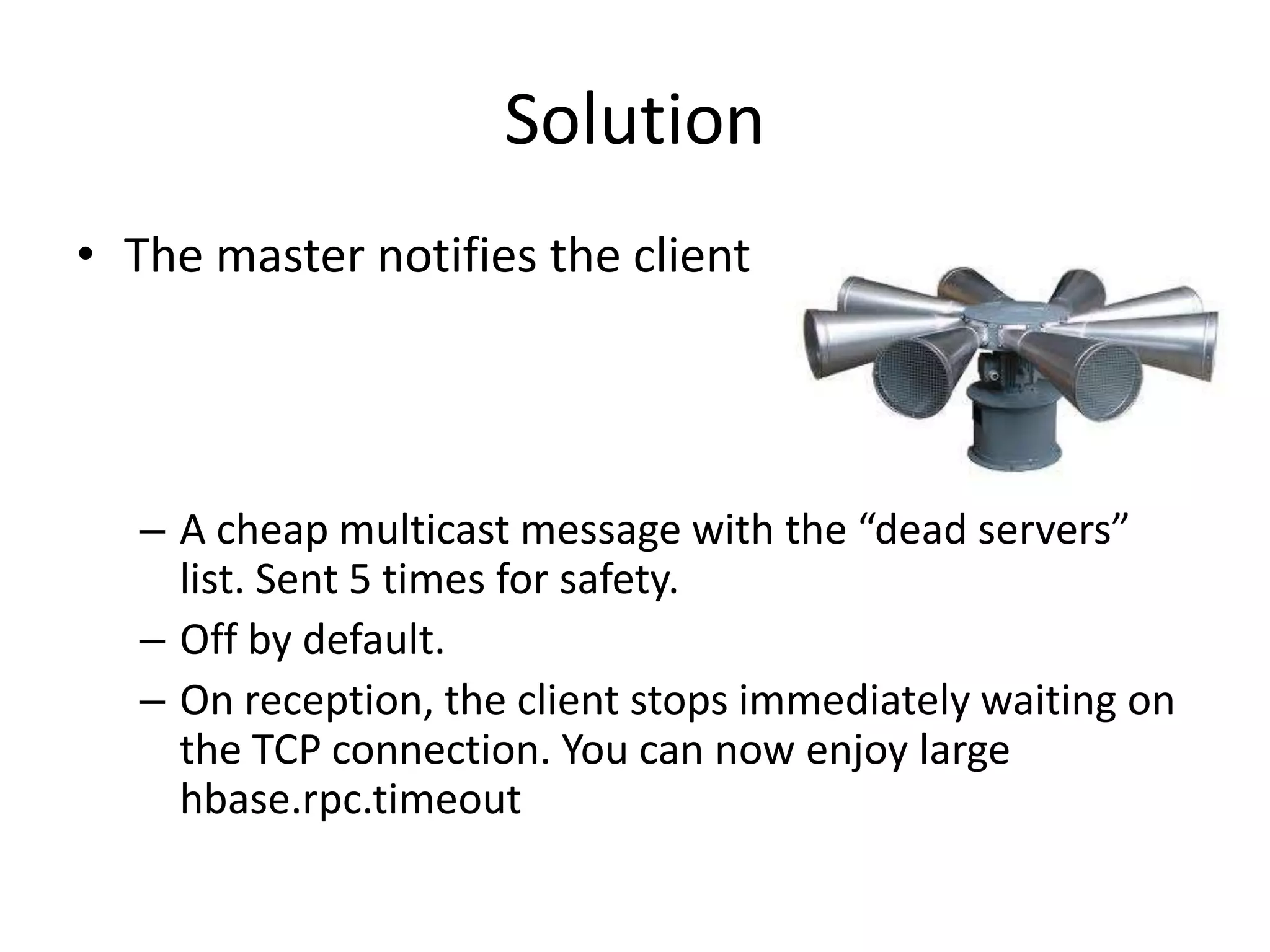
Solution
• The master notifies the client
– A cheap multicast message with the “dead servers”
list. Sent 5 times for safety.
– Off by default.
– On reception, the client stops immediately waiting on
the TCP connection. You can now enjoy large
hbase.rpc.timeout
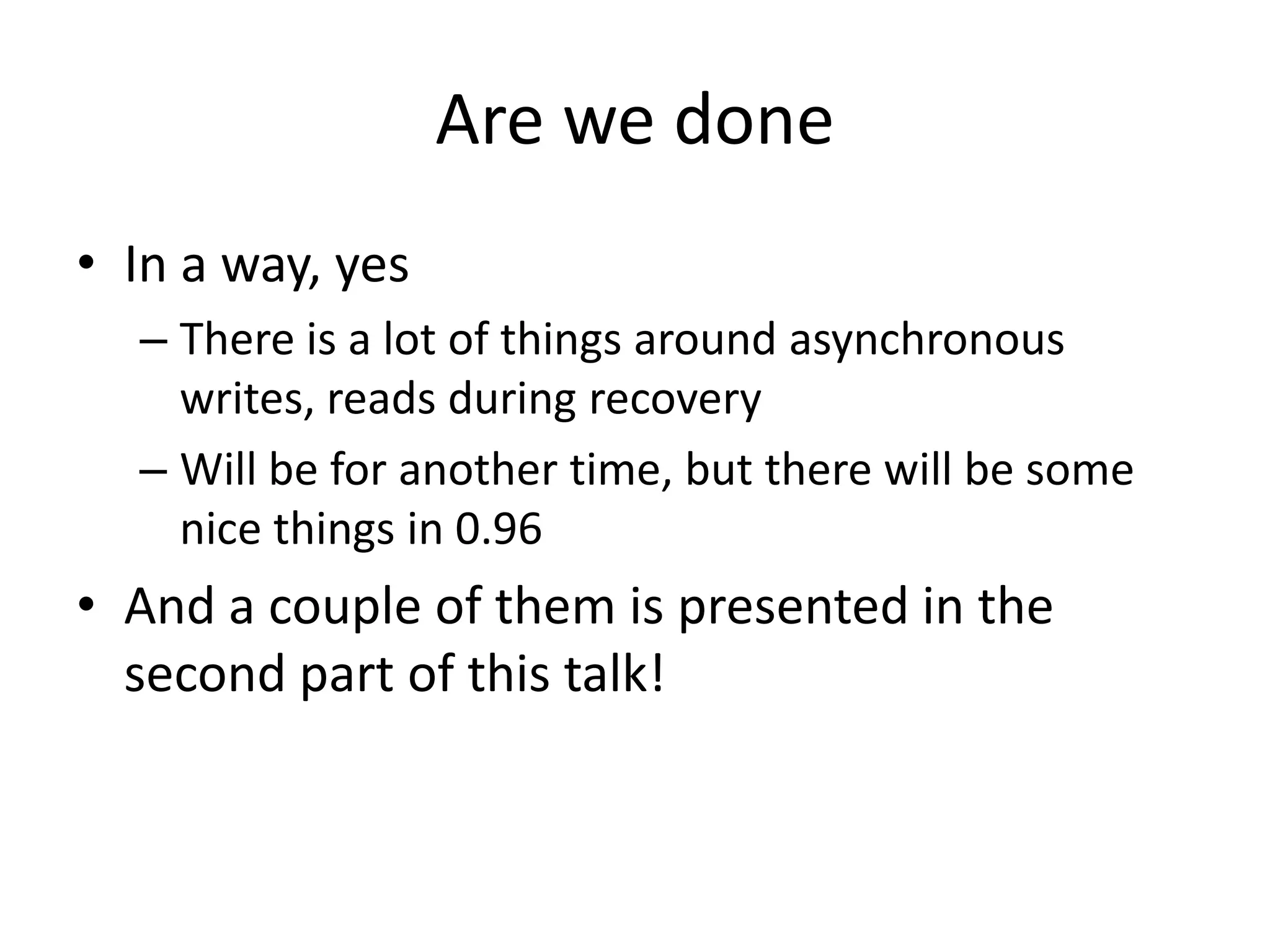
Are we done
• In a way, yes
– There is a lot of things around asynchronous
writes, reads during recovery
– Will be for another time, but there will be some
nice things in 0.96
• And a couple of them is presented in the
second part of this talk!
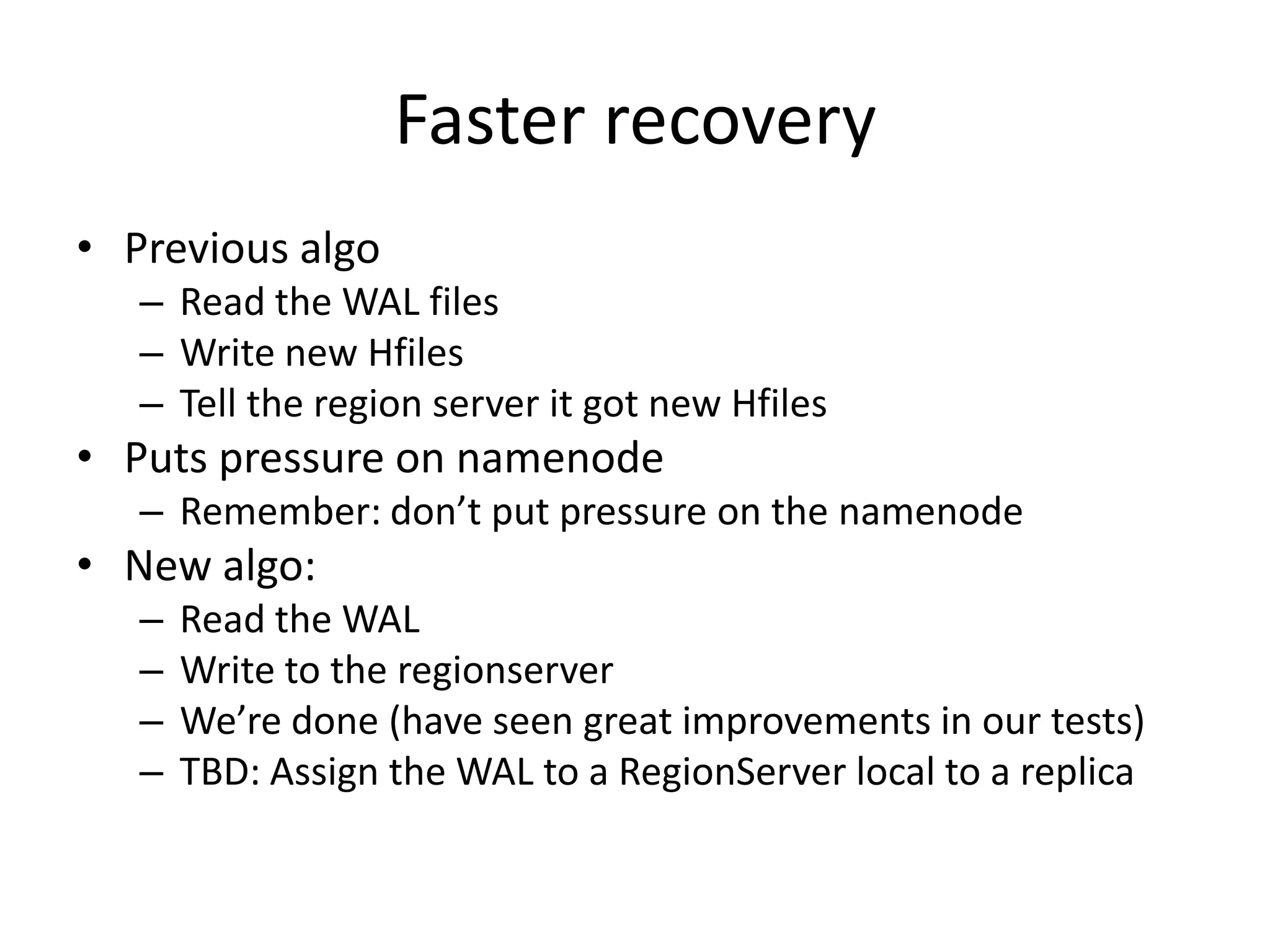
Faster recovery
• Previous algo
– Read the WAL files
– Write new Hfiles
– Tell the region server it got new Hfiles
• Puts pressure on namenode
– Remember: don’t put pressure on the namenode
• New algo:
– Read the WAL
– Write to the regionserver
– We’re done (have seen great improvements in our tests)
– TBD: Assign the WAL to a RegionServer local to a replica
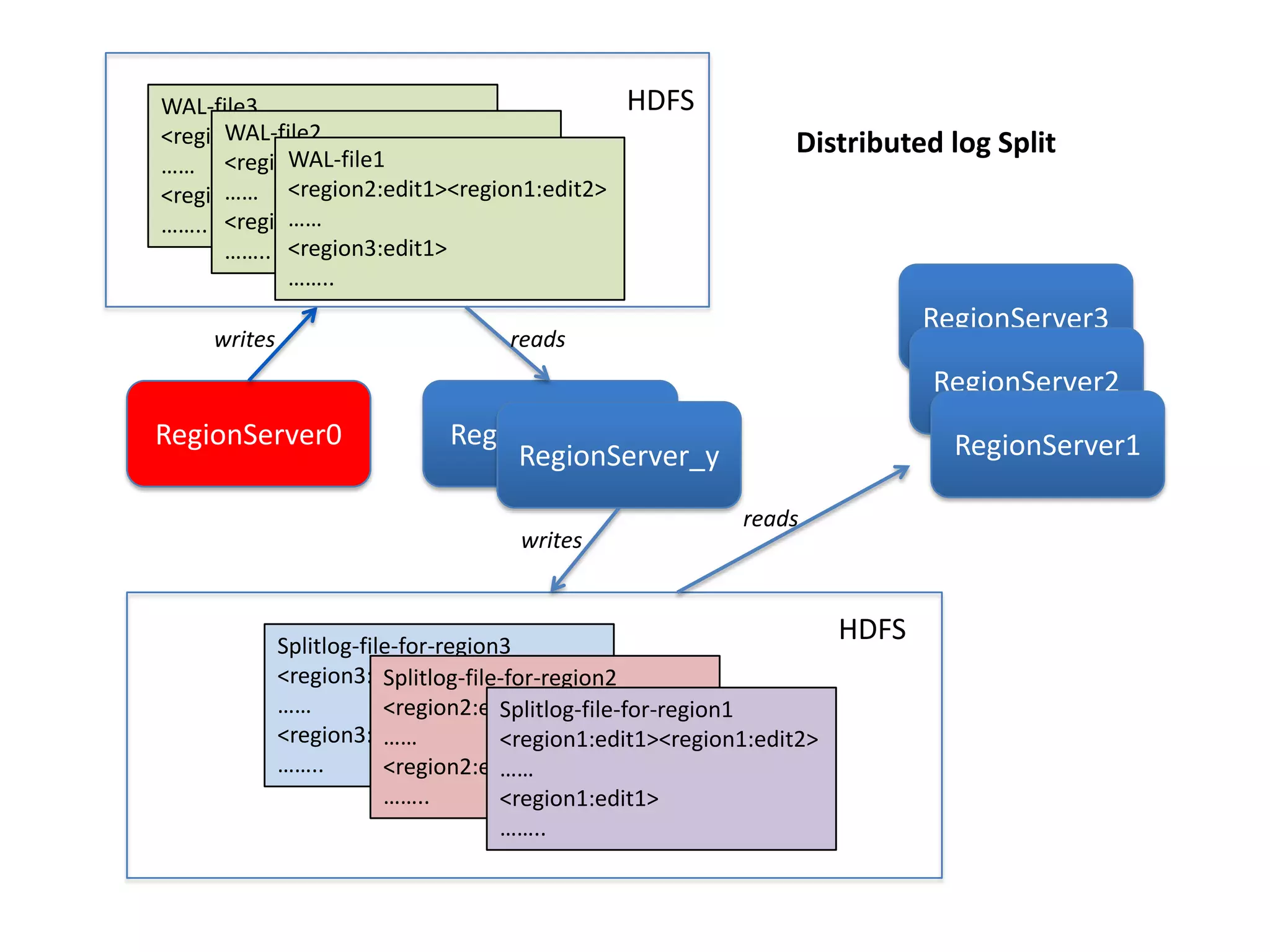
RegionServer0 RegionServer_x
RegionServer_y
WAL-file3
<region2:edit1><region1:edit2>
……
<region3:edit1>
……..
WAL-file2
<region2:edit1><region1:edit2>
……
<region3:edit1>
……..
WAL-file1
<region2:edit1><region1:edit2>
……
<region3:edit1>
……..
HDFS
Splitlog-file-for-region3
<region3:edit1><region1:edit2>
……
<region3:edit1>
……..
Splitlog-file-for-region2
<region2:edit1><region1:edit2>
……
<region2:edit1>
……..
Splitlog-file-for-region1
<region1:edit1><region1:edit2>
……
<region1:edit1>
……..
HDFS
RegionServer3
RegionServer2
RegionServer1
writes
writes
reads
reads
Distributed log Split
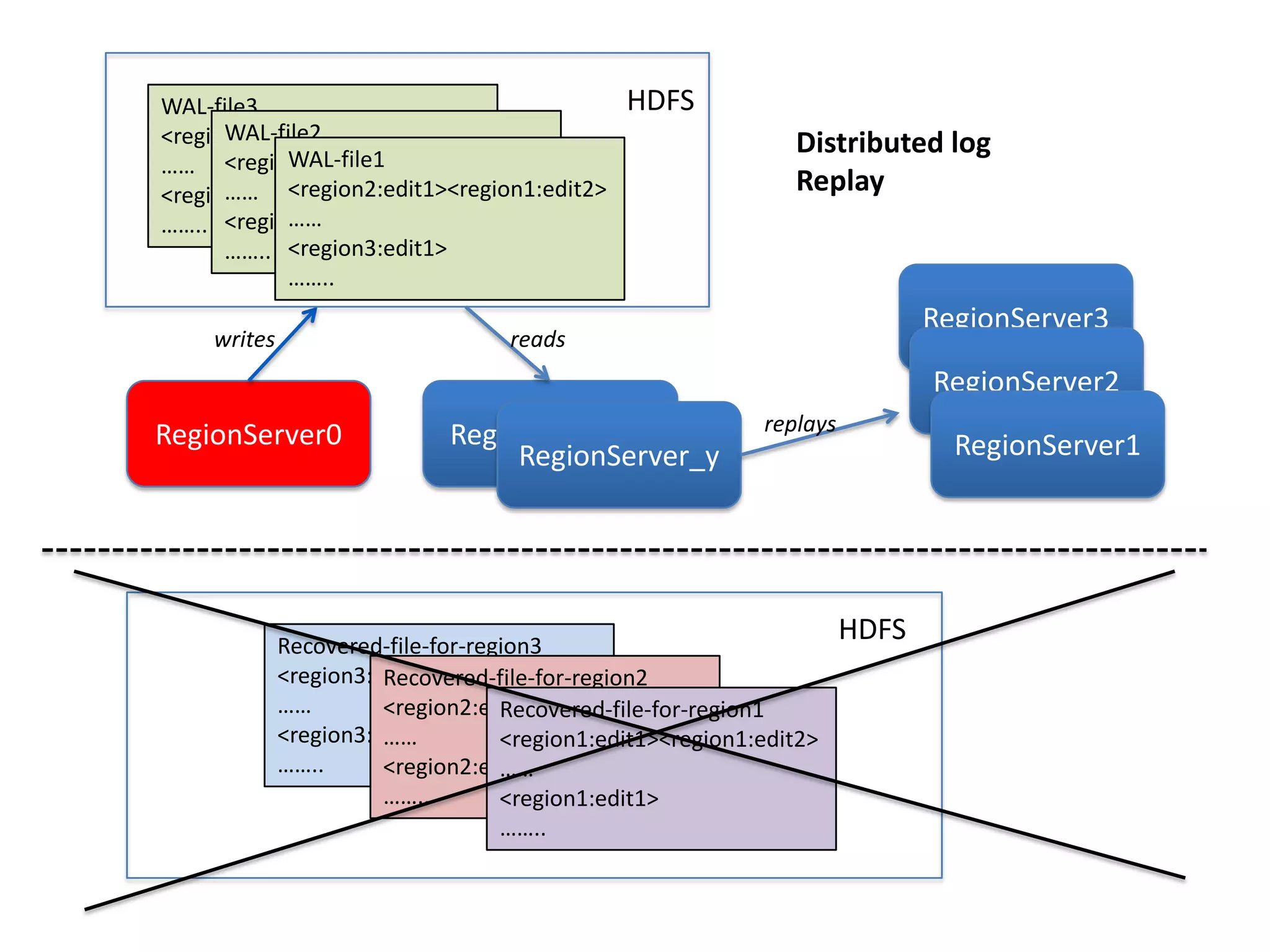
RegionServer0 RegionServer_x
RegionServer_y
WAL-file3
<region2:edit1><region1:edit2>
……
<region3:edit1>
……..
WAL-file2
<region2:edit1><region1:edit2>
……
<region3:edit1>
……..
WAL-file1
<region2:edit1><region1:edit2>
……
<region3:edit1>
……..
HDFS
Recovered-file-for-region3
<region3:edit1><region1:edit2>
……
<region3:edit1>
……..
Recovered-file-for-region2
<region2:edit1><region1:edit2>
……
<region2:edit1>
……..
Recovered-file-for-region1
<region1:edit1><region1:edit2>
……
<region1:edit1>
……..
HDFS
RegionServer3
RegionServer2
RegionServer1
writes reads
Distributed log
Replay
replays
Write during recovery
• Hey, you can write during the WAL replay
• Events stream: your new recovery time is the
failure detection time: max 30s, likely less!
MemStore flush
• Real life: some tables are updated at a given
moment then left alone
– With a non empty memstore
– More data to recover
• It’s now possible to guarantee that we don’t
have MemStore with old data
• Improves real life MTTR
• Helps snapshots
.META.
• .META.
– There is no –ROOT- in 0.95/0.96
– But .META. failures are critical
• A lot of small improvements
– Server now says to the client when a region has
moved (client can avoid going to meta)
• And a big one
– .META. WAL is managed separately to allow an
immediate recovery of META
– With the new MemStore flush, ensure a quick
recovery
Data locality post recovery
• HBase performance depends on data-locality
• After a recovery, you’ve lost it
– Bad for performance
• Here comes region groups
• Assign 3 favored RegionServers for every region
– Primary, Secondary, Tertiary
• On failures assign the region to one of the
Secondary or Tertiary depending on load
• The data-locality issue is minimized on failures
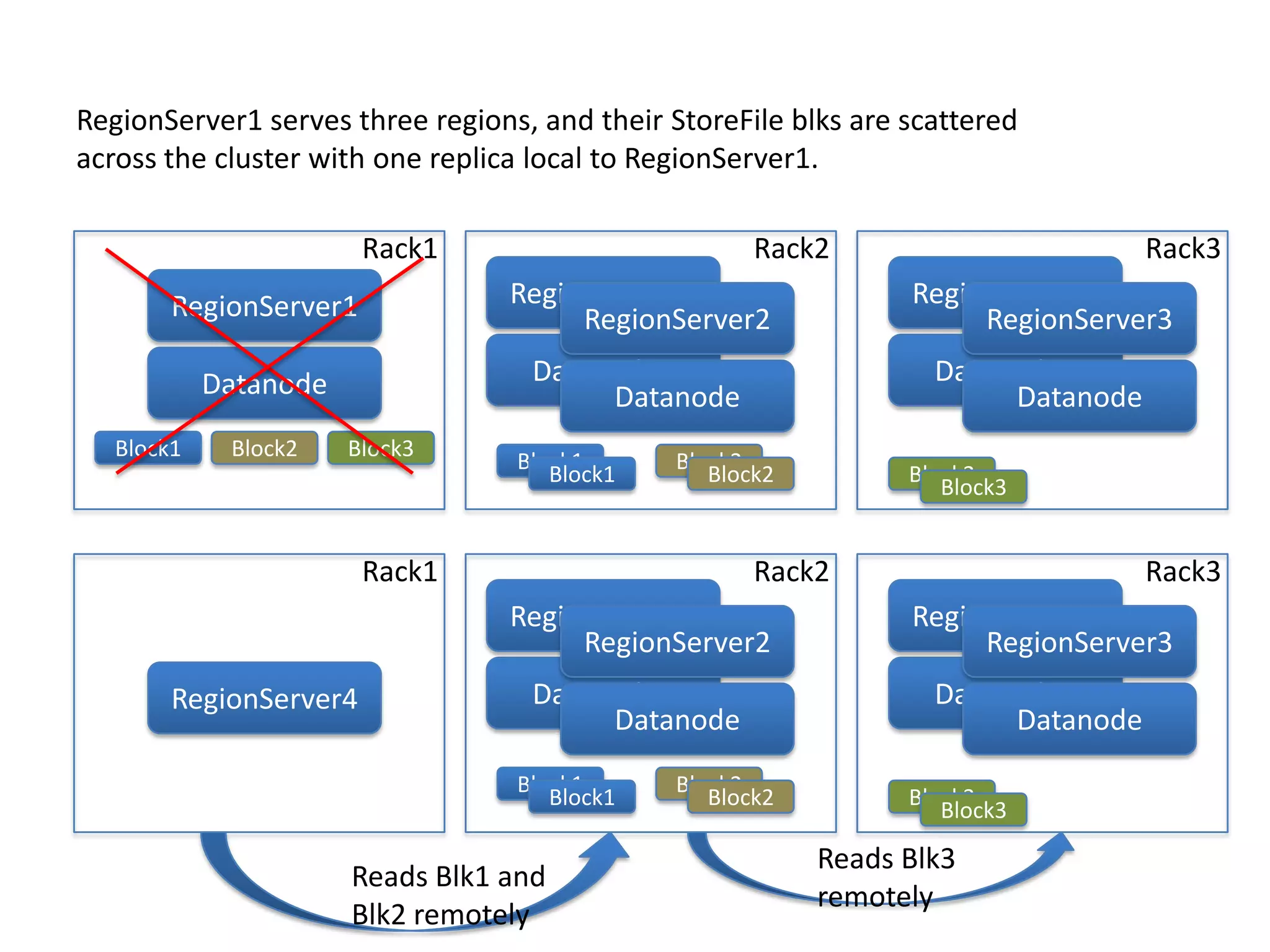
Block1 Block2 Block3
Block1 Block2
Rack1
Block3
Block3
Rack2 Rack3
Block1 Block2
Datanode
RegionServer1
Datanode1
RegionServer1
Datanode
RegionServer2
Datanode1
RegionServer1
Datanode
RegionServer3
Block1 Block2
Rack1
Block3
Block3
Rack2 Rack3
Block1 Block2
RegionServer4 Datanode1
RegionServer1
Datanode
RegionServer2
Datanode1
RegionServer1
Datanode
RegionServer3
Reads Blk1 and
Blk2 remotely
Reads Blk3
remotely
RegionServer1 serves three regions, and their StoreFile blks are scattered
across the cluster with one replica local to RegionServer1.
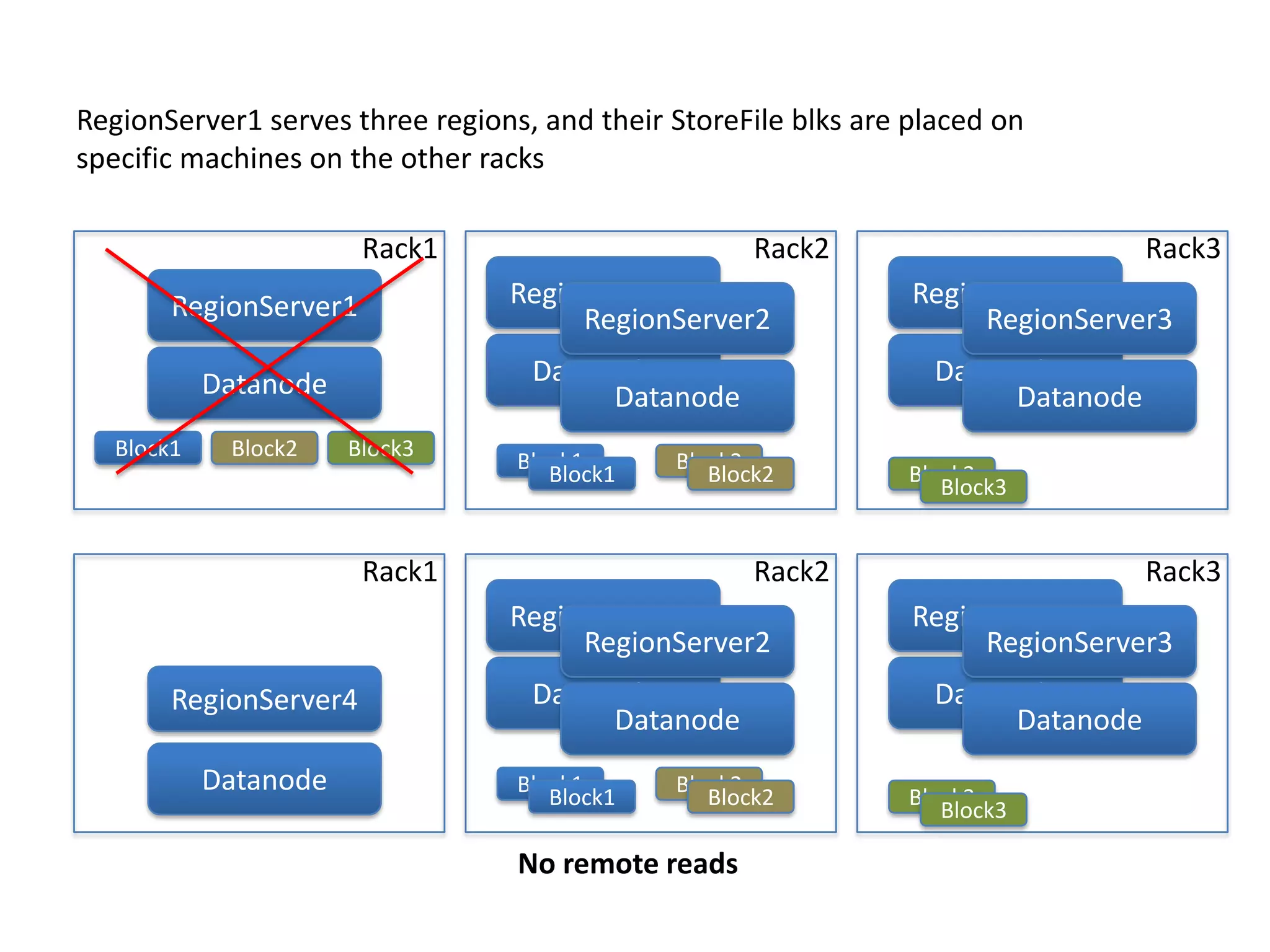
Block1 Block2 Block3
Block1 Block2
Rack1
Block3
Block3
Rack2 Rack3
Block1 Block2
Datanode
RegionServer1
Datanode1
RegionServer1
Datanode
RegionServer2
Datanode1
RegionServer1
Datanode
RegionServer3
RegionServer1 serves three regions, and their StoreFile blks are placed on
specific machines on the other racks
Block1 Block2
Rack1
Block3
Block3
Rack2 Rack3
Block1 Block2
RegionServer4 Datanode1
RegionServer1
Datanode
RegionServer2
Datanode1
RegionServer1
Datanode
RegionServer3
No remote reads
Datanode
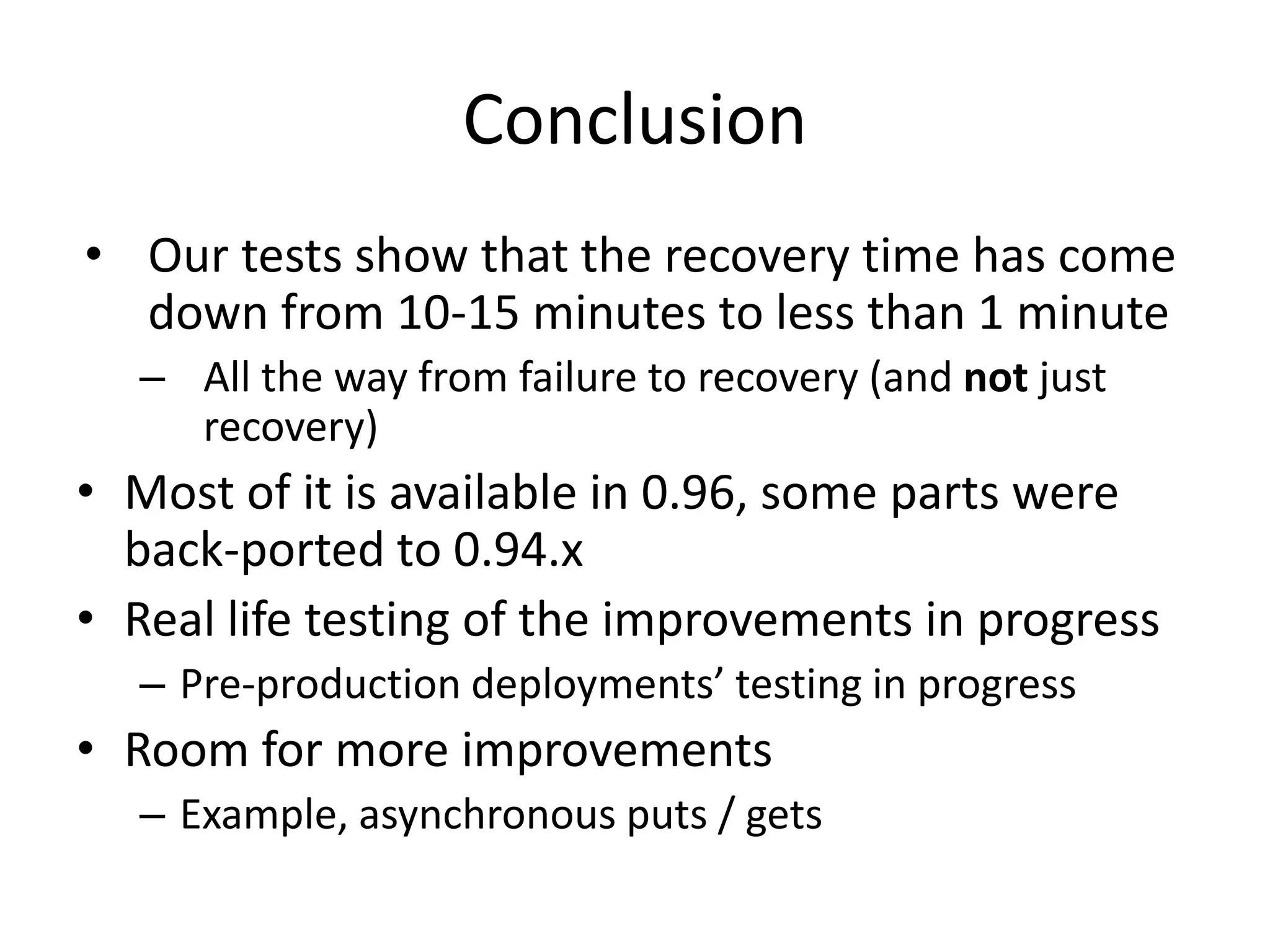
Conclusion
• Our tests show that the recovery time has come
down from 10-15 minutes to less than 1 minute
– All the way from failure to recovery (and not just
recovery)
• Most of it is available in 0.96, some parts were
back-ported to 0.94.x
• Real life testing of the improvements in progress
– Pre-production deployments’ testing in progress
• Room for more improvements
– Example, asynchronous puts / gets
Q & A
Thanks!
• Devaraj Das
– ddas@hortonworks.com, @ddraj
• Nicolas Liochon
– nkeywal@gmail.com, @nkeywal

HBaseCon 2013: How to Get the MTTR Below 1 Minute and More

  • 1.
    How to getthe MTTR below 1 minute and more Devaraj Das (ddas@hortonworks.com) Nicolas Liochon (nkeywal@gmail.com)
  • 2.
    Outline • What isthis? Why are we talking about this topic? Why it matters? …. • HBase Recovery – an overview • HDFS issues • Beyond MTTR (Performance post recovery) • Conclusion / Future / Q & A
  • 3.
    What is MTTR?Why its important? … • Mean Time To Recovery -> Average time required to repair a failed component (Courtesy: Wikipedia) • Enterprises want an MTTR of ZERO – Data should always be available with no degradation of perceived SLAs – Practically hard to obtain but yeah it’s a goal • Close to Zero-MTTR is especially important for HBase – Given it is used in near realtime systems
  • 4.
    HBase Basics • Stronglyconsistent – Write ordered with reads – Once written, the data will stay • Built on top of HDFS • When a machine fails the cluster remains available, and its data as well • We’re just speaking about the piece of data that was handled by this machine
  • 5.
    Write path WAL –Write Ahead Log A write is finished once written on all HDFS nodes The client communicates with the region servers
  • 6.
    We’re in adistributed system • You can’t distinguish a slow server from a dead server • Everything, or, nearly everything, is based on timeout • Smaller timeouts means more false positives • HBase works well with false positives, but they always have a cost. • The lesser the timeouts the better
  • 7.
  • 8.
  • 9.
    Recovery process • Failuredetection: ZooKeeper heartbeats the servers. Expires the session when it does not reply • Regions assignment: the master reallocates the regions to the other servers • Failure recovery: read the WAL and rewrite the data again • The clients stops the connection to the dead server and goes to the new one. ZK Heartbeat Client Region Servers, DataNod e Data recovery Master, RS, ZK Region Assignment
  • 10.
    So…. • Detect thefailure as fast as possible • Reassign as fast as possible • Read / rewrite the WAL as fast as possible • That’s obvious
  • 11.
    The obvious –failure detection • Failure detection – Set a ZooKeeper timeout to 30s instead of the old 180s default. – Beware of the GC, but lower values are possible. – ZooKeeper detects the errors sooner than the configured timeout • 0.96 – HBase scripts clean the ZK node when the server is kill - 9ed • => Detection time becomes 0 – Can be used by any monitoring tool
  • 12.
    The obvious –faster data recovery • Not so obvious actually • Already distributed since 0.92 – The larger the cluster the better. • Completely rewritten in 0.96 – Recovery itself rewritten in 0.96 – Will be covered in the second part
  • 13.
    The obvious –Faster assignment • Faster assignment – Just improving performances • Parallelism • Speed – Globally ‘much’ faster – Backported to 0.94 • Still possible to do better for huge number of regions. • A few seconds for most cases
  • 14.
    With this • Detection:from 180s to 30s • Data recovery: around 10s • Reassignment : from 10s of seconds to seconds
  • 15.
    Do you thinkwe’re better with this • Answer is NO • Actually, yes but if and only if HDFS is fine – But when you lose a regionserver, you’ve just lost a datanode
  • 16.
    DataNode crash isexpensive! • One replica of WAL edits is on the crashed DN – 33% of the reads during the regionserver recovery will go to it • Many writes will go to it as well (the smaller the cluster, the higher that probability) • NameNode re-replicates the data (maybe TBs) that was on this node to restore replica count – NameNode does this work only after a good timeout (10 minutes by default)
  • 17.
    HDFS – Stalemode Live Stale Dead As today: used for reads & writes, using locality Not used for writes, used as last resort for reads As today: not used. And actually, it’s better to do the HBase recovery before HDFS replicates the TBs of data of this node 30 seconds, can be less. 10 minutes, don’t change this
  • 18.
    Results • No moreread/write HDFS errors during the recovery • Multiple failures are still possible – Stale mode will still play its role – And set dfs.timeout to 30s – This limits the effect of two failures in a row. The cost of the second failure is 30s if you were unlucky
  • 19.
    Are we done? •We’re not bad • But there is still something
  • 20.
    The client You leftit waiting on the dead server
  • 21.
  • 22.
    The client • Youwant the client to be patient • Retrying when the system is already loaded is not good. • You want the client to learn about region servers dying, and to be able to react immediately. • You want this to scale.
  • 23.
    Solution • The masternotifies the client – A cheap multicast message with the “dead servers” list. Sent 5 times for safety. – Off by default. – On reception, the client stops immediately waiting on the TCP connection. You can now enjoy large hbase.rpc.timeout
  • 24.
    Are we done •In a way, yes – There is a lot of things around asynchronous writes, reads during recovery – Will be for another time, but there will be some nice things in 0.96 • And a couple of them is presented in the second part of this talk!
  • 25.
    Faster recovery • Previousalgo – Read the WAL files – Write new Hfiles – Tell the region server it got new Hfiles • Puts pressure on namenode – Remember: don’t put pressure on the namenode • New algo: – Read the WAL – Write to the regionserver – We’re done (have seen great improvements in our tests) – TBD: Assign the WAL to a RegionServer local to a replica
  • 26.
  • 27.
  • 28.
    Write during recovery •Hey, you can write during the WAL replay • Events stream: your new recovery time is the failure detection time: max 30s, likely less!
  • 29.
    MemStore flush • Reallife: some tables are updated at a given moment then left alone – With a non empty memstore – More data to recover • It’s now possible to guarantee that we don’t have MemStore with old data • Improves real life MTTR • Helps snapshots
  • 30.
    .META. • .META. – Thereis no –ROOT- in 0.95/0.96 – But .META. failures are critical • A lot of small improvements – Server now says to the client when a region has moved (client can avoid going to meta) • And a big one – .META. WAL is managed separately to allow an immediate recovery of META – With the new MemStore flush, ensure a quick recovery
  • 31.
    Data locality postrecovery • HBase performance depends on data-locality • After a recovery, you’ve lost it – Bad for performance • Here comes region groups • Assign 3 favored RegionServers for every region – Primary, Secondary, Tertiary • On failures assign the region to one of the Secondary or Tertiary depending on load • The data-locality issue is minimized on failures
  • 32.
    Block1 Block2 Block3 Block1Block2 Rack1 Block3 Block3 Rack2 Rack3 Block1 Block2 Datanode RegionServer1 Datanode1 RegionServer1 Datanode RegionServer2 Datanode1 RegionServer1 Datanode RegionServer3 Block1 Block2 Rack1 Block3 Block3 Rack2 Rack3 Block1 Block2 RegionServer4 Datanode1 RegionServer1 Datanode RegionServer2 Datanode1 RegionServer1 Datanode RegionServer3 Reads Blk1 and Blk2 remotely Reads Blk3 remotely RegionServer1 serves three regions, and their StoreFile blks are scattered across the cluster with one replica local to RegionServer1.
  • 33.
    Block1 Block2 Block3 Block1Block2 Rack1 Block3 Block3 Rack2 Rack3 Block1 Block2 Datanode RegionServer1 Datanode1 RegionServer1 Datanode RegionServer2 Datanode1 RegionServer1 Datanode RegionServer3 RegionServer1 serves three regions, and their StoreFile blks are placed on specific machines on the other racks Block1 Block2 Rack1 Block3 Block3 Rack2 Rack3 Block1 Block2 RegionServer4 Datanode1 RegionServer1 Datanode RegionServer2 Datanode1 RegionServer1 Datanode RegionServer3 No remote reads Datanode
  • 34.
    Conclusion • Our testsshow that the recovery time has come down from 10-15 minutes to less than 1 minute – All the way from failure to recovery (and not just recovery) • Most of it is available in 0.96, some parts were back-ported to 0.94.x • Real life testing of the improvements in progress – Pre-production deployments’ testing in progress • Room for more improvements – Example, asynchronous puts / gets
  • 35.
    Q & A Thanks! •Devaraj Das – ddas@hortonworks.com, @ddraj • Nicolas Liochon – nkeywal@gmail.com, @nkeywal

Editor's Notes

  • #4 Talk about MTTR in general, why it is important.In Cassandra, for example, in theory, the MTTR is 0 since the system could sacrifice consistency for mttr (quorum reads)Some links - http://dbpedias.com/wiki/Oracle:Fast-Start_Time-Based_Recovery, http://sandeeptata.blogspot.com/2011/06/informal-availability-comparison.html
  • #27 Previously..
  • #28 Previously..