







Maximizing
Performance via
Tuning and
Optimization
Getting the most from MariaDB
Server
Jon Day
Solution Architect
Agenda • General Best Practices
• Server, Storage, Network and O/S
• Connections & Pooling
• MariaDB Config Settings
• Query Tuning
• Q&A
General Best Practices
Maybe obvious, but worth repeating
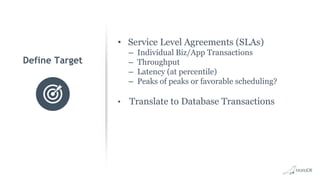
• Service Level Agreements (SLAs)
– Individual Biz/App Transactions
– Throughput
– Latency (at percentile)
– Peaks of peaks or favorable scheduling?
• Translate to Database Transactions
Define Target
Capture Metrics
• Biz/App Transactions
– Code Instrumentation
– Synthetic Transactions
– Compare to defined SLAs
• Database Transactions
• Sub-system level
– Servers (Web, App, DB, etc…)
– Storage
– Network
– Database
Tuning Routine - When to Tune
• Tune from Start of the Application Lifecycle
– Start Early to Ensure Schema is Well Constructed
– Test Queries on Real Data — Watch for Bottlenecks
– Over Tuning without Production Data or Traffic isn’t productive
• Conduct Periodic Reviews of Production Systems
– Watch for Schema, Query and Significant Changes
– Check Carefully New Application Features
– Monitor System Resources — Disk, Memory, Network, CPU
Tuning Routine - When Not to Tune
• Identify Objectives in Advance
– Adhere to Objectives
• Be Aware of Data Integrity
– Where is Speed Most Important?
– Where is Integrity Most Important?
– Adhere to these Boundaries
History
Alerts
Leverage your Metrics
Avoiding Cliffs • Understand expected business volumes
• Watch system-level stats for saturation
• Stress testing
– Sysbench
– HammerDB
– TPC
– Many others….
– Custom
Server, Storage, Network and O/S
Core Infrastructure
• Dedicated Server
• Memory
– More usually helps (up to ~dataset size)
– Important with read-heavy + slow disk
• More CPUs
– Highly concurrent use cases
– Usually favored over faster CPUs
• Faster CPUs
– Less concurrent use cases
– Dataset fits in memory
Database Server
• Local or SAN over NAS
– Performance
• SSD over HHD
– Performance and MTBF
– SSD wear not usually a factor
• SSDs
– Consumer
– Prosumer
– PCIe
– NVMe
Storage
• Can be Bandwidth Hungry
– Regular client traffic
– Replication Traffic
– Rebuilding replicas from snapshots
• Stability matters for Replication
• Sometimes overlooked as potential
bottleneck
• Efficient DNS setup*
Network
OS Settings
Linux Settings
•Swappiness
○ Value for propensity of the OS to swap
to disk
○ Defaults are usually 60
○ Commonly set low to 10 or so (not 0)
•Noatime
○ Mount disks with this option
○ Turns off writing of access time to disk
with every file access
○ Without this option every read becomes
an additional write
Connections & Pooling
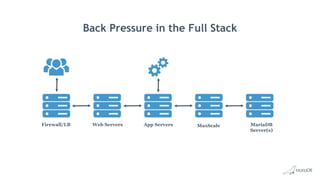
Applying Back Pressure
Back Pressure in the Full Stack
Firewall/LB Web Servers App Servers MaxScale MariaDB
Server(s)
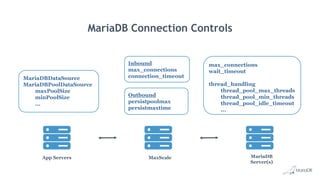
MariaDB Connection Controls
App Servers MaxScale MariaDB
Server(s)
max_connections
wait_timeout
thread_handling
thread_pool_max_threads
thread_pool_min_threads
thread_pool_idle_timeout
...
MariaDBDataSource
MariaDBPoolDataSource
maxPoolSize
minPoolSize
...
Outbound
persistpoolmax
persistmaxtime
Inbound
max_connections
connection_timeout
Further Reading
• Java Connector Pooling
mariadb.com/kb/en/library/pool-datasource-implementation/
• MaxScale
mariadb.com/kb/en/mariadb-enterprise/mariadb-maxscale-22/maxscale-
configuration-usage-scenarios/#server
mariadb.com/kb/en/mariadb-enterprise/mariadb-maxscale-22/maxscale-
configuration-usage-scenarios/#server
• Server Thread Pools
mariadb.com/kb/en/library/thread-pool-in-mariadb/
mariadb.com/kb/en/library/thread-pool-system-and-status-variables/
Configuration Settings
Common Settings with Performance Impact
• Runtime changes via SET GLOBAL
• Make permanent with changes to my.cnf
– Make sure you have right my.cnf
– Verify with SHOW GLOBAL
• One change at a time
• Production changes
– tested, reviewed, version controlled
Changing Config
Settings
Configuration Settings
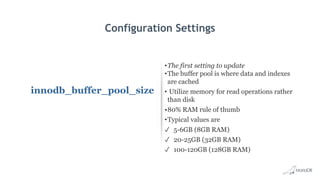
innodb_buffer_pool_size
•The first setting to update
•The buffer pool is where data and indexes
are cached
• Utilize memory for read operations rather
than disk
•80% RAM rule of thumb
•Typical values are
✓ 5-6GB (8GB RAM)
✓ 20-25GB (32GB RAM)
✓ 100-120GB (128GB RAM)
Configuration Settings
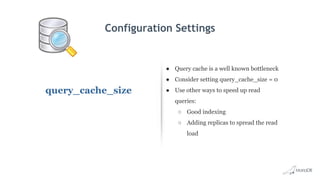
query_cache_size
● Query cache is a well known bottleneck
● Consider setting query_cache_size = 0
● Use other ways to speed up read
queries:
○ Good indexing
○ Adding replicas to spread the read
load
Configuration Settings
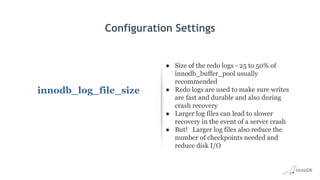
innodb_log_file_size
● Size of the redo logs - 25 to 50% of
innodb_buffer_pool usually
recommended
● Redo logs are used to make sure writes
are fast and durable and also during
crash recovery
● Larger log files can lead to slower
recovery in the event of a server crash
● But! Larger log files also reduce the
number of checkpoints needed and
reduce disk I/O
Configuration Settings
innodb_file_per_table
● Each .ibd file represents a tablespace of its
own.
● Database operations such as “TRUNCATE”
can be completed faster and you may also
reclaim unused space when dropping or
truncating a database table.
● Allows some of the database tables to be
kept in separate storage device. This can
greatly improve the I/O load on your disks.
Configuration Settings
Disable MySQL Reverse
DNS Lookups
● MariaDB performs a DNS lookup of the
user’s IP address and Hostname with
connection
● The IP address is checked by resolving it to a
host name. The hostname is then resolved to
an IP to verify
● This allows DNS issues to cause delays
● You can disable and use IP addresses only
○ skip-name-resolve under [mysqld] in
my.cnf
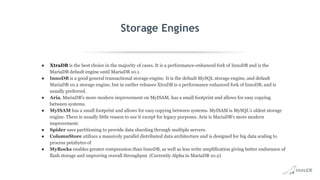
Storage Engines
● XtraDB is the best choice in the majority of cases. It is a performance-enhanced fork of InnoDB and is the
MariaDB default engine until MariaDB 10.1.
● InnoDB is a good general transactional storage engine. It is the default MySQL storage engine, and default
MariaDB 10.2 storage engine, but in earlier releases XtraDB is a performance enhanced fork of InnoDB, and is
usually preferred.
● Aria, MariaDB's more modern improvement on MyISAM, has a small footprint and allows for easy copying
between systems.
● MyISAM has a small footprint and allows for easy copying between systems. MyISAM is MySQL's oldest storage
engine. There is usually little reason to use it except for legacy purposes. Aria is MariaDB's more modern
improvement.
● Spider uses partitioning to provide data sharding through multiple servers.
● ColumnStore utilizes a massively parallel distributed data architecture and is designed for big data scaling to
process petabytes of
● MyRocks enables greater compression than InnoDB, as well as less write amplification giving better endurance of
flash storage and improving overall throughput. (Currently Alpha in MariaDB 10.2)
Query Tuning
There are always more queries to tune
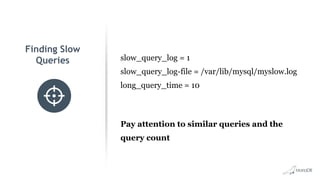
Finding Slow
Queries slow_query_log = 1
slow_query_log-file = /var/lib/mysql/myslow.log
long_query_time = 10
Pay attention to similar queries and the
query count
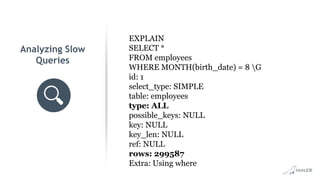
Analyzing Slow
Queries
EXPLAIN
SELECT *
FROM employees
WHERE MONTH(birth_date) = 8 G
id: 1
select_type: SIMPLE
table: employees
type: ALL
possible_keys: NULL
key: NULL
key_len: NULL
ref: NULL
rows: 299587
Extra: Using where
• Poor Indexing #1 Reason for poor
performance
• Basics of B-Tree Indexing same across
relational systems
• Space/Performance Tradeoff
• Write/Read Tradeoff
Indexing
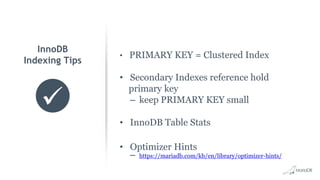
• PRIMARY KEY = Clustered Index
• Secondary Indexes reference hold
primary key
– keep PRIMARY KEY small
• InnoDB Table Stats
• Optimizer Hints
– https://mariadb.com/kb/en/library/optimizer-hints/
InnoDB
Indexing Tips
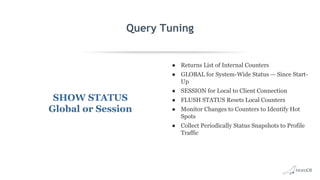
Query Tuning
SHOW STATUS
Global or Session
● Returns List of Internal Counters
● GLOBAL for System-Wide Status — Since Start-
Up
● SESSION for Local to Client Connection
● FLUSH STATUS Resets Local Counters
● Monitor Changes to Counters to Identify Hot
Spots
● Collect Periodically Status Snapshots to Profile
Traffic
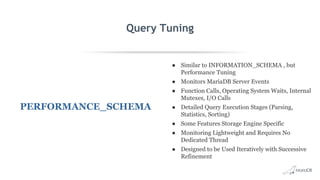
Query Tuning
PERFORMANCE_SCHEMA
● Similar to INFORMATION_SCHEMA , but
Performance Tuning
● Monitors MariaDB Server Events
● Function Calls, Operating System Waits, Internal
Mutexes, I/O Calls
● Detailed Query Execution Stages (Parsing,
Statistics, Sorting)
● Some Features Storage Engine Specific
● Monitoring Lightweight and Requires No
Dedicated Thread
● Designed to be Used Iteratively with Successive
Refinement
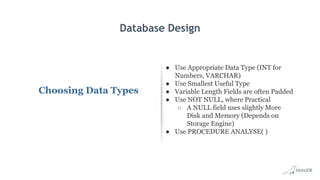
Database Design
Choosing Data Types
● Use Appropriate Data Type (INT for
Numbers, VARCHAR)
● Use Smallest Useful Type
● Variable Length Fields are often Padded
● Use NOT NULL, where Practical
○ A NULL field uses slightly More
Disk and Memory (Depends on
Storage Engine)
● Use PROCEDURE ANALYSE( )
Monitoring and Query Tuning
Monitoring Tools
Monyog - Agentless and Cost-effective MariaDB monitoring tool
Box Anemometer - a MariaDB Slow Query Monitor. This tool is used to analyze slow query logs
collected from MariaDB instances to identify problematic queries
Q&A
Thank you
james.mclaurin@mariadb.com.
Appendix
Backup Slides and More
Configuration Settings
max_connections •‘Too many connections’ error?
•Using a connection pool at the application
level or a thread pool at the MariaDB level
can help
Configuration Settings
Check for MySQL idle
Connections
● Idle connections consume resources and
should be interrupted or refreshed when
possible.
● Idle connections are in “sleep” state and
usually stay that way for long period of time.
● To look for idled connections:
● # mysqladmin processlist -u root -p | grep
“Sleep”
● You can check the code for the cause if
many idled
● You can also change the wait_timeout value
Configuration Settings
thread_cache_size
● The thread_cache_size directive sets the amount of
threads that your server should cache.
● To find the thread cache hit rate, you can use the
following technique:
○ show status like 'Threads_created';
○ show status like 'Connections';
● calculate the thread cache hit rate percentage:
○ 100 - ((Threads_created / Connections) * 100)
● Dynamically set to a new value:
○ set global thread_cache_size = 16;
Configuration Settings
memory parameters
● MariaDB uses temporary tables when
processing complex queries involving joins
and sorting
● The default size of a temporary table is very
small
○ The size is configured in your my.cnf:
tmp-table-size = 1G
max-heap-table-size = 1G
● Both should have the same size and will
help prevent disk writes
● A rule of thumb is giving 64Mb for every
GB of RAM on the server
Configuration Settings
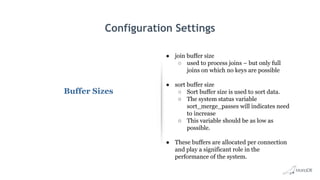
Buffer Sizes
● join buffer size
○ used to process joins – but only full
joins on which no keys are possible
● sort buffer size
○ Sort buffer size is used to sort data.
○ The system status variable
sort_merge_passes will indicates need
to increase
○ This variable should be as low as
possible.
● These buffers are allocated per connection
and play a significant role in the
performance of the system.
Configuration Settings
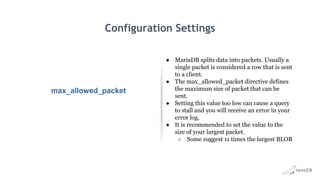
max_allowed_packet
● MariaDB splits data into packets. Usually a
single packet is considered a row that is sent
to a client.
● The max_allowed_packet directive defines
the maximum size of packet that can be
sent.
● Setting this value too low can cause a query
to stall and you will receive an error in your
error log.
● It is recommended to set the value to the
size of your largest packet.
○ Some suggest 11 times the largest BLOB

Maximizing performance via tuning and optimization

  • 1.
    Maximizing Performance via Tuning and Optimization Gettingthe most from MariaDB Server Jon Day Solution Architect
  • 2.
    Agenda • GeneralBest Practices • Server, Storage, Network and O/S • Connections & Pooling • MariaDB Config Settings • Query Tuning • Q&A
  • 3.
    General Best Practices Maybeobvious, but worth repeating
  • 4.
    • Service LevelAgreements (SLAs) – Individual Biz/App Transactions – Throughput – Latency (at percentile) – Peaks of peaks or favorable scheduling? • Translate to Database Transactions Define Target
  • 5.
    Capture Metrics • Biz/AppTransactions – Code Instrumentation – Synthetic Transactions – Compare to defined SLAs • Database Transactions • Sub-system level – Servers (Web, App, DB, etc…) – Storage – Network – Database
  • 6.
    Tuning Routine -When to Tune • Tune from Start of the Application Lifecycle – Start Early to Ensure Schema is Well Constructed – Test Queries on Real Data — Watch for Bottlenecks – Over Tuning without Production Data or Traffic isn’t productive • Conduct Periodic Reviews of Production Systems – Watch for Schema, Query and Significant Changes – Check Carefully New Application Features – Monitor System Resources — Disk, Memory, Network, CPU
  • 7.
    Tuning Routine -When Not to Tune • Identify Objectives in Advance – Adhere to Objectives • Be Aware of Data Integrity – Where is Speed Most Important? – Where is Integrity Most Important? – Adhere to these Boundaries
  • 8.
  • 9.
    Avoiding Cliffs •Understand expected business volumes • Watch system-level stats for saturation • Stress testing – Sysbench – HammerDB – TPC – Many others…. – Custom
  • 10.
    Server, Storage, Networkand O/S Core Infrastructure
  • 11.
    • Dedicated Server •Memory – More usually helps (up to ~dataset size) – Important with read-heavy + slow disk • More CPUs – Highly concurrent use cases – Usually favored over faster CPUs • Faster CPUs – Less concurrent use cases – Dataset fits in memory Database Server
  • 12.
    • Local orSAN over NAS – Performance • SSD over HHD – Performance and MTBF – SSD wear not usually a factor • SSDs – Consumer – Prosumer – PCIe – NVMe Storage
  • 13.
    • Can beBandwidth Hungry – Regular client traffic – Replication Traffic – Rebuilding replicas from snapshots • Stability matters for Replication • Sometimes overlooked as potential bottleneck • Efficient DNS setup* Network
  • 14.
    OS Settings Linux Settings •Swappiness ○Value for propensity of the OS to swap to disk ○ Defaults are usually 60 ○ Commonly set low to 10 or so (not 0) •Noatime ○ Mount disks with this option ○ Turns off writing of access time to disk with every file access ○ Without this option every read becomes an additional write
  • 15.
  • 16.
    Back Pressure inthe Full Stack Firewall/LB Web Servers App Servers MaxScale MariaDB Server(s)
  • 17.
    MariaDB Connection Controls AppServers MaxScale MariaDB Server(s) max_connections wait_timeout thread_handling thread_pool_max_threads thread_pool_min_threads thread_pool_idle_timeout ... MariaDBDataSource MariaDBPoolDataSource maxPoolSize minPoolSize ... Outbound persistpoolmax persistmaxtime Inbound max_connections connection_timeout
  • 18.
    Further Reading • JavaConnector Pooling mariadb.com/kb/en/library/pool-datasource-implementation/ • MaxScale mariadb.com/kb/en/mariadb-enterprise/mariadb-maxscale-22/maxscale- configuration-usage-scenarios/#server mariadb.com/kb/en/mariadb-enterprise/mariadb-maxscale-22/maxscale- configuration-usage-scenarios/#server • Server Thread Pools mariadb.com/kb/en/library/thread-pool-in-mariadb/ mariadb.com/kb/en/library/thread-pool-system-and-status-variables/
  • 19.
  • 20.
    • Runtime changesvia SET GLOBAL • Make permanent with changes to my.cnf – Make sure you have right my.cnf – Verify with SHOW GLOBAL • One change at a time • Production changes – tested, reviewed, version controlled Changing Config Settings
  • 21.
    Configuration Settings innodb_buffer_pool_size •The firstsetting to update •The buffer pool is where data and indexes are cached • Utilize memory for read operations rather than disk •80% RAM rule of thumb •Typical values are ✓ 5-6GB (8GB RAM) ✓ 20-25GB (32GB RAM) ✓ 100-120GB (128GB RAM)
  • 22.
    Configuration Settings query_cache_size ● Querycache is a well known bottleneck ● Consider setting query_cache_size = 0 ● Use other ways to speed up read queries: ○ Good indexing ○ Adding replicas to spread the read load
  • 23.
    Configuration Settings innodb_log_file_size ● Sizeof the redo logs - 25 to 50% of innodb_buffer_pool usually recommended ● Redo logs are used to make sure writes are fast and durable and also during crash recovery ● Larger log files can lead to slower recovery in the event of a server crash ● But! Larger log files also reduce the number of checkpoints needed and reduce disk I/O
  • 24.
    Configuration Settings innodb_file_per_table ● Each.ibd file represents a tablespace of its own. ● Database operations such as “TRUNCATE” can be completed faster and you may also reclaim unused space when dropping or truncating a database table. ● Allows some of the database tables to be kept in separate storage device. This can greatly improve the I/O load on your disks.
  • 25.
    Configuration Settings Disable MySQLReverse DNS Lookups ● MariaDB performs a DNS lookup of the user’s IP address and Hostname with connection ● The IP address is checked by resolving it to a host name. The hostname is then resolved to an IP to verify ● This allows DNS issues to cause delays ● You can disable and use IP addresses only ○ skip-name-resolve under [mysqld] in my.cnf
  • 26.
    Storage Engines ● XtraDBis the best choice in the majority of cases. It is a performance-enhanced fork of InnoDB and is the MariaDB default engine until MariaDB 10.1. ● InnoDB is a good general transactional storage engine. It is the default MySQL storage engine, and default MariaDB 10.2 storage engine, but in earlier releases XtraDB is a performance enhanced fork of InnoDB, and is usually preferred. ● Aria, MariaDB's more modern improvement on MyISAM, has a small footprint and allows for easy copying between systems. ● MyISAM has a small footprint and allows for easy copying between systems. MyISAM is MySQL's oldest storage engine. There is usually little reason to use it except for legacy purposes. Aria is MariaDB's more modern improvement. ● Spider uses partitioning to provide data sharding through multiple servers. ● ColumnStore utilizes a massively parallel distributed data architecture and is designed for big data scaling to process petabytes of ● MyRocks enables greater compression than InnoDB, as well as less write amplification giving better endurance of flash storage and improving overall throughput. (Currently Alpha in MariaDB 10.2)
  • 27.
    Query Tuning There arealways more queries to tune
  • 28.
    Finding Slow Queries slow_query_log= 1 slow_query_log-file = /var/lib/mysql/myslow.log long_query_time = 10 Pay attention to similar queries and the query count
  • 29.
    Analyzing Slow Queries EXPLAIN SELECT * FROMemployees WHERE MONTH(birth_date) = 8 G id: 1 select_type: SIMPLE table: employees type: ALL possible_keys: NULL key: NULL key_len: NULL ref: NULL rows: 299587 Extra: Using where
  • 30.
    • Poor Indexing#1 Reason for poor performance • Basics of B-Tree Indexing same across relational systems • Space/Performance Tradeoff • Write/Read Tradeoff Indexing
  • 31.
    • PRIMARY KEY= Clustered Index • Secondary Indexes reference hold primary key – keep PRIMARY KEY small • InnoDB Table Stats • Optimizer Hints – https://mariadb.com/kb/en/library/optimizer-hints/ InnoDB Indexing Tips
  • 32.
    Query Tuning SHOW STATUS Globalor Session ● Returns List of Internal Counters ● GLOBAL for System-Wide Status — Since Start- Up ● SESSION for Local to Client Connection ● FLUSH STATUS Resets Local Counters ● Monitor Changes to Counters to Identify Hot Spots ● Collect Periodically Status Snapshots to Profile Traffic
  • 33.
    Query Tuning PERFORMANCE_SCHEMA ● Similarto INFORMATION_SCHEMA , but Performance Tuning ● Monitors MariaDB Server Events ● Function Calls, Operating System Waits, Internal Mutexes, I/O Calls ● Detailed Query Execution Stages (Parsing, Statistics, Sorting) ● Some Features Storage Engine Specific ● Monitoring Lightweight and Requires No Dedicated Thread ● Designed to be Used Iteratively with Successive Refinement
  • 34.
    Database Design Choosing DataTypes ● Use Appropriate Data Type (INT for Numbers, VARCHAR) ● Use Smallest Useful Type ● Variable Length Fields are often Padded ● Use NOT NULL, where Practical ○ A NULL field uses slightly More Disk and Memory (Depends on Storage Engine) ● Use PROCEDURE ANALYSE( )
  • 35.
    Monitoring and QueryTuning Monitoring Tools Monyog - Agentless and Cost-effective MariaDB monitoring tool Box Anemometer - a MariaDB Slow Query Monitor. This tool is used to analyze slow query logs collected from MariaDB instances to identify problematic queries
  • 36.
  • 37.
  • 38.
  • 39.
    Configuration Settings max_connections •‘Toomany connections’ error? •Using a connection pool at the application level or a thread pool at the MariaDB level can help
  • 40.
    Configuration Settings Check forMySQL idle Connections ● Idle connections consume resources and should be interrupted or refreshed when possible. ● Idle connections are in “sleep” state and usually stay that way for long period of time. ● To look for idled connections: ● # mysqladmin processlist -u root -p | grep “Sleep” ● You can check the code for the cause if many idled ● You can also change the wait_timeout value
  • 41.
    Configuration Settings thread_cache_size ● Thethread_cache_size directive sets the amount of threads that your server should cache. ● To find the thread cache hit rate, you can use the following technique: ○ show status like 'Threads_created'; ○ show status like 'Connections'; ● calculate the thread cache hit rate percentage: ○ 100 - ((Threads_created / Connections) * 100) ● Dynamically set to a new value: ○ set global thread_cache_size = 16;
  • 42.
    Configuration Settings memory parameters ●MariaDB uses temporary tables when processing complex queries involving joins and sorting ● The default size of a temporary table is very small ○ The size is configured in your my.cnf: tmp-table-size = 1G max-heap-table-size = 1G ● Both should have the same size and will help prevent disk writes ● A rule of thumb is giving 64Mb for every GB of RAM on the server
  • 43.
    Configuration Settings Buffer Sizes ●join buffer size ○ used to process joins – but only full joins on which no keys are possible ● sort buffer size ○ Sort buffer size is used to sort data. ○ The system status variable sort_merge_passes will indicates need to increase ○ This variable should be as low as possible. ● These buffers are allocated per connection and play a significant role in the performance of the system.
  • 44.
    Configuration Settings max_allowed_packet ● MariaDBsplits data into packets. Usually a single packet is considered a row that is sent to a client. ● The max_allowed_packet directive defines the maximum size of packet that can be sent. ● Setting this value too low can cause a query to stall and you will receive an error in your error log. ● It is recommended to set the value to the size of your largest packet. ○ Some suggest 11 times the largest BLOB