HBase
Operations
&
Best Practices
Venu Anuganti
July 2013
http://scalein.com/
Blog: http://venublog.com/
Twitter: @vanuganti
Who am I
o Data Architect, Technology Advisor
o Founder of ScaleIN, Data Consulting Company, 5+ years
o 100+ companies, 20+ from Fortune 200
o http://scalein.com/
o Architect, Implement & Support SQL, NoSQL and BigData
Solutions
 Industry: Databases, Games, Social, Video, SaaS,
Analytics, Warehouse, Web, Financial, Mobile,
Advertising & SEM Marketing
Agenda
 BigData - Hadoop & HBase Overview
 BigData Architecture
 HBase Cluster Setup Walkthrough
 High Availability
 Backup and Restore
 Operational Best Practices
BigData Overview
BigData Trends
• BigData is the latest industry buzz, many companies
adopting or migrating
o Not a replacement for OLTP or RDBMS systems
• Gartner – 28B in 2012 & 34B in 2013 spend
o 2013 top-10 technology trends – 6th place
• Solves large data problems that existed for years
o Social, User, Mobile growth demanded such a solution
o Google “BigTable” is the key, followed by Amazon “Dynamo”;
new papers like Dremel drives it further
o Hadoop & ecosystem is becoming synonym for BigData
• Combines vast structured/un-structured data
o Overcomes from legacy warehouse model
o Brings data analytics & data science
o Real-time, mining, insights, discovery & complex reporting
BigData
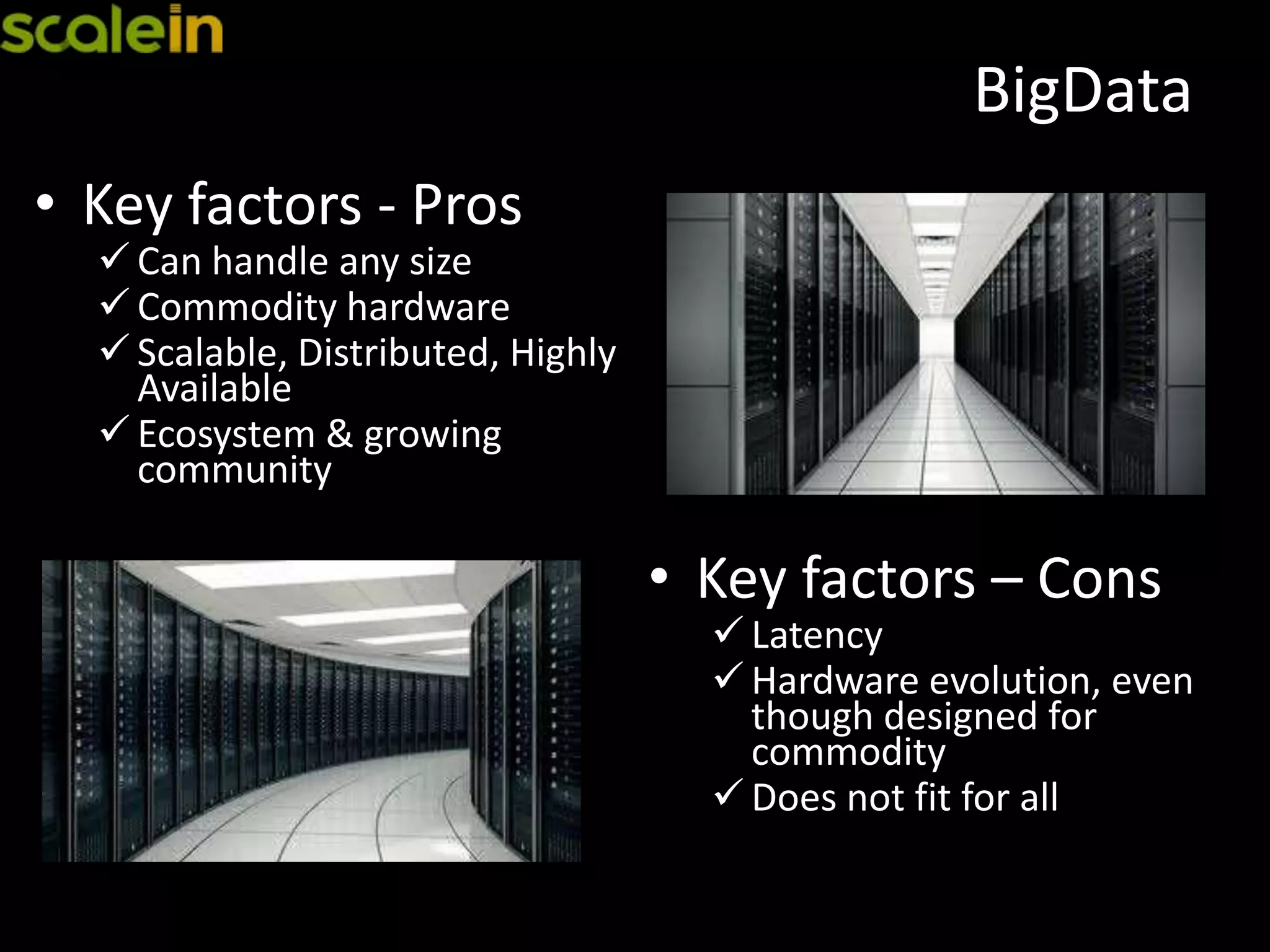
• Key factors - Pros
 Can handle any size
 Commodity hardware
 Scalable, Distributed, Highly
Available
 Ecosystem & growing
community
• Key factors – Cons
 Latency
 Hardware evolution, even
though designed for
commodity
 Does not fit for all
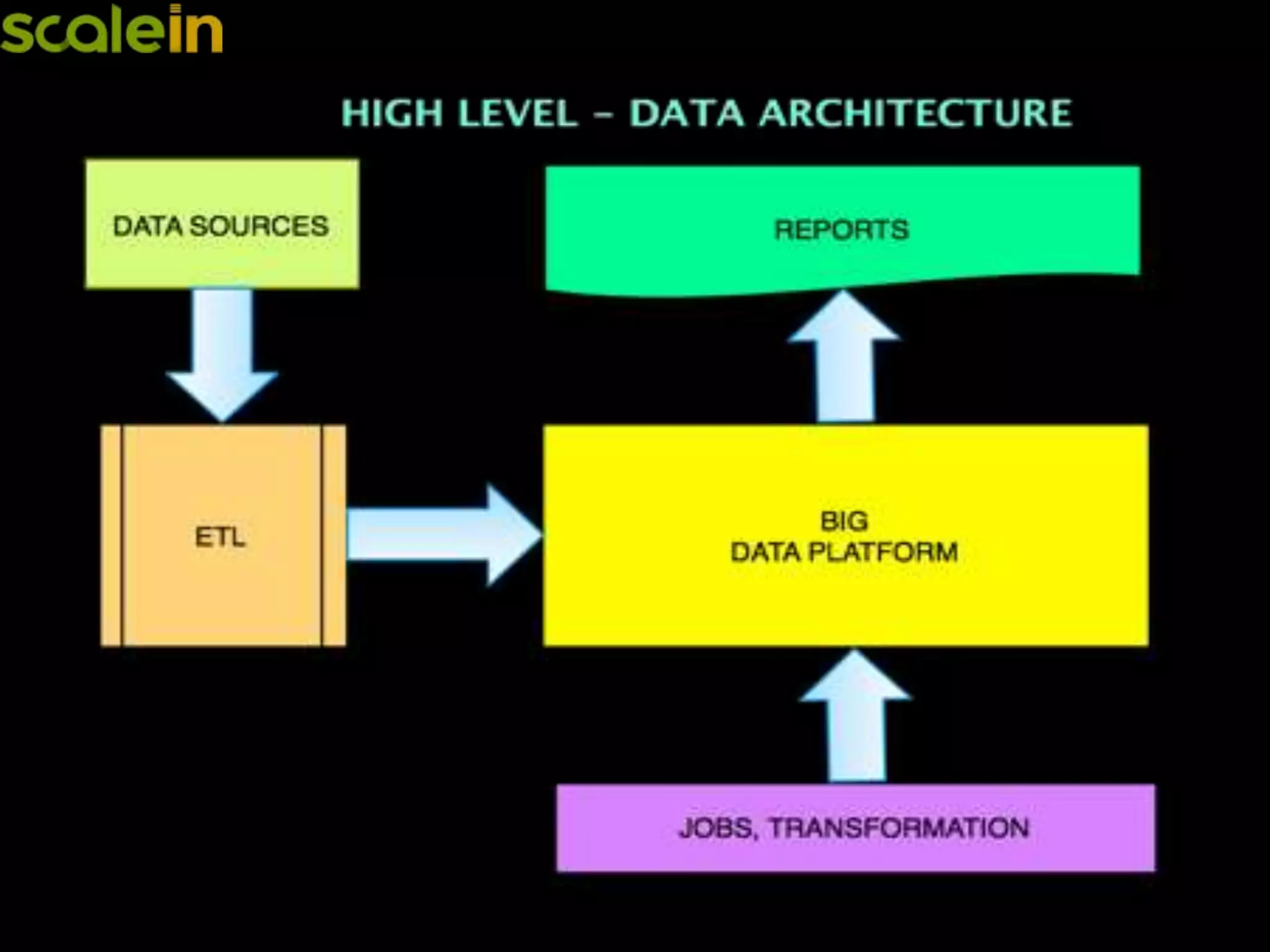
BigData Architecture
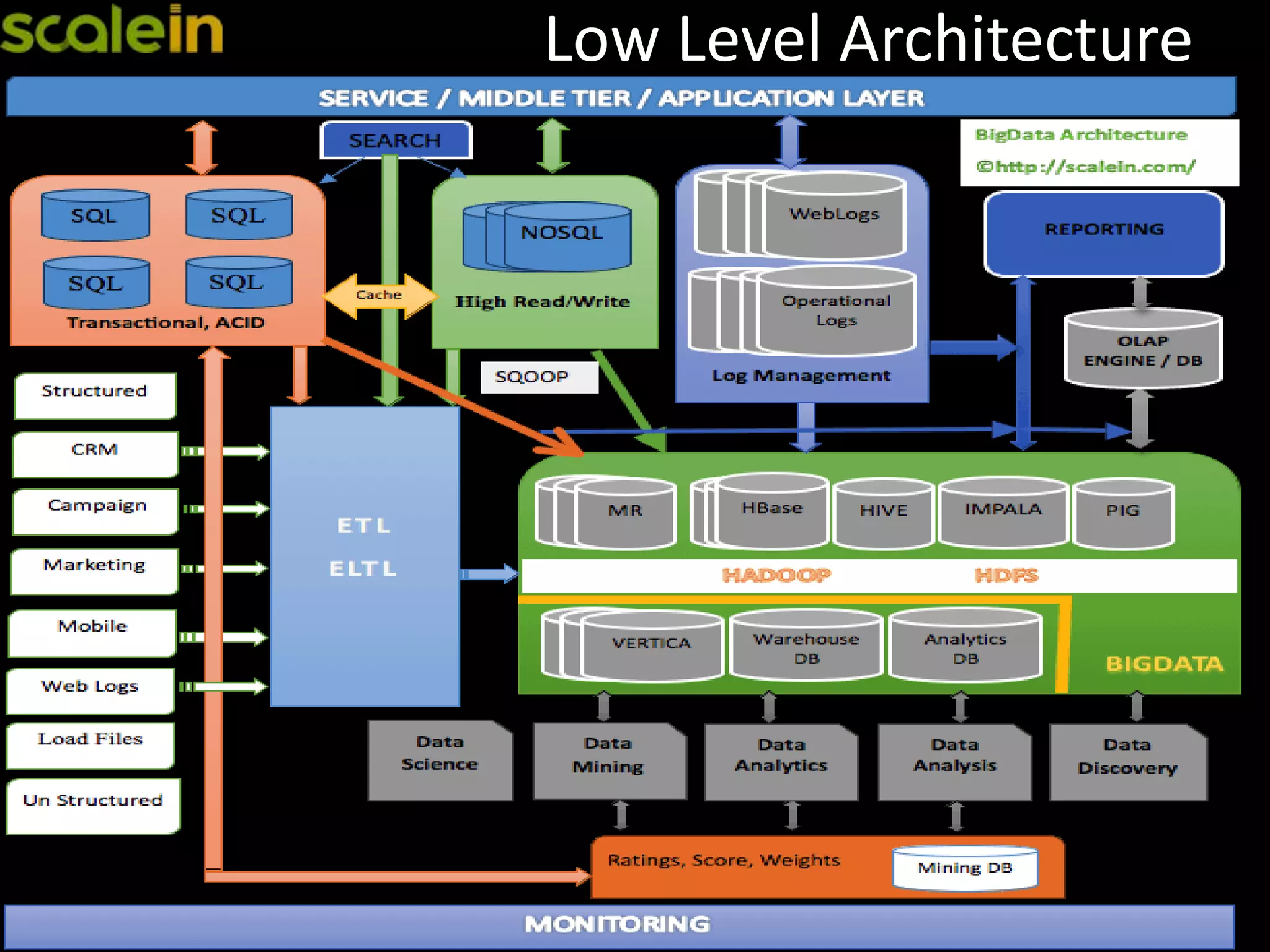
Low Level Architecture
Why HBase
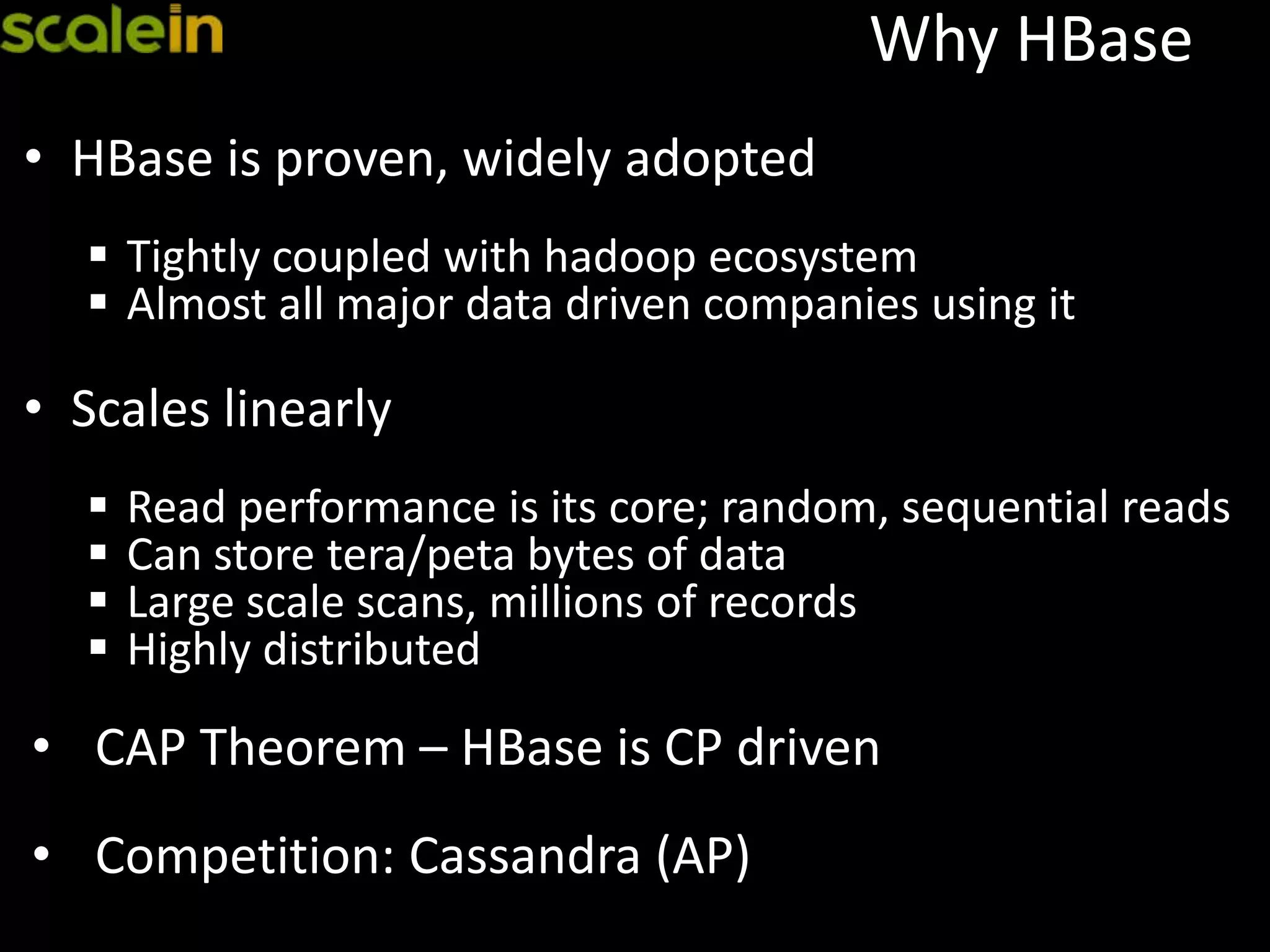
Why HBase
• HBase is proven, widely adopted
 Tightly coupled with hadoop ecosystem
 Almost all major data driven companies using it
• Scales linearly
 Read performance is its core; random, sequential reads
 Can store tera/peta bytes of data
 Large scale scans, millions of records
 Highly distributed
• CAP Theorem – HBase is CP driven
• Competition: Cassandra (AP)
Hadoop/HBase
Cluster Setup
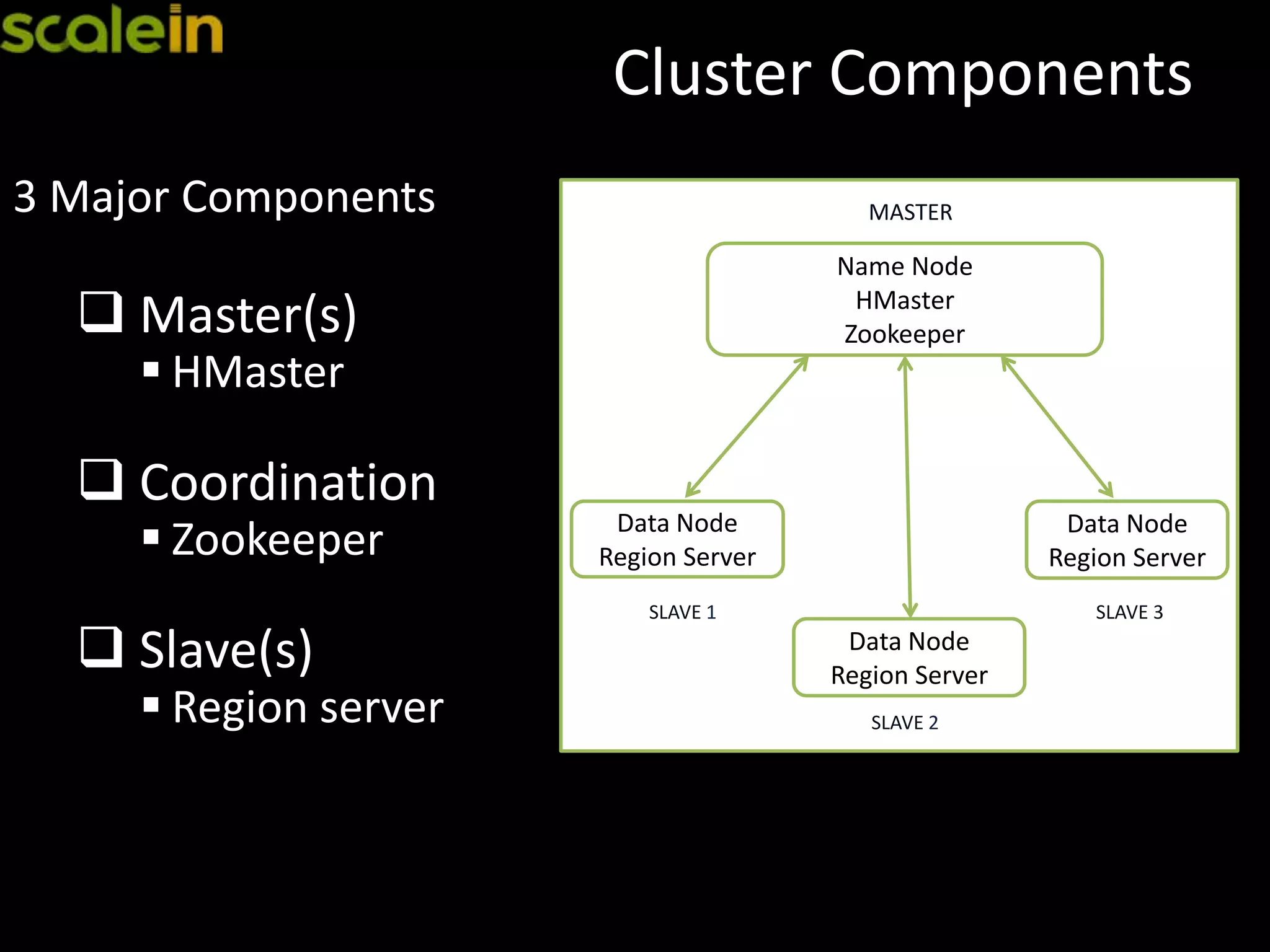
Cluster Components
3 Major Components
 Master(s)
 HMaster
 Coordination
 Zookeeper
 Slave(s)
 Region server
Name Node
HMaster
Zookeeper
MASTER
Data Node
Region Server
SLAVE 1
Data Node
Region Server
SLAVE 3
Data Node
Region Server
SLAVE 2
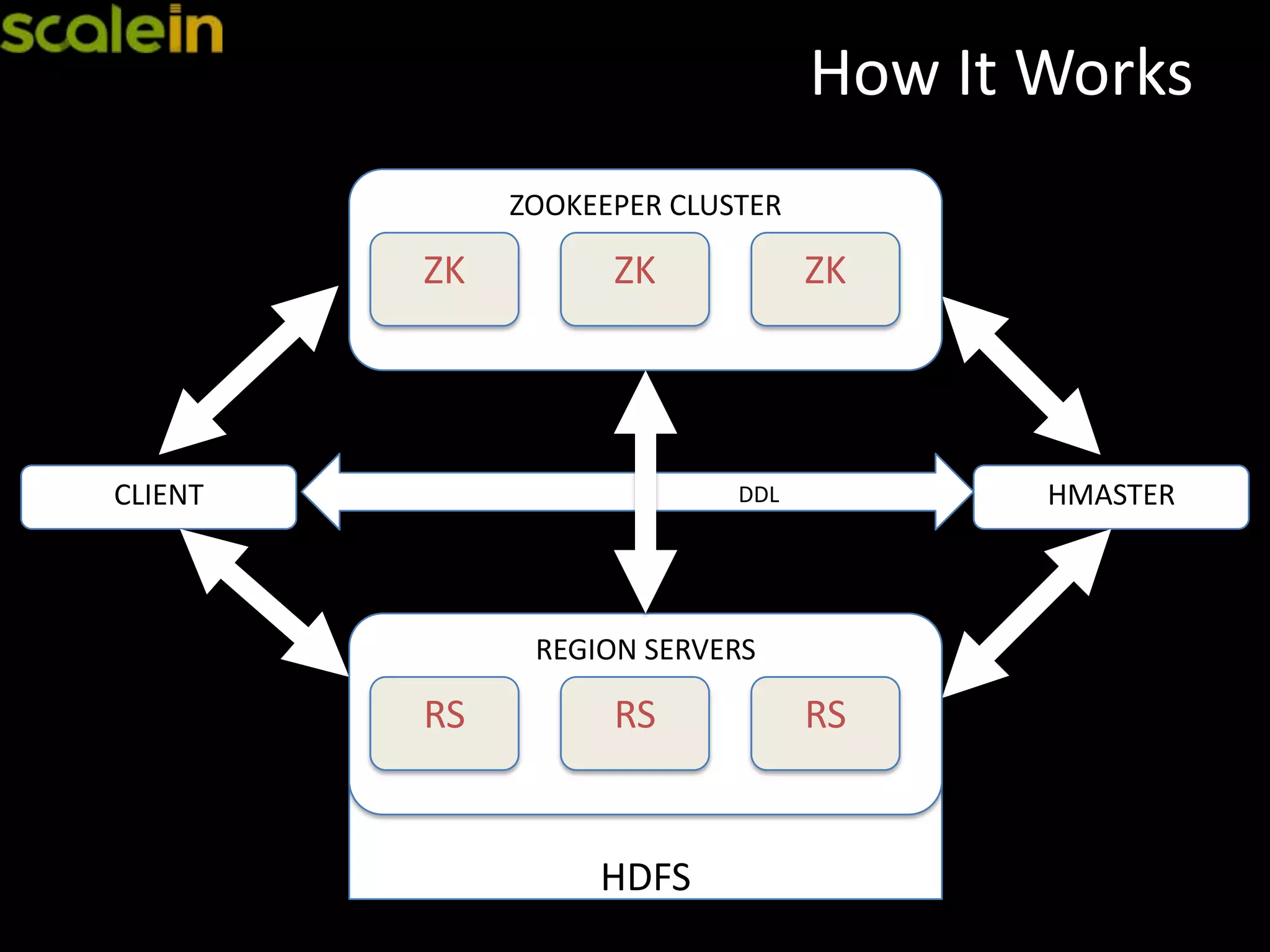
How It Works
HMASTERDDLCLIENT
HDFS
REGION SERVERS
RS RS RS
ZOOKEEPER CLUSTER
ZK ZK ZK
Zookeeper
 Zookeeper
o Coordination for entire cluster
o Master selection
o Root region server lookup
o Node registration
o Client always communicates with Zookeper for lookups
(cached for sub-sequent calls)
hbase(main):001:0> zk "ls /hbase"
[safe-mode, root-region-server, rs, master, shutdown,
replication]
Zookeeper Setup
 Zookeeper
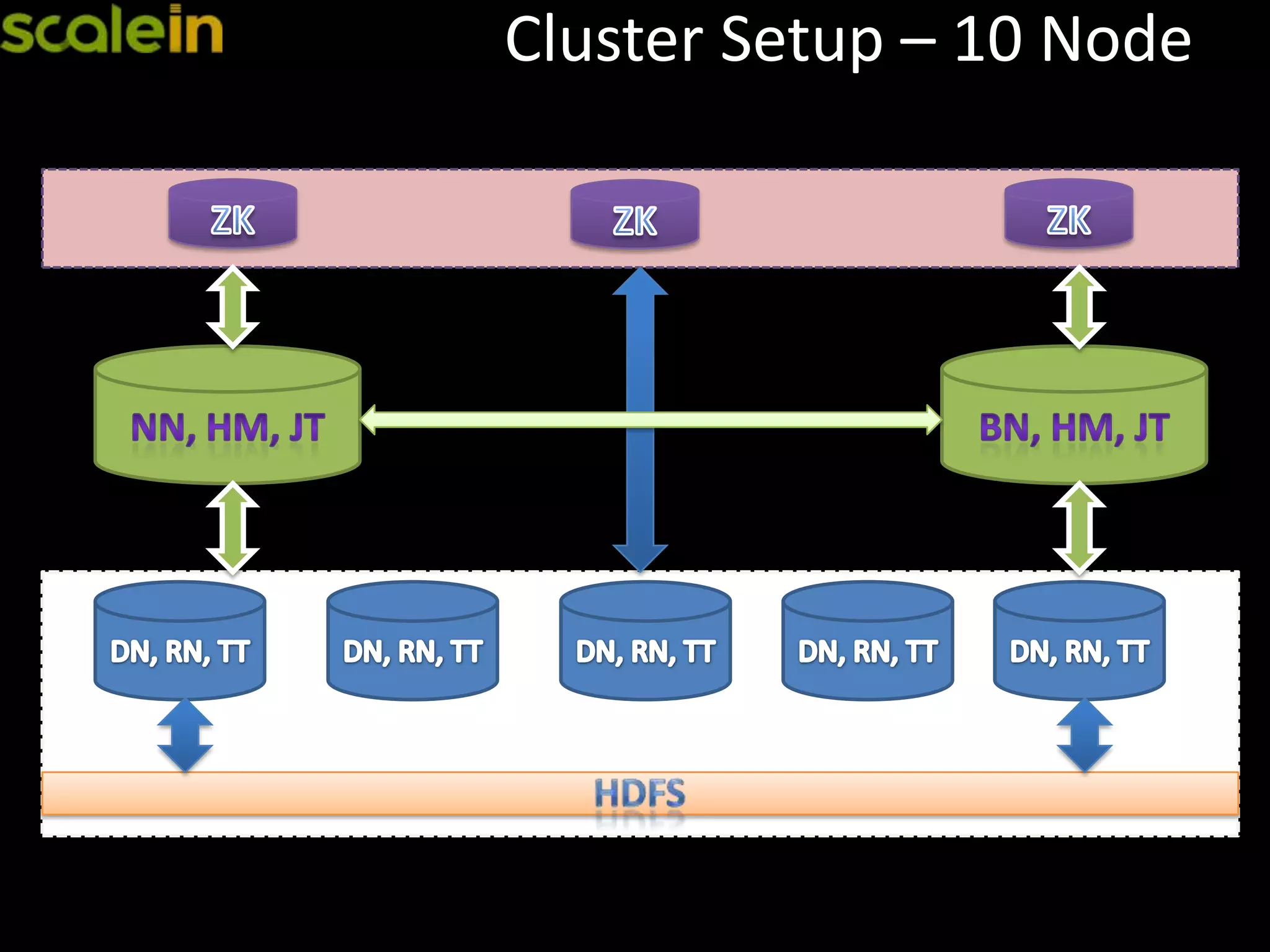
• Dedicated nodes in the cluster
• Always in odd number
• Disk, memory, cpu usage is low
• Availability is a key
Master Node
 HMaster
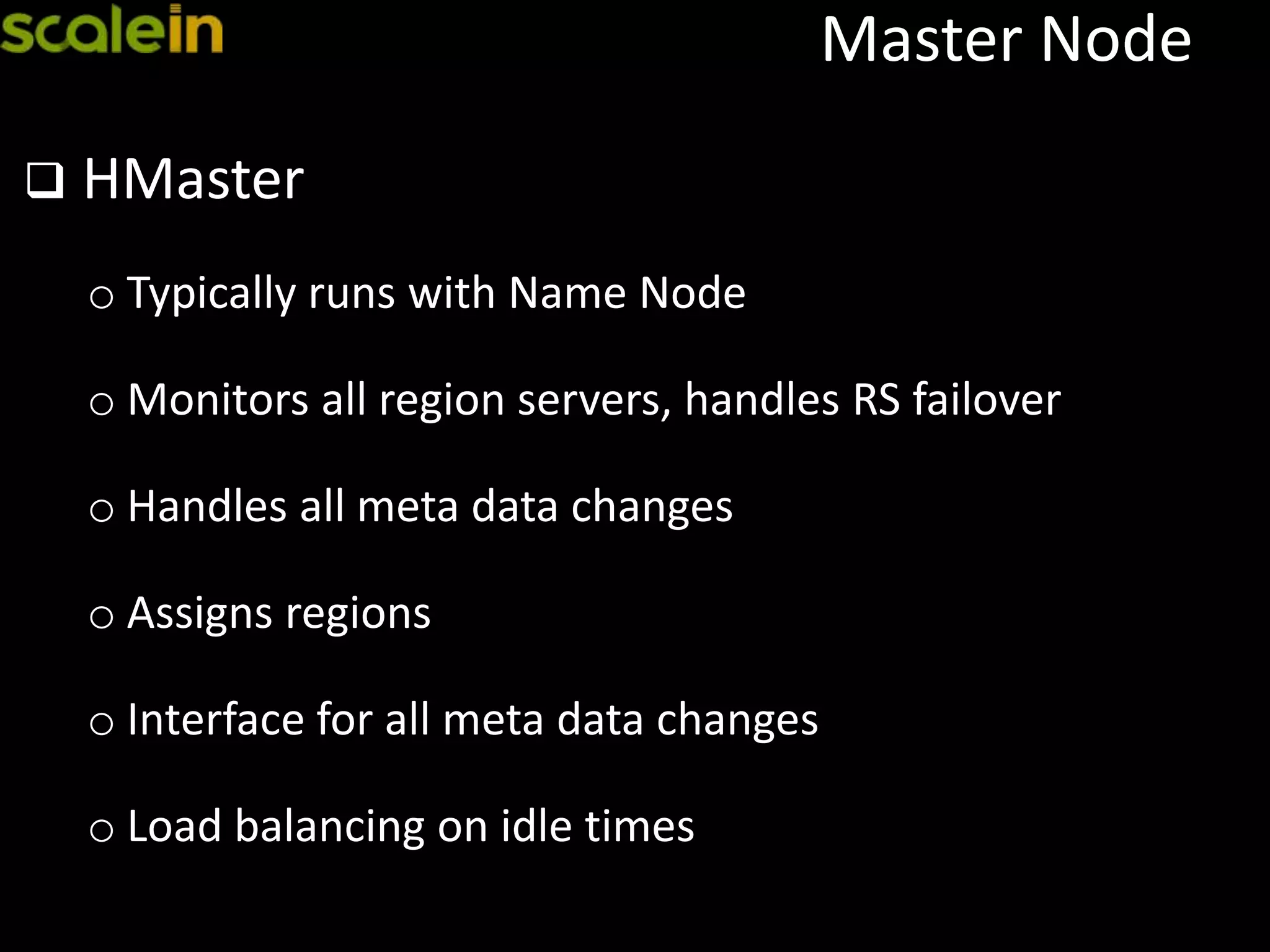
o Typically runs with Name Node
o Monitors all region servers, handles RS failover
o Handles all meta data changes
o Assigns regions
o Interface for all meta data changes
o Load balancing on idle times
Master Setup
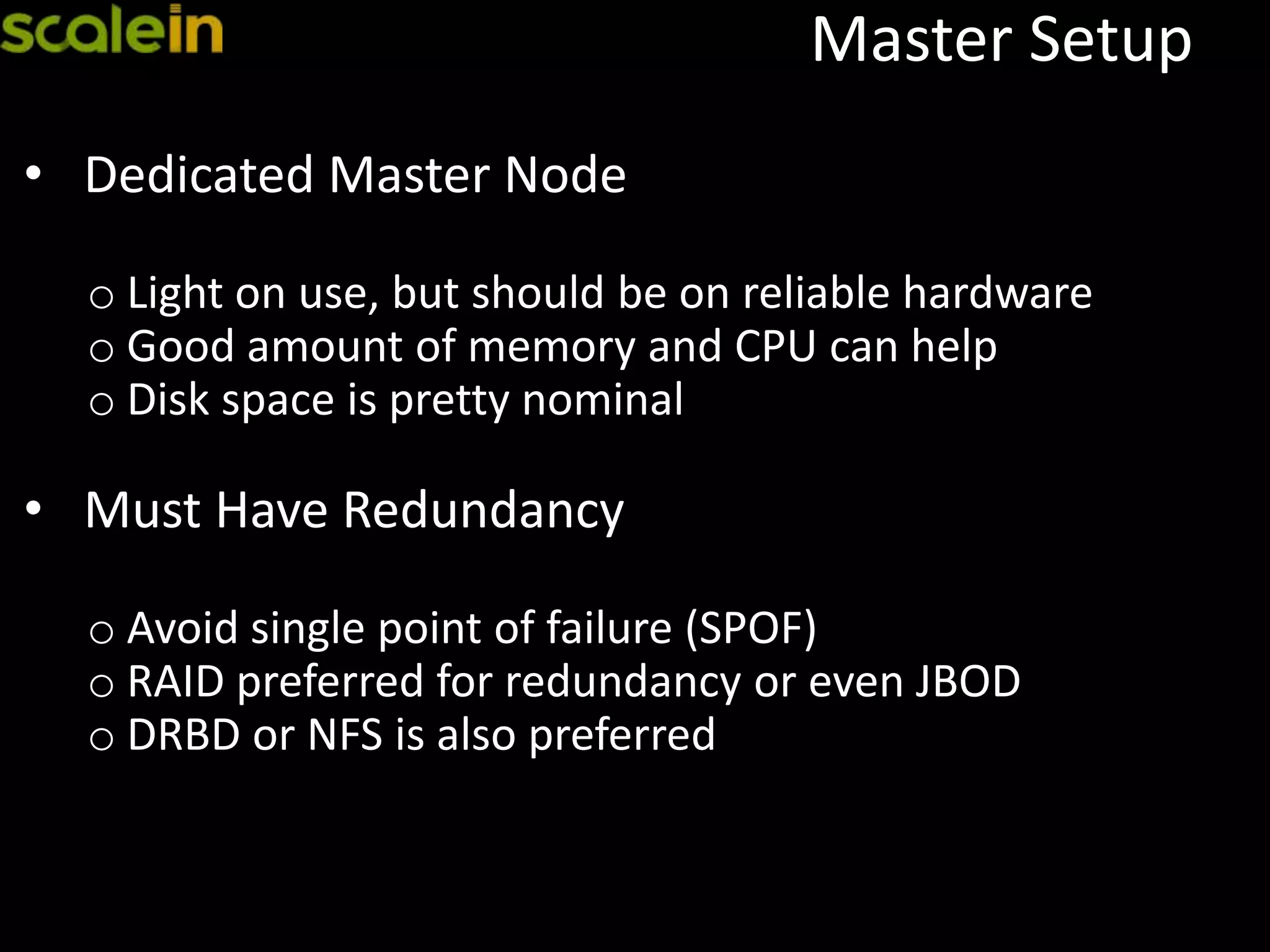
• Dedicated Master Node
o Light on use, but should be on reliable hardware
o Good amount of memory and CPU can help
o Disk space is pretty nominal
• Must Have Redundancy
o Avoid single point of failure (SPOF)
o RAID preferred for redundancy or even JBOD
o DRBD or NFS is also preferred
Region Server
 Region Server
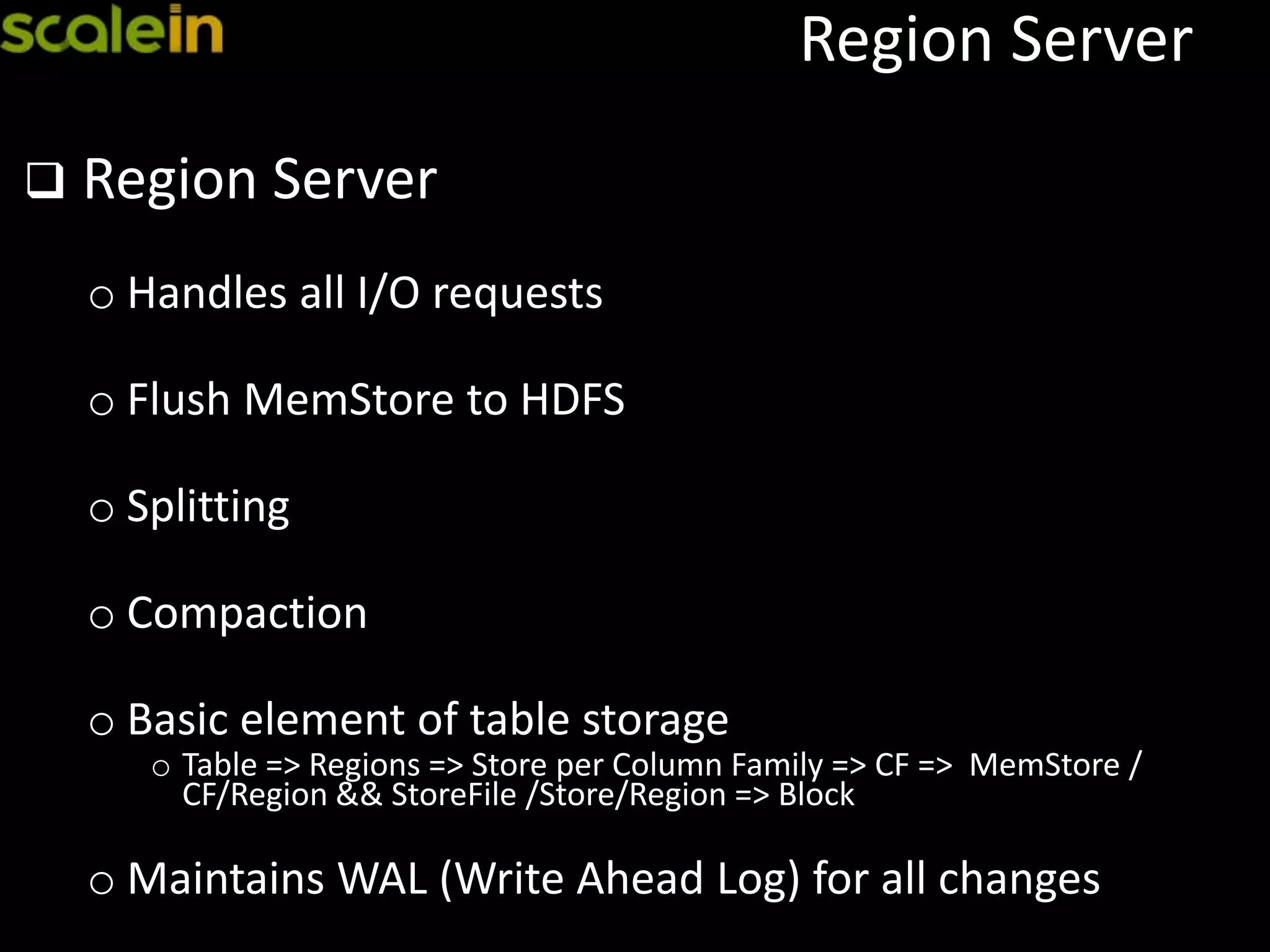
o Handles all I/O requests
o Flush MemStore to HDFS
o Splitting
o Compaction
o Basic element of table storage
o Table => Regions => Store per Column Family => CF => MemStore /
CF/Region && StoreFile /Store/Region => Block
o Maintains WAL (Write Ahead Log) for all changes
Region Server - Setup
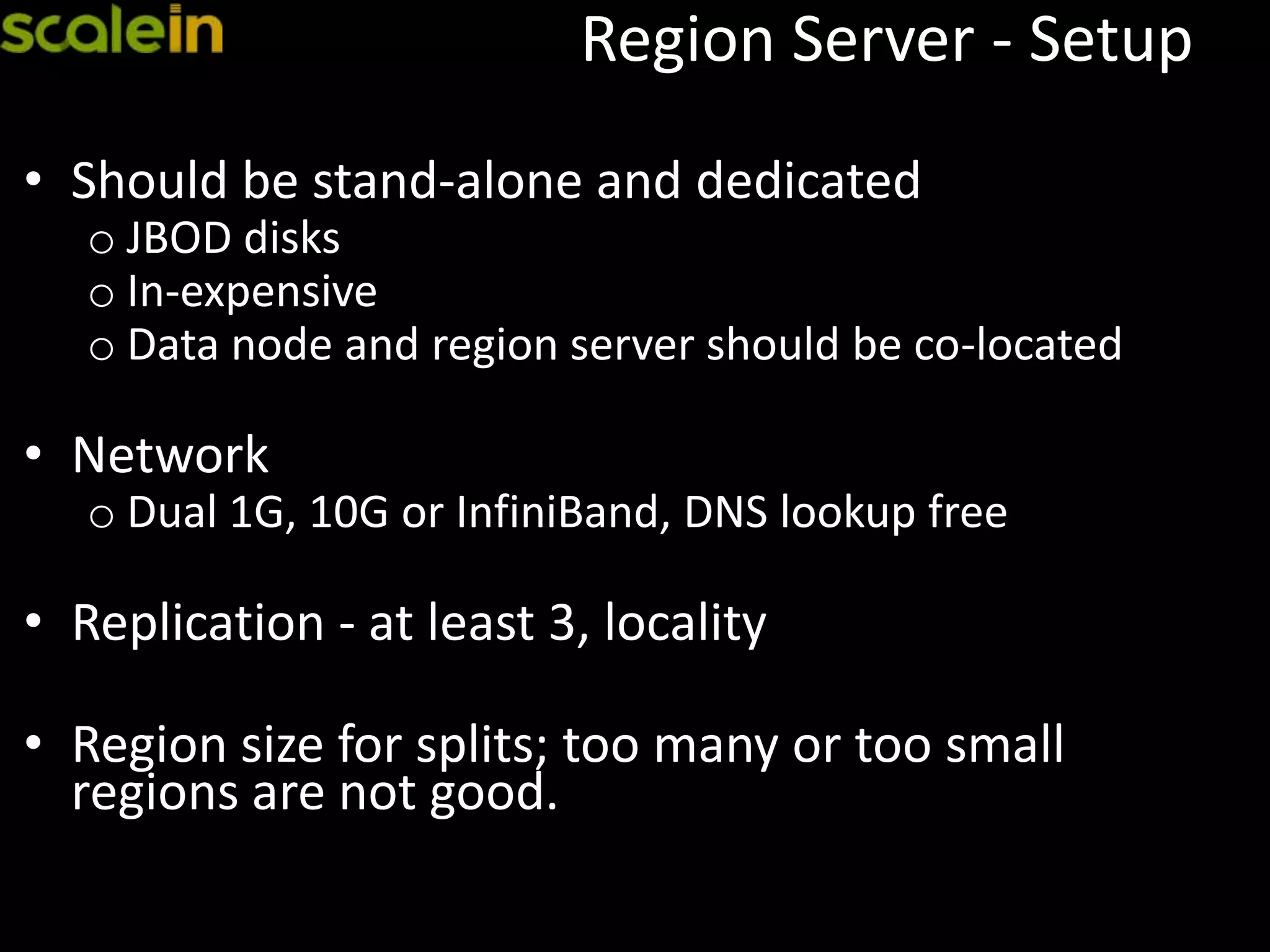
• Should be stand-alone and dedicated
o JBOD disks
o In-expensive
o Data node and region server should be co-located
• Network
o Dual 1G, 10G or InfiniBand, DNS lookup free
• Replication - at least 3, locality
• Region size for splits; too many or too small
regions are not good.
Cluster Setup – 10 Node
High Availability
High Availability
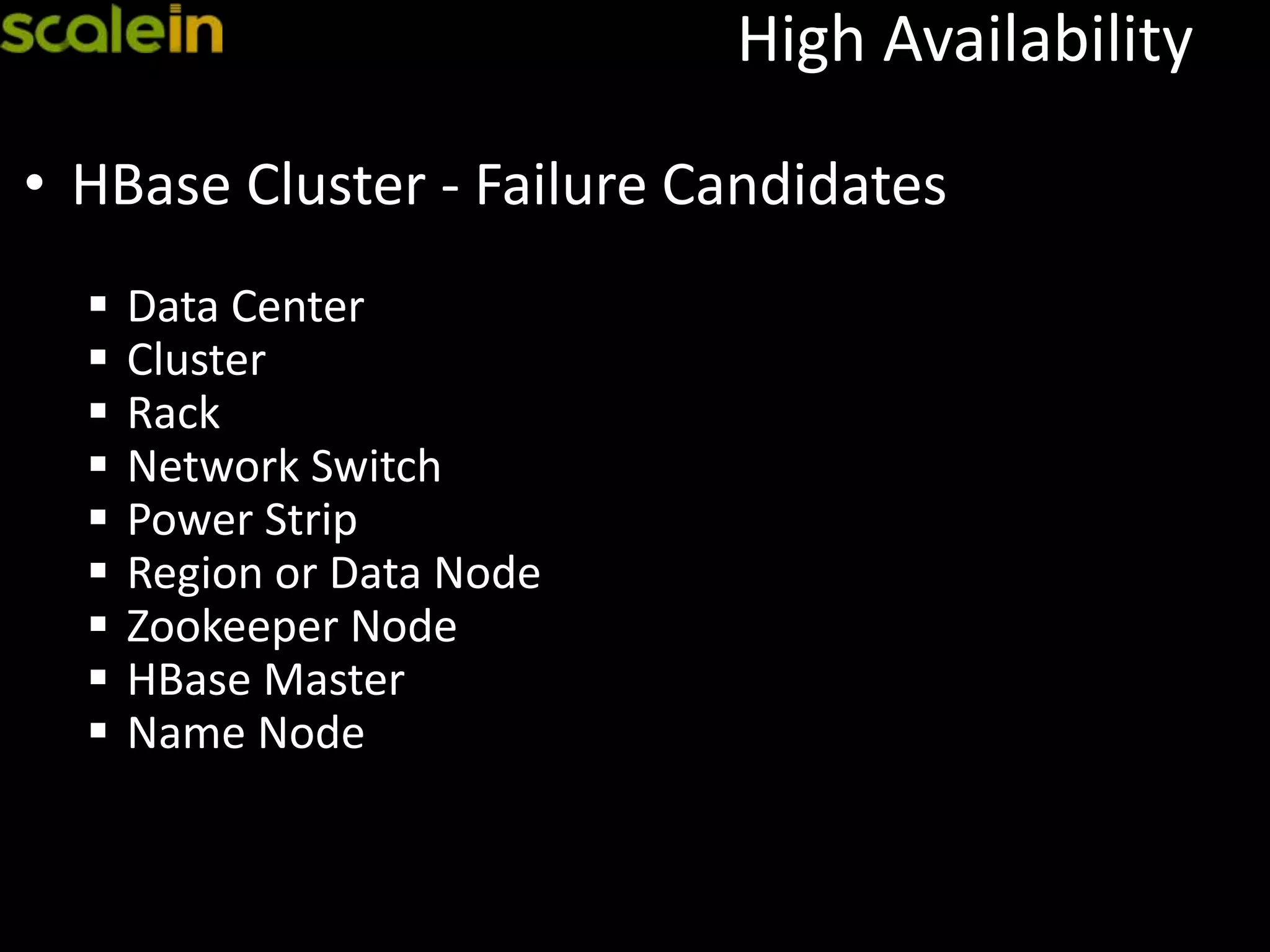
• HBase Cluster - Failure Candidates
 Data Center
 Cluster
 Rack
 Network Switch
 Power Strip
 Region or Data Node
 Zookeeper Node
 HBase Master
 Name Node
HA - Data Center
• Cross data center, geo distributed
• Replication is the only solution
 Up2date data
 Active-active
 Active-passive
 Costly (can be sized)
 Need dedicated network
• On-demand offline cluster
 Only for disaster recovery
 No up2date copy
 Can be sized appropriately
 Need to reprocess for latest data
HA – Redundant Cluster
• Redundant cluster within a data center using
replication
• Mainly to have backup cluster for disasters
 Up2date data
 Restore a state back using TTL based
 Restore deleted data by keeping deleted cells
 Run backups
 Read/write distributed with load balancer
 Support development or provide on-demand data
 Support low important activities
• Best practice: Avoid redundant cluster, rather have
one big cluster with high redundancy
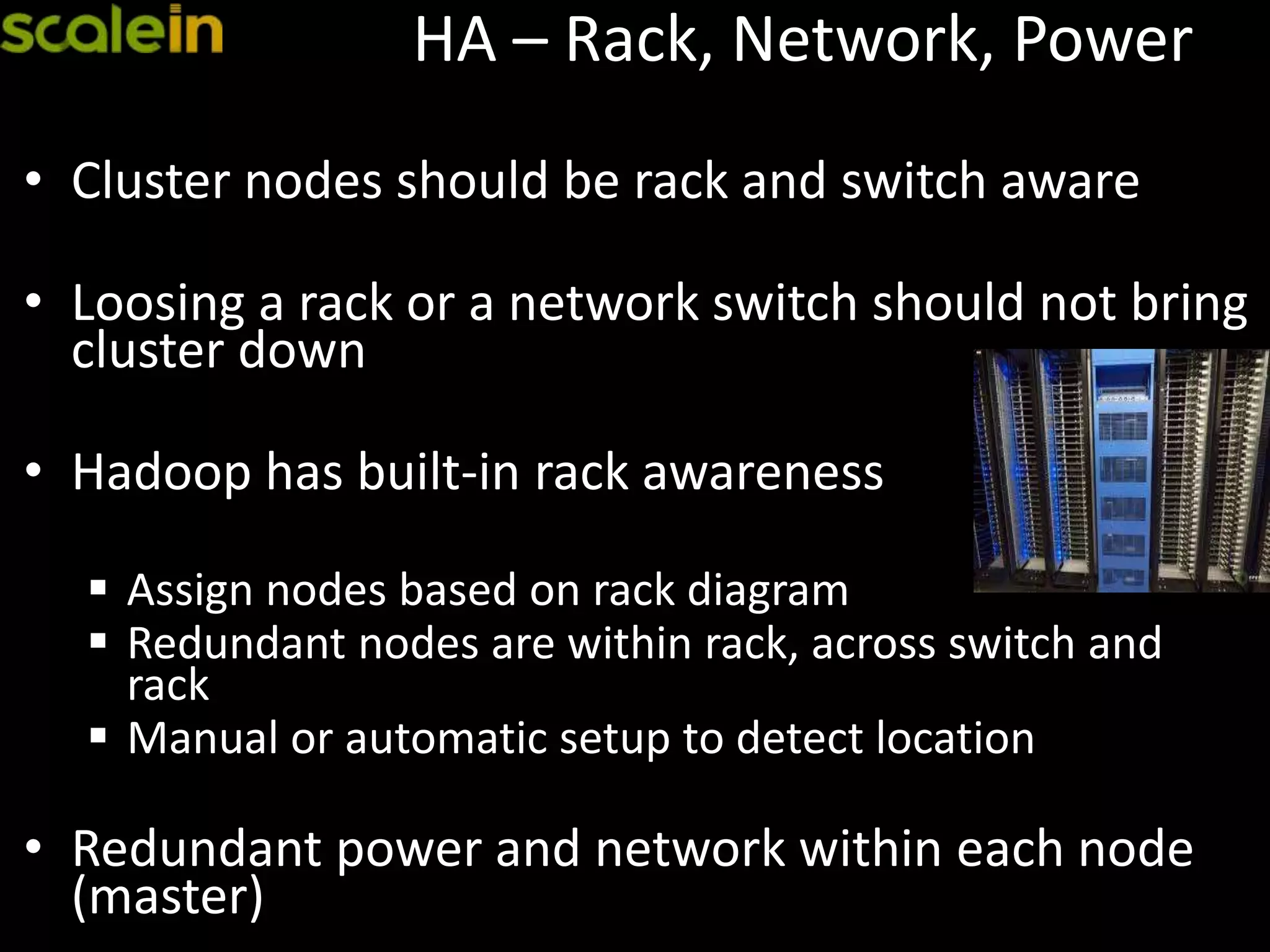
HA – Rack, Network, Power
• Cluster nodes should be rack and switch aware
• Loosing a rack or a network switch should not bring
cluster down
• Hadoop has built-in rack awareness
 Assign nodes based on rack diagram
 Redundant nodes are within rack, across switch and
rack
 Manual or automatic setup to detect location
• Redundant power and network within each node
(master)
HA – Region Servers
• Loosing a region server or data node is very
common, in many cases it could be very frequent
• They are distributed and replicated
• Can be added/removed dynamically, taken out for
regular maintenance
• Replication factor of 3
– Can loose ⅔rd of the cluster nodes
• Replication factor of 4
– Can loose ¾th of the cluster nodes
HA – Zookeeper
• Zookeeper nodes are distributed
• Can be added/removed dynamically
• Should be implemented in odd number, due to
quorum (majority voting wins the active state)
• If 4, can loose 1 node (3 major voting)
• If 5, can loose 2 nodes (3 major voting)
• If 6, can loose 2 nodes (4 major voting)
• If 7, can loose 3 nodes (4 major voting)
• Best Practice: 5 or 7 with dedicated hardware.
HA – HMaster
• HMaster - single point of failure
• HA - Multiple HMaster nodes within a cluster
 Zookeeper co-ordinates master failure
 Only one active at any given point of time
 Best practice: 2-3 HMasters, 1 per rack
Scalability
How to scale
• By design, cluster is highly distributed and scalable
• Keep adding more region servers to scale
 Region splits
 Replication factor
 Row key design is a key factor for scaling writes
 No single “hot” region
 Bulk loading, pre-split
 Native java access X other protocols like thrift
 Compaction at regular intervals
Performance
 Benchmarking is a key
• Nothing fits for all
• Simulate use cases and run the tests
oBulk loading
oRandom access, read/write
oBulk processing
oScan, filter
• Negative performance
oReplication factor
oZookeeper nodes
oNetwork latency
oSlower disks, CPUs
oHot regions, Bad row key or Bulk loading without pre-splits
Tuning
 Tune the cluster to best fit the environment
• Block Size, LRU cache, 64K default, per CF
• JBOD
• Memstore
• Compaction, manual
• WAL flush
• Avoid long GC pauses, JVM
• Region size, small is better, split based on “hot”
• Batch size
• In-memory column families
• Compression, LZO
• Timeouts
• Region handler count, threads/region
• Speculative execution
• Balancer, manual
Backup
&
(Point-in-time ) Restore
Backup - Built-in
• In general no external backup needed
• HBase is highly distributed and has built-in
versioning, data retention policy
 No need to backup just for redundancy
 Point-in-time restore:
• Use TTL/Table/CF/C and keep the history for X hours/days
 Accidental deletes:
• Use ‘KeepDeletedCells’ to keep all deleted data
Backup - Tools
• Use Export/Import tool
 Based on timestamp; and use it for point-in-time
backup/restore
• Use region snapshots
 Take HFile snapshots and copy them over to new
storage location
 Copy Hlog files for point-in-time roll-forward from
snapshot time (replay using WALPlayer post import).
 Table snapshots (0.94.6+)
Backup - Replication
• Use replicated cluster as one of the backup /
disaster recovery
• Statement based, write ahead log (WAL, HLog)
from each region server
 Asynchronous
 Active Active using 1-1 replication
 Active Passive using 1-N replication
 Can be of same or different node size
 0.92 onwards Active Active possible
Operational
Best Practices
Hardware
• Commodity Hardware
• 1U or 2U preferred, avoid 4U or NAS or expensive
systems
• JBOD on slaves, RAID 1+0 on masters
• No SSDs, No virtualized storage
• Good number of cores (4-16), HT enabled
• Good amount of RAM (24-72G)
• Dual 1G network, 10G or InfiniBand
Disks
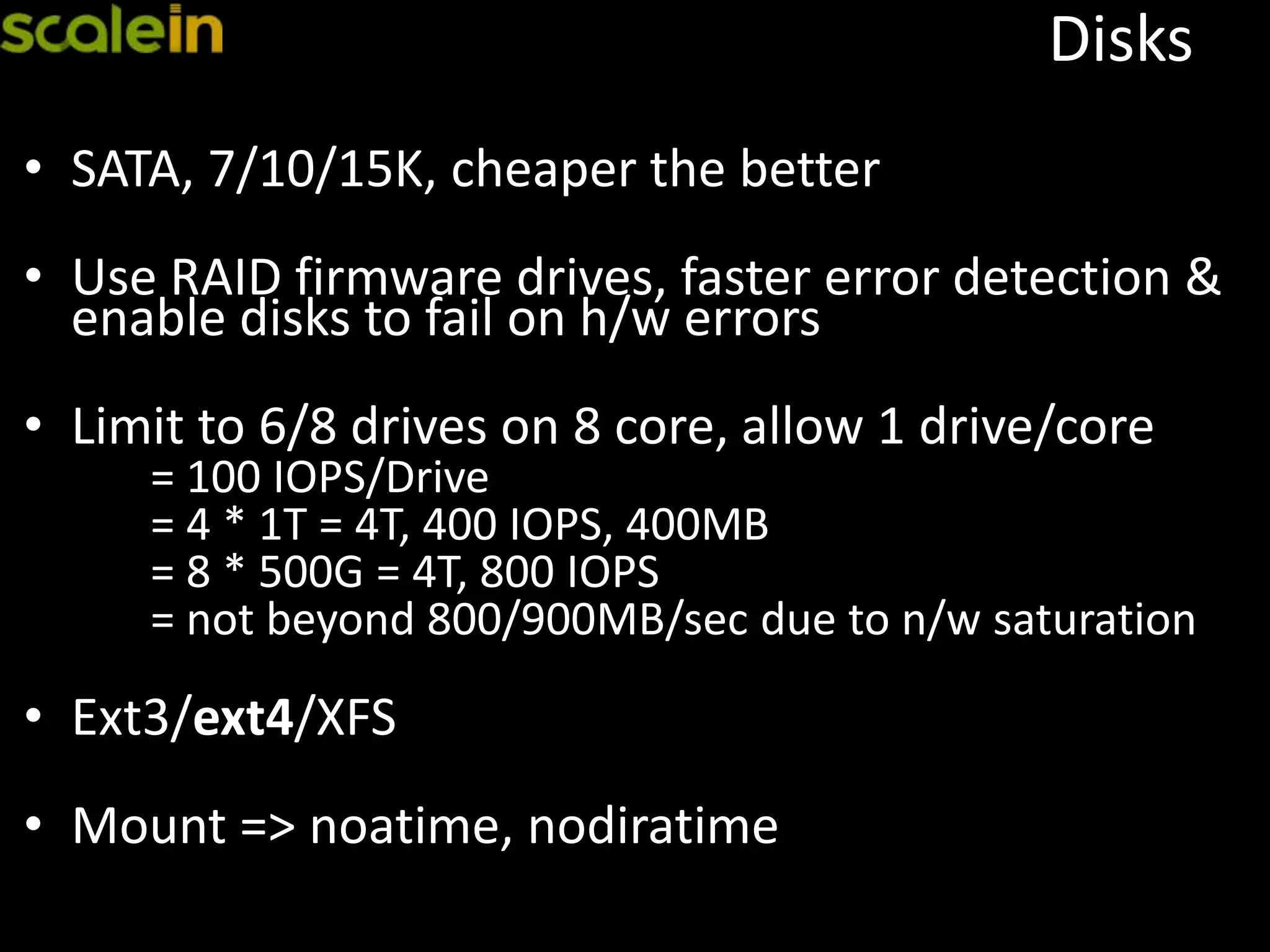
• SATA, 7/10/15K, cheaper the better
• Use RAID firmware drives, faster error detection &
enable disks to fail on h/w errors
• Limit to 6/8 drives on 8 core, allow 1 drive/core
= 100 IOPS/Drive
= 4 * 1T = 4T, 400 IOPS, 400MB
= 8 * 500G = 4T, 800 IOPS
= not beyond 800/900MB/sec due to n/w saturation
• Ext3/ext4/XFS
• Mount => noatime, nodiratime
OS, Kernel
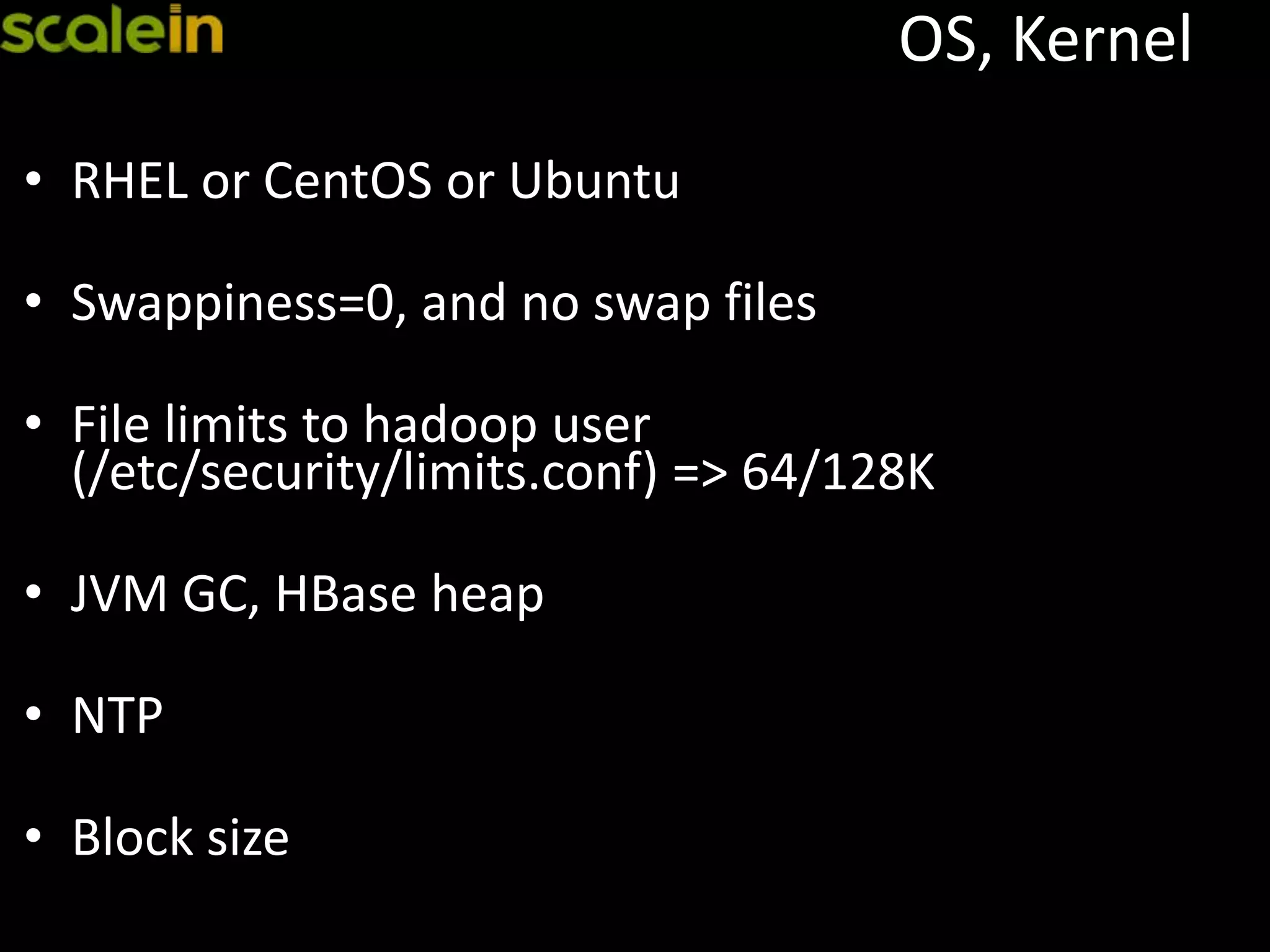
• RHEL or CentOS or Ubuntu
• Swappiness=0, and no swap files
• File limits to hadoop user
(/etc/security/limits.conf) => 64/128K
• JVM GC, HBase heap
• NTP
• Block size
Automation
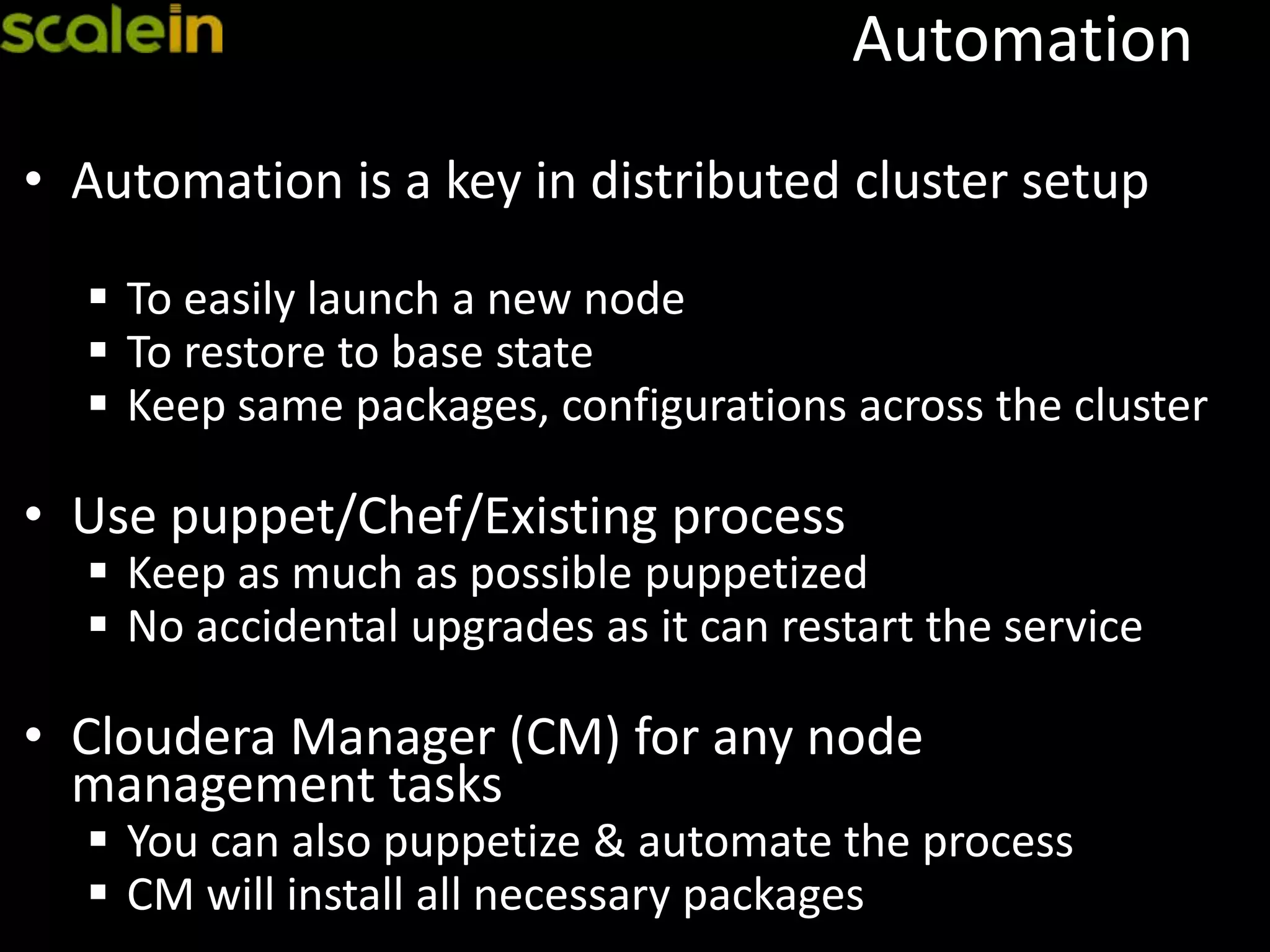
• Automation is a key in distributed cluster setup
 To easily launch a new node
 To restore to base state
 Keep same packages, configurations across the cluster
• Use puppet/Chef/Existing process
 Keep as much as possible puppetized
 No accidental upgrades as it can restart the service
• Cloudera Manager (CM) for any node
management tasks
 You can also puppetize & automate the process
 CM will install all necessary packages
Load Balancer
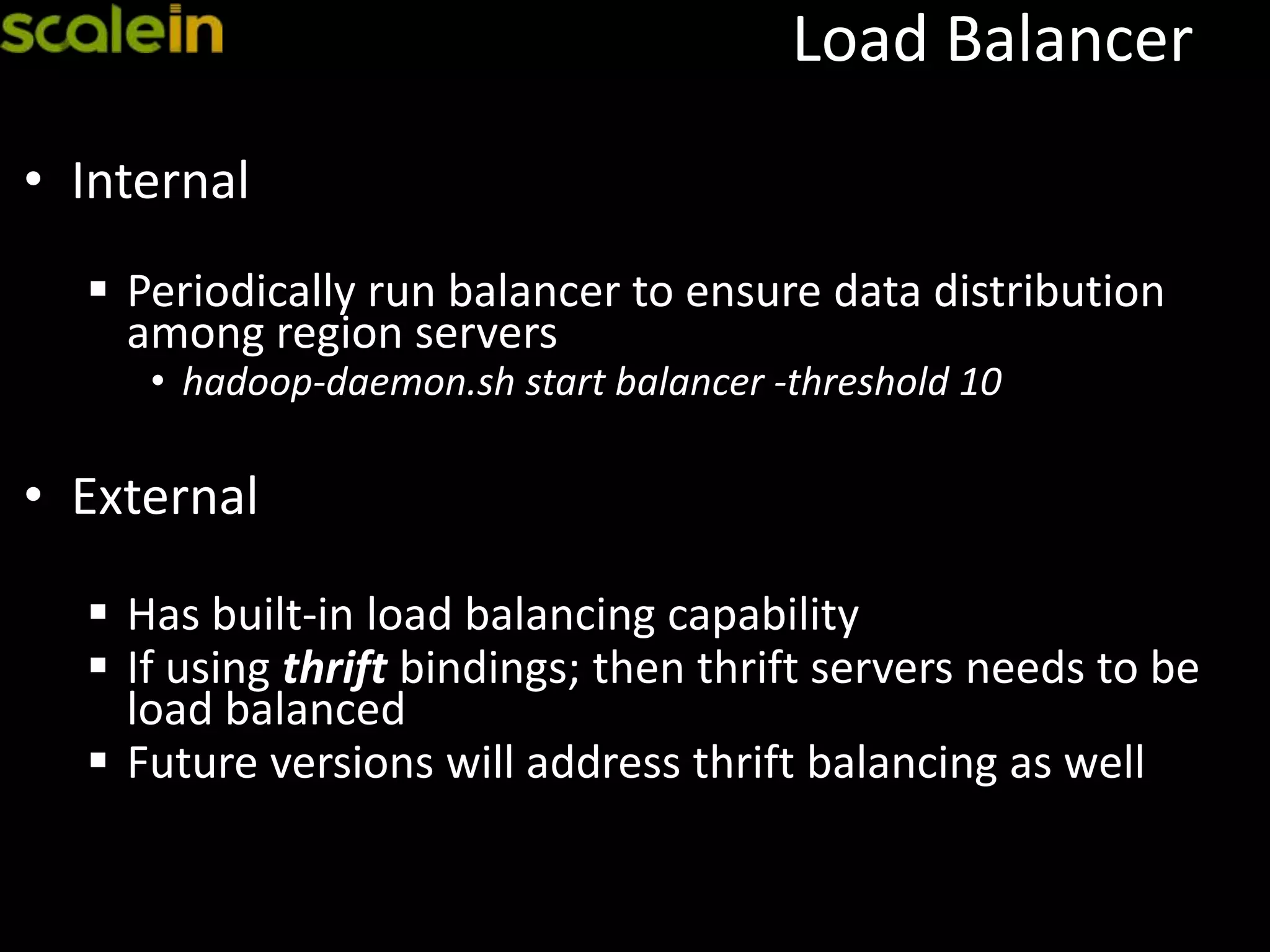
• Internal
 Periodically run balancer to ensure data distribution
among region servers
• hadoop-daemon.sh start balancer -threshold 10
• External
 Has built-in load balancing capability
 If using thrift bindings; then thrift servers needs to be
load balanced
 Future versions will address thrift balancing as well
Upgrades
• In general upgrades should be well planned
• To update changes to cluster nodes (OS, configs,
hardware, etc.); you can also do rolling restart
without taking cluster down
• Hadoop/HBase supports simple upgrade paths
with rollback strategy to go back to old version
• Make sure HBase/Hadoop versions are compatible
• Use rolling restart for minor version upgrades
Monitoring
• Quick Checks
 Use built-in web tools
 Cloudera manager
 Command line tools or wrapper scripts
• RRD, Monitoring
 Cloudera manager
 Ganglia, Cacti, Nagios, NewRelic
 OpenTSDB
 Need proper alerting system for all events
 Threshold monitoring for any surprises
Alerting System
 Need proper alerting system
 JMX exposes all metrics
 Ops Dashboard (Ganglia, Cacti, OpenTSDB, NewRelic)
 Small dashboard for critical events
 Define proper levels for escalation
 Critical
 Loosing a Master or ZooKeeper Node
 +/- 10% drop in performance or latency
 Key thresholds (load, swap, IO)
 Loosing 2 or more slave nodes
 Disk failures
 Loosing a single slave node (critical in prime time)
 Un-balanced nodes
 FATAL errors in logs
Case Study
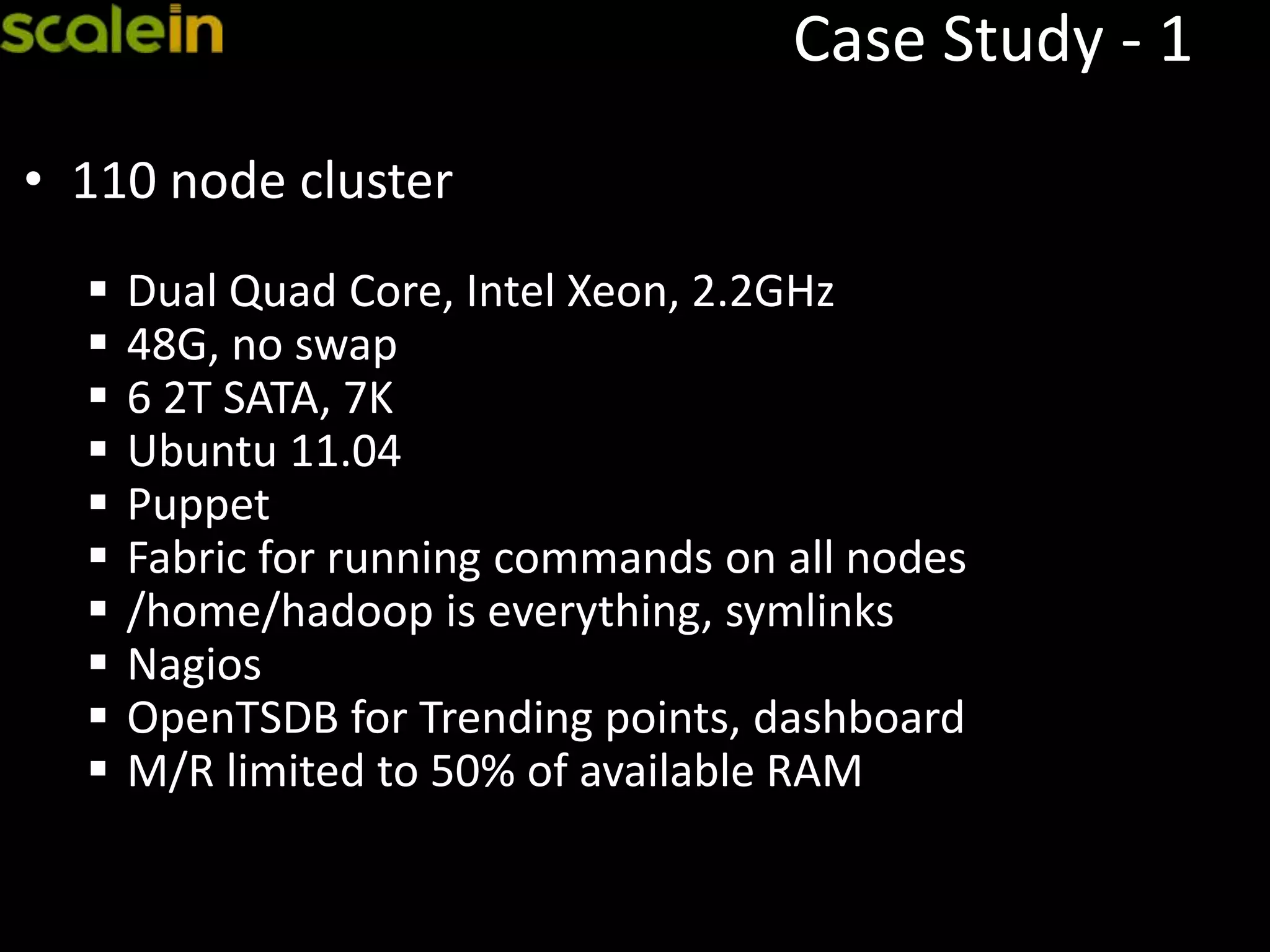
Case Study - 1
• 110 node cluster
 Dual Quad Core, Intel Xeon, 2.2GHz
 48G, no swap
 6 2T SATA, 7K
 Ubuntu 11.04
 Puppet
 Fabric for running commands on all nodes
 /home/hadoop is everything, symlinks
 Nagios
 OpenTSDB for Trending points, dashboard
 M/R limited to 50% of available RAM
Questions ?
• http://scalein.com/
• http://venublog.com/
• venu@venublog.com
• Twitter: @vanuganti

HBase Operations and Best Practices

  • 1.
    HBase Operations & Best Practices Venu Anuganti July2013 http://scalein.com/ Blog: http://venublog.com/ Twitter: @vanuganti
  • 2.
    Who am I oData Architect, Technology Advisor o Founder of ScaleIN, Data Consulting Company, 5+ years o 100+ companies, 20+ from Fortune 200 o http://scalein.com/ o Architect, Implement & Support SQL, NoSQL and BigData Solutions  Industry: Databases, Games, Social, Video, SaaS, Analytics, Warehouse, Web, Financial, Mobile, Advertising & SEM Marketing
  • 3.
    Agenda  BigData -Hadoop & HBase Overview  BigData Architecture  HBase Cluster Setup Walkthrough  High Availability  Backup and Restore  Operational Best Practices
  • 4.
  • 5.
    BigData Trends • BigDatais the latest industry buzz, many companies adopting or migrating o Not a replacement for OLTP or RDBMS systems • Gartner – 28B in 2012 & 34B in 2013 spend o 2013 top-10 technology trends – 6th place • Solves large data problems that existed for years o Social, User, Mobile growth demanded such a solution o Google “BigTable” is the key, followed by Amazon “Dynamo”; new papers like Dremel drives it further o Hadoop & ecosystem is becoming synonym for BigData • Combines vast structured/un-structured data o Overcomes from legacy warehouse model o Brings data analytics & data science o Real-time, mining, insights, discovery & complex reporting
  • 6.
    BigData • Key factors- Pros  Can handle any size  Commodity hardware  Scalable, Distributed, Highly Available  Ecosystem & growing community • Key factors – Cons  Latency  Hardware evolution, even though designed for commodity  Does not fit for all
  • 7.
  • 9.
  • 10.
  • 11.
    Why HBase • HBaseis proven, widely adopted  Tightly coupled with hadoop ecosystem  Almost all major data driven companies using it • Scales linearly  Read performance is its core; random, sequential reads  Can store tera/peta bytes of data  Large scale scans, millions of records  Highly distributed • CAP Theorem – HBase is CP driven • Competition: Cassandra (AP)
  • 12.
  • 13.
    Cluster Components 3 MajorComponents  Master(s)  HMaster  Coordination  Zookeeper  Slave(s)  Region server Name Node HMaster Zookeeper MASTER Data Node Region Server SLAVE 1 Data Node Region Server SLAVE 3 Data Node Region Server SLAVE 2
  • 14.
    How It Works HMASTERDDLCLIENT HDFS REGIONSERVERS RS RS RS ZOOKEEPER CLUSTER ZK ZK ZK
  • 15.
    Zookeeper  Zookeeper o Coordinationfor entire cluster o Master selection o Root region server lookup o Node registration o Client always communicates with Zookeper for lookups (cached for sub-sequent calls) hbase(main):001:0> zk "ls /hbase" [safe-mode, root-region-server, rs, master, shutdown, replication]
  • 16.
    Zookeeper Setup  Zookeeper •Dedicated nodes in the cluster • Always in odd number • Disk, memory, cpu usage is low • Availability is a key
  • 17.
    Master Node  HMaster oTypically runs with Name Node o Monitors all region servers, handles RS failover o Handles all meta data changes o Assigns regions o Interface for all meta data changes o Load balancing on idle times
  • 18.
    Master Setup • DedicatedMaster Node o Light on use, but should be on reliable hardware o Good amount of memory and CPU can help o Disk space is pretty nominal • Must Have Redundancy o Avoid single point of failure (SPOF) o RAID preferred for redundancy or even JBOD o DRBD or NFS is also preferred
  • 19.
    Region Server  RegionServer o Handles all I/O requests o Flush MemStore to HDFS o Splitting o Compaction o Basic element of table storage o Table => Regions => Store per Column Family => CF => MemStore / CF/Region && StoreFile /Store/Region => Block o Maintains WAL (Write Ahead Log) for all changes
  • 20.
    Region Server -Setup • Should be stand-alone and dedicated o JBOD disks o In-expensive o Data node and region server should be co-located • Network o Dual 1G, 10G or InfiniBand, DNS lookup free • Replication - at least 3, locality • Region size for splits; too many or too small regions are not good.
  • 21.
  • 22.
  • 23.
    High Availability • HBaseCluster - Failure Candidates  Data Center  Cluster  Rack  Network Switch  Power Strip  Region or Data Node  Zookeeper Node  HBase Master  Name Node
  • 24.
    HA - DataCenter • Cross data center, geo distributed • Replication is the only solution  Up2date data  Active-active  Active-passive  Costly (can be sized)  Need dedicated network • On-demand offline cluster  Only for disaster recovery  No up2date copy  Can be sized appropriately  Need to reprocess for latest data
  • 25.
    HA – RedundantCluster • Redundant cluster within a data center using replication • Mainly to have backup cluster for disasters  Up2date data  Restore a state back using TTL based  Restore deleted data by keeping deleted cells  Run backups  Read/write distributed with load balancer  Support development or provide on-demand data  Support low important activities • Best practice: Avoid redundant cluster, rather have one big cluster with high redundancy
  • 26.
    HA – Rack,Network, Power • Cluster nodes should be rack and switch aware • Loosing a rack or a network switch should not bring cluster down • Hadoop has built-in rack awareness  Assign nodes based on rack diagram  Redundant nodes are within rack, across switch and rack  Manual or automatic setup to detect location • Redundant power and network within each node (master)
  • 27.
    HA – RegionServers • Loosing a region server or data node is very common, in many cases it could be very frequent • They are distributed and replicated • Can be added/removed dynamically, taken out for regular maintenance • Replication factor of 3 – Can loose ⅔rd of the cluster nodes • Replication factor of 4 – Can loose ¾th of the cluster nodes
  • 28.
    HA – Zookeeper •Zookeeper nodes are distributed • Can be added/removed dynamically • Should be implemented in odd number, due to quorum (majority voting wins the active state) • If 4, can loose 1 node (3 major voting) • If 5, can loose 2 nodes (3 major voting) • If 6, can loose 2 nodes (4 major voting) • If 7, can loose 3 nodes (4 major voting) • Best Practice: 5 or 7 with dedicated hardware.
  • 29.
    HA – HMaster •HMaster - single point of failure • HA - Multiple HMaster nodes within a cluster  Zookeeper co-ordinates master failure  Only one active at any given point of time  Best practice: 2-3 HMasters, 1 per rack
  • 30.
  • 31.
    How to scale •By design, cluster is highly distributed and scalable • Keep adding more region servers to scale  Region splits  Replication factor  Row key design is a key factor for scaling writes  No single “hot” region  Bulk loading, pre-split  Native java access X other protocols like thrift  Compaction at regular intervals
  • 32.
    Performance  Benchmarking isa key • Nothing fits for all • Simulate use cases and run the tests oBulk loading oRandom access, read/write oBulk processing oScan, filter • Negative performance oReplication factor oZookeeper nodes oNetwork latency oSlower disks, CPUs oHot regions, Bad row key or Bulk loading without pre-splits
  • 33.
    Tuning  Tune thecluster to best fit the environment • Block Size, LRU cache, 64K default, per CF • JBOD • Memstore • Compaction, manual • WAL flush • Avoid long GC pauses, JVM • Region size, small is better, split based on “hot” • Batch size • In-memory column families • Compression, LZO • Timeouts • Region handler count, threads/region • Speculative execution • Balancer, manual
  • 34.
  • 35.
    Backup - Built-in •In general no external backup needed • HBase is highly distributed and has built-in versioning, data retention policy  No need to backup just for redundancy  Point-in-time restore: • Use TTL/Table/CF/C and keep the history for X hours/days  Accidental deletes: • Use ‘KeepDeletedCells’ to keep all deleted data
  • 36.
    Backup - Tools •Use Export/Import tool  Based on timestamp; and use it for point-in-time backup/restore • Use region snapshots  Take HFile snapshots and copy them over to new storage location  Copy Hlog files for point-in-time roll-forward from snapshot time (replay using WALPlayer post import).  Table snapshots (0.94.6+)
  • 37.
    Backup - Replication •Use replicated cluster as one of the backup / disaster recovery • Statement based, write ahead log (WAL, HLog) from each region server  Asynchronous  Active Active using 1-1 replication  Active Passive using 1-N replication  Can be of same or different node size  0.92 onwards Active Active possible
  • 38.
  • 39.
    Hardware • Commodity Hardware •1U or 2U preferred, avoid 4U or NAS or expensive systems • JBOD on slaves, RAID 1+0 on masters • No SSDs, No virtualized storage • Good number of cores (4-16), HT enabled • Good amount of RAM (24-72G) • Dual 1G network, 10G or InfiniBand
  • 40.
    Disks • SATA, 7/10/15K,cheaper the better • Use RAID firmware drives, faster error detection & enable disks to fail on h/w errors • Limit to 6/8 drives on 8 core, allow 1 drive/core = 100 IOPS/Drive = 4 * 1T = 4T, 400 IOPS, 400MB = 8 * 500G = 4T, 800 IOPS = not beyond 800/900MB/sec due to n/w saturation • Ext3/ext4/XFS • Mount => noatime, nodiratime
  • 41.
    OS, Kernel • RHELor CentOS or Ubuntu • Swappiness=0, and no swap files • File limits to hadoop user (/etc/security/limits.conf) => 64/128K • JVM GC, HBase heap • NTP • Block size
  • 42.
    Automation • Automation isa key in distributed cluster setup  To easily launch a new node  To restore to base state  Keep same packages, configurations across the cluster • Use puppet/Chef/Existing process  Keep as much as possible puppetized  No accidental upgrades as it can restart the service • Cloudera Manager (CM) for any node management tasks  You can also puppetize & automate the process  CM will install all necessary packages
  • 43.
    Load Balancer • Internal Periodically run balancer to ensure data distribution among region servers • hadoop-daemon.sh start balancer -threshold 10 • External  Has built-in load balancing capability  If using thrift bindings; then thrift servers needs to be load balanced  Future versions will address thrift balancing as well
  • 44.
    Upgrades • In generalupgrades should be well planned • To update changes to cluster nodes (OS, configs, hardware, etc.); you can also do rolling restart without taking cluster down • Hadoop/HBase supports simple upgrade paths with rollback strategy to go back to old version • Make sure HBase/Hadoop versions are compatible • Use rolling restart for minor version upgrades
  • 45.
    Monitoring • Quick Checks Use built-in web tools  Cloudera manager  Command line tools or wrapper scripts • RRD, Monitoring  Cloudera manager  Ganglia, Cacti, Nagios, NewRelic  OpenTSDB  Need proper alerting system for all events  Threshold monitoring for any surprises
  • 46.
    Alerting System  Needproper alerting system  JMX exposes all metrics  Ops Dashboard (Ganglia, Cacti, OpenTSDB, NewRelic)  Small dashboard for critical events  Define proper levels for escalation  Critical  Loosing a Master or ZooKeeper Node  +/- 10% drop in performance or latency  Key thresholds (load, swap, IO)  Loosing 2 or more slave nodes  Disk failures  Loosing a single slave node (critical in prime time)  Un-balanced nodes  FATAL errors in logs
  • 47.
  • 48.
    Case Study -1 • 110 node cluster  Dual Quad Core, Intel Xeon, 2.2GHz  48G, no swap  6 2T SATA, 7K  Ubuntu 11.04  Puppet  Fabric for running commands on all nodes  /home/hadoop is everything, symlinks  Nagios  OpenTSDB for Trending points, dashboard  M/R limited to 50% of available RAM
  • 49.
    Questions ? • http://scalein.com/ •http://venublog.com/ • venu@venublog.com • Twitter: @vanuganti

Editor's Notes

  • #7 C:Consistency – When you write a tuple, its immediately available for readA: Availability – Loosing a node, will not bring the cluster downP: Partition Tolerance – Data is sharded across nodes, so if you loose group of nodes, its still available Cassandra - AP