Downloaded 271 times



![Whether you are using an AutoLayout for
the placement of the picture, or you are
just inserting a picture, follow these
steps:
1) Go to Insert > Picture > From file on
the menu bar or click on the Insert
Picture icon [image on the right] if you
have inserted a slide and the Insert
picture dialog opens [image on bottom
right]
2) Navigate to the directory containing
the desired picture and select the file.
LibreOffice recognizes a large number of
image types. If the Preview option is
selected, a thumbnail of the selected file
will be displayed in the preview pane on
the right.
3) Click Open to place the picture on the
current (selected) slide. The picture is
now displayed on the slide with colored
resizing handles around it.](https://image.slidesharecdn.com/impresslesson3-140530110617-phpapp02/85/Libre-Office-Impress-Lesson-3-Adding-and-Formatting-pictures-7-320.jpg)


![Applying special effects
As well as the basic actions of
moving and resizing an object, a
number of special effects can also
be applied to objects in Impress.
Several of these effects are readily
available in the Mode toolbar [On
the right] If the Mode toolbar is
not showing, select it from View >
Toolbars > Mode.
This section describes how to
rotate, flip, distort and two ways of
setting an object in a circle. The
transparency and gradient tools are
more specific to formatting.](https://image.slidesharecdn.com/impresslesson3-140530110617-phpapp02/85/Libre-Office-Impress-Lesson-3-Adding-and-Formatting-pictures-36-320.jpg)


![Working with 3D shapes
3D graphic objects can be created in
different ways in Impress:
From the 3D-Objects toolbar. If the
3D-Objects tool is not included on the
Drawing toolbar, click on the small
triangle at the end of the Drawing
toolbar, select Visible Buttons, and
then select 3D-Objects from the list.
On the Drawing toolbar, click on the
small triangle next to the 3D-Objects
icon to display the 3D Objects toolbar.
From the Convert sub-menu. Select a
shape, right-click on it. In the Convert
sub menu choose either To 3D to add
thickness to the object or To 3D
Rotation Object to create a 3D shape
resulting from the rotation of the
object around an axis.
From the Extrusion on/off icon on the
Drawing toolbar. [image on bottom
right] Select the object to apply a 3D
effect, then click the Extrusion on/off
icon on the Drawing toolbar to open
the 3D-Settings toolbar.](https://image.slidesharecdn.com/impresslesson3-140530110617-phpapp02/85/Libre-Office-Impress-Lesson-3-Adding-and-Formatting-pictures-41-320.jpg)


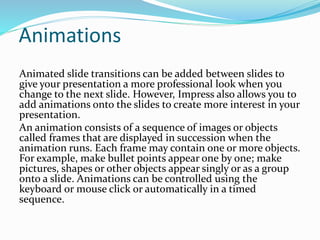


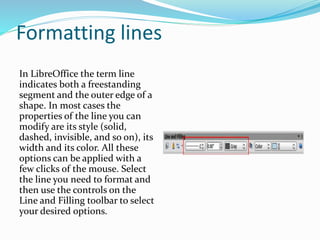


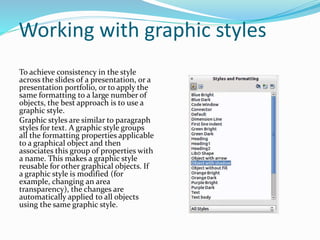


This document is a lesson on adding and formatting pictures using Impress, covering topics such as inserting images from files, scanners, and galleries, as well as creating and formatting lines and shapes. It provides instructions for deleting images, moving, resizing, rotating, and adjusting images, and discusses the use of the drawing toolbar for creating graphic objects. Additionally, it explains applying special effects and aligning objects within presentations.


