Creating a Gmail Account


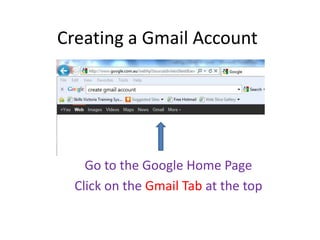
    Go to the Google Home Page
  Click on the Gmail Tab at the top
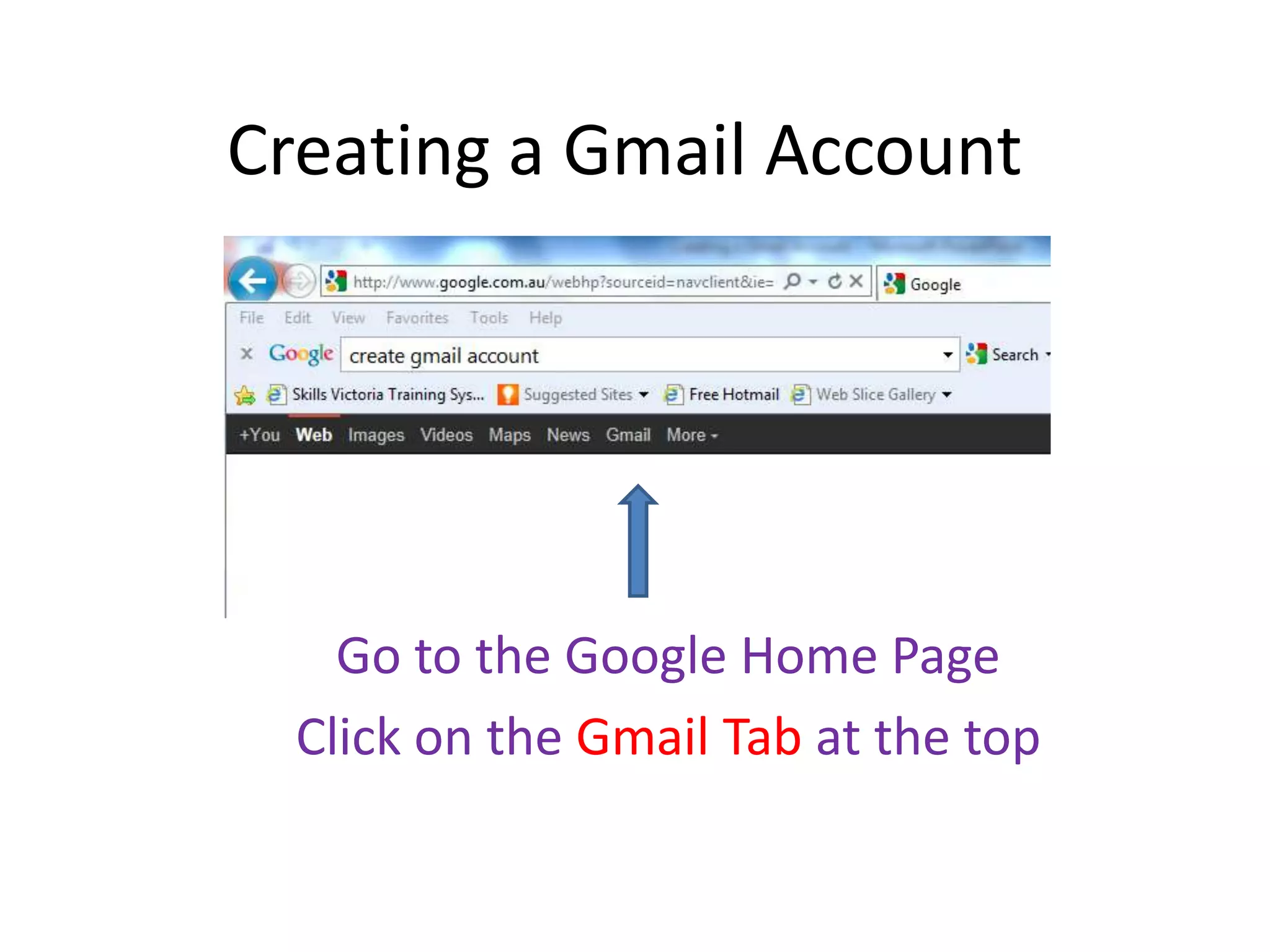
Click on the Red             on the
           right hand side
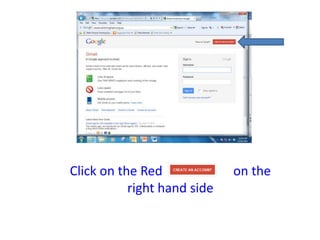
Complete the First name and Last
name Fields. You can move from one
 field to the next by either pressing
   the tab key or using your mouse
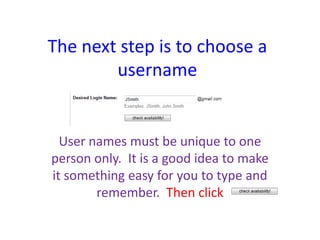
The next step is to choose a
        username


  User names must be unique to one
person only. It is a good idea to make
it something easy for you to type and
        remember. Then click
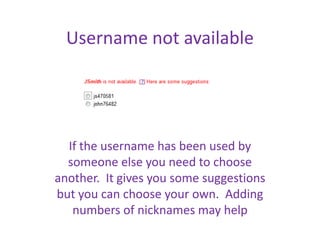
Username not available


  If the username has been used by
  someone else you need to choose
another. It gives you some suggestions
but you can choose your own. Adding
   numbers of nicknames may help
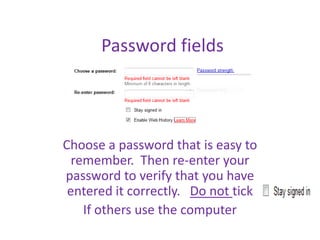
Password fields


Choose a password that is easy to
  remember. Then re-enter your
password to verify that you have
 entered it correctly. Do not tick
    If others use the computer
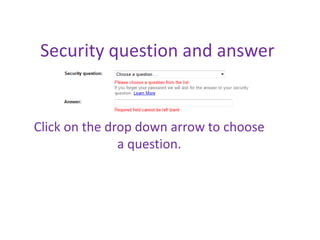
Security question and answer


Click on the drop down arrow to choose
               a question.
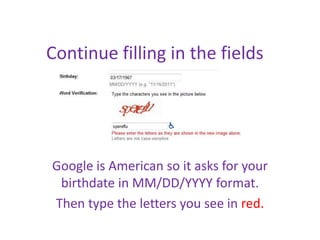
Continue filling in the fields


Google is American so it asks for your
 birthdate in MM/DD/YYYY format.
Then type the letters you see in red.
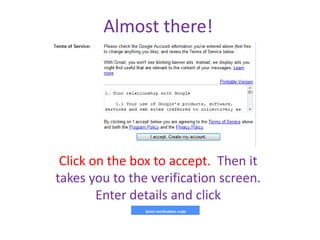
Almost there!


 Click on the box to accept. Then it
takes you to the verification screen.
        Enter details and click

Creating a gmail account

  • 1.
    Creating a GmailAccount Go to the Google Home Page Click on the Gmail Tab at the top
  • 2.
    Click on theRed on the right hand side
  • 3.
    Complete the Firstname and Last name Fields. You can move from one field to the next by either pressing the tab key or using your mouse
  • 4.
    The next stepis to choose a username User names must be unique to one person only. It is a good idea to make it something easy for you to type and remember. Then click
  • 5.
    Username not available If the username has been used by someone else you need to choose another. It gives you some suggestions but you can choose your own. Adding numbers of nicknames may help
  • 6.
    Password fields Choose apassword that is easy to remember. Then re-enter your password to verify that you have entered it correctly. Do not tick If others use the computer
  • 7.
    Security question andanswer Click on the drop down arrow to choose a question.
  • 8.
    Continue filling inthe fields Google is American so it asks for your birthdate in MM/DD/YYYY format. Then type the letters you see in red.
  • 9.
    Almost there! Clickon the box to accept. Then it takes you to the verification screen. Enter details and click