Downloaded 294 times


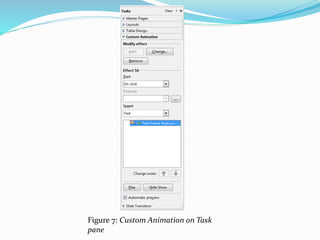

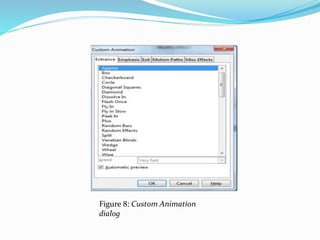


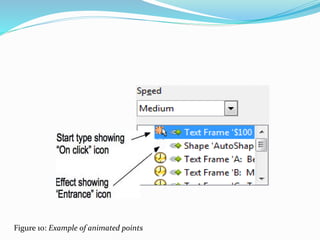
![Advanced animation effects
Click the Effect Options button [...] next to the Properties drop-down list
to display the Effect Options dialog (Figure 9).
What you see in the Effect Options dialog depends on the type of object
selected. When a text object is selected, the dialog has three pages: Effect,
timing, and Text Animation. When a graphical object is selected, the
dialog has two pages: Effect and Timing.
The options available on the Effect page also vary depending on the type
of object selected and the type of animation selected, such as Direction
effect or a Font Color effect. For graphical objects, the Text animation box
on the Effect page is unavailable.](https://image.slidesharecdn.com/impresslesson5-140530110606-phpapp01/85/Libre-Office-Impress-Lesson-5-Slide-shows-and-animations-26-320.jpg)


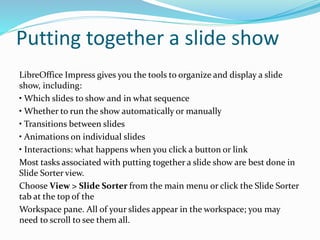
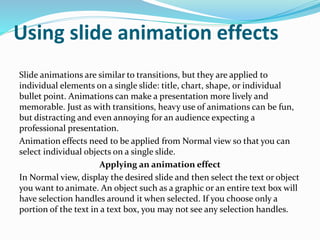
1) The document provides instructions for putting together and presenting a slide show in LibreOffice Impress, including how to set up slide transitions and animations, customize a slide show, and use the Presenter Console. 2) Basic settings for a slide show include the starting slide, slide advancement, presentation type, and pointer options. Slides can also be hidden or arranged in a custom order. 3) Animation effects are applied to individual elements on slides and can be customized for effects, timing, and properties. The Presenter Console provides extra controls for slide shows.


