HTML :: Text & Paragraph
   Formatting Tags

    www.eshikshak.co.in
The <hn> Elements – Heading Tag
• Any documents starts with a heading.
• You use different sizes for your headings.
• HTML also have six levels of headings, which
   use the elements <h1>, <h2>, <h3>, <h4>,
   <h5>, and <h6>.
 • While displaying any heading, browser adds
   one line before and after that heading.


                                  www.eshikshak.co.in
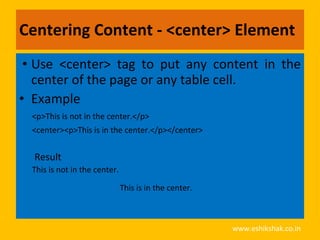
Centering Content - <center> Element
 • Use <center> tag to put any content in the
   center of the page or any table cell.
• Example
  <p>This is not in the center.</p>
  <center><p>This is in the center.</p></center>


  Result
  This is not in the center.

                               This is in the center.


                                                        www.eshikshak.co.in
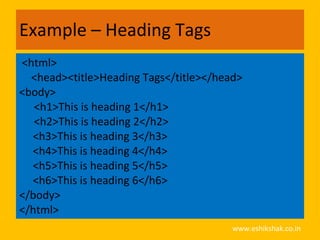
Example – Heading Tags
<html>
  <head><title>Heading Tags</title></head>
<body>
   <h1>This is heading 1</h1>
   <h2>This is heading 2</h2>
  <h3>This is heading 3</h3>
  <h4>This is heading 4</h4>
  <h5>This is heading 5</h5>
  <h6>This is heading 6</h6>
</body>
</html>
                                        www.eshikshak.co.in
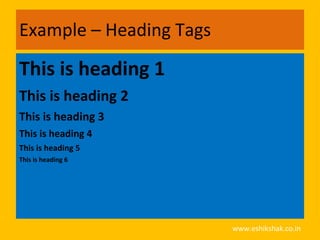
Example – Heading Tags

This is heading 1
This is heading 2
This is heading 3
This is heading 4
This is heading 5
This is heading 6


                         www.eshikshak.co.in
Create Paragraph - The <p> Element
• The <p> element offers a way to structure
  your text.
• Each paragraph of text should go in between
  an opening <p> and closing </p> tag


                                  www.eshikshak.co.in
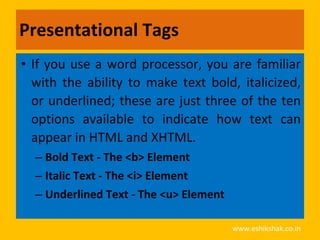
Presentational Tags
• If you use a word processor, you are familiar
  with the ability to make text bold, italicized,
  or underlined; these are just three of the ten
  options available to indicate how text can
  appear in HTML and XHTML.
  – Bold Text - The <b> Element
  – Italic Text - The <i> Element
  – Underlined Text - The <u> Element

                                        www.eshikshak.co.in
Example - <p> Parag tag
<html>
  <head><title>Paragraph Tag</head>
  <body>
     <p>Here is a paragraph of text.</p>
     <p>Here is a second paragraph of text.</p>
     <p>Here is a third paragraph of text.</p>
  </body>
</html>
                                           www.eshikshak.co.in
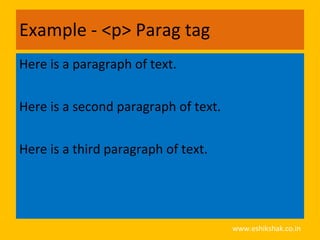
Example - <p> Parag tag
Here is a paragraph of text.

Here is a second paragraph of text.

Here is a third paragraph of text.


                                      www.eshikshak.co.in
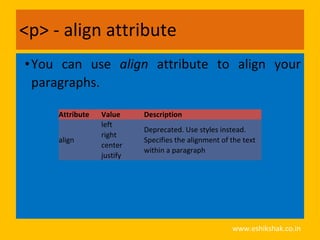
<p> - align attribute
• You can use align attribute to align your
  paragraphs.

     Attribute   Value     Description
                 left
                           Deprecated. Use styles instead.
                 right
     align                 Specifies the alignment of the text
                 center
                           within a paragraph
                 justify


                                                      www.eshikshak.co.in
Standard Attribute
Attribute   Value              Description
class       classname          Specifies a classname for an element
            rtl                Specifies the text direction for the content in an
dir
            ltr                element
id          id                 Specifies a unique id for an element
                               Specifies a language code for the content in an
lang        language_code
                               element
style       style_definition   Specifies an inline style for an element

title       text               Specifies extra information about an element
                               Specifies a language code for the content in an
xml:lang    language_code
                               element, in XHTML documents
                                                          www.eshikshak.co.in
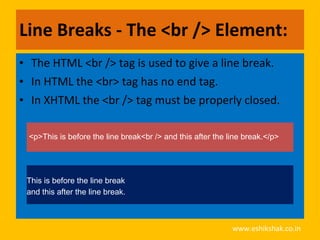
Line Breaks - The <br /> Element:
• The HTML <br /> tag is used to give a line break.
• In HTML the <br> tag has no end tag.
• In XHTML the <br /> tag must be properly closed.

 <p>This is before the line break<br /> and this after the line break.</p>


 This is before the line break
 and this after the line break.


                                                            www.eshikshak.co.in
<br /> - attributes
Attribute   Value                              Description
            none
            right                              Deprecated - Specifies where the next
clear
            left                               line should appear.
            all


Attribute   Description
class       Document wide identifier

id          Document wide identifier


title       Specifies a title to associate with the element.


style       Helps to include inline casecadubf style sheet.

                                                               www.eshikshak.co.in
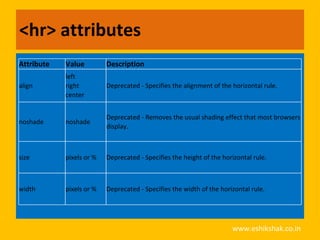
<hr> attributes
Attribute   Value         Description
            left
align       right         Deprecated - Specifies the alignment of the horizontal rule.
            center


                          Deprecated - Removes the usual shading effect that most browsers
noshade     noshade
                          display.


size        pixels or %   Deprecated - Specifies the height of the horizontal rule.


width       pixels or %   Deprecated - Specifies the width of the horizontal rule.


                                                                      www.eshikshak.co.in
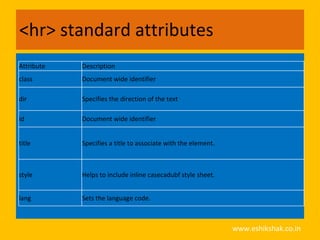
<hr> standard attributes
Attribute   Description
class       Document wide identifier

dir         Specifies the direction of the text

id          Document wide identifier


title       Specifies a title to associate with the element.


style       Helps to include inline casecadubf style sheet.


lang        Sets the language code.


                                                               www.eshikshak.co.in
<spacer> - spacing (indenting Text)
• This tag is used for inserting blank spaces in an
  HTML document.
 ATTRIBUTE   VALUE           DESCRIPTION
 TYPE        horizontally    To specify whether space has to left
             vertically      horizontally or vertically
 SIZE        Integer value   Indicates the amount of space to be
                             left. Accepts only integer


 •This tag is only supported by Netscape
  Browser

                                                  www.eshikshak.co.in
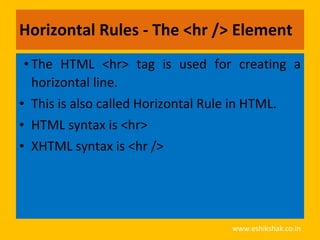
Horizontal Rules - The <hr /> Element
 • The HTML <hr> tag is used for creating a
   horizontal line.
• This is also called Horizontal Rule in HTML.
• HTML syntax is <hr>
• XHTML syntax is <hr />


                                  www.eshikshak.co.in
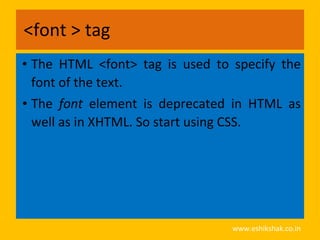
<font > tag
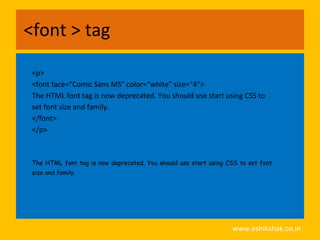
• The HTML <font> tag is used to specify the
  font of the text.
• The font element is deprecated in HTML as
  well as in XHTML. So start using CSS.


                                 www.eshikshak.co.in
<font > tag

 <p>
 <font face=“Comic Sans MS" color=“white" size="4">
 The HTML font tag is now deprecated. You should use start using CSS to
 set font size and family.
 </font>
 </p>


 The HTML font tag is now deprecated. You should use start using CSS to set font
 size and family.


                                                                  www.eshikshak.co.in
<font > tag attributes
 Attribute Value                      Description
color     rgb(x,x,x)           Deprecated - Specifies
          #hexcode             the color of the text.
          colorname
face      List of font names   Deprecated - Specifies
                               the font families.
size      number               Deprecated - Specifies
                               the font size from 1 to 7.


                                         www.eshikshak.co.in
Bold Text - The <b> Element
• Anything that appears in a <b>...</b> element
  is displayed in bold
  <p>The following word uses a <b>bold</b> typeface.</p>


  The following word uses a bold typeface.


                                             www.eshikshak.co.in
Italic Text - The <i> Element
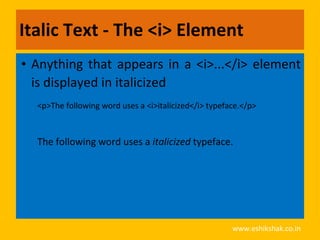
• Anything that appears in a <i>...</i> element
  is displayed in italicized
  <p>The following word uses a <i>italicized</i> typeface.</p>


  The following word uses a italicized typeface.


                                                       www.eshikshak.co.in
Underlined Text - The <u> Element
• Anything that appears in a <u>...</u> element
  is displayed with underline
  <p>The following word uses a <u>underlined</u>
  typeface.</p>


  The following word uses a underlined typeface.


                                             www.eshikshak.co.in
Strike Text - The <strike> Element
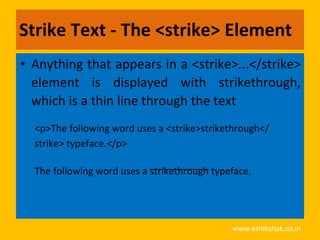
• Anything that appears in a <strike>...</strike>
  element is displayed with strikethrough,
  which is a thin line through the text
  <p>The following word uses a <strike>strikethrough</
  strike> typeface.</p>

  The following word uses a strikethrough typeface.


                                              www.eshikshak.co.in
Monospaced font - The <tt> Element
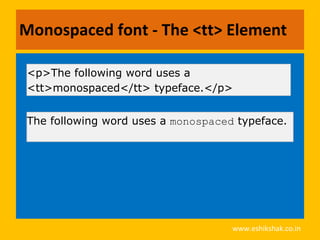
• The content of a <tt> element is written in
  monospaced font.
• Most fonts are known as variable-width fonts
  because different letters are of different
  widths (for example, the letter m is wider than
  the letter i).
• In a monospaced font, however, each letter is
  the same width.
                                     www.eshikshak.co.in
Monospaced font - The <tt> Element

<p>The following word uses a
<tt>monospaced</tt> typeface.</p>


The following word uses a monospaced typeface.


                                    www.eshikshak.co.in
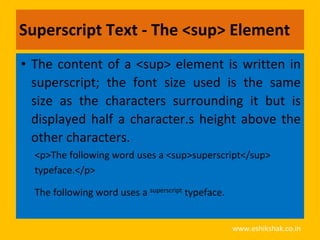
Superscript Text - The <sup> Element
• The content of a <sup> element is written in
  superscript; the font size used is the same
  size as the characters surrounding it but is
  displayed half a character.s height above the
  other characters.
  <p>The following word uses a <sup>superscript</sup>
  typeface.</p>

  The following word uses a superscript typeface.


                                                    www.eshikshak.co.in
Subscript Text - The <sub> Element
• The content of a <sub> element is written in
  subscript; the font size used is the same as
  the characters surrounding it, but is displayed
  half a character.s height beneath the other
  characters.
  <p>The following word uses a <sub>subscript</sub>
  typeface.</p>

  The following word uses a subscript typeface.


                                                  www.eshikshak.co.in
Larger Text - The <big> Element
• The content of the <big> element is displayed
  one font size larger than the rest of the text
  surrounding it.
    <p>The following word uses a <big>big</big>
    typeface.</p>

    The following word uses a big typeface.


                                              www.eshikshak.co.in
Smaller Text - The <small> Element
 •The content of the <small> element is
  displayed one font size smaller than the rest
  of the text surrounding it.
     <p>The following word uses a <small>small</
     small> typeface.</p>

     The following word uses a small typeface.


                                             www.eshikshak.co.in
Nonbreaking Spaces
• Suppose you were to use the phrase "12
  Angry Men." Here you would not want a
  browser to split the "12" and "Angry" across
  two lines:
  A good example of this technique appears in the movie "12 Angry
  Men."

  <p>A good example of this technique appears in the
  movie "12&nbsp;Angry&nbsp;Men."</p>


                                                       www.eshikshak.co.in
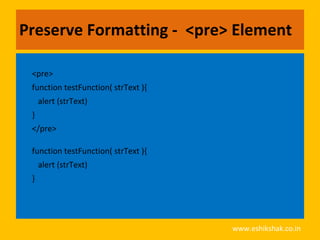
Preserve Formatting - <pre> Element
• you want your text to follow the exact format
  of how it is written in the HTML document. In
  those cases, you can use the preformatted tag
  (<pre>).
 •Any text between the opening <pre> tag
  and the closing </pre> tag will preserve the
  formatting of the source document.


                                   www.eshikshak.co.in
Preserve Formatting - <pre> Element

 <pre>
 function testFunction( strText ){
     alert (strText)
 }
 </pre>

 function testFunction( strText ){
     alert (strText)
 }


                                     www.eshikshak.co.in

Html text and formatting

  • 1.
    HTML :: Text& Paragraph Formatting Tags www.eshikshak.co.in
  • 2.
    The <hn> Elements– Heading Tag • Any documents starts with a heading. • You use different sizes for your headings. • HTML also have six levels of headings, which use the elements <h1>, <h2>, <h3>, <h4>, <h5>, and <h6>. • While displaying any heading, browser adds one line before and after that heading. www.eshikshak.co.in
  • 3.
    Centering Content -<center> Element • Use <center> tag to put any content in the center of the page or any table cell. • Example <p>This is not in the center.</p> <center><p>This is in the center.</p></center> Result This is not in the center. This is in the center. www.eshikshak.co.in
  • 4.
    Example – HeadingTags <html> <head><title>Heading Tags</title></head> <body> <h1>This is heading 1</h1> <h2>This is heading 2</h2> <h3>This is heading 3</h3> <h4>This is heading 4</h4> <h5>This is heading 5</h5> <h6>This is heading 6</h6> </body> </html> www.eshikshak.co.in
  • 5.
    Example – HeadingTags This is heading 1 This is heading 2 This is heading 3 This is heading 4 This is heading 5 This is heading 6 www.eshikshak.co.in
  • 6.
    Create Paragraph -The <p> Element • The <p> element offers a way to structure your text. • Each paragraph of text should go in between an opening <p> and closing </p> tag www.eshikshak.co.in
  • 7.
    Presentational Tags • Ifyou use a word processor, you are familiar with the ability to make text bold, italicized, or underlined; these are just three of the ten options available to indicate how text can appear in HTML and XHTML. – Bold Text - The <b> Element – Italic Text - The <i> Element – Underlined Text - The <u> Element www.eshikshak.co.in
  • 8.
    Example - <p>Parag tag <html> <head><title>Paragraph Tag</head> <body> <p>Here is a paragraph of text.</p> <p>Here is a second paragraph of text.</p> <p>Here is a third paragraph of text.</p> </body> </html> www.eshikshak.co.in
  • 9.
    Example - <p>Parag tag Here is a paragraph of text. Here is a second paragraph of text. Here is a third paragraph of text. www.eshikshak.co.in
  • 10.
    <p> - alignattribute • You can use align attribute to align your paragraphs. Attribute Value Description left Deprecated. Use styles instead. right align Specifies the alignment of the text center within a paragraph justify www.eshikshak.co.in
  • 11.
    Standard Attribute Attribute Value Description class classname Specifies a classname for an element rtl Specifies the text direction for the content in an dir ltr element id id Specifies a unique id for an element Specifies a language code for the content in an lang language_code element style style_definition Specifies an inline style for an element title text Specifies extra information about an element Specifies a language code for the content in an xml:lang language_code element, in XHTML documents www.eshikshak.co.in
  • 12.
    Line Breaks -The <br /> Element: • The HTML <br /> tag is used to give a line break. • In HTML the <br> tag has no end tag. • In XHTML the <br /> tag must be properly closed. <p>This is before the line break<br /> and this after the line break.</p> This is before the line break and this after the line break. www.eshikshak.co.in
  • 13.
    <br /> -attributes Attribute Value Description none right Deprecated - Specifies where the next clear left line should appear. all Attribute Description class Document wide identifier id Document wide identifier title Specifies a title to associate with the element. style Helps to include inline casecadubf style sheet. www.eshikshak.co.in
  • 14.
    <hr> attributes Attribute Value Description left align right Deprecated - Specifies the alignment of the horizontal rule. center Deprecated - Removes the usual shading effect that most browsers noshade noshade display. size pixels or % Deprecated - Specifies the height of the horizontal rule. width pixels or % Deprecated - Specifies the width of the horizontal rule. www.eshikshak.co.in
  • 15.
    <hr> standard attributes Attribute Description class Document wide identifier dir Specifies the direction of the text id Document wide identifier title Specifies a title to associate with the element. style Helps to include inline casecadubf style sheet. lang Sets the language code. www.eshikshak.co.in
  • 16.
    <spacer> - spacing(indenting Text) • This tag is used for inserting blank spaces in an HTML document. ATTRIBUTE VALUE DESCRIPTION TYPE horizontally To specify whether space has to left vertically horizontally or vertically SIZE Integer value Indicates the amount of space to be left. Accepts only integer •This tag is only supported by Netscape Browser www.eshikshak.co.in
  • 17.
    Horizontal Rules -The <hr /> Element • The HTML <hr> tag is used for creating a horizontal line. • This is also called Horizontal Rule in HTML. • HTML syntax is <hr> • XHTML syntax is <hr /> www.eshikshak.co.in
  • 18.
    <font > tag •The HTML <font> tag is used to specify the font of the text. • The font element is deprecated in HTML as well as in XHTML. So start using CSS. www.eshikshak.co.in
  • 19.
    <font > tag <p> <font face=“Comic Sans MS" color=“white" size="4"> The HTML font tag is now deprecated. You should use start using CSS to set font size and family. </font> </p> The HTML font tag is now deprecated. You should use start using CSS to set font size and family. www.eshikshak.co.in
  • 20.
    <font > tagattributes Attribute Value Description color rgb(x,x,x) Deprecated - Specifies #hexcode the color of the text. colorname face List of font names Deprecated - Specifies the font families. size number Deprecated - Specifies the font size from 1 to 7. www.eshikshak.co.in
  • 21.
    Bold Text -The <b> Element • Anything that appears in a <b>...</b> element is displayed in bold <p>The following word uses a <b>bold</b> typeface.</p> The following word uses a bold typeface. www.eshikshak.co.in
  • 22.
    Italic Text -The <i> Element • Anything that appears in a <i>...</i> element is displayed in italicized <p>The following word uses a <i>italicized</i> typeface.</p> The following word uses a italicized typeface. www.eshikshak.co.in
  • 23.
    Underlined Text -The <u> Element • Anything that appears in a <u>...</u> element is displayed with underline <p>The following word uses a <u>underlined</u> typeface.</p> The following word uses a underlined typeface. www.eshikshak.co.in
  • 24.
    Strike Text -The <strike> Element • Anything that appears in a <strike>...</strike> element is displayed with strikethrough, which is a thin line through the text <p>The following word uses a <strike>strikethrough</ strike> typeface.</p> The following word uses a strikethrough typeface. www.eshikshak.co.in
  • 25.
    Monospaced font -The <tt> Element • The content of a <tt> element is written in monospaced font. • Most fonts are known as variable-width fonts because different letters are of different widths (for example, the letter m is wider than the letter i). • In a monospaced font, however, each letter is the same width. www.eshikshak.co.in
  • 26.
    Monospaced font -The <tt> Element <p>The following word uses a <tt>monospaced</tt> typeface.</p> The following word uses a monospaced typeface. www.eshikshak.co.in
  • 27.
    Superscript Text -The <sup> Element • The content of a <sup> element is written in superscript; the font size used is the same size as the characters surrounding it but is displayed half a character.s height above the other characters. <p>The following word uses a <sup>superscript</sup> typeface.</p> The following word uses a superscript typeface. www.eshikshak.co.in
  • 28.
    Subscript Text -The <sub> Element • The content of a <sub> element is written in subscript; the font size used is the same as the characters surrounding it, but is displayed half a character.s height beneath the other characters. <p>The following word uses a <sub>subscript</sub> typeface.</p> The following word uses a subscript typeface. www.eshikshak.co.in
  • 29.
    Larger Text -The <big> Element • The content of the <big> element is displayed one font size larger than the rest of the text surrounding it. <p>The following word uses a <big>big</big> typeface.</p> The following word uses a big typeface. www.eshikshak.co.in
  • 30.
    Smaller Text -The <small> Element •The content of the <small> element is displayed one font size smaller than the rest of the text surrounding it. <p>The following word uses a <small>small</ small> typeface.</p> The following word uses a small typeface. www.eshikshak.co.in
  • 31.
    Nonbreaking Spaces • Supposeyou were to use the phrase "12 Angry Men." Here you would not want a browser to split the "12" and "Angry" across two lines: A good example of this technique appears in the movie "12 Angry Men." <p>A good example of this technique appears in the movie "12&nbsp;Angry&nbsp;Men."</p> www.eshikshak.co.in
  • 32.
    Preserve Formatting -<pre> Element • you want your text to follow the exact format of how it is written in the HTML document. In those cases, you can use the preformatted tag (<pre>). •Any text between the opening <pre> tag and the closing </pre> tag will preserve the formatting of the source document. www.eshikshak.co.in
  • 33.
    Preserve Formatting -<pre> Element <pre> function testFunction( strText ){ alert (strText) } </pre> function testFunction( strText ){ alert (strText) } www.eshikshak.co.in