ID and Class Selector in CSS


               Describe ID selector


              Describe class selector


        Differentiate ID from class selector
                    (or reverse)


           Identify ID and class selector
        combined within a given HTML code


                Grouping Selectors
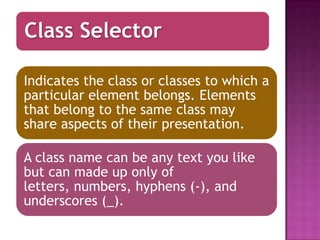
Class Selector

Indicates the class or classes to which a
particular element belongs. Elements
that belong to the same class may
share aspects of their presentation.

A class name can be any text you like
but can made up only of
letters, numbers, hyphens (-), and
underscores (_).
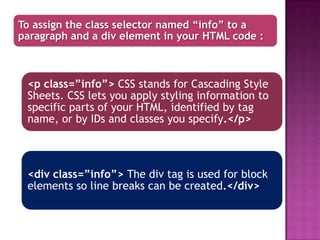
To assign the class selector named “info” to a
paragraph and a div element in your HTML code :


 <p class=”info”> CSS stands for Cascading Style
 Sheets. CSS lets you apply styling information to
 specific parts of your HTML, identified by tag
 name, or by IDs and classes you specify.</p>


 <div class=”info”> The div tag is used for block
 elements so line breaks can be created.</div>
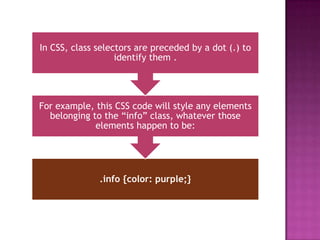
In CSS, class selectors are preceded by a dot (.) to
                   identify them .


For example, this CSS code will style any elements
  belonging to the “info” class, whatever those
             elements happen to be:


              .info {color: purple;}
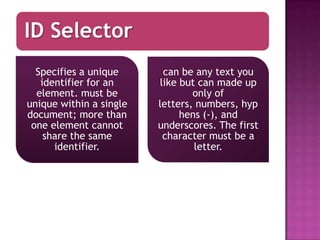
ID Selector
  Specifies a unique      can be any text you
   identifier for an     like but can made up
  element. must be               only of
unique within a single   letters, numbers, hyp
document; more than           hens (-), and
 one element cannot      underscores. The first
    share the same        character must be a
      identifier.                letter.
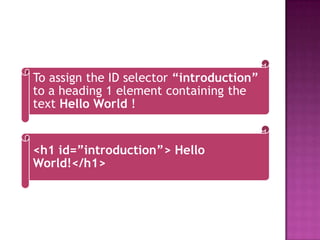
To assign the ID selector “introduction”
to a heading 1 element containing the
text Hello World !


<h1 id=”introduction”> Hello
World!</h1>
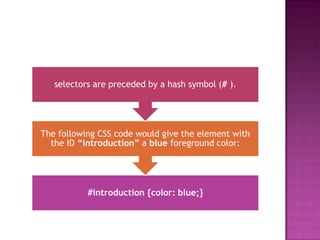
selectors are preceded by a hash symbol (# ).


The following CSS code would give the element with
  the ID “introduction” a blue foreground color:


           #introduction {color: blue;}
CLASS                                ID
SELECTOR                            SELECTOR
     preceded by a dot (.)
                                     preceded by a hash
                                        symbol (#) .


   targets any element that
contain the given class name in
      its class attribute.          Any element can have
                                     an id attribute, but
                                    that attribute’s value
A class attribute can be assigned   may be used only once
  to any element in HTML, and          within a single
  any number of elements can
    belong to the same class             document .
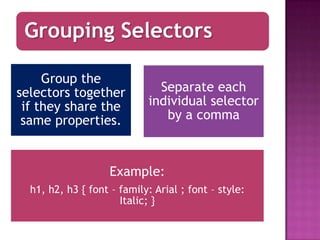
Grouping Selectors

     Group the
selectors together             Separate each
 if they share the           individual selector
 same properties.               by a comma


                    Example:
  h1, h2, h3 { font – family: Arial ; font – style:
                      Italic; }

Id and class selector

  • 1.
    ID and ClassSelector in CSS Describe ID selector Describe class selector Differentiate ID from class selector (or reverse) Identify ID and class selector combined within a given HTML code Grouping Selectors
  • 2.
    Class Selector Indicates theclass or classes to which a particular element belongs. Elements that belong to the same class may share aspects of their presentation. A class name can be any text you like but can made up only of letters, numbers, hyphens (-), and underscores (_).
  • 3.
    To assign theclass selector named “info” to a paragraph and a div element in your HTML code : <p class=”info”> CSS stands for Cascading Style Sheets. CSS lets you apply styling information to specific parts of your HTML, identified by tag name, or by IDs and classes you specify.</p> <div class=”info”> The div tag is used for block elements so line breaks can be created.</div>
  • 4.
    In CSS, classselectors are preceded by a dot (.) to identify them . For example, this CSS code will style any elements belonging to the “info” class, whatever those elements happen to be: .info {color: purple;}
  • 5.
    ID Selector Specifies a unique can be any text you identifier for an like but can made up element. must be only of unique within a single letters, numbers, hyp document; more than hens (-), and one element cannot underscores. The first share the same character must be a identifier. letter.
  • 6.
    To assign theID selector “introduction” to a heading 1 element containing the text Hello World ! <h1 id=”introduction”> Hello World!</h1>
  • 7.
    selectors are precededby a hash symbol (# ). The following CSS code would give the element with the ID “introduction” a blue foreground color: #introduction {color: blue;}
  • 8.
    CLASS ID SELECTOR SELECTOR preceded by a dot (.) preceded by a hash symbol (#) . targets any element that contain the given class name in its class attribute. Any element can have an id attribute, but that attribute’s value A class attribute can be assigned may be used only once to any element in HTML, and within a single any number of elements can belong to the same class document .
  • 9.
    Grouping Selectors Group the selectors together Separate each if they share the individual selector same properties. by a comma Example: h1, h2, h3 { font – family: Arial ; font – style: Italic; }