Learning
HTML/CSS
Desarae Veit
Kerim Hadzic
Learning HTML
DOCTYPE
<!DOCTYPE html PUBLIC "-//W3C//DTD
XHTML 1.0 Transitional//EN"
"http://www.w3.org/TR/xhtml1/DTD/xhtml1-
transitional.dtd">
VS.
<!DOCTYPE html>
Learning HTML
What is HTML DOM?
Document Object Model.
What are the Nodes?
Learning HTML
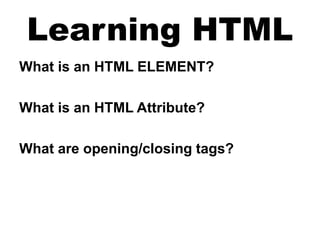
What is an HTML ELEMENT?
What is an HTML Attribute?
What are opening/closing tags?
Learning HTML
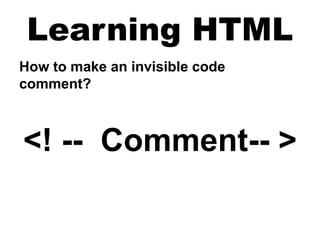
How to make an invisible code
comment?
<! -- Comment-- >
<!DOCTYPE html>
<html xmlns="http://www.w3.org/1999/xhtml">
<head>
<meta http-equiv="Content-Type" content="text/html; charset=utf-8" />
<title>My Website | Home Page</title>
<link href="css/style.css" rel="stylesheet" type="text/css" />
</head>
<body>
<div id="header">Header
<div id="navigation">
<ul>
<li><a href="index.html">Home</a></li>
<li><a href="#">Contact</a></li>
<li><a href="#">Help</a></li>
</ul>
</div><!-- End Navigation Div -->
<h1>My Website</h1>
</div><!-- End Header Div -->
<div id="main">Body
<p>Body content goes here....</p>
</div><!-- End Body Div (id main) -->
<div id="footer">Footer</div> <!-- End Footer Div (id footer)-->
</body>
</html>
Learning CSS
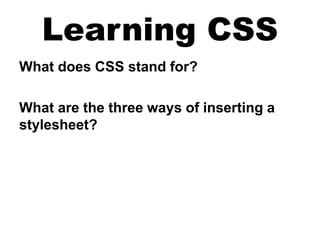
What does CSS stand for?
What are the three ways of inserting a
stylesheet?
Learning CSS
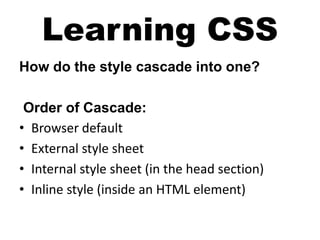
How do the style cascade into one?
Order of Cascade:
• Browser default
• External style sheet
• Internal style sheet (in the head section)
• Inline style (inside an HTML element)
Learning CSS
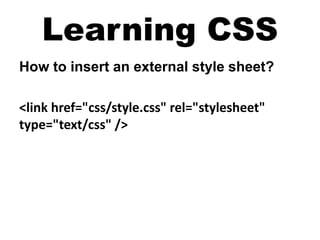
How to insert an external style sheet?
<link href="css/style.css" rel="stylesheet"
type="text/css" />
Learning CSS
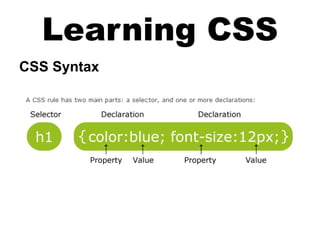
CSS Syntax
Learning CSS
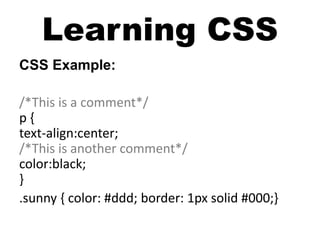
CSS Example:
/*This is a comment*/
p {
text-align:center;
/*This is another comment*/
color:black;
}
.sunny { color: #ddd; border: 1px solid #000;}
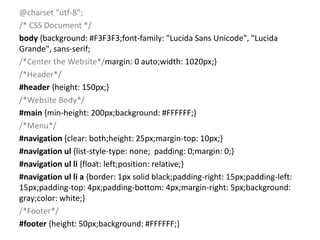
@charset "utf-8";
/* CSS Document */
body {background: #F3F3F3;font-family: "Lucida Sans Unicode", "Lucida
Grande", sans-serif;
/*Center the Website*/margin: 0 auto;width: 1020px;}
/*Header*/
#header {height: 150px;}
/*Website Body*/
#main {min-height: 200px;background: #FFFFFF;}
/*Menu*/
#navigation {clear: both;height: 25px;margin-top: 10px;}
#navigation ul {list-style-type: none; padding: 0;margin: 0;}
#navigation ul li {float: left;position: relative;}
#navigation ul li a {border: 1px solid black;padding-right: 15px;padding-left:
15px;padding-top: 4px;padding-bottom: 4px;margin-right: 5px;background:
gray;color: white;}
/*Footer*/
#footer {height: 50px;background: #FFFFFF;}
QUESTIONS?

Learning HTML

  • 1.
  • 2.
    Learning HTML DOCTYPE <!DOCTYPE htmlPUBLIC "-//W3C//DTD XHTML 1.0 Transitional//EN" "http://www.w3.org/TR/xhtml1/DTD/xhtml1- transitional.dtd"> VS. <!DOCTYPE html>
  • 3.
    Learning HTML What isHTML DOM? Document Object Model. What are the Nodes?
  • 4.
    Learning HTML What isan HTML ELEMENT? What is an HTML Attribute? What are opening/closing tags?
  • 5.
    Learning HTML How tomake an invisible code comment? <! -- Comment-- >
  • 6.
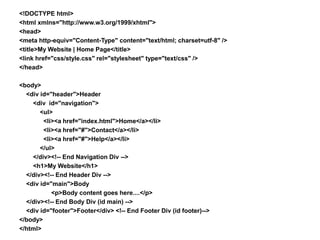
    <!DOCTYPE html> <html xmlns="http://www.w3.org/1999/xhtml"> <head> <metahttp-equiv="Content-Type" content="text/html; charset=utf-8" /> <title>My Website | Home Page</title> <link href="css/style.css" rel="stylesheet" type="text/css" /> </head> <body> <div id="header">Header <div id="navigation"> <ul> <li><a href="index.html">Home</a></li> <li><a href="#">Contact</a></li> <li><a href="#">Help</a></li> </ul> </div><!-- End Navigation Div --> <h1>My Website</h1> </div><!-- End Header Div --> <div id="main">Body <p>Body content goes here....</p> </div><!-- End Body Div (id main) --> <div id="footer">Footer</div> <!-- End Footer Div (id footer)--> </body> </html>
  • 7.
    Learning CSS What doesCSS stand for? What are the three ways of inserting a stylesheet?
  • 8.
    Learning CSS How dothe style cascade into one? Order of Cascade: • Browser default • External style sheet • Internal style sheet (in the head section) • Inline style (inside an HTML element)
  • 9.
    Learning CSS How toinsert an external style sheet? <link href="css/style.css" rel="stylesheet" type="text/css" />
  • 10.
  • 11.
    Learning CSS CSS Example: /*Thisis a comment*/ p { text-align:center; /*This is another comment*/ color:black; } .sunny { color: #ddd; border: 1px solid #000;}
  • 12.
    @charset "utf-8"; /* CSSDocument */ body {background: #F3F3F3;font-family: "Lucida Sans Unicode", "Lucida Grande", sans-serif; /*Center the Website*/margin: 0 auto;width: 1020px;} /*Header*/ #header {height: 150px;} /*Website Body*/ #main {min-height: 200px;background: #FFFFFF;} /*Menu*/ #navigation {clear: both;height: 25px;margin-top: 10px;} #navigation ul {list-style-type: none; padding: 0;margin: 0;} #navigation ul li {float: left;position: relative;} #navigation ul li a {border: 1px solid black;padding-right: 15px;padding-left: 15px;padding-top: 4px;padding-bottom: 4px;margin-right: 5px;background: gray;color: white;} /*Footer*/ #footer {height: 50px;background: #FFFFFF;}
  • 13.

Editor's Notes

  • #3 The Doctype must be the first declaration in an HTML document, even before the <html> tag. The Doctype is NOT an html tag; it is an instruction to the web browser about what version of HTML the page is written in. <!DOCTYPE html> is the newest version of doctype, it stands for HTML 5 Resources: For more details on html elements and the difference between Doctypes: http://www.w3schools.com/tags/ref_html_dtd.asp The <!DOCTYPE> tag does not have an end tag. The <!DOCTYPE> declaration is NOT case sensitive. Use W3C's Validator to check that you have written a valid HTML / XHTML document: http://validator.w3.org/
  • #4 Everything in the HTML DOM (Document Object Model) is a node: The document itself (index.html or page.html) is a document node. HTML Elements are element nodes. Element objects can have child nodes including element nodes, text nodes, or comment nodes. Elements can also have attributes. HTML Attributes are attribute nodes. Text inside HTML elements are text nodes. Comments are comment nodes. Basic HTML Website Example (no css): <!DOCTYPE HTML> <html> <head> <title>Title of the document</title> </head> <body> The content of the document...... </body> </html>
  • #5 Element Most HTML elements require a start tag and an end tag. Only a couple of tags do not require an end tag, the break element <BR> does not require two tags. Attributes HTML elements can have attributes. Attributes are always specified by a start tag with a name and value. These attributes look something like name=”value”. You see an example of this in the link element ie. href=”http://linkurl.com”. These attributes are case sensitive, so keep them lowercase. These are case sensitive.
  • #6 Element Most HTML elements require a start tag and an end tag. Only a couple of tags do not require an end tag, the break element <BR> does not require two tags. Attributes HTML elements can have attributes. Attributes are always specified by a start tag with a name and value. These attributes look something like name=”value”. You see an example of this in the link element ie. href=”http://linkurl.com”. These attributes are case sensitive, so keep them lowercase. These are case sensitive.
  • #7 Element Most HTML elements require a start tag and an end tag. Only a couple of tags do not require an end tag, the break element <BR> does not require two tags. Attributes HTML elements can have attributes. Attributes are always specified by a start tag with a name and value. These attributes look something like name=”value”. You see an example of this in the link element ie. href=”http://linkurl.com”. These attributes are case sensitive, so keep them lowercase. These are case sensitive.
  • #8 CSS stands for Cascading Style Sheets. CSS defines how to display HTML elements. External Style Sheets can save a lot of work by making a list of styles for multiple pages, whereas inline styles only work on the page or element they are defined on. External style sheets are stored as CSS files. External Internal Inline
  • #9 CSS stands for Cascading Style Sheets. CSS defines how to display HTML elements. External Style Sheets can save a lot of work by making a list of styles for multiple pages, whereas inline styles only work on the page or element they are defined on. External style sheets are stored as CSS files. External Internal Inline
  • #10 CSS stands for Cascading Style Sheets. CSS defines how to display HTML elements. External Style Sheets can save a lot of work by making a list of styles for multiple pages, whereas inline styles only work on the page or element they are defined on. External style sheets are stored as CSS files. External Internal Inline