3/25/2010
1
Customizing Your Graphs in PrismCustomizing Your Graphs in Prism
Presented by: Jeff Skinner, M.S.
Biostatistics Specialist
Bioinformatics and Computational Biosciences Branch
National Institute of Allergy and Infectious Diseases 
Office of Cyber Infrastructure and Computational Biology
Basic Biostatistics * Curve Fitting * Graphing
3/25/2010
2
NIAID Site License
http://graphpad.com/paasl/index.cfm?sitecode=NIHNIAID
http://bioinformatics.niaid.nih.gov/
Prism Training and SupportPrism Training and Support
ScienceApps@niaid.nih.gov
3/25/2010
3
Outline
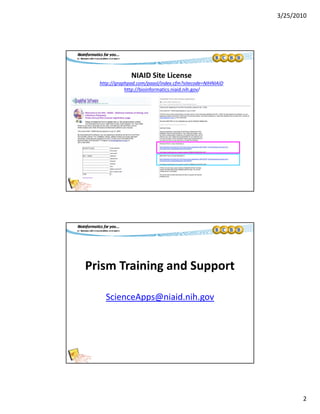
• Overview of Prism software features
• Scatter Plot• Scatter Plot
– Axis limits, tick intervals, additional tick lines, subscripted text
– Color schemes, color choices, format individual points, floating notes
• Interleaved Bar Chart
– Axis breaks, format tick labels, special characters
• Box and Whiskers Plot
– Duplicate Graph Prism Layout files Overlay figuresDuplicate Graph, Prism Layout files, Overlay figures
• Exporting Graphs
– Copy‐and‐paste vs. Export graph options
• Prism Magic feature, Clone graphs, Prism Templates
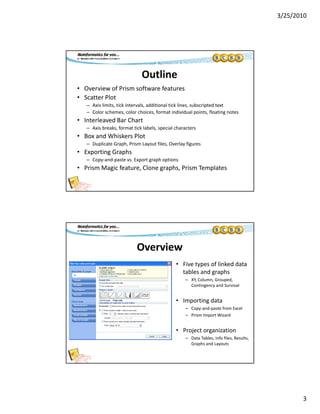
Overview
• Five types of linked data 
tables and graphs
– XY, Column, Grouped, 
Contingency and Survival
• Importing data
– Copy‐and‐paste from Excel
– Prism Import WizardPrism Import Wizard
• Project organization
– Data Tables, Info files, Results, 
Graphs and Layouts
3/25/2010
4
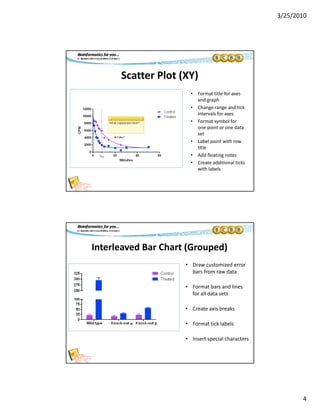
Scatter Plot (XY)
• Format title for axes 
and graph
• Change range and tick 
intervals for axes
• Format symbol for 
one point or one data 
set 
• Label point with row 
title
• Add floating notes
• Create additional ticks 
with labels
Interleaved Bar Chart (Grouped)
• Draw customized error 
bars from raw data
• Format bars and lines 
for all data sets
• Create axis breaks
• Format tick labels
• Insert special characters
3/25/2010
5
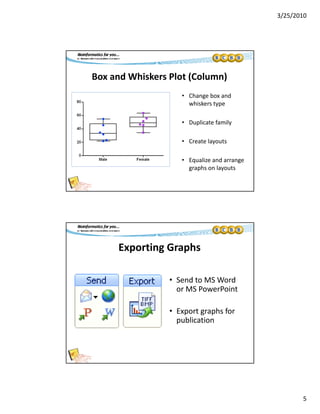
Box and Whiskers Plot (Column)
• Change box andChange box and 
whiskers type
• Duplicate family
• Create layouts
• Equalize and arrange 
graphs on layouts
Exporting Graphs
• Send to MS Word 
or MS PowerPoint 
• Export graphs for 
publication
3/25/2010
6
Other Cool Features
• Clone a graph :C o e a g ap :
– Prism creates a copy of that graph along with linked data 
tables, info sheets and analyses
– All you have to do is replace the data to create the new figure.
• Create a template
– Similar to “clone graph” feature, but allows user to create aSimilar to  clone graph  feature, but allows user to create a 
menu of stored graphs and analyses
• Magic tool: Make graphs look consistent
Upcoming Seminars
• Curve Fitting in PRISM
– April 1st at 10 AM, Building 50, Room 1227/1233
• Statistical Applications in PRISM
– April 8th at 10 AM, Building 50, Room 1227/1233
• http://collab.niaid.nih.gov/sites/research/SIG/
Bioinformatics/seminars.aspx

GraphPad Prism: Customizing your graphs