






The New Way to Quickly Build
Powerful Dashboards
Knut Relbe-Moe, Chief Technical Architect Knowledge Factory
Knut Relbe-Moe
My Experience:
 SharePoint evangelist, mentor, speaker
 Old developer, turned Architect / ITPro
 Have worked with SharePoint since the 2003 version.
 Worked with several clients upgrading their solution from 2007/2010 to 2013.
 Works as a Lead Architect and advisor creating SharePoint Farm
architecture/infrastructure on many projects. With up to 25.000 users.
 Worked with automating the installation and configuration of SharePoint.
Chief TechnicalArchitect
KnowledgeFactory, Oslo, Norway
Office Server& ServicesMVP
MigrationExpert
Educatorfor Glasspaper
NintexVirtualTechnicalEvangelist
Knut.Relbe-
moe@knowledgefa
ctory.no
http://www.sharepointblog.no
@shareptkarm
Agenda
• Introduction
• Demos
• Getting Started
• Resources
• Questions
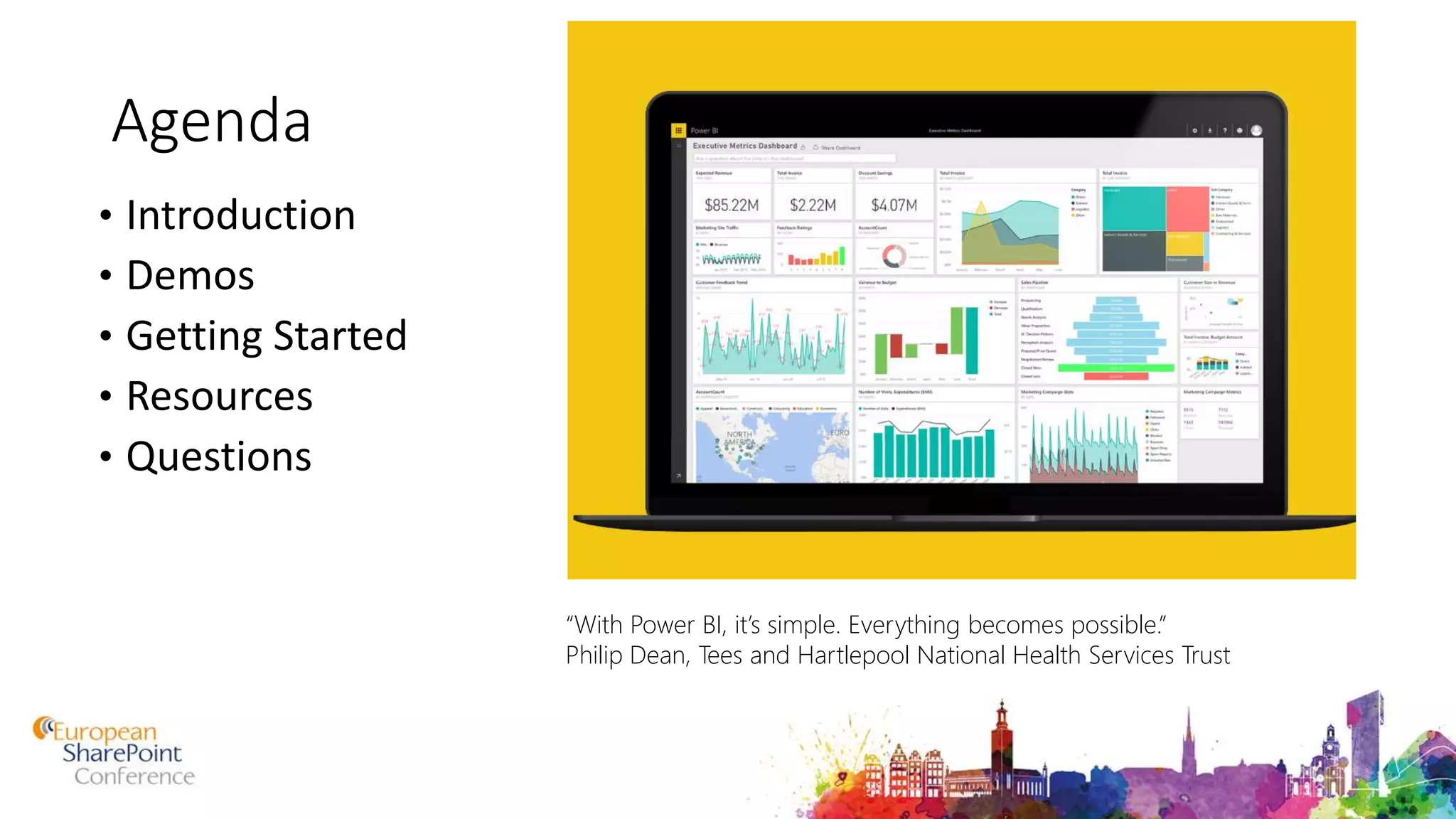
“With Power BI, it’s simple. Everything becomes possible.”
Philip Dean, Tees and Hartlepool National Health Services Trust
What is Self Service Business Intelligence
(SSBI)
• Self-service business intelligence is defined here as end users
designing and deploying their own reports and analyses within an
approved and supported architecture and tools portfolio. (Gartner)
Power BI
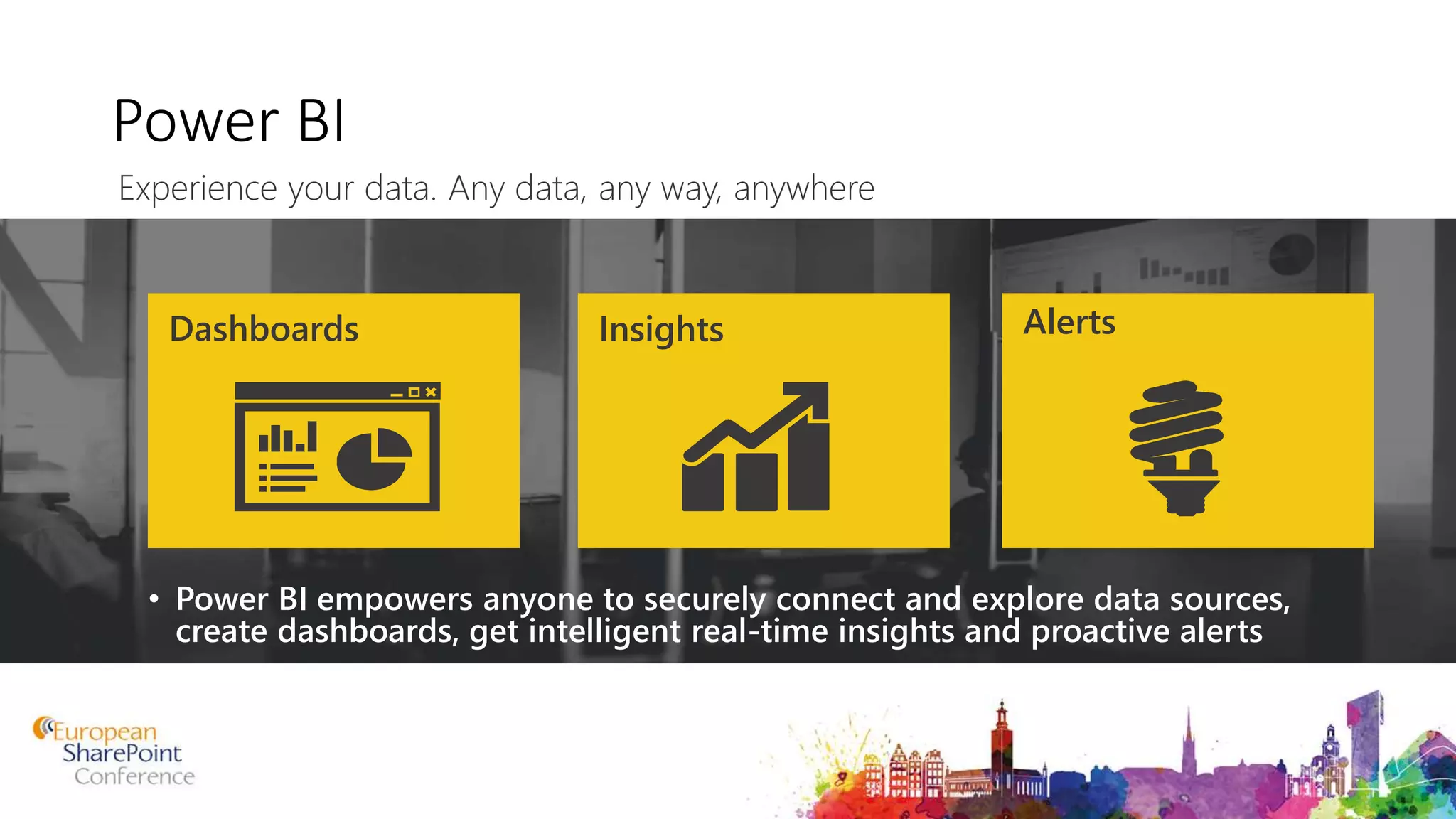
• Power BI empowers anyone to securely connect and explore data sources,
create dashboards, get intelligent real-time insights and proactive alerts
Dashboards Insights Alerts
Experience your data. Any data, any way, anywhere
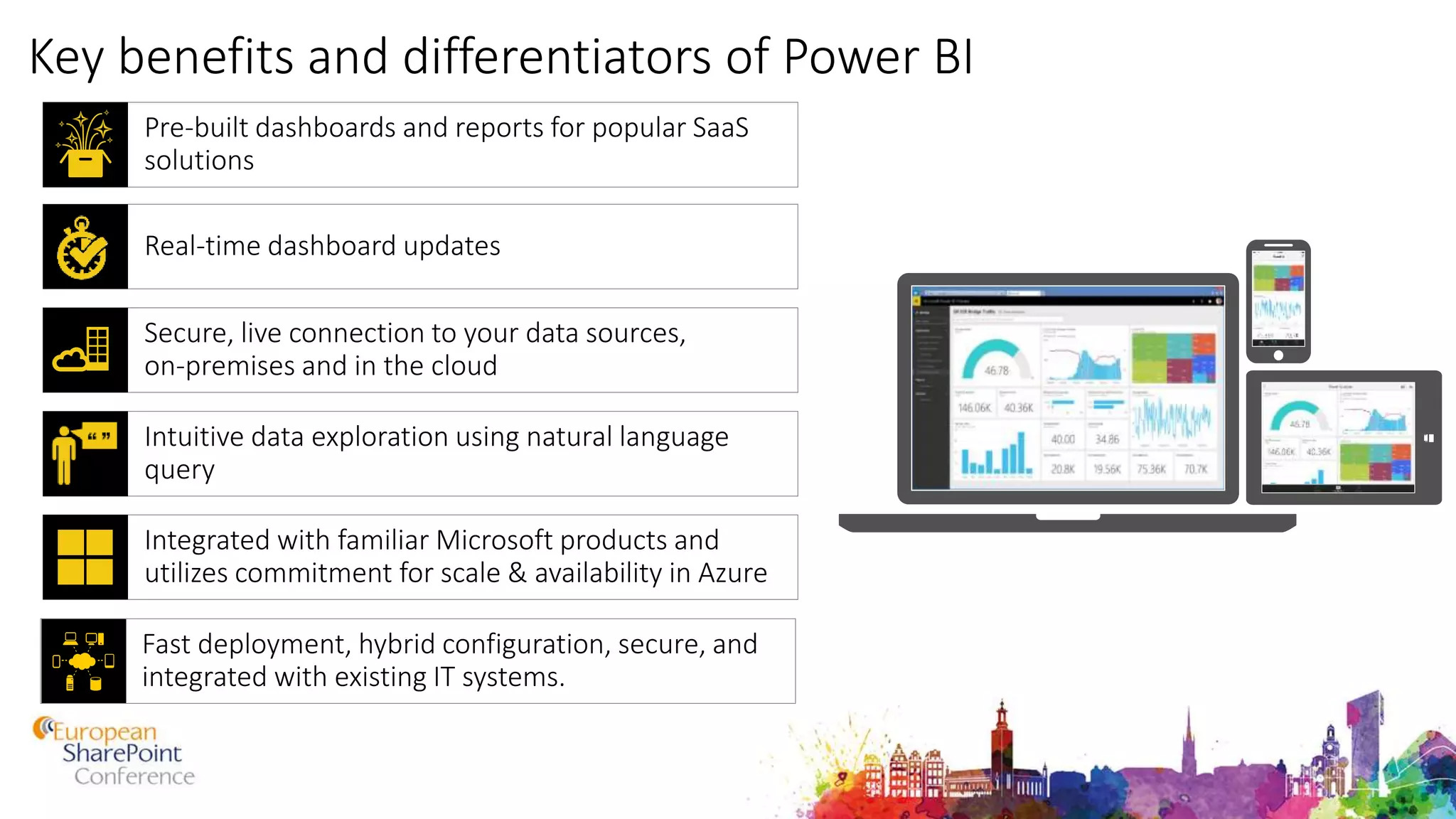
Key benefits and differentiators of Power BI
Pre-built dashboards and reports for popular SaaS
solutions
Integrated with familiar Microsoft products and
utilizes commitment for scale & availability in Azure
Intuitive data exploration using natural language
query
Real-time dashboard updates
Fast deployment, hybrid configuration, secure, and
integrated with existing IT systems.
Secure, live connection to your data sources,
on-premises and in the cloud
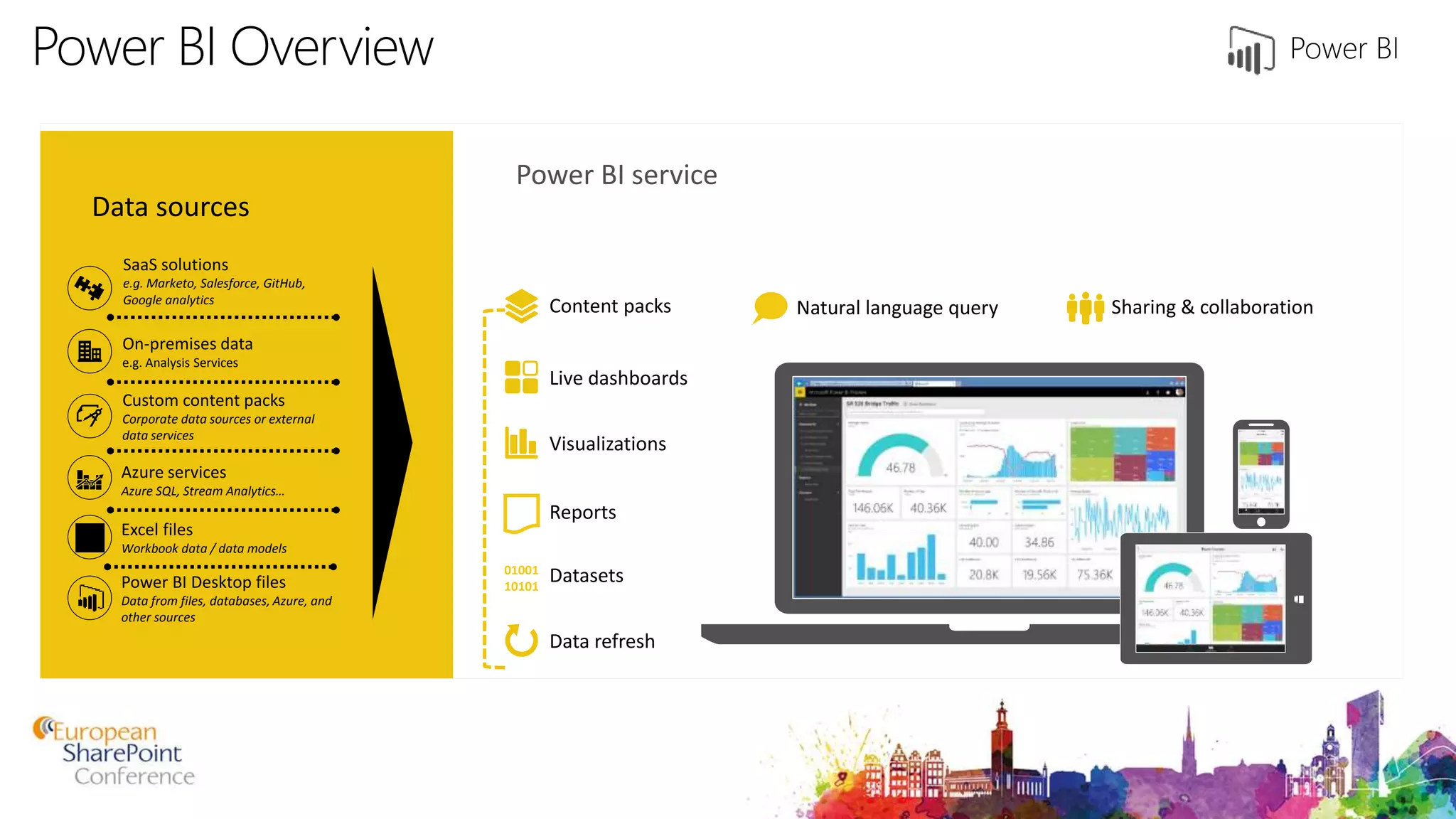
Power BI Overview
Data sources
Power BI service
SaaS solutions
e.g. Marketo, Salesforce, GitHub,
Google analytics
On-premises data
e.g. Analysis Services
Custom content packs
Corporate data sources or external
data services
Azure services
Azure SQL, Stream Analytics…
Excel files
Workbook data / data models
Power BI Desktop files
Data from files, databases, Azure, and
other sources
Data refresh
Visualizations
Live dashboards
Content packs Sharing & collaborationNatural language query
Reports
Datasets01001
10101
146.03K145.84K145.96K146.06K 40.08K38.84K39.99K40.33K
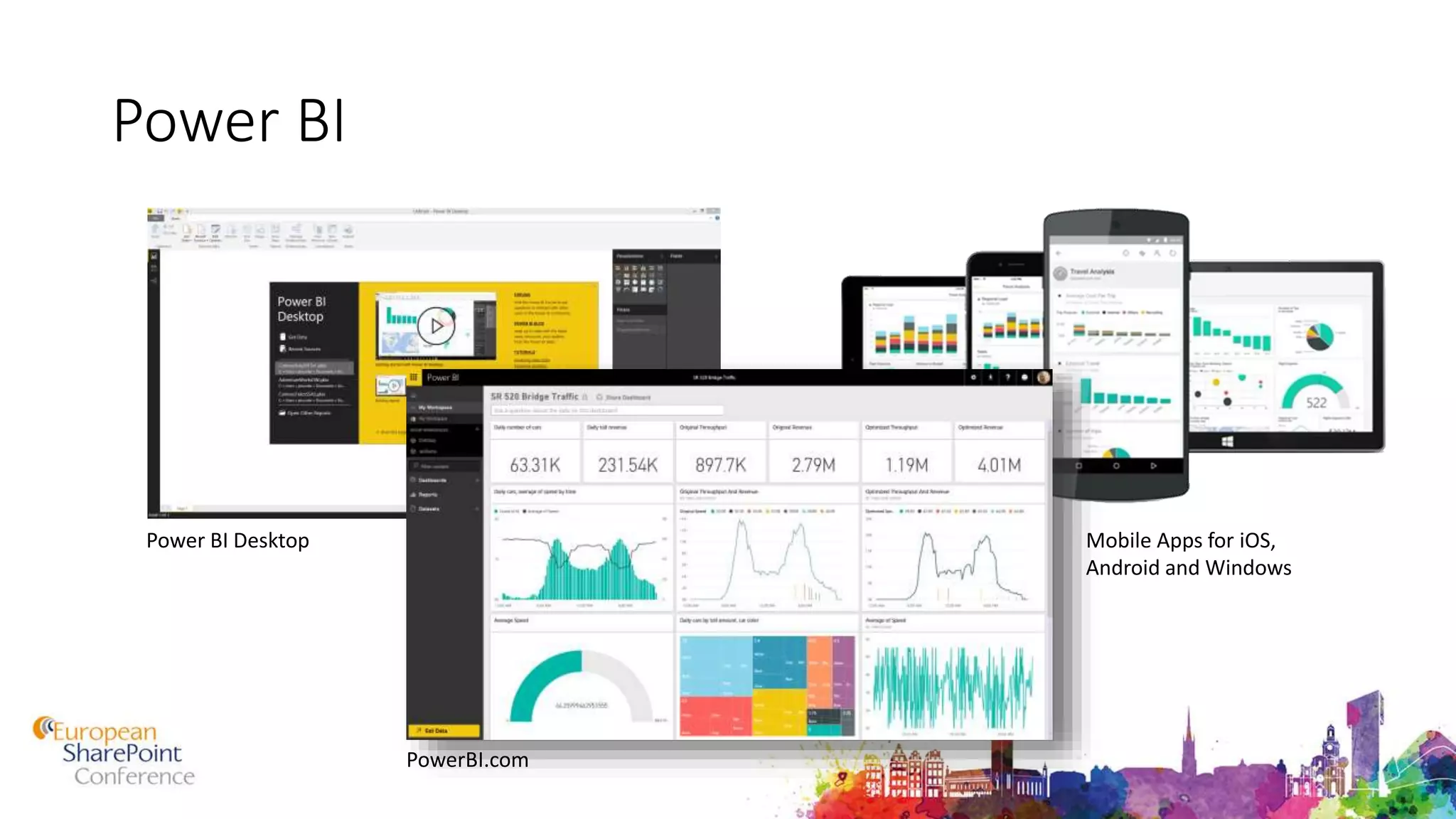
Power BI
Power BI Desktop
PowerBI.com
Mobile Apps for iOS,
Android and Windows
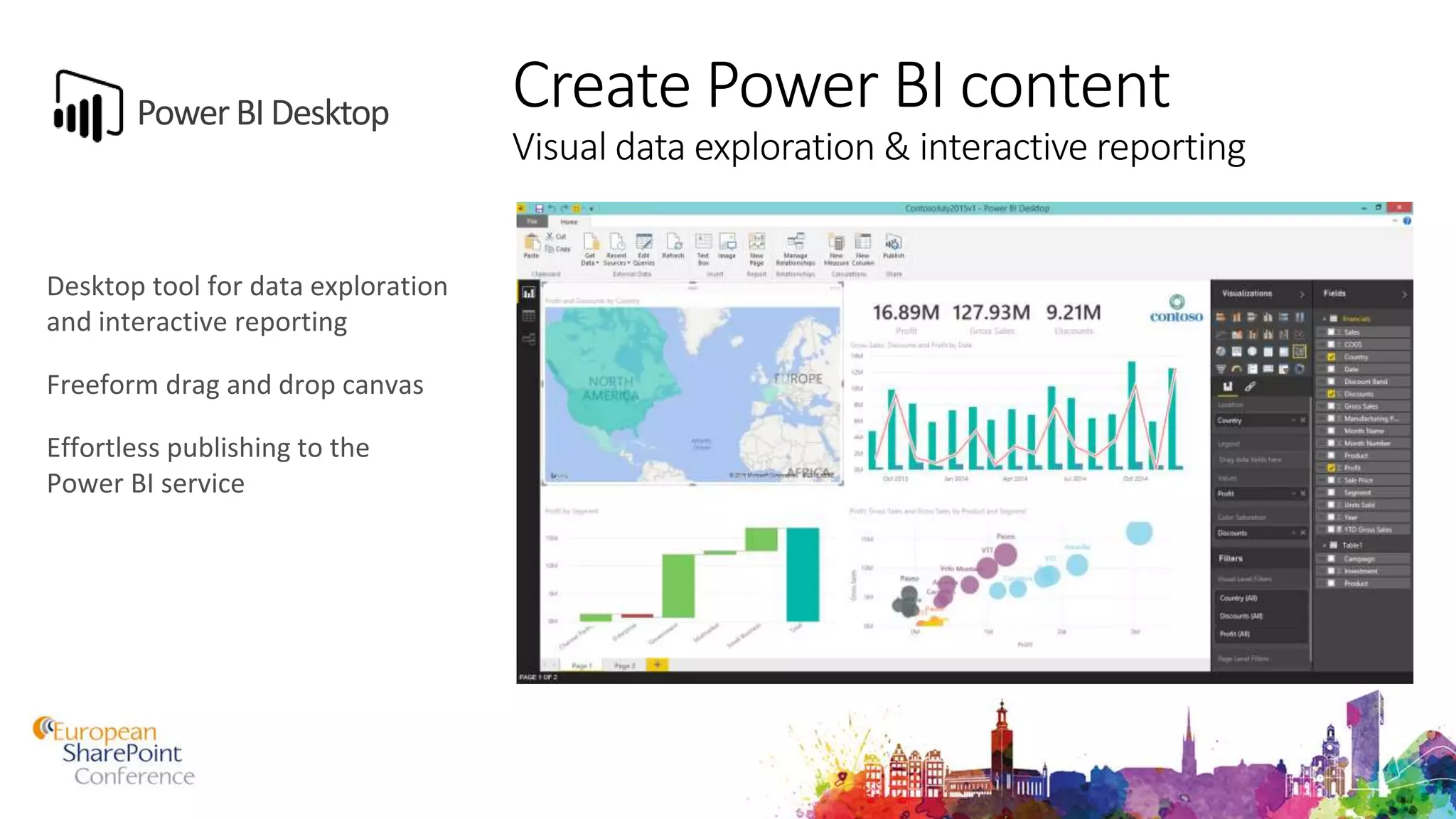
Create Power BI content
Visual data exploration & interactive reporting
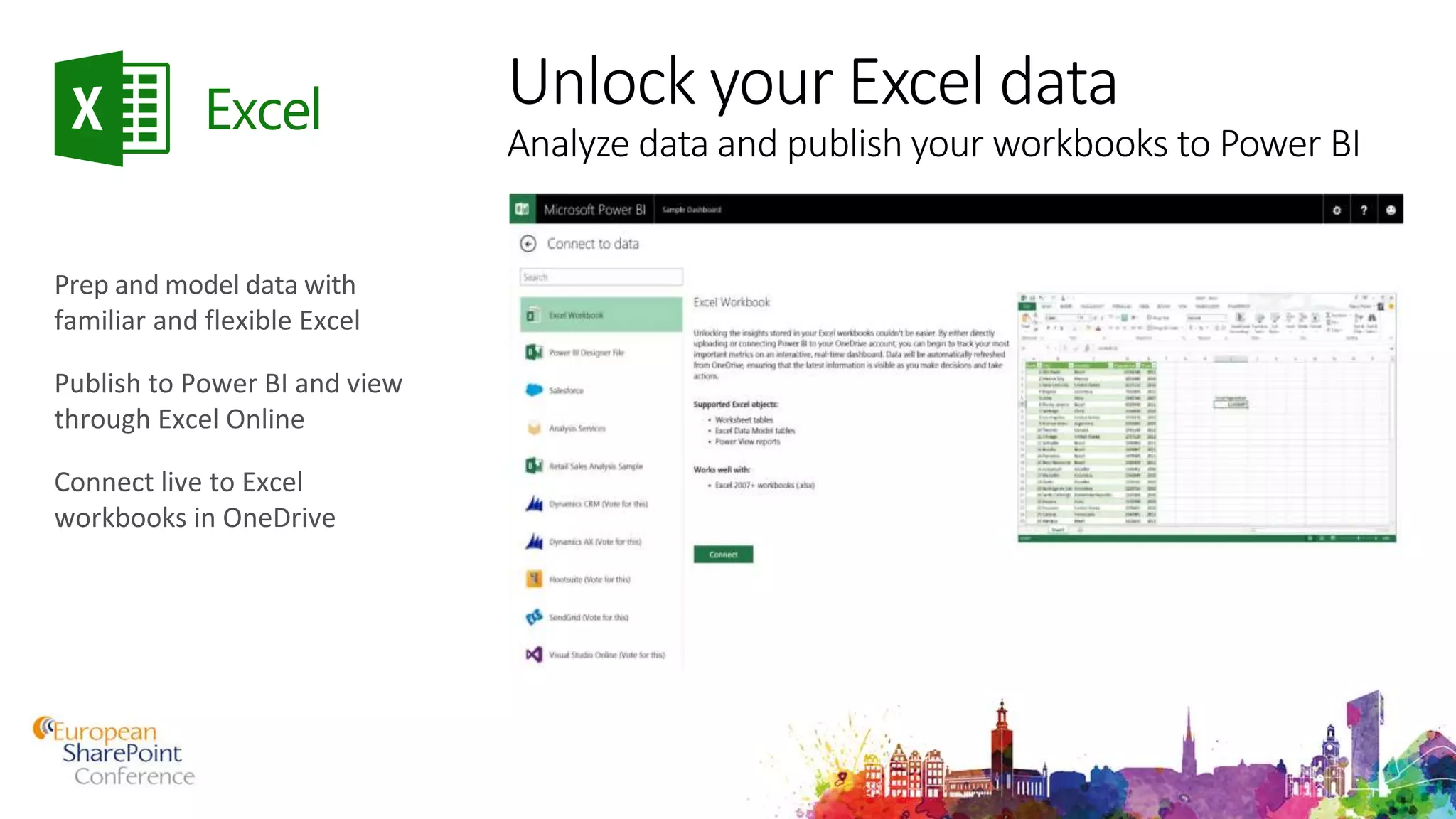
Unlock your Excel data
Analyze data and publish your workbooks to Power BI
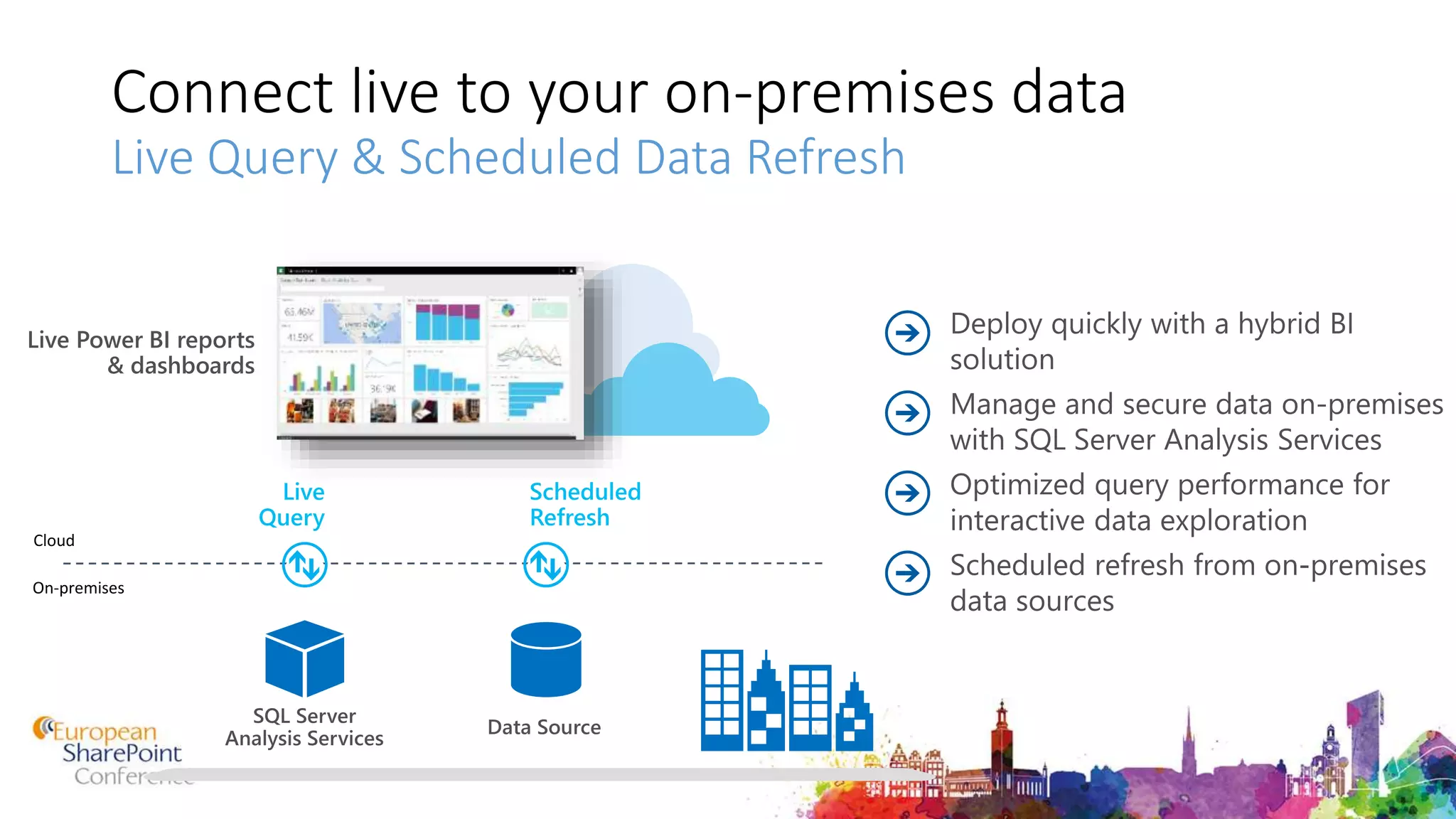
Connect live to your on-premises data
Live Query & Scheduled Data Refresh
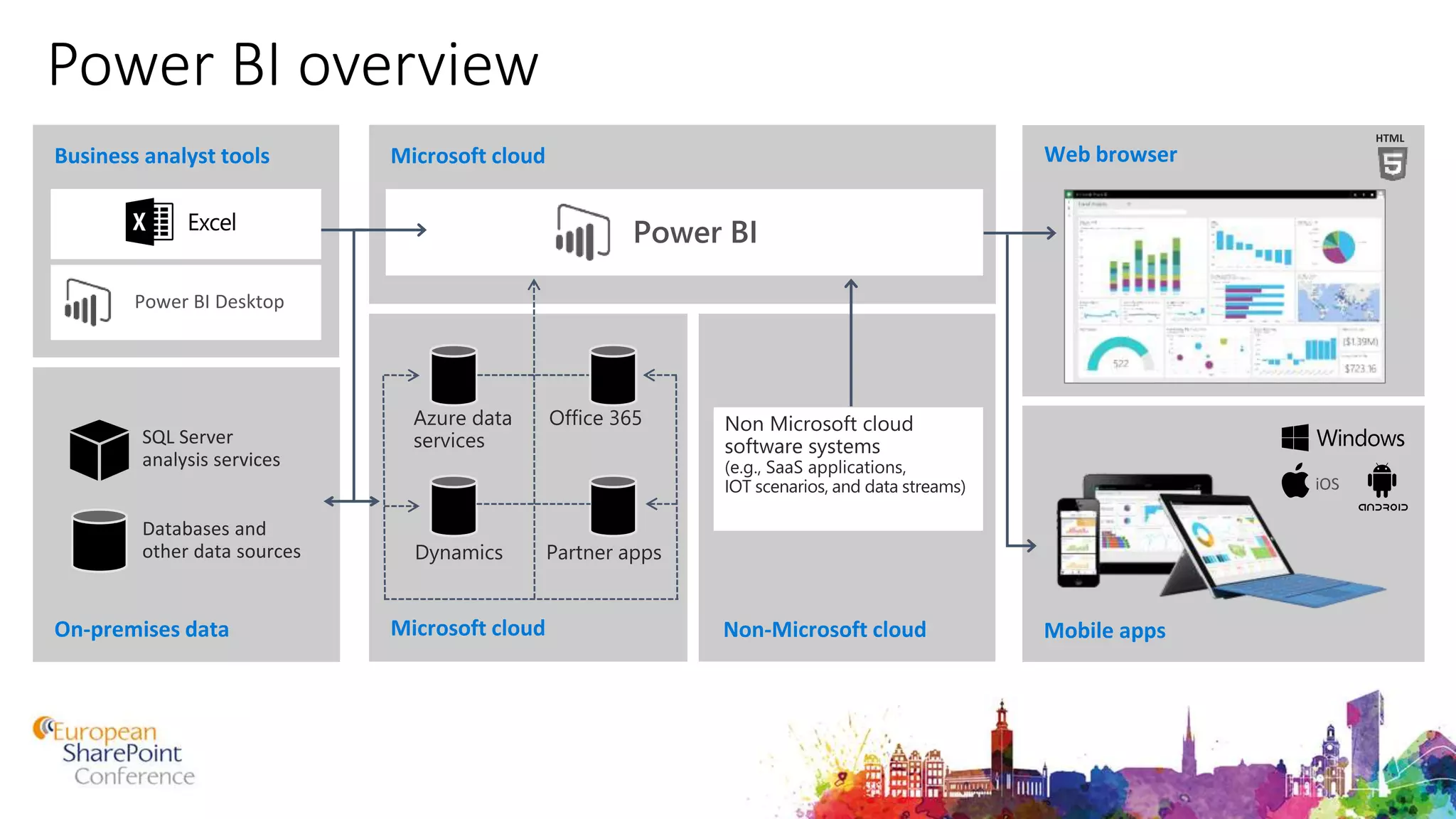
Power BI overview
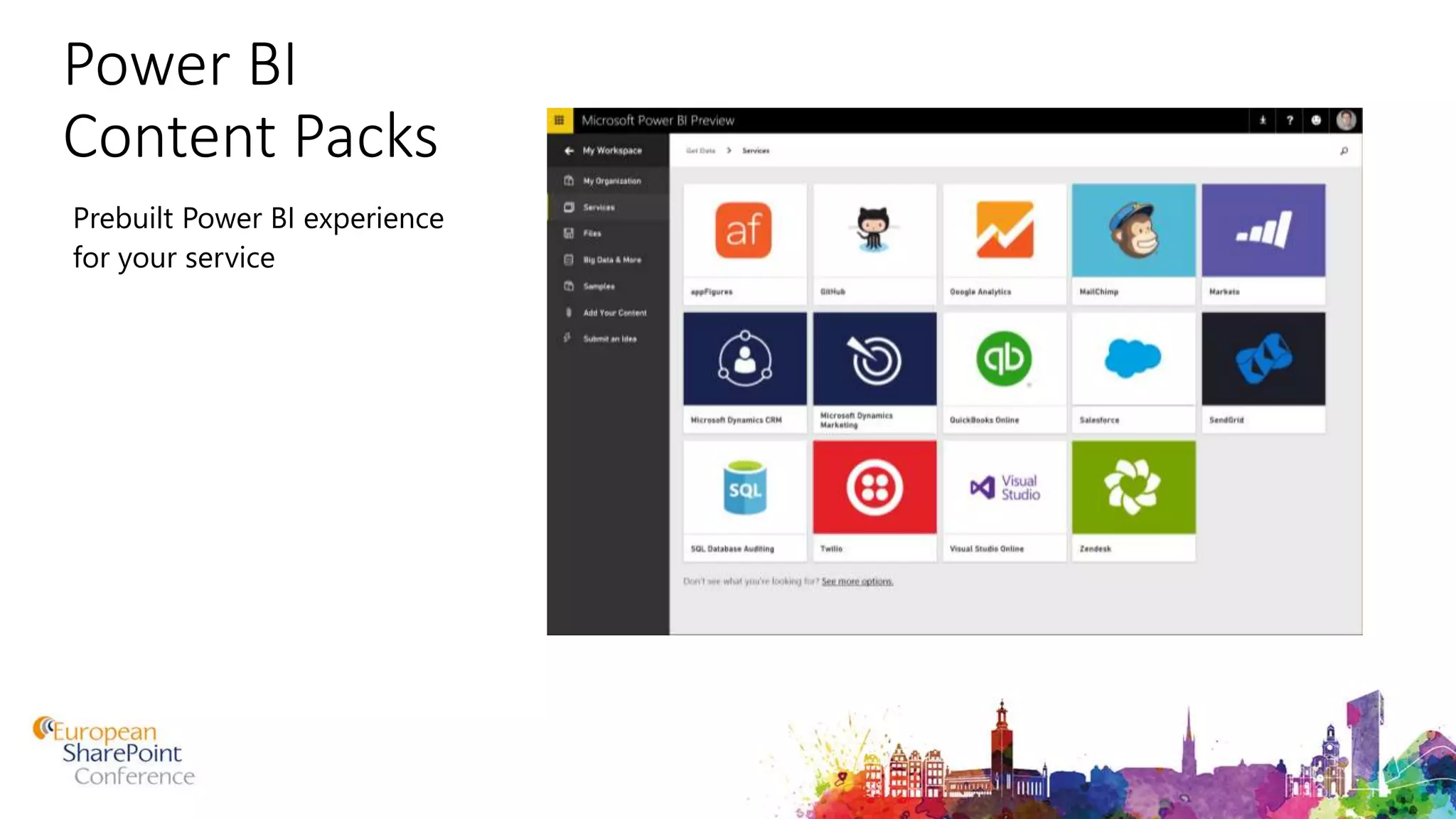
Power BI
Content Packs
Prebuilt Power BI experience
for your service
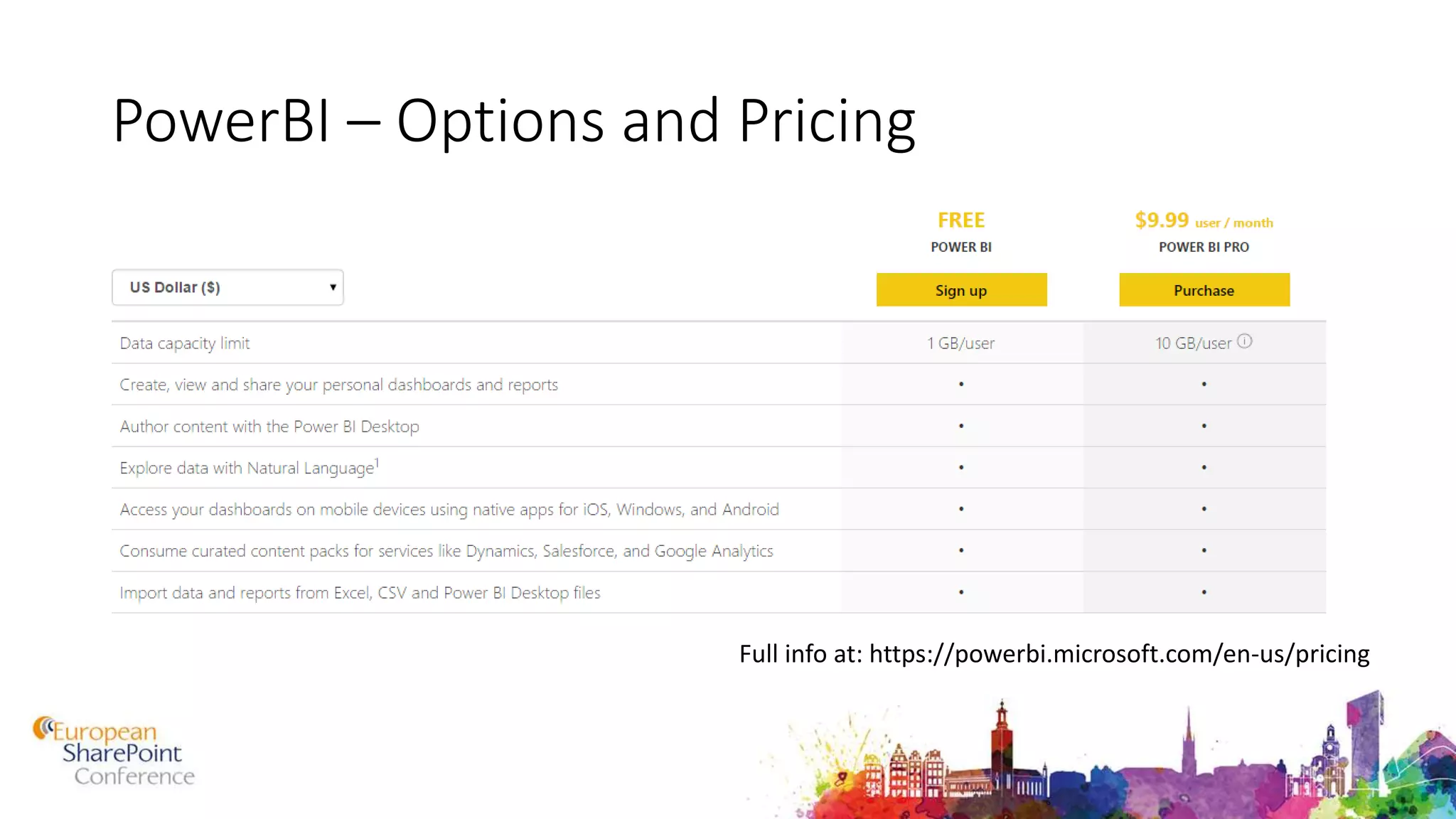
PowerBI – Options and Pricing
Full info at: https://powerbi.microsoft.com/en-us/pricing
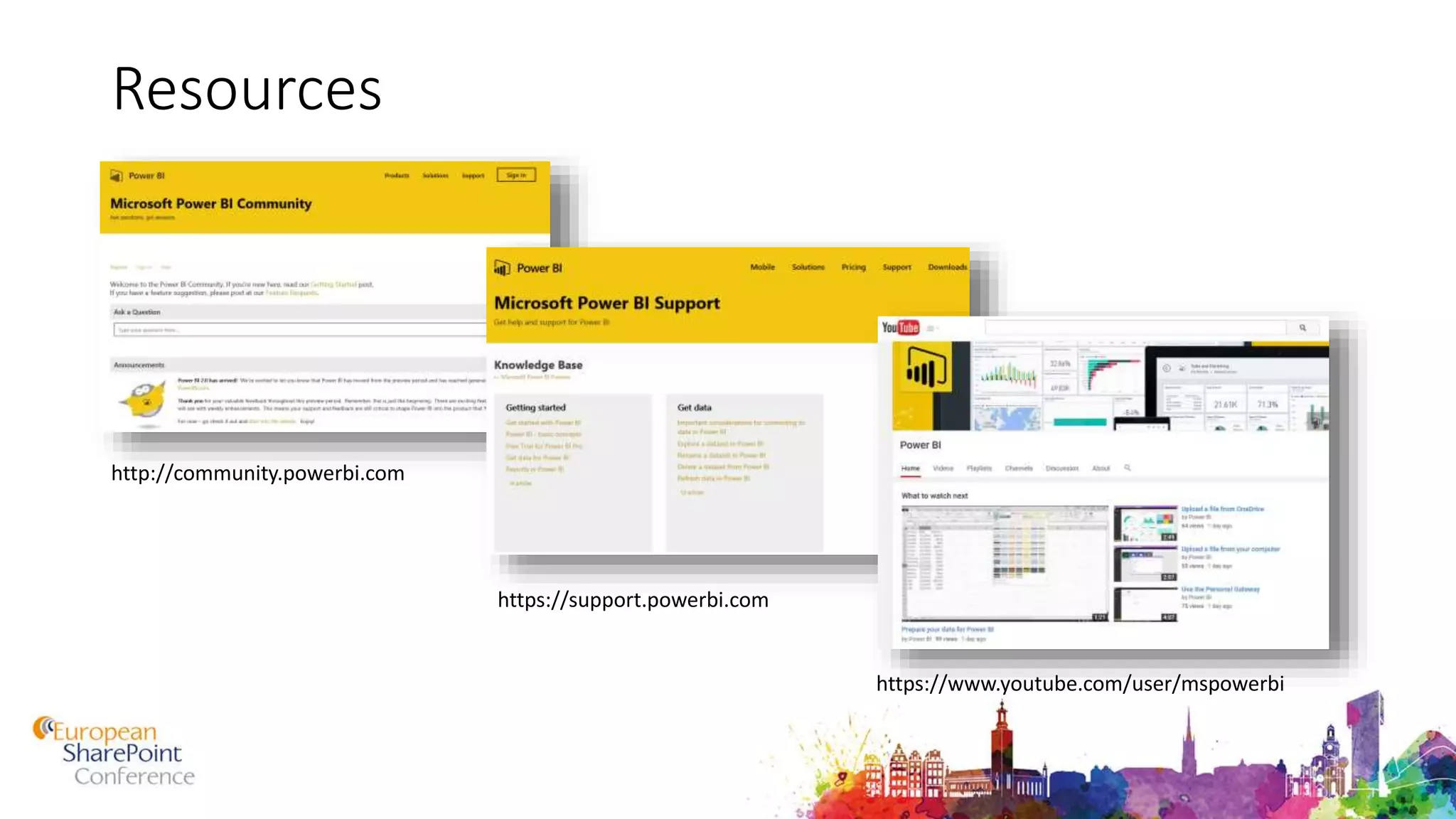
Resources
http://community.powerbi.com
https://support.powerbi.com
https://www.youtube.com/user/mspowerbi
Key Takeaways
No infrastructure needed
Fast implementation
Uses familiar tools and approaches
PowerPivot scales to 100’s millions rows
New features being added all the time
Now you are ready to play around with Power BI
Questions?
• Now or later 
THANK YOU

ESPC15 Power BI - The New Way to Quickly Build Powerful Dashboards (Level 300)

  • 1.
    The New Wayto Quickly Build Powerful Dashboards Knut Relbe-Moe, Chief Technical Architect Knowledge Factory
  • 2.
    Knut Relbe-Moe My Experience: SharePoint evangelist, mentor, speaker  Old developer, turned Architect / ITPro  Have worked with SharePoint since the 2003 version.  Worked with several clients upgrading their solution from 2007/2010 to 2013.  Works as a Lead Architect and advisor creating SharePoint Farm architecture/infrastructure on many projects. With up to 25.000 users.  Worked with automating the installation and configuration of SharePoint. Chief TechnicalArchitect KnowledgeFactory, Oslo, Norway Office Server& ServicesMVP MigrationExpert Educatorfor Glasspaper NintexVirtualTechnicalEvangelist Knut.Relbe- moe@knowledgefa ctory.no http://www.sharepointblog.no @shareptkarm
  • 3.
    Agenda • Introduction • Demos •Getting Started • Resources • Questions “With Power BI, it’s simple. Everything becomes possible.” Philip Dean, Tees and Hartlepool National Health Services Trust
  • 4.
    What is SelfService Business Intelligence (SSBI) • Self-service business intelligence is defined here as end users designing and deploying their own reports and analyses within an approved and supported architecture and tools portfolio. (Gartner)
  • 5.
    Power BI • PowerBI empowers anyone to securely connect and explore data sources, create dashboards, get intelligent real-time insights and proactive alerts Dashboards Insights Alerts Experience your data. Any data, any way, anywhere
  • 6.
    Key benefits anddifferentiators of Power BI Pre-built dashboards and reports for popular SaaS solutions Integrated with familiar Microsoft products and utilizes commitment for scale & availability in Azure Intuitive data exploration using natural language query Real-time dashboard updates Fast deployment, hybrid configuration, secure, and integrated with existing IT systems. Secure, live connection to your data sources, on-premises and in the cloud
  • 7.
    Power BI Overview Datasources Power BI service SaaS solutions e.g. Marketo, Salesforce, GitHub, Google analytics On-premises data e.g. Analysis Services Custom content packs Corporate data sources or external data services Azure services Azure SQL, Stream Analytics… Excel files Workbook data / data models Power BI Desktop files Data from files, databases, Azure, and other sources Data refresh Visualizations Live dashboards Content packs Sharing & collaborationNatural language query Reports Datasets01001 10101
  • 8.
  • 9.
    Power BI Power BIDesktop PowerBI.com Mobile Apps for iOS, Android and Windows
  • 11.
    Create Power BIcontent Visual data exploration & interactive reporting
  • 12.
    Unlock your Exceldata Analyze data and publish your workbooks to Power BI
  • 14.
    Connect live toyour on-premises data Live Query & Scheduled Data Refresh
  • 15.
  • 16.
    Power BI Content Packs PrebuiltPower BI experience for your service
  • 18.
    PowerBI – Optionsand Pricing Full info at: https://powerbi.microsoft.com/en-us/pricing
  • 19.
  • 20.
    Key Takeaways No infrastructureneeded Fast implementation Uses familiar tools and approaches PowerPivot scales to 100’s millions rows New features being added all the time
  • 21.
    Now you areready to play around with Power BI
  • 22.
  • 23.

Editor's Notes

  • #7 Globally available in over 140 countries and localized to 44 languages Rapid weekly and monthly release cycle Power BI sets the standard for modern business intelligence Beyond the inherent benefits of a SaaS-based approach, Power BI sets a new standard for “modern” business intelligence with a collection of capabilities completely unique in the industry: Real-time dashboards and support for streaming data. Data is increasingly streaming from everything. With Power BI you can monitor streaming data sources via live, continuously updating visuals. Maintain an up-to-the-moment pulse on your business. Legacy business intelligence solutions are largely retrospective – and of course Power BI also provides rich and deep analysis of historical data like other BI solutions. But you wouldn’t want to drive your car looking only at your rearview mirror. You shouldn’t drive your business that way either. Keep your data where it is. Though business data is increasingly contained in SaaS business applications, there is and probably always will be important data contained in applications and databases “on premises.” Power BI doesn’t require an organization to move or copy data to the cloud to benefit from Power BI. It’s a have your cake and eat it too kind of capability. Whether your data is on-premises or in the cloud, stored in a relational database or Hadoop, or resident in a business application that’s custom, packaged or SaaS, Power BI can send queries to the data versus pulling data to itself. You can do that too – and Power BI provides world-class extract, transform and load (ETL) capabilities. In some cases this may be preferred (as when the source database query performance is too slow for interactive data analysis). The point is, with Power BI you have a choice. Cross-platform, native mobile apps. In addition to its rich Web client, there are native Windows, iPhone, iPad and Android apps that keep mobile users connected with their data, wherever they may be. As hard as it is to believe, other mainstream BI vendors still lack native mobile apps. Natural language interface. Benefiting from years of groundbreaking natural language interaction work at Microsoft Research, Power BI permits users to simply ask questions of their data. As you type your question, visualizations appear and are successively refined as you continue to type. This capability, perhaps more than any other, has empowered end users to self-serve their business analytics needs. No need to learn complex query languages or master some gesture-based exploration tool. Just ask questions. Completely open, but an integrated part of Microsoft’s comprehensive data platform. Across the Microsoft data platform there is bi-directional awareness of and integration with Power BI. For example, when a user creates a new Azure Data Warehouse, or a new Azure Stream Analytics solution, there is a one-click option to make that data available in Power BI. Conversely, if you have an existing HDInsight dataset fronted by Spark, or a tabular data model in SQL Server Analysis Services, there is a one-click option in Power BI to connect back to those sources of data. This makes it easy to compose very powerful data solutions and provides “one throat to choke” accountability – if the solution doesn’t work, you don’t have many vendors pointing fingers at each other. We don’t limit our support only to Microsoft solutions, but we make it easy to go that route if you desire.
  • #8 Key message: There are several capabilities that differentiate Power BI from other offerings in the market. Talking points: Power BI is a cloud-based analytics service that provides faster time to insight. It is used for visualizing, exploring and extracting insights from data. It brings together data from diverse sources to deliver rich, comprehensive views of business operations. What that means is, with Power BI, you can see all of your data through a single pane of glass, and create an analytics environment in minutes to monitor data and share reports. Live dashboards and reports show visualizations and KPIs from data that reside both on-premises and in the cloud, providing a consolidated view across your business regardless of where your data lives. There are several capabilities that are unique to Power BI – these include: Pre-built dashboards and reports for popular SaaS solutions such as Marketo, Salesforce, GitHub, ZenDesk, Dynamics CRM, and many others Dashboards and visualizations that support real-time updates Secure, live connection to on-premises data sources to drive insight across the entire range of organizational information (Analysis Services, Azure SQL Database, SQL Database Auditing, Azure SQL Data Warehouse) Automated scheduled refresh to keep your Power BI data in sync with on premises data sources Native mobile applications for keeping users connected on the go Easy integration with other Microsoft offerings, from Excel to Azure services Intuitive data exploration, which enables users to ask questions of their data in plain English To summarize, Power BI is a SaaS offering that enables anyone to easily connect to their data, create live operational dashboards and explore data via interactive visualizations
  • #9 Let’s walk through an overview of how Power BI works. 1. The Power BI service, sometimes referred to as powerbi.com, is what allows you to: Create beautiful visualizations to tell compelling data stories Build rich, live dashboards that turn BI into business insights Create reports & datasets from which you can create visualizations and dashboards Enjoy the benefits of up-to-date data with real-time, automatic and scheduled refreshes Share dashboards easily with other people in your organization Ask questions of data in plain English with Natural Language Query Stay connected to your data all the time with mobile applications 2. Power BI connects to a variety of data sources. These range across both cloud and on-premises sources, and include: A variety of popular SaaS solutions, such as Marketo, Salesforce, GitHub, Dynamics CRM, Zendesk, and several others On-premises databases – Power BI offers live connectivity to SQL Server Analysis Services, which we’ll cover in more detail later. And using a gateway solution, Power BI can connect to other database solutions. Custom data sources – Power BI can connect to any data source you need it to thanks to its extensibility via REST APIs. This includes both proprietary corporate data sources, as well as external data services. For example, if you are a SaaS solution provider, you can work with Microsoft to connect your solution to Power BI. Other Azure services – Power BI integrates tightly with SQL Azure and Stream Analytics, and will be integrating closely with more Azure services over time Power BI Desktop and Excel files – Excel workbooks can be directly connected to Power BI.com, or may be used with Power BI Desktop. Power BI Desktop is a companion application to the Power BI service – it is a desktop tool that supports data analysis and reporting. Like Excel files, Power BI Desktop files may be uploaded to the Power BI service.
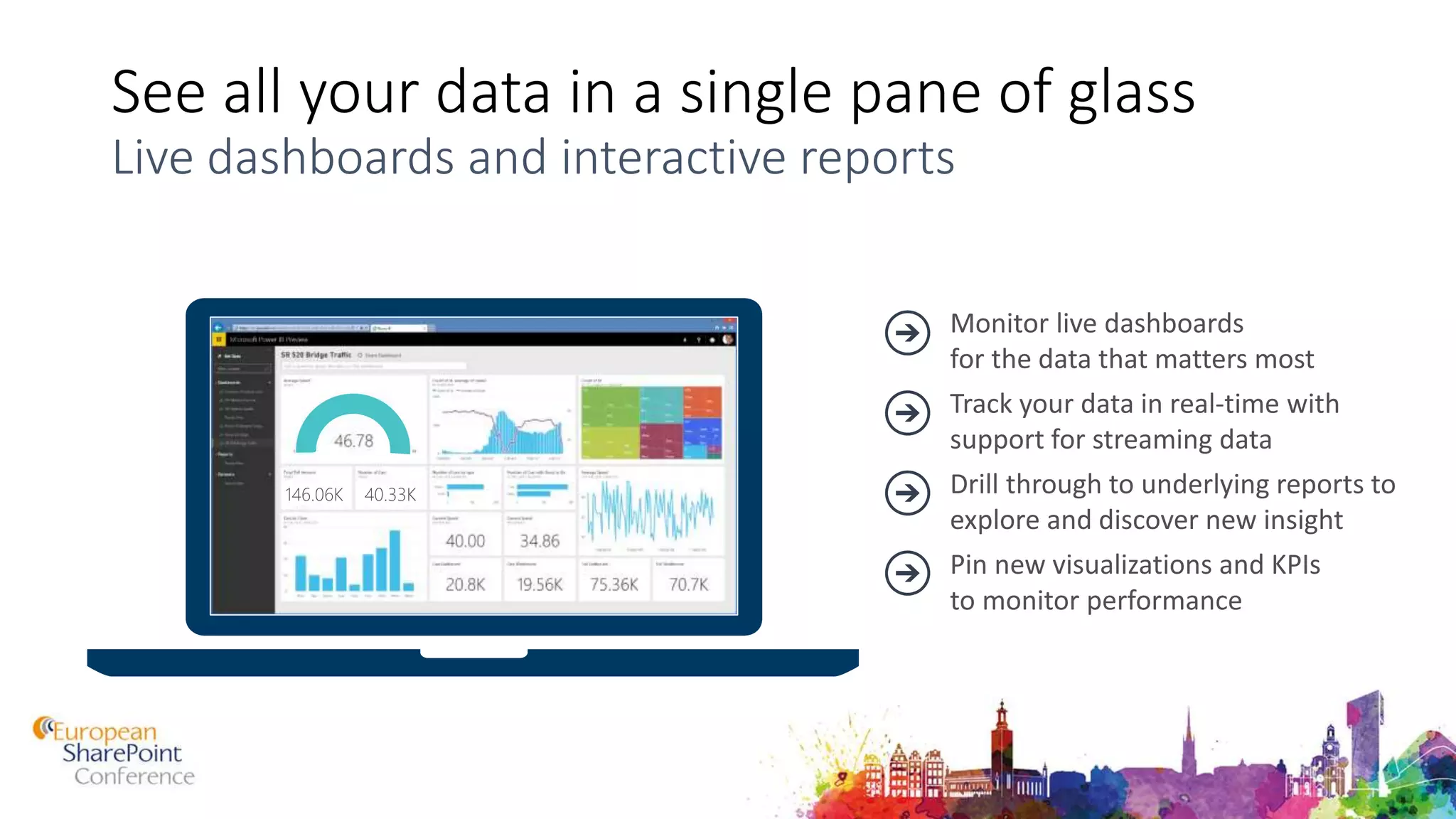
  • #10 Power BI dashboards With updates to Power BI customers can now see all their data through a single pane of glass. Live Power BI dashboards show visualizations and KPIs from data that reside both on-premises and in the cloud, providing a consolidated view across their business regardless of where their data lives. Simplifying how you interact with data, natural language query is built into the dashboard allowing users to type questions and receive answers from data in the form of interactive visualizations. You can then explore their data further by drilling through the dashboard into the underlying reports, discovering new insights that they can pin back to the dashboard to monitor performance going forward.
  • #11 Power BI Desktop – unification of Power tools into one, streamlined user experience for visual data exploration and interactive reporting. It provides a free-form canvas for drag and drop exploration of your data, an extensive library of interactive visualizations, and an authoring experience for ease of report creation for the Power BI service. A freely downloadable 32/64bit desktop application optimized for use the Power BI Service Combines the Power of Power Query, Power Pivot and Power View Specializing in Interactive Visualization and Analysis. Main output: Interactive Reports Effortlessly publish interactive visual reports to users of Power BI Updated on monthly basis PowerBI.com hosting of HTML dashboard and reports. The PowerBI.com service has been enhanced with increased web-based authoring capability making it easier to create and format visualizations for dashboards and reports though the browser. Native touch-optimized mobile apps for phones and tablets on iOS, Android and Windows
  • #12 Stay connected from any device Power BI mobile apps are available for iPhone, iPad, Android Phone, and Windows 8.1.
  • #13 Demo the service. Demo’s are available at //BI
  • #14 Power BI Desktop – currently known in preview as the Power BI Designer – is a powerful new visual data exploration and interactive reporting tool available for free at PowerBI.com. It provides a free-form canvas for drag-and-drop exploration of your data and an extensive library of interactive visualizations, while streamlining report creation and publishing to the Power BI service.
  • #15 Excel is the world’s most flexible and widely used data analysis tool, providing familiarity and flexibility when working with data, and optimized for data gathering / shaping / modeling / and analysis in the context of the Excel grid and native charts and graphs. Excel and Excel Online are fully supported by Power BI. You can publish your workbooks into Power BI to build dashboards and reports. You can also open your workbooks and view them with the full fidelity of Excel Online (note this requires that the customer own a subscription for Excel Online).
  • #16 Demo Power BI Desktop. Demos are available at //BI.
  • #17 Connect live to on-premises Analysis Services models Realize the benefits of a cloud based BI solution without having to move your data. With the new Power BI connector for Analysis Services you can create a secure connection to SQL Server Analysis Services from Power BI. When users view and explore dashboards and reports the system will interactively query the on-premises cube to fetch the data using the user’s credentials. With this hybrid solution, you can continue to manage and secure your data on-premises, removing the need to have data reside in the cloud. FAQ: How does security work with the new SQL Server Analysis Service connector? Power BI customers can now benefit from the role level security in SQL Server Analysis Services. The Power BI user name is passed through to on-premises Analysis Services and appropriate role-based security. Analysis Services resolves the user name to an authorized user via Azure Active Directory (more info:: http://support.powerbi.com/knowledgebase/articles/505323-why-you-need-dirsync-to-connect-to-on-premises-ana) and then applies appropriate role-based security to restricted access.   How does data transfer work between Power BI and SQL Server Analysis Services? Data is transferred between on-premises Analysis Services and Power BI through the Service Bus (which uses a secure SSL channel). Does the Power BI connector for Analysis Services add security risk by opening a port on the firewall? Service Bus (which is the underlying transport/relay service used in this scenario) only uses an outbound port  -- it does not require an inbound port to be opened on the on-premises firewall. It uses a shared secret mechanism to create a secure channel between cloud and on-prem. Will the SQL Server Analysis Service connector work in IaaS as well? Yes, as long as the IaaS VM is domain-joined and Azure Active Directory DirSync is set up.
  • #18 Power BI is a cloud based business analytics service for pulling together live views across all your data. Connecting to data that resides on premises in SQL Server Analysis Services, data from Microsoft Cloud properties like Dyanmics and Office 365 or from Azure data services like SQL DB, Azure Stream Analytics or from a partner solution hosted on Azure. Other sessions: Lawkas – dev Designer – HOLs’
  • #19 Power BI makes it easy for users to visualize and analyze their data in minutes, providing pre-built solutions for popular services as part of the Power BI experience. A subscriber to a supported service can quickly connect to their account from Power BI and see their data through live dashboards and interactive reports that have been pre-built for them.  We have released content packs for 16 popular services such as Salesforce.com, Marketo, and Quickbooks Online. We have announced that over the coming months we will extend this support to include content packs and integrations for Adobe Analytics, comScore, Azure Mobile Engagement, Sage, SpaceCurve, tyGraph, CircuitID, Sumo Logic, SQL Sentry, Zuora, Planview, Insightly, Troux, Inkling, and others.
  • #24 This is an example of a taxonomy in SharePoint.