How Power BI Revolutionizes
Data Analytics
Discover the power of Microsoft's business analytics service and how it
can transform your data into actionable insights.
Index
• Introduction
• Interactive Data Visualization
• Effortless Data Integration
• Data Exploration Made Easy
• Collaboration and Sharing
• Mobile Analytics
• Self-Service Business Intelligence
• Extensive Connectivity with Power Platform
Interactive Data Visualization
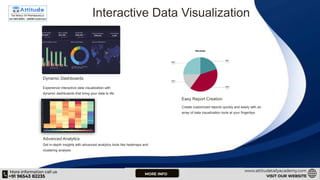
Dynamic Dashboards
Experience interactive data visualization with
dynamic dashboards that bring your data to life.
Easy Report Creation
Create customized reports quickly and easily with an
array of data visualization tools at your fingertips.
Advanced Analytics
Get in-depth insights with advanced analytics tools like heatmaps and
clustering analysis.
Effortless Data Integration
Seamless Integration
Effortlessly integrate data from various
sources such as Excel spreadsheets, cloud
services, and databases.
Easy Data Transformation
Transform and shape raw data with Power
BI's ETL process, which automates data
preparation for analysis and visualization.
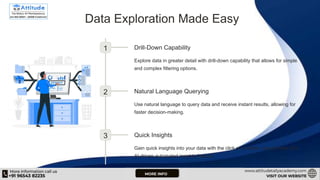
Data Exploration Made Easy
1 Drill-Down Capability
Explore data in greater detail with drill-down capability that allows for simple
and complex filtering options.
2 Natural Language Querying
Use natural language to query data and receive instant results, allowing for
faster decision-making.
3 Quick Insights
Gain quick insights into your data with the click of a button, using Power BI's
AI-driven automated insights feature.
Collaboration and Sharing
Team Collaboration
Share dashboards and reports with your team
and collaborate in real-time to drive decision-
making.
Cloud-Based Sharing
Share dashboards and reports with stakeholders
outside your organization with secure, cloud-
based sharing.
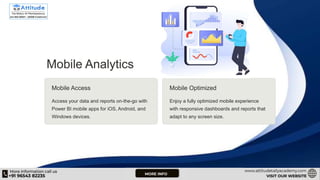
Mobile Analytics
Mobile Access
Access your data and reports on-the-go with
Power BI mobile apps for iOS, Android, and
Windows devices.
Mobile Optimized
Enjoy a fully optimized mobile experience
with responsive dashboards and reports that
adapt to any screen size.
Self-Service Business Intelligence
1 Empowered Decision-Making
Empower decision-makers at all levels of your organization with self-service
business intelligence tools.
2 Self-Sufficiency
Reduce reliance on IT teams with Power BI's intuitive and user-friendly
interface that requires little to no coding knowledge.
3 Scalable and Secure
Ensure secure and scalable deployment across your organization with
Power BI's enterprise-grade security and compliance features.
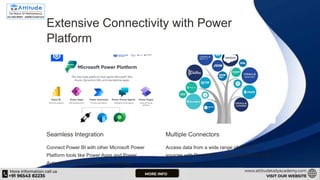
Extensive Connectivity with Power
Platform
Seamless Integration
Connect Power BI with other Microsoft Power
Platform tools like Power Apps and Power
Automate to create seamless workflows.
Multiple Connectors
Access data from a wide range of external
sources with Power BI's extensive library of built-
in connectors.
FAQs: How Power BI Revolutionizes Data
Analytics
Q1: What is Power BI, and how does it differ from traditional
analytics tools? A1: Power BI is a powerful business analytics tool
by Microsoft that allows users to visualize and analyze data in real-
time.
Q2: How does Power BI enhance data visualization?
A2: Power BI revolutionizes data visualization by offering a wide
array of customizable charts, graphs, and dashboards.
Q3: What sets Power BI apart in terms of accessibility and
collaboration?
A3: Power BI is cloud-based, enabling users to access their data and
reports from anywhere, at any time.
Q4: How does Power BI handle large datasets and ensure data
accuracy?
A4: Power BI is designed to handle large datasets efficiently. Its data
modeling capabilities and compression algorithms enable quick
How-Power-BI-Revolutionizes-Data-Analytics ppt.pptx

How-Power-BI-Revolutionizes-Data-Analytics ppt.pptx

  • 1.
    How Power BIRevolutionizes Data Analytics Discover the power of Microsoft's business analytics service and how it can transform your data into actionable insights.
  • 2.
    Index • Introduction • InteractiveData Visualization • Effortless Data Integration • Data Exploration Made Easy • Collaboration and Sharing • Mobile Analytics • Self-Service Business Intelligence • Extensive Connectivity with Power Platform
  • 3.
    Interactive Data Visualization DynamicDashboards Experience interactive data visualization with dynamic dashboards that bring your data to life. Easy Report Creation Create customized reports quickly and easily with an array of data visualization tools at your fingertips. Advanced Analytics Get in-depth insights with advanced analytics tools like heatmaps and clustering analysis.
  • 4.
    Effortless Data Integration SeamlessIntegration Effortlessly integrate data from various sources such as Excel spreadsheets, cloud services, and databases. Easy Data Transformation Transform and shape raw data with Power BI's ETL process, which automates data preparation for analysis and visualization.
  • 5.
    Data Exploration MadeEasy 1 Drill-Down Capability Explore data in greater detail with drill-down capability that allows for simple and complex filtering options. 2 Natural Language Querying Use natural language to query data and receive instant results, allowing for faster decision-making. 3 Quick Insights Gain quick insights into your data with the click of a button, using Power BI's AI-driven automated insights feature.
  • 6.
    Collaboration and Sharing TeamCollaboration Share dashboards and reports with your team and collaborate in real-time to drive decision- making. Cloud-Based Sharing Share dashboards and reports with stakeholders outside your organization with secure, cloud- based sharing.
  • 7.
    Mobile Analytics Mobile Access Accessyour data and reports on-the-go with Power BI mobile apps for iOS, Android, and Windows devices. Mobile Optimized Enjoy a fully optimized mobile experience with responsive dashboards and reports that adapt to any screen size.
  • 8.
    Self-Service Business Intelligence 1Empowered Decision-Making Empower decision-makers at all levels of your organization with self-service business intelligence tools. 2 Self-Sufficiency Reduce reliance on IT teams with Power BI's intuitive and user-friendly interface that requires little to no coding knowledge. 3 Scalable and Secure Ensure secure and scalable deployment across your organization with Power BI's enterprise-grade security and compliance features.
  • 9.
    Extensive Connectivity withPower Platform Seamless Integration Connect Power BI with other Microsoft Power Platform tools like Power Apps and Power Automate to create seamless workflows. Multiple Connectors Access data from a wide range of external sources with Power BI's extensive library of built- in connectors.
  • 10.
    FAQs: How PowerBI Revolutionizes Data Analytics Q1: What is Power BI, and how does it differ from traditional analytics tools? A1: Power BI is a powerful business analytics tool by Microsoft that allows users to visualize and analyze data in real- time. Q2: How does Power BI enhance data visualization? A2: Power BI revolutionizes data visualization by offering a wide array of customizable charts, graphs, and dashboards. Q3: What sets Power BI apart in terms of accessibility and collaboration? A3: Power BI is cloud-based, enabling users to access their data and reports from anywhere, at any time. Q4: How does Power BI handle large datasets and ensure data accuracy? A4: Power BI is designed to handle large datasets efficiently. Its data modeling capabilities and compression algorithms enable quick