Intro for PowerBI
16th July 2017
by Martin X
马丁叔叔
https://www.linkedin.com/in/martin-x-523aa722/
 PowerBI solution architecture
 Key steps to visualize data in PowerBI
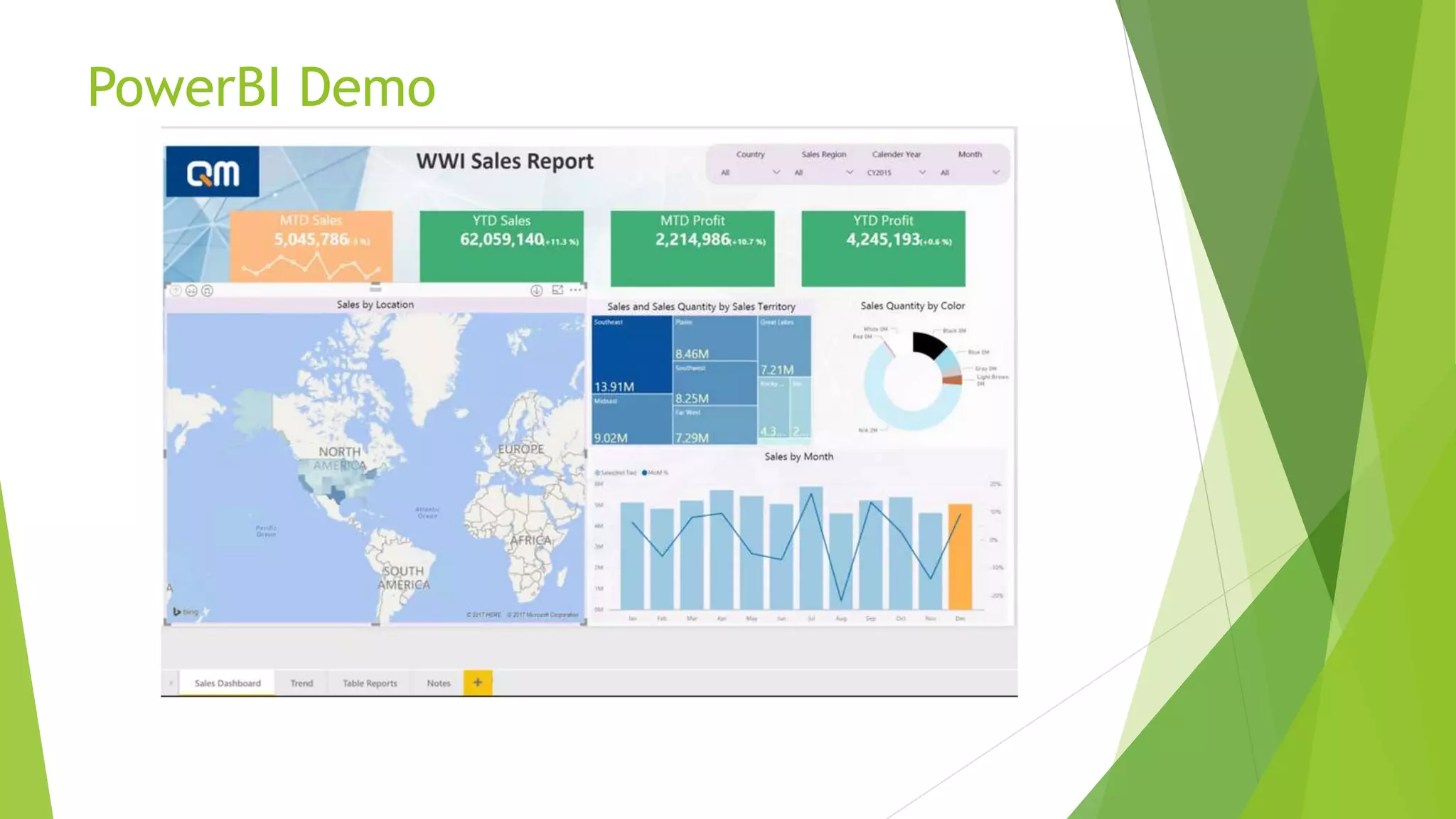
 PowerBI Demo
 R in PowerBI
 Custom Visuals
 PowerBI Report Server
 Azure services and Power BI
2
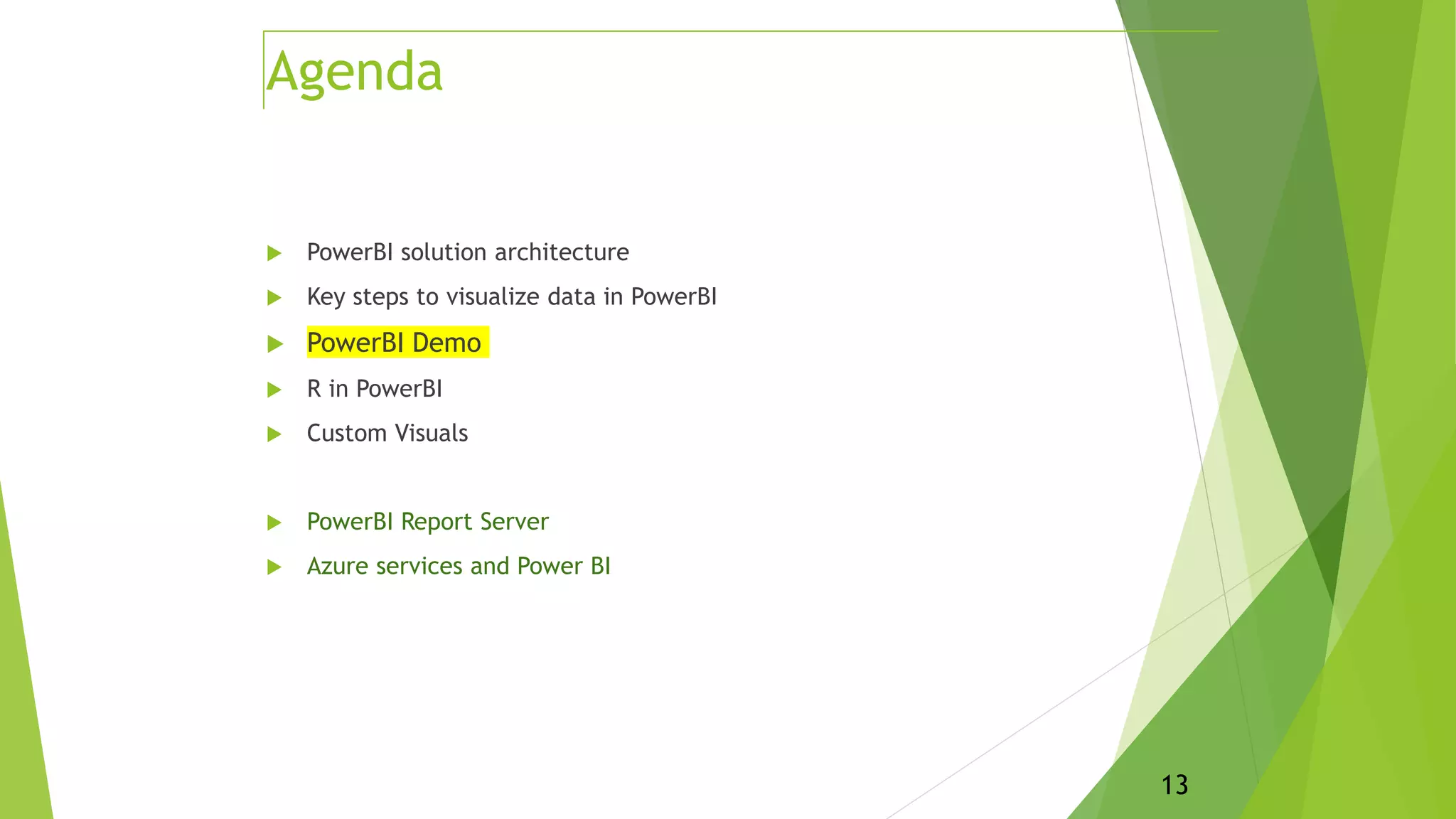
Agenda
Will not cover:
- ETL/data warehousing
- RLS – security
- Apps for Power BI
- DAX or M in details
- Advanced R
- Creating custom Power BI visuals
 PowerBI solution architecture
 Key steps to visualize data in PowerBI
 PowerBI Demo
 R in PowerBI
 Custom Visuals
 PowerBI Report Server
 Azure services and Power BI
3
Agenda
4
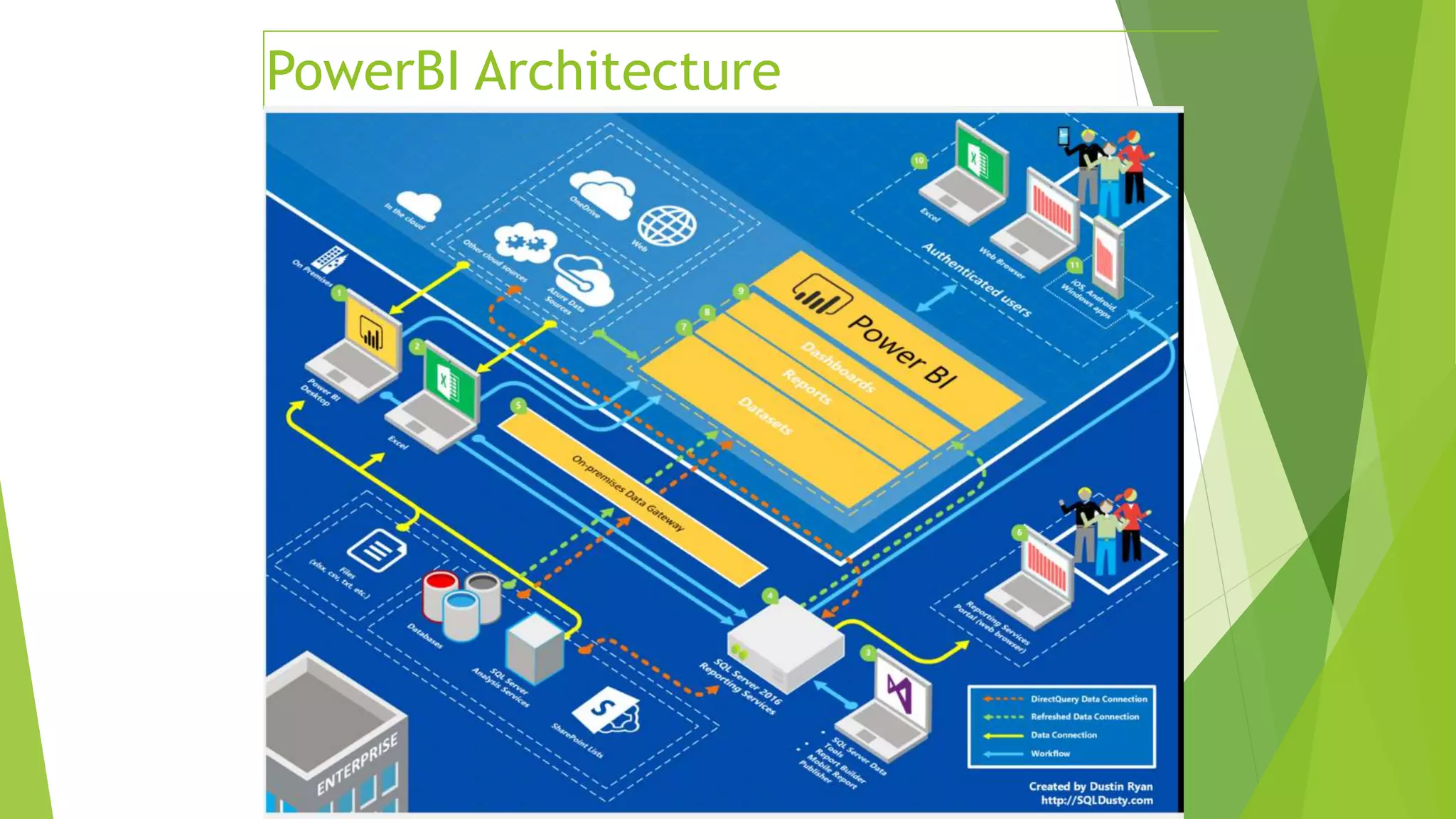
PowerBI Architecture
 PowerBI solution architecture
 Key steps to visualize data in PowerBI
 PowerBI Demo
 R in PowerBI
 Custom Visuals
 PowerBI Report Server
 Azure services and Power BI
5
Agenda
Import data
Key steps to visualize data in PowerBI
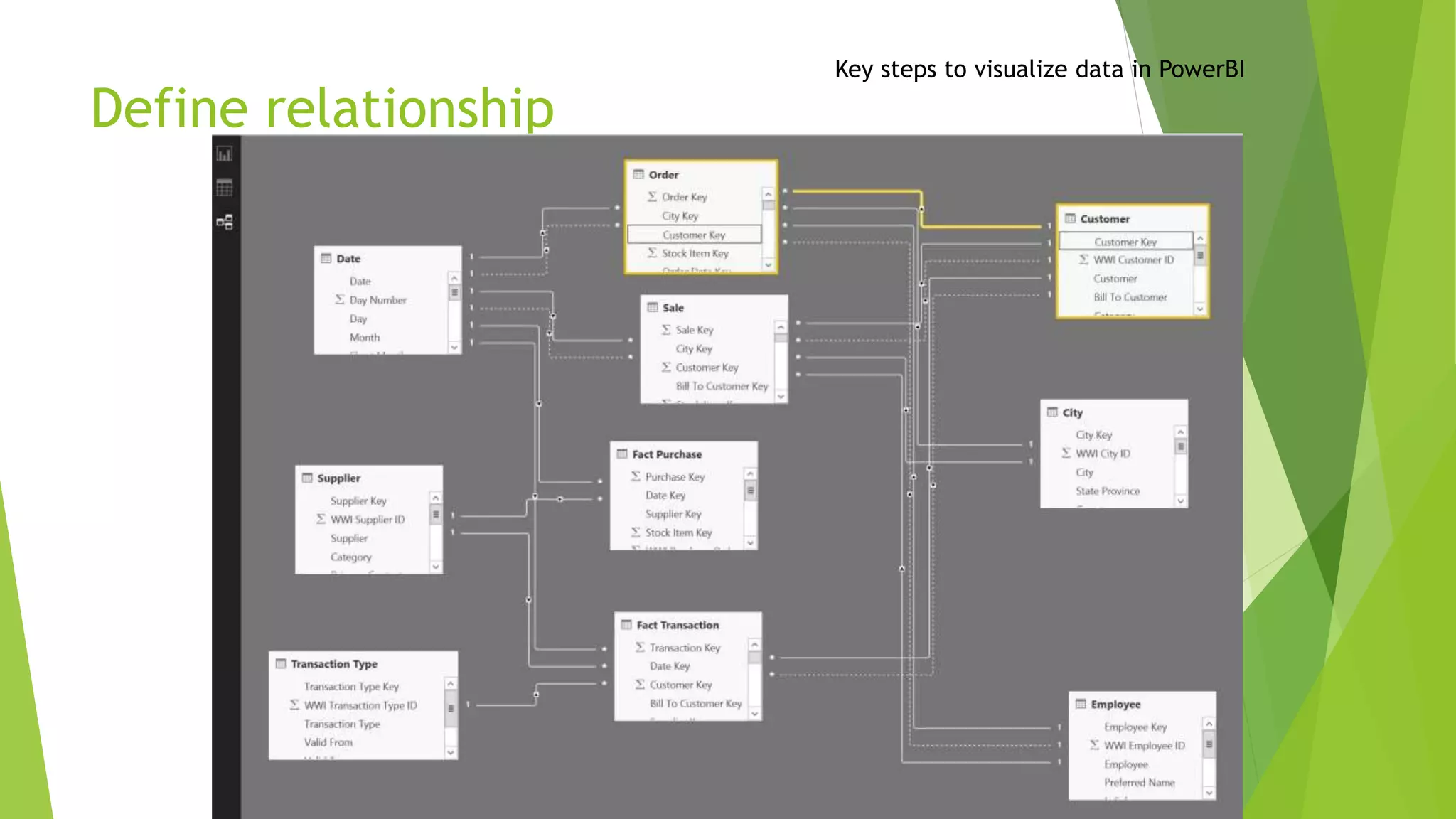
Define relationship
Key steps to visualize data in PowerBI
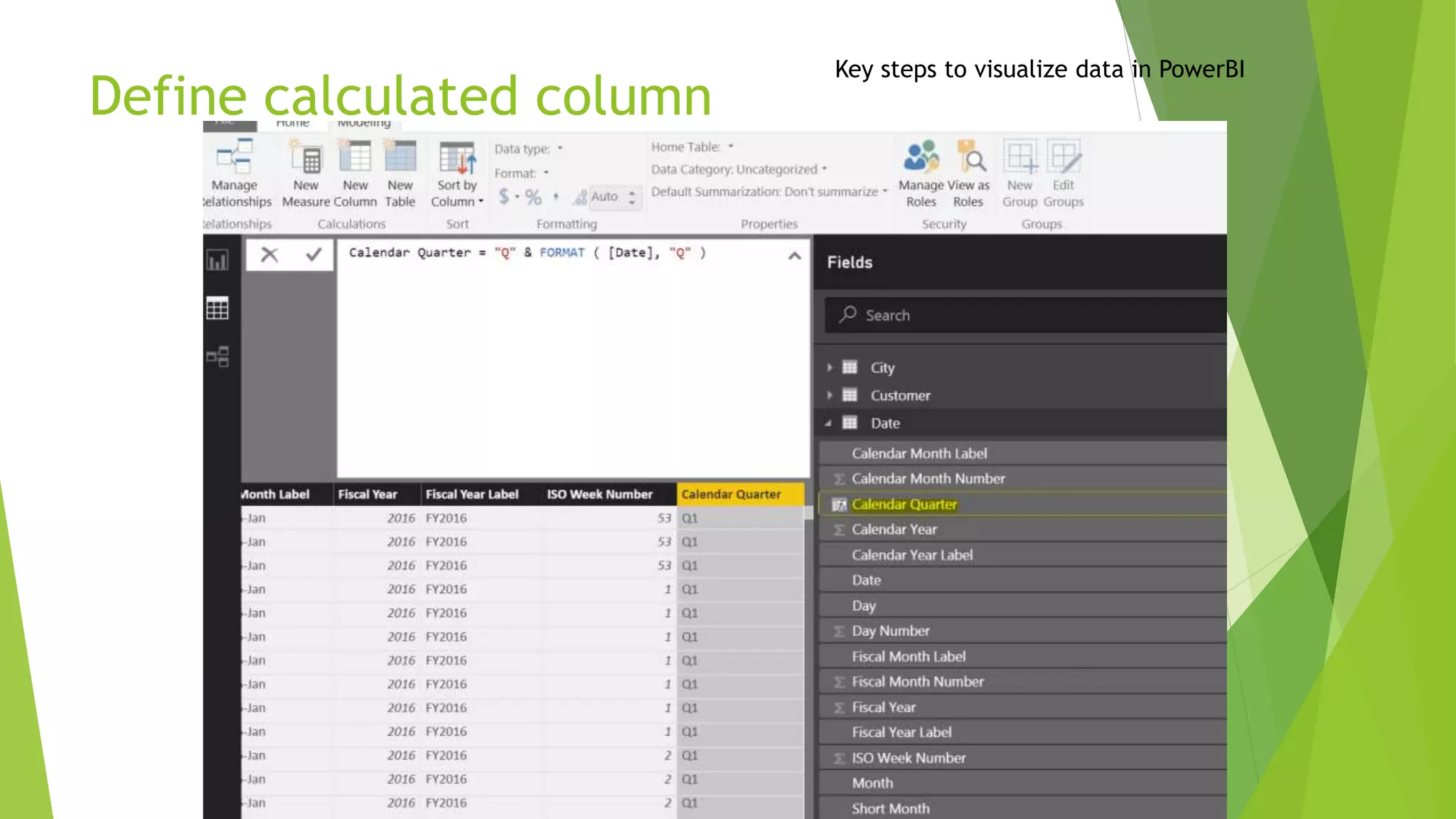
Define calculated column
Key steps to visualize data in PowerBI
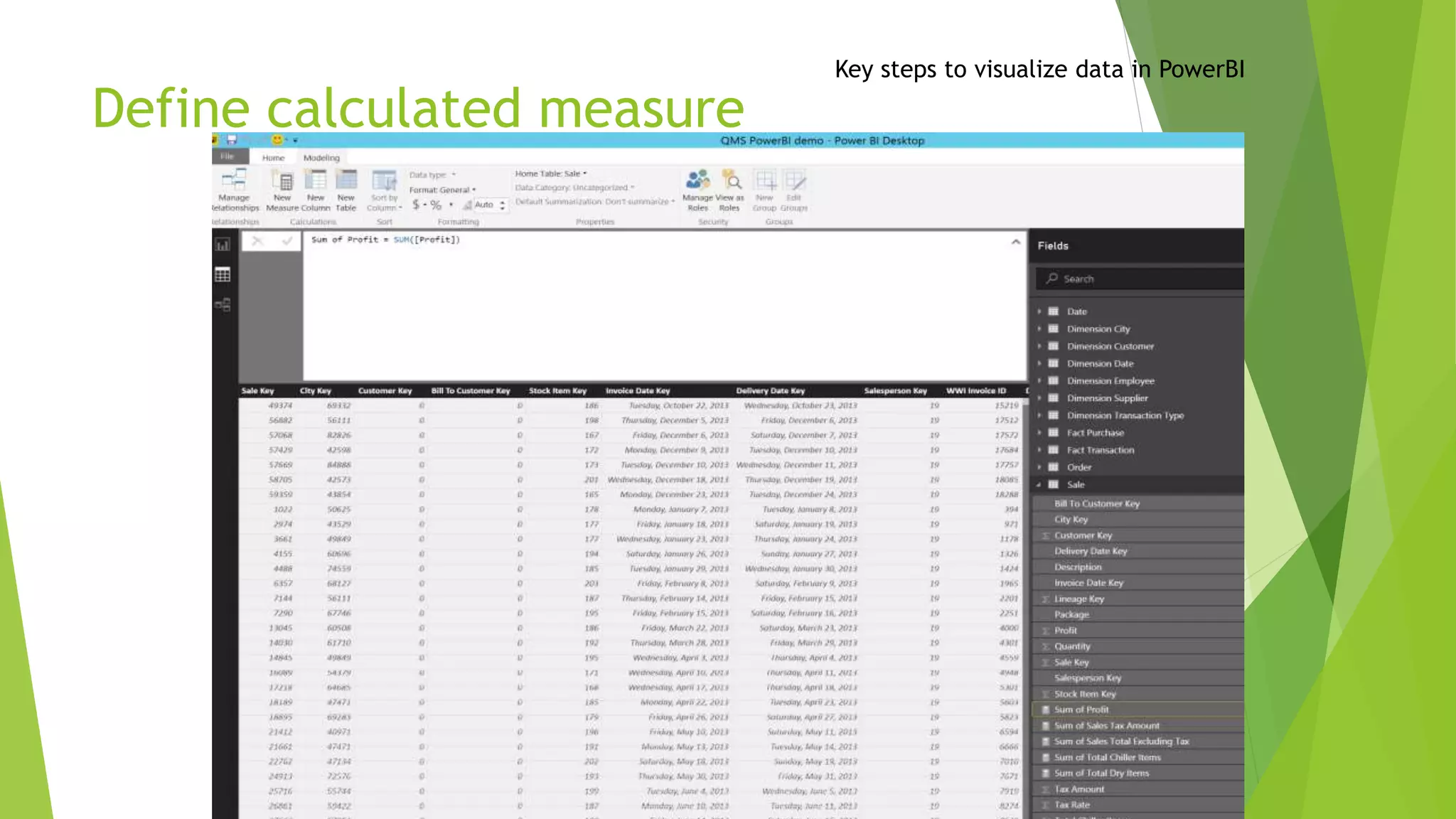
Define calculated measure
Key steps to visualize data in PowerBI
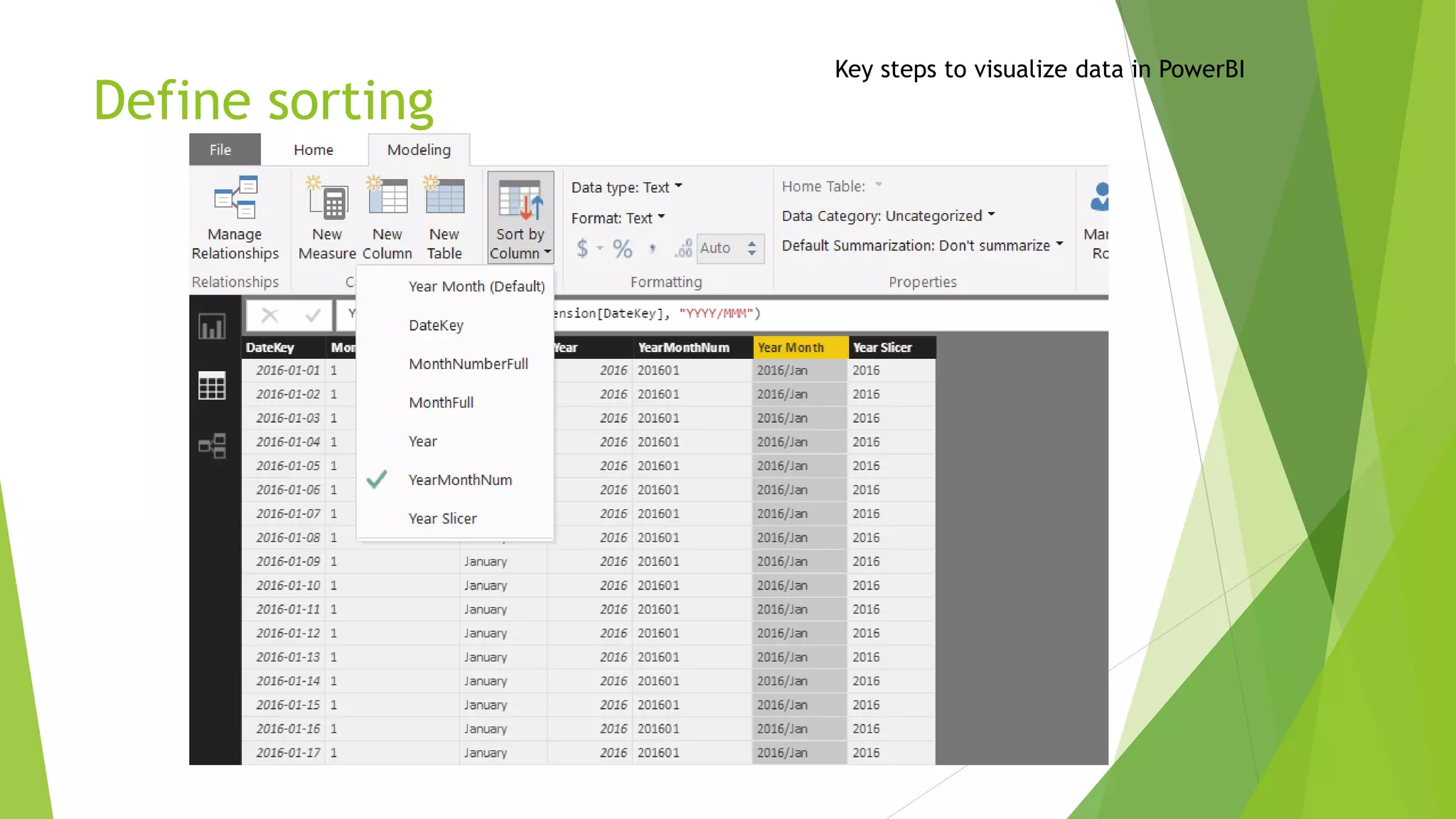
Define sorting
Key steps to visualize data in PowerBI
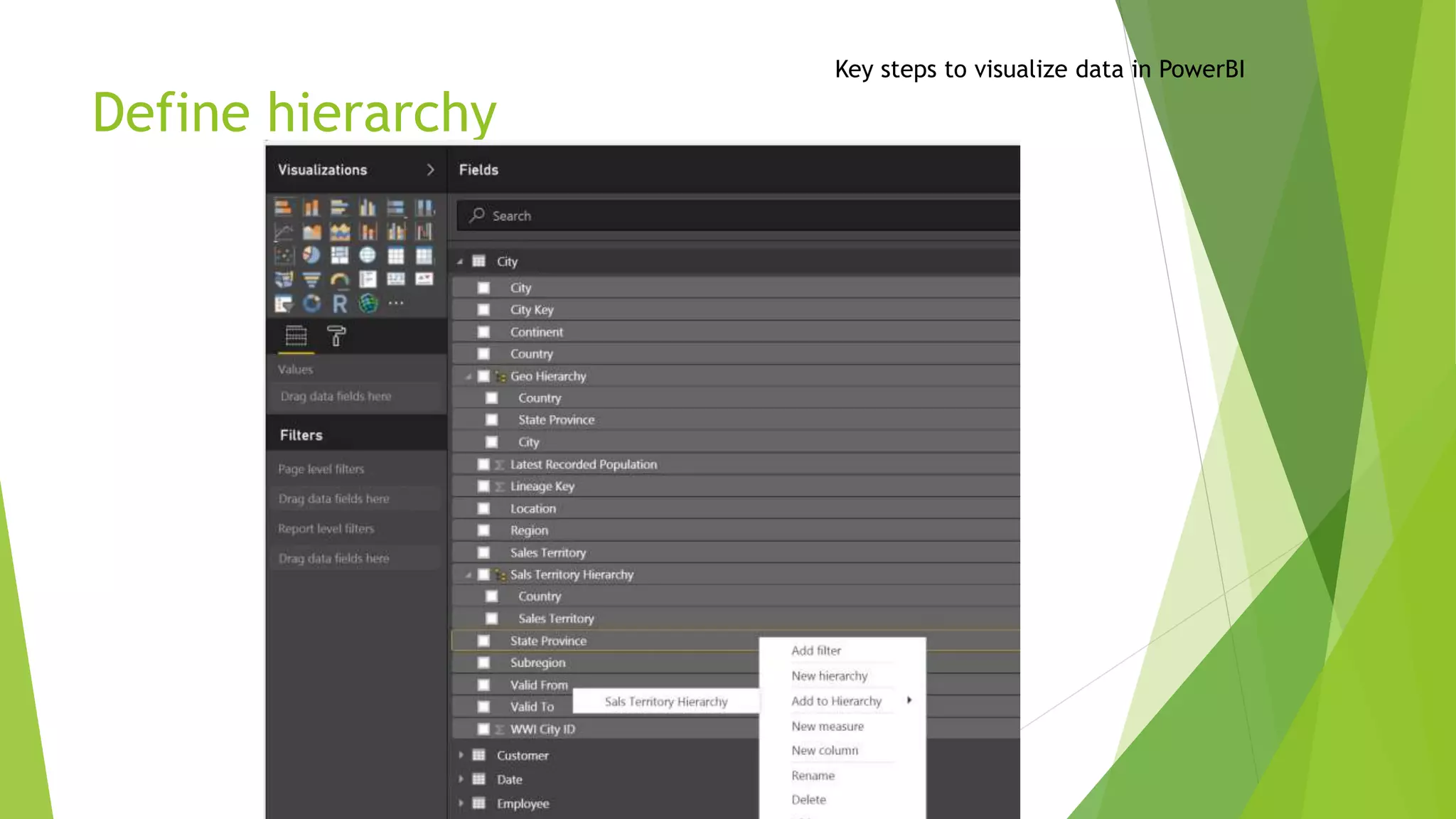
Define hierarchy
Key steps to visualize data in PowerBI
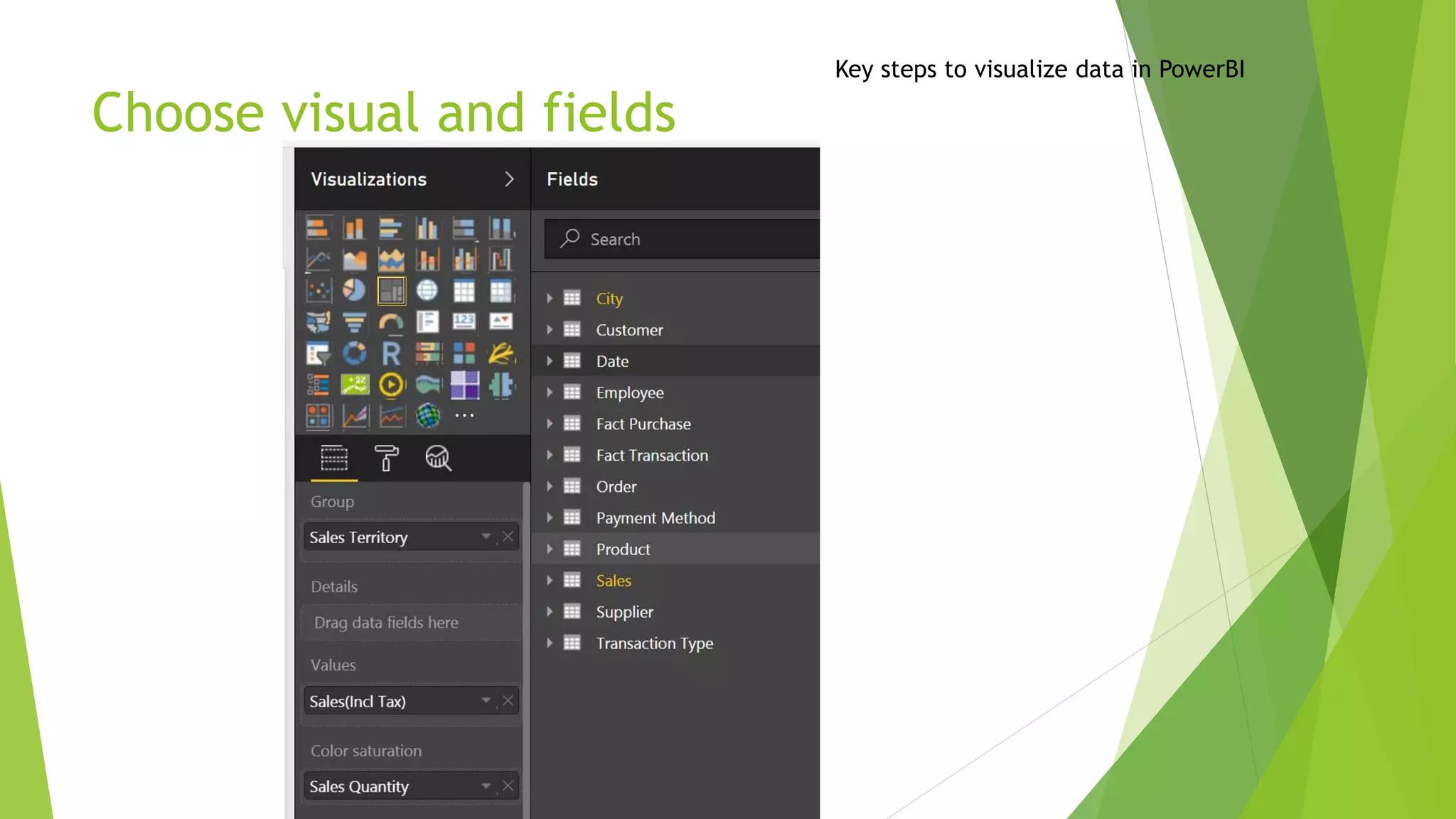
Choose visual and fields
Key steps to visualize data in PowerBI
 PowerBI solution architecture
 Key steps to visualize data in PowerBI
 PowerBI Demo
 R in PowerBI
 Custom Visuals
 PowerBI Report Server
 Azure services and Power BI
13
Agenda
PowerBI Demo
Demo
16
Dashboard online(powerbi.com)
Publish and access report online:
https://app.powerbi.com/groups/13c79dd6-b776-438f-8af2-
7928cd5e68f4/dashboards/90dd4efe-1b53-497c-824f-a514f83fdb32
 PowerBI solution architecture
 Key steps to visualize data in PowerBI
 PowerBI Demo
 R in PowerBI
 Custom Visuals
 SQL Server Reporting Services
 PowerBI Report Server
 Azure services and Power BI
17
Agenda
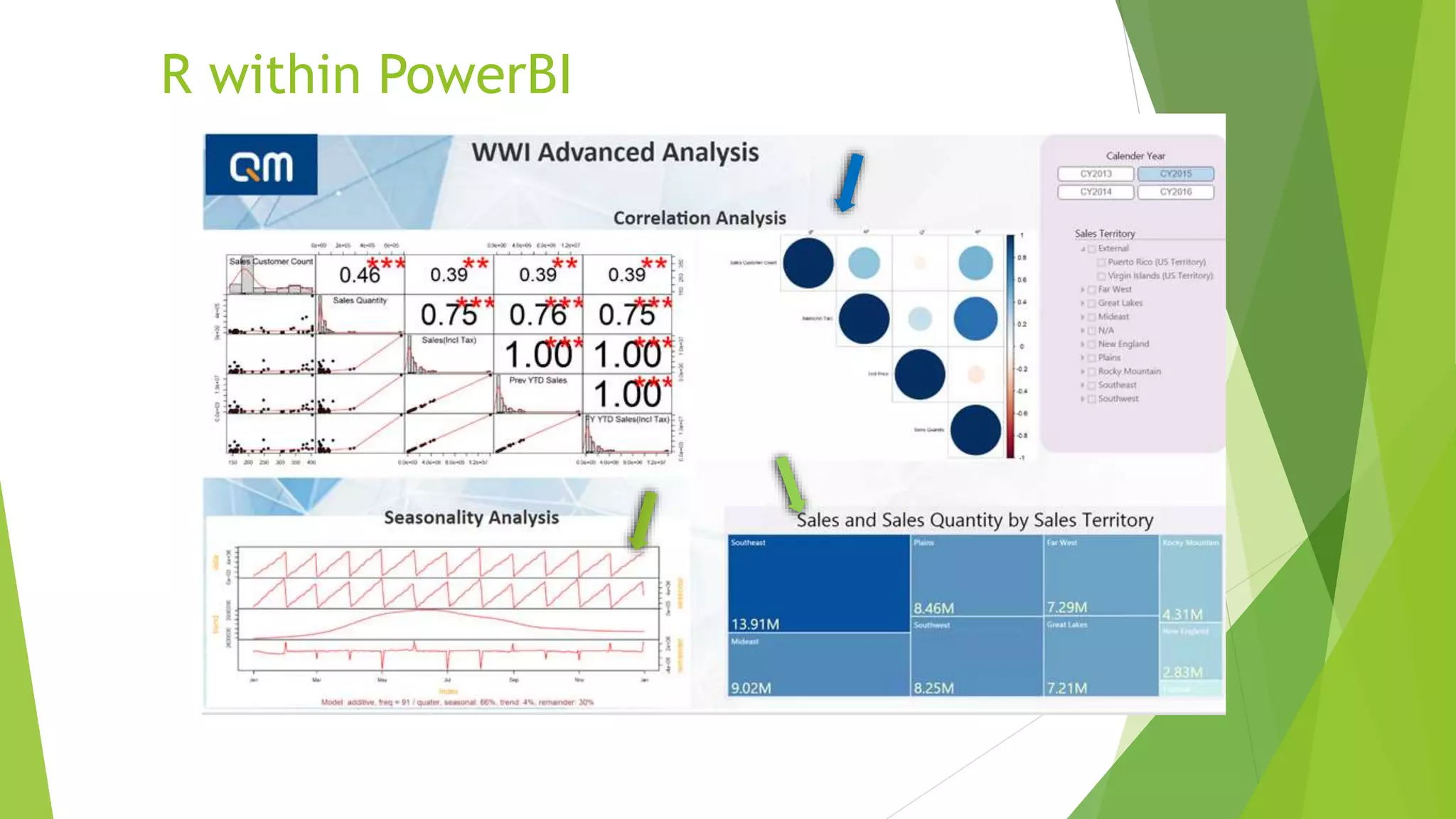
R within PowerBI
R within PowerBI
Why PowerBI with R?
- Interactive with other visuals
- Security
- Performance
- Cost vs Shinny
20
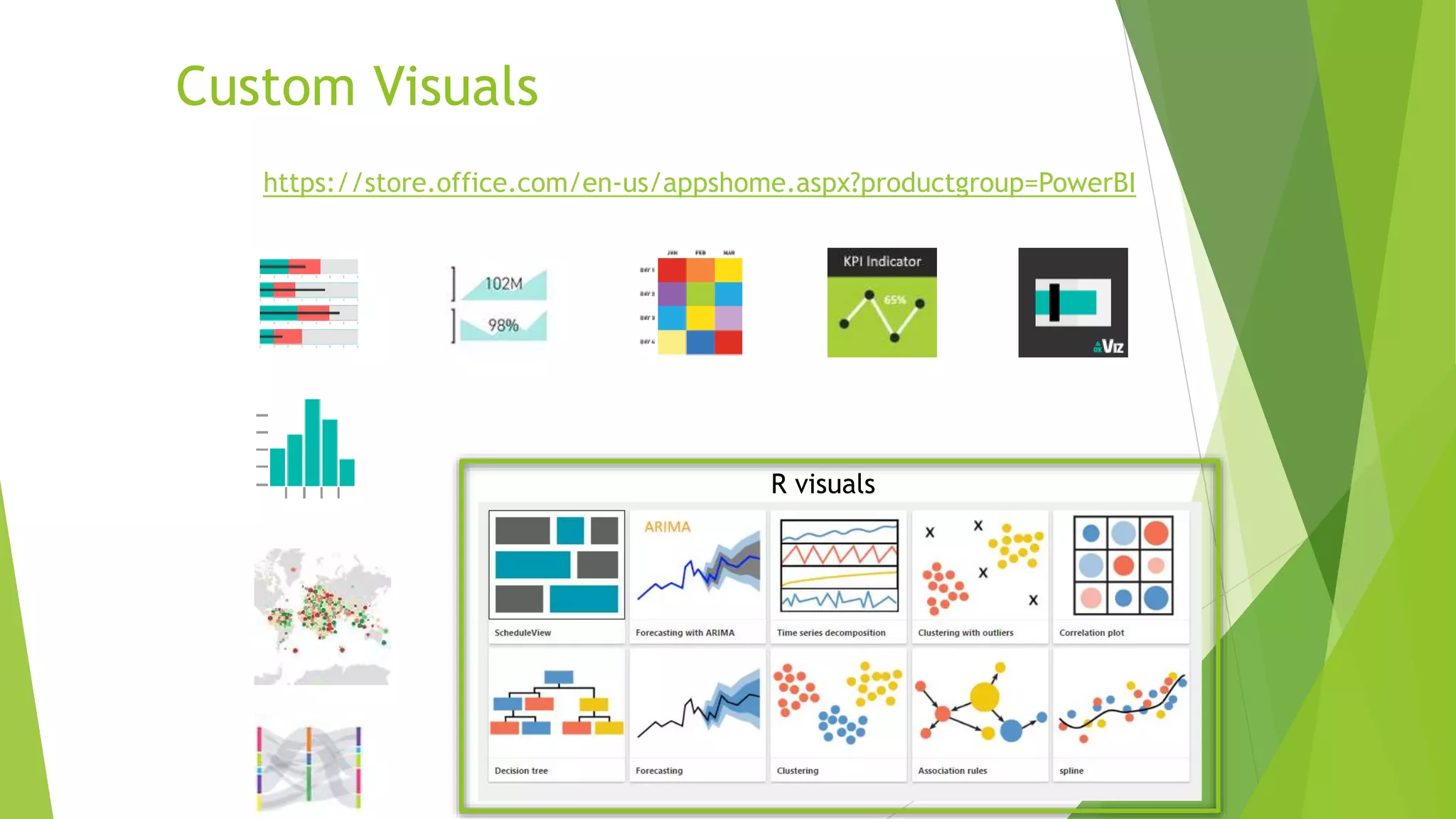
Custom Visuals
https://store.office.com/en-us/appshome.aspx?productgroup=PowerBI
R visuals
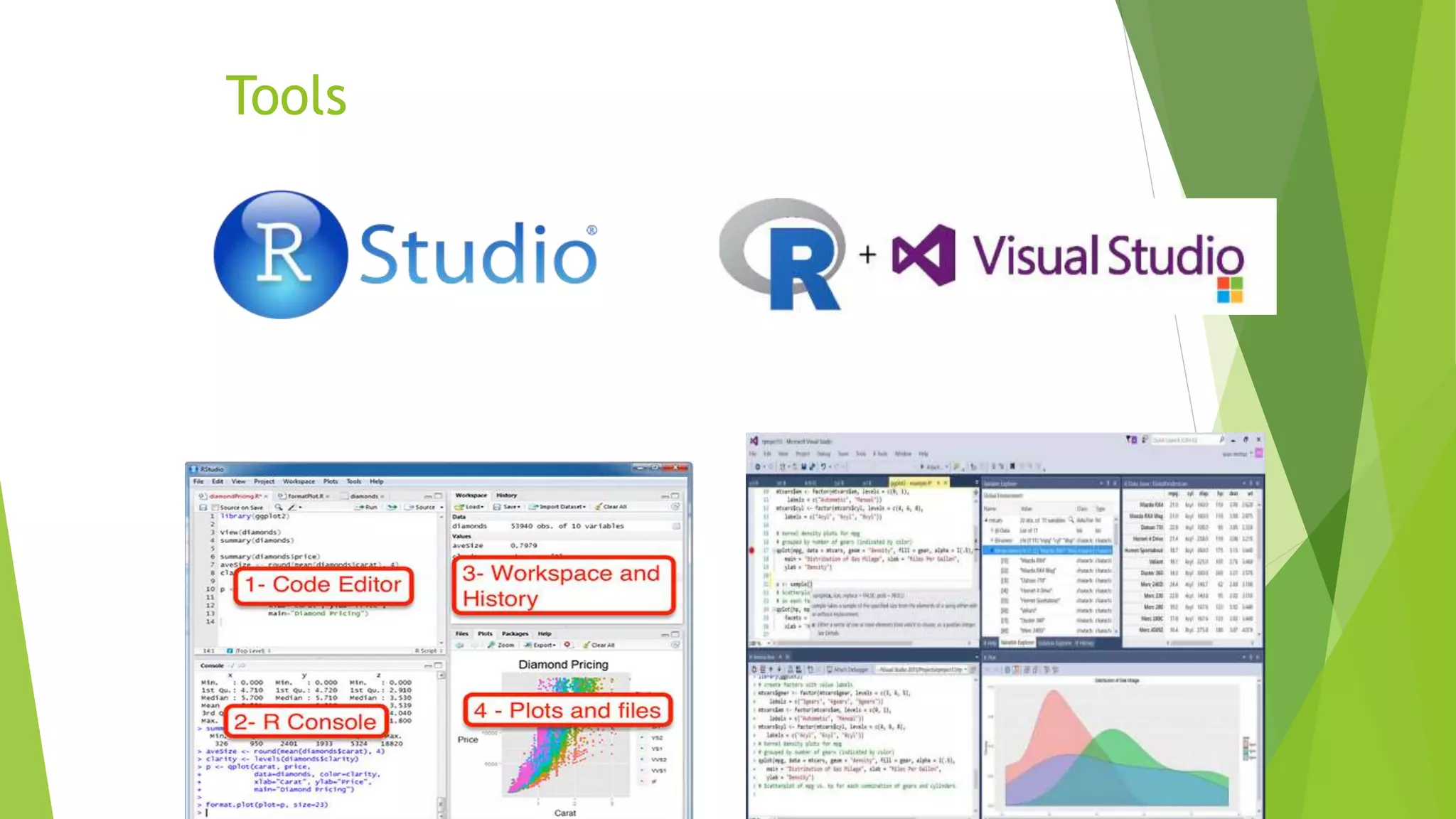
Tools
 PowerBI solution architecture
 Key steps to visual data in PowerBI
 PowerBI Demo
 R in PowerBI
 Custom Visuals
 SQL Server Reporting Services
 PowerBI Report Server
 Azure services and Power BI
22
Agenda
23/07/201723
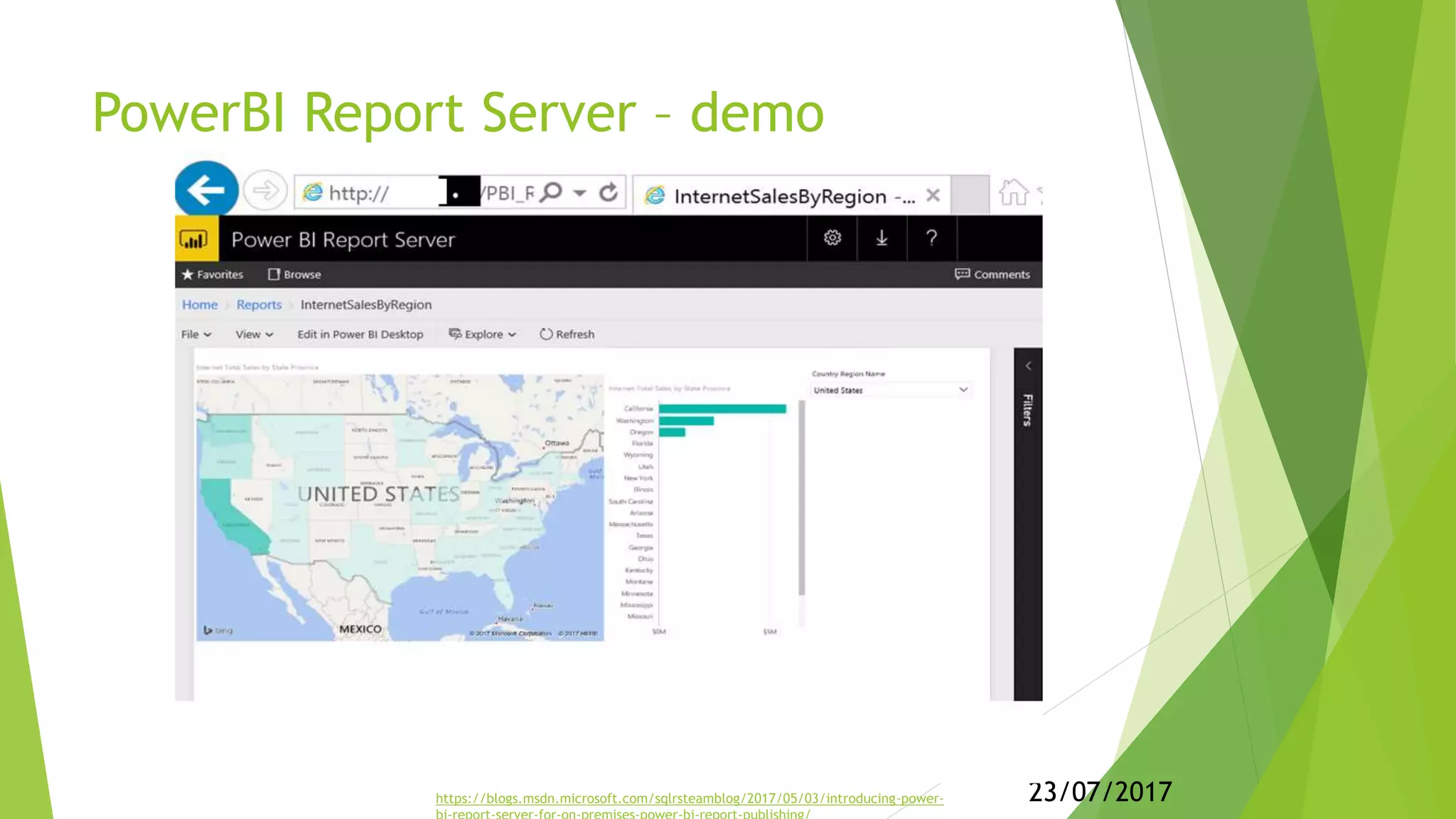
PowerBI Report Server – demo
https://blogs.msdn.microsoft.com/sqlrsteamblog/2017/05/03/introducing-power-
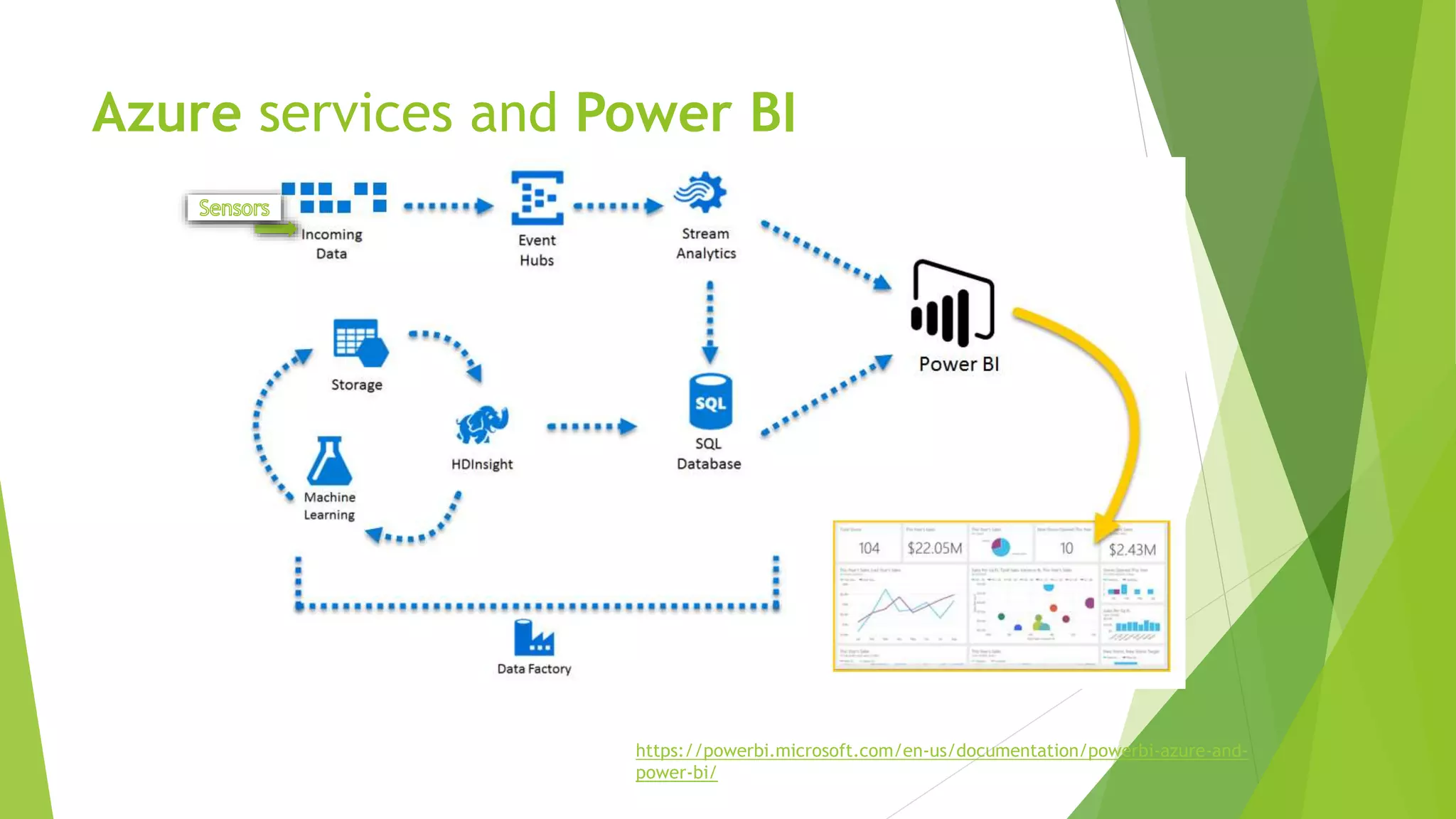
Azure services and Power BI
https://powerbi.microsoft.com/en-us/documentation/powerbi-azure-and-
power-bi/
Q & A
Resources
 PowerBI news: https://powerbi.microsoft.com/en-us/blog/
 Custom visuals: https://store.office.com/en-us/appshome.aspx?productgroup=PowerBI
 Azure & PowerBI: https://powerbi.microsoft.com/en-us/documentation/powerbi-azure-and-power-bi/
 GuyInCube - Youtube: https://www.youtube.com/channel/UCFp1vaKzpfvoGai0vE5VJ0w

Intro for Power BI

Editor's Notes

  • #4 Will not cover: ETL/data warehousing RLS – security Apps for Power BI DAX or M in details Advanced R Creating custom Power BI visuals
  • #14 Will not cover: RLS – security Apps for Power BI DAX or M in details Advanced R Creating custom Power BI visuals
  • #15 (Browser w/ Full-screen mode) Dashboard: https://app.powerbi.com/groups/13c79dd6-b776-438f-8af2-7928cd5e68f4/dashboards/90dd4efe-1b53-497c-824f-a514f83fdb32
  • #16 Steps to import data, define relationship, visualize data, publish, share,..
  • #19 note1: Custom R code(ggplot, dplyr…) vs Third party R visual + interact with other visuals
  • #20 note1: Custom R code(ggplot, dplyr…) vs Third party R visual + interact with other visuals
  • #23 Will not cover: RLS – security Apps for Power BI DAX or M in details Advanced R Creating custom Power BI visuals
  • #24 Power BI Report Server is an on-premises server that enables Power BI Pro users to publish Power BI reports and distribute them broadly across the enterprise, without requiring report consumers to be licensed individually per user. 
  • #25 Keywords: real-time analysis, IOT, Machine Learning, etc An overview to use Azure Services/PowerBI to turn your data processing efforts into analytics and reports that provide real-time insights into your business.