















How Hub Sites Raise SharePoint's Intranet Potential?
Knut Relbe-Moe
Product Evangelist & Partner Manager Valo,
Founder DocsNode, MVP
Be Sure To Thank Our Sponsors!
Get Drink Tickets and Wristband During
Closing Session Thursday
Win a Surface Book courtesy of
Microsoft!
Play Vendor Bingo, Winner drawn during
closing session on Friday
Office Apps & Services MVP
SharePoint evangelist, mentor, speaker
Migration Expert
Educator for Glasspaper
Microsoft Certified Trainer
Product Evangelist & Partner Manager Valo
Intranet Box
Founder DocsNode, www.DocsNode.com
Knut Relbe-Moe
knut@valointranet.com
https://linkedin.com/in/shareptkarm@shareptkarm
Modern Intranet
The Modern
Intranet...
• ...provides personalized
experiences for the end user
• ...works anywhere, with any
device
• ...has a modern, beatiful design
• ...leverages the most recent
experiences available in the
Microsoft platform
• ...is built using the most recent
development frameworks
available
• ...is highly customizable for
customers
What is hub sites
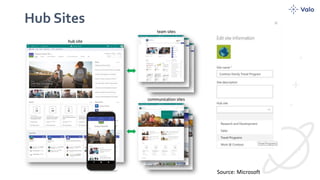
Hub Sites
Source: Microsoft
From Microsoft:
SharePoint hub sites help you meet the needs of
your organization by connecting and organizing
sites based on project, department, division,
region, etc. making it easier to:
• discover related content such as news and other site activities,
• apply common navigation and branding across associated sites,
• search across all associated sites.
https://support.office.com/en-us/article/what-is-a-sharepoint-
hub-site-fe26ae84-14b7-45b6-a6d1-948b3966427f
Hub sites allow us to eliminate the inflexibility
and governance limitations of “dreaded”
subsites, while providing a way to replicate one
of the key benefits of subsites — a way to create
a shared experience among related sites. Hub
sites can help kill subsites, but not without a little
planning. (Susan Hanley)
https://www.computerworld.com/article/3280102/enterprise-
applications/6-tips-for-planning-sharepoint-hub-sites.html
Features of the hub sites
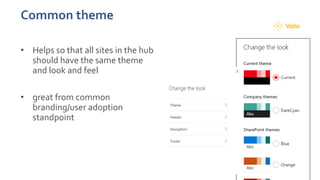
Common theme
• Helps so that all sites in the hub
should have the same theme
and look and feel
• great from common
branding/user adoption
standpoint
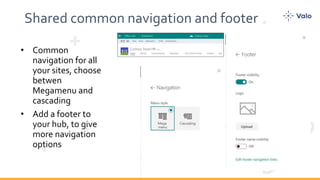
Shared common navigation and footer
• Common
navigation for all
your sites, choose
betwen
Megamenu and
cascading
• Add a footer to
your hub, to give
more navigation
options
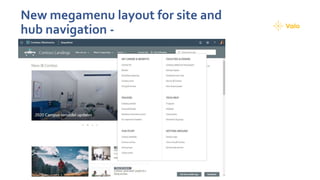
New megamenu layout for site and
hub navigation -
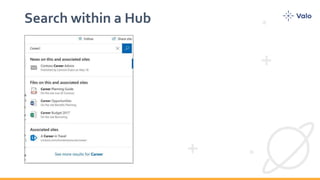
Search within a Hub
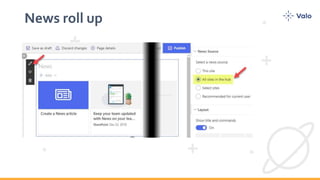
News roll up
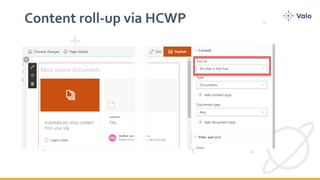
Content roll-up via HCWP
So how shall we use Hub Sites?
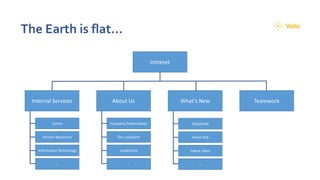
The Earth is flat…
Intranet
TeamworkAbout UsInternal Services What’s New
Company Presentation
Our Locations
Leadership
…
Forms
Human Resources
Information Technology
…
Classifieds
Event Hub
Latest video
…
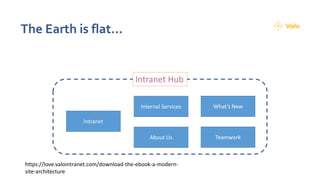
The Earth is flat…
Intranet
TeamworkAbout Us
Internal Services What’s New
Intranet Hub
https://love.valointranet.com/download-the-ebook-a-modern-
site-architecture
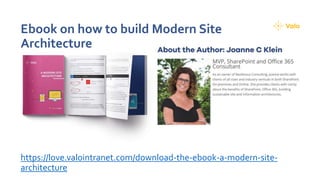
Ebook on how to build Modern Site
Architecture
https://love.valointranet.com/download-the-ebook-a-modern-site-
architecture
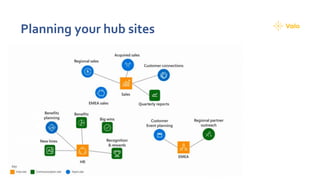
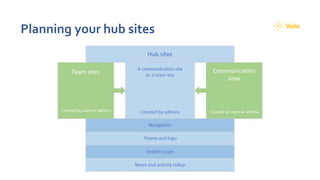
Planning your hub sites
WHAT ARETHE USE CASES FORTHE
HUB SITES?
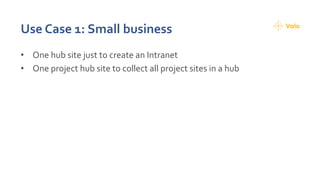
Use Case 1: Small business
• One hub site just to create an Intranet
• One project hub site to collect all project sites in a hub
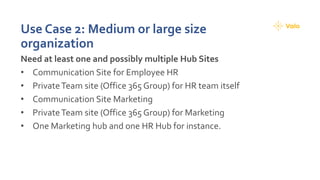
Use Case 2: Medium or large size
organization
Need at least one and possibly multiple Hub Sites
• Communication Site for Employee HR
• PrivateTeam site (Office 365 Group) for HR team itself
• Communication Site Marketing
• PrivateTeam site (Office 365 Group) for Marketing
• One Marketing hub and one HR Hub for instance.
Use Case 3: Project Management
• Create one hub to collect all your project sites so you can for instance
use the site webpart to liftup all your project sites.
Recommended webparts
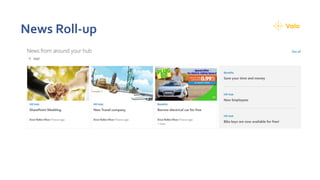
News Roll-up
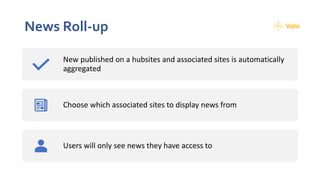
News Roll-up
New published on a hubsites and associated sites is automatically
aggregated
Choose which associated sites to display news from
Users will only see news they have access to
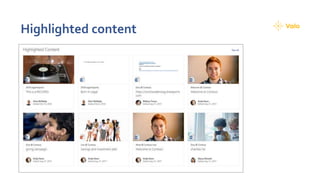
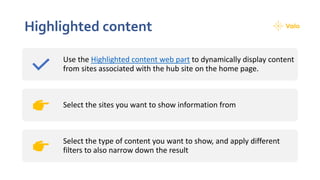
Highlighted content
Highlighted content
Use the Highlighted content web part to dynamically display content
from sites associated with the hub site on the home page.
Select the sites you want to show information from
Select the type of content you want to show, and apply different
filters to also narrow down the result
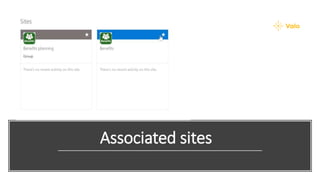
Associated sites
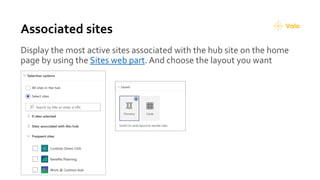
Associated sites
Display the most active sites associated with the hub site on the home
page by using the Sites web part. And choose the layout you want
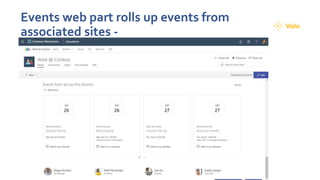
Events web part rolls up events from
associated sites -
Other features
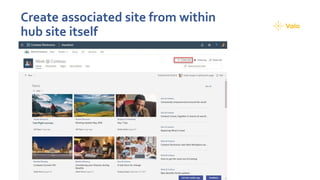
Create associated site from within
hub site itself
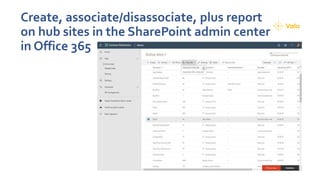
Create, associate/disassociate, plus report
on hub sites in the SharePoint admin center
in Office 365
Summary
What does hub sites offer
• They add a consistent branding across all sites
• They add a persistent menu, making it easier to move between the
linked sites.
• If you search within the hub site, it will also search all linked sites.
• A handy news digest option lets you collate selected news stories to
go out as an email summary, with images and links.
• We recently also got content targeting
• And we will also get publishing workflow/flow
Hub Site Limitations
• Sites linked into a hub site can only be associated with one hub site.
• Hubs can’t be nested, limiting their potential for a corporate portal
• No fix for multiple languages
Source, Sam Marshall: https://www.cmswire.com/digital-workplace/hub-sites-raise-sharepoints-
intranet-potential/
Configuration tips
• You can always detach a site from a Hub if you want to attach it to another hub site in
the future.
• News, once posted on an associated site, typically takes 5–15mins to index and roll-up
to the Hub
• Hubs do not influence permissions.
• Cross site navigation means that the associated sites will have two top level navigation
bars — the hub site navigation and the current site navigation.
• Hubs will work with the SharePoint mobile app, so consider communicating to end
users which hubs they should follow or find
• You can setup your hub to require approvals. That way, not anyone would be able to
attach to a hub but instead they would have to be approved by the hub Site Owner
So does hub site helps us
with our Modern
SharePoint Intranet?
What other options do we have?
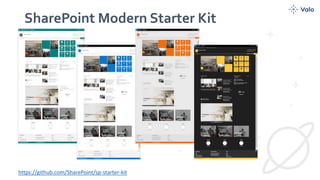
SharePoint Modern Starter Kit
https://github.com/SharePoint/sp-starter-kit
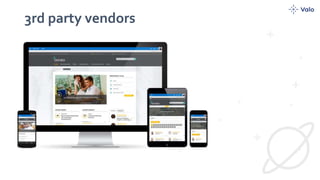
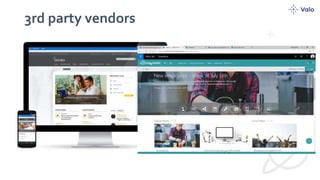
3rd party vendors
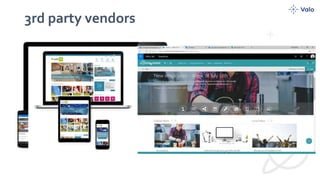
3rd party vendors
3rd party vendors
Providers – A lot different, so you just need
to find the one you trust and loves.
https://www.clearbox.co.uk/portfolio-item/sharepoint-
intranets-in-a-box-report-second-edition/
•Attini from Rapid Circle
•Attollo Intranet, from Red Plane
•Bonzai from Dynamic Owl
•EasyShare from Easy SharePoint
•FLEX from ICS Solutions
•Gimmal Intranet and Portals from Gimmal
•Go Intranet Accelerator from Habanero
•Hadron from Cloud Two
•Hoozin, from Hoozin
•Injio from Webvine
•InterChange Digital Workplace from Akumina
•Kasama from Circle T
•Kira from CompanyNet
•LiveTiles SharePoint from Live Tiles
•LS Intranet from Lizard Soft
•Omnia from Prescio Fishbone AB
•OneWindow Workplace from Portal Solutions
•PortalGo! from Rhipe
•Powell 365 from Powell Software
•Rise from Perficient
•Simplify from Content Formula
•SP Intranet from SP Marketplace
•Unily from Brightstarr
•Valo Intranet from Blue Meteorite
•Wizdom from Webtop
•Work Platform Prime from Emgage
Collab 365 Directory
• https://collab365.directory/office365-sharepoint/best-sharepoint-
intranet-templates/#prettyPhoto
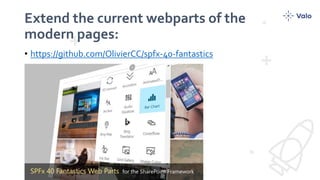
Extend the current webparts of the
modern pages:
• https://github.com/OlivierCC/spfx-40-fantastics
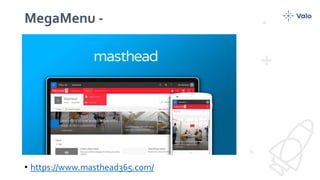
MegaMenu -
• https://www.masthead365.com/
Thank you!
How hubsites raise SharePoint Intranet potential

How hubsites raise SharePoint Intranet potential

  • 1.
    How Hub SitesRaise SharePoint's Intranet Potential? Knut Relbe-Moe Product Evangelist & Partner Manager Valo, Founder DocsNode, MVP
  • 2.
    Be Sure ToThank Our Sponsors!
  • 3.
    Get Drink Ticketsand Wristband During Closing Session Thursday
  • 4.
    Win a SurfaceBook courtesy of Microsoft! Play Vendor Bingo, Winner drawn during closing session on Friday
  • 5.
    Office Apps &Services MVP SharePoint evangelist, mentor, speaker Migration Expert Educator for Glasspaper Microsoft Certified Trainer Product Evangelist & Partner Manager Valo Intranet Box Founder DocsNode, www.DocsNode.com Knut Relbe-Moe knut@valointranet.com https://linkedin.com/in/shareptkarm@shareptkarm
  • 6.
  • 7.
    The Modern Intranet... • ...providespersonalized experiences for the end user • ...works anywhere, with any device • ...has a modern, beatiful design • ...leverages the most recent experiences available in the Microsoft platform • ...is built using the most recent development frameworks available • ...is highly customizable for customers
  • 8.
  • 9.
  • 10.
    From Microsoft: SharePoint hubsites help you meet the needs of your organization by connecting and organizing sites based on project, department, division, region, etc. making it easier to: • discover related content such as news and other site activities, • apply common navigation and branding across associated sites, • search across all associated sites. https://support.office.com/en-us/article/what-is-a-sharepoint- hub-site-fe26ae84-14b7-45b6-a6d1-948b3966427f
  • 11.
    Hub sites allowus to eliminate the inflexibility and governance limitations of “dreaded” subsites, while providing a way to replicate one of the key benefits of subsites — a way to create a shared experience among related sites. Hub sites can help kill subsites, but not without a little planning. (Susan Hanley) https://www.computerworld.com/article/3280102/enterprise- applications/6-tips-for-planning-sharepoint-hub-sites.html
  • 12.
    Features of thehub sites
  • 13.
    Common theme • Helpsso that all sites in the hub should have the same theme and look and feel • great from common branding/user adoption standpoint
  • 14.
    Shared common navigationand footer • Common navigation for all your sites, choose betwen Megamenu and cascading • Add a footer to your hub, to give more navigation options
  • 15.
    New megamenu layoutfor site and hub navigation -
  • 16.
  • 17.
  • 18.
  • 19.
    So how shallwe use Hub Sites?
  • 20.
    The Earth isflat… Intranet TeamworkAbout UsInternal Services What’s New Company Presentation Our Locations Leadership … Forms Human Resources Information Technology … Classifieds Event Hub Latest video …
  • 21.
    The Earth isflat… Intranet TeamworkAbout Us Internal Services What’s New Intranet Hub https://love.valointranet.com/download-the-ebook-a-modern- site-architecture
  • 22.
    Ebook on howto build Modern Site Architecture https://love.valointranet.com/download-the-ebook-a-modern-site- architecture
  • 23.
  • 24.
  • 25.
  • 26.
    WHAT ARETHE USECASES FORTHE HUB SITES?
  • 27.
    Use Case 1:Small business • One hub site just to create an Intranet • One project hub site to collect all project sites in a hub
  • 28.
    Use Case 2:Medium or large size organization Need at least one and possibly multiple Hub Sites • Communication Site for Employee HR • PrivateTeam site (Office 365 Group) for HR team itself • Communication Site Marketing • PrivateTeam site (Office 365 Group) for Marketing • One Marketing hub and one HR Hub for instance.
  • 29.
    Use Case 3:Project Management • Create one hub to collect all your project sites so you can for instance use the site webpart to liftup all your project sites.
  • 30.
  • 31.
  • 32.
    News Roll-up New publishedon a hubsites and associated sites is automatically aggregated Choose which associated sites to display news from Users will only see news they have access to
  • 33.
  • 34.
    Highlighted content Use theHighlighted content web part to dynamically display content from sites associated with the hub site on the home page. Select the sites you want to show information from Select the type of content you want to show, and apply different filters to also narrow down the result
  • 35.
  • 36.
    Associated sites Display themost active sites associated with the hub site on the home page by using the Sites web part. And choose the layout you want
  • 37.
    Events web partrolls up events from associated sites -
  • 38.
  • 39.
    Create associated sitefrom within hub site itself
  • 40.
    Create, associate/disassociate, plusreport on hub sites in the SharePoint admin center in Office 365
  • 41.
  • 42.
    What does hubsites offer • They add a consistent branding across all sites • They add a persistent menu, making it easier to move between the linked sites. • If you search within the hub site, it will also search all linked sites. • A handy news digest option lets you collate selected news stories to go out as an email summary, with images and links. • We recently also got content targeting • And we will also get publishing workflow/flow
  • 43.
    Hub Site Limitations •Sites linked into a hub site can only be associated with one hub site. • Hubs can’t be nested, limiting their potential for a corporate portal • No fix for multiple languages Source, Sam Marshall: https://www.cmswire.com/digital-workplace/hub-sites-raise-sharepoints- intranet-potential/
  • 44.
    Configuration tips • Youcan always detach a site from a Hub if you want to attach it to another hub site in the future. • News, once posted on an associated site, typically takes 5–15mins to index and roll-up to the Hub • Hubs do not influence permissions. • Cross site navigation means that the associated sites will have two top level navigation bars — the hub site navigation and the current site navigation. • Hubs will work with the SharePoint mobile app, so consider communicating to end users which hubs they should follow or find • You can setup your hub to require approvals. That way, not anyone would be able to attach to a hub but instead they would have to be approved by the hub Site Owner
  • 45.
    So does hubsite helps us with our Modern SharePoint Intranet?
  • 47.
    What other optionsdo we have?
  • 48.
    SharePoint Modern StarterKit https://github.com/SharePoint/sp-starter-kit
  • 49.
  • 50.
  • 51.
  • 52.
    Providers – Alot different, so you just need to find the one you trust and loves. https://www.clearbox.co.uk/portfolio-item/sharepoint- intranets-in-a-box-report-second-edition/ •Attini from Rapid Circle •Attollo Intranet, from Red Plane •Bonzai from Dynamic Owl •EasyShare from Easy SharePoint •FLEX from ICS Solutions •Gimmal Intranet and Portals from Gimmal •Go Intranet Accelerator from Habanero •Hadron from Cloud Two •Hoozin, from Hoozin •Injio from Webvine •InterChange Digital Workplace from Akumina •Kasama from Circle T •Kira from CompanyNet •LiveTiles SharePoint from Live Tiles •LS Intranet from Lizard Soft •Omnia from Prescio Fishbone AB •OneWindow Workplace from Portal Solutions •PortalGo! from Rhipe •Powell 365 from Powell Software •Rise from Perficient •Simplify from Content Formula •SP Intranet from SP Marketplace •Unily from Brightstarr •Valo Intranet from Blue Meteorite •Wizdom from Webtop •Work Platform Prime from Emgage
  • 53.
    Collab 365 Directory •https://collab365.directory/office365-sharepoint/best-sharepoint- intranet-templates/#prettyPhoto
  • 54.
    Extend the currentwebparts of the modern pages: • https://github.com/OlivierCC/spfx-40-fantastics
  • 55.
  • 56.

Editor's Notes

  • #59 Need to update graphic to survey